AI-Generated Results
Finding matches…
Even with the strongest security and safeguards in place, vulnerabilities exist and open your company to unknown risk. Those gaps might be as unsuspecting as a database, an application, website access—even your own employees. And any of those access points could provide a direct route into confidential electronic data, such as financials, patient information, strategic or classified documents.
Pentest services delve deeper to pinpoint pathways to access, ranking the potential value of each and providing a clear roadmap for remediation. A penetration test is not only smart business practice but also an annual requirement for those who must remain in compliance with leading regulations like PCI, FERPA, HITECH, FISMA, SOX, GLBA, FACTA, and GDPR.
Let our team of experienced, ethical hackers conduct a comprehensive assessment of potential vulnerabilities, prioritizing those and recommending ways to block attacks before they damage your bottom line.
Our penetration testing services.
External Network Penetration Testing. We pinpoint potential avenues of network attack where access might be gained through internet-connected servers or network equipment by individuals outside of your organization who lack appropriate rights or credentials. We then conduct a mock attack to test security controls, developing and presenting you with a cybersecurity assessment on findings along with solutions and recommendations you can use to remediate the issue.
Internal Network Penetration Testing. We help companies mitigate risk due to internal threats against their corporate network. While external testing investigates avenues that remote hackers might use to enter networks, internal testing looks at ways employees or insiders might lead to a breach either through neglect, malice, or the accidental download of an application, such as ransomware or malware, which has the potential to bring an entire network down.
Application Penetration Testing. We investigate potential threats and vulnerabilities posed by the many internet-based applications in use throughout your enterprise. Conveniently accessed from any location worldwide and just as easily breached, web applications offer significant points of access into credit card, customer, and financial data. Vulnerability assessment services investigate the security of those solutions and controls in place, providing recommendations and strategies to block access to any data that might be stored within.
Wireless Penetration Testing. We bring advanced expertise in a range of wireless technologies, offering ethical hacking services to investigate and identify potential access points where hackers could enter your internal network. This involves threat assessment and security control audits for traditional Wi-Fi and specialized systems. We then compile findings into a cybersecurity assessment report complete with recommendations you can put into place to mitigate damage.
Social Engineering Penetration Testing. We survey employees to see how well they understand your organization’s information security policies and practices, so you know how easily an unauthorized party might convince staff into sharing confidential information. Social engineering penetration testing might include badge access points and mock phishing attacks or password update requests. We’ll then recommend ways to improve success through training or new processes that help employees better protect sensitive data.
Not seeing what you're looking for?
Dive deeper into "Alice" on G2 AI

AstraBit is a U.S.-based, Veteran-owned crypto automation and portfolio management platform designed to bring structure, security, and accessibility to digital asset trading. Supporting both centralized (CEX) and decentralized (DEX) exchange integrations, AstraBit gives users the flexibility to engage with markets on their own terms.
The platform serves a wide range of users, from retail traders and quant teams to institutions and hedge funds. With integrations across major exchanges like Binance, Bybit, BingX, Bitget, KuCoin, Kraken, OKX, Apex Omni, WooFi, and Hyperliquid, AstraBit supports both custodial and non-custodial environments, enabling real-time visibility across diverse trading operations.
At the core of AstraBit is a commitment to automation with transparency. Users can run their own bots, subscribe to third-party strategies via the Marketplace, or engage in copy trading through the Elite Trader Program. Strategies range from trend-following to DCA-based to modular logic, giving users the ability to tailor activity and risk management to their own style and goals, while maintaining oversight at all times.
The AstraBit Portfolio adds an additional layer of structure for users. With tools like allocation-based controls, visualized risk exposure, and a Markowitz-style optimizer, users can better assess how strategies interact and rebalance based on goals or market shifts. All trades and positions are visible in real time, supporting informed, not reactive, decision-making. The AstraBit Portfolio also allows you to connect individual assets via exchange API.
For those interested in participating beyond trading, AstraBlox, AstraBit’s DeFi solution, offers access to capital-efficient yield-bearing pools and strategies. Users can stake with full custody, low slippage, and reduced cost, leveraging automation while preserving decentralization.
To lower the barrier to entry, AstraBit uses a Freemium + Loyalty Credit Program. Users can receive credits by verifying accounts, connecting affiliate-linked exchanges, generating trading volume, and referring others to the platform. These credits can be applied toward bots, strategies, or any future AstraBit product. By receiving credits, users can effectively reduce their platform costs by up to 100%.
With integrated support for CEX and DEX trading, customizable automation tools, portfolio-level analytics, and direct access to DeFi staking, AstraBit offers users a unified way to participate in the digital asset ecosystem, without compromising visibility, custody, or flexibility.
Disclosure: Digital asset trading is high-risk, may result in significant losses, and is not suitable for everyone. Past or hypothetical performance is not indicative of future results. AstraBit makes no guarantees of future returns. All data is provided for informational purposes only, is not independently audited, and should not be relied upon as a basis for investment decisions. You are responsible for conducting due diligence, and AstraBit strongly recommends you consult with your licensed financial professional before using any AstraBit services. Credit amounts and eligibility may vary. Exchange fees and trading risks still apply.

MBOX Viewer Tool is an MBOX viewer for Windows 10 and 11 that opens mailboxes exported from Thunderbird, Apple Mail and Google Takeout with no mail client on the PC. Load a single .mbox file or a whole Thunderbird profile, browse the folder tree, filter the message list and read each letter with its HTML layout intact. Postbox profiles and Unix mail spools share the format and open too. The file is opened read-only and stays where it is.
🔰 How to use it: how to open MBOX file archives
1. Install the program and choose Open MBOX file... in the File menu. Several mailboxes can be picked at once.
2. For a full profile, use Add folder. It walks Mail\Local Folders and the .sbd subfolders and finds Inbox, Sent, Drafts and Junk, even without an extension.
3. Click a folder. Its messages fill the list with Subject, From, To, Date and Size columns.
4. Type part of a subject, sender or recipient and set a date range to shorten a long list.
5. Open a message across the full window. Save it as EML, PDF or HTML, or send it to the printer.
👍 Why IT and office teams pick this MBOX viewer
- Reading an export takes no Thunderbird, Outlook or webmail account.
- As an MBOX reader it never imports, re-indexes or duplicates a multi-gigabyte archive.
- Files on an external drive or a network share open in place.
- Filters run on the open file directly, with no indexing pass before the first result.
- PDFs come from a bundled engine on the machine, with no upload and no sign-in.
- The window looks the same whether a mailbox came from Google, Apple or Mozilla.
- Each mailbox gets its own node, so a Takeout file and an old profile can sit side by side.
✅ Who uses it
- Help desks checking a departed employee's mailbox before it is archived.
- Legal, HR and records staff pulling one thread into a case file with its headers.
- People who left Thunderbird or Apple Mail and want to look through old exports.
- Small offices that keep old mail on a shared drive.
- Anyone holding a Gmail download that nothing on Windows will open.
❓ FAQ
What program can open MBOX files? A standalone viewer like this one, or a mail client that imports the format. Outlook does not read MBOX.
How do I open a Google Takeout mailbox? Unzip the archive, choose Open MBOX file... and select the mailbox inside. The whole account appears as one node.
Will Thunderbird files without an extension open? Yes. Add folder collects them, and the open dialog has an All Files option for single files.
Does it convert a whole mailbox? No. Save and Print act on the one message that is open.
Can it search the message body? Not in this version of the MBOX viewer. Filters cover subject, sender, recipient and date.
ℹ️ The free trial lists every message and opens a few per day. Saving, printing and attachments need a license. Requires Windows 10 or 11.
Outlook PST Password Remover and Recovery Software is a Windows PST password remover for Outlook data files you protected yourself and can no longer open. It writes an unlocked copy of each archive and gives you a working password for the original, in about a second per native .pst. Nothing is uploaded, and the source file on your disk stays as it was.
🚀 How to use
1. Install the program and drag your locked .pst files into the window, or click Add Files or Add Folder.
2. Pick an output folder, or leave the default and the copies land next to the originals.
3. Press Start. Each archive in the queue is processed in turn, and a message tells you where the results went.
4. Open the unlocked copy in Outlook, or type the working password into the prompt of the original file.
🛠 Why IT and office teams pick it
A native .pst does not encrypt mail with its password. Outlook keeps a 32-bit checksum of it inside the file and compares what you type against that number. The program reads the mailbox structure directly and reverses the checksum, so there is no wordlist, no GPU and no overnight run. That makes Outlook PST password recovery predictable enough to promise a colleague a result before lunch. A help desk can point one PST password remover at a share full of retired archives and clear them in a single batch. Old ANSI files from Outlook 97 through 2002 and Unicode files from 2003 onward go into the same queue. Since nothing leaves the workstation, it fits offices that keep client mail under strict rules. The password you get back may differ from the one first typed, because several strings share one checksum, yet Outlook accepts it all the same.
👥 Who uses it
People reopening a personal archive from years ago, IT staff merging or migrating .pst files after the owner left, and consultants who inherit a predecessor's mailbox they are allowed to read. Any of them can keep a PST password remover on one workstation instead of opening a ticket per file, and the same install serves the whole office.
❓ FAQ
Can I remove password from PST file without knowing the old one?
Yes. The tool clears the protection in a copy of your own archive, and that copy opens in Outlook with no prompt.
Does it work with .ost files?
No. An offline .ost has no password of its own. Its protection belongs to the mail profile or the server.
How long does it take?
About a second per native .pst, for both the old and the new format. A folder of fifty archives is done before the kettle has boiled.
Is my mail sent anywhere?
No. Reading and saving happen on your computer, offline.
✅ The free trial for Windows 11, 10, 8.1, 8 and 7 checks every file you add and confirms which ones can be unlocked. A license saves the unlocked copies and shows the working password. Plan for 4 GB of RAM and 1 GB of free disk space.
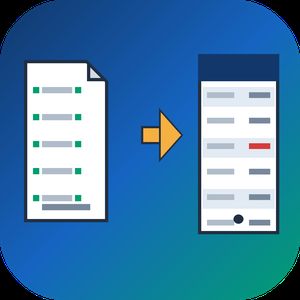
QBO to PDF Converter Tool is a Windows program that opens the .qbo or .ofx download a bank or bookkeeper sent you and prints it as a readable PDF statement, with no QuickBooks on the machine. A QBO download is OFX text written for an accounting importer, so a double-click gets you nowhere. This qbo to pdf converter parses the tags, lays the transactions out as a table and saves pages you can print, forward or archive. The qbo to pdf work happens offline, on your own PC.
📋 How to use
1. Install it on the Windows PC that holds the download. The PDF engine comes inside the installer.
2. Queue one download, several of them or a whole folder.
3. Read the text preview: transaction count, detected encoding and the first rows.
4. Choose PDF or CSV and how dates should print, then press Convert.
5. Open the result from the destination folder you set on the same page.
🏢 Why IT and office teams pick it
- No upload, no sign-up and no outbound traffic to whitelist.
- One parser covers OFX 1 files in SGML and OFX 2 files in XML.
- Column headers repeat at the top of each sheet and a row never splits in two.
- Negative amounts are bracketed and colored, so a black and white copy still shows them.
- Every footer carries a sheet number, the source name and the generation date.
- A Merge checkbox, off by default, joins the queue into one output.
- CSV output is UTF-8 with BOM and guards against formula injection in Excel.
👥 Who uses it
- Bookkeepers who receive client downloads and need a statement on paper.
- Paralegals turning raw bank exports into paginated exhibits.
- Owners whose old accounting setup is gone while the QBO files remain on disk.
- Anyone who got one attachment and will not buy accounting software to read it.
- Auditors who want a count of transactions on screen before they trust a printout.
❓ FAQ
How do I open a QBO file without QuickBooks?
Use a program that reads the OFX inside it. The QBO to PDF converter parses the file directly, so no QuickBooks license is involved.
Can I convert QBO to PDF and CSV in the same program?
Yes. A combo box on the Convert page switches between a PDF statement and a CSV table for Excel.
Is the Running total the same as my bank balance?
No. It is the sum of the printed rows, counted from the top, and the column stays off until you tick it.
Does the QBO to PDF converter read card and investment files?
Yes. Bank, card and investment statements are parsed, several per file too. An investment line that carries a share quantity instead of an amount is kept.
Which columns appear in the PDF by default?
Date, Check, Payee, Memo and Amount. Type, Category, FITID and Running total are optional, because most bank files leave them empty.
🆓 The free trial converts 20 transactions and prints a warning line in the output. Runs on Windows 11, 10, 8.1, 8 and 7, 32 and 64 bit.
ZIP Password Recovery Software is a Windows desktop program for people who are locked out of an archive they made themselves. It handles zip password recovery for both kinds of protection found in .zip files, confirms the password on the file, and then writes a copy of the archive with no protection on it. Everything runs on your own PC, and the archive is never uploaded anywhere.
🔰 How to use it
1. Drag one or many .zip files into the window, or click Add Files or Add Folder to queue a whole directory.
2. Press Start. The protection type is detected and named, legacy ZipCrypto or WinZip AES.
3. The search opens with a word list and then moves on to masks. A mask describes the shape of a password you half remember, so only matching candidates are tried.
4. When a password fits, it is verified against the archive itself before it is shown.
5. Choose a folder and save the unprotected archive. The original file is left untouched.
👍 Why IT and office teams pick it for zip password recovery
- Local processing. Payroll exports, client scans and config backups stay on the machine, which a web service cannot offer.
- Batch queue. An admin who inherited dozens of locked archives can load the folder once and let the queue run.
- Graphics card support. WinZip AES searches run on the GPU when one is present. Without it the CPU does the work, and you are told in advance that the job may take much longer.
- Plain estimate. Before the search starts you are told what the detected protection means in practice.
- Read-only handling. Checks happen in memory and the result is a separate file, so a failed search costs nothing but time.
✅ Who uses this zip password unlocker
- IT and support staff holding a ticket for an archive whose author has left the company.
- Accountants and freelancers who received locked scans from a client who is now unreachable.
- Owners of old backups who forgot zip password details chosen many years ago.
❓ FAQ
Can I open my own archive without knowing the password? Only by finding it first. The content of a .zip is encrypted, so no setting simply switches the lock off. The program has to recover zip password data, confirm it, and then save an open copy.
How long does zip password recovery take? It depends on the protection. ZipCrypto archives respond fast even on a CPU. On WinZip AES, dictionary words and short masks are realistic with a graphics card. A long random password on AES is not promised.
Does it open RAR or 7Z archives? No. This version reads .zip files only.
Can the search damage my archive? No. The source file is opened read-only and is never rewritten.
ℹ️ Free trial: the full search runs and the result appears in a popup with the password masked. Saving the unprotected archive needs a license, sold as lifetime, 1-year, monthly or business. Requirements: Windows 11, 10, 8.1, 8 or 7, 4 GB of RAM. A graphics card is optional.
Excel Password Recovery Software is a Windows desktop program for workbooks you own and can no longer edit or open. It handles two different locks. Sheet and workbook protection comes off at once, with no password needed. A forgotten open password is searched for on your PC and shown to you when it is found. For anyone who needs excel password recovery without sending a spreadsheet to a website, everything here runs offline.
🔰 How to use Excel Password Recovery Software
1. Install the program and open it. No sign-up is asked for.
2. Drop in one file or a whole folder of .xlsx and .xls workbooks.
3. Start the run. The program first tries to unprotect Excel sheet and workbook structure locks, which takes seconds.
4. If a workbook is encrypted with an open password, the search begins. You see the speed, a time estimate and a Stop button.
5. Read the result: an editable workbook for protection locks, or the password itself for an encrypted file.
👍 Why office and IT staff choose it for Excel password recovery
- Local processing. Payroll, budgets and client lists never leave the computer.
- One pass for a folder. Dozens of locked files are queued and worked through while you do something else.
- No manual workaround. A locked sheet is only a setting stored in the workbook, so the program deletes that setting for you.
- Honest odds. The search covers the everyday passwords that office users invent, plus typical twists on them. A lengthy random string set in Office 2013 or later stays out of reach, and you are told so before any waiting starts.
- Hardware you already have. A GPU shortens the wait, and a machine without one still does the job after quoting how long it may take.
✅ Who uses it
- Finance and office staff who locked a budget workbook months ago and need it before a deadline.
- IT admins who inherit a file share full of protected sheets with no passwords written down.
- Owners of old .xls accounting archives. Legacy files use weaker protection, so they usually open fast.
❓ FAQ
How do I open an Excel file when the password is forgotten? Add the file and start. The program looks for the open password you chose and displays it, so you type it into Excel yourself.
Can I unprotect a sheet without knowing its password? Yes. Sheet protection is not encrypted, so it is removed with nothing to remember.
Do I need a graphics card? No, but it helps. Removing sheet protection needs no GPU at all, and to recover an Excel password on a CPU just takes longer.
Is this an excel password remover for files that belong to other people? No. It is meant for workbooks that are yours or that you are authorized to open.
ℹ️ Free trial: the full job runs and you get a preview, either the unprotected content or the recovered password with characters hidden. Saving the file and reading the whole password need a license. Excel password recovery runs on Windows 11, 10, 8.1, 8 or 7 with 4 GB of RAM and 1 GB of disk space.
PowerPoint Password Remover Tool is a Windows program for one narrow job: finding the open password of a .PPTX presentation that you locked yourself and then forgot. You add the file, pick how long the search may run, and read the answer in a small window. The deck on your disk is never rewritten, so a failed run costs you nothing but time.
🚀 How to use
1. Install the program and click Add Files. A whole folder worth of locked decks can wait in one queue.
2. Choose Fast, Standard or Thorough in the mode box. Standard is the default.
3. Press Start. A line in the panel tells you whether the video card or the processor is working.
4. When the run ends, a window lists the file name and the password. Type it into the PowerPoint prompt and the slides open.
🛠 Why IT and office teams pick it
A powerpoint password remover has to be easy to hand over to a colleague, and this one needs only the encrypted file and a Windows workstation. The search begins with a wordlist that ships in the installer, so there is nothing to download first. Rules then reshape each word the way people do, with a capital letter in front or a year at the end. The program does not upload anything, which matters when a deck holds client figures. Users who only need to unlock powerpoint files they own get a plain result, not a rewritten document. To remove password from powerpoint access for good, take the recovered string, open the deck and clear the encryption box yourself. That step stays in your hands on purpose. Every machine in the office can run the same powerpoint password remover, and a team can agree on one depth for everyone. Standard suits most routine tickets, and Thorough is kept for decks that matter enough to wait.
👥 Who uses it
Teachers who need a powerpoint password remover for old course decks, consultants with archived client pitches, office managers who inherit shared folders after a colleague leaves, and help desks that receive locked files as tickets.
❓ FAQ
How to open a password protected PPT without password?
You cannot go around the lock, because the whole file is encrypted. Recover the password with the search, then open the deck with it.
How do I remove a forgotten password from PPT?
Get the password back first. After that, open the presentation and clear the box under Protect Presentation, Encrypt with Password.
Does the tool read old .PPT files?
No. Files from PowerPoint 2003 and older are outside this version. A long random password on a modern file may also stay unfound.
Does it need a special video card?
No. A compatible card makes the search much quicker, but the processor takes over when none is found.
✅ The free trial for Windows 11 and 10 runs the full search. It shows the first character and the length of the password it finds, and a license shows the whole string.
CSV to PDF Converter for Bank Statements is a Windows csv to pdf converter for transaction exports from a bank, broker or accounting system. It reads .csv, .tsv and .txt files and prints them as paginated tables that an auditor, lender or board member can follow. Everything runs on the local PC, so account data never reaches a web service.
🔰 How to use the CSV to PDF converter
1. Add one export, several files or a whole folder to the list.
2. Read the preview. It shows the detected encoding, how many transactions were recognized and the first rows split into columns.
3. If day and month look swapped, set the date order of the input file and check the preview again.
4. Keep PDF as the output, or pick QBO when the data is going into QuickBooks.
5. Press Convert. Each report is named after its source file.
👍 Why IT and office teams pick this CSV to PDF converter
- Statements stay on the workstation. Nothing is uploaded, so there is no third-party retention policy to review.
- Column headers are matched by name in English, Russian or German, and junk lines above the header are skipped.
- A debit and credit pair becomes one signed amount, and an account column splits a mixed export per account.
- Negative amounts get color plus parentheses, which still reads on a black-and-white printout or a fax.
- The table header repeats on every page, rows never break across pages, and each page carries a number in the footer.
- Wide tables go landscape and narrow ones portrait, chosen per file.
- The same tool works as a csv to qbo converter, with a bank lookup that fills in FID and INTU.BID for the QuickBooks import.
✅ Who uses it
- Bookkeepers who hand monthly statements to clients or auditors as PDF.
- Nonprofit treasurers preparing year-end packets for a board.
- Paralegals who need stable, paginated pages before Bates stamping in a separate tool.
- Small business owners assembling account history for a loan application.
- Office managers who print card and account activity for an expense review.
❓ FAQ
How do I convert CSV to PDF without uploading the file? Install the program, add the export and press Convert. The file is read from your disk and the PDF is written next to it.
Can it read a semicolon-separated file? Yes. The delimiter and the text encoding are detected automatically, and the preview shows the result before anything is saved.
Does it add a running balance? No. The report prints only the columns your export contains, so it never shows a balance your bank did not report.
What if my file has no dates or amounts? Then it is outside the scope of this bank statement converter. Every row needs a date and an amount.
ℹ️ The free trial converts up to 20 transactions from your own file and prints a truncation notice on the page. Lifetime, yearly, monthly and business licenses are available. Runs on Windows 11, 10, 8.1, 8 and 7, 32 or 64 bit.
Password Remover Software for Word DOCX is a Windows word password remover for documents you created and locked yourself. Word has two kinds of lock. An editing or formatting restriction is a flag stored inside the file, and the program clears it at once without asking for any password. An open password encrypts the document, so the program searches for the one you chose and shows it to you. Both jobs run locally on your PC, and you can see how a file turns out before paying.
🔰 How to use the word password remover
1. Install it and launch it. No account or email is requested.
2. Add one document or a whole folder of .docx and older .doc files.
3. Press Start. Editing limits are lifted first, which takes seconds.
4. When a file is encrypted, the password search begins with a dictionary and rules, and a progress bar keeps moving while it works.
5. Read the recovered password and type it into Word, or save the copy that no longer has editing limits.
👍 Why IT and office teams pick it
- Contracts, HR forms and drafts stay on the computer. Nothing goes to a server.
- A folder of locked files is handled in one pass instead of file by file.
- Unlocked copies are written to a Save to folder you pick, and the originals stay where they were.
- It reads Word 97-2003 .doc archives as well as current .docx files.
- To unprotect Word document restrictions, no graphics card is needed at all.
- For encrypted files, a GPU speeds up the search. Without one the program warns you how long it could take.
- The limits of Word password recovery are spelled out up front, so nobody waits days for a result that will not come.
✅ Who uses it
- Office staff who restricted editing on a template years ago and now need to change it.
- IT support handed a share of protected reports by a colleague who has since left.
- Writers and students locked out of their own thesis or manuscript a week before it is due.
- Small firms with old .doc archives where nobody wrote the passwords down.
❓ FAQ
Can I open my Word document if I forgot the password? Usually yes, if the password was a word, a name or a pattern you made up. The word password remover finds it with a dictionary and rules.
Can I remove password from a Word document that only blocks editing? Yes. That restriction is not encryption, so it comes off right away and you save an editable copy.
Will it find a long random password? Not on Office 2013 or later. That encryption is slow to test on purpose, and we do not promise it.
Is it meant for other people's files? No. It is a word password remover for your own documents, or files you are allowed to open.
ℹ️ Free trial: run the whole job and preview the result, with the found password partly masked. A license shows the full password and saves the unlocked copy. Windows 11, 10, 8.1, 8 or 7, 4 GB RAM, 1 GB of disk space.

Humanage by Cardinal es un software de RRHH diseñado para digitalizar y automatizar la documentación laboral en empresas medianas y grandes de Latinoamérica. Permite gestionar el ciclo de vida completo del colaborador — desde el onboarding hasta el offboarding — sin papel, con firma electrónica y cumplimiento normativo garantizado en cada país.
¿Qué problema resuelve Humanage?
Los equipos de RRHH que todavía distribuyen recibos de sueldo en papel, administran carpetas laborales o legajos en carpetas físicas o gestionan el onboarding por mail pierden horas de trabajo administrativo, tienen dificultades en auditorías y asumen riesgos legales innecesarios. Humanage digitaliza y centraliza todos esos procesos en una sola plataforma accesible desde cualquier dispositivo.
Módulos principales:
— Recibos de sueldo/ recibo de pago o haberes digitales: los responsables de RRHH firman y distribuyen recibos de forma masiva. Los colaboradores los visualizan y firman desde el celular. Seguimiento en tiempo real de quiénes firmaron. Setup en 2 días.
— Legajo / expediente laboral digital: toda la documentación del colaborador centralizada, con flujos automatizados y autogestión. Conocido como legajo en Argentina y Uruguay, carpeta laboral en Chile, y expediente laboral o expediente del trabajador en México, Colombia, Perú y Ecuador.
— Onboarding digital: alta de nuevos empleados 100% remota, con formularios electrónicos configurables y seguimiento en tiempo real.
— Vacaciones y licencias: solicitud, aprobación y notificación automatizada, sin mails ni planillas de Excel.
Adaptación regional:
Humanage digitaliza los comprobantes de pago de salario con la terminología y normativa de cada país: recibo de sueldo y recibo de haberes (Argentina/Uruguay), liquidación de sueldo y boleta de remuneraciones (Chile), desprendible o comprobante de nómina (Colombia), recibo de nómina y CFDI (México), boleta de pago (Perú), rol de pagos (Ecuador) y pay stub o payslip (USA).
Certificaciones y seguridad:
Certificación ISO/IEC 27001 avalada por IRAM e IQNet. Cumplimiento GDPR. Registro en el Registro Nacional de Bases de Datos Personales de Argentina.
Clientes de referencia:
AA2000 (Aeropuertos Argentina 2000), Walmart Argentina, Siemens, Microsoft, SAP, Hunter Douglas, LoJack, Panamerican Energy, Pluspetrol, Simplia (operaciones en Argentina, Chile y Uruguay).
Microsoft Partner. Capacitación incluida. App mobile para iOS y Android.

SitePing is a web service for web agencies and freelancers who look after many client sites built on WordPress, Joomla, Drupal and PrestaShop. It runs in the browser, so there is nothing to install on your computer. The interface is available in English and Italian.
SitePing looks at each site in two ways. From outside, our servers check the site like a visitor would. Inside, a light agent installed as a plugin or module reads what cannot be seen from outside. The agent opens no ports on the client's server, and requests are signed in both directions.
Outside checks
- Uptime and response time. A site counts as down only when probes in at least two regions see it down.
- SSL certificate and domain expiry, weeks in advance.
- DNS changes, sitemaps filled with spam pages, robots.txt files that block Google, and blacklists such as Google and Spamhaus.
- Security headers, Core Web Vitals, HTML validation and broken links.
Inside checks, with the agent
- New administrators and role changes, as they happen.
- Every core file compared with the official release of the installed version.
- PHP hidden in upload folders, fatal PHP errors, and admin logins from new IP addresses.
- Installed versions with known vulnerabilities.
- 193 configuration checks written for each CMS, from Super Users without two-factor login to database backups left in the site folder.
Active Shield
Some clients still run Joomla 3.10.12, Joomla 4.4.14 or PrestaShop 1.7.8.11, which no longer get fixes. Active Shield applies official security fixes to these versions. If someone changed a file it would touch, it changes nothing and tells you which file.
Backups
The client's server compresses and encrypts the database and files with AES-256, then uploads them to European storage. From the second backup on, only changed files are sent, and a restore takes one pass. Backups are locked against early deletion, and you can choose to hold the decryption key yourself.
Updates that roll back
Before an update, SitePing takes a full backup and a restore point with files and database tables. It checks the home page and the pages you choose before and after. If something breaks, files and database go back to the previous version. This works today for WordPress plugins and themes and Joomla extensions.
One-click admin access
Open any client's admin panel with a single-use link that expires after 60 seconds. Every login is recorded on the platform and in the site's own log, and the site owner can turn the feature off.
Alerts
Email, Telegram, webhooks, Slack, Microsoft Teams, Discord, Google Chat and other channels. Only serious problems reach your inbox.
Pricing
You pay per site, per month, in blocks of 5 sites. The price per site goes down in brackets as the licence grows. A Free plan covers uptime for up to 50 sites, and a 30-day free trial needs no credit card. A free read-only audit of one site is also available.

Windows Event Log Viewer is an event log viewer that explains every record in plain English. Open the live journals of a PC or an .evtx file from another machine, filter by Event ID, level, source or time, and read what a 4625, a Kernel-Power 41 or an Application Error 1000 actually means. A built-in reference covers 181 events, about 94.6% of what a typical desktop journal contains.
🔰 How to use the event log viewer
1. Pick Application, System, Security or any provider channel in the tree, or open an .evtx or legacy .evt file.
2. Type an Event ID list such as 4624,4625 or a range, choose levels, and narrow the time span. Windows runs the filter itself, so only matching records load.
3. Click a record to see the explanation from the reference next to the original Windows description.
4. Export the list to CSV, Excel, HTML or PDF, or write it into a SQL Server table.
👍 Why IT teams pick it
- Readable logs from other servers: when the provider DLL is missing and Windows shows "description cannot be found", the reference still explains the event.
- Event log monitoring: rules on Event ID, level or text raise a tray alert, and a threshold folds five failed sign-ins in ten minutes into one alert.
- Damaged journals: deep scan searches the file for ElfChnk chunks and recovers records Windows refuses to open.
- Remote machines over RPC, a subnet scanner, merged timelines of two logs, and workspaces that save tabs and filters.
✅ Who uses it
- System administrators tracing crashes, reboots and service failures.
- Security staff reviewing failed logons and privilege use.
- MSPs and consultants who receive .evtx files from customer servers and need an evtx viewer that does not depend on the original machine.
- Help desks that must hand an audit or a ticket a clean export instead of a screenshot.
❓ FAQ
What is special logon in Event Viewer? It is Event 4672, written when an account with administrator-level privileges signs in. The reference shows which privileges were assigned so you can tell routine service logons from unusual ones.
Where is the Windows event log stored? In C:\Windows\System32\winevt\Logs as .evtx files. You can copy them from a machine that will not boot and open them here.
How do I view the event log in Windows 10? Use the built-in Event Viewer, or open this Windows event log viewer for filters that run inside Windows, explanations and exports.
ℹ️ Free trial for 10 days: browsing your own logs is unrestricted, export stops at 20 rows, explanations show the headline only, and monitoring, merging and remote access need a license. Windows 10 and 11, offline, 20 languages.

👑 1st Mail Merge add-ons on Google workspace which allows you to send Limited number of emails on each Run (Like. N emails on every X hr)
👑 1st Mail Merge add-ons on Google workspace which give you all inside HTML codes.
👑 1st Mail Merge add-ons on Google workspace which allows you to use the design of received email by providing HTML code of that design.
👑 1st Mail Merge add-ons on Google workspace which allows you to create drafts in Gmail from sheet data with a merge field which you send manually. (Special feature)
✔️ Send your campaign from Gmail using Google Sheets.
✔️ Check if your recipient opened the email, How many times. When was the email opened? Get all the details.
✔️ Design your email in Gmail directly or use Received email or write manually.
✔️ Allow users to unsubscribe you. Automatic Skip sending email to the person who unsubscribed you.
✔️ Set automatic sending on a scheduled date with a specific time or every x hours.
-----------------------------------------
❓ NEW IN LATEST UPDATE !!!
Now, You can set the limit on the number of emails to be sent on each run. Like. If BulkMail Hourly Run is set to run every 1 hr and Limit per Run is 10 then it will send only 10 emails in 1hr
————————————————————————————————
❓ WHAT IS BULKMAIL?
With Gmail™ you can manually send hundreds of emails to different recipients.
If you need to send a similar email with a variable field or image to many recipients, BulkMail can automate that task. Like. sending Certificate, Greeting, Notification, Update, Results etc
You write your message, as usual, in a Gmail™ draft, add the list of recipients in sheet and BulkMail will send your message to all of them.
————————————————————————————————
🤔 Why use BulkMail and not others?
BulkMail is using only google sheet based function for all tasks, No any external API or other thing. It is a pure Google Sheet based add-on with Full Customization, Security, Flexibility, Transparency and Privacy.
👇 Read more about pricing, quota, features, support,.
————————————————————————————————
🎯 6-STEPS TUTORIAL:
After Installation Go to Sheet and from Add-ons menu Go To BulkMail and Click refresh. It is required to enable BulkMail for that sheet.
1️⃣ Prepare Design
Option-1: Create a new draft in Gmail™
Option-2: Use Design of Received Email
Option-3: Write HTML code
optionally add merge fields like {First Name} for the merge field to personalize your email. You can also use {Image} to place a variable image for each email from Google Drive.
👉 Then Open Sheet Go to BulkMail> Configure and go to 1st option. Choose suitable option and click save to save HTML code in sheet
2️⃣ Select Design (HTML): Select Design which you saved in the sheet in the 1st step which will be used for email sending.
3️⃣ (Optional) You can Send Test email to yourself for any row
4️⃣ (Optional) Set Email Tracking ,
5️⃣ (Optional) Unsubcribe setting,
6️⃣ Click Run: BulkMail will automatically send your message to each recipient and track your email campaign (opens, unsubscribes etc)
————————————————————————————————
🔒SECURITY/Privacy
BulkMail is completely running on Google. 100% data will remain in Google Sheets. No data will be shared outside Google. Your list of recipients stays in your spreadsheets, your email content stays in Gmail™.
————————————————————————————————
🆘 Support
Email us admin@clinchscript.com and our team will get back to you shortly!
Or visit our help center: https://www.clinchscript.com/bulk-mail/faq-solutions
————————————————————————————————
🤔 USE CASES
💓 BulkMail is currently being used by organizations to quickly send email updates to employees who are working from home during the Coronavirus (COVID-19) crisis.
📢 Send holiday greetings (with emoji),
✉️event invites,
📖school assignments,
📰press releases,
🎈schedule birthday messages in advance,
create 😎rich email newsletters or reach existing 🤝customers with any upcoming 🛍️offers in your store.
🎓Email Certificated/results
And whatnot ❓
————————————————————————————————
🕵️ FEATURES
• Send Personalized Emails from Gmail with Google Sheet
• Unique Subject, Unique multiple attachment, Unique Admin Name, Unique Message, Unique Inline Variable image with resize option, Unique To email ids, Unique CC email ids, Unique BCC email ids, Unique Reply to email ids etc.. All this for each email id.
• Email Tracking:
o Track, Who opens your email?
o How Many times has he/she opened your Email?
o Date and time when email opened?
• Manage Unsubscribe. Allow users to unsubscribe you, Skip sending who unsubscribed you.
• Schedule sending: Send email on specified date and Time.
• Hourly running: Check new entry in sheet on hourly basis and send email accordingly.
• Get HTML of Gmail draft and use as a template
• Get HTML of Received Email and use as a template
• Write custom HTML for template
• Check Campaign Report
• Find Potential Clients
• Send Email as a you
• Generate Draft in Gmail from Sheet Data.
• The Recipient will receive each email in his/her primary inbox*, not in the promotional tab. She/he will feel this email was sent to them personally by you.
Note: Due to a recent update in Policy. Try to skip adding sender name and reply To email addresses while using BulkMail. (or any other mail merge tool). Leave those columns blank Otherwise your email may go to spam or not deliver.
• And Many more
➤ BulkMail works with Gmail and GSuite accounts. You can send merged emails immediately or use the built-in scheduler and send emails at a later date and time.
➤ You can compose email templates inside Gmail or use the built-in visual HTML editor to create rich text emails using HTML and CSS. Gmail now supports media CSS queries in addition to inline CSS styles
————————————————————————————————
💰 QUOTA AND PRICING:
➤ Basic (Default-Free) Plan: Sending Limit 100/Day ✔️Email Tracking ✔️Unsubscribe setting ❌Draft Creation ✔️Email Signature
➤ Premium: ✔️No Sending Limit ✔️Email Tracking ✔️Unsubscribe setting ✔️Draft Creation ✔️ No Email Signature
Premium price is Just 💲29/Year/User (For Bulk license email us)
For Offer Visit:
https://www.clinchscript.com/bulk-mail/get-premium
• In rear case it went to spam it may because for 1. Google flagged you as a spammer 2. You entered Sender name and reply to value in BulkMail template sheet 3. Many receiver reported you as a Spammer 4. Your Google work space account is recently created or total billing to Google is not more than $100.

Naturooo est un logiciel pour naturopathe et thérapeute, conçu en France pour simplifier la gestion d'un cabinet de naturopathie. Agenda, dossiers clients, bilans, comptes-rendus, suivi entre les séances et facturation : tout est réuni dans un seul outil en ligne, accessible sur ordinateur, tablette et smartphone.
Un logiciel de gestion pensé pour les naturopathes
Naturooo est né d'un constat simple : les naturopathes passent trop de temps sur l'administratif. Notre logiciel naturopathe vous aide à organiser votre activité au quotidien, que vous soyez installé en cabinet, en consultation à distance ou en début d'activité. Il convient aussi aux sophrologues, hypnothérapeutes, iridologues et autres praticiens des approches complémentaires.
Agenda en ligne et prise de rendez-vous
- Agenda synchronisable avec Google Agenda
- Page publique de réservation : vos clients prennent rendez-vous en ligne 24h/24
- Rappels automatiques par e-mail et SMS pour limiter les rendez-vous oubliés
- Visibilité dans l'annuaire des praticiens Naturooo
Dossier client et anamnèse
- Fiche client complète et historique des consultations
- Questionnaires d'anamnèse à remplir par le client avant la séance
- Bilans de naturopathie, dont le bilan iridologique avec photos d'iris
- Notes de séance et documents rangés au même endroit
Comptes-rendus et suivi de vos clients
- Comptes-rendus de consultation en PDF, personnalisés à vos couleurs, envoyés en un clic
- Programme de conseils et de recommandations, avec des étapes
- Espace client dédié et messagerie sécurisée pour suivre vos clients entre deux séances
- Catalogue de solutions naturelles (plantes, huiles essentielles, compléments alimentaires) avec les études scientifiques disponibles
Facturation et paiements
- Factures conformes à la facturation électronique 2026/2027
- Liens de paiement en ligne et forfaits de séances
- Journal des recettes exportable, pratique pour votre comptabilité
- Statistiques sur vos rendez-vous et votre chiffre d'affaires
Assistance IA pour les praticiens
Une assistance IA vous aide à préparer vos séances, à rédiger vos comptes-rendus et à chercher des solutions naturelles appuyées sur des études scientifiques. Vous restez toujours seul décideur de vos recommandations.
Sécurité et confidentialité des données de santé
Les dossiers de vos clients sont des données de santé. Naturooo les héberge chez un hébergeur certifié HDS (Hébergeur de Données de Santé), avec double authentification et un journal des accès à chaque dossier, conformément au RGPD.
Tarifs du logiciel naturopathe Naturooo
Trois formules sans engagement, de 9,90 € à 29,90 € par mois, avec 30 jours d'essai gratuit pour découvrir toutes les fonctionnalités.
Naturooo est édité en France par une équipe à l'écoute des praticiens : le logiciel évolue chaque mois grâce à vos retours. Une question ? Écrivez-nous à support@naturooo.com ou rendez-vous sur naturooo.com.

Effectively managing clinical, compliance, and quality processes is a mission-critical task at life sciences companies.
Quality improvements accelerate and improve processes, while quality failures can result in huge costs and disruptions. Choosing the right solution to track quality processes is a critical decision.
Agatha Quality is a complete, ready-to-use application for capturing deviations, documenting corrective and preventive actions (CAPAs), and managing change control processes. Every action is connected, from the initial issue to the new process, and every step is documented, reviewed, and approved.
More than document management, Agatha Quality is an end-to-end quality management system. Combining forms, documents, and workflows, Agatha Quality is a complete toolset for quality managers, pre-configured and validated but easy to adapt to specific process requirements
Benefits
- An End-to-End Process
- A complete, closed-loop process captured in an expanding form, from initial issue to preventative action.
A Complete QMS
- Capture deviations, CAPAs, change controls, and audit activities to cover every part of the quality process.
Inspection-Ready
- Create complete quality records with electronic signatures, recorded approvals, and audit trails, all ready for inspection.
Full Compliance
- A validated system that is compliant with GxP requirements, EU Regulations, and FDA 21 CFR Part 11.
Key Capabilities
- Complete Metrics and Reporting
- Get all the reporting you need with built-in dashboards and reports, and export reports for external reporting requirements.
- Cross Workspace Reporting
- Create views and reports across workspaces and export results to Excel for dashboard reports.
Advanced Forms
- Work with ready-to-use standard forms and processes, or adapt them to support your needs. Forms include rich text fields that allow the addition of images and formatted text. Use the form designer to update the look and feel of your forms.
- A single multi-part form supports all steps in a process from deviation to change control. Reviews, approvals, and assignments for actions are also built-in.
Preview, Edit, and Annotate
- Review and edit Word, Excel, and PowerPoint documents directly in the application (does not require an Office license).
- Annotate PDF, Office documents, and images with a simultaneous review of documents. Complete Records
- Get complete quality records with signatures and audit trails, ready for inspection. Agatha QMS is fully compliant with 21 CFR Part 11 and EU regulatory requirements.
- Agatha’s quality management application is also fully integrated with other Agatha applications making it easy to create references between them (eg. A CAPA can reference an SOP).
More Than an Online Record
- QMS forms are built on a Word template. When the form is converted to PDF, it’s more than a simple screenshot of the form on the page. Instead, you get a signed electronic record that is a nicely formatted PDF.
Also
Advanced Integration Toolkit
- Use Agatha’s Rest API to allow applications to upload or export items from Agatha (includes documentation & sample code).
Advanced Policy And Access Management
- Manage policies, associated roles, and access controls easily.
Secure Cloud
- Agatha Applications are cloud-based, hosted in Agatha’s highly secure, highly reliant, high-performance,
compliant, cloud environment.
Three Editions:
Standard, Extended, and Premium
Some features are only available in Extended or Premium editions.

Stripe OLT is a UK-based Cyber Security & IT Provider with over 20 years of experience delivering IT support, consultancy, and managed security services. From our offices in Bristol, London, and Manchester, we provide expert-led solutions that modern organisations depend on. As a Microsoft Solutions Partner in Modern Work and Security, with a specialisation in Threat Protection, our certified team helps organisations safeguard data, modernise infrastructure, and scale securely. We work across specialist sectors including finance, legal, healthcare, logistics, energy, the public sector, and critical UK infrastructure. Supported by our award-winning 24/7 Security Operations Centre (SOC) and IT Helpdesk, we’ve delivered projects and services for leading organisations such as MoneySuperMarket Group, Hargreaves Lansdown, the NHS Confederation, and National Rail. Recognised as a Top 32 Scale-Up by Business Leader, a Megabyte Top 50 Rising Star, and winner of SME Security Solution of the Year at the 2025 Computing Security Excellence Awards, Stripe OLT continues to set the standard for enterprise-grade IT and security - all without the enterprise price tag. Cyber Security Services Threat Management Services • Managed Cyber Security • Security Operations Centre (SOC) • Threat Detection & Response (EDR/ MDR/ XDR / MXDR) • Incident Response Services Proactive Security Services • Attack Surface Review • Vulnerability Assessments • Cyber Security Gap Analysis • Social Engineering and Phishing Simulation • Cyber Security Awareness & Education Offensive Security Services • Penetration Testing • Network, Web App, Cloud, Mobile • Red Teaming Assessments • Breach and Attack Simulation IT Services Managed IT: • Fully Managed IT Support • Remote & On-site Support • Network Operations Centre Services • Proactive Monitoring and Maintenance • IT Asset Management • Vendor Management • Strategic IT Planning / IT Road Mapping • Device-as-a-Service (DaaS) IT Consultancy: • CTO Consulting • Cloud Services • Cloud Readiness Assessments • Cloud Migrations (Microsoft 365, Azure) • Hybrid and Full Cloud Solutions • Infrastructure and Network Design & Optimisation • Digital Transformation Services • Business Continuity, Back Up & Disaster Recovery Services Compliance & Governance Services: • ISO 27001 Consultancy • Cyber Essentials & Cyber Essentials Plus Microsoft Services Microsoft Modern Workplace Solutions • Microsoft 365 Consulting • Microsoft 365 Licensing Optimisation • Microsoft Teams Implementation & Adoption Solutions • Azure Infrastructure & Migration Services • SharePoint Implementation & Adoption Services • Teams Implementation & Adoption Microsoft Security Solutions • Identity & Access Management Services (IAM) • Modern Endpoint Management • Microsoft Intune & Entra ID Consultancy • Microsoft Purview Consulting • Managed Microsoft MXDR Solutions • Microsoft Sentinel Implementation, Adoption & Management Services • Microsoft Defender XDR Solutions Want to know more about how we can help your organisation transform with secure, cloud-first technology? Get in touch with one of our experts today: www.stripeolt.com | hello@stripeolt.com | 0207 043 7044
EDB to PST Converter Software is a Windows tool for the day when an Exchange mailbox database is all you have left. It opens a .edb file from Exchange 2013 or a newer release up to 2019 on your own PC and writes the mail into a Unicode .pst that Outlook reads. No running Exchange server is needed, Outlook can stay closed, and the database never leaves the machine. As an edb to pst converter it keeps the folder tree intact and carries every message across with its attachments.
🚀 How to use
1. Click Open EDB... and select the database from your backup drive or the disk of the old server.
2. Browse the tree of mailboxes and folders. Click any message to read it in the preview pane.
3. Untick what you do not need, set From and To dates, and decide whether Deleted Items and Junk go along.
4. Pick an output folder and export. In Outlook, choose File, Open and Export, Open Outlook Data File to see the result.
🛠 Why IT and office teams pick it
Microsoft's own export path expects a mounted database on a working Exchange. When that server is gone, the path is closed. This edb to pst converter reads the raw database directly, so an admin can get a few mailboxes back without building a recovery server. It turns an Exchange EDB to PST job into a desktop task. Nothing goes to a cloud service, a point that legal counsel usually asks about first. A warning appears before the run when the database is larger than 2 GB, so a long wait is never a surprise.
📦 What the PST keeps
Folders appear in the same order and nesting the users had. Subjects survive in any script, from Cyrillic to Chinese. HTML formatting, sender and recipient lists, sent and received times, unread flags and pictures placed inside a message body all carry over. Attached files are copied without changes.
🔍 Before you export
In this edb to pst converter the message list gives the subject and sender of each item along with its date and size. A log file records every step without storing message text, which helps when you send a question to support.
👥 Who uses it
Exchange administrators after a failed mount and IT contractors who receive an old database from a client. Legal and forensic reviewers use it to read mail on an offline workstation.
❓ FAQ
Can I convert EDB to PST without an Exchange server?
Yes. The program reads the database file itself, with no server or Outlook profile involved.
Which Exchange versions are supported?
Mailbox databases from Exchange 2013 through 2019. Older databases from Exchange 2010 and earlier use other layouts and are not read.
Can I pick only some folders?
Yes. Each folder has its own checkbox, and anything left unticked stays out of the result.
Does it need internet access?
No. The whole run happens offline on your computer.
✅ The free trial for Windows 11 and 10 exports a sample of messages, so you can check the PST in Outlook before you buy a license.

MBOX to PDF Converter Software is a Windows desktop program that opens .mbox mailboxes from Thunderbird, Apple Mail or a Gmail Takeout export and saves the messages as PDF documents. No mail client has to be installed: as an mbox to pdf converter it fills the gap Windows leaves, since the system cannot open an .mbox on its own. The conversion runs on your own PC, so private correspondence is never uploaded to a web service, and the HTML layout and inline images of each email carry over into the PDF.
🔰 How to use it
1. Click Add File and multi-select one or more .mbox files, or drag them into the window.
2. Use Add Folder to pick up every .mbox in a Thunderbird profile, including the .sbd subfolders.
3. Tick the mailboxes you need in the tree. Click one to list its messages with Subject, From, To, Date and Size.
4. Type in the filter to narrow the list by sender, recipient, subject or body text, and read any message in the preview pane.
5. Choose a destination folder and press Start. Progress is shown message by message.
6. Open the destination folder, where each mailbox has its own subfolder of PDF files.
👍 Why IT and office teams pick it
- Nothing leaves the workstation, which matters for legal, HR and finance mail.
- A mailbox too large for a browser upload is processed locally, with no size cap.
- Old .mbox files stay readable after the account or the mail program is gone.
- Every PDF opens with From, Date, To and Subject above the body, so each record is easy to file.
- Several mailboxes go through in one batch run, and each one gets its own output subfolder, so file names never collide.
- A PDF is a fixed record that cannot be casually edited, which is why auditors and courts ask for mail in this form rather than as a raw mailbox.
✅ Who uses it
- Legal and compliance staff answering a litigation hold or an audit request.
- People moving off Thunderbird or Apple Mail who want old folders kept as documents.
- Gmail users who downloaded one large Takeout .mbox and need to read it on Windows.
- Paralegals who collect mbox to pdf exhibits for a case file and want sender and date on each record.
- IT admins asked to hand mail from a departed employee to a manager who has no mail client.
❓ FAQ
Do I need Thunderbird installed to convert MBOX to PDF? No. The program parses the saved file itself, so the client that created it can be missing from the PC.
Is my email sent to a server? No. Reading and rendering run on your PC.
Can it read Apple Mail exports? Yes, .mbox files from Apple Mail open fine, but the program itself runs on Windows only.
Does it convert EML, MSG or PST files too? No. This mbox to pdf converter reads .mbox only, and live IMAP accounts are not supported either.
ℹ️ Free trial: the MBOX to PDF converter handles up to 3 emails per day, so you can check the output on your own mail before buying. Lifetime, one-year and business licenses are offered. Runs on Windows 10 and 11.

PDF to JPG Converter Software is a Windows desktop program that turns every page of a PDF into a separate image file. It works as a batch PDF to JPG tool: queue a single document or a folder with hundreds of them, pick a resolution, and the pages are written to disk as JPG, PNG, BMP or TIFF. Rendering happens on your own PC, so contracts, invoices and scans are never sent to a web service.
🔰 How to use it
1. Drag PDF files into the window, or click Add Files or Add Folder to build the queue.
2. Choose the output format. JPG is the default, with PNG, BMP and TIFF as alternatives.
3. Set the DPI with a preset of 72, 150, 300 or 600, or type your own value between 60 and 900.
4. Pick a destination folder, or keep Same as original to save the images beside each source document.
5. Start the run. Each page lands in a file of its own, named after the PDF plus a page number.
🛠 Why IT and office teams pick it
- Local processing. A PDF to JPG converter that runs offline fits machines where policy blocks upload sites, and it keeps working with no internet connection at all.
- Whole folders in one pass. A backlog of scanned paperwork goes through without anyone opening documents one at a time.
- Resolution under your control. Use 72 DPI for screen, 150 for previews, 300 for print and 600 for archive copies. A higher value gives sharper text and a larger file.
- Predictable names. Output such as report_page_003.jpg uses zero-padded numbers, so pages sort correctly in any file manager.
- Four output formats. JPG keeps files small, PNG is lossless for text and line art, BMP suits older editors, and TIFF serves archives and print shops.
- Shell and script access. The program integrates with Windows Explorer and accepts a command line, which helps when the same job repeats every week.
- Honest scope. There is no OCR, no PDF editing, no merging or splitting and no image to PDF direction.
👥 Who uses it
Legal, HR and finance staff who need page images for case files and reviews. Designers who place a PDF page into a layout or a slide. Administrators who convert PDF documents to JPG on locked-down or air-gapped workstations. Anyone who wants a PDF to image converter without upload queues.
❓ FAQ
Does it work without an internet connection? Yes. Pages are rendered on the computer, and no file leaves it.
What DPI should I choose in a PDF to JPG converter? 300 is a safe setting for documents you plan to read or print. Go to 600 for small type, and stay at 72 to 150 for web use.
Is a ten-page PDF saved as one long picture? No. It becomes ten files, one per page.
Can it open a password-protected PDF? Only when the document opens without asking for a password. The program does not remove protection.
ℹ️ Free trial with no sign-up. This PDF to JPG converter runs on Windows 10 and 11. Lifetime, 1-year, monthly and business licenses are available.