AI-Generated Results
Finding matches…
Datavare EDB Recovery Tool is designed to recover corrupt EDB files. The program smoothly recovers EDB files that are deleted damaged and save the recovered Exchange mailboxes into Outlook PST, MSG, EML, HTML, vCard, etc. formats.
Not seeing what you're looking for?
Dive deeper into "UFile" on G2 AI

Datavare Exchange Backup Software offers instant backup of Exchange mailboxes to PST file format. The program ensures safe and accurate backup of Exchange mailboxes to Outlook PST file format. Both technical and non-technical users can effortlessly handle the program.

VMware VMDK Recovery quickly identify virtual machine NTFS or FAT partitions and successfully recover deleted file and folders from the Virtual Machine Disk .vmdk NTFS drives partitions. It also recover permanently deleted items from the VMDK files.

A toolkit to compress, edit, and translate published eLearning courses directly from the zip file, reducing file sizes by up to 15x without affecting functionality and translating eLearnings with high quality output in the cheapest price possible.

myTransferPricing is an AI-powered transfer pricing platform that helps advisory firms and in-house tax teams automate documentation, manage multiple TP engagements, maintain audit trails, and reduce the manual effort involved in Local Files and Master Files.

CorrectPST is a tool that allows businesses with broken Outlook PST files to repair them. It can process PST files that are exported as part of a business Microsoft 365 subscription. It also helps IT pros troubleshoot Outlook and Exchange issues.

AI-first SaaS for construction service industry. Upload your CAD, drawings, PDF files and generate the most common files like project briefs, BoQ, material take off. Share with your other project construction planners.

Tipard AMV Video Converter for Mac is a versatile tool designed to convert a wide range of video formats into AMV and MTV files, ensuring compatibility with MP4/MP3 players. It supports the conversion of popular formats such as FLV, MPEG, WMV, and MP4 into AMV, as well as HD videos like HD WMV and HD TS. Beyond conversion, the software offers robust editing features, including merging, trimming, cropping, and adding watermarks, allowing users to customize their videos to their preferences.
Key Features and Functionality:
- Comprehensive Format Support: Converts various video formats, including standard and HD videos, into AMV and MTV formats.
- Audio Extraction: Extracts audio from video files and converts them into MP3, MP2, and WAV formats.
- Editing Tools: Provides functionalities to merge multiple videos, trim segments, crop frames, and add customizable watermarks.
- Preview and Snapshot: Allows simultaneous preview of original and output videos, with the capability to capture snapshots during preview.
- Batch Conversion: Supports converting multiple video files to AMV format simultaneously, enhancing efficiency.
Primary Value and User Solutions:
Tipard AMV Video Converter for Mac addresses the need for Mac users to convert diverse video formats into AMV and MTV files compatible with their portable media players. Its extensive format support and powerful editing tools enable users to tailor their videos, ensuring optimal playback and personalized content. The software's user-friendly interface and batch processing capabilities streamline the conversion process, saving time and effort.

DOCGuard is a cutting-edge cybersecurity solution specializing in detecting and analyzing malicious documents. Utilizing advanced structural analysis techniques, DOCGuard identifies threats in Office documents, PDFs, and other file types, providing detailed reports to enhance security measures. Our innovative technology ensures rapid detection with high accuracy, helping organizations protect against evolving cyber threats.
Inline SMTP Integration:
DOCGuard can be integrated with email systems to analyze incoming and outgoing emails for malicious content. By adding an additional SMTP header with the email's verdict, DOCGuard ensures that only secure emails reach the recipients, while suspicious emails trigger alerts and are blocked if necessary.
BCC Integration:
DOCGuard can use BCC (Blind Carbon Copy) to analyze emails without interrupting the normal email flow. This allows for continuous monitoring of all emails, providing an additional layer of security by detecting and blocking malicious content before it reaches the intended recipient.
SOAR Integration:
Security Orchestration, Automation, and Response (SOAR) platforms can leverage DOCGuard's API to validate alerts and enhance incident response. DOCGuard can provide detailed analysis of suspicious files, helping security teams respond more effectively to threats.
Incident Response:
During digital forensics and incident response (DFIR), DOCGuard can be used to analyze compromised documents and identify indicators of compromise (IOCs). This helps in tracing the source of an attack and understanding the tactics used by threat actors.
File Sharing Platforms Integration:
DOCGuard can be integrated with file-sharing platforms to ensure that shared documents
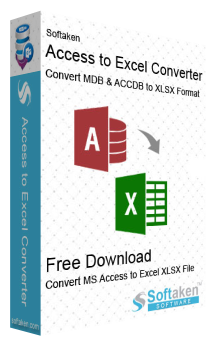
Softaken Access to Excel Converter is a reliable way to export MS Access database tables to Excel format. It is designed to be accurate and quick, and it can readily convert MDB and ACCDB files to XLS or XLSX format without losing any data. This tool can work with both older and newer versions of Microsoft Access files, which is one of its best features. This makes sure that it works with many Access databases, so users can accurately and clearly export tables and fields. In the result Excel files, the conversion tool makes sure that the original layout of the tables is kept, including column names, types, and field values. It gets rid of the chance of making errors when transferring large amounts of data and effectively speeds up the process. This application has a user-friendly interface that doesn't require any technical knowledge to use. It is a standalone utility that does not require Microsoft Access or Excel to be installed on the system. When it comes to speed, the converter really benefits when it comes to batch processing. It makes sure that the outcome file works with all versions of Microsoft Excel, from 2021 to 2016, 2013 to older versions. It is even more accessible because it works with all major Windows operating systems, such as Windows 11, 10, 8.1, 8, 7, Vista, and XP. This software also provides a progress report of the migration to the users. The trial version which is available free of cost supports limited conversions, perfect for testing the interface and verifying output quality.

Envoi - AWS Elemental Edition is a cloud-agnostic video distribution platform designed to provide content owners with a secure and reliable method for distributing content to over-the-top and electronic sell-through platforms. This platform integrates data protection, enterprise file sharing, media transformation, localization, distribution, and monetization services into a comprehensive, do-it-yourself solution. Developed exclusively for Amazon Web Services , Envoi leverages AWS's robust infrastructure to deliver high-quality video content efficiently.
Key Features and Functionality:
- Data Protection: Ensures the security of video content through advanced encryption and access control mechanisms.
- Enterprise File Sharing: Facilitates seamless sharing and collaboration on media files within organizations.
- Media Transformation: Supports the conversion of media files into various formats and resolutions to meet diverse platform requirements.
- Localization: Enables the adaptation of content for different languages and regions, enhancing global reach.
- Distribution: Provides tools for efficient content delivery to multiple OTT and EST platforms.
- Monetization Services: Offers features to implement and manage revenue-generating strategies, such as pay-per-view or subscription models.
Primary Value and User Solutions:
Envoi - AWS Elemental Edition addresses the complexities content owners face in distributing video content across various platforms. By offering an integrated suite of services, it simplifies workflows, reduces the need for multiple disparate tools, and ensures content is securely and efficiently delivered to target audiences. This solution empowers users to manage their video distribution processes independently, leveraging AWS's scalability and reliability to meet the demands of modern digital media consumption.

PaperChat is an AI-powered platform designed to revolutionize the way users interact with documents. By enabling conversational engagement with various file types, PaperChat allows users to read, understand, summarize, and search through lengthy documents in seconds, significantly enhancing productivity and efficiency.
Key Features and Functionality:
- AI-Powered Interactions: Engage in natural, conversational dialogues with your documents, facilitating a more intuitive understanding of content.
- Multi-Format Support: Compatible with multiple file types, including PDF, TXT, MD, DOC, DOCX, PPT, and PPTX, allowing seamless integration into diverse workflows.
- Efficient Document Handling: Quickly upload files and start querying without setup friction or engineering support, streamlining the document management process.
- Multilingual Capabilities: Supports over 40 languages, enabling users to interact with documents in various linguistic contexts.
- Exportable Conversations: Save and export your AI-driven interactions for future reference or sharing, enhancing collaboration and record-keeping.
Primary Value and User Solutions:
PaperChat addresses the common challenge of navigating and extracting information from extensive documents. By transforming static files into interactive conversations, it empowers users to quickly locate relevant information, comprehend complex content, and derive insights without the traditional time-consuming methods. This innovation is particularly beneficial for professionals across industries such as education, research, law, customer support, and real estate, where efficient document analysis is crucial.
In essence, PaperChat enhances productivity by providing a user-friendly, AI-driven solution for document interaction, making the process of reading and understanding lengthy documents faster and more efficient.
The WholeClear Gmail Backup Software is the designed in a such way that can help to user’s backup their Gmail account to their local storage or other format such as – EML, PST, MBOX, EMLX, HTML, MSG and MHTML. It allows users to backup emails, contact attachments from their Gmail Account. This software is simple user-friendly interface, even users with little technical expertise can easily complete the backup procedure. It is capable to handling large number of files without any restrictions on file size. This expert tool ensures that every backup procedure is completed safely while maintaining the privacy and integrity of the data. To proceed with the migration procedure, the user needs to enter the correct login information for the Gmail account. Any version of Windows, including 11, 10, 8.1, 8, 7, XP, and Vista, can execute this application.
Key Features: -
• It functions independently and offers a rapid, effective, and secure email backup procedure.
• The user can back up one or more Gmail accounts without losing any files.
• Throughout the migration process, the email's real format and components—name, hyperlinks, subject, sent, from, cc, to, and bcc—are effectively maintained.
• All files and data are unaltered once Gmail emails have been backed up to the user's local computer.
• Users can test out its features and export 10 items from each Gmail folder for free via its free trial edition.
• Additionally, users can get round-the-clock technical support.

Collabricate is a project management and collaboration platform tailored for content creators, YouTube teams, and digital agencies. It streamlines video editing workflows, manages creative projects, and facilitates seamless team collaboration.
Key Features and Functionality:
- AI-Powered Project Templates: Generate comprehensive project structures with folders, tasks, and milestones based on successful previous projects.
- Smart Project Setup: Automatically create workflows, assign team roles, and establish collaboration spaces efficiently.
- Instant Timeline Generation: Utilize AI to analyze project scope and produce realistic timelines with milestone dependencies.
- Creative Threads: Share updates, inspiration, and project activities through collaborative discussion threads.
- Smart File Management: Organize, timestamp, and collaborate on files using intelligent folder structures.
- Seamless Team Collaboration: Engage in real-time messaging, manage teams, and receive smart notifications tailored for content creators.
- Professional Client Sharing: Share projects with clients via branded portals, offering selective file access and transparent progress tracking.
- Global Search & Notifications: Instantly locate any item across all projects and stay informed with smart notifications.
Primary Value and User Solutions:
Collabricate addresses the common challenges faced by content teams, such as scattered workflows and inefficient collaboration tools. By integrating files, communication, tasks, and updates within each project, it eliminates broken links, permission issues, and the need to search through disorganized folders. This centralized approach enhances efficiency, clarity, and control over creative projects, making it an ideal solution for content creators and agencies seeking a streamlined workflow.

LopieChat is an advanced communication platform designed to streamline and enhance team collaboration. It offers a comprehensive suite of tools that facilitate seamless messaging, file sharing, and project management, all within a unified interface. By integrating various communication channels, LopieChat ensures that teams can stay connected and productive, regardless of their location.
Key Features and Functionality:
- Instant Messaging: Enables real-time text communication among team members, supporting both one-on-one and group conversations.
- File Sharing: Allows users to share documents, images, and other files directly within the chat interface, ensuring easy access and collaboration.
- Project Management Integration: Incorporates tools for task assignment, progress tracking, and deadline management, helping teams stay organized and on schedule.
- Video and Voice Calls: Supports high-quality audio and video conferencing, facilitating virtual meetings and discussions.
- Customizable Notifications: Provides options to tailor notification settings, ensuring users stay informed without being overwhelmed.
- Cross-Platform Compatibility: Accessible on various devices and operating systems, allowing team members to stay connected whether they're in the office or on the go.
Primary Value and User Solutions:
LopieChat addresses the common challenges of fragmented communication and disjointed workflows by offering an all-in-one platform that centralizes team interactions. By integrating messaging, file sharing, and project management, it reduces the need for multiple disparate tools, thereby enhancing efficiency and reducing miscommunication. Teams can collaborate more effectively, make decisions faster, and maintain a clear overview of project progress, ultimately leading to improved productivity and better outcomes.
normakte helps machine manufacturers prepare for the EU Machinery Regulation (EU) 2023/1230, which replaces Directive 2006/42/EC on 20 January 2027 without a transition period, and for the Cyber Resilience Act (EU) 2024/2847, which applies to machines with software or network connections.
Instead of separate Word and Excel files, the technical file is kept as a live register of 63 requirement lines with article references, covering both regulations side by side. For every requirement, teams record applicability and status and attach versioned evidence with checksums. Where the law allows it, one piece of evidence counts for both regulations, so nothing is documented twice.
Key features:
- Requirement register for the Machinery Regulation and the CRA with article references
- Versioned documents with checksums and full export at any time
- Cyber risk register and SBOM module with CycloneDX export
- Public target page and QR code per product for digital instructions on the nameplate
- Team roles (owner, editor, viewer)
- Interface in German, English, French, Italian and Spanish
Free tools without an account: a delta check that shows which items of an existing declaration of conformity no longer fit from 2027 (the file is processed in the browser only), a generator for an EU declaration of conformity covering both regulations, and a CRA reporting deadline calculator.
One trial file is free until 20 January 2027. Paid plans start at €49 per month, billed monthly and cancellable at any time. normakte is developed by ITG Suisse Sagl in Lugano, Switzerland.
Teamspace One is an AI-native digital workplace that brings team communication, project management, meetings, file sharing, HRMS, and AI assistance into one connected platform. Designed for startups and growing businesses, it helps teams reduce tool switching, eliminate information silos, and streamline everyday work.
Key Features:
Team Communication: Channels, direct messages, and organised conversations.
Project Management: Projects, tasks, deadlines, assignments, and progress tracking.
Meetings & Calls: Integrated team meetings and discussions.
File Management: Centralised file sharing and document access.
AI Assistant: AI-powered workplace assistance and information discovery.
AI Daily Brief: Summaries of updates, priorities, and pending work.
HRMS: Employee management, onboarding, offboarding, and attendance.
Timesheets & Payroll: Working-hour tracking, project contributions, payroll, and payslips.
Employee Dashboard: Personal information, projects, and workplace updates.
Recruitment & AI Interviews: Candidate screening and interview workflows.
Smart Search: Find information across conversations, files, and projects.
Notifications: Stay updated on assignments, deadlines, and team activities.
What Makes It Different?:
Teamspace One connects people, conversations, tasks, documents, meetings, and employee operations in one workspace. Its AI-native approach brings intelligent assistance into everyday workflows, helping teams retain context, access information, and turn updates into action.
Who Is It For?:
Startups, SMBs, and growing organisations looking to unify collaboration, project execution, and people operations.
Vision:
To make work more connected, intelligent, and human-centric by bringing people, information, workflows, and AI together.

Calendo Dental is scheduling and patient records software for dental practices in Greece. Reception and the dentist share one day, and the patient file opens inside the visit instead of in a separate system.
One shared day. Reception books and moves appointments on a day or week view that the dentist also sees. Each appointment opens the patient's file directly.
Odontogram and treatment plans. The odontogram sits on the patient file, with treatment plans next to it, so the dentist can record and plan treatment during the visit.
Charges next to the visit. The charge is recorded on the same visit as the treatment, so reception sees what was done and what is owed without switching screens.
Reminders, waiting list and recalls. Patients receive SMS and email reminders, included in the subscription. A waiting list helps fill cancelled slots, and recalls bring patients back for their next check-up.
Digital consent. Consent forms are signed digitally and saved as PDF on the patient's file.
Online booking. A public booking page lets patients request an appointment.
Team and data. Roles separate reception and dentists, the patient directory keeps every patient in one place, and existing patients can be moved over from Excel or CSV free of charge.
Platforms. Calendo Dental runs in the browser with nothing to install and has native apps for iPhone (App Store) and Android, so the day's schedule is always on the phone.
Pricing is one flat subscription per practice with no per-dentist charge: €80 per month including VAT, or €40 per month for a single dentist (Solo). There is a 14-day free trial with no credit card, and setup is free.

Every Amazon payout bundles sales, referral fees, FBA fees, storage, refunds, reimbursements, marketplace tax and sometimes a reserve into one deposit. Booked as a single "Amazon income" line, the P&L is wrong before you start. Split it by hand and it costs an hour or more per client, every settlement.
SkuSum reads the Amazon Settlement Flat File V2, plus Orders and a cost file if you want per-SKU profit, and produces two things: a profit-by-SKU breakdown after fees, ad spend and cost of goods, and a balanced double-entry journal ready to import into QuickBooks or Xero.
What sets it apart is what it does when it is not sure. Most tools force every line into the nearest category so the total balances and looks clean. SkuSum treats that as the failure mode it is: a balanced journal with a wrong line inside it is worse than no journal, because nobody catches it. An unmapped fee type, an unrecognized SKU, or a missing cost row is flagged and the export is blocked until it is resolved, rather than silently absorbed.
Everything runs locally in the browser. No file is uploaded, there is no Amazon login, and there is no API connection to your accounting software. Close the tab and the data is gone.
The mapping was built and reviewed with practicing ecommerce bookkeepers and checked against real settlement files from US, UK, German and Indian sellers.
Pricing: Free Local at 0 dollars for the profit-by-SKU view. Founding Pro at 49 dollars one-time lifetime, unlocks the journal, workbook, line-item and review-bucket exports. Bookkeeper Founding at 199 dollars per year, includes client-work rights.

PDF Guard is a PDF editor that runs entirely inside the browser tab. A document is opened from disk into the tab's memory and processed on the machine in front of you, so files are never uploaded to a server. That matters for anyone who handles contracts, payroll files, medical records or client documents and cannot send them through a third-party service, and it is verifiable rather than promised: the browser's own network tab shows no request carrying the document, and every tool keeps working with the connection switched off.
The toolkit covers the everyday document workflow. Editing the text already in a file and adding new embedded text, annotation, stamps and images, drawn or uploaded signatures, merging, splitting, reordering and extracting pages, page numbering and Bates numbering, watermarks, find and replace, compression, cleaning of metadata, scripts and attachments, redaction that removes the underlying text instead of covering it, an on-device scan that flags national ID numbers, card numbers, email addresses and phone numbers for redaction, and conversion between PDF, images and Word. Right-to-left languages such as Hebrew are typed and exported in the correct direction.
There is no account to provision and no document data on any vendor server. Pro is a licence code verified on the device, valid on up to three devices. Every tool, redaction included, is free for three documents a day; Pro removes the daily limit and adds batch processing and version compare. Exported files can be password-protected or signed with a digital certificate (PAdES/P12). Honest limits: there is no OCR, so scanned pages have no text layer to edit, and editing existing Arabic text is still in development.