AI-Generated Results
Finding matches…
CueCall is a cloud-based production management platform built specifically for theatre — schools, community theatres, and professional companies.
Unlike generic project management tools or spreadsheets, CueCall is organized the way productions actually work: scenes are the central hub, linking the people in them, the props and costumes they need, the department notes about them, the files attached to them, and the budget behind them. Change one thing and everyone sees it.
Key capabilities:
- Show management from auditions through closing night
- Scene breakdowns with readiness tracking per discipline
- Cast and crew profiles, assignments, availability, and contact management
- Inventory for props, costumes, and sets with owned/rented/borrowed tracking
- Department-tagged notes linked to scenes
- Production calendar for rehearsals, performances, and production meetings
- Budget and expense tracking
- Blocking notation and technical cue tracking
- Casting and audition management with public signup pages
- Role-based dashboards and granular permissions for every theatre role
- Company-wide shared people roster and inventory pool for organizations
- A marketplace for renting costumes, props, and sets between theatres
- Web plus a native iOS app
Pricing is deliberately simple: your first two shows are free for a full year each, with full editing access and unlimited users. Additional shows are $14.99 per year each, or $49 per year for unlimited shows.
CueCall does not do ticketing or patron CRM. It handles the production side, and works alongside whatever box office system you already use.
Not seeing what you're looking for?
Dive deeper into "UFile" on G2 AI

GEOpta is a Generative Engine Optimization (GEO / Answer Engine Optimization, AEO) platform that helps brands get found, cited, and accurately represented inside AI-generated answers.
As buyers shift from Google to AI assistants, they no longer scroll ten links — they get one answer that names a few brands. GEOpta shows you whether your brand is one of them, why, and exactly what to do about it.
The platform runs the real questions your buyers ask against the major AI engines — ChatGPT (OpenAI), Perplexity, Claude, Gemini, Grok and DeepSeek, plus Google AI Overviews — and scores your visibility out of 100. It surfaces which competitors AI recommends instead of you, which third-party sources AI trusts and cites for your category (and where your gaps are), and how AI portrays your brand, including any misinformation.
From there, GEOpta helps you fix it: generate schema.org markup, an llms.txt file and FAQ/comparison content, identify off-site citation targets, and track your visibility over time as you improve. Built-in reputation monitoring flags — and helps correct — false or outdated claims AI repeats about you.
Built for brands, marketers and agencies (with white-label and multi-client support), GEOpta also tracks AI visibility across 12 languages including Hindi, Tamil and Spanish, at India-friendly pricing.
GEOpta is developed by Dribble Software Private Limited. Learn more at geopta.com.

Muzau is a platform for building your own AI agents, without code. It is made for small businesses and startups that deal with a lot of customers and don't have time to follow everything up by hand.
What your agents do:
- They reply to every request within minutes, by email, SMS or on your website chat, even in the evening and at weekends.
- They follow up on quotes and emails left unanswered, on the right dates, and stop as soon as the customer replies.
- They qualify your leads (need, budget, timing) and file the answers in your tracking sheet.
- They offer your free slots and add the meeting to your Google or Outlook calendar.
- After a meeting, they draft the summary, the follow-up email and your sales proposal.
To get started, paste your website address and describe the job in your own words. Muzau reads your site, learns your offer, and the agent is ready in minutes. The Brain keeps what Muzau knows about your business: it grows every week, and every new agent inherits it.
At first, you approve every message. Then the agent works on its own and hands over to you when it needs you. What it doesn't know, it doesn't make up.
Your data stays yours. It is hosted in Paris, Muzau complies with the GDPR and is designed for the AI Act. AI models never train on your data.
Muzau is a French startup based at Station F, founded in 2026 by Arthur Osstyn.

With EveryPage, every page turn is timed. The read-through funnel shows the percentage of readers who reached each page - so if your proposal loses everyone at page 4, you know, and that’s the page you fix. Returning readers are flagged (someone who comes back three times is telling you something). There’s a live “reading now” indicator, email pings when it’s opened, and a you can export CSV of the whole readership story.
We never store a visitor’s IP address. We don't “anonymised later” - it's never actually stored. Each reader becomes a stable pseudonym (“Reader #214”) via salted hashing; country is resolved in-flight and the address discarded. Cookieless, no consent banner, AES-256 at rest. When you need actual names, the email gate asks readers directly via a form.
Other features include:
- 3D flipbook creation with your branding
- Per-viewer watermarking
- QR code creation
- Dynamic links
- Self-destructing links
- Lead-capture forms
- Interactive hotspots with video,
- Webhooks
- Custom domains
- Photo proofing for the creatives.
Featuring integrations for Zapier, WordPress, n8n, Make, Hubspot, Canva, Slack and many others. We have webhooks that send our alerts when a document is read, and an API for managing all your files and data.

Attachment Checker for Confluence is a security-focused application designed to enhance the safety and integrity of files uploaded to Confluence spaces. By integrating seamlessly with Confluence, this app provides an essential layer of protection against malicious threats. It allows administrators to enforce file type restrictions, perform virus scans on all attachments, and manage space quotas effectively. This ensures that only authorized and safe files are uploaded, maintaining the security and efficiency of your Confluence environment.
Key Features and Functionality:
- File Type Restrictions: Administrators can configure whitelists or blacklists of file extensions, controlling which types of files can be uploaded to Confluence.
- Virus Scanning: The app integrates with third-party virus scanners to automatically scan all uploaded attachments. If an infected file is detected, a comment is added to the page, alerting the user and maintaining transparency.
- Space Quota Management: System administrators can set attachment quotas for each space, preventing excessive disk usage and ensuring optimal performance. Users are notified when quotas are reached, prompting necessary housekeeping.
- Attachment Summary Reports: Provides detailed reports on disk space usage by attachments at the space level, aiding in monitoring and managing storage effectively.
- Fine-Grained File Size Limits: Allows setting different file size limits for various user groups, enabling tailored control over attachment uploads based on organizational needs.
Primary Value and Problem Solved:
Attachment Checker for Confluence addresses critical security and resource management challenges within Confluence environments. By enforcing file type restrictions and integrating virus scanning, it prevents unauthorized and potentially harmful files from being uploaded, thereby safeguarding the system against malware and ensuring compliance with organizational policies. The space quota management feature helps in conserving disk space and bandwidth, preventing system slowdowns due to excessive storage use. Overall, the app enhances the security, efficiency, and reliability of Confluence by providing administrators with robust tools to control and monitor attachment uploads.

SQL Database Repair Tool to repair corrupt MDF and NDF files of SQL Server database. The utility offers the recovery of objects such as tables, views, stored procedures, programmability, triggers, default, and other functions. The SQL Data Repair offers dual recovery modes as per the level of corruption. These are Standard & Advanced. The utility offers support for both SQL Server ROW-compression and PAGE-compression. The software allows its users to save the recovered Database files in SQL scripts. SQL Server Database Recovery restores both ASCII and Unicode XML data types of the SQL database. The utility permits its users to preview the recovered data before saving it. This option is useful for users to easily preview the files and the status of the scanned data. Moreover, it permits the users to pick the desired files to save in original format. The utility allows its users to save the recovered files in SQL Server database format or SQL Server compatible Script format as per the user's choice. The software can recover the SQL file with more than 50 standards, and also user-defined data types. This advanced tool supports all major compressions on SQL database tables. It also supports PAGE-level compression, ROW-level compression, and the Unicode compression to recover SQL databases in its original form. This software also offers the two options to export recovered files either with a schema part of a corrupt MDF file or transport into a new database file. SQL Data Recovery software is an easy application that can be handled by novice users to repair their SQL database files with ease. It has well designed with intuitive GUI, hence does not require any technical assistance to run this software. This program is highly compatible with Windows 10, 8, 7, Vista, 2003, XP, and 2000. It can recover MS SQL Server 2000, 2005, 2008, 2012, 2014, 2016, 2017, 2019 database files.

Cigati MBOX to Office 365 Migrator tool is one the most reliable software which can effortlessly export or convert the MBOX files into Office 365 and also into the Live Exchange Server. This software converts the MBOX files with every attachment. This utility provides an option to choose a folder in which users can easily add any number of MBOX files that users want. Through which users can migrate multiple files at a time. It also consists of a preview feature that offers to display all the contents of the email files. It is a very useful and productive feature because it allows the users to view the email files which are required to be migrated rather than exporting all the files and also users can view the attached files before starting the migration process. The MBOX to Office Migrator tool is equipped with a unique feature that is Assign Impersonation Rights where users can include all the child accounts in the process of conversion. This utility provides the options to the sub-accounts, and all the selected emails will be converted. It is embedded with a unique feature that is Mail Filter offers the users to select the start and end dates in between which users wish to migrate the emails. This software also removes duplicate emails from the mailbox. It deletes the files based on the various criteria being the same. It saves a lot for the users and also does not extra space by adding similar emails multiple times. Cigati MBOX to Office 365 Migrator tool has a feature where users can select the custom folder where users can save their converted file or can say that it saves the file into the default folders. Its smooth and simple Graphical user interface where it makes the work easy for both technical and non-technical users. This software has a demo version where it provides 50 email conversions for free to analyze the software for the users.

Apeaksoft iPhone Transfer is the first-granted data transfer software which does well in file transfer between iOS devices and computer. It can transfer videos, music, photos and any other multimedia files from computer to iOS device, including iPhone/iPad/iPod, etc. Even if the video/audio files are incompatible with your devices, it can convert these video/audio files automatically before transferring. In addition, it enables you to back up contacts and SMS to your computer and transfer files between any two iOS devices.
Key functions:
1. Transfer files
It is flexible file transfer software which not only transfers files from iOS to computer, but also transfers data between two iOS devices. Moreover, it lets you manage data between iTunes and iOS devices.
2. Best iTunes alternative
Apeaksoft iPhone Transfer is the best iTunes replacement, which enables you to organize your iTunes library in clicks. You can manage your media files separately on Music, Movies, TV Shows, Podcasts, iTunesU, Ringtones, Audio Books and Voice Memos.
3. Manage iOS files
This powerful iOS data transfer software is superior to iTunes, because it does more than iTunes do for you. You can manage your iOS music, videos, ringtones, single contact or group contacts, etc. You can also edit media files like deleting, renaming, creating playlists, etc.
4. Make ringtone and convert HEIC pictures
Apeaksoft iPhone Transfer could not only transfer various data but also make ringtones easily. You could make your own ringtones and add the created ringtone to device directly. In addition, it is able to convert the HEIC pictures to other common formats.

The SFTP Secure Server on Windows 2019 OpenSSH is a robust solution designed to facilitate secure file transfers over the SSH protocol. Deployed on Windows Server 2019, this pre-configured virtual machine (VM ensures rapid deployment and reliable performance, making it ideal for organizations seeking a secure and efficient method for data exchange.
Key Features and Functionality:
- Protocol Support: Supports SSH File Transfer Protocol (SFTP, FTP, and FTP over SSL/TLS (FTPS, offering flexibility in file transfer methods.
- Advanced Encryption: Utilizes multiple encryption methods, including AES 128, AES 256, 3DES, and Blowfish, ensuring data security during transmission.
- User Authentication: Allows the creation of private/public keys for secure client communication and supports both password and SSH key authentication.
- File Management: Supports resumption and transfer of large files, with per-user permissions on the underlying file system.
- Integration Capabilities: Seamlessly integrates with Active Directory (LDAP, facilitating centralized user management.
- Administrative Tools: Provides a GUI configuration tool, IP address access control lists (ACLs, logging, virtual directories, active user monitoring, connection limits, idle timeouts, port customization, and per-user transfer rate settings.
Primary Value and User Solutions:
This SFTP server solution addresses the critical need for secure and efficient file transfers within organizations. By leveraging strong encryption protocols and offering comprehensive administrative controls, it ensures that sensitive data is transmitted safely over potentially unsecured networks. The integration with Active Directory simplifies user management, while the support for various file transfer protocols and large file handling enhances operational flexibility. Overall, it provides a reliable and scalable platform for organizations to manage their file transfer requirements securely.

FlexConduit – Secure File Transfer Automation for Windows
FlexConduit, developed by North Anvil Works, is a Windows-based, self-hosted file transfer automation solution designed to simplify and secure the exchange of files between business systems.
Built for IT professionals and organizations managing recurring file transfers, FlexConduit automates uploads and downloads using SFTP and FTPS, eliminating repetitive manual processes and reducing the need for custom scripts.
**Key Features:**
- **Windows-Based, Self-Hosted Deployment:** Install and operate FlexConduit within your own Windows infrastructure, maintaining control over your environment and file transfer operations.
- **Automated SFTP/FTPS Transfers:** Securely transfer files to and from existing SFTP and FTPS servers, with support for local folders and network shares.
- **Scheduling and Monitoring:** Configure automated transfer schedules, review execution history, and receive email or webhook notifications about job activity.
- **Database Integration:** Connect to Microsoft SQL Server, MySQL, and PostgreSQL to export SQL query results to CSV files for automated delivery or import CSV data into database tables.
- **Simplified Licensing:** One annual subscription includes access to all FlexConduit features, with no complicated feature tiers.
- **30-Day Free Trial:** Download and evaluate FlexConduit in your own environment before purchasing a subscription.
FlexConduit combines secure file transfer automation, database integration, scheduling, and operational monitoring in a single Windows-based solution. Whether exchanging files with business partners, automating recurring data exports, or integrating existing systems, FlexConduit helps organizations streamline file exchange workflows while maintaining control over their infrastructure.

WholeClear NSF to PST Converter software is the ultimate key for migrating Lotus Notes file data into Outlook format. Large NSF files—including calendars, contacts, emails, notes, tasks, and journals—can be simply transferred to the Outlook format without size restrictions. This software supports all Lotus Notes versions—10.0.1, 10.0, 9.0, 8.5, 7.0. Without any technical understanding, both technical and non-technical users can make use of this user-friendly tool. All MS Outlook versions allow one to open the Outlook file: 2003, 2007, 2010, 2013, 2016, 2019, and 2021.
Salient characteristics:
The tool preserves the Lotus Notes files' original structure, attachments, and organizational hierarchy all through the migrating process.
Users can indicate where on the computer the output PST files should be kept.
This program runs on all Windows versions—including 11, 10, 8.1, 8, 7, Vista, and XP.
Before the conversion process starts, the Lotus Notes program must be installed on the user's pc.
The preview feature allows users to inspect their NSF files and check them precisely to ensure the right emails are selected for conversion to PST Outlook format.
Downloading the free edition allows users to evaluate the program's capabilities and freely convert a few NSF files.
It also provides users with technical help available 24-hour.

Kabeus Pty Ltd is an Australian company specializing in Enterprise Content Management (ECM solutions, serving clients across Australia, New Zealand, and Southeast Asia. Established in 2012, Kabeus offers a range of services including IBM FileNet design and implementation, change management, and comprehensive ECM design and deployment. Their team of experienced professionals is dedicated to delivering tailored solutions that enhance information governance, streamline business processes, and improve operational efficiency. By leveraging their expertise in IBM technologies, Kabeus helps organizations effectively manage their content and data, ensuring compliance and facilitating seamless information flow.
Key Features and Functionality:
- IBM FileNet Design and Implementation: Expertise in deploying and customizing IBM FileNet systems to meet specific organizational needs.
- Change Management: Guiding organizations through transitions to new ECM systems with minimal disruption.
- ECM Design and Implementation: Developing and deploying comprehensive ECM strategies tailored to business requirements.
Primary Value and Solutions Provided:
Kabeus Pty Ltd addresses the challenges organizations face in managing vast amounts of content and data. Their ECM solutions enhance information governance, streamline business processes, and improve operational efficiency. By implementing tailored ECM strategies, Kabeus enables organizations to effectively manage their content, ensure compliance, and facilitate seamless information flow, ultimately leading to better decision-making and improved business outcomes.

MacSonik CSV Duplicate Removal Software is the prominent tool that helps you to recognize and eliminate duplicates from CSV files effortlessly. Its advanced Graphical User Interface makes it easy to use by both technical and non-technical users. This tool gives you a preview option which helps users to view CSV files before the removal process. Apart from this, it is capable of removing duplicate contacts from VCF/vCard files. It will identify duplicates and eliminate them from the selected files. Using this utility users can eliminate duplicates from single as well as multiple CSV files. The software is compatible with all versions of MacOS including 10.8 or 13(Ventura) or any other versions .The free demo version of the tool is available that helps to remove duplicates and save only 25 unique records for free. Users can use the trial version of this software to check its working efficiency. This tool allows you to remove duplicate rows from the CSV file without any data alteration. The CSV Duplicate Remover will safely delete all CSV files. Using this software you can select multiple CSV files at once that allows you to find and eliminate duplicates from multiple CSV files at once. You can also select an entire folder to remove duplicates.

Frankenfile is an AI-powered assistant designed exclusively for macOS, enabling users to automate and streamline various file-related tasks through simple, natural language commands. By selecting the desired files and specifying the task in plain English, Frankenfile interprets the instructions and executes them efficiently, enhancing productivity and reducing manual effort.
Key Features and Functionality:
- Automated File Operations: Performs tasks such as file renaming, format conversion, and content extraction based on user instructions.
- Sandboxed Execution: Creates a secure environment by making copies of the original files, ensuring the safety and integrity of the user's data.
- Local Processing: Operates entirely on the user's Mac, maintaining privacy by not uploading files, though metadata like filenames may be processed.
- Customizable AI Integration: Utilizes built-in large language models (LLMs) and offers the flexibility to integrate with external APIs from providers like OpenAI, Anthropic, or Ollama.
- User-Friendly Interface: Allows for follow-up instructions and troubleshooting, enabling users to refine tasks and achieve desired outcomes effectively.
Primary Value and Problem Solved:
Frankenfile addresses the challenge of repetitive and time-consuming file management tasks on macOS by providing an intuitive AI-driven solution. It empowers users to perform complex file operations effortlessly through natural language commands, eliminating the need for manual intervention or specialized technical knowledge. This not only saves time but also minimizes errors, enhancing overall efficiency and user experience.

The WholeClear EMLX to PST Converter efficiently converts Apple Mail files to the Outlook file format in just one process. It is easily accessible to any user, technical or non-technical, because it has a simple interface that everyone can use without any problems. The utility saves all transferred PST files in the user's preferred location. It works independently and does not require the installation of MS Outlook on the user's device to finish the migration task. It offers precise migration results with no data alterations. This program ensures that the quality and the quantity of the Apple Mail file are maintained during the transfer process. This program imposes no file size constraints. It maintains the originality of the Mac Mail file during the converting process. As an outcome, it regularly generates a PST file in UNICODE format. Users can open Outlook files in all versions of MS Outlook, including 2003, 2007, 2010, 2013, 2016, 2019, and 2021. All email components, such as the date, from, topic, cc, bcc, and time, remain protected throughout the conversion process. It can run with all Windows operating system versions—11, 10, 8.1, 8, 7, XP, and Vista. This software offers a live preview option for EMLX files before the migration process begins. To learn more, try this app's free sample. Additionally, it also provides users with 24/7 technical support.

The Magento 2 Order Attachment extension by MageAnts enhances the functionality of your Magento 2 store by allowing customers to attach various files—such as PDFs, images, and documents—to their orders during the checkout process. This feature is particularly beneficial for businesses that require additional documentation, like prescriptions or licenses, to process certain orders.
Key Features and Functionality:
- File Upload Capability: Customers can upload multiple file types, including PDFs, images, and Word documents, during the checkout process.
- Admin Configuration: Store administrators can set parameters such as maximum file size, allowed file types, and the number of attachments per order.
- Order Management: Both customers and administrators can view, manage, and download attached files from the order view section.
- Email Notifications: The extension supports email notifications to inform administrators when customers add or edit attachments.
- Commenting System: Customers and administrators can add comments to uploaded attachments, facilitating better communication.
Primary Value and Problem Solved:
This extension streamlines the order process for products or services that require supplementary documentation, ensuring that all necessary information is collected efficiently. By integrating file attachment capabilities directly into the checkout process, it reduces the need for follow-up communications and enhances customer satisfaction. Additionally, the ability to manage and review attachments within the Magento 2 admin panel simplifies order management for store owners.
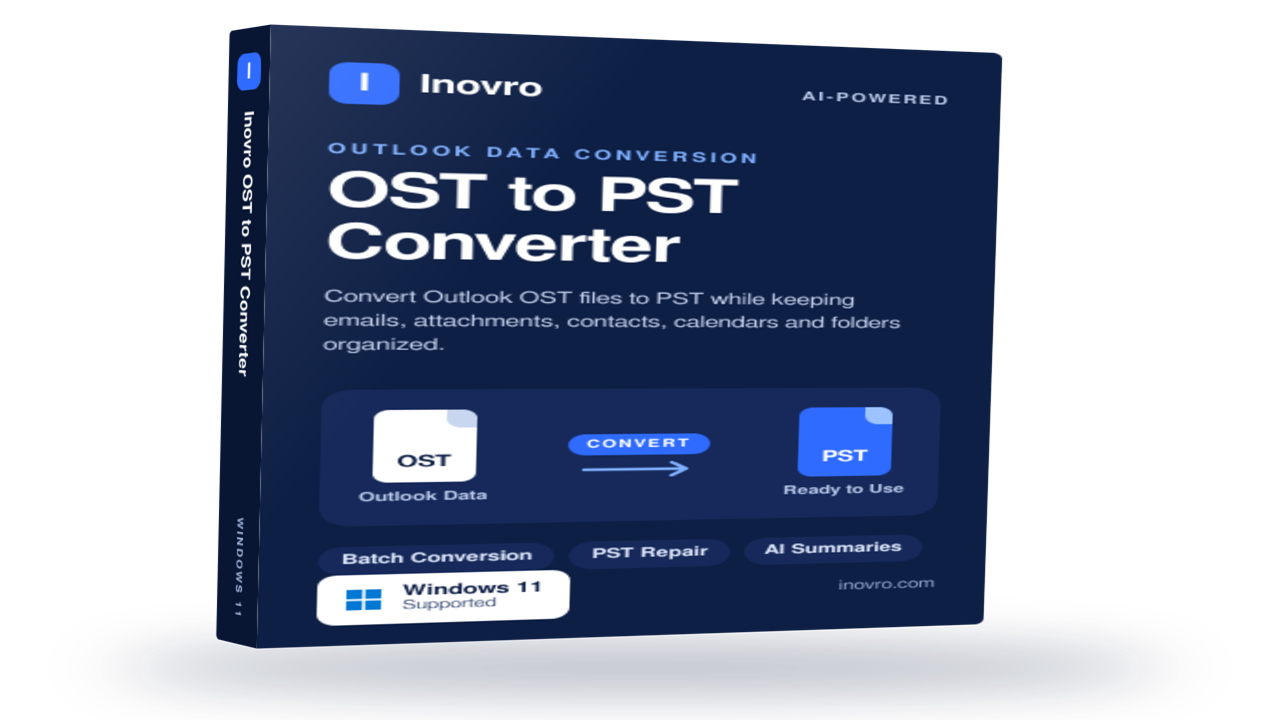
Inovro OST to PST Converter
Inovro OST to PST Converter is a reliable and user-friendly solution designed to convert Outlook OST files into PST format quickly and securely. Whether you need to recover data from orphaned, inaccessible, or offline OST files, the software ensures complete mailbox migration while preserving data integrity and folder structure.
The tool supports the conversion of emails, attachments, contacts, calendars, tasks, notes, journals, and other Outlook mailbox items without requiring an active Exchange Server connection. Advanced scanning technology helps recover data from damaged or corrupted OST files and export it to PST with 100% accuracy.
Key Features
Convert OST files to PST without Outlook dependency
Recover data from orphaned, inaccessible, or corrupted OST files
Export emails, contacts, calendars, tasks, notes, and attachments
Preserve folder hierarchy, metadata, and email formatting
Support for large-sized OST files with no file size limitations
Bulk conversion for multiple OST files
Preview mailbox items before conversion
Compatible with all major Outlook and Windows versions
Fast, secure, and easy-to-use interface
Ideal For
IT administrators
Enterprises and SMBs
Outlook migration projects
Exchange Server recovery scenarios
Individual users needing OST data access
Inovro OST to PST Converter simplifies OST file recovery and migration, helping users regain access to critical Outlook data with minimal effort and maximum reliability.

Keep your data secure well into the future when quantum computers become mainstream.
-encrypts files, folders and blocks of text
-when encrypting a file/folder, you can:
- -give the file/folder a random name
- -securely erase the original
-makes your data useless to an attacker in case you are ever a victim of ransomware.
But you need to prepare ahead of time by encrypting your sensitive files.
Then the attacker cannot:
- -use your data or
- -threaten to make your files public
-you can receive encrypted files from someone else and only one of you needs to have a paid version (or a non-expired trial version) of the Data Krypter. i.e. an accountant or lawyer pays for the software and all their clients can send encrypted files with a trial version (even if it has expired).
-even if someone has access to your computer they can't decrypt your files because your:
- -master password is encrypted
- -private keys are encrypted
- -secret keys are encrypted (stored only to help recover keys).
-symmetric encryption (the same secret key to encrypt and decrypt) using PERNG
-asymmetric encryption (public/private keys) using NTRU-2x2
-no back door

Download the Softaken MSG to VCF Converter Software for converting the Outlook MSG file contacts to vCard file format. This application can be simply installed on any Windows system, like Windows 11, 10, 8.1, 8, 7, Vista, XP, and other previous versions. Users can simply operate this tool because it features a graphical user interface. It has compatibility with all the versions of vCard, like vCard 2.1, 3.0, and 4.0. This software does not require the installation of any other tool to complete the migration process of the files. Without encountering any limitations on the size of the Outlook MSG file, users can convert the files with this software. It provides the option for the bulk migration of MSG files to VCF format without any loss of data. All the MSG files from different versions of Microsoft Outlook, like Outlook 2021, 2019, 2016, 2013, 2010, 2007, 2003, etc., are supported by this application. It can migrate both ANSI and UNICODE MSG files. Additionally, available is the free demonstration edition of this software to all the users for testing it out before making an investment.

GainTools Outlook Extractor provides the facility to extract attachments from Outlook PST files. This software allows users to extract attachments from all or some files from Outlook data files. Users can safely extract attachments and other details from an Outlook data file regardless of the file size using this tool. This particular tool can extract attachments from Outlook data in just a few minutes; users just have to follow the instructions provided by it. The attachments taken from the Outlook data file are unrestricted by this tool.
Key Features:
Extracted Outlook information items include attachments, calendars, contacts, and email addresses.
Removing duplicate attachments will help to shrink the Outlook mailbox.
Save Outlook email addresses text file style.
This utility supports Unicode and ANSI PST files.
Extract Outlook contacts in VCF format.
Export the Outlook calendar to ICS format to access it on any platform.
It can be easily launched on various versions of Windows OS, like Windows 11, 10, 8, 7, Vista, and XP.
Users can install the freeware version of the software to test it before paying for the licensed version.