AI-Generated Results
Finding matches…
WisBot is an AI-powered assistant designed to streamline data science and machine learning workflows by transforming raw data and user queries into comprehensive, ready-to-use solutions. It automates the creation of executed Jupyter Notebooks, exploratory data analysis (EDA) reports, trained machine learning models, and deployment-ready code, all without requiring local setup.
Key Features and Functionality:
- Executed Jupyter Notebooks: WisBot generates fully executed notebooks that include completed EDA, trained models, and publication-ready visualizations, enabling users to gain insights without manual coding.
- Interactive Chat-Based Iteration: Users can interactively refine analyses through a chat interface, requesting modifications or new visualizations in natural language, facilitating an iterative development process.
- Instant Scaffold Python Code: The tool provides complete project structures with necessary files like `requirements.txt`, Dockerfiles, and deployment configurations, ensuring the code is production-ready and follows best practices.
- Research Integration: WisBot incorporates findings from the latest academic papers and research publications, allowing users to apply cutting-edge techniques and methodologies to their analyses.
Primary Value and User Solutions:
WisBot significantly accelerates the data analysis and model development process for data scientists, machine learning engineers, data analysts, and product managers. By automating tedious tasks such as data cleaning, EDA, model selection, and code generation, it reduces the time from data ingestion to actionable insights from hours to minutes. This efficiency enables users to focus on strategic decision-making and innovation, rather than being bogged down by routine coding and setup tasks. Additionally, its cloud-based infrastructure eliminates the need for local environment configurations, making it accessible and convenient for teams of all sizes.
Not seeing what you're looking for?
Dive deeper into "Codebook" on G2 AI

Sapio ELN is the best Electronic Lab Notebook software for scientists. Combining flexibility, science-aware tools, and a built-in AI scientific assistant, the market’s best and most configurable Electronic Lab Notebook simplifies science.
Features Sapio ELN for simplified data analysis:
- Free Form Note Taking
- Reusable experiment templates
- Molecular Biology Toolkit
- AI Scientific Assistant – ELaiN
- Flow Data Analysis
- Built-in data visualization
Choose your ELN for specific scientific needs. Whether you work in biotechnology, chemistry, genetic sequencing, in vivo, or bioanalytical studies, discover which ELN solution can encourage collaboration and drive forward scientific analysis across your teams.
- Research ELN
- Clinical Diagnostics ELN
- NGS ELN
- Histopathology ELN
- In Vivo ELN
- BioAnalytical ELN
- BioProcessing ELN
- Stability ELN

🎙️ Meet Reef: The NotebookLM for Spreadsheets!
Super excited to introduce Reef, a tool we built to make data analysis not just easier—but also more interactive and insightful.
What is Reef?
It’s an AI-powered data analyst & storyteller that helps you clean messy data, analyze trends, create visualizations, and now… explain your insights through audio and text!
Here’s what makes Reef special:
✅ No more manual errors—Reef ensures accuracy by instantly analyzing your spreadsheet.
📊 No formula mistakes—Auto-generated charts & tables mean you don’t have to worry about incorrect calculations.
🎙️ No misinterpretation—AI-powered narration explains charts & tables in plain English, reducing the risk of misunderstanding data.
🗣️ No missing insights—Audio conversation allows you to ask follow-up questions and uncover hidden trends effortlessly.
📂 No compatibility issues—Reef supports Excel, CSV, and JSON, so you won’t struggle with file formats.
🎨 No scattered data—Reef Board keeps everything organized, letting you pin charts, add notes, and build clear data stories.
Who is it for?
• Startup founders & operators tracking metrics
•Marketers analyzing campaign performance
•Students & educators simplifying complex data
•Researchers turning data into meaningful insights
•Analysts who don’t want to clean data manually (again)
We built Reef because we were tired of spending hours wrangling spreadsheets and trying to explain insights to non-data people. Now, instead of just showing numbers, Reef speaks, writes, and visualizes insights for you.
Would love to hear what you think! Try it out, break it, and let me know what features you’d love to see next. Let’s make data not just easier—but more engaging and accessible.
🔥Watch the Demo Video
https://youtu.be/aoRD7wyZzKE

Kasuwa 360 is an offline-first point-of-sale and business management app built for Nigerian shops: provision stores, supermarkets, pharmacies and chemists, boutiques, warehouses and market traders.
Many Nigerian shop owners still write sales in a notebook, keep debts in their head and count stock by hand. When the notebook gets lost, wet or misread, money disappears. Kasuwa 360 replaces the notebook with one app that keeps working through power cuts and network outages.
Sales and receipts. Record cash, bank transfer and POS payments in a few taps, then print or share a receipt straight away. Works with standard 58mm and 80mm USB thermal printers. Watch today's sales and running total as they happen.
Inventory. Add products with photos, categories, cost and selling prices. Set reorder points and get warned before best-sellers run out. Manage stock across more than one shop or store room, with a full history of what came in, what sold and what is left.
Customer credit (debt) tracking. Keep a live ledger for every customer. Record part-payments, for example ₦5,000 of a ₦20,000 debt, and the balance updates by itself. Check a customer's full payment history before giving more credit.
Staff roles and privacy. Owner, Manager and Salesperson roles. Salespeople can record sales but never see cost prices or profit, only the Owner can delete records, and every action is linked to the team member who did it.
Offline-first. Every sale saves to encrypted storage on the device first. Work offline for up to 3 days at a time; Kasuwa 360 backs everything up to the cloud in the background when the network returns, and phone and computer stay in sync.
Kasuwa 360 runs on Android, iOS, Windows and macOS, with support in English and Hausa. Plans cost ₦5,000 a month or ₦50,000 a year, with a 30-day free trial and no card required. "Kasuwa" is Hausa for market; "360" is the full view of sales, stock, credit, staff and profit in one place.

Cimanote is a note-taking and knowledge management application for individuals and teams. It provides a workspace for creating, organizing, and retrieving notes across desktop, mobile, and tablet devices without device limits.
The application includes a rich text editor supporting markdown, checklists, code blocks, and drawings.
Users can organize notes into notebooks, apply tags, and search across their full library.
For teams, Cimanote supports real-time collaboration on shared notes and public link sharing for distributing notes to people without an account.
An AI Knowledge Engine analyzes a user's notes and automatically generates connections between related content, synthesizes information across notes on a given topic, and identifies gaps and contradictions in the knowledge base.
Cimanote includes a Chrome Web Clipper for saving web content directly into notes, and a one-click import tool that transfers notes, notebooks, tags, attachments, and formatting from Evernote. Users can export their data at any time in open formats.
The application is delivered as a progressive web app that installs natively on macOS, Windows, iOS, and Android directly from the browser.

Syncro is an AI hotel and room mapping system by TraveleXe. It solves the problem of the same property appearing differently across every supplier: it de-duplicates feeds, assigns a unique global ID per hotel and normalizes room categories, delivered as Hotel Mapping and Room Mapping APIs.
Key capabilities:
- AI de-duplication across multi-supplier hotel feeds
- Unique global mapping ID per property
- Room-category and rate-plan normalization
- Hotel Mapping API and Room Mapping API
- Continuous-learning engine improving match precision
- Foundation layer for OneBook, Invento, APINex and third parties
Built for any platform aggregating multi-supplier hotel content. Plans start from $149 a month.

Reflectr is an AI-Powered Notebook for reflection, growth, and productivity.

graph‑based notebook for data scientists and researchers

Machine Learning Workbench, offered by Elm Computing, is a pre-configured environment designed to streamline the development and deployment of machine learning models. Built upon a JupyterHub server, it comes equipped with popular Python packages such as TensorFlow and PyTorch, facilitating efficient collaboration among single or multiple users. This workbench simplifies the setup process, allowing data scientists and developers to focus on model development without the overhead of configuring their environment.
Key Features and Functionality:
- Pre-Configured Environment: Includes essential machine learning libraries like TensorFlow and PyTorch, reducing setup time.
- JupyterHub Integration: Supports collaborative development through a shared Jupyter notebook interface.
- Multi-User Support: Designed to serve Jupyter notebooks efficiently for both single and multiple users.
- Maintenance Support: Offers additional support services provided by Elm Computing.
Primary Value and Problem Solved:
Machine Learning Workbench addresses the common challenges of setting up and maintaining a robust machine learning environment. By providing a ready-to-use platform with essential tools and libraries pre-installed, it enables users to focus on developing and deploying models, thereby accelerating the machine learning lifecycle and enhancing productivity.
Invento is a travel inventory management system designed and developed by TraveleXe: the single source of truth for owned and contracted travel inventory, covering hotels and rooms, sightseeing, transfers, cars, cruises, meals and guides. Define rates, seasons, allotments and stop-sales once, then distribute to any sales channel and any sales model.
Key capabilities:
- Central inventory for every travel product with contract management
- Rate plans, seasons, blackout dates, allotments, free-sale and stop-sale
- Partner-wise pricing: B2B, B2C, corporate and marketplace models
- Channel distribution: portals, APIs, white-labels and OneBook
- AI-assisted demand forecasting and predictive availability
- Role-based access, audit logs and multi-supplier normalization
Built for DMCs, wholesalers, hotel chains and inventory-owning operators. Plans start from $149 a month.
Provides expert sales and service in desktop, server virtualization, data security, mobile computing, desktops, notebooks and servers.

Molhaven is a chemical inventory, compound registry and synthesis notebook for research labs. It answers the questions a chemistry group asks every day: what do we have, where is it, how much is left, and what happened to it.
What Molhaven does:
• Compound registry with exact, substructure and Tanimoto similarity search, and duplicate checks that recognise tautomers and salt forms
• Every bottle and vial tracked as its own batch, down to the cell in a box, with QR, barcode and GHS hazard labels
• Purchasing from request to received stock, with one-step reorder of low stock
• A lab notebook that links the reaction, the reagent table and the stock it uses, with PDF records and a witness signature
• Safety and compliance records for inspections: safety data sheets, hazardous substances by room (TRGS 510), a drug precursor register (EU 273/2004) and hazardous waste tracking
• Stocktakes, scheduled email reports, an audit log, two-factor sign-in and a REST API
Molhaven Cloud runs on AWS in Frankfurt, Germany. Labs that need it can run Molhaven in their own AWS account.
Pricing is per lab, not per seat, from €39 a month, and every plan includes every feature. We move your existing spreadsheets and SDF files in for free.
Try it free for 30 days at molhaven.com

Launching Desk is an AI business advisor with real planning tools built in, made for people starting a business.
Tell it what you want to start and where. The advisor asks a few quick follow-up questions, then lays out the registrations, licenses and permits your business needs, a marketing plan for landing your first customers, and the steps to launch in the order you would actually do them.
Eight planning tools sit next to the advisor: a launch checklist, launch timeline, budget tracker, break-even calculator, funding and runway planner, analytics, SWOT analysis and a notebook. The tools work with the AI. Compile your checklist, budget and notes into one summary and ask the advisor about your actual numbers. Budgets can be imported from a photo, a spreadsheet, or rows pasted from Word or Excel.
It keeps working after day one. Ask about hiring, a second location or thin margins and you get the same advisor.
The Free plan includes the AI advisor (10 credits a day) with the checklist, budget tracker and notebook. Basic ($22/month) and Premium ($38/month) add much higher limits and more tools, and Premium adds more detailed plans with weekly action items. Launching Desk runs in the browser and can be installed on a phone or computer.

AI-native observability notebook: one place to query across all observability providers, regardless of language or model, without replicating your data.

PrinterOn Enterprise is a document management software that enterprises remote and wireless printing and faxing from notebook or wireless device to any printer.
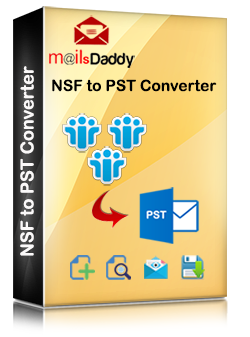
The NSF to PST converter program lets you export NSF file e-mails, contacts, calendar, To Do List and Notebook to PST format.

LabCloud’s State of the Art Lab Notebook provides scientists with tools in order to manage all of their information in one place.

CERF is an award-winning Electronic Lab Notebook (ELN) and collaborative document management solution designed for the creation, capture and ultra-long-term storage of all your records and files.

Sermuno is the all-in-one business platform: everything you need to run a company, in one workspace, under one login. Instead of stitching together a helpdesk, CRM, project tool, planning app, invoicing software, chat and file storage, you get one product where every module shares the same customers, data and AI.
COMMUNICATION
- Shared inbox: connect Gmail, Microsoft 365/Outlook and any IMAP/SMTP mailbox once; every teammate gets a personal login with roles and permissions, so passwords are never shared. Every conversation has an owner, status, tags and internal notes.
- Live chat widget that lands in the same inbox, plus a public help center for your customers.
- Team chat (beta): direct messages, channels, threads and voice/video calls with screen sharing.
- Campaigns (beta): email campaigns to a CRM audience and proactive live-chat messages.
- Extras: private mailboxes, one-click unsubscribe, disposable aliases, PDF export, embedded apps.
CUSTOMERS AND WORK
- CRM: companies, contacts and projects as the single source of truth, with conversations, documents, tasks and activity per relation.
- Tasks and tickets: turn any email into a task or ticket with assignee, priority, due date and status; projects, templates and macros.
- Calendar: shared and personal agendas, bookings, video meetings, two-way sync with Google, Outlook and Apple.
- Notes (beta) and Whiteboards (beta): collaborative notebooks and real-time boards, shareable with teammates and guests.
- Files (beta): company file drive with team spaces, sharing, versions, comments and online editors.
PLANNING AND ADMINISTRATION
- Planning and Personnel (beta): rosters and shifts, worksites, availability and leave, hours, payroll export, portal for external staff.
- Administration (beta): quotes, invoices, recurring and purchase invoices, products, bank reconciliation, tax, branded templates and reports, in any currency.
AUTOMATION AND AI
- Rules engine, SLA policies with breach alerts, templates, signatures, webhooks.
- Built-in AI that categorises and triages mail, screens for spam and phishing, drafts replies and summarises threads. Run it on Sermuno AI or bring your own key.
- AI Agent team (beta): staff your company with AI employees organised in departments (finance, HR, legal, sales, support) with a director, managers and employees, each with its own role and model. They hold recurring meetings, report to you and use the whole platform as their tools: book and chase invoices, plan shifts, draft replies, update the CRM.
- Analytics: volume, response and resolution times, SLA compliance, workload per teammate.
Multi-company: run several businesses from one account, each with its own data and invoice.
Security built in: ISO 27001-aligned, AES-256-GCM encryption, MFA, SSO (SAML/OIDC), role-based access, audit trail, GDPR-aligned. 15 languages on web, desktop, iOS and Android.
14-day free trial, no credit card, then one price per active seat with unlimited inboxes and businesses.

DistilBook is an AI explainer video generator, whiteboard animation maker and PDF to video converter. It turns documents, articles and written prompts into narrated, animated explainer videos in 15 visual styles. Use it to make training videos, education and course videos, product explainers and YouTube content from material you already have, without filming, drawing or hiring an animator.
How it works. Upload a PDF, Word, Markdown or text file, add an image, paste a web link, or type a topic. DistilBook writes a narration script and pauses so you can review and edit every line, or paste your own. It then draws original artwork for each slide, reveals it in time with the narration, and adds captions.
Visual styles. Choose from 15 styles: hand-drawn whiteboard animation for whiteboard and doodle videos, Hand-Drawn Education and Sketch Notebook for lessons, Navy and Red Editorial for compliance training, Editorial Flat Vector for onboarding, Minimal Yellow Line for SOPs, Isometric Illustration for how things work, Doodle Color Pop for customer education, Bauhaus Poster for AI and tech concepts, Soft 3D Coral for biographies, and Inkwash Journal for book summaries. Every illustration is drawn for your topic, not taken from a stock library.
Training videos. Use DistilBook as a training video maker for employee training, onboarding, compliance, safety, SOPs and processes, sales enablement and leadership programs. Turn policies, handbooks and manuals into consistent, branded training videos, review the script so the wording stays accurate, and make versions in more than 20 languages.
Education and course videos. Create online course videos, e-learning lessons, lecture videos, exam prep and tutoring content from lesson notes, textbook chapters and slides saved as PDF. Teachers, tutors, course creators and exam-prep publishers use it for classroom lessons and research paper summaries, with whiteboard lessons of up to about 36 minutes.
Business and creator videos. Make product explainers, customer education and how-to videos, and animated explainers of AI and technology concepts. Creators use it for YouTube explainers, faceless channels, book summaries and biography videos, and vertical 9:16 videos for YouTube Shorts, Instagram Reels and TikTok.
Editing and branding. Set the video length, then edit every slide after generation: narration, images, title and animation. Your logo and brand colours are applied to every scene on every paid plan. Videos come in 16:9 or 9:16, with more than 20 narration languages, OCR for scanned PDFs, and MP4 export up to 1440p on paid plans.
Pricing. Free to try with 30 credits and no credit card. Paid plans are Basic at $15, Pro at $35 and Max at $75 a month, with editing and branding on every plan. Basic, Pro and Max accept PDFs of up to 10, 30 and 999 pages.