









As a marketer for a small business, you likely wear many hats. From crafting engaging content to building a strong brand identity, you’re juggling a million tasks. And let's face it, you're doing all this with limited resources. That’s why I see free-form builders as an essential tool for collecting customer insights without adding extra costs.
I believe understanding your target audience and gathering meaningful data is key to building lasting relationships and growing a business. Online forms make this process easier, but building them from scratch can be time-consuming and expensive.
Free form builders solve this by offering pre-built templates and intuitive drag-and-drop interfaces, allowing forms to be created quickly without any knowledge of CSS, JavaScript, or other programming languages.
In this article, I explore the top 10 free form builder tools, their features, and verified G2 user reviews to help you choose the right option to streamline your data collection process.
10 best free form builders in 2026
-
ActiveCampaign: Best for form-driven marketing automation and lead nurturing
Forms that trigger advanced email, CRM, and sales automations, turning submissions directly into personalized customer journeys.
-
ClickUp: Best for internal request forms tied to project workflows
Form submissions automatically convert into tasks, complete with assignees, priorities, and workflow automation.
-
Forms.app: Best for quickly creating simple forms with AI assistance
AI-powered form generation that builds surveys and forms instantly from short prompts.
-
Formstack Forms: Best for secure, workflow-heavy enterprise data collection
Advanced conditional logic and compliance-ready forms (HIPAA, GDPR) for complex, regulated workflows.
-
Intuit Mailchimp All-in-One Marketing Platform: Best for capturing leads directly into email marketing campaigns
Built-in signup forms that sync instantly with audience segments and automated email journeys.
-
Jotform: Best for creating highly customizable forms for diverse use cases
Extensive template library with powerful logic, payment integrations, and app ecosystem support. -
SurveyMonkey: Best for structured surveys and market research
Professional survey templates combined with robust analytics and reporting tools.
-
SurveySparrow: Best for conversational and mobile-first surveys
Chat-style forms that improve completion rates through an interactive, question-by-question experience.
-
Typeform: Best for branded, engaging lead generation forms
One-question-at-a-time form flow that delivers a polished, human-centered user experience. -
Wrike: Best for intake forms connected to complex team workflows
Forms that feed directly into project plans, dashboards, and approval workflows for end-to-end work management.
*The software list is arranged alphabetically. These tools offer free trials, free forever options, or freemium models.
Comparison of the best free form builder software
If you feel overwhelmed by the wealth of information about free form builder software, this comparison table will help you with all the important aspects:
| Best free form builder software |
G2 Rating
|
Free plan
|
Paid plan
|
| ActiveCampaign | 4.5/5 ⭐️ | 14-day free trial available | $15/user/month |
| ClickUp | 4.7/5 ⭐️ | Free plan available | $7/user/month |
| Forms.app | 4.5/5 ⭐️ | Free trial with limited features | $15/user/month |
| Formstack Forms | 4.3/5 ⭐️ | Free trial available | $83/user/month |
| Intuit Mailchimp All-in-One Marketing Platform | 4.4/5 ⭐️ | Free trial with limited features | $4.21/user/month |
| Jotform | 4.7/5 ⭐️ | Free trial with limited features | $34/user/month |
| SurveyMonkey | 4.4/5 ⭐️ | Free trial available | $99/user/month |
| SurveySparrow | 4.4/5 ⭐️ | Free trial available | $6.59/user/month |
| Typeform | 4.5/5 ⭐️ | Free trial available | $25/user/month |
| Wrike | 4.2/5 ⭐️ | Free trial available | $10/user/month |
*All pricing details mentioned in the article are based on publicly available data at the time of publication and are subject to change.
10 best free form builder tools I recommend
Online forms have become a core part of how businesses collect leads, run surveys, accept registrations, and gather customer feedback. As digital interactions continue to grow, demand for form builder software is rising steadily. In fact, the online form builder software market is projected to reach $9.48 billion by 2032, registering a CAGR of 11.18% from 2026 to 2032.
What stood out to me while reviewing this category is that you don’t need an expensive platform to create effective forms. Many form builder tools offer generous free plans that cover essentials like customizable templates, basic logic, response collection, and integrations, making them accessible for individuals, startups, and small teams.
In this list, I’ve rounded up the 10 best free form builder tools based on real user feedback, ease of use, and the practical value of their free offerings. I’ll break down what each tool does best, where it may have limitations, and which use cases it’s best suited for, so you can start collecting data without adding extra costs.
How did I find and evaluate the best free form builder tools?
To build this list, I started with G2 data, shortlisting top-rated tools based on their G2 scores and consistent performance in the form builder software category.
From there, I reviewed product features and recent, verified user feedback to confirm that these tools deliver real value and to understand where each one stands out, whether that’s form customization, conditional logic, integrations, data collection, or ease of use.
The goal was simple: to see whether these form builder tools live up to their claims, what each one is best suited for, and whether there’s a free plan or free trial you can use with minimal risk. Since this is a free-focused list, I paid close attention to what you can actually do without paying, such as form and submission limits, access to core design features, branding restrictions, and any caps that might prompt an upgrade.
The screenshots featured in this article may be a mix of those taken from the vendor’s G2 page or from publicly available materials.
The free form builder software list below contains real user reviews from the best online form builder software category page. It’s important to note that in the context of this list, software that requires payment after a free trial is considered free.
To be included in this category, a solution must:
- Help create contact forms, surveys, quizzes, registration forms, and more
- Offer a choice of colors, fonts, and layouts to match the brand or preferences
- Integrate with email marketing platforms, CRM systems, or payment processors
- Store submitted data in a centralized location for analysis and export
- Track submissions, completion rates, and other metrics
This data was pulled from G2 in 2025. Some reviews may have been edited for clarity.
Vous voulez en savoir plus sur Logiciel de création de formulaires en ligne ? Découvrez les produits Constructeur de formulaires en ligne.
1. ActiveCampaign: Best for form-driven marketing automation and lead nurturing
Beyond just form building, ActiveCampaign is a comprehensive marketing automation platform. It excels in email marketing, CRM, and sales automation. While offering custom form creation capabilities, ActiveCampaign’s primary focus is nurturing leads, personalizing customer interactions, and driving sales through advanced segmentation and automation features.
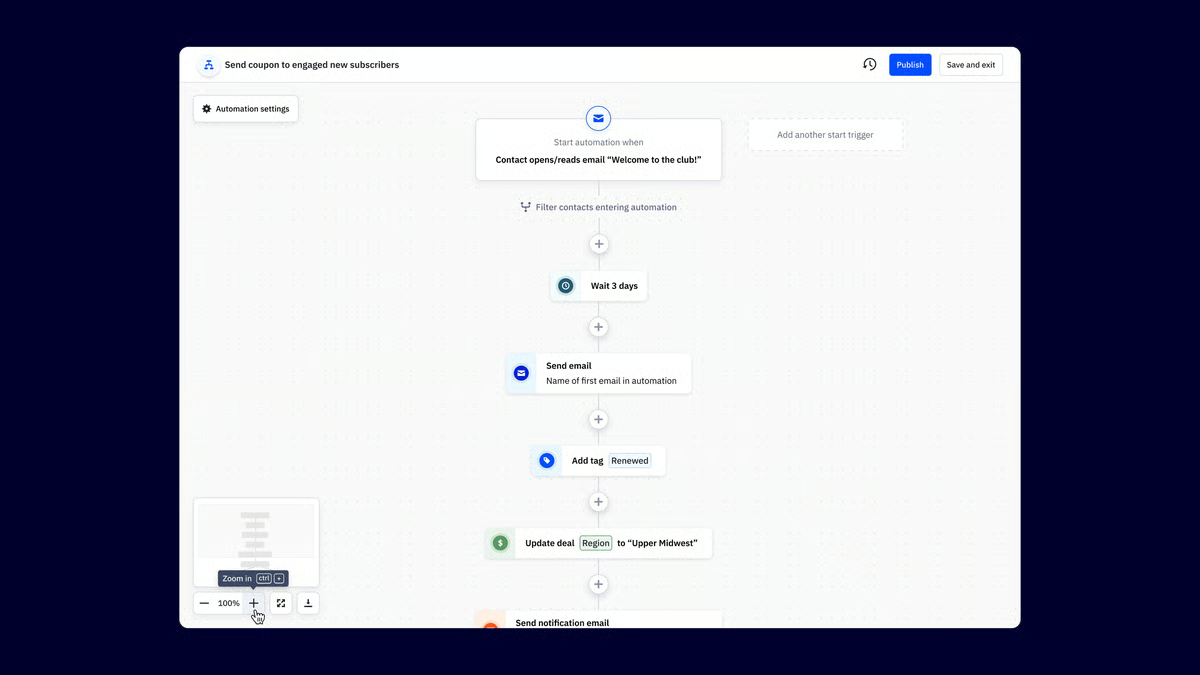
Pros and cons of ActiveCampaign: At a glance
| Pros of ActiveCampaign | Cons of ActiveCampaign |
|
Builds automated work based on form submissions
|
Limited form templates compared to dedicated form creators.
|
|
Comprehensive CRM capabilities
|
Slow customer support response time
|
|
User-friendly interface
|
Higher costs for small businesses
|
What G2 users like about ActiveCampaign:
“ActiveCampaign stands out for its functionality and user-friendliness, far surpassing other programs we evaluated. Its intuitive, aesthetically pleasing interface and valuable analytical reports have greatly improved our email campaigns. The platform offers exceptional value at a modest cost, proving highly efficient for contact management and lead generation. We are extremely satisfied with the results it delivers.”
- ActiveCampaign review, Richard K.
What G2 users dislike about ActiveCampaign:
“The email design builder required some adjustment, and sometimes my emails don’t turn out exactly as intended. Custom email design often requires skills beyond what our team has. Additionally, the platform occasionally crashes or has issues, which can impact my work, but these problems are usually resolved within an hour or two, so it's not a major concern.”
- ActiveCampaign review, Alison B.
2. ClickUp: Best for internal request forms tied to project workflows
ClickUp is a versatile productivity platform that includes form building as one of its many features. Known for its flexibility and customization, ClickUp offers project management, task management, and document collaboration tools. Its forms are often used for internal processes like time tracking, expense reports, and request forms.
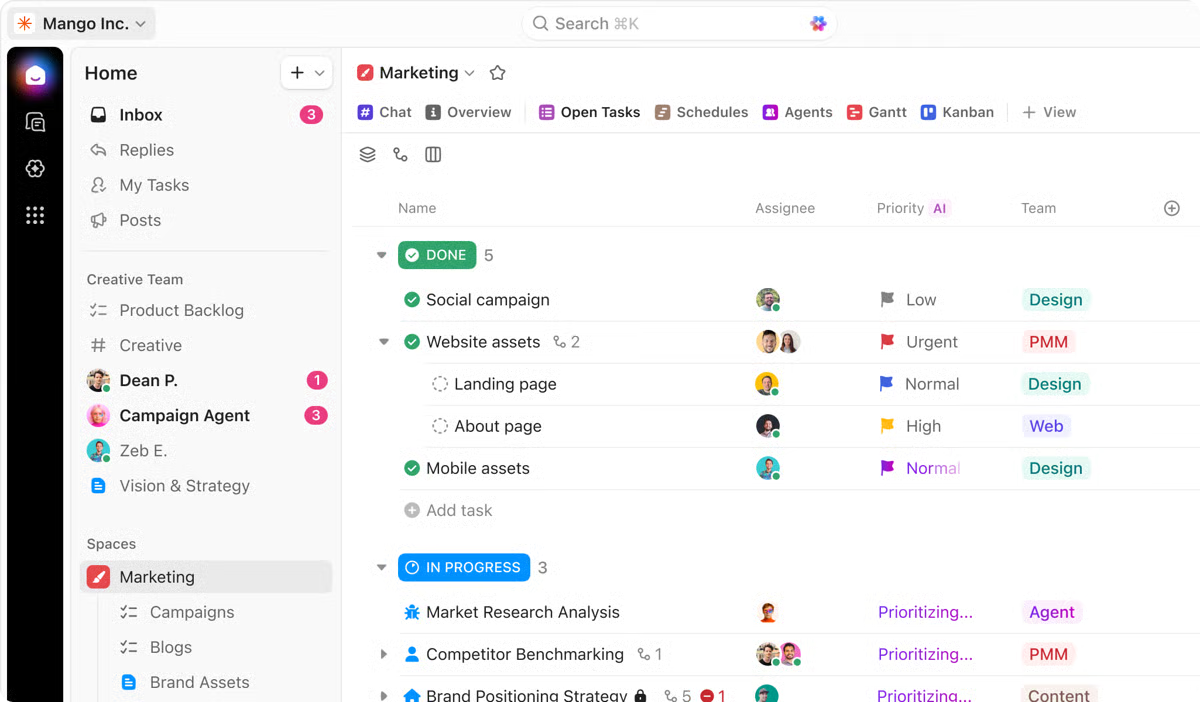
Pros and cons of ClickUp: At a glance
|
Pros of ClickUp
|
Cons of ClickUp
|
|
Combines project management, task management, and form building
|
Steep learning curve
|
|
A variety of field types to capture different data
|
An overwhelming number of features for new users
|
|
Highly customizable
|
Complex forms with multiple fields can experience slower loading times
|
What G2 users like about ClickUp:
“ClickUp’s standout feature is the ability to fully test drive the platform before subscribing. It has been instrumental in helping our church organize projects, events, and groups. Previously, tasks often got lost in email or other communications and were done at the last minute. Now, everything is planned, communication and reviews are centralized, and we receive timely updates. The desktop app and List view are particularly useful.”
- ClickUp review, Greg D.
What G2 users dislike about ClickUp:
“The learning curve was challenging initially, but ClickUp becomes easy to use once you’re past that point. Notifications, however, need improvement. While the iOS app provides pop-up messages, adding badge icons would be beneficial. More integration with OS X notifications is also needed, as I’ve missed a few important updates.”
- ClickUp review, James S.
3. Forms.app: Best for quickly creating simple forms with AI assistance
Forms.app is a user-friendly platform designed for quick and easy form creation. It excels in simplicity and offers AI-powered tools to generate forms, surveys, and quizzes. With a focus on user experience, it provides a streamlined interface and integrates with popular apps.
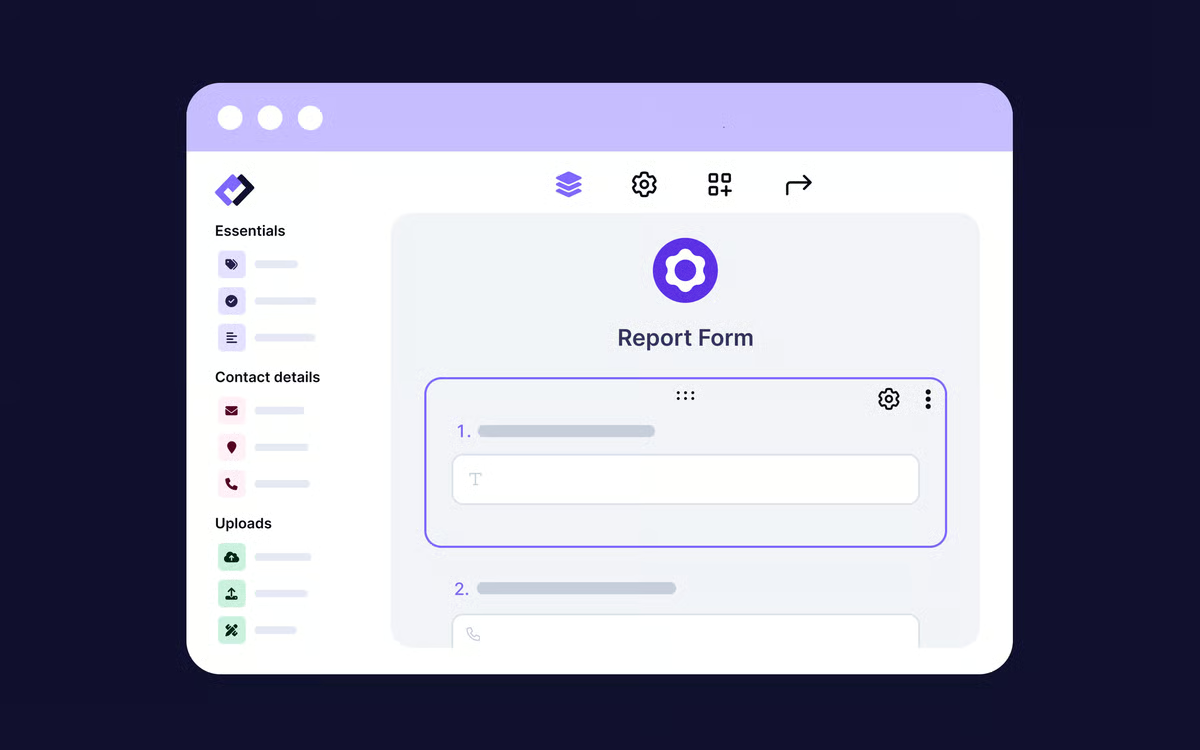
Pros and cons of Forms.app: At a glance
|
Pros of Forms.app
|
Cons of Forms.app
|
|
Easy to build forms without design experience
|
Limited customization
|
|
Features an AI form generator, survey generator, and quiz maker
|
The free plan has lower storage limits
|
|
Connects with popular tools like Slack, HubSpot CRM, and Google Sheets
|
Not suitable for complex data collection needs
|
What G2 users like about Forms.app:
“Forms.app is incredibly versatile and user-friendly, allowing you to create professional-looking forms like surveys, gift cards, recommendations, and appointments with ease. It offers a variety of formats, backgrounds, and colors and integrates with many apps. The editing process is simple, and the customer support is excellent—they resolved my issue within three hours. Overall, it's an outstanding tool, easily a 20 out of 10.”
- Forms.app review, Julian G.
What G2 users dislike about Forms.app:
“As a user of Forms.app, I see areas for improvement. The free version has limited advanced features, and technical issues occasionally arise. More customization options would be great, and addressing reported difficulties with customer support would enhance the overall user experience.”
- Forms.app review, Willyson A.
4. Formstack Forms: Best for secure, workflow-heavy enterprise data collection
Formstack Forms is tailored for businesses seeking robust form building and workflow automation. It offers a wide range of features, including advanced logic, integrations, and security compliance. Ideal for complex data collection and process management, Formstack prioritizes efficiency and data control.
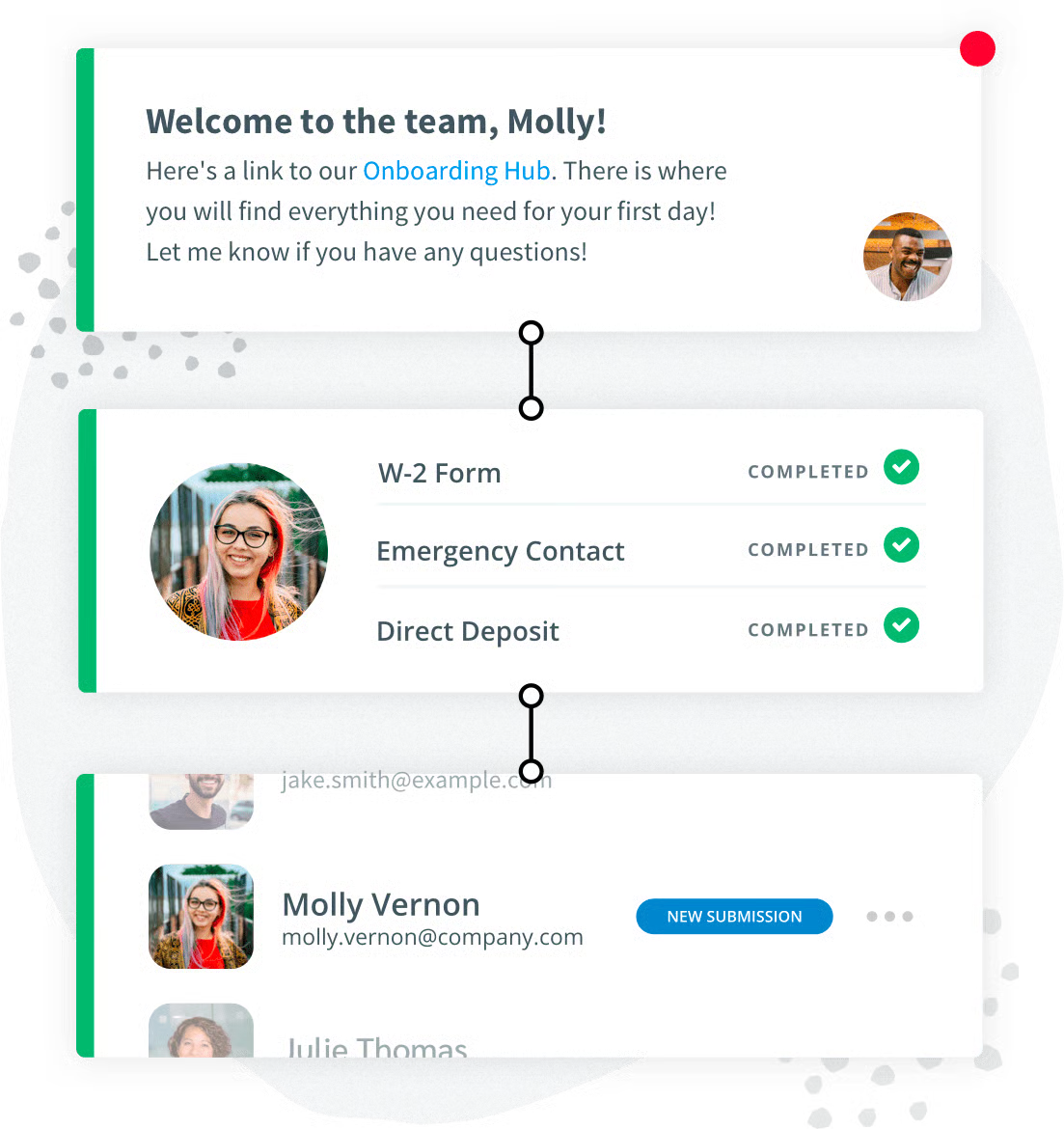
Pros and cons of Formstack Forms: At a glance
|
Pros of Formstack Forms
|
Cons of Formstack Forms
|
|
Powerful rules engine for automating workflows
|
Steep learning curve
|
|
HIPAA and PIPEDA-compliant plans for healthcare and data privacy
|
Limited free plan
|
|
Advanced reporting and analytics tools
|
Limited design customization
|
What G2 users like about Formstack Forms:
“Integration with Salesforce is easy, with straightforward field mapping. If issues arise, support is quick to assist. They offer a wide range of integration systems, making it a must-use tool.”
- Formstack Forms review, Kevin S.
What G2 users dislike about Formstack Forms:
“We find Formstack challenging because it's not tailored for schools, and we have to pay extra for the level of support we need. While we value its flexibility and advanced features, schools have limited staff and expertise, so access to one-on-one customer support would be a game changer for us.”
- Formstack Forms review, Sydney M.
5. Intuit Mailchimp: Best for capturing leads directly into email marketing campaigns
Intuit Mailchimp is an all-in-one marketing automation platform that helps businesses create personalized email and SMS campaigns using AI-powered insights and content tools. It enables teams to engage customers through multichannel marketing while offering data-backed recommendations to improve targeting and performance. With a high delivery rate and hundreds of integrations, Mailchimp fits easily into existing workflows and supports customer retention, repeat business, and long-term brand growth.
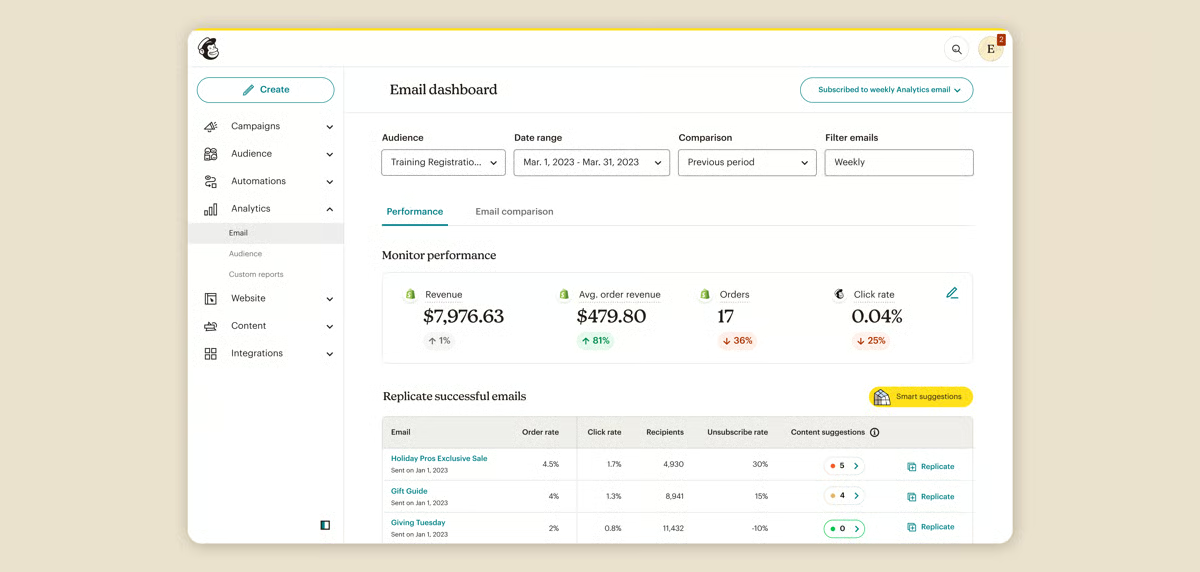
Pros and cons of Intuit Mailchimp: At a glance
| Pros of Intuit Mailchimp | Cons of Intuit Mailchimp |
| Easy-to-use interface for creating and managing campaigns | Feature limitations in lower-tier plans |
| Strong email marketing tools with ready-made templates | Customization options are limited for advanced designs |
| Flexible campaign setup for marketers and entrepreneurs | Learning curve when using more advanced features |
What G2 users like about Intuit Mailchimp
"It is a very intuitive platform to use that allows me to understand different aspects of my clients and thereby understand what type of content sent has been most attractive or useful to them, and with this, enrich the email flows we send and also create business strategies for different channels."
- Intuit Mailchimp review, Rigel M.
What G2 users dislike about Intuit Mailchimp
"We need to integrate our registration system with our website, which typically involves working with a third-party provider. However, integrating with their API is challenging if you don't have detailed documentation or information about the technology stack involved. It would be helpful if they provided updates or at least included information about API usage in their reports, but unfortunately, none of this is made available on the platform."
- Intuit Mailchimp review, Anita C.
6. Jotform: Best for creating highly customizable forms for diverse use cases
Jotform stands out as an influential free online form builder renowned for its user-friendly interface and extensive customization options. It offers data collection and management tools, integrations with popular platforms, and a plethora of pre-built templates. Jotform’s strength lies in creating complex forms for various purposes, from surveys and quizzes to order forms and payment gateways, making it scalable for large enterprises with diverse data collection needs. According to G2 Data, it ranks as the 6th easiest-to-use software.
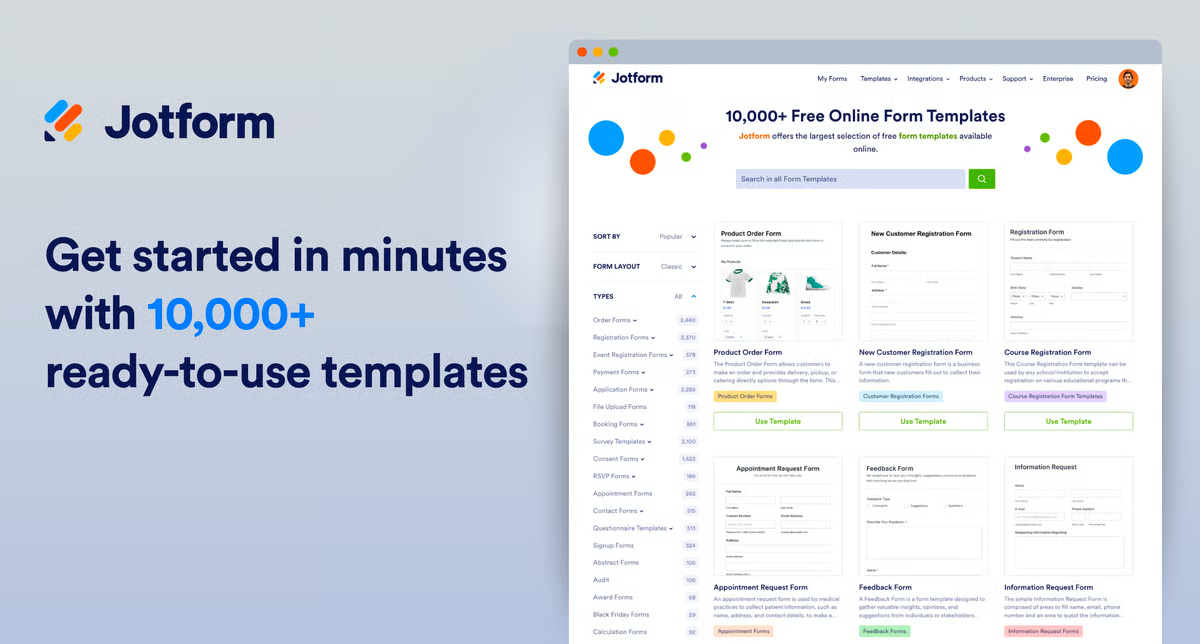
Pros and cons of Jotform: At a glance
|
Pros of Jotform
|
Cons of Jotform
|
|
Wide range of form fields and templates
|
Storage is insufficient for larger forms
|
|
Integration options with CRMs, including HubSpot, Zoho, and Salesforce
|
Learning curve for advanced features
|
|
Easy to use and mobile-friendly
|
Limited customization on the free plan
|
What G2 users like about Jotform:
“The drag-and-drop modular form entries are incredibly easy to use and cover most basic needs for any form. Adding your own graphics and small features is straightforward, enhancing the quality of the final product. The free version provides full access to features, though it limits the number of forms you can use.”
- Jotform review, Erick R.
What G2 users dislike about Jotform:
“Configuring email notifications for form submissions is still somewhat confusing and buggy. The fields for specifying email destinations use macros similar to mail merge, which adds to the confusion. Additionally, notifications sometimes fail to reach all intended accounts. Although not a major issue, I’d like to see an option to collect all responses in a single worksheet, as currently, submissions can only be viewed individually.
- Jotform review, Janene S.
7. SurveyMonkey: Best for structured surveys and market research
SurveyMonkey is a dedicated survey platform celebrated for its simplicity and wide range of question types. It offers reliable data analysis and reporting tools, making it ideal for market research, customer feedback, and employee satisfaction surveys. While primarily a survey tool, it can be used for basic form creation when data collection is the primary goal.
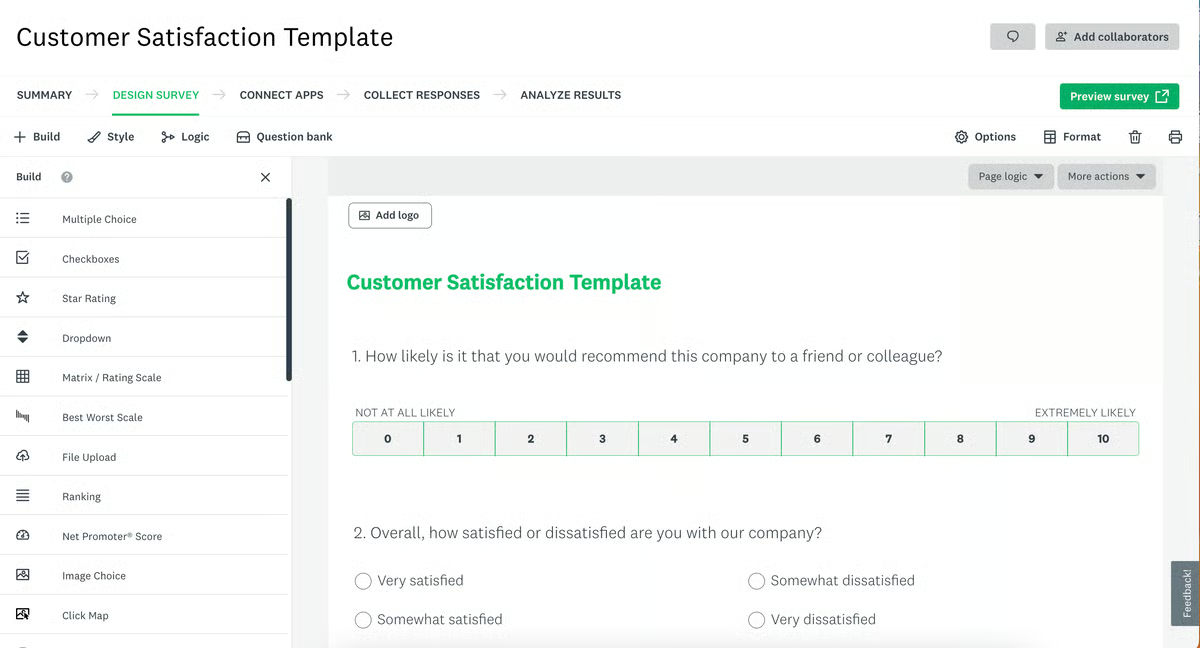
Pros and cons of SurveyMonkey: At a glance
|
Pros of SurveyMonkey
|
Cons of SurveyMonkey
|
|
Pre-built survey templates
|
Complex user interface
|
|
Detailed reports and visualizations
|
Response rate tracking can be improved
|
|
Integration with popular software for data export and analysis.
|
Limited features in the free version
|
What G2 users like about SurveyMonkey:
“SurveyMonkey is the simplest tool for gathering answers and polling friends, colleagues, or strangers. I use the basic model, which suits my needs perfectly. It’s great for getting feedback on designs or reaching a consensus on events. The site offers useful templates and customization options for creating surveys. Sharing is straightforward via a link, email, Facebook, or embedding the form as HTML on your site, and it integrates with MailChimp. The reporting features are also insightful and helpful.”
- SurveyMonkey review, Daniel J.
What G2 users dislike about SurveyMonkey:
“The platform lacks an environment for running Python or R programs, which limits our ability to generate custom analyses on our own.”
- SurveyMonkey review, Biswajyoti D.
Looking to take feedback a step further? Check out the Best Experience Management Software of 2025 to turn form responses into actionable insights.
8. SurveySparrow: Best for conversational and mobile-first surveys
As a survey platform and free-form app that emphasizes conversational design and mobile optimization, SurveySparrow offers a variety of question types, including chatbots and voice surveys. While primarily a survey tool, it can be used for lead generation and customer feedback forms.
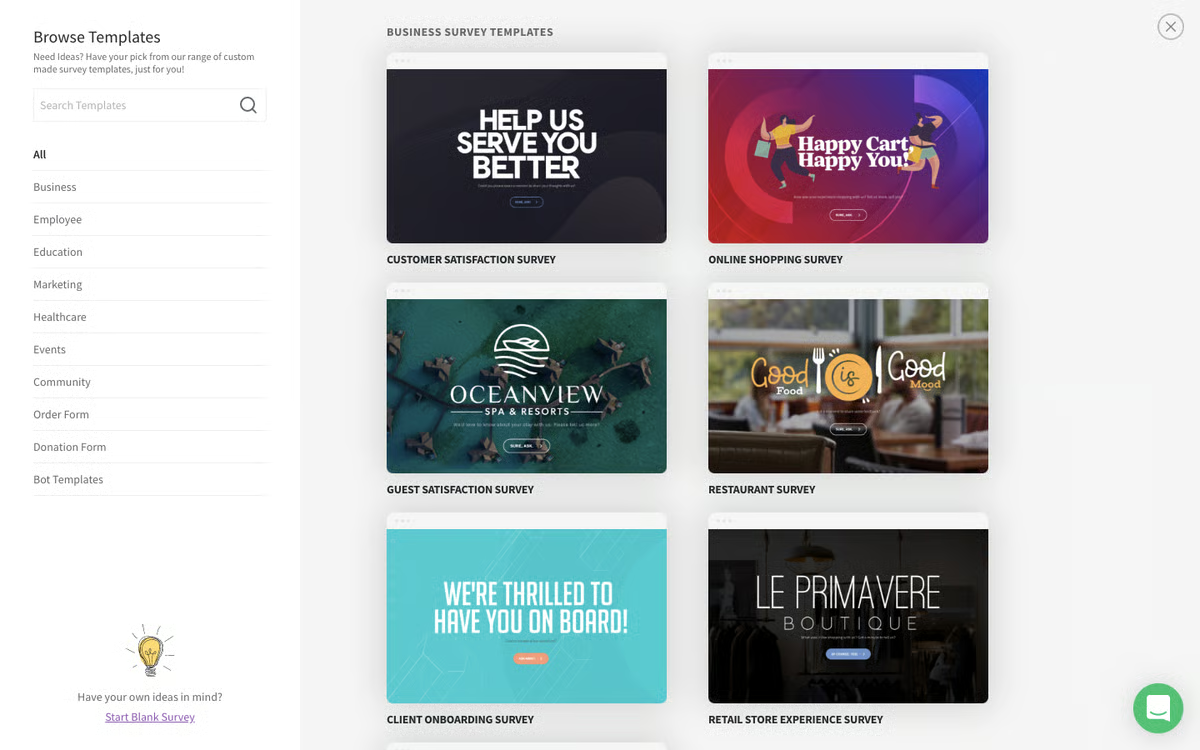
Pros and cons of SurveySparrow: At a glance
|
Pros of SurveySparrow
|
Cons of SurveySparrow
|
|
Advanced question types and analysis tools
|
Lacks features for complex forms or lead generation
|
|
Interactive form experiences
|
Steep learning curve for new users
|
|
Mobile-friendly user interface |
Limited features in the free version |
What G2 users like about SurveySparrow:
“SurveySparrow effortlessly and quickly creates customized, attractive surveys that engage your targets. While many features like bulk questions, question layout, and logic are common in other survey tools, SurveySparrow excels in making surveys look "fun" with options for personalized backgrounds and logos. Their sales team also stands out, offering individual attention, quick Zoom meetings, and tailored solutions. It’s truly impressive!”
- SurveySparrow review, Pat M.
What G2 users dislike about SurveySparrow:
“SurveySparrow has a few downsides: its high pricing can be prohibitive for small enterprises, making it less cost-effective compared to other survey platforms despite its extensive features. Lastly, allowing report exports as PDFs in the free plan would enhance usability and value, enabling users to share and utilize their data more effectively without additional expense.”
- SurveySparrow review, Itishree M.
9. Typeform: Best for branded, engaging lead generation forms
Typeform is a form builder that prioritizes user experience. It offers a conversational style and makes forms engaging and enjoyable to complete. Typeform excels in creating interactive forms for lead generation, market research, and customer feedback. It's known for its beautiful designs and ability to collect qualitative data. According to G2 Data, it ranks as the 7th easiest-to-use software.

Pros and cons of Typeform: At a glance
|
Pros of Typeform
|
Cons of Typeform
|
|
Dynamic form flow based on user answers
|
Lacks advanced features for complex forms and data analysis
|
|
Beautiful and interactive designs
|
Creating complex forms requires time and practice
|
|
Strong integration capabilities
|
Fewer template options are available
|
What G2 users like about Typeform:
“Typeform made creating questionnaires and surveys simple, with multiple pathways based on responses and easy brand styling. It integrates well with other tools and allows scoring of answers for better support. The interface is both beautiful and customizable, providing a great user experience.”
- Typeform review, Colette A.
What G2 users dislike about Typeform:
“Typeform’s free plan has limitations, such as restrictions on the number of questions per survey and responses, which may not meet all users' needs. The platform’s conditional logic is somewhat limited, complicating the creation of complex branching and skip logic. Typeform also lacks an offline mode for data collection when an internet connection isn’t available. Advanced data export and integration options are only accessible in higher-tier plans, restricting functionality for users on lower tiers.”
- Typeform review, Stefano Alexander M.
10. Wrike: Best for intake forms connected to complex team workflows
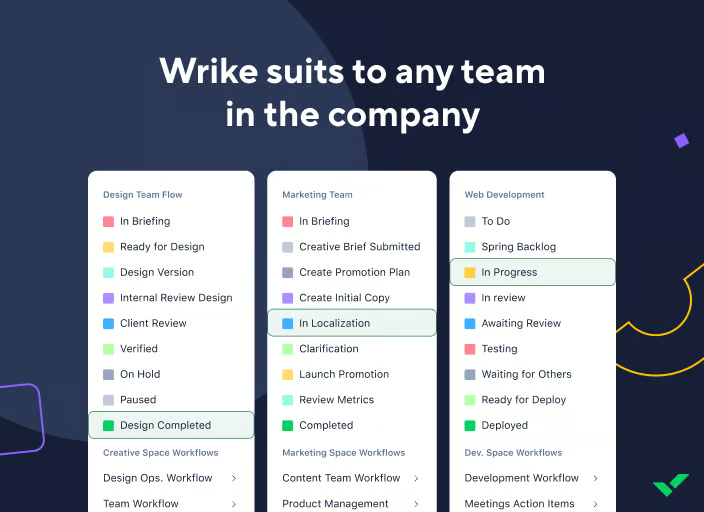
Wrike is a work management platform designed to help teams plan, track, and execute projects from a single workspace. It centralizes tasks, timelines, and collaboration so teams can manage complex workflows more efficiently and stay aligned on priorities. With customizable dashboards, real-time collaboration, and visual tools like Gantt charts and Kanban boards, Wrike adapts to different team needs and industries.
Integrations with popular workplace tools further support seamless collaboration, making it easier for organizations to improve visibility, productivity, and project delivery at scale.
Pros and cons of Wrike: At a glance
| Pros of Wrike | Cons of Wrike |
| Strong task and project management that boosts team productivity | Steep learning curve for new users |
| Excellent collaboration features with clear task ownership | Interface can feel unintuitive during onboarding |
| Helps organize complex workflows and improve visibility | Limited built-in templates for workflows |
What G2 users like about Wrike:
"I use Wrike to manage cross-team projects, task assignments, and workflow tracking. It’s our central workspace for planning initiatives, reviewing progress, and collaborating with different teams. I rely on it daily to organize tasks, monitor deadlines, share updates, and keep everyone aligned."
- Wrike review, Shruti S.
What G2 users dislike about Wrike:
"Customer support can be slow and occasionally generic, which is frustrating when we hit a blocker. There’s also a learning curve and a few UI quirks for new hires — nothing crippling, but it takes an intentional onboarding effort to get people productive."
- Wrike review, Lauren S.
Frequently asked questions on free form builder software
Got more questions? Find your answers below!
Q1. What features should I look for in free form builder software?
Essential features include a drag-and-drop interface, various question types (text, multiple choice, etc.), and conditional logic. Integrations with other tools, customization options, advanced analytics, and reporting capabilities are also important to consider.
Q2. Can I embed free form builder forms on my website?
Most free form builders allow embedding forms on websites. Check the limitations of each platform to ensure it meets your needs.
Q3. Is it possible to collect payments through free form builders?
Some free form builders offer basic payment integration, but advanced payment features might require paid plans.
Q4. Are there any limitations to free form builder software?
Free versions often restrict features, storage, and the number of form submissions you can receive. If you're looking to overcome these limitations, explore paid online form builder software that offers more flexibility, scalability, and advanced features like payment processing, complex workflows, or extensive customization.
Q5. How do I choose the right free form builder software?
Consider your specific needs, such as the complexity of the forms you want to create, required integrations, analytics, and your budget. Try out free trials or demos to assess ease of use and features. Read reviews and compare offerings to find the best fit.
Q6. Which free form builder is best for small businesses?
For small businesses, the best free form builders balance ease of use, integrations, and flexibility.
- Jotform is a strong all-rounder with generous free limits.
- Forms.app works well for simple forms and quick setup.
- Typeform is popular for branded, conversational forms, though free plans are limited.
- Mailchimp forms are useful if you’re already using email marketing features.
Small teams often start with Jotform or Forms.app before upgrading.
Q7. Are open-source form builders better than hosted free platforms?
Not usually for small teams or non-technical users.
Open-source form builders offer control and customization but require hosting, setup, and maintenance. Hosted platforms like Jotform, Typeform, and SurveySparrow are easier to launch, maintain, and scale—making them a better fit for most users.
Q8. Do free form builders support conditional logic?
Some do, but often with limits.
- Jotform and Forms.app support basic conditional logic in free plans.
- Typeform and SurveySparrow offer logic features, though advanced branching may require paid plans.
Conditional logic is usually one of the first features gated behind upgrades.
Q9. Can free form builders integrate with other tools?
Yes, but integration depth varies.
- Jotform integrates with tools like Google Sheets and email platforms.
- Mailchimp and ActiveCampaign forms integrate directly with their marketing automation systems.
- Project tools like ClickUp and Wrike allow form submissions to feed into workflows, often with plan restrictions.
Advanced automation typically requires paid tiers.
Q10. Can I customize the design of forms using free tools?
Yes, most free-form builders offer basic design customization.
- Typeform and SurveySparrow focus on clean, branded designs.
- Jotform provides drag-and-drop styling and themes.
- Free plans may limit advanced branding like custom CSS or domains.
Q11. Can free-form builders be used for lead generation?
Yes, lead generation is one of the most common use cases.
- Mailchimp, ActiveCampaign, and Jotform are commonly used to capture leads.
- Free plans usually limit the number of submissions or contacts but are sufficient for early-stage campaigns.
Form your way to success!
Free form builder software is a powerful tool that can significantly enhance your small business marketing efforts. By harnessing its capabilities, you can capture valuable leads, gather customer insights, and streamline your processes.
Carefully evaluate your specific needs before selecting a platform. With the right tool and a strategic approach, you can create engaging forms that drive conversions and contribute to your overall business growth.
Explore the best free survey tools and start capturing data that drives smarter decisions!
Edited by Monishka Agrawal
This article was originally published in 2024. It has been updated with new information.

Devyani Mehta
Devyani Mehta is a content marketing specialist at G2. She has worked with several SaaS startups in India, which has helped her gain diverse industry experience. At G2, she shares her insights on complex cybersecurity concepts like web application firewalls, RASP, and SSPM. Outside work, she enjoys traveling, cafe hopping, and volunteering in the education sector. Connect with her on LinkedIn.

