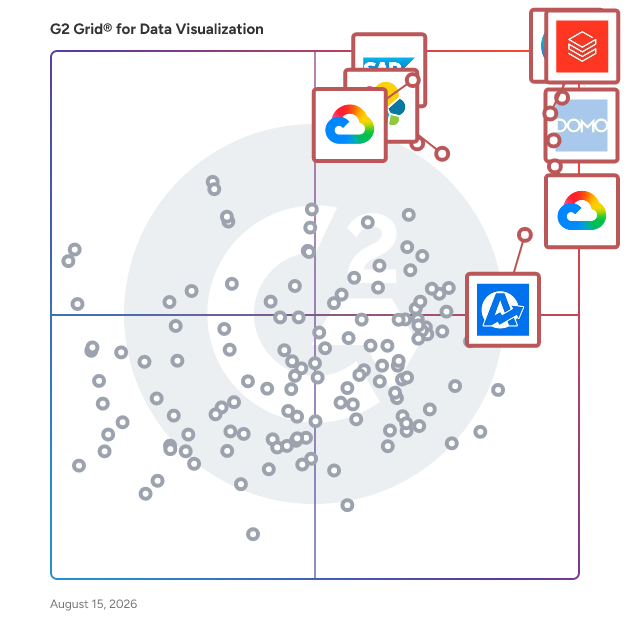
  # Best Data Visualization Tools - Page 6

  *By [Bijou Barry](https://research.g2.com/insights/author/bijou-barry)*

   Data visualization tools and software translate data and metrics into charts and graphs to help companies track business metrics and key performance indicators (KPIs) in real time so they can better understand performance and goals. These can be delivered and displayed in various formats, including charts, graphs, reports, and dashboards. These tools help translate quantitative data and metrics into easy-to-understand visualizations. In regards to dashboards, there are various forms of visuals that one can create and view, such as scorecards and easy-to-interpret visualizations of company data to follow the trends and KPIs. Many data visualization software provides drag-and-drop functionality and other non-technical capabilities, so the average business user can build necessary dashboards. However, some do offer the ability to create dashboards using code. [Data visualization](https://www.g2.com/glossary/data-visualization-definition) software can consume data from many sources, including file uploads, databases, and business applications. Connecting certain applications or databases may require some IT involvement or coding knowledge.

Dashboards with real-time data are particularly helpful to allow business users to understand business applications and systems, such as [ERP systems](https://www.g2.com/categories/erp-systems) and [CRM software](https://www.g2.com/categories/crm). However, in some cases, one might want to export these visualizations to share them as reports via email or other communication channels. This can be helpful if one is looking to send a targeted overview of data to busy executives or clients. In addition, these tools can be used to craft visualizations, such as charts and graphs, that can be exported in various formats, such as PNG and JPEG, to create content with visualizations of data. This content creation can often be accomplished collaboratively, allowing users to collaborate across devices and device types. Users looking for tools solely focused on diagramming can look to [diagramming software](https://www.g2.com/categories/diagramming) to build flow charts, floor plans, and more.

The [best data visualization tools](https://learn.g2.com/best-data-visualization-software) are specifically designed to benchmark and visualize important metrics and are not intended to be used for robust, complicated data analysis. While some data visualization products may offer drill-down or data-joining functionality, their primary purpose is to provide dashboards and visualizations to monitor business-critical data. Users looking for analysis-specific tools should look to [analytics platforms](https://www.g2.com/categories/analytics-platforms). Analytics platforms, specifically of the self-service variety, can help businesses query and visualize their data without the need for IT support. Finally, business users and developers who are interested in embedding their visualizations in applications can use [embedded business intelligence software](https://www.g2.com/categories/embedded-business-intelligence) to accomplish this goal.

To qualify for inclusion in the Data Visualization Tools category, a product must:

- Consume data from a variety of sources through file uploads, database querying, and application connectors
- Provide visual representation of key performance indicators


## How Many Data Visualization Tools Products Does G2 Track?
**Total Products under this Category:** 468

### Category Stats (May 2026)
- **Average Rating**: 4.43/5
- **New Reviews This Quarter**: 184
- **Buyer Segments**: Mid-Market 43% │ Small-Business 40% │ Enterprise 17%
- **Top Trending Product**: Myriade (+0.5)
*Last updated: May 18, 2026*

  
## How Does G2 Rank Data Visualization Tools Products?

**Why You Can Trust G2's Software Rankings:**

- 30 Analysts and Data Experts
- 23,200+ Authentic Reviews
- 468+ Products
- Unbiased Rankings

G2's software rankings are built on verified user reviews, rigorous moderation, and a consistent research methodology maintained by a team of analysts and data experts. Each product is measured using the same transparent criteria, with no paid placement or vendor influence. While reviews reflect real user experiences, which can be subjective, they offer valuable insight into how software performs in the hands of professionals. Together, these inputs power the G2 Score, a standardized way to compare tools within every category.

  
## Which Data Visualization Tools Is Best for Your Use Case?

- **Leader:** [Canva](https://www.g2.com/products/canva/reviews)
- **Highest Performer:** [Hurree](https://www.g2.com/products/hurree/reviews)
- **Easiest to Use:** [Canva](https://www.g2.com/products/canva/reviews)
- **Top Trending:** [Abacum](https://www.g2.com/products/abacum/reviews)
- **Best Free Software:** [Canva](https://www.g2.com/products/canva/reviews)

  
---

**Sponsored**

### Zoho Analytics

Zoho Analytics is a GenAI-powered self-service BI and analytics platform that helps businesses collect, prepare, analyze, and present insights from their data, all within minutes. Integrate with 500+ native data sources, like files, feeds, local and cloud databases, cloud storage, and popular business apps. Clean, transform, enrich, and catalog data with our agentic AI-powered, self-service data preparation and management capabilities. Create and manage complex ETL data pipelines using our visual pipeline builder, process stream data for real-time analytics, and set up a strong metrics layer for quality analysis and management. Zoho Analytics comes with 100+ domain-specific prebuilt reports and dashboards, pre-trained NLQ models, intelligently modeled and blended data across business applications, and lots more. Use our intuitive drag-and-drop visualization builder to build insightful and interactive reports and dashboards using a wide variety of visual components, like charts, widgets, pivot tables, tabular views and more. Generate customized reports and dashboards using simple, natural language with our AI-powered conversational agent, Zia. Ask Zia goes beyond basic reporting; it enables users to perform diagnostic analytics, forecast key metrics, and receive intelligent insights and recommendations. Users can assign tasks and trigger actions just by conversing with our agentic AI, Zia, streamlining their workflows and empowering data-driven decisions. Seamlessly embed Ask Zia into your custom or business applications to deliver contextual insights and actions. Enrich your analysis with automated insights by using our NLG-powered narration engine, Zia Insights. With diagnostic analytics for smarter decision-making, Zia Insights takes automated insights to the next level by bubbling up key drivers for particular business tasks. Enumerate complex business scenarios with what-if analyses, forecast KPIs, uncover trends and patterns with advanced analytical capabilities. Leverage cognitive analysis for keyword extraction and sentiment analysis, and more. Evaluate the best ML models with no-code assistance or develop custom models and functions using Python Code Studio. Zoho Analytics comes with pre-packed ML models (AutoML) that allow you to evaluate and pick the best model for your use case. Alternatively custom models and functions using Python Code Studio Embed our full-fledged analytics platform into other software applications. Craft and present immersive data stories through slideshows or purpose-built analytics portals. Collaborate securely through contextual comment threads and real-time messaging. Zoho Analytics has a robust set of APIs that enables elaborate customization and highly extensible low-code and no-code integration with any technology stack. It also offers a high degree of deployment flexibility (private, public, multi-cloud, and on-premises) and platform extensibility (professional services, partner support, and marketplace). Zoho Analytics is modern and scalable, and it can readily match growing data volumes and usage. Its time-tested and accredited enterprise-grade security features and governance framework ensure continuous data management and stewardship. On top of everything else, the TCO for Zoho Analytics—including licensing, implementation, customization, training, and support—is the lowest in our market.


[Visit website](https://www.g2.com/external_clickthroughs/record?secure%5Bad_program%5D=ppc&amp;secure%5Bad_slot%5D=category_product_list&amp;secure%5Bcategory_id%5D=208&amp;secure%5Bdisplayable_resource_id%5D=208&amp;secure%5Bdisplayable_resource_type%5D=Category&amp;secure%5Bmedium%5D=sponsored&amp;secure%5Bplacement_reason%5D=page_category&amp;secure%5Bplacement_resource_ids%5D%5B%5D=208&amp;secure%5Bprioritized%5D=false&amp;secure%5Bproduct_id%5D=3431&amp;secure%5Bresource_id%5D=208&amp;secure%5Bresource_type%5D=Category&amp;secure%5Bsource_type%5D=category_page&amp;secure%5Bsource_url%5D=https%3A%2F%2Fwww.g2.com%2Fcategories%2Fdata-visualization-tools%3Fpage%3D20%26source_location%3Dcategories%2523show&amp;secure%5Btoken%5D=0701f741973d49cf438fb0849d68ca4c80fbff3e739284c41b58150a5a2830a5&amp;secure%5Burl%5D=https%3A%2F%2Fwww.zoho.com%2Fanalytics%2Fdata-visualization-software.html%3Futm_source%3DG2%26utm_medium%3Dcpc%26utm_campaign%3DData_visualization&amp;secure%5Burl_type%5D=custom_url)

---

  ## What Are the Top-Rated Data Visualization Tools Products in 2026?
### 1. [9 Spokes](https://www.g2.com/products/9-spokes/reviews)
  With a smart dashboard from 9 Spokes, you can see your business more clearly - so it’s easier to make the big decisions. Simply connect your business apps to the smart dashboard, then see your business in a whole new light. Key metrics across essential areas of your business are displayed in one place, revealing exactly how it&#39;s performing. With these simple insights, you’ll find it easier to make the right calls to manage or grow your business. Joining 9 Spokes and getting a smart dashboard for your business is free. Get up and running in just minutes by connecting your existing business software. Or if you’re unsure what’s right for you, you can add recommended and accredited apps for your industry. Visit 9spokes.com now and get the powerful insights you need to see your business more clearly.


  **Average Rating:** 4.0/5.0
  **Total Reviews:** 12
**How Do G2 Users Rate 9 Spokes?**

- **Has the product been a good partner in doing business?:** 8.3/10 (Category avg: 9.0/10)

**Who Is the Company Behind 9 Spokes?**

- **Seller:** [9 Spokes](https://www.g2.com/sellers/9-spokes)
- **Year Founded:** 2012
- **HQ Location:** Auckland, NZ
- **LinkedIn® Page:** https://www.linkedin.com/company/2833977/ (48 employees on LinkedIn®)
- **Ownership:** ASX:9SP
- **Total Revenue (USD mm):** $7

**Who Uses This Product?**
  - **Company Size:** 58% Small-Business, 25% Enterprise


### 2. [Data Display Debugger](https://www.g2.com/products/data-display-debugger/reviews)
  GNU DDD is a graphical front-end for command-line debuggers such as GDB, DBX, WDB, Ladebug, JDB, XDB, the Perl debugger, the bash debugger bashdb, the GNU Make debugger remake, or the Python debugger pydb. Besides ``usual&#39;&#39; front-end features such as viewing source texts, DDD has become famous through its interactive graphical data display, where data structures are displayed as graphs.


  **Average Rating:** 4.0/5.0
  **Total Reviews:** 11
**How Do G2 Users Rate Data Display Debugger?**

- **Has the product been a good partner in doing business?:** 7.5/10 (Category avg: 9.0/10)
- **Dashboards:** 7.9/10 (Category avg: 9.0/10)
- **Steps to Answer:** 8.3/10 (Category avg: 8.5/10)
- **Formats:** 8.3/10 (Category avg: 8.6/10)

**Who Is the Company Behind Data Display Debugger?**

- **Seller:** [Free Software Foundation](https://www.g2.com/sellers/free-software-foundation)
- **Year Founded:** 1985
- **HQ Location:** Boston, MA
- **Twitter:** @fsf (67,790 Twitter followers)
- **LinkedIn® Page:** https://www.linkedin.com/company/423325/ (184 employees on LinkedIn®)

**Who Uses This Product?**
  - **Company Size:** 58% Small-Business, 25% Enterprise


### 3. [MyDash](https://www.g2.com/products/mydash/reviews)
  DASH IS A LIGHTWEIGHT, FULL-SERVICE DASHBOARDING BUSINESS HELPING TOP ORGANIZATIONS MAKE FASTER DECISIONS BY MAKING CRITICAL DATA MORE ACCESSIBLE THAN EVER. Free Dashboard, Connectors &amp; Visualization Business Intelligence is essential, and expensive. But it doesn&#39;t have to be. We&#39;ve built a tool, major platform connectors, and a best-in-class visualization library. Our service, the only thing we get paid for, is setting it up for our partners. Our mission: soft costs and subscriptions shouldn&#39;t prevent leaders from making good business decisions.


  **Average Rating:** 4.4/5.0
  **Total Reviews:** 15
**How Do G2 Users Rate MyDash?**

- **Has the product been a good partner in doing business?:** 8.3/10 (Category avg: 9.0/10)
- **Dashboards:** 8.6/10 (Category avg: 9.0/10)
- **Steps to Answer:** 9.0/10 (Category avg: 8.5/10)
- **Formats:** 8.3/10 (Category avg: 8.6/10)

**Who Is the Company Behind MyDash?**

- **Seller:** [MyDash](https://www.g2.com/sellers/mydash)
- **HQ Location:** Boston, Massachusetts
- **Twitter:** @AiMydash (22 Twitter followers)
- **LinkedIn® Page:** https://www.linkedin.com/company/65505298 (3 employees on LinkedIn®)

**Who Uses This Product?**
  - **Company Size:** 67% Mid-Market, 27% Small-Business


### 4. [One Charts](https://www.g2.com/products/one-charts/reviews)
  One Charts is a data visualization platform, using which, users can create various charts such as Line Charts, Pie Charts, Bar Charts, Scatter Charts etc., and customize them easily. After creating and customizing the charts can be saved or downloaded as images to be able to share them. Not only charts, users can also build dashboards comprising of multiple charts to visualize multiple charts at once. One Charts provides an API using which charts can be created, updated in realtime.


  **Average Rating:** 4.6/5.0
  **Total Reviews:** 15
**How Do G2 Users Rate One Charts?**

- **Has the product been a good partner in doing business?:** 6.7/10 (Category avg: 9.0/10)
- **Dashboards:** 9.1/10 (Category avg: 9.0/10)
- **Steps to Answer:** 8.0/10 (Category avg: 8.5/10)
- **Formats:** 8.9/10 (Category avg: 8.6/10)

**Who Is the Company Behind One Charts?**

- **Seller:** [Chaitanya](https://www.g2.com/sellers/chaitanya)
- **HQ Location:** N/A
- **LinkedIn® Page:** https://www.linkedin.com/company/No-Linkedin-Presence-Added-Intentionally-By-DataOps (1 employees on LinkedIn®)

**Who Uses This Product?**
  - **Company Size:** 53% Small-Business, 40% Mid-Market


### 5. [EspressChart](https://www.g2.com/products/espresschart/reviews)
  EspressChart is a comprehensive Java-based charting solution designed to empower developers and organizations to create dynamic, interactive charts for web and desktop applications. With its robust API and intuitive Chart Designer interface, users can effortlessly generate highly customizable 2D and 3D charts, enhancing data visualization and analysis capabilities. Key Features and Functionality: - Versatile Chart Types: Supports a wide array of 2D and 3D chart formats, including line, bar, pie, and Gantt charts, catering to diverse data representation needs. - Interactive Chart Designer: Provides a visual design tool that allows users to create and edit charts without extensive programming knowledge. - Robust Java API: Offers a comprehensive API for seamless integration into Java applications, applets, servlets, and JSPs. - Platform Independence: Being pure Java, EspressChart operates across various platforms supporting Java, ensuring broad compatibility. - Advanced Statistical Features: Includes options for trend lines, gradients, and Top N/Bottom N data display, enhancing analytical capabilities. - Data Integration: Facilitates connection to JDBC/ODBC data sources, enabling dynamic data retrieval and real-time chart updates. Primary Value and User Solutions: EspressChart addresses the need for effective data visualization by providing a powerful yet user-friendly toolkit for creating interactive charts. It simplifies the process of integrating dynamic charts into applications, reducing development time and effort. By offering a wide range of customizable chart types and advanced features, EspressChart enables users to present complex data in an accessible and visually appealing manner, thereby enhancing decision-making processes and business intelligence initiatives.


  **Average Rating:** 4.4/5.0
  **Total Reviews:** 12
**How Do G2 Users Rate EspressChart?**

- **Has the product been a good partner in doing business?:** 9.4/10 (Category avg: 9.0/10)
- **Dashboards:** 8.1/10 (Category avg: 9.0/10)
- **Steps to Answer:** 9.2/10 (Category avg: 8.5/10)
- **Formats:** 8.1/10 (Category avg: 8.6/10)

**Who Is the Company Behind EspressChart?**

- **Seller:** [Quadbase Systems](https://www.g2.com/sellers/quadbase-systems)
- **Year Founded:** 1988
- **HQ Location:** Santa Clara
- **Twitter:** @quadbase (11 Twitter followers)
- **LinkedIn® Page:** https://www.linkedin.com/company/quadbase-systems-inc-/about (6 employees on LinkedIn®)

**Who Uses This Product?**
  - **Company Size:** 58% Small-Business, 25% Enterprise


### 6. [Graphviz](https://www.g2.com/products/graphviz/reviews)
  Graphviz is an open-source graph visualization software developed by AT&amp;T Labs Research. It enables users to represent structural information as diagrams of abstract graphs and networks. Key Features and Functionality: - Graph Description Language: Utilizes the DOT language, a simple text-based syntax for defining nodes and edges in a graph. - Layout Engines: Offers multiple layout engines tailored for different types of graphs: - dot: Produces hierarchical or layered drawings of directed graphs. - neato: Implements &quot;spring model&quot; layouts suitable for undirected graphs. - fdp: Similar to neato but focuses on minimizing forces instead of energy. - sfdp: A multiscale version of fdp designed for large undirected graphs. - twopi: Generates radial layouts, placing nodes on concentric circles based on their distance from a root node. - circo: Creates circular layouts, ideal for diagrams with multiple cyclic structures. - Output Formats: Supports a variety of output formats, including PostScript, PDF, SVG, PNG, and more, facilitating integration with other tools and platforms. - Customization: Provides options for colors, fonts, line styles, and custom shapes, allowing users to tailor the appearance of their graphs. Primary Value and User Solutions: Graphviz addresses the need for clear and efficient visualization of complex relationships and structures. By automating the layout process, it saves users significant time and effort compared to manual diagramming. Its versatility makes it applicable in various fields, including networking, bioinformatics, software engineering, database design, and machine learning. By providing a straightforward way to create and visualize graphs, Graphviz enhances understanding and communication of complex data structures, making it an invaluable tool for professionals and researchers dealing with intricate systems.


  **Average Rating:** 4.0/5.0
  **Total Reviews:** 13
**How Do G2 Users Rate Graphviz?**

- **Dashboards:** 8.1/10 (Category avg: 9.0/10)
- **Steps to Answer:** 7.8/10 (Category avg: 8.5/10)
- **Formats:** 7.8/10 (Category avg: 8.6/10)

**Who Is the Company Behind Graphviz?**

- **Seller:** [GraphApi.io GmbH](https://www.g2.com/sellers/graphapi-io-gmbh)
- **Year Founded:** 2019
- **HQ Location:** Berlin, Germany
- **LinkedIn® Page:** http://www.linkedin.com/company/graphapi (5 employees on LinkedIn®)

**Who Uses This Product?**
  - **Company Size:** 69% Small-Business, 23% Mid-Market


#### What Are Graphviz's Pros and Cons?

**Pros:**

- Ease of Use (2 reviews)
- Graphics Creation (2 reviews)
- Affordable (1 reviews)
- Automation (1 reviews)
- Easy Creation (1 reviews)

**Cons:**

- Learning Curve (2 reviews)
- Complex Usage (1 reviews)
- Learning Difficulty (1 reviews)
- Limited Formatting Options (1 reviews)

### 7. [Datawiz BI](https://www.g2.com/products/datawiz-bi/reviews)
  The Datawiz BI analytics service helps retailers quickly find answers to essential questions using pre-configured reports, create informative dashboards, and easily share them with colleagues. The service allows users to customize visualizations based on data, simplifying the process of analyzing key metrics in real-time and tracking changes that could impact chain performance. Datawiz offers 35 pre-configured reports that automate core retail processes, utilizing artificial intelligence for fast insight detection. You can add custom metrics, create tailored formulas for analytics, and visualize results through dashboards. The system allows monitoring deviations and managing users. The Store Manager mobile app provides access to analytics on the go. Additionally, you can earn up to 2.5% extra revenue through data monetization. DATAWIZ BI – one of 4 critical solutions and a part of the analytical platform Datawiz BES (Business Effectiveness Solution)


  **Average Rating:** 4.0/5.0
  **Total Reviews:** 13
**How Do G2 Users Rate Datawiz BI?**

- **Has the product been a good partner in doing business?:** 5.8/10 (Category avg: 9.0/10)
- **Dashboards:** 8.0/10 (Category avg: 9.0/10)
- **Steps to Answer:** 8.7/10 (Category avg: 8.5/10)
- **Formats:** 8.3/10 (Category avg: 8.6/10)

**Who Is the Company Behind Datawiz BI?**

- **Seller:** [Datawiz](https://www.g2.com/sellers/datawiz)
- **Year Founded:** 2016
- **HQ Location:** Чернівці, UA
- **LinkedIn® Page:** https://www.linkedin.com/company/datawiz-io/about/ (38 employees on LinkedIn®)

**Who Uses This Product?**
  - **Top Industries:** Information Technology and Services
  - **Company Size:** 69% Mid-Market, 23% Enterprise


#### What Are Datawiz BI's Pros and Cons?

**Pros:**

- Ease of Use (4 reviews)
- Insights (3 reviews)
- Integrations (3 reviews)
- Customer Support (2 reviews)
- Customization (2 reviews)

**Cons:**

- Expensive (2 reviews)
- Slow Performance (2 reviews)
- Compatibility Issues (1 reviews)
- Limitations in Storage (1 reviews)
- Limited Customization (1 reviews)

### 8. [Syncrofy](https://www.g2.com/products/syncrofy/reviews)
  Syncrofy for EDI &amp; IT professionals is the premier way to simplify your data. It enables you to visualize data, discover problems before they occur, and collaborate seamlessly with internal teams and partners. Syncrofy is everything you need to make your data actionable and elevate your business, without the need to rely on your IT team or third party provider to get you the answers to your questions. You have full control and access to the raw EDI data. Syncrofy for Supply Chain provides you with real-time visibility to break down barriers across your supply chain. You’ll have complete visibility across your network. SSC’s advanced real-time analytics and insights help you identify challenges and prioritize and solve them before problems occur—empowering you to eliminate costly fines and fees, prevent late payments and late shipments, and realize revenue faster.


  **Average Rating:** 4.4/5.0
  **Total Reviews:** 30
**How Do G2 Users Rate Syncrofy?**

- **Has the product been a good partner in doing business?:** 10.0/10 (Category avg: 9.0/10)
- **Dashboards:** 7.8/10 (Category avg: 9.0/10)
- **Steps to Answer:** 7.5/10 (Category avg: 8.5/10)
- **Formats:** 7.8/10 (Category avg: 8.6/10)

**Who Is the Company Behind Syncrofy?**

- **Seller:** [Coenterprise](https://www.g2.com/sellers/coenterprise)
- **Year Founded:** 2010
- **HQ Location:** New York, New York
- **Twitter:** @CoEnterprise (842 Twitter followers)
- **LinkedIn® Page:** https://www.linkedin.com/company/1724464/ (91 employees on LinkedIn®)

**Who Uses This Product?**
  - **Top Industries:** Automotive, Retail
  - **Company Size:** 53% Enterprise, 33% Mid-Market


### 9. [Insight BI](https://www.g2.com/products/insight-bi/reviews)
  With Insight BI you can combine data from different sources in your business, to view it in colorful dashboards and reports. Reporting can also be scheduled to distribute to a list of recipients, removing the need to log in and draw reports.


  **Average Rating:** 4.3/5.0
  **Total Reviews:** 28
**How Do G2 Users Rate Insight BI?**

- **Has the product been a good partner in doing business?:** 7.7/10 (Category avg: 9.0/10)
- **Dashboards:** 9.5/10 (Category avg: 9.0/10)
- **Steps to Answer:** 9.0/10 (Category avg: 8.5/10)
- **Formats:** 8.6/10 (Category avg: 8.6/10)

**Who Is the Company Behind Insight BI?**

- **Seller:** [Incasu Information Systems](https://www.g2.com/sellers/incasu-information-systems)
- **Year Founded:** 2000
- **HQ Location:** Centurion
- **Twitter:** @IncasuZa (278 Twitter followers)
- **LinkedIn® Page:** https://www.linkedin.com/company/incasu (21 employees on LinkedIn®)

**Who Uses This Product?**
  - **Company Size:** 43% Mid-Market, 32% Small-Business


### 10. [Rose AI](https://www.g2.com/products/rose-ai/reviews)
  Rose AI is a comprehensive data management platform designed to streamline the process of data discovery, integration, and analysis for businesses. It offers a centralized solution that enables users to efficiently access, manage, and derive insights from diverse data sources, thereby enhancing decision-making and operational efficiency. Key Features and Functionality: - Data Discovery: Facilitates the identification and access of relevant data across various internal and external sources, simplifying the process of finding the right information. - Data Integration: Provides tools to seamlessly combine data from multiple sources, ensuring consistency and accuracy in data analysis. - Data Analysis: Offers advanced analytical capabilities, including visualization and reporting tools, to help users interpret data and extract meaningful insights. - Collaboration Tools: Enables teams to work together effectively by sharing data, insights, and reports within a secure environment. - Security and Compliance: Ensures data privacy and compliance with industry standards through robust security measures and governance protocols. Primary Value and User Solutions: Rose AI addresses the common challenges businesses face in managing and utilizing vast amounts of data. By offering a unified platform for data discovery, integration, and analysis, it reduces the time and effort required to derive actionable insights. This empowers organizations to make informed decisions, optimize operations, and drive innovation, ultimately leading to improved performance and competitive advantage.


  **Average Rating:** 4.2/5.0
  **Total Reviews:** 13
**How Do G2 Users Rate Rose AI?**

- **Has the product been a good partner in doing business?:** 9.2/10 (Category avg: 9.0/10)
- **Dashboards:** 8.7/10 (Category avg: 9.0/10)
- **Steps to Answer:** 8.7/10 (Category avg: 8.5/10)
- **Formats:** 8.3/10 (Category avg: 8.6/10)

**Who Is the Company Behind Rose AI?**

- **Seller:** [Rose AI](https://www.g2.com/sellers/rose-ai)
- **Year Founded:** 2020
- **HQ Location:** New York, US
- **LinkedIn® Page:** https://www.linkedin.com/company/roseai/ (15 employees on LinkedIn®)

**Who Uses This Product?**
  - **Company Size:** 57% Mid-Market, 36% Small-Business


#### What Are Rose AI's Pros and Cons?

**Pros:**

- Customer Support (1 reviews)

**Cons:**

- Expensive (1 reviews)
- Pricing Issues (1 reviews)

### 11. [Resplendent Data](https://www.g2.com/products/resplendent-data/reviews)
  Make better data-driven decisions and run your business more efficiently with business intelligence dashboards powered by the tools you&#39;re already using every day. Resplendent Data allows you to connect virtually any app or database and turn the underlying data and activity into actionable insights. With a 60-second data refresh rate, you can visualize data in real-time across your entire company. Create custom dashboards by business function and share dashboards across teams to keep everyone on the same page. Resplendent Data streams and normalizes data across all sources, giving you the ability to measure and report custom metrics across apps and data sources, giving you full control over reporting like you&#39;ve never experienced.


  **Average Rating:** 4.4/5.0
  **Total Reviews:** 11
**How Do G2 Users Rate Resplendent Data?**

- **Has the product been a good partner in doing business?:** 8.3/10 (Category avg: 9.0/10)
- **Dashboards:** 9.7/10 (Category avg: 9.0/10)
- **Steps to Answer:** 8.3/10 (Category avg: 8.5/10)
- **Formats:** 8.7/10 (Category avg: 8.6/10)

**Who Is the Company Behind Resplendent Data?**

- **Seller:** [Resplendent Data](https://www.g2.com/sellers/resplendent-data)
- **Year Founded:** 2021
- **HQ Location:** San Juan, PR
- **LinkedIn® Page:** https://www.linkedin.com/company/resplendent-data/ (2 employees on LinkedIn®)

**Who Uses This Product?**
  - **Company Size:** 45% Small-Business, 36% Enterprise


#### What Are Resplendent Data's Pros and Cons?

**Pros:**

- Customizability (2 reviews)
- Easy Creation (2 reviews)
- Automation (1 reviews)
- Ease of Use (1 reviews)
- Easy Integrations (1 reviews)

**Cons:**

- Learning Curve (2 reviews)
- Complexity (1 reviews)
- Expensive Pricing (1 reviews)
- Learning Difficulty (1 reviews)
- Offline Access (1 reviews)

### 12. [Orcablue](https://www.g2.com/products/orcablue/reviews)
  Orcablue is a fast and intuitive data visualization tool designed to seamlessly embed analytics into platforms. With Orcablue, companies can provide their customers with rich, customizable analytics experiences—ranging from standard reports to fully dedicated analytics portals without waiting. Whether it’s embedding interactive dashboards or delivering detailed insights, Orcablue empowers businesses to offer impactful, real-time analytics directly within their platform with minimal effort and easy customization.


  **Average Rating:** 4.3/5.0
  **Total Reviews:** 24
**How Do G2 Users Rate Orcablue?**

- **Has the product been a good partner in doing business?:** 8.3/10 (Category avg: 9.0/10)

**Who Is the Company Behind Orcablue?**

- **Seller:** [orcablue.ai](https://www.g2.com/sellers/orcablue-ai)
- **HQ Location:** Bangalore, Karnataka
- **LinkedIn® Page:** https://www.linkedin.com/company/orcablueai (6 employees on LinkedIn®)

**Who Uses This Product?**
  - **Company Size:** 92% Small-Business, 8% Mid-Market


#### What Are Orcablue's Pros and Cons?

**Pros:**

- Ease of Use (18 reviews)
- Customer Support (7 reviews)
- Automation (6 reviews)
- Data Visualization (5 reviews)
- Powerful BI (4 reviews)

**Cons:**

- Learning Curve (3 reviews)
- Missing Features (3 reviews)
- Integration Issues (2 reviews)
- Technical Issues (2 reviews)
- Coding Difficulty (1 reviews)

### 13. [Easyflow.io](https://www.g2.com/products/easyflow-io/reviews)
  You have data - probably lots of it. That&#39;s not the problem. The real problem data is basically worthless unless you turn that data into insights - and that insights into action, without pain! Easyflow will help you succeed with this journey by allowing you to automate everything and visualise anything! It’s a drag-and-drop solution, no development skills required. With Easyflow you can connect apps, analyse data, and create automations and memorable KPI dashboard that work exactly how you want.


  **Average Rating:** 4.5/5.0
  **Total Reviews:** 47
**How Do G2 Users Rate Easyflow.io?**

- **Has the product been a good partner in doing business?:** 9.0/10 (Category avg: 9.0/10)
- **Dashboards:** 9.2/10 (Category avg: 9.0/10)
- **Steps to Answer:** 9.2/10 (Category avg: 8.5/10)
- **Formats:** 8.1/10 (Category avg: 8.6/10)

**Who Is the Company Behind Easyflow.io?**

- **Seller:** [Easyflow.io](https://www.g2.com/sellers/easyflow-io)
- **Year Founded:** 2019
- **HQ Location:** Sydney, New South Wales
- **Twitter:** @easyflowio (15 Twitter followers)
- **LinkedIn® Page:** https://www.linkedin.com/company/easyflow-io/ (5 employees on LinkedIn®)

**Who Uses This Product?**
  - **Top Industries:** Marketing and Advertising
  - **Company Size:** 77% Small-Business, 13% Mid-Market


### 14. [Arimo Dashboards](https://www.g2.com/products/arimo-dashboards/reviews)
  Visualize insights by asking English-language questions. Pick only the needed charts and metrics to display results in the most insightful way. Set automated update intervals to meet your business needs.


  **Average Rating:** 4.4/5.0
  **Total Reviews:** 9
**How Do G2 Users Rate Arimo Dashboards?**

- **Has the product been a good partner in doing business?:** 9.2/10 (Category avg: 9.0/10)
- **Dashboards:** 9.3/10 (Category avg: 9.0/10)
- **Steps to Answer:** 9.4/10 (Category avg: 8.5/10)
- **Formats:** 8.8/10 (Category avg: 8.6/10)

**Who Is the Company Behind Arimo Dashboards?**

- **Seller:** [Arimo](https://www.g2.com/sellers/arimo)
- **Year Founded:** 2013
- **HQ Location:** Mountain View
- **Twitter:** @arimoinc (3,686 Twitter followers)
- **LinkedIn® Page:** https://www.linkedin.com/company/arimo-inc-/about (5 employees on LinkedIn®)

**Who Uses This Product?**
  - **Company Size:** 55% Mid-Market, 45% Small-Business


### 15. [Cyberquery](https://www.g2.com/products/cyberquery/reviews)
  Cyberquery is a fast, easy-to-use, Business Intelligence solution which includes dashboards, reporting, analysis and data exploration for power users, occasional users and IT professionals.


  **Average Rating:** 4.8/5.0
  **Total Reviews:** 9
**How Do G2 Users Rate Cyberquery?**

- **Has the product been a good partner in doing business?:** 9.4/10 (Category avg: 9.0/10)
- **Dashboards:** 9.6/10 (Category avg: 9.0/10)
- **Steps to Answer:** 10.0/10 (Category avg: 8.5/10)
- **Formats:** 9.6/10 (Category avg: 8.6/10)

**Who Is the Company Behind Cyberquery?**

- **Seller:** [Cyberscience](https://www.g2.com/sellers/cyberscience)
- **Year Founded:** 1977
- **HQ Location:** Centennial, CO
- **LinkedIn® Page:** https://www.linkedin.com/company/cyberscience-corporation/ (53 employees on LinkedIn®)

**Who Uses This Product?**
  - **Top Industries:** Information Technology and Services
  - **Company Size:** 50% Mid-Market, 40% Enterprise


### 16. [JS Charts](https://www.g2.com/products/js-charts/reviews)
  JS Charts is a JavaScript based chart generator.


  **Average Rating:** 4.5/5.0
  **Total Reviews:** 10
**How Do G2 Users Rate JS Charts?**

- **Has the product been a good partner in doing business?:** 8.3/10 (Category avg: 9.0/10)
- **Dashboards:** 8.3/10 (Category avg: 9.0/10)
- **Formats:** 10.0/10 (Category avg: 8.6/10)

**Who Is the Company Behind JS Charts?**

- **Seller:** [Smartketer](https://www.g2.com/sellers/smartketer)
- **Year Founded:** 2016
- **HQ Location:** San Francisco, US
- **LinkedIn® Page:** https://www.linkedin.com/company/smartketer-ads/ (1 employees on LinkedIn®)

**Who Uses This Product?**
  - **Company Size:** 60% Small-Business, 20% Enterprise


### 17. [Omni Intelligence](https://www.g2.com/products/omni-intelligence/reviews)
  360° Contact Center Productivity Platform in the Cloud: Speech Analytics, Voice Biometrics, Automatic IVR Mapper/Monitoring, SLA/Voice Quality Monitoring, IVR/Contact Center Load/Performane Testing, Voicebot / Conversational IVR Testing and more


  **Average Rating:** 4.7/5.0
  **Total Reviews:** 10
**How Do G2 Users Rate Omni Intelligence?**

- **Has the product been a good partner in doing business?:** 10.0/10 (Category avg: 9.0/10)
- **Dashboards:** 8.3/10 (Category avg: 9.0/10)
- **Steps to Answer:** 8.3/10 (Category avg: 8.5/10)
- **Formats:** 8.3/10 (Category avg: 8.6/10)

**Who Is the Company Behind Omni Intelligence?**

- **Seller:** [Omni Intelligence](https://www.g2.com/sellers/omni-intelligence)
- **Year Founded:** 2016
- **HQ Location:** Melbourne, AU
- **LinkedIn® Page:** https://www.linkedin.com/company/74081172 (3 employees on LinkedIn®)

**Who Uses This Product?**
  - **Company Size:** 60% Small-Business, 30% Mid-Market


### 18. [SquareStack](https://www.g2.com/products/squarestack/reviews)
  SquareStack is the Business Apps Command Center for Small Businesses: all your business apps and data in one no-nonsense dashboard. We are a small team headquartered in Oak Brook, IL with dev teams here and in Canada. Bootstrapped in 2014 and expanded from 2016 to today, SquareStack consolidates your apps and data into a single platform so you can make sense of it all in one place. Every small business owner needs technology to succeed, but most struggle with too much data and not enough meaningful insights from their many different business apps. We get it -- we&#39;re a team of small business owners. We&#39;ve lived your everyday stresses, and we know how critical data is to your growth. We developed the SquareStack platform to solve for the pain points we&#39;ve felt ourselves. We integrate all your business apps into one dashboard where you can see real-time KPIs and data patterns to drive action. Data overload? You&#39;ve got 74 tabs open. You&#39;re looking for your sticky note with that one password on it. And you&#39;re going cross-eyed trying to process the numbers all your business apps are spitting out. These apps should make running your business easier, not leave you tearing your hair out! And they can, but only if you can actually make sense of your data. SquareStack is here to help you get squared away -- all in one tab. -Harness your data: one dashboard gives you the high-level snapshot you need to make informed decisions and grow your business. -Take back your time: with your apps wrangled, you can get back to leading your team and sharing your craft with the world. -Love your apps: supercharge the ROI of the apps you&#39;ve already got and find your next power tools. Features to keep you focused on what matters: -Real-time dashboard -Access from anywhere -Support when you need it -Deep-dive reporting -App marketplace -1,000+ integrated apps -Rock-solid security -Just one log-in -Easy team access A STRAIGHT LINE FROM SUBSCRIPTION TO SUCCESS!


  **Average Rating:** 4.2/5.0
  **Total Reviews:** 15
**How Do G2 Users Rate SquareStack?**

- **Has the product been a good partner in doing business?:** 10.0/10 (Category avg: 9.0/10)
- **Dashboards:** 8.0/10 (Category avg: 9.0/10)
- **Steps to Answer:** 8.0/10 (Category avg: 8.5/10)
- **Formats:** 8.7/10 (Category avg: 8.6/10)

**Who Is the Company Behind SquareStack?**

- **Seller:** [Square Stack](https://www.g2.com/sellers/square-stack)
- **HQ Location:** Chicago, US
- **LinkedIn® Page:** https://www.linkedin.com/company/9194602 (11 employees on LinkedIn®)

**Who Uses This Product?**
  - **Top Industries:** Information Technology and Services
  - **Company Size:** 67% Small-Business, 33% Mid-Market


#### What Are SquareStack's Pros and Cons?

**Pros:**

- Ease of Use (5 reviews)
- Features (4 reviews)
- Time-saving (4 reviews)
- App Management (3 reviews)
- Customer Support (2 reviews)

**Cons:**

- Expensive (2 reviews)
- Complexity (1 reviews)
- Complex Setup (1 reviews)
- Connection Issues (1 reviews)
- Difficult Setup (1 reviews)

### 19. [Style Scope](https://www.g2.com/products/style-scope/reviews)
  Style Scope offers a server-based mechanism for creating dashboards and visual presentations of data drawn from multiple data sources. Users can annotate, share, and manipulate the data &quot;mashups&quot; to help make sense of a large amount of business intelligence, and you can create them with an easy drag-and-drop interface.


  **Average Rating:** 4.4/5.0
  **Total Reviews:** 9
**How Do G2 Users Rate Style Scope?**

- **Has the product been a good partner in doing business?:** 9.4/10 (Category avg: 9.0/10)
- **Dashboards:** 9.4/10 (Category avg: 9.0/10)
- **Steps to Answer:** 8.1/10 (Category avg: 8.5/10)
- **Formats:** 7.9/10 (Category avg: 8.6/10)

**Who Is the Company Behind Style Scope?**

- **Seller:** [InetSoft Technology](https://www.g2.com/sellers/inetsoft-technology)
- **Year Founded:** 1996
- **HQ Location:** Piscataway, NJ
- **LinkedIn® Page:** https://www.linkedin.com/company/91536/ (62 employees on LinkedIn®)

**Who Uses This Product?**
  - **Company Size:** 56% Small-Business, 33% Mid-Market


#### What Are Style Scope's Pros and Cons?

**Pros:**

- Charting (1 reviews)
- Collaborative Sharing (1 reviews)
- Ease of Use (1 reviews)
- Insights (1 reviews)
- Versatility (1 reviews)

**Cons:**

- Complexity (1 reviews)
- Complex Usage (1 reviews)
- Learning Curve (1 reviews)
- Learning Difficulty (1 reviews)

### 20. [Two Minute Reports](https://www.g2.com/products/two-minute-reports/reviews)
  Two Minute Reports is a reliable, no-code automated reporting tool that lets you streamline actionable insights instantly. You can connect 30+ data sources, manage client accounts, extract KPIs, and create unlimited reports directly into Google Sheets and Looker Studio, no manual mapping required. Having been trusted by 4000+ users, Two Minute Reports is best suited for marketers, agencies, freelancers, and data teams who want to centralize reporting, optimize campaign growth, and scale ROI effectively. Key functionalities include: Custom marketing dashboards: Access 100+ custom Google Sheets and Looker Studio templates to send branded, professional client reports. Unified marketing insights: Blend data from PPC advertising channels into a single view for measuring cross-channel ROI. Speedboost: Load complex dashboards 10x faster with our exclusive Speedboost technology. Works with 500+ metrics. Automated reporting: Set custom schedules (daily, hourly, weekly, or monthly) to keep clients informed with real-time updates. Centralized client management: Add, organize, and scale clients in one workspace. No need to struggle with mismatched reports. From instant data visualization to deep analytics, get the clarity and control you need to make faster and smarter decisions.


  **Average Rating:** 4.8/5.0
  **Total Reviews:** 15
**How Do G2 Users Rate Two Minute Reports?**

- **Has the product been a good partner in doing business?:** 10.0/10 (Category avg: 9.0/10)
- **Dashboards:** 10.0/10 (Category avg: 9.0/10)
- **Steps to Answer:** 10.0/10 (Category avg: 8.5/10)
- **Formats:** 10.0/10 (Category avg: 8.6/10)

**Who Is the Company Behind Two Minute Reports?**

- **Seller:** [gox.ai](https://www.g2.com/sellers/gox-ai)
- **HQ Location:** N/A
- **LinkedIn® Page:** https://www.linkedin.com/company/No-Linkedin-Presence-Added-Intentionally-By-DataOps (1 employees on LinkedIn®)

**Who Uses This Product?**
  - **Company Size:** 47% Small-Business, 7% Mid-Market


#### What Are Two Minute Reports's Pros and Cons?

**Pros:**

- Ease of Use (13 reviews)
- Setup Ease (8 reviews)
- Easy Integrations (7 reviews)
- Easy Setup (6 reviews)
- Integrations (6 reviews)

**Cons:**

- Difficult Setup (3 reviews)
- Integration Issues (2 reviews)
- Learning Curve (2 reviews)
- Setup Difficulty (2 reviews)
- Time Delays (2 reviews)

### 21. [AnyChart JS Charts](https://www.g2.com/products/anychart-js-charts/reviews)
  AnyChart is an award-winning JavaScript charting library from the world&#39;s leader in data visualization, which makes it easy for developers to add beautiful interactive charts and dashboards to any web, mobile, or standalone project. AnyChart is flexible, lightweight, cross-platform and cross-browser, with outstanding documentation and API reference. Provides over 70 built-in chart types and numerous features out of the box. Runs on any platform and with any database. Prompt support guaranteed. More than 75% of Fortune 500 companies across all industries and over half of the top 1,000 software vendors worldwide use AnyChart to operate data visualization in their business intelligence, reporting and analytics systems. Join the leaders!


  **Average Rating:** 4.3/5.0
  **Total Reviews:** 12
**How Do G2 Users Rate AnyChart JS Charts?**

- **Has the product been a good partner in doing business?:** 10.0/10 (Category avg: 9.0/10)

**Who Is the Company Behind AnyChart JS Charts?**

- **Seller:** [AnyChart](https://www.g2.com/sellers/anychart)
- **Year Founded:** 2003
- **HQ Location:** Saint Augustine, FL
- **Twitter:** @AnyChart (6,362 Twitter followers)
- **LinkedIn® Page:** https://www.linkedin.com/company/anychart (16 employees on LinkedIn®)
- **Phone:** 1(888) 845-1211

**Who Uses This Product?**
  - **Top Industries:** Computer Software
  - **Company Size:** 43% Small-Business, 29% Enterprise


### 22. [Chartbuddy](https://www.g2.com/products/chartbuddy/reviews)
  Chartbuddy is a data visualization extension for Google Slides that enables users to create professional-grade charts directly within their presentations. The company was founded in Amsterdam, the Netherlands, and is focused on bringing advanced charting capabilities to teams working in Google Workspace. Chartbuddy is available as a Chrome extension through the Chrome Web Store and is used by professionals across strategy consulting, finance, corporate planning, and other data-driven functions. Chartbuddy supports a wide range of chart types commonly used in business and strategic analysis, including waterfall, mekko/marimekko, stacked bar, clustered bar, 100% stacked bar, line, scatter, bubble, pie, and donut charts. Charts connect directly to Google Sheets and update in real time as underlying data changes, keeping presentations accurate without manual rework. All visual elements — colors, fonts, labels, and styles — can be customized to match company branding or presentation design. Charts embed natively into Google Slides files, so they work seamlessly with Google&#39;s built-in sharing and collaboration features. Collaborators with Chartbuddy installed can edit charts within shared presentations. The extension works in any Chromium-based browser, including Chrome, Edge, and Arc, and offers 10 free sessions to explore the full feature set before requiring a paid plan. Chartbuddy solves the gap between Google Slides&#39; limited native charting and the advanced data visualizations that strategy, finance, and consulting professionals need. Users can build presentation-ready charts without leaving their slides or relying on external tools, saving time and maintaining visual consistency across their work. It is particularly valuable for teams transitioning from PowerPoint to Google Workspace who need to maintain the quality of their data storytelling without adding complexity to their workflow.


  **Average Rating:** 5.0/5.0
  **Total Reviews:** 8
**How Do G2 Users Rate Chartbuddy?**

- **Steps to Answer:** 10.0/10 (Category avg: 8.5/10)

**Who Is the Company Behind Chartbuddy?**

- **Seller:** [Chartbuddy](https://www.g2.com/sellers/chartbuddy)
- **Year Founded:** 2025
- **HQ Location:** Amsterdam, NL
- **LinkedIn® Page:** https://www.linkedin.com/company/chartbuddy/ (3 employees on LinkedIn®)

**Who Uses This Product?**
  - **Company Size:** 75% Small-Business, 25% Mid-Market


### 23. [Datawrapper](https://www.g2.com/products/datawrapper/reviews)
  Datawrapper is an open source tool helping everyone to create simple, correct and embeddable charts in minutes.


  **Average Rating:** 4.3/5.0
  **Total Reviews:** 8
**How Do G2 Users Rate Datawrapper?**

- **Has the product been a good partner in doing business?:** 8.3/10 (Category avg: 9.0/10)
- **Dashboards:** 7.5/10 (Category avg: 9.0/10)
- **Steps to Answer:** 8.6/10 (Category avg: 8.5/10)
- **Formats:** 9.2/10 (Category avg: 8.6/10)

**Who Is the Company Behind Datawrapper?**

- **Seller:** [Datawrapper](https://www.g2.com/sellers/datawrapper)
- **Year Founded:** 2011
- **HQ Location:** N/A
- **Twitter:** @Datawrapper (26,858 Twitter followers)
- **LinkedIn® Page:** https://www.linkedin.com/company/datawrapper/about/ (17 employees on LinkedIn®)

**Who Uses This Product?**
  - **Company Size:** 50% Enterprise, 30% Mid-Market


#### What Are Datawrapper's Pros and Cons?

**Pros:**

- Data Visualization (4 reviews)
- Ease of Use (3 reviews)
- Visualization (3 reviews)
- Charting (2 reviews)
- Collaborative Sharing (2 reviews)

**Cons:**

- Limited Customization (2 reviews)
- Connectivity Issues (1 reviews)
- Delays (1 reviews)
- Limitations in Storage (1 reviews)
- Limited Features (1 reviews)

### 24. [Huwise](https://www.g2.com/products/huwise/reviews)
  Huwise, formerly known as Opendatasoft, is a SaaS data product marketplace developed by a French company based in Paris, with over 15 years of experience. Recognized as a leading European player in data marketplace solutions by independent analyst firms, Huwise powers more than 3,000 data marketplaces across 25 countries. The platform is widely adopted across key industries including Banking &amp; Insurance, Utilities and Energy, Transportation, Retail, Manufacturing and Central &amp; Local Government. Huwise is a leading data product marketplace designed to transform raw data into AI-ready, business-ready data products. Unlike traditional data catalogs that primarily focus on metadata management and data discovery, Huwise actively drives data usage across organizations by converting data into actionable products. The platform is designed for business users, data product owners, data teams, and AI agents, providing a self-service, e-commerce-like experience that makes data more accessible, understandable, and usable across the organization. By enabling secure, governed, and scalable access to trusted data products, Huwise helps Chief Data Officers (CDOs) and Chief Data &amp; AI Officers (CDAIOs) accelerate their data governance strategy, increase data adoption, and maximize the business impact of data and AI initiatives. Targeted at organizations seeking to enhance their data utilization, Huwise stands apart from conventional data platforms such as data lakes and cloud data warehouses. While these technologies are primarily focused on storing and processing large volumes of raw data, Huwise operates on top of the data stack to activate and distribute data. It ensures that data is not only understandable but also governed and directly usable throughout the organization. By complementing existing data catalog solutions, Huwise offers a business-facing access layer that integrates with raw, curated and certified data products, leveraging existing metadata and governance frameworks. The platform is built on data product principles, enabling organizations to publish and manage trusted, ready-to-use data products. Huwise facilitates self-service access to data without the need for technical expertise, ensuring that governance, security, and traceability are maintained across all data usage. Furthermore, it promotes data adoption through collaboration, feedback, and usage analytics, which are essential for driving engagement and maximizing the value of data within the organization. Huwise accelerates AI and analytics use cases by providing high-quality, contextualized data that enhances decision-making processes. Huwise also plays a crucial role in modern data architectures by supporting both the semantic layer and the emerging context layer. The semantic layer standardizes data definitions into business-friendly terms, while the context layer enriches this foundation with usage intelligence, lineage, governance, and real business interactions. This dual-layer approach enables both humans and AI to interpret and trust data accurately, reducing risks associated with misinterpretation or bias. As organizations increasingly adopt data mesh, data product strategies, and AI-driven operations, Huwise offers a modern approach for data sharing that is dedicated to drive data value and enhance business performance. It offers a data marketplace platform that not only organizes data but also activates it to deliver measurable business value. For companies aiming to maximize the potential of their data ecosystem, Huwise provides a future-proof, interoperable layer that bridges storage, governance, and consumption, ultimately accelerating data adoption and AI success at scale.


  **Average Rating:** 4.7/5.0
  **Total Reviews:** 11
**How Do G2 Users Rate Huwise?**

- **Has the product been a good partner in doing business?:** 9.4/10 (Category avg: 9.0/10)
- **Dashboards:** 9.0/10 (Category avg: 9.0/10)
- **Steps to Answer:** 8.6/10 (Category avg: 8.5/10)
- **Formats:** 8.1/10 (Category avg: 8.6/10)

**Who Is the Company Behind Huwise?**

- **Seller:** [Huwise](https://www.g2.com/sellers/huwise)
- **Company Website:** https://www.huwise.com/
- **Year Founded:** 2011
- **HQ Location:** Paris, FR
- **LinkedIn® Page:** https://www.linkedin.com/company/opendatasoft (98 employees on LinkedIn®)

**Who Uses This Product?**
  - **Top Industries:** Government Administration
  - **Company Size:** 64% Enterprise, 36% Mid-Market


#### What Are Huwise's Pros and Cons?

**Pros:**

- Ease of Use (5 reviews)
- User Interface (2 reviews)
- Access Control (1 reviews)
- Accessibility (1 reviews)
- Collaboration Communication (1 reviews)

**Cons:**

- Complexity (1 reviews)
- Data Limitations (1 reviews)
- Feature Limitations (1 reviews)
- High Cost (1 reviews)
- Integration Issues (1 reviews)

### 25. [Jivrus Looker Studio Connectors](https://www.g2.com/products/jivrus-looker-studio-connectors/reviews)
  Jivrus Looker Studio Connectors constitute a comprehensive collection of connectors designed specifically for Google Looker Studio. These connectors empower you to seamlessly integrate data from your preferred applications into Google Data Studio, allowing you to visualize and analyze the data according to your preferences.


  **Average Rating:** 4.6/5.0
  **Total Reviews:** 8
**How Do G2 Users Rate Jivrus Looker Studio Connectors?**

- **Has the product been a good partner in doing business?:** 9.4/10 (Category avg: 9.0/10)
- **Dashboards:** 10.0/10 (Category avg: 9.0/10)
- **Steps to Answer:** 10.0/10 (Category avg: 8.5/10)
- **Formats:** 9.7/10 (Category avg: 8.6/10)

**Who Is the Company Behind Jivrus Looker Studio Connectors?**

- **Seller:** [Fillable Document](https://www.g2.com/sellers/fillable-document)
- **Year Founded:** 2016
- **HQ Location:** Bengaluru, IN
- **LinkedIn® Page:** https://www.linkedin.com/company/jivrus-technologies/ (26 employees on LinkedIn®)

**Who Uses This Product?**
  - **Company Size:** 50% Mid-Market, 25% Enterprise


#### What Are Jivrus Looker Studio Connectors's Pros and Cons?

**Pros:**

- Data Visualization (1 reviews)
- Ease of Use (1 reviews)
- Insights (1 reviews)
- Performance Efficiency (1 reviews)
- User Interface (1 reviews)

**Cons:**

- Complex Setup (1 reviews)
- Difficult Setup (1 reviews)


    ## What Is Data Visualization Tools?
  [Business Intelligence Software](https://www.g2.com/categories/business-intelligence)
  ## What Software Categories Are Similar to Data Visualization Tools?
    - [Analytics Platforms](https://www.g2.com/categories/analytics-platforms)
    - [Embedded Business Intelligence Software](https://www.g2.com/categories/embedded-business-intelligence)
    - [Marketing Analytics Software](https://www.g2.com/categories/marketing-analytics)

  
---

## How Do You Choose the Right Data Visualization Tools?

### What You Should Know About Data Visualization Tools

### What are Data Visualization Tools?

Data visualization tools are basic analytics platforms for business users to easily consume and interpret data, KPIs, and other critical metrics using dashboards. These dashboards can pull data from a number of sources, including databases and spreadsheets and other applications, such as [CRM](https://www.g2.com/categories/crm) systems and [digital analytics](https://www.g2.com/categories/digital-analytics) tools. Users can build a variety of visuals based on the data sets to easily track and measure important metrics. Such chart types include column charts, bar charts, pie charts, line graphs, tables, general tracking meters, maps for geographical data, and even just raw numbers.

Data visualization software is the most simplistic in the business intelligence category of software. They are built to display data in one central location instead of forcing employees to dig through different solutions to find important metrics. Business intelligence platforms, self-service business intelligence software, and embedded business intelligence software all contain more in-depth analytics features, such as drill-downs, and are most often used by analysts or data scientists. But for companies interested in displaying visual analytics dashboards, data visualization tools are the proper applications.

Setting up and implementing data visualization tools are relatively straightforward compared to implementing other business intelligence tools. It may require a bit of development knowledge to connect the product to a database or third-party application. However, if a non-developer is interested in building a visualization using a spreadsheet, implementation is basic.

Key Benefits of Data Visualization Tools

- Turn complex data into easily understandable graphics
- Track and visualize live and static metrics
- Monitor Key Performance Indicators (KPIs)
- Visualize and compare related metrics
- Provide various options to communicate complex information

### Why Use Data Visualization Tools?

The main reason for using data visualization is to track real-time data, metrics, goals, and KPIs. Businesses frequently set high goals, so tracking each metric as teams and companies progress is essential. By displaying data visualizations of each KPI, businesses can reinforce the importance of these goals and even help prioritize work based on which metrics need the most attention. General business metrics may include web traffic, revenue, and customer acquisition, among others. With data visualization products, it is easy to pull those business metrics from data sources such as digital analytics and CRMs, so that employees do not need to find them on their own.

Outside of this initial benefit of using data visualization software, another advantage is that data visualization tools help users easily understand critical business data. By using data visualization solutions, employees and businesses can easily interpret data. It makes the purpose of the information very evident to all users. If employees understand the business data, they can align around long-term goals and improve overall company growth.

Critical business data differs among every company and industry, so allowing for extensive customization is beneficial. There is no one-size-fits-all business dashboard; therefore, pulling data from a variety of sources is useful and necessary. When new employees start, it is helpful to understand said critical business data, and with the help of data visualization tools, that understanding is simplified.

Data visualization software also allows users to quickly and easily identify trends in business metrics. If certain metrics are not on pace to hit month-end, quarter-end, or year-end goals, companies can see that up front with data visualization tools. Businesses can adjust their strategies and methods for attaining goals based on how KPIs are tracked. Being able to react to data is an important overall strategy for greater business modernization and digital transformation.

### Who Uses Data Visualization Tools?

All employees have an opportunity to utilize data visualization tools; however, there are a number of roles that can use the solutions in different ways. For example:

**C-level executives –** C-suite employees utilize data visualization software such as KPI dashboards to keep a holistic view of all company goals and how they are progressing. Instead of checking in with every team or digging into disparate software for each KPI, a CEO can track all company metrics in one location. If a CFO wants to observe all financial metrics, data visualization is an option instead of going through accounting and CRM products to find necessary information. Additionally, C-level executives may take dashboards into board meetings to help illustrate how the company is performing as a whole.

[**Sales teams**](https://www.g2.com/categories/data-visualization/f/sales) **–** There are many use cases for sales teams when it comes to data visualization solutions, and not just to track revenue numbers or how many deals they have closed. Business development teams often connect [sales acceleration](https://www.g2.com/categories/sales-acceleration) tools as a data source to track how many calls each rep is making or how many meetings they are setting up. Sales managers can track individual account representatives’ performances to see how much revenue and deals each of their employees are closing, and how much they have in the pipeline. They may also set goals and determine how they are tracking on a quarterly or yearly progression. Displaying personal metrics with data visualization tools is one method to help motivate sales employees to hit their quotas.

[**Marketing teams**](https://www.g2.com/categories/data-visualization/f/marketing) **–** For marketers, data visualization solutions are ideal for recording real-time data regarding customer and prospect interactions. Users can pull specific digital analytics metrics, such as web traffic, and easily visualize progress. Additionally, marketers can see how email campaigns or advertising campaigns are progressing, whether that be open rates or how many impressions Facebook, Twitter, and other social advertisement campaigns are receiving. Businesses benefit by quickly visualizing conversion rates and cost-per-customer acquisition, among many other key marketing metrics.

**Customer service teams –** There are a variety of different instances where data visualization software is helpful for customer support teams, whether they be in a [contact center](https://www.g2.com/categories/contact-center) or receiving customer inquiries via a [help desk](https://www.g2.com/categories/help-desk), among other scenarios. Representatives at call centers can visualize the number of calls they have taken that day, how many calls are waiting to be answered, and how long the average call has been, among many other business-critical data points. For support teams that use a help desk, users benefit from data visualization by tracking how many tickets they have resolved and how many are still in their queues. [Customer success](https://www.g2.com/categories/customer-success) teams may choose to measure KPIs such as customer retention or churn rates to ensure they are maintaining the appropriate number of customers.

**Human resources teams –** Data is aplenty for recruiters and human resources professionals, so having a single dashboard to display the information is advantageous. [Recruiting](https://www.g2.com/categories/recruiting) coordinators can track how many applications have been submitted for specific roles or monitor how often the career page has been viewed. Other general human resources professionals use it to display [employee engagement](https://www.g2.com/categories/employee-engagement), whether that is an overall satisfaction of work life within a company or a gamification of certain tasks. Even third-party services such as Glassdoor may be a data source for businesses interested in tracking their rating at all times.

**Development teams –** If a business is responsible for running multiple applications and needs to track performance in real time, data visualization tools are an excellent way to keep tabs on all of them simultaneously. This allows development teams to react quickly to potential bugs or issues and ensure that performance is trending in the correct direction. Some data sources valuable to development teams include databases, public cloud [infrastructure as a service](https://www.g2.com/categories/infrastructure-as-a-service-iaas) offering, and [application performance monitoring](https://www.g2.com/categories/application-performance-monitoring-apm) software.

### Data Visualization Tools Features

While data visualization software might seem fairly straightforward, there are some features that impact the user experience with these tools. The main feature, and often most critical component buyers should look for when purchasing data visualization software, is which data sources the tool can integrate with and pull from. Most solutions can pull from SaaS applications, cloud and on-premise databases, and even solutions built in-house. But, if one of the main reasons for a company purchasing a data visualization software is to track marketing campaigns, but the tool cannot integrate with the marketing automation tool the business is already using, then it defeats the purpose.

Tracking real-time data is another important feature of data visualization software. Observing progress and trends in a business’ KPIs in real time ensures that employees can react and improve on strategies and methods.

Data visualization vendors often offer mobile functionality, so users can observe and track business metrics regardless of their physical location. In today’s business world, employees are often on the go, so the ability to see dashboards from mobile phones or tablets is convenient. This is important for C-level employees who might not always be in the office.

The ability to share [dashboards](https://www.g2.com/categories/data-visualization/f/dashboards) is another important feature of data visualization software. If a sales leader needs to send numbers to a company’s board of directors, easily emailing an entire dashboard is quick and easy. It is also beneficial to be able to share metrics internally with teams via email, if employees are unaware of how metrics are progressing.

Other features of data visualization software:[Charts and Graphs](https://www.g2.com/categories/data-visualization/f/charts-and-graphs), [Contact Center](https://www.g2.com/categories/data-visualization/f/contact-center), [Education](https://www.g2.com/categories/data-visualization/f/education), [Finance](https://www.g2.com/categories/data-visualization/f/finance), [IT &amp; Development](https://www.g2.com/categories/data-visualization/f/it-and-development), and [Reports](https://www.g2.com/categories/data-visualization/f/reports).

### Kinds of Data Visualization Tools

Some data visualization solutions target specific industries or teams within a company, making them more unique than general data visualization software. A marketing team may opt to use a marketing analytics solution since they only want to visualize and track progress for specific marketing metrics. There are also sales analytics tools that only track sales metrics.

Additionally, many software products have some data visualization within them. For example, a CRM or help desk tool might have data visualization features, but they differ in the sense that these are simply features, not the product&#39;s main function.

### Software and Services Related to Data Visualization Tools

For business users interested in advanced analytics tools that contain more robust features, business intelligence tools are a step up from data visualization. Data analysts or data scientists most often utilize business intelligence platforms.

These platforms often require a good amount of coding or query language knowledge to access necessary data and transform it into visualizations. Self-service business intelligence solutions are aimed more at roles outside of analyst or data scientist, and allow users to perform analysis without a deeper knowledge of the back end. [Embedded business intelligence](https://www.g2.com/categories/embedded-business-intelligence) solutions may have self-service aspects, but these solutions embed the business intelligence capabilities within a third-party application.

The difference between business intelligence products and data visualization tools is that you can perform drill-downs and dig further into the data, right there in the business intelligence product with interactive data visualizations. Business intelligence tools focus more on exploratory data representations than just the raw data or metrics. Data visualization software is really just to see goals and track metric progress, not to dig into the data further and conduct deeper analysis.

For businesses that need to consume large data sets, [big data analytics](https://www.g2.com/categories/big-data-analytics) solutions may be the best option. These products pull mostly unstructured data from [big data processing and distribution](https://www.g2.com/categories/big-data-processing-and-distribution) systems, such as Hadoop, before putting them into big data analytics tools. These products require heavy development knowledge and are mostly utilized by data scientists at larger companies.


