Microsoft
- 367 profiles
- 367 categories
Featured Products



All Products & Services

Azure Virtual Machine Scale Sets (VMSS) enable the creation and management of a group of load-balanced virtual machines (VMs) that can automatically scale in response to demand or a defined schedule. This service is designed to support large-scale applications, such as batch processing, big data, and container workloads, by allowing users to efficiently deploy and manage thousands of VMs with uniform configurations. Key Features and Functionality: - Automatic Scaling: VMSS can dynamically adjust the number of VM instances based on real-time demand or predefined schedules, ensuring optimal performance and cost efficiency. - Load Balancing: Integrated with Azure Load Balancer and Azure Application Gateway, VMSS distributes incoming traffic across multiple VM instances, enhancing application availability and responsiveness. - High Availability: By distributing VM instances across availability zones or fault domains, VMSS increases application resiliency and uptime, offering service-level agreements (SLAs) of up to 99.99%. - Consistent Configuration: All VMs within a scale set are created from the same base OS image and configuration, ensuring uniformity and simplifying management tasks. - Flexible Orchestration: VMSS supports both uniform and flexible orchestration modes, allowing for greater control over individual VMs, including the ability to mix VM types and integrate Azure Spot Virtual Machines for cost optimization. Primary Value and Problem Solving: Azure Virtual Machine Scale Sets address the challenges of managing large-scale applications by automating VM deployment, scaling, and management processes. This automation reduces the operational overhead associated with manual scaling and configuration, allowing organizations to respond swiftly to changing workloads. By ensuring high availability and distributing workloads effectively, VMSS enhances application performance and reliability. Additionally, the service's integration with Azure's networking and security features provides a comprehensive solution for deploying and managing scalable applications in the cloud.

Azure Service Bus is a cloud messaging system for connecting apps and devices across public and private clouds. Azure Service Bus supports a set of cloud-based, message-oriented middleware technologies including reliable message queuing and durable publish/subscribe messaging.

Microsoft Defender for Business is an AI-powered, enterprise-grade security solution tailored for small and medium-sized businesses (SMBs) with up to 300 employees. It offers comprehensive protection against cyberthreats such as ransomware, malware, and phishing attacks across various platforms, including Windows, macOS, iOS, and Android devices. Designed for ease of use, it provides robust security features without the need for specialized IT expertise. Key Features and Functionality: - Threat and Vulnerability Management: Identifies, prioritizes, and remediates software vulnerabilities and misconfigurations, helping businesses proactively strengthen their security posture. - Attack Surface Reduction: Minimizes potential entry points for cyberattacks by enforcing security policies and configurations, thereby reducing the organization's exposure to threats. - Next-Generation Protection: Utilizes advanced antivirus and antimalware capabilities to detect and prevent a wide range of cyberthreats in real-time. - Endpoint Detection and Response (EDR): Monitors and analyzes endpoint activities to detect, investigate, and respond to advanced threats, ensuring swift remediation of security incidents. - Automated Investigation and Remediation: Leverages AI to automatically investigate alerts and take corrective actions, reducing the burden on IT teams and enhancing response times. Primary Value and User Benefits: Microsoft Defender for Business addresses the critical need for SMBs to protect their digital assets without the complexity and cost associated with enterprise solutions. By offering a comprehensive, easy-to-manage security platform, it enables businesses to safeguard their devices and data against evolving cyberthreats. The solution's automated features and intuitive design allow organizations to maintain robust security measures efficiently, even with limited IT resources. This ensures business continuity and instills confidence among customers and partners regarding the organization's commitment to cybersecurity.

Azure Firewall automatically scales with your usage during peak load or as your business grows, eliminating the need to predict and reserve capacity for peak usage.

Windows Virtual Desktop Preview is a comprehensive desktop and app virtualization service running in the cloud. It's the only virtual desktop infrastructure (VDI) that delivers simplified management, multi-session Windows 10, optimizations for Office 365 ProPlus, and support for Remote Desktop Services (RDS) environments. Deploy and scale your Windows desktops and apps on Azure in minutes, and get built-in security and compliance features.
For customers who want to simplify complex and distributed environments across on-premises, edge and multicloud, Azure Arc enables deployment of Azure services anywhere and extends Azure management to any infrastructure.
Dragon Medical Direct is a professional server based medical speech recognition solution.

Recommendations API is a tool that helps customer discover items in users catalog, customer activity in a user's digital store is used to recommend items and to improve conversion in digital store.
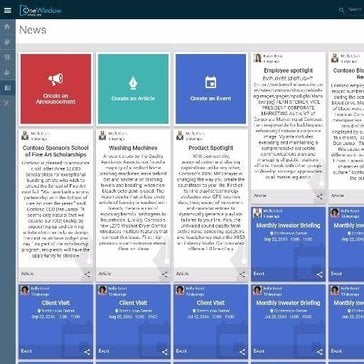
OneWindow takes standard Office 365 deployment and makes it specific to any industry or organization while removing the cost and complexity of custom on premise solutions.
Microsoft Reviews

Verified User in Computer Software
Small-Business (50 or fewer emp.)Native Copilot with Great Performance, Memory, and Ease of Use
Kevin H.
Senior ConsultantMid-Market (51-1000 emp.)Seamless Office Integration with Strong Performance and Simple Onboarding

Ronald L.
Manager of Information TechnologyAccountingMid-Market (51-1000 emp.)Seamless Microsoft Tenant Integration with Flexible LLM Access and Simple Governance
About
What is Microsoft?
Every company has a mission. What's ours? To empower every person and every organization to achieve more. We believe technology can and should be a force for good and that meaningful innovation contributes to a brighter world in the future and today. Our culture doesn’t just encourage curiosity; it embraces it. Each day we make progress together by showing up as our authentic selves. We show up with a learn-it-all mentality. We show up cheering on others, knowing their success doesn't diminish our own. We show up every day open to learning our own biases, changing our behavior, and inviting in differences. Because impact matters. Microsoft operates in 190 countries and is made up of approximately 8,000 passionate employees worldwide.