AI-Generated Results
Finding matches…
Hrider is your specialized software for Talent and Culture Management. An advanced, easy-to-use technological solution that enables organizations to collect and mathematically analyze Feedback data to successfully address strategic Talent Management processes: performance evaluation by competencies and objectives, 9Box talent maps, and employee engagement surveys.
Applying Artificial Intelligence and real-time People Analytics, Hrider will provide relevant data so you can make the best decisions related to productivity, motivation and engagement, compensation, training, or internal promotion.
We are not only the most specialized and innovative talent management technology, but also a team of HR expert professionals with one mission: to ensure the success of all your talent management processes.
Not seeing what you're looking for?
Dive deeper into "Freed" on G2 AI


CXONCLOUD is an ALL-IN-ONE APP built for small businesses to delight their customers at every single interaction in just simple clicks.


CargoSurge is logistics ERP software for freight forwarding, road transport, warehousing, and financial operations. It integrates fleet technology with live telematics, fuel sensors, and AI-powered dashcams. The platform supports sea, air, and multimodal freight forwarding, including airway bills and bills of lading. Road transport features cover cross-border and local operations, while warehouse management handles third-party logistics, inventory control, and fulfillment workflows. Customs tools include duty calculations and broker coordination. Financial functions span job costing, invoicing, and payment processing. CRM tracks customer intelligence and credit control, while vendor management oversees supplier rates and compliance. Fleet telematics offer GPS tracking, geofencing, and driver monitoring. Mobile apps enable trip assignments, proof of delivery, and warehouse scanning. AI automates quotes, invoice creation, and payment matching.


Eloquant is a SaaS software for online surveys and Feedback Management that measure customer satisfaction and collect their feedback through their preferred communication channel.

PocketOcean is a web-based project management and online collaboration tool designed to help companies, groups, and freelancers efficiently manage, schedule, discuss, and communicate with clients and team members. It offers a comprehensive suite of features that streamline task assignments, progress tracking, and team communication, all within a single platform. With its intuitive interface, PocketOcean ensures that teams can start using it with minimal training, making it suitable for both small teams and large, complex projects.
Key Features and Functionality:
- Task Management: Assign tasks with ease, set deadlines, and prioritize activities to ensure projects progress smoothly.
- Project Planning: Organize and plan projects effectively, keeping all team members aligned with project goals and timelines.
- Time Tracking: Monitor the time spent on tasks to enhance productivity and manage resources efficiently.
- Resource Allocation: Distribute resources appropriately across tasks and projects to optimize team performance.
- Collaboration Tools: Utilize built-in messaging and notification features to facilitate seamless communication among team members.
- Gantt Charts and Kanban Boards: Visualize project timelines and workflows to better manage tasks and deadlines.
- Milestone Tracking: Set and monitor key project milestones to ensure timely completion of project phases.
- Budget and Risk Management: Keep track of project budgets and identify potential risks to mitigate issues proactively.
- Document Management: Securely store and manage project-related documents and files, accessible from anywhere at any time.
- Reporting and Analytics: Generate reports and analyze project data to make informed decisions and improve future project outcomes.
- Customizable Dashboards: Tailor dashboards to display relevant project information and metrics for quick insights.
- Calendar Integration: Sync with calendars to keep track of deadlines and meetings.
- File Sharing: Share files easily among team members to enhance collaboration.
- Mobile Access: Access project information and collaborate with the team from mobile devices.
- Notifications and Alerts: Stay informed with real-time updates on project developments and task assignments.
- User Permissions: Manage user roles and permissions to control access to project information.
- Workflow Automation: Automate repetitive tasks and workflows to increase efficiency.
- Client Portal: Provide clients with access to project information and updates through a dedicated portal.
Primary Value and User Solutions:
PocketOcean addresses the challenges of managing multiple projects by providing a centralized platform where teams can assign tasks, set deadlines, and prioritize activities, reducing confusion and enhancing project progression. Its built-in messaging and notification features improve team communication, allowing members to share updates, ask questions, and provide feedback without switching between different platforms. The intuitive interface ensures quick adoption with minimal training, and seamless integration with other tools like email and calendars consolidates workflows, reducing the need to switch between apps. Secure cloud storage for project-related documents ensures that important information is accessible from anywhere, at any time. Overall, PocketOcean helps teams stay organized, improve communication, and manage tasks efficiently, leading to smoother project execution.

LINAKMAST Is An ultimate Instagram, TikTok, and Social Media BIOLINKS Creator and URL Shortener Could-based Software.
It is an amazing BIOLINKS pages system that helps you create BIOLINKS pages, shortens URLs, manages them, and gets comprehensive analytics about visitors.
It is a problem solver for Instagram and TikTok bio link problem and a URL Shortener at the same time.
Skyrocket your social media growth and drive massive traffics to your content with unique BIO smart pages and get proper analytics of your visitors, within one platform...
1 Unlimited Highly Customizable BIOLINK Pages: It comes with a wide range of features to create unique pages.
2 URL Shortner: It also have URL shortner feature. You can also shorten your URL with LINKMAST.
3 Advanced Analytics: It also comes with comprehensive staiscs of your link visitors such referrers, countries, devices, browsers, languages, operating systems for any date range.
Have You Ever Wondered If There Is A Way To Display More Than One Link In Your Instagram and Other Social Media BIOs?
Have you ever wanted to share more contents with your audience but always been restricted?
Are you still struggling with the fact that you have to remove one link to paste another link on your social media BIOs?
As a content creator, social media influencer, brand influencer, As a content creator, social media influencer, brand influencer, musician, actors, vendors or even while running a social media agency for Social Media Channels, there comes a point when you hit that block and you don't know how to further grow your channel and business.
Even if you have so much to share with your audience, these social media platforms will restrict you to share enough content links with your audience and then making it more difficult for your channel to build a funnel and grow with that pace.
All that are about to end now!
Skyrocket Your Social Media Growth With Unique BIO Smart Pages And Get Comprehensive Analytics Of Your Visitors, Within One Platform
You can now use multiple links on Your Instagram, TIKTOK, YouTube, Facebook, and other social media BIOs.
With just one link, you can create Unique Customizable Pages Designed To Grow Your social media strategies and digital business.
LINKMAST Biolink Blocks You Can Add To Your BIO Smart Link?
Link
Text
Image
Mail signup
SoundCloud
Spotify
YouTube
Twitch
Vimeo
TikTok
Apple Music
Tidal
Anchor FM
Twitter Tweet
Instagram Media
RSS Feed
Custom HTML
VCard
Image Grid
Divider
You can now skyrocket your social media growth and drive massive traffics to your content with unique BIO smart pages and get proper analytics of your visitors, within one platform.
Who is LINKMAST for?
Social Medial Influencer
Brand Ambassadors
Actors/Actress
Content Creators
SMBs and SMEs
Online Businesses
Startups
Freelancers
Small Agencies
Bloggers
Musicians
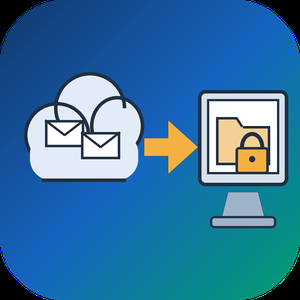
Email Backup Tool for Microsoft 365 and Outlook is an Office 365 backup app for Windows that signs in to a live mailbox and writes its mail into a PST file on your own disk. Subfolder nesting, sent and received times, HTML formatting, files attached to letters and unread flags are kept. Nothing passes through a vendor cloud, and the sign-in token is kept only in memory while the program is open.
🔰 How to use it
1. Start the program and click Sign in. The Microsoft login page opens inside the window, and no Azure app registration is required.
2. Review the list of folders. All of them are ticked after login, and a Size column reveals which ones are large.
3. Untick folders you do not need and set the From and To dates. The mailbox applies this filter on the server side.
4. Click a message to check it in the preview pane. Remote images stay unloaded.
5. Choose a folder under Save to and click Export messages. The finished file opens in desktop Outlook.
👍 Why IT and office teams pick this Office 365 backup tool
- Access is read only. The app asks Microsoft Graph for permission to read mail and never writes to the mailbox.
- Before sign-in it shows a page that explains what it reads, which helps when an administrator has to approve the app for a work account.
- A dropped connection does not restart the job. The next run picks up from a resume point stored next to the PST.
- In our test, a mailbox of 200,000 messages came down in 3.5 hours with no losses. Speed is limited by Microsoft request quotas, not by the PC.
- Attachments land in the file byte for byte, checked up to 224 MiB each.
- Before an Office 365 backup starts, the program checks free disk space and warns if it is short. Plan for roughly the size of the mailbox.
✅ Who uses it
- Staff leaving a company who want an Office 365 backup of their own correspondence, or an Outlook email backup, before the last day.
- Freelancers and small firm owners who keep a local archive of their own business account.
- Graduates whose university account is about to close.
- Owners of old Outlook.com or Hotmail accounts that are close to the storage limit.
❓ FAQ
How do I export an Office 365 mailbox to PST without admin tools? Sign in to the mailbox in this program, pick folders and dates, and save. No PowerShell or eDiscovery role is involved.
Does Microsoft 365 backup my email for me? Microsoft keeps the mailbox online, but it does not hand you a local copy. An Office 365 backup in PST form fills that gap. A PST on your disk stays readable after the account is closed.
Can it back up contacts and calendars? Not in this version. It copies mail only, and Gmail accounts are not supported.
Can I revoke access afterwards? Yes. Remove the app in the app permissions of your Microsoft account.
ℹ️ Free trial writes a real PST with the 25 newest messages from each folder. Lifetime, 1-year, monthly and business licenses are offered. Runs on Windows 10 and 11.
Apple Mail to PST Converter Software is a small Windows utility for one moment in the life of a mailbox: the day its owner trades a Mac for a PC. As an apple mail to pst converter it takes the message store copied out of macOS Mail and produces an Outlook data file, so a decade of correspondence arrives on the new laptop with folders and attachments in order. The work happens on the local disk with no internet connection needed, and the old Mac can already be wiped.
🛠️ How to use it
1. On the Mac, grab the Mail library folder or run Export Mailbox, then carry the copy over on a flash drive.
2. Launch the program on Windows and add individual EMLX messages, MBOX mailboxes or a complete directory.
3. Keep the merge box cleared to receive one output per source, or tick it to gather everything into a single file where each source sits in a separate top-level folder.
4. Set a target location and click Start.
5. Attach the finished file in Outlook as an extra data file and browse it like any other mailbox.
💼 Why IT and office teams pick it
The result is a Unicode PST that was verified in Outlook 2016. Cyrillic or other non-Latin subjects, HTML bodies, plain text, sender and recipient lists, timestamps, read status and attached files stay as they were. Input copies are opened read-only. Outlook may stay closed, or be absent from the machine, while the job runs. Mail is never sent to a third-party server, which matters when the mailbox holds contracts or HR letters.
👥 Who uses it
Home users and freelancers who switch platforms and refuse to lose old threads. Help desk staff who inherit a leaver's Mac and must deliver that person's mail to a manager on Windows. Archivists of family or company history holding years of Mac mail exports on backup drives.
❓ FAQ
Can Outlook on Windows open Mac mail files directly?
No. Outlook reads PST, not the EMLX and MBOX files macOS Mail writes. An apple mail to pst step in between turns them into something Outlook can attach.
Will my Mac folder structure survive?
Yes. Mailboxes keep their folder tree, and when several sources are merged each one gets its own top-level folder, so identical names do not clash.
Does it handle Outlook for Mac archives?
No. Outlook for Mac exports OLM, a separate format. This EMLX to PST tool reads only the built-in Mail app of macOS.
Is a Mac required during conversion?
No. The Apple Mail to PST Converter runs on Windows and needs only the copied files, so it works after the Mac is returned or erased.
Can I check the output before paying?
Yes. Run the trial on a real mailbox, attach the result in Outlook and look through the folders yourself. Licensing for this apple mail to pst converter can wait until you are satisfied.
✅ The free trial processes mailboxes of up to 20 messages completely and a sample of bigger ones (10 percent, capped at 100 messages). Works on Windows 11, 10, 8.1, 8 and 7, 32 or 64 bit, with 4 GB of RAM.
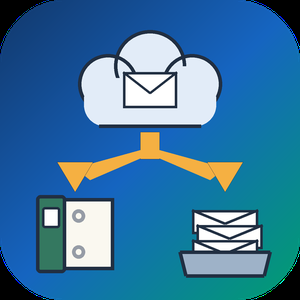
Gmail Backup & Export Software to PST and MBOX is a Windows desktop program for people who want a Gmail backup on their own disk and not only in the cloud. It connects to the mailbox over IMAP, shows each folder and label together with how many messages it holds, and writes whatever you tick as EML, MBOX or PST files. That makes it a practical route for Gmail backup export to PST and MBOX. Run it again later and it fetches only the messages that arrived since the previous pass, without downloading the rest again.
🛠️ How to use
1. Install the program and click Connect Gmail account.
2. Enter your address and a Google app password. Google issues one only after 2-Step Verification is switched on.
3. Tick the folders and labels to save, then pick EML, MBOX or PST and a target folder on any drive.
4. Click Start backup. Next time, open the same mailbox and click Download new emails.
💼 Why IT and office teams pick it
• The program writes the PST itself, so the machine doing the export to PST does not need Outlook installed.
• Access is read-only. Nothing in the account gets erased, moved or flagged as read, and messages come down to the PC directly, with no stop on third-party servers.
• A stopped or dropped run picks up at the same message. The program retries a lost connection several times and checks free disk space before it starts.
• Every Gmail label turns into a folder in the backup, so sorting by client or project carries over to disk.
• Presets cover Yahoo Mail and iCloud Mail, and any other IMAP server can be added by host, port and encryption.
👥 Who uses it
Home users keeping ten or more years of personal mail, freelancers whose client threads are sorted by Gmail labels, and the person who maintains PCs for family or a small office and runs a Gmail backup for several mailboxes one after another.
❓ FAQ
Does Gmail support PST files?
No. Gmail neither opens nor creates PST. This tool reads your mail over IMAP and builds the Outlook data file locally during the Gmail backup.
How do I backup my entire Gmail?
Tick every folder and label you use. All Mail is unticked by default so labeled messages are not stored twice, and you can tick it as well if you archive mail without labels.
How do I back up a very large Gmail mailbox?
Google sets a daily ceiling on IMAP downloads per account. When a run reaches it, the program stops and says so, and clicking Continue backup on another day resumes from that point.
Can I keep a Gmail backup on an external drive?
Yes. Any folder works as the target, including one on a USB disk, and later runs keep adding new messages to that same copy.
🆓 Free trial and system requirements
The free trial keeps the 25 most recent messages per folder, with no time limit. You need Windows 10 or 11, 64-bit, and a personal Google account with an app password to sign in.

Corrupted SSD Recovery Tool is Windows software for corrupted SSD recovery when a drive opens as RAW, asks to be formatted or loses its folders after a crash. It handles internal NVMe and SATA disks plus external SSDs in USB cases. Before any scan it measures TRIM on the selected device and tells you plainly what can still come back, which saves a technician from promising a client more than the hardware allows.
🔧 How to use it
1. Install the program and run it with administrator rights, which Windows needs to open an internal volume.
2. Select the SSD in the drive list. Each entry shows media type, bus and tags for TRIM and the system drive.
3. Read the TRIM note and start a Quick scan. If it finds nothing, the program moves on to a Deep scan by itself.
4. Preview files, sort them by folder or type, tick what you need and press Recover.
5. Pick a folder on a different disk. The source volume is refused as a target.
💼 Why IT and office teams pick it
Help desk staff get a measured answer before quoting a lab job. The program reads three values (solid state media, TRIM support on the device, delete notifications in Windows) and shows all of them. Results that turn out blank are labeled as wiped by TRIM and counted in the summary, so nobody hands a client a folder of empty documents. Files with bad sectors are marked as partially recovered, and a support log leaves out file names and paths. The TRIM note can be screenshotted and attached to a repair ticket when a customer asks why some files are out of reach.
👥 Who uses it
Laptop owners whose data partition stopped opening after a forced update. Photographers who keep shoots on a portable SSD. Repair shops checking a customer drive on the bench. Freelancers who keep invoices and contracts on one laptop. Teachers and students whose coursework sat on a single drive with no cloud copy. Small offices that cannot send client files to an online service, since corrupted SSD recovery here runs entirely on the local PC.
❓ FAQ
Can you fix a corrupted SSD?
This program does not repair the drive. It copies your files to another disk first, and after that you can format or replace the SSD safely.
How to recover data from corrupted SSD volumes?
Decline the format prompt, scan the drive and save what you find somewhere else. Utilities like CHKDSK rewrite the records a scan needs, so they come after the copy.
How to fix corrupted SSD drive errors without losing work?
Get the files out with a corrupted SSD recovery scan, check the copies, and only then run a repair or a fresh format.
Can files deleted on an internal SSD come back?
Usually not when TRIM was on, because the controller clears those cells within seconds. On a USB SSD the bridge often blocks TRIM and deleted files may survive.
🆓 The free trial runs every scan and shows all results, and only saving needs a license. Runs on Windows 11 and Windows 10.

Ten Space is a UK employee survey and performance management platform for organisations of 100 to 10,000 people, backed by UK experts who work alongside each customer's team. It reaches every employee — by email, WhatsApp, text, QR code or even paper — brings their answers together in one set of results, and turns what they say into actions, goals and better conversations.

moinAI is the self-learning AI chatbot solution for digital customer communication of companies. No matter if marketing, sales or customer service - moinAI is the automation solution that helps to react quickly and efficiently to customer requests around the clock. Depending on the use case, this results in benefits such as increased customer satisfaction, more automated leads, an increased conversion rate and a reduction in support volume.
Numerous companies from various industries have already optimized their customer communication with moinAI. These include Dräger, Geberit, Velux and Abus. The bandwidth of use cases ranges from first level support to marketing campaigns up to e-commerce strategies and many more. However, one thing is true for each of the above-mentioned use cases: the impressive KPIs resulting from automation.
What makes moinAI so special is its ability to learn on its own. The so-called self-learning works by means of several AI-principles and ensures that moinAI is a self-runner in the truest sense of the word. Once the AI chatbot has been trained by us and implemented at the respective company, no further and costly training sessions on the part of the company are required. In addition, the language understanding is Natural-Language-Processing-based (NLP-based), which means that the AI does not understand user queries on the basis of keywords, but instead identifies semantic relationships, which makes it possible to understand long and complicated sentences. Through NLP and AI, moinAI therefore understands even complex messages and learns independently with each user conversation. Thus moinAI offers a system that grows with the needs and requirements of the company.


OUR MORTGAGE LENDING BUSINESS STARTS HERE
Unlimited Free Mortgage Leads Powered by Proprietary Mortgage CRM/POS/LOS Software & AI
What makes working with The Mortgage Calculator different?
We are a Non-Delegated Correspondent lender with the proprietary mortgage technology tools to empower loan officers to scale their business exponentially, instantly!
Whether company leads or self-generated leads, we believe that every Loan Officer needs a full pipeline to succeed. We empower all our Loan Officers to fill their pipeline daily with new company leads, or use our lead generating CRM to create their own leads!
The Mortgage Calculator Business Model
Non Delegated Correspondent Approved with 120+ Lenders & Investors!
Brokered and Correspondent Loans for our Borrowers!
Over 5,000 Loan Programs as a Correspondent Lender with 34 Correspondent Investors
Always Best Rates/Pricing - Correspondent Always Beats Broker Pricing!
Over 110 Wholesale Lenders For Specialty Loans
Every Loan Program Available! (VA, USDA, FHA, Fannie Mae, Freddie Mac, Non-QM, DSCR, Commercial, Mixed Use, CDFI, SBA and Thousands More!)
CALVIN AI Loan Officer Assistant
The Mortgage Calculator Lending Technology
Instant Lead Generating Website with AI, POS, CRM & LOS
Proprietary Software Built for Us, by Us!
One Login for LOs - One Login for Customers
Prospects Instantly Flow from Name/Email/Phone to Live Rates to Complete 1003 to Credit & Liabilities all Set in Custom Encompass Based Platform
Instant Rate Quotes for 5,000+ Loan Programs & Automated Requotes
50+ API Integrations with Encompass, Optimal Blue, Meridian Link, Accountchek, Appraisal Works, Google AI, VOIP Phone, Email, SMS, MMS, DNC, Google Maps, Zoho, SignRequest, Zillow, Public Tax Data, DU/DO, LP, Zapier and more!
Instant Custom Business Cards/Flyers
Capture Leads from Website Users No Form Required
Automated Social Media Posting & Lead Gen
Proprietary CALVIN DUAL AUS AI - Run Dual AUS with AI Analysis!
Development Staff to Implement New Feature Requests
The Mortgage Calculator Trainings & Support
Remote Based Learning Center & Daily LIVE Trainings
Expand Your Skills Any Time in Remote Training Center (Courses)
LIVE Mortgage Rates Podcast Training 5 Days Per Week (Public Webinars)
LIVE Sales Training 5 Days Per Week (Public Webinars)
LIVE Loan Officer Training Podcast 2 Days Per Week (Public Webinars)
LIVE Zoom Support M-F 10:30AM-6PM EST
Knowledge Center with Thousands of Articles & Videos From Partners and Admins
CALVIN Compliance AI to Search All Federal Regulations Instantly!
The Mortgage Calculator Difference
Ability to Close DSCR Business Purpose Loans in over 44 Total States!
Unlimited daily leads at 50/50 split
Automated Lead Generation at Scale
Lead Support - Set Your Own Lead Campaigns
Lead Webhook - Import Leads from Anywhere via Zapier
Refer Deals to Team LOs for 75BPS
Instant Payroll Available
No Monthly Fees
Free Hotel Room at Annual VIP Retreat & Yacht Party in Miami for All MLOs with Closed Loans

QueueBee provides scalable and cost-effective solutions that cater to various business needs. For small to medium-sized establishments like clinics and shopping malls, the QB 10 model optimizes queue times and service efficiency, adapting from single-counter to intricate multi-service settings. Large organizations with multiple departments or sectors find the QB 20 model ideal, offering real-time monitoring, dynamic reporting, and seamless third-party integration. It is an excellent fit for hospitals, telecom service centres, and government agencies. The Corporate Centralized Queue (CCQ) is a powerful cloud-ready platform for those seeking a unified approach across multiple branches. It consolidates and manages both QB10 and QB20 solutions, centralizing dashboard, reporting, and content management. This sophisticated offering is perfectly suited for large companies, government agencies, utilities, and franchise businesses, streamlining queue management to provide an aligned and efficient customer journey experience.

Whyser is an AI-powered platform for user, customer, and market research.
Conduct and analyze AI voice interviews on your behalf—turning qualitative research into a fast, scalable, and continuous process.
Whyser helps research, product and marketing teams uncover insights. Understand customer needs, pain points and the “why” behind behaviors—in hours instead of weeks.
The depth of 1:1 voice conversations with the speed and scale of surveys.
SET UP a research study in minutes— simple to start, fully customizable.
RECUIT participants from User Interviews or Prolific directly from Whyser or bring your own.
CONDUCT AI- moderated voice interviews that dynamically probes and adapts to the participant responses.
ANALYZE interview transcripts and extract actionable insights
ACCESS all interviews and findings in a centralized, searchable Knowledge Vault
Whether you're testing a concept, refining product-market fit, gathering customer feedback, or tracking brand sentiment.
