AI-Generated Results
Finding matches…
The fastest way to writeback, comment, collaborate, and schedule reports
Inforiver Enterprise for Power BI is the most comprehensive no code writeback solution available today with the ability to simultaneously write-back to on-premise and/or cloud database, data warehouse, data lake destinations including Fabric OneLake/Lakehouse, Fabric Data Warehouse and Microsoft Dataverse.
It delivers all the capabilities offered by Inforiver Premium while bringing in additional enterprise capabilities such as advanced data input, writeback, commenting, collaboration, report scheduling & bursting. This makes it highly optimal for use cases such as what-if analysis, simulations, sales forecasting, planning, forecasting, budgeting, and more.
With Inforiver Enterprise, you can enrich raw information in your Power BI reports by adding data inputs, derivative calculations, forecasts, notes, and comments. You can also create and compare multiple scenarios and writeback data through SQL and Parquet formats.
Not seeing what you're looking for?
Dive deeper into "Microsoft Forms" on G2 AI

CLEANDESK365 is a mobile-first business management software streamlining operations from customer acquisition to payment on a cloud-native platform. Accessible across job sites, offices, and transit, it offers automatic updates and 30-day backup recovery. Compatible with iOS, Android, and web browsers, it ensures consistent performance on all devices. Features include mobile time tracking, QR-code scanning, and chip-based systems with audit logs to prevent manipulation. Asset tracking monitors equipment with geofence alerts for unauthorized movement. Email integration links IMAP, Google Workspace, and Microsoft 365 accounts to projects for document searches. Invoicing supports X-Rechnung and ZUGFeRD formats, while OCR extracts data from receipts and invoices. Live dashboards provide margin analysis, cost tracking, and resource allocation. Integration with DATEV, Lexware, and Zapier boosts functionality. Its modular design allows activation of core features and expansion as needed.
MODALIZER+ is professional software for converting non-DICOM clinical evidence into enterprise imaging systems. The software captures and transmits medical images and videos from scanners, webcams, endoscopes, PDFs, and video files into patient records with DICOM compliance. It automates media wrapping into DICOM objects and uses the DICOM Modality Worklist Service to ensure demographic accuracy, eliminating manual entry errors. Version 7 features an updated interface, DICOM quality assurance capabilities, and an advanced DICOM Editor for editing data elements at study, series, or instance levels with a review panel for verification. The software supports extended character sets and non-DICOM file viewing via drag-and-drop. Native capture applications work with scanners and cameras. The video-to-DICOM converter handles standard formats, including HEVC, creating files up to 4GB. The corporate edition integrates with Microsoft Active Directory for organization-wide deployment.
The Microsoft-native platform for law firms
Practice management, trust accounting, and legal finance — built natively on Dynamics 365 Business Central. Extend with document automation, AI agents, and productivity tools. For Australian and New Zealand law firms.

This Markdown to Word online tool provides users with a simple, efficient, and reliable document format conversion solution. It seamlessly converts Markdown-formatted documents into well-typeset Microsoft Word (.docx) files, meeting the format conversion needs of various users in scenarios such as content creation, technical documentation, and academic research.
# Target User Groups
Content Creators & Bloggers: Those who prefer writing in Markdown but need to submit drafts in Word format.
Technical Writers: Professionals who use Markdown for product manuals or documentation and require Word conversion for distribution or archiving.
Students & Researchers: Academics who take notes or write papers in Markdown but need Word format for school or journal submissions.
General Office Workers: Professionals who occasionally encounter Markdown files and need quick viewing or conversion to standard office formats.
Core Features
# Basic Conversion Functionality
## Multi-mode Input Support:
Intuitive text editor area for direct Markdown content pasting.
File upload via button click or drag-and-drop for .md files.
## Real-time Preview System:
Split-screen layout: Left for Markdown input, right for formatted preview.
WYSIWYG (What You See Is What You Get) user experience.
## One-click Conversion & Download:
Prominent "Convert to Word" button.
Automatic backend conversion triggering browser download of .docx files.
# Format Support Capabilities
## Core Markdown Syntax:
Headings (H1-H6).
Text styles (bold, italic).
Lists (ordered/unordered).
Blockquotes.
Hyperlinks and images.
Code blocks.
##Advanced Format Support (Future Versions):
Tables, strikethrough, task lists.
Syntax highlighting for code blocks.
LaTeX math formula rendering.
#User Experience Optimization
## Responsive Design:
Adapts to desktop and mobile screens.
Ensures smooth usage across devices.
## High Performance:
Page load time under 3 seconds.
Conversion for standard documents (≤1MB) completed within 5 seconds.
## Privacy Protection:
Clear privacy policy statement.
Server does not retain uploaded/pasted content.
Files deleted immediately post-conversion.

What is Time Tracking ?Time Tracking is an add-on for Microsoft Dynamics 365 Project Operations and Project Service Automation. Time Tracking boosts the functionality of time and expense tracking features.Time Tracking includes the following features:- Multi-project and multi-task tracking- Time stamps to mark start and end of working day- Possibility to edit entries up until submission- Copying of time entries for quicker use- Option to add specific resource roles to single project tasks- Customized filtering options- Color coding for different time entry states like “draft”, “submitted” or “approved”- Individual calendar partition (60-, 30-, 15- or 5-minutes sections)- Resizable pop-up windows- Quick create form-based trackingWhy Time Tracking?The very flexible and highly precise add-on makes life easier for employees and project managers alike. Especially for companies in the professional services industry that are focused on project work, an accurate report of working hours for each resource is crucial, because it delivers an ideal basis for exact customer invoices.
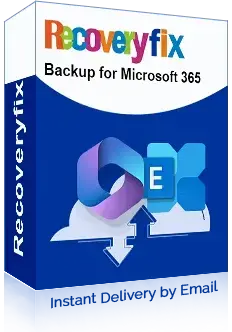
Recoveryfix Microsoft 365 Backup is a specialized software designed to backup, restore, and recover data from Microsoft 365 (formerly Office 365), including emails, contacts, calendars, tasks, and OneDrive files.
Key Features:
Backup & Export – Safely backs up Outlook emails (PST), OneDrive files, SharePoint, and Teams data.
Recovery – Recovers lost or deleted items from Microsoft 365 accounts.
Selective Restoration – Allows restoring specific emails, folders, or documents.
Supports Multiple Formats – Exports data to PST, EML, MSG, PDF, HTML, MHTML, DOC, RTF, and more.
User-Friendly Interface – Easy-to-use for both technical and non-technical users.

BytesHood Accounting Practice Suite is practice management software built for U.S. tax and accounting firms. One subscription includes six connected systems that share a single Client Master, so each client is entered once and used everywhere.
Client Management keeps individual and business clients, return status by tax year, a firm-wide work queue and a calendar synced with Google and Microsoft. Payroll Tax Manager turns each client's federal and state deposit rules into due dates, sends payroll run reminders and reconciles deposits against Form 941 every quarter. Sales Tax Manager tracks clients' multi-state sales tax filings from waiting-for-client to filed, with workpapers, exemption certificates and Nexus Watch for economic nexus thresholds. Billing & Payment covers the fee calculator, invoices, A/R aging and online payments that go straight to the firm's own processor, including CPACharge, QuickBooks Payments, Stripe, Square, Authorize.net, Clover, GoDaddy Payments and PayPal. Client Portal gives clients an invite-only, passwordless portal for secure messages, document requests, organizers, engagement letters and multi-signer e-signatures, in English and about 20 other languages. Tax Notice Manager tracks IRS, state and local notices with an owner, a response date and a log of every step.
Every firm runs on its own dedicated virtual machine, hosted only in the United States, with automatic security patching and two-step sign-in for staff. The suite is built to support the FTC Safeguards Rule and IRC §7216, and it is designed, developed and supported in Binghamton, New York. Payroll Tax Manager and Sales Tax Manager are workload tracking tools; firms still file and pay through each agency's own system.
Pricing is per firm with three staff seats included, billed monthly or annually. Firms can try the full suite free for 14 days in a private sandbox with sample data, no credit card required.

DocQmentor is an AI-powered digital automation solution designed to streamline document management and workflow processes across finance, logistics, human resources, and compliance departments. By leveraging Microsoft 365, Power Apps, and Power Platform tools, DocQmentor automates tasks such as scanning, sorting, data extraction, analysis, and secure storage of documents. This low-code solution enhances productivity by reducing manual intervention and minimizing errors, allowing organizations to focus on strategic initiatives.
Key Features and Functionality:
- Automatic Triggers: Users can simply drop files into a designated DocQmentor folder, and the system autonomously processes them by scanning, extracting keywords, renaming, adding metadata, and securely filing them within Microsoft 365 for quick retrieval.
- Security: DocQmentor inherits Microsoft 365's built-in security protocols, ensuring that only authorized personnel can access, edit, or delete documents. It automatically applies protection based on the document's content, safeguarding sensitive information.
- Data Extraction: Utilizing advanced AI and machine learning capabilities, DocQmentor can read various document formats, including colored forms, watermarked documents, tables, checkboxes, and even handwritten responses, without requiring redesigns of existing forms.
- Meta Tagging: The system extracts information from documents and re-applies it as metadata, enabling rapid and efficient search and retrieval of stored data.
- Confidence Scores: DocQmentor assigns recognition confidence scores to processed documents, identifying those that may require manual review to ensure data accuracy, particularly for handwritten inputs.
- Non-Proprietary Storage: Built on Microsoft technologies like SharePoint, Teams, and OneDrive, DocQmentor allows organizations to retain control over their storage systems without relying on proprietary solutions.
- Auto-Sorting: The solution can be configured to automatically sort documents into appropriate departmental folders, reducing the risk of misfiling and enhancing organizational efficiency.
- Data Updates: Users can preview documents and edit metadata directly within the system, streamlining the process of updating and managing document information.
Primary Value and Problem Solved:
DocQmentor addresses the challenges associated with manual document management by automating repetitive tasks, thereby increasing efficiency and reducing human error. It ensures secure storage and easy retrieval of documents, enhancing compliance and data protection. By integrating seamlessly with existing Microsoft platforms, DocQmentor maximizes the value of current investments, providing a cost-effective solution for organizations seeking to optimize their document management and workflow processes.
Dynamics Business Central (formerly Dynamics NAV and Navision) is a single, end-to-end solution for managing all your business processes, and part of Microsoft's Dynamics 365 range of business applications. It's also incredibly flexible and can be customized to suit any business need.

Most PowerPoint templates look fine on the surface. Underneath, their XML tells a different story, and it's the story Microsoft Copilot reads when it generates your slides.
DeckTrue finds the structural problems that cause Copilot to ignore your brand and fixes them.
Upload your template, get a 100-point Copilot Readiness Score in 30 seconds, and auto-fix issues with one click. Microsoft's own Copilot Starter Template scores 51 out of 100.
WHAT DECKTRUE DOES
Copilot Readiness Score -- Automated structural analysis with one-click fixes for the issues that matter most.
Rogue Master Cleaner -- Removes unused slide masters and layouts. Most templates drop 50-80% in file size.
Brand Check -- Slide-by-slide color and font compliance. Fix or ignore each issue individually.
WHO IT'S FOR
- IT administrators rolling out Microsoft 365 Copilot
- Template owners at consulting firms and agencies
- Brand managers who need consistent slide output across teams
WHY IT'S DIFFERENT
DeckTrue works at the structural level, not the surface. It catches problems that visual inspection and PowerPoint's built-in tools miss entirely. Fix the template first, then Copilot works correctly.

Eyeshot is a CAD control based on the Microsoft .NET Framework. It allows developers to add CAD functionalities to WinForms and WPF applications in a snap. Eyeshot provides tools for building geometry from scratch, for analyzing it with finite element method and to generate toolpaths on it. Geometry can also be imported or exported using CAD exchange file formats

KWizCom is a leading developer of innovative software components designed to enhance Microsoft SharePoint and Office 365 functionalities. Established in 2005 and headquartered in Toronto, Canada, KWizCom offers over 70 SharePoint web parts and add-ons that empower non-technical business users to increase productivity without the need for complex tools or technical expertise.
Key Features and Functionality:
- KWizCom Forms: Allows users to create custom forms in SharePoint Online, SharePoint 2019, and Microsoft Teams by enhancing existing list forms. This tool enables the creation of dynamic forms without requiring complex designer or technical skills.
- Data Visualization: Provides a flexible solution for retrieving and displaying various data source types in modern, responsive, and fully customizable UI display formats.
- Content Management: Automates document creation and delivery by generating and visualizing documents, scanning, collecting e-signatures, or saving them as PDFs.
- Collaboration Tools: Offers solutions like CMS 365 and Workspaces to enhance team collaboration and content management within SharePoint environments.
Primary Value and User Solutions:
KWizCom's products are designed to bridge the gaps in SharePoint's out-of-the-box capabilities, enabling organizations to streamline workflows, maximize efficiency, and enhance overall productivity. By providing no-code, intuitive, and dynamic tools, KWizCom empowers business users to create and manage forms, workflows, and content without relying on IT departments or external developers. This approach not only saves time and resources but also ensures data security and privacy, as KWizCom's solutions are 100% SharePoint-native and do not send private data to external servers.
In summary, KWizCom offers a comprehensive suite of SharePoint add-ons and apps that enhance the platform's functionality, enabling organizations to achieve their business goals more effectively and efficiently.
Payroll NOW by Integrity Data is a comprehensive payroll solution fully embedded within Microsoft Dynamics 365 Business Central. Designed by payroll experts, it streamlines payroll processing, tax filing, and compliance reporting, all within a single application. This integration ensures efficient, accurate, and compliant payroll operations, eliminating the need for multiple disparate systems.
Key Features and Functionality:
- Complete Payroll Processing: Manage the entire payroll process seamlessly, from employee setup to paycheck distribution.
- Electronic Tax Filing: Automate federal, state, and local tax filings, simplifying compliance and reducing manual effort.
- ACA Compliance: Ensure adherence to the Affordable Care Act with integrated reporting and e-filing capabilities.
- HR Components: Streamline human resources tasks with tools for employee management, applicant tracking, benefits administration, and optional timekeeping.
- Employee Self-Service: Empower employees with access to pay stubs, tax forms, and personal information through a self-service portal.
- Flexible Reporting: Generate customizable reports to meet unique organizational needs, enhancing decision-making processes.
- Seamless Integration: Fully integrates with other Dynamics 365 Business Central modules, providing a unified user experience.
Primary Value and User Solutions:
Payroll NOW addresses the complexities of payroll management by offering a unified, efficient, and compliant solution within the Dynamics 365 Business Central environment. It reduces manual tasks, minimizes errors, and ensures compliance with tax and labor regulations. By consolidating payroll and HR functions into a single platform, businesses can enhance operational efficiency, improve data accuracy, and provide employees with self-service capabilities, ultimately leading to time and cost savings.
Neblex Integration Fabric is an integration platform as a service (iPaaS) for connecting business applications, databases and on-premises systems, automating workflows and running AI agents. It was designed with AI support from the start.
Users build integrations (flows), forms, internal apps, data tables and AI agents in one workspace, either in the web interface or from an AI assistant through the Neblex MCP server. Flows can be started by schedules, webhooks, form submissions or events, and support branching, loops, error handling and data mapping.
Neblex includes more than 250 connectors, including Salesforce, HubSpot, NetSuite, SAP S/4HANA, Microsoft Dynamics 365, Stripe, Zendesk, Jira, Shopify, Slack, Snowflake, PostgreSQL, Kafka, MQTT, SFTP and AS2. Generic HTTP, SOAP and OData connectors cover other APIs.
For on-premises systems, a native worker runs flows inside the customer's network, using about 25 MB of memory at idle. Record data stays on the worker; the cloud receives run status, counts and checksums.
Records that fail validation are sent to quarantine tables or dead-letter queues for review. Run history and flow health monitoring show the status of each integration. Projects, access controls and publish approvals provide governance.
Common uses include CRM to billing sync, quote-to-cash, support ticket triage and escalation, customer onboarding handoffs, event pipelines, and data warehouse loads with quality checks. Neblex is designed for RevOps, finance, support, IT, engineering, data and product teams in industries including software, ecommerce, manufacturing and distribution.
A marketplace provides workflow templates and AI agent tool templates.

Handover is an AI-powered delivery reporting tool built for MSP project managers and service delivery teams using HaloPSA.
Instead of spending hours reformatting engineer notes into client updates, Handover connects directly to your HaloPSA instance, reads your tickets and projects, and generates professional client-ready outputs in seconds - including action logs, risk registers, client email updates, status reports, and a formatted Excel report pack.
Key capabilities:
Pull tickets and projects directly from HaloPSA with one click
Generate PM-language outputs with outstanding actions, open risks, and client-ready summaries
Push generated outputs back to HaloPSA as ticket notes automatically
Schedule weekly reports to land in your inbox before the working day starts
Delivery health dashboard with RAG status across all active projects
Slack and Microsoft Teams notifications after every generation
Team plans with pooled generations across your delivery team
Handover is used by MSP delivery teams who want to cut weekly reporting time from hours to minutes without sacrificing output quality or client communication standards.
Free trial available. No credit card required. HaloPSA integration takes under five minutes to configure.

The No-Code SharePoint & Microsoft Teams Form Builder
Build intelligent, dynamic forms for SharePoint and Microsoft Teams — without writing code or moving your data outside your Microsoft 365 tenant.
SnapOn Software Forms transforms standard SharePoint list forms into powerful business solutions with conditional logic, permissions, automation and connected data. From simple data collection to complex approval processes, create the forms your business needs without the time and complexity of custom development.
100% SharePoint Native — Keep Your Data in Microsoft 365
Forms is built for SharePoint, not as a separate third-party forms platform. Your form data stays within your Microsoft 365 tenant, helping you maintain the security, governance and compliance controls your organization already relies on.
Build on your existing SharePoint environment without migrating data, introducing another cloud platform or forcing users to learn an entirely new system.
Build Advanced SharePoint Forms Without Code
Turn standard SharePoint forms into dynamic experiences without relying on developers for every change.
Create forms with conditional logic, dynamic field visibility, validation, permission-based views, cascading lookups, repeating sections, custom layouts and automated actions. Connect to external data and support advanced capabilities such as document generation, PDFs and electronic signatures.
Whether you're creating an employee request, inspection, expense submission or approval process, Forms adapts to the way your business works.

Contellect One is a modular, cloud-native AI content platform for document-heavy and regulated organizations. It unifies three layers: intelligent document processing (capture documents, emails, scans and forms, then classify, extract, validate and route them with AI), a content services platform (secure workspaces, role-based access, retention policies and records management), and enterprise AI (grounded retrieval-augmented answers over your own content, document chat and summarization, and multi-agent workflow automation). Capabilities include OCR with layout analysis and language detection, AI document classification with confidence handling, field, table, clause and entity extraction, validation rules with human-in-the-loop review, workflow orchestration with approvals and exceptions, an eForms builder, document generation, e-signature, and full-text and metadata search. Integrations include Microsoft 365, SharePoint, Teams, Outlook, Salesforce, SAP S/4HANA and DocuSign. Available as SaaS or on-premise. Contellect is SOC 2 certified.

Mind Maps Pro is an intuitive mind mapping application designed exclusively for the Microsoft Store, enabling users to transform their thoughts into structured visual diagrams with ease. With just a few clicks, users can create mind maps, organizational charts, or family trees, utilizing shapes, colors, flags, and an auto-layout feature to enhance clarity and organization. The app supports annotation and highlighting using a pen, and allows exporting to PDF or PNG formats for easy sharing. Additionally, Mind Maps Pro offers synchronization with OneDrive, ensuring access to your work across all devices.
Key Features and Functionality:
- User-Friendly Interface: Create mind maps effortlessly with a few clicks, using customizable shapes, colors, and flags.
- Auto-Layout Feature: Automatically arrange elements to produce clear and organized diagrams, including mind maps, organizational charts, and family trees.
- Annotation and Highlighting: Utilize pen input to annotate and highlight mind maps, enhancing visual emphasis and clarity.
- Export Options: Save and share your mind maps in PDF or PNG formats, facilitating easy distribution and presentation.
- OneDrive Synchronization: Sync your work with OneDrive to access and edit your mind maps across multiple devices seamlessly.
Primary Value and User Solutions:
Mind Maps Pro addresses the need for an efficient and user-friendly tool to organize and visualize complex ideas. By offering customizable mind mapping capabilities, it aids users in brainstorming, planning, and presenting information effectively. The integration with OneDrive ensures that users can access and modify their mind maps from any device, promoting flexibility and continuous productivity. Whether for personal organization, educational purposes, or professional project planning, Mind Maps Pro provides a comprehensive solution for structuring and sharing ideas.
GANZ Software is a software development company that designs, builds, hosts and supports custom CRM and CMS platforms for growing businesses. Instead of bending your process to fit an off-the-shelf subscription, GANZ builds the system around how your team already works.
For sales teams, GANZ builds CRMs that cover the whole commercial loop, from first enquiry to paid invoice. That includes kanban pipelines built around your sales stages, lead capture and routing, client records with your own custom fields, quoting with line items and approval rules, invoicing synced to Xero or QuickBooks, and sales automation that handles repetitive handovers such as invoice drafts, confirmation emails and task assignment.
For content teams, GANZ builds CMS platforms where content is a managed process. These include content editors, document and digital asset management, approval workflows, knowledge bases and forms management, all with role-based permissions so the right people draft, review and publish.
Every platform connects to the tools your business already uses, including HubSpot, Salesforce, Stripe, PayPal, Xero, QuickBooks, Mailchimp, DocuSign, PandaDoc, Microsoft 365, Google Workspace, Slack, Zoom, Twilio and Zapier. Security is built in from the start, with role-based access control, single sign-on, encrypted backups, audit logs and regional hosting to meet compliance needs.
GANZ engineers every platform in-house on a proven stack of Laravel, PHP, MySQL and React. The same engineers who scope and write the code also maintain and support it in production, with no offshore handover.
GANZ builds software for sales teams, marketing teams, real estate businesses, agencies and small businesses. Its work includes Fyrestone, a multi-tenant CRM core that powers several white-labelled products.