Time Tracking Software Resources
Articles, Glossary Terms, Discussions, and Reports to expand your knowledge on Time Tracking Software
Resource pages are designed to give you a cross-section of information we have on specific categories. You'll find articles from our experts, feature definitions, discussions from users like you, and reports from industry data.
Time Tracking Software Articles
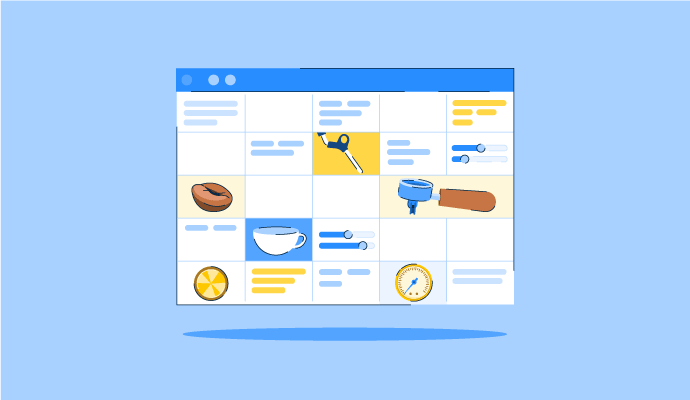
The Perfect Blend: How to Schedule Your Coffee Baristas Like a Pro
Time Tracking Software Glossary Terms

Time Tracking Software Discussions
Staff Time Tracker has been helpful for precisely tracking activity and taking daily attendance with exact timing. The only downside has been screenshot notifications, although turning them off makes it less of an issue. Accurate time and working hours are really important for employees, so I am curious how others handle this tradeoff. Do you keep screenshot notifications on, turn them off, or adjust settings to make them less disruptive?
I have been using Apploye for employee performance monitoring along with progress reports, daily work reports, project management, and time tracking, and it feels quick and easy to use. The main challenge I ran into was integrating it with other tools, though it got resolved after working with other experts. If you use Apploye, how smooth has integration been for you, and what helped you get it working well with your other tools?
Looking to start a discussion with experts in the time tracking software community on G2. Which time tracking software actually works for a small business with hourly employees across multiple job sites? GPS accuracy, offline clock-ins, and pricing at a small headcount matter more here than reporting dashboards.
Looking through Time Tracking Software on G2, here's what stood out:
- Connecteam (4.6, 3,505 reviews) - free under 10 employees, but a few reviewers say the pricing jump past that tier hits hard.
- Jibble (4.7, 592 reviews) - free forever plan, face recognition clock-in, geofencing. Curious if it still holds up past 30-40 people.
- Hubstaff (4.4, 2,307 reviews) - reviewers highlight the shift to hybrid work and seeing time per client project, though some find the monitoring intrusive.
- ClickUp (4.6, 14,223 reviews) - not job-site specific, but small teams use its built-in tracking alongside task management.
Did anyone actually need GPS and geofencing for a distributed hourly team, or was that overkill?
It wasn't overkill for us once we had crews rotating across three different sites in the same week. Without geofencing we had no real way to confirm clock-ins were happening on-site instead of from someone's driveway.