Time Tracking Software Resources
Articles, Glossary Terms, Discussions, and Reports to expand your knowledge on Time Tracking Software
Resource pages are designed to give you a cross-section of information we have on specific categories. You'll find articles from our experts, feature definitions, discussions from users like you, and reports from industry data.
Time Tracking Software Articles
Time Tracking Software Glossary Terms
Billable hours are time spent working on tasks that are chargeable to the client. Learn the best practices for incorporating billable hours into business.
by Holly Landis
Time tracking is the process of employees logging work over a fixed period of time. Learn about time tracking for hourly workers and billable projects.
by Holly Landis
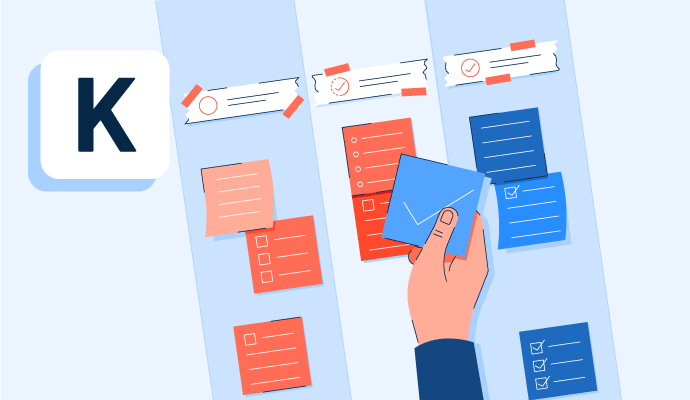
Kanban is a work methodology that monitors work in progress in a visual, board-like manner. Learn more about kanban and how to implement it properly.
by Whitney Rudeseal Peet

Policy and compliance management is a process to centrally manage standards, policies, and internal control processes cross-mapped to external regulatory standards. Learn more about policy and compliance management best practices and the associated benefits.
by Sagar Joshi
Time Tracking Software Discussions
Oh wow! Thank you for this Augusto! I'm a bit biased, but I do agree with your conclusion that Toggl Support team is, indeed, awesome! :)
Answered: Vedran Fak on November 15, 2019
I am a developer so I'd have for example a customer, then some projects which is one for the web and one for the mobile app and then I have tags to keep track of how much time I am spending on: bugs, features, builds, meetings, general, testing.
Answered: Sebastian Fratini on November 26, 2019
I have a client for which I do tasks for various customers of that client, so I use the tags to identify which customer the task was done for. So, if she wants to know how much time I spent on one customer, I'm able to tell at a glance.
For example,
Description of Task: Install Mailchimp Form
Project: VA Packages
Client: My Client
Tag: Customer's Name
It would probably be more efficient for me to use the customer name as the Project, but this is how I've been doing it thus far.
Another way to use tags is to group together tasks by type, so that you can see at a glance all your tasks of that type. For example, automation tasks, research, documentation.
Hope this is helpful, Moshe!
Answered: Nancy Cavillones on November 20, 2019
The most common use of tags is to mark time as "billed" or "invoiced". This allows you to know what you've already charged to the client and what you haven't. If you don't have a clear purpose for them, I suggest you don't use them at all. Just because they are there doesn't mean they'll be useful to your specific use case.
Answered: Vedran Fak on November 20, 2019
Answered: Candy Vargas on November 15, 2019
Adding employees is very easy. You just need to have their name and email and whatever permissions you want them to have. If you are transferring your ClockShark data to your accounting program (i.e., Quickbooks) you will be prompted to "map" the new employee to your program, which is just confirming that you are matching the data with the correct employee. Removing an employee is done by simply going into Employees and clicking the Active button to inactivate them. Simple.
Answered: Barbara Lambert on March 17, 2020
Time Tracking Software Reports
Mid-Market Grid® Report for Time Tracking
Fall 2026
Grid® Report for Time Tracking
Fall 2026
Enterprise Grid® Report for Time Tracking
Fall 2026
Momentum Grid® Report for Time Tracking
Fall 2026
G2 Report: Momentum Grid® Report
Small-Business Grid® Report for Time Tracking
Fall 2026
Enterprise Grid® Report for Time Tracking
Summer 2026
Small-Business Grid® Report for Time Tracking
Summer 2026
Mid-Market Grid® Report for Time Tracking
Summer 2026
Grid® Report for Time Tracking
Summer 2026
Momentum Grid® Report for Time Tracking
Summer 2026
G2 Report: Momentum Grid® Report