Time Tracking Software Resources
Articles, Glossary Terms, Discussions, and Reports to expand your knowledge on Time Tracking Software
Resource pages are designed to give you a cross-section of information we have on specific categories. You'll find articles from our experts, feature definitions, discussions from users like you, and reports from industry data.
Time Tracking Software Articles
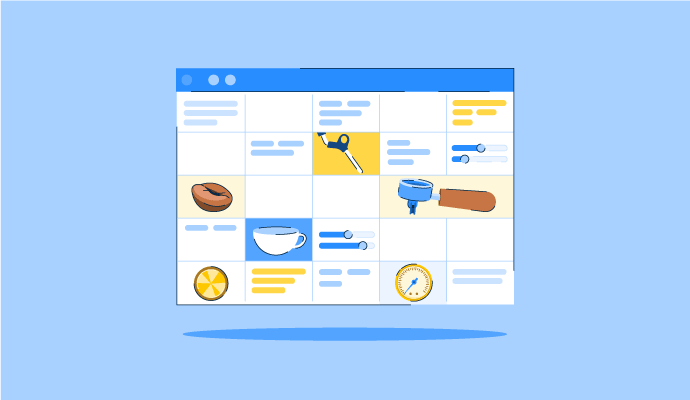
The Perfect Blend: How to Schedule Your Coffee Baristas Like a Pro
Something’s brewing!
by Alexandra Vazquez
Time Tracking Software Glossary Terms
Time Tracking Software Discussions
0
Question on: When I Work
What's the best way to reduce employee no-shows and last-minute call-outs?
Hi, Kristie here with the Customer Care team at When I Work! I'm happy to help address the best way to reduce employee no-shows and last minute call outs.
No-shows usually stem from a few fixable root causes: schedule uncertainty, poor communication, limited flexibility, and unclear consequences.
Publish schedules further in advance. At least two weeks out. This gives employees time to spot conflicts, arrange childcare, and request swaps before the day of — not the morning of. Using scheduling software to build and publish schedules faster makes this easier for both managers and employees. Automated shift reminders and schedule-change notifications can also help reduce accidental no-shows caused by miscommunication.
Make it easy to collect availability. When employees have clear expectations around availability requests and managers build schedules around that information, last-minute call-outs become far less common. Use an availability form or scheduling software that captures when employees prefer to work and when they are truly unavailable to work, with built-in restrictions for how far in advance employees must submit availability.
Enable peer-to-peer shift swaps. When employees can post a shift for a coworker to pick up rather than calling out, coverage issues become much easier to solve. When I Work lets employees initiate swaps directly in the app for other eligible employees to claim, with manager approval required before the swap is finalized.
Enforce your attendance policy consistently. Make sure your policy defines what a no-call/no-show is and what happens — and apply it equally. Inconsistent enforcement signals the policy doesn't matter.
Track attendance patterns. Consistent tardiness, repeated absences on the same days, and frequent shift drops are easier to identify when scheduling and attendance data live in the same system, making attendance trends easier to spot.
Address patterns early. If an employee is repeatedly absent on the same days, address it directly and promptly. Often there's an underlying issue that can be resolved before it becomes chronic.
The most effective approach combines clear policies, accurate availability, employee flexibility, and visibility into attendance patterns. Scheduling software can help by making schedules easier to communicate, simplifying shift coverage, and identifying problems before they become chronic.
0
Question on: When I Work
What features should I look for in employee scheduling software?
Hi, Kristie here with the Customer Care team at When I Work! Choosing employee scheduling software comes down to a few core capabilities:
Scheduling shortcuts: Copying schedules into future weeks, creating repeating shifts, and making bulk edits means you don't have to build every schedule from scratch, saving significant time each week.
A mobile app for employees (that they actually like): Employees need to view their schedule, clock in and out, request time off, and swap shifts from their phones. Low employee app adoption means managers are still stuck handling schedule questions through texts, calls, and emails.
Integrated time clock: Scheduling and time tracking should live in the same system. This helps managers track attendance, identify no-shows and late clock-ins, compare scheduled versus worked hours, and simplify payroll processing.
Shift swap tools: Employees should be able to trade or pick up shifts with manager approval built into the workflow. This reduces last-minute call-outs and helps maintain coverage without creating extra work for managers.
Auto-scheduling: The ability to generate a draft schedule based on employee availability, labor targets, and coverage needs. Instead of manually assigning every shift, the system helps place the right people in the right roles.
Overtime alerts: The software should flag potential overtime before schedules are published and alert managers before overtime is worked—not after it's already happened.
Labor forecasting: Knowing how much a schedule will cost in labor helps managers make adjustments before the week begins instead of reacting after costs have already exceeded targets.
Adaptable for every business: Choose software that can grow with your business. It should be easy to add employees, locations, departments, or team members without changing systems or rebuilding your workflows.
AI-assisted setup: Look for software that can help import your existing schedules from a spreadsheet, export, or even a photo. Faster setup means less time rebuilding schedules and less disruption for your team.
When I Work includes all of these capabilities in both plans, with pricing starting at $2.50 per user per month.
0
Question on: Fingercheck
Can Fingercheck generate reports for workers' compensation audits and insurance reviews?
Yes. Fingercheck can generate payroll reports formatted for workers' compensation audits and insurance company requests, including total wages by employee, hours worked by classification or department, and gross payroll summaries by date range. These reports are accessible directly from the platform and can be exported in standard formats. Because Fingercheck also offers pay-as-you-go Workers' Compensation insurance — where premiums are calculated on actual payroll data each pay period rather than estimated annual payroll — audit exposure is significantly reduced for businesses using that option, since premiums are already aligned with actual wages paid.
Time Tracking Software Reports
Mid-Market Grid® Report for Time Tracking
Fall 2026
G2 Report: Grid® Report
Grid® Report for Time Tracking
Fall 2026
G2 Report: Grid® Report
Enterprise Grid® Report for Time Tracking
Fall 2026
G2 Report: Grid® Report
Momentum Grid® Report for Time Tracking
Fall 2026
G2 Report: Momentum Grid® Report
Small-Business Grid® Report for Time Tracking
Fall 2026
G2 Report: Grid® Report
Enterprise Grid® Report for Time Tracking
Summer 2026
G2 Report: Grid® Report
Small-Business Grid® Report for Time Tracking
Summer 2026
G2 Report: Grid® Report
Mid-Market Grid® Report for Time Tracking
Summer 2026
G2 Report: Grid® Report
Grid® Report for Time Tracking
Summer 2026
G2 Report: Grid® Report
Momentum Grid® Report for Time Tracking
Summer 2026
G2 Report: Momentum Grid® Report