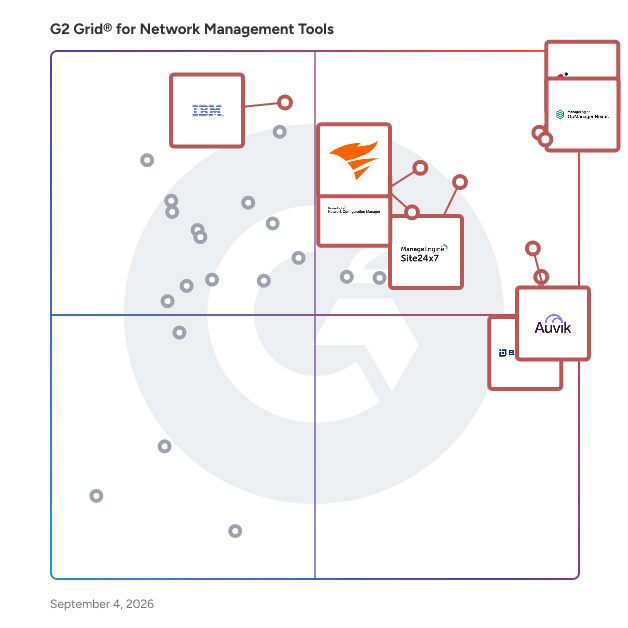
# Best Enterprise Network Management Tools

  *By [Tian Lin](https://research.g2.com/insights/author/tian-lin)*

   Products classified in the overall Network Management Tools category are similar in many regards and help companies of all sizes solve their business problems. However, enterprise business features, pricing, setup, and installation differ from businesses of other sizes, which is why we match buyers to the right Enterprise Business Network Management Tools to fit their needs. Compare product ratings based on reviews from enterprise users or connect with one of G2&#39;s buying advisors to find the right solutions within the Enterprise Business Network Management Tools category.

In addition to qualifying for inclusion in the Network Management Tools category, to qualify for inclusion in the Enterprise Business Network Management Tools category, a product must have at least 10 reviews left by a reviewer from an enterprise business.


## Category Overview

**Total Products under this Category:** 139


## Trust & Credibility Stats

**Why You Can Trust G2's Software Rankings:**

- 30 Analysts and Data Experts
- 3,900+ Authentic Reviews
- 139+ Products
- Unbiased Rankings

G2's software rankings are built on verified user reviews, rigorous moderation, and a consistent research methodology maintained by a team of analysts and data experts. Each product is measured using the same transparent criteria, with no paid placement or vendor influence. While reviews reflect real user experiences, which can be subjective, they offer valuable insight into how software performs in the hands of professionals. Together, these inputs power the G2 Score, a standardized way to compare tools within every category.


---

**Sponsored**

### ManageEngine OpManager

ManageEngine OpManager offers unified network performance monitoring and fault management for your entire IT infrastructure. It provides real-time insights into the health and availability of all devices, servers, and applications, enabling quick troubleshooting and ensuring continuous network uptime.


[Visit website](https://www.g2.com/external_clickthroughs/record?secure%5Bad_program%5D=ppc&amp;secure%5Bad_slot%5D=category_product_list&amp;secure%5Bcategory_id%5D=1357&amp;secure%5Bdisplayable_resource_id%5D=1357&amp;secure%5Bdisplayable_resource_type%5D=Category&amp;secure%5Bmedium%5D=sponsored&amp;secure%5Bplacement_reason%5D=page_category&amp;secure%5Bplacement_resource_ids%5D%5B%5D=1357&amp;secure%5Bprioritized%5D=false&amp;secure%5Bproduct_id%5D=17351&amp;secure%5Bresource_id%5D=1357&amp;secure%5Bresource_type%5D=Category&amp;secure%5Bsource_type%5D=category_page&amp;secure%5Bsource_url%5D=https%3A%2F%2Fwww.g2.com%2Fcategories%2Fnetwork-management-tools%3Fpage%3D5&amp;secure%5Btoken%5D=f173c3abda6cc8850dbc9a4a6fff682e1d06effad7f22e9002d6fbda6df2e46d&amp;secure%5Burl%5D=https%3A%2F%2Fwww.manageengine.com%2Fnetwork-monitoring%2Fnetwork-management.html%3Futm_source%3Dg2%26utm_medium%3Dcpc&amp;secure%5Burl_type%5D=custom_url)

---

## Top-Rated Products (Ranked by G2 Score)
### 1. [Check Point Next Generation Firewalls (NGFWs)](https://www.g2.com/products/check-point-next-generation-firewalls-ngfws/reviews)
  Strengthen Your Security with Check Point Gateways and Firewalls Check Point Hybrid Mesh Network Security is a comprehensive cybersecurity solution designed to protect networks from sophisticated cyber threats while ensuring seamless management across diverse hybrid environments – on-premises, cloud, SaaS, and remote users. This product encompasses advanced threat prevention, real-time global threat intelligence, and unified policy management, making it an essential tool for organizations looking to secure their IT infrastructure, including data centers, hybrid clouds, and remote endpoints. Targeted at enterprises of all sizes, Check Point&#39;s solution caters to a wide range of industries that require robust security measures to safeguard sensitive data and maintain operational integrity. The product is particularly beneficial for organizations with complex network architectures, including those utilizing cloud services, Software as a Service (SaaS) applications, and remote workforces. By addressing the unique security challenges posed by these environments, Check Point enables businesses to maintain a secure and resilient IT ecosystem. One of the standout features of Check Point Hybrid Mesh Network Security is its AI-powered threat prevention capabilities. This technology allows for the identification and mitigation of threats in real-time, ensuring that organizations can respond swiftly to potential breaches. Additionally, the solution offers comprehensive security for various aspects of the IT landscape, including network security, cloud security, and workspace security. This multi-faceted approach ensures that users, applications, and data are protected regardless of their location, whether on-premises, in the cloud, or on employee devices. The deployment flexibility of Check Point&#39;s solution is another key advantage. Organizations can choose from on-premises, cloud-native, on-device, in-browser, or Secure Access Service Edge (SASE) models, allowing for tailored implementations that meet specific operational needs. This adaptability is complemented by unified security management, which simplifies operations through a single platform that provides visibility, policy enforcement, and posture control across the entire network. Furthermore, Check Point Hybrid Mesh Network Security is designed to optimize performance and cost. With high-speed, prevention-first security and on-device security controls, organizations can achieve effective protection without compromising on efficiency. The consistent application of zero-trust policies across the hybrid mesh network enhances security posture, ensuring that all components of the IT environment are uniformly protected against evolving cyber threats. This comprehensive solution empowers organizations to level up their protection and confidently navigate the complexities of modern cybersecurity challenges.


  **Average Rating:** 4.5/5.0
  **Total Reviews:** 500

**User Satisfaction Scores:**

- **Network Monitoring:** 9.3/10 (Category avg: 9.0/10)
- **Network Asset Mapping:** 8.8/10 (Category avg: 8.6/10)
- **Network Discovery:** 9.1/10 (Category avg: 8.8/10)
- **Ease of Admin:** 8.6/10 (Category avg: 8.8/10)


**Seller Details:**

- **Seller:** [Check Point Software Technologies](https://www.g2.com/sellers/check-point-software-technologies)
- **Company Website:** https://www.checkpoint.com/
- **Year Founded:** 1993
- **HQ Location:** Redwood City, CA
- **Twitter:** @CheckPointSW (70,978 Twitter followers)
- **LinkedIn® Page:** https://www.linkedin.com/company/check-point-software-technologies/ (8,356 employees on LinkedIn®)

**Reviewer Demographics:**
  - **Who Uses This:** Network Security Engineer, Network Engineer
  - **Top Industries:** Computer &amp; Network Security, Information Technology and Services
  - **Company Size:** 44% Mid-Market, 42% Enterprise


#### Pros & Cons

**Pros:**

- Cybersecurity (101 reviews)
- Threat Detection (86 reviews)
- Features (80 reviews)
- Network Security (76 reviews)
- Centralized Management (66 reviews)

**Cons:**

- Expensive (71 reviews)
- Complexity (56 reviews)
- Complex Setup (49 reviews)
- Slow Performance (45 reviews)
- Difficult Learning Curve (43 reviews)

### 2. [ManageEngine OpManager](https://www.g2.com/products/manageengine-opmanager/reviews)
  ManageEngine OpManager offers unified network performance monitoring and fault management for your entire IT infrastructure. It provides real-time insights into the health and availability of all devices, servers, and applications, enabling quick troubleshooting and ensuring continuous network uptime.


  **Average Rating:** 4.6/5.0
  **Total Reviews:** 178

**User Satisfaction Scores:**

- **Network Monitoring:** 9.3/10 (Category avg: 9.0/10)
- **Network Asset Mapping:** 8.7/10 (Category avg: 8.6/10)
- **Network Discovery:** 9.1/10 (Category avg: 8.8/10)
- **Ease of Admin:** 9.0/10 (Category avg: 8.8/10)


**Seller Details:**

- **Seller:** [Zoho](https://www.g2.com/sellers/zoho-b00ca9d5-bca8-41b5-a8ad-275480841704)
- **Year Founded:** 1996
- **HQ Location:** Austin, TX
- **Twitter:** @Zoho (137,251 Twitter followers)
- **LinkedIn® Page:** https://www.linkedin.com/company/38373/ (30,531 employees on LinkedIn®)
- **Phone:** +1 (888) 900-9646 

**Reviewer Demographics:**
  - **Who Uses This:** IT Manager, Network Administrator
  - **Top Industries:** Information Technology and Services, Financial Services
  - **Company Size:** 57% Mid-Market, 32% Enterprise


#### Pros & Cons

**Pros:**

- Monitoring (44 reviews)
- Real-time Monitoring (34 reviews)
- Ease of Use (33 reviews)
- User Interface (27 reviews)
- Comprehensive Monitoring (25 reviews)

**Cons:**

- Complexity (14 reviews)
- Complex Configuration (13 reviews)
- Complex Setup (11 reviews)
- Missing Features (11 reviews)
- Difficult Configuration (9 reviews)

### 3. [Arbor Sightline](https://www.g2.com/products/arbor-sightline/reviews)
  NETSCOUT Arbor Sightline is a high-performance network visibility and DDoS detection platform engineered for the demands of large-scale service provider environments. It provides deep, real-time insight into IP traffic by ingesting and analyzing flow data such as NetFlow, sFlow, and IPFIX. For cybersecurity teams, this means having a continuous, comprehensive view of network behavior that enables rapid detection of anomalies, volumetric attacks, and stealthy threats that could otherwise evade traditional perimeter defenses. Designed with scalability and precision in mind, Arbor Sightline empowers practitioners to identify and respond to DDoS attacks with speed and accuracy. It correlates live traffic telemetry with global threat intelligence, allowing teams to pinpoint malicious activity and understand its context within the broader threat landscape. This intelligence-driven approach supports proactive defense strategies, enabling mitigation before service degradation or customer impact occurs. Arbor Sightline also integrates seamlessly with Arbor Threat Mitigation System (TMS) and other mitigation tools, automating response workflows and reducing the operational burden on security teams. Its centralized analytics and customizable dashboards streamline incident investigation and network forensics, helping practitioners reduce mean time to detect (MTTD) and mean time to respond (MTTR). For service providers managing complex, distributed infrastructures, Arbor Sightline is not just a visibility tool—it’s a critical component of a resilient, adaptive security architecture.


  **Average Rating:** 4.6/5.0
  **Total Reviews:** 26

**User Satisfaction Scores:**

- **Ease of Admin:** 8.3/10 (Category avg: 8.8/10)


**Seller Details:**

- **Seller:** [NETSCOUT](https://www.g2.com/sellers/netscout)
- **Company Website:** https://www.netscout.com
- **Year Founded:** 1984
- **HQ Location:** Westford, Mass.
- **Twitter:** @NETSCOUT (13,797 Twitter followers)
- **LinkedIn® Page:** https://www.linkedin.com/company/netscout/ (2,691 employees on LinkedIn®)

**Reviewer Demographics:**
  - **Top Industries:** Telecommunications
  - **Company Size:** 67% Enterprise, 19% Mid-Market


#### Pros & Cons

**Pros:**

- Cybersecurity (5 reviews)
- Efficiency (4 reviews)
- Visibility (4 reviews)
- Alert Notifications (3 reviews)
- Automation (3 reviews)

**Cons:**

- Limited Functionality (4 reviews)
- Complexity (3 reviews)
- Poor Documentation (3 reviews)
- High Licensing Costs (2 reviews)
- High Resource Usage (2 reviews)

### 4. [SolarWinds Observability](https://www.g2.com/products/solarwinds-worldwide-llc-solarwinds-observability/reviews)
  SolarWinds® Observability is a comprehensive full-stack observability solution designed to meet the diverse needs of modern organizations, regardless of their size. This solution provides deep visibility into hybrid ecosystems, enabling users to monitor and manage both on-premises and cloud environments effectively. By optimizing performance and ensuring availability across distributed hybrid IT infrastructures, SolarWinds Observability supports organizations in navigating the complexities of their IT environments. Targeted at IT professionals and organizations that require robust monitoring capabilities, SolarWinds Observability caters to a wide range of use cases. It is particularly beneficial for businesses operating in hybrid environments, where the integration of on-premises and cloud resources is essential. The solution allows users to gain a holistic view of their networks, applications, databases, and user experiences, thereby facilitating better decision-making and operational efficiency. This is especially crucial in today’s fast-paced digital landscape, where downtime can significantly impact service reliability and customer satisfaction. One of the standout features of SolarWinds Observability is its built-in intelligence powered by AIOps capabilities. This functionality accelerates issue remediation by enabling users to detect, troubleshoot, and resolve problems more efficiently. The advanced predictive analysis and anomaly-based alerts help organizations proactively address potential issues before they escalate, ultimately reducing downtime and enhancing service reliability. Additionally, the solution&#39;s log pattern analysis further streamlines the troubleshooting process, allowing IT teams to focus on strategic initiatives rather than being bogged down by operational challenges. SolarWinds Observability offers flexibility in deployment, providing users with the option to choose between self-hosted and SaaS models. The self-hosted option integrates seamlessly with other SolarWinds services, such as security and storage monitoring, while the SaaS option is tailored for deeper monitoring of custom and cloud-based applications. This adaptability ensures that organizations can select the deployment method that best aligns with their operational needs and infrastructure. Moreover, SolarWinds Observability stands out by consolidating multiple monitoring tools into a single, integrated solution. This not only simplifies the monitoring process but also helps organizations reduce costs associated with managing disparate systems. By offering comprehensive visibility across hybrid IT environments, SolarWinds Observability empowers organizations to optimize their operations and enhance overall performance.


  **Average Rating:** 4.3/5.0
  **Total Reviews:** 787

**User Satisfaction Scores:**

- **Network Monitoring:** 9.3/10 (Category avg: 9.0/10)
- **Network Asset Mapping:** 5.7/10 (Category avg: 8.6/10)
- **Network Discovery:** 8.0/10 (Category avg: 8.8/10)
- **Ease of Admin:** 8.3/10 (Category avg: 8.8/10)


**Seller Details:**

- **Seller:** [SolarWinds Worldwide LLC](https://www.g2.com/sellers/solarwinds-worldwide-llc)
- **Company Website:** https://www.solarwinds.com
- **Year Founded:** 1999
- **HQ Location:** Austin, TX
- **Twitter:** @solarwinds (19,618 Twitter followers)
- **LinkedIn® Page:** https://www.linkedin.com/company/166039/ (2,818 employees on LinkedIn®)

**Reviewer Demographics:**
  - **Who Uses This:** Network Engineer, Network Administrator
  - **Top Industries:** Information Technology and Services, Hospital &amp; Health Care
  - **Company Size:** 45% Enterprise, 36% Mid-Market


#### Pros & Cons

**Pros:**

- Ease of Use (64 reviews)
- Monitoring (63 reviews)
- Monitoring Performance (55 reviews)
- Monitoring Capabilities (51 reviews)
- User Interface (41 reviews)

**Cons:**

- Expensive (35 reviews)
- Learning Curve (21 reviews)
- Integration Issues (20 reviews)
- Complex Setup (19 reviews)
- Configuration Difficulty (18 reviews)

### 5. [Entuity](https://www.g2.com/products/entuity/reviews)
  Imagine never having to worry about your IT infrastructure again. Entuity Software offers a comprehensive platform that provides real-time visibility and actionable insights into every aspect of your on-prem, cloud and hybrid infrastructures in real-time. With its intuitive interface and advanced analytics capabilities, Entuity enables organizations to proactively monitor and optimize network performance, enhance security measures, and maximize resource efficiency. Ideal for enterprises seeking to streamline operations and ensure seamless connectivity, Entuity Software stands out for its ability to deliver comprehensive network visibility and management solutions that empower IT teams to drive business success.


  **Average Rating:** 4.7/5.0
  **Total Reviews:** 96

**User Satisfaction Scores:**

- **Network Monitoring:** 9.7/10 (Category avg: 9.0/10)
- **Network Asset Mapping:** 9.4/10 (Category avg: 8.6/10)
- **Network Discovery:** 9.5/10 (Category avg: 8.8/10)
- **Ease of Admin:** 9.2/10 (Category avg: 8.8/10)


**Seller Details:**

- **Seller:** [Park Place Technologies](https://www.g2.com/sellers/park-place-technologies)
- **Company Website:** https://www.parkplacetechnologies.com/
- **Year Founded:** 1991
- **HQ Location:** Mayfield Heights, OH
- **Twitter:** @parkplacetech (1,006 Twitter followers)
- **LinkedIn® Page:** https://www.linkedin.com/company/825290/ (2,357 employees on LinkedIn®)

**Reviewer Demographics:**
  - **Top Industries:** Information Technology and Services, Banking
  - **Company Size:** 48% Mid-Market, 46% Enterprise


#### Pros & Cons

**Pros:**

- Ease of Use (11 reviews)
- User Interface (8 reviews)
- Features (5 reviews)
- Customer Support (4 reviews)
- Monitoring Performance (4 reviews)

**Cons:**

- Integration Issues (4 reviews)
- Complexity (3 reviews)
- Configuration Difficulty (3 reviews)
- Inadequate Monitoring (3 reviews)
- Complex Configuration (2 reviews)

### 6. [Site24x7](https://www.g2.com/products/site24x7/reviews)
  ManageEngine Site24x7 offers unified cloud monitoring for DevOps and IT operations within small to large organizations. The solution monitors the experience of real users accessing websites and applications from desktop and mobile devices. In-depth monitoring capabilities enable DevOps teams to monitor and troubleshoot applications, servers and network infrastructure, including private and public clouds. End-user experience monitoring is done from more than 100 locations across the world and various wireless carriers.


  **Average Rating:** 4.6/5.0
  **Total Reviews:** 419

**User Satisfaction Scores:**

- **Network Monitoring:** 9.4/10 (Category avg: 9.0/10)
- **Network Asset Mapping:** 9.1/10 (Category avg: 8.6/10)
- **Network Discovery:** 8.6/10 (Category avg: 8.8/10)
- **Ease of Admin:** 8.9/10 (Category avg: 8.8/10)


**Seller Details:**

- **Seller:** [Zoho](https://www.g2.com/sellers/zoho-b00ca9d5-bca8-41b5-a8ad-275480841704)
- **Year Founded:** 1996
- **HQ Location:** Austin, TX
- **Twitter:** @Zoho (137,251 Twitter followers)
- **LinkedIn® Page:** https://www.linkedin.com/company/38373/ (30,531 employees on LinkedIn®)
- **Phone:** +1 (888) 900-9646 

**Reviewer Demographics:**
  - **Who Uses This:** CEO, CTO
  - **Top Industries:** Information Technology and Services, Computer Software
  - **Company Size:** 45% Mid-Market, 43% Small-Business


#### Pros & Cons

**Pros:**

- Ease of Use (78 reviews)
- Monitoring (73 reviews)
- Real-time Monitoring (61 reviews)
- Monitoring Features (52 reviews)
- Monitoring Services (49 reviews)

**Cons:**

- Complexity (25 reviews)
- Alert Issues (23 reviews)
- Learning Curve (21 reviews)
- Expensive (20 reviews)
- Not User-Friendly (18 reviews)

### 7. [BackBox](https://www.g2.com/products/backbox/reviews)
  More than 500 enterprises worldwide trust BackBox as their network cyber resilience platform. BackBox includes support for network devices from over 180 vendors, thousands of pre-built automations, and a no-code way to create new ones. BackBox empowers teams with the confidence to automate critical network processes, maintain business continuity during disruptions, and recover swiftly. From backups and OS updates to configuration compliance and vulnerability management, BackBox ensures that automations deliver consistent, reliable outcomes.


  **Average Rating:** 4.5/5.0
  **Total Reviews:** 164

**User Satisfaction Scores:**

- **Network Monitoring:** 8.4/10 (Category avg: 9.0/10)
- **Network Asset Mapping:** 8.2/10 (Category avg: 8.6/10)
- **Network Discovery:** 8.5/10 (Category avg: 8.8/10)
- **Ease of Admin:** 9.1/10 (Category avg: 8.8/10)


**Seller Details:**

- **Seller:** [BackBox](https://www.g2.com/sellers/backbox)
- **Company Website:** https://www.backbox.com
- **Year Founded:** 2009
- **HQ Location:** Global, OO
- **Twitter:** @Back_Box (292 Twitter followers)
- **LinkedIn® Page:** https://www.linkedin.com/company/backbox/ (64 employees on LinkedIn®)

**Reviewer Demographics:**
  - **Who Uses This:** Senior Network Administrator
  - **Top Industries:** Information Technology and Services, Computer &amp; Network Security
  - **Company Size:** 42% Enterprise, 28% Small-Business


#### Pros & Cons

**Pros:**

- Automation (38 reviews)
- Ease of Use (36 reviews)
- Backup (34 reviews)
- Time-saving (24 reviews)
- Features (23 reviews)

**Cons:**

- Complex Setup (17 reviews)
- Learning Curve (15 reviews)
- Complexity (14 reviews)
- Lack of Features (14 reviews)
- Slow Performance (13 reviews)

### 8. [Progress WhatsUp Gold](https://www.g2.com/products/progress-whatsup-gold/reviews)
  WhatsUp Gold is an IT infrastructure monitoring software designed to help users identify and resolve network issues swiftly, often before they impact end users. This solution provides comprehensive visibility into network performance and availability, enabling IT professionals to maintain optimal operations across their infrastructure. With its interactive mapping interface, WhatsUp Gold allows users to visualize the status of all devices connected to their network, making it easier to monitor both on-premise and cloud-based resources. Targeted primarily at IT administrators and network engineers, WhatsUp Gold is particularly beneficial for organizations that rely heavily on network performance for their daily operations. Its user-friendly design caters to both seasoned professionals and those new to network management, offering a range of features that streamline the monitoring process. The software is designed to support various use cases, from small businesses needing basic monitoring capabilities to large enterprises requiring advanced network management solutions. One of the standout features of WhatsUp Gold is its customizable drag-and-drop dashboards, which provide users with the flexibility to tailor their monitoring experience according to specific needs. These dashboards present real-time data on device status and performance, allowing users to quickly assess the health of their network. Additionally, the software’s automatic discovery and mapping capabilities enable users to visualize their entire network topology, ensuring that no device goes unnoticed during monitoring. WhatsUp Gold also emphasizes optimization, helping users manage network traffic and bandwidth utilization effectively. By providing actionable insights and unified views of network performance, the software empowers IT teams to troubleshoot issues efficiently. The ability to identify and resolve network and server problems proactively not only enhances operational efficiency but also improves overall user satisfaction by minimizing downtime. In summary, WhatsUp Gold offers a robust and interactive solution for IT infrastructure monitoring, combining ease of use with powerful features. Its focus on real-time visibility, customization, and proactive troubleshooting makes it a valuable tool for organizations looking to enhance their network management capabilities.


  **Average Rating:** 4.4/5.0
  **Total Reviews:** 381

**User Satisfaction Scores:**

- **Network Monitoring:** 8.8/10 (Category avg: 9.0/10)
- **Network Asset Mapping:** 8.7/10 (Category avg: 8.6/10)
- **Network Discovery:** 8.7/10 (Category avg: 8.8/10)
- **Ease of Admin:** 8.2/10 (Category avg: 8.8/10)


**Seller Details:**

- **Seller:** [Progress Software](https://www.g2.com/sellers/progress-software)
- **Company Website:** https://www.progress.com/
- **Year Founded:** 1981
- **HQ Location:** Burlington, MA.
- **Twitter:** @ProgressSW (48,853 Twitter followers)
- **LinkedIn® Page:** https://www.linkedin.com/company/progress-software/ (4,205 employees on LinkedIn®)

**Reviewer Demographics:**
  - **Who Uses This:** Network Engineer, Network Administrator
  - **Top Industries:** Information Technology and Services, Education Management
  - **Company Size:** 57% Mid-Market, 26% Enterprise


#### Pros & Cons

**Pros:**

- Ease of Use (47 reviews)
- Monitoring (44 reviews)
- Monitoring Performance (35 reviews)
- Alert Notifications (31 reviews)
- User Interface (30 reviews)

**Cons:**

- Expensive (16 reviews)
- Poor Interface Design (15 reviews)
- Complex Setup (14 reviews)
- Learning Curve (14 reviews)
- Outdated Interface (14 reviews)

### 9. [HPE Aruba Networking Management](https://www.g2.com/products/hpe-aruba-networking-management/reviews)
  HPE Aruba Networking Management Software, also known as AirWave, is a comprehensive network operations system designed to manage both wired and wireless infrastructures from HPE Aruba Networking and various third-party manufacturers. It offers granular visibility into devices, users, and applications, enabling IT organizations to proactively optimize network performance, enhance security, and improve the end-user experience. Key Features and Functionality: - Unified Network Management: AirWave provides centralized control over wired and wireless networks, allowing for efficient management of global enterprise infrastructures. - Granular Visibility: The software delivers detailed insights into network devices, user activities, and application performance, facilitating proactive monitoring and troubleshooting. - Real-Time Monitoring and Alerts: AirWave offers real-time diagnostics, proactive alerts, and historical reporting to quickly identify and resolve network issues. - Support for Multi-Vendor Environments: It manages a wide range of devices from HPE Aruba Networking and third-party manufacturers, ensuring flexibility in diverse network environments. - Enhanced Security: The platform strengthens wireless security by providing detailed visibility and control over network access and usage. Primary Value and Solutions Provided: AirWave addresses the challenges of managing complex, multi-vendor network environments by offering a unified platform that simplifies operations and enhances visibility. By providing real-time monitoring, proactive alerts, and detailed reporting, it enables IT teams to optimize network performance, swiftly troubleshoot issues, and ensure a secure and reliable network experience for end-users. This comprehensive approach reduces operational complexity and supports the efficient management of enterprise networks.


  **Average Rating:** 4.6/5.0
  **Total Reviews:** 25

**User Satisfaction Scores:**

- **Network Monitoring:** 9.8/10 (Category avg: 9.0/10)
- **Network Asset Mapping:** 8.9/10 (Category avg: 8.6/10)
- **Network Discovery:** 8.9/10 (Category avg: 8.8/10)
- **Ease of Admin:** 8.7/10 (Category avg: 8.8/10)


**Seller Details:**

- **Seller:** [Aruba, a Hewlett Packard Enterprise company](https://www.g2.com/sellers/aruba-a-hewlett-packard-enterprise-company)
- **HQ Location:** Santa Clara, California
- **LinkedIn® Page:** https://www.linkedin.com/company/aruba-a-hewlett-packard-enterprise-company/ (5,118 employees on LinkedIn®)

**Reviewer Demographics:**
  - **Company Size:** 44% Mid-Market, 40% Enterprise


#### Pros & Cons

**Pros:**

- Configuration Ease (1 reviews)
- Cybersecurity (1 reviews)
- Ease of Use (1 reviews)
- Security Features (1 reviews)
- User Interface (1 reviews)

**Cons:**

- Complexity (1 reviews)
- Expensive (1 reviews)
- Learning Curve (1 reviews)

### 10. [Cisco DNA Center](https://www.g2.com/products/cisco-cisco-dna-center/reviews)
  Cisco DNA Center is the network management system, foundational controller, and analytics platform at the heart of Cisco’s intent-based network. Cisco DNA Center addresses the demands of digitization, cloud, IoT, and mobility by eliminating IT complexity and facilitating alignment with business intent, unifying policy, automation, and assurance with integrated security. How Cisco DNA Center works Your programmable network infrastructure sends data from routers, switches, and wireless devices to the Cisco DNA Center appliance. The appliance activates features and capabilities on your network devices using Cisco DNA software. Everything is managed from the Cisco DNA Center dashboard.


  **Average Rating:** 4.3/5.0
  **Total Reviews:** 47

**User Satisfaction Scores:**

- **Network Monitoring:** 8.6/10 (Category avg: 9.0/10)
- **Network Asset Mapping:** 9.2/10 (Category avg: 8.6/10)
- **Network Discovery:** 9.2/10 (Category avg: 8.8/10)
- **Ease of Admin:** 8.2/10 (Category avg: 8.8/10)


**Seller Details:**

- **Seller:** [Cisco](https://www.g2.com/sellers/cisco)
- **Year Founded:** 1984
- **HQ Location:** San Jose, CA
- **Twitter:** @Cisco (721,388 Twitter followers)
- **LinkedIn® Page:** https://www.linkedin.com/company/cisco/ (95,742 employees on LinkedIn®)
- **Ownership:** NASDAQ:CSCO

**Reviewer Demographics:**
  - **Top Industries:** Computer &amp; Network Security, Hospital &amp; Health Care
  - **Company Size:** 36% Enterprise, 21% Mid-Market


#### Pros & Cons

**Pros:**

- Ease of Use (2 reviews)
- Productivity Improvement (2 reviews)
- Automation (1 reviews)
- Easy Integrations (1 reviews)
- Efficiency (1 reviews)

**Cons:**

- Compatibility Issues (1 reviews)
- Complex Implementation (1 reviews)
- Complex Interface (1 reviews)
- Complexity (1 reviews)
- High Licensing Costs (1 reviews)

### 11. [Auvik](https://www.g2.com/products/auvik-networks/reviews)
  Auvik’s cloud-based IT management platform empowers IT teams to confidently navigate change with less friction. The key is absolute simplicity: seamless deployment, an intuitive interface, and effortless automation. IT teams are able to proactively manage diverse networks, endpoints and SaaS applications. Users are able to work however and wherever they want. It’s absolutely that simple. Simplify Everything: Simplicity of deployment, ease of use and effortless automation save time so that everyone can focus on strategic business priorities and the new opportunities that come with change. Boost Visibility: Our platform delivers total visibility into key parts of your infrastructure. By enabling a proactive—rather than reactive—approach to IT management, Auvik reduces friction and lowers operational risk while raising confidence in IT infrastructure. Move Forward, Faster: Auvik offers faster detection, accelerated speed to resolution, and reduced downtime, which improves efficiency and extends the bandwidth of IT teams and end users. This means more time is able to be invested in the work that keeps everyone moving forward. And empowers IT teams to confidently navigate change with less friction.


  **Average Rating:** 4.5/5.0
  **Total Reviews:** 379

**User Satisfaction Scores:**

- **Network Monitoring:** 8.6/10 (Category avg: 9.0/10)
- **Network Asset Mapping:** 8.6/10 (Category avg: 8.6/10)
- **Network Discovery:** 8.9/10 (Category avg: 8.8/10)
- **Ease of Admin:** 8.7/10 (Category avg: 8.8/10)


**Seller Details:**

- **Seller:** [Auvik Networks Inc.](https://www.g2.com/sellers/auvik-networks-inc)
- **Company Website:** https://www.auvik.com
- **Year Founded:** 2011
- **HQ Location:** Waterloo, Ontario
- **Twitter:** @AuvikOfficial (2,984 Twitter followers)
- **LinkedIn® Page:** https://www.linkedin.com/company/auvik/?originalSubdomain=ca (336 employees on LinkedIn®)

**Reviewer Demographics:**
  - **Who Uses This:** Network Engineer, IT Manager
  - **Top Industries:** Information Technology and Services, Computer &amp; Network Security
  - **Company Size:** 51% Small-Business, 41% Mid-Market


#### Pros & Cons

**Pros:**

- Ease of Use (41 reviews)
- Alert Notifications (27 reviews)
- Easy Setup (22 reviews)
- Monitoring (17 reviews)
- Reliability (16 reviews)

**Cons:**

- Device Limitations (8 reviews)
- Missing Features (8 reviews)
- Alert Issues (7 reviews)
- Expensive (6 reviews)
- Inaccuracy (6 reviews)

### 12. [Check Point Quantum Spark Security Management Portal](https://www.g2.com/products/check-point-quantum-spark-security-management-portal/reviews)
  The Check Point Quantum Spark Security Management Portal is a cloud-based platform designed to streamline the management of Check Point&#39;s Quantum Spark small business firewalls. It offers managed service providers (MSPs) an intuitive web interface to efficiently provision and oversee security measures for small businesses. Key Features and Functionality: - Unified Management: Enables MSPs to manage up to 30,000 gateways within a single domain, facilitating scalable security operations. - Zero-Touch Deployment: Allows for rapid, on-site technician-free deployment; devices can be configured remotely via the cloud, ensuring full protection within minutes. - Group-Based Security Provisioning: Supports the creation of management plans that set security policies, firmware updates, backups, and more for groups of gateways, enhancing operational efficiency. - Consolidated Logging and Reporting: Provides extensive logging, reporting, and monitoring capabilities, offering comprehensive insights into network security and performance. - Role-Based Administration: Features granular, role-based administrative controls, allowing for tailored access and management rights. Primary Value and User Solutions: The Quantum Spark Security Management Portal addresses the challenges faced by MSPs in managing multiple small business clients by offering a centralized, cloud-based solution. It reduces operational and maintenance costs through zero-touch deployment and scheduled reporting, while improving the security management experience with its scalable architecture. By consolidating firewall logging and providing actionable reporting, the portal enhances security oversight and response capabilities. Additionally, its user-friendly, web-based interface simplifies the management process, allowing MSPs to efficiently support their clients and generate new revenue opportunities.


  **Average Rating:** 4.6/5.0
  **Total Reviews:** 17

**User Satisfaction Scores:**

- **Network Monitoring:** 8.3/10 (Category avg: 9.0/10)
- **Network Asset Mapping:** 9.2/10 (Category avg: 8.6/10)
- **Network Discovery:** 8.3/10 (Category avg: 8.8/10)
- **Ease of Admin:** 9.0/10 (Category avg: 8.8/10)


**Seller Details:**

- **Seller:** [Check Point Software Technologies](https://www.g2.com/sellers/check-point-software-technologies)
- **Year Founded:** 1993
- **HQ Location:** Redwood City, CA
- **Twitter:** @CheckPointSW (70,978 Twitter followers)
- **LinkedIn® Page:** https://www.linkedin.com/company/check-point-software-technologies/ (8,356 employees on LinkedIn®)
- **Ownership:** NASDAQ:CHKP

**Reviewer Demographics:**
  - **Company Size:** 78% Enterprise, 17% Mid-Market


#### Pros & Cons

**Pros:**

- Alert Notifications (1 reviews)
- Ease of Use (1 reviews)
- Easy Monitoring (1 reviews)
- Monitoring (1 reviews)
- Real-time Monitoring (1 reviews)

**Cons:**

- Difficult Navigation (1 reviews)

### 13. [Ekahau AI Pro](https://www.g2.com/products/ekahau-ai-pro/reviews)
  Ekahau AI Pro is a Wi-Fi design and analysis software tailored for IT professionals managing critical wireless network projects. It offers AI-driven tools for predictive network planning, enabling precise access point placement and configuration to ensure optimal performance across 2.4 GHz, 5 GHz, and the latest 6 GHz (Wi-Fi 6E) bands. The software supports comprehensive visualization and reporting, allowing users to generate detailed heatmaps and professional reports that facilitate effective communication with stakeholders. By integrating with specialized survey hardware, Ekahau AI Pro streamlines the process of conducting physical site surveys, enhancing data accuracy and reducing deployment time. Its intuitive interface and robust feature set make it an invaluable tool for designing, optimizing, and troubleshooting complex Wi-Fi environments. Key Features and Functionality: - AI Auto-Planner: Automates access point placement and configuration, optimizing network design based on real-world environments. - Comprehensive Visualization: Provides detailed heatmaps and performance metrics, aiding in the analysis and optimization of wireless networks. - Advanced Reporting: Generates customizable reports with floor plans and coverage maps, facilitating clear communication with clients and teams. - Hardware Integration: Seamlessly integrates with Ekahau Sidekick for accurate on-site surveys and spectrum analysis. - Multi-Platform Support: Compatible with both Windows and macOS, catering to diverse user preferences. Primary Value and User Solutions: Ekahau AI Pro addresses the complexities of designing and maintaining high-performance Wi-Fi networks by providing tools that automate and simplify the planning process. Its AI-driven features reduce the time and effort required for network design, while comprehensive visualization and reporting capabilities enhance decision-making and communication. The integration with specialized hardware ensures accurate data collection, leading to more reliable network deployments. Overall, Ekahau AI Pro empowers IT professionals to deliver robust wireless solutions that meet the demands of modern business environments.


  **Average Rating:** 4.4/5.0
  **Total Reviews:** 17

**User Satisfaction Scores:**

- **Network Monitoring:** 8.3/10 (Category avg: 9.0/10)
- **Network Asset Mapping:** 8.3/10 (Category avg: 8.6/10)
- **Network Discovery:** 8.3/10 (Category avg: 8.8/10)
- **Ease of Admin:** 6.1/10 (Category avg: 8.8/10)


**Seller Details:**

- **Seller:** [Ekahau](https://www.g2.com/sellers/ekahau)
- **Year Founded:** 2000
- **HQ Location:** Reston, VA
- **Twitter:** @ekahau (7,702 Twitter followers)
- **LinkedIn® Page:** https://www.linkedin.com/company/34754/ (219 employees on LinkedIn®)

**Reviewer Demographics:**
  - **Top Industries:** Computer Networking
  - **Company Size:** 71% Enterprise, 18% Mid-Market


#### Pros & Cons

**Pros:**

- Automation (1 reviews)
- Detailed Analysis (1 reviews)
- Efficiency (1 reviews)
- Reporting (1 reviews)

**Cons:**

- Expensive (1 reviews)
- High Resource Usage (1 reviews)
- Limited Visibility (1 reviews)


## Parent Category

[IT Infrastructure Software](https://www.g2.com/categories/it-infrastructure)


## Related Categories

- [Network Monitoring Software](https://www.g2.com/categories/network-monitoring)
- [Network Automation Tools](https://www.g2.com/categories/network-automation-tools)
- [Network Security Policy Management (NSPM) Software](https://www.g2.com/categories/network-security-policy-management-nspm)


---

## Buyer Guide

### What You Should Know About Network Management Tools

### What are Network Management Tools?

Network management tools enable network administrators to monitor and control the entire network (on-premises or cloud) to address service needs and business objectives. A network is created when two or more devices communicate with each other through the transfer of data. Devices come in many forms but the important network devices are clients, servers, switches, routers, firewalls, and access points. These network devices above allow common devices such as computers, phones, smart watches, IoT, and others to connect to each other. Devices can be connected physically, virtually, and wirelessly via LAN, WAN, VPN, and different types of networks.&amp;nbsp;

All of these connections and devices are complex to manage manually. With network management software, IT managers can track what devices are connected and how they connect. Network management tools use network topology to visually lay out device connections. With this map, users can provision the network system by changing device configuration, resource allocation, and security settings to meet their IT objectives. Different network management solutions may have other network management protocols but most use simple network management protocol (SNMP).&amp;nbsp;

Good network management software also allows IT teams to automate manual network management tasks, such as inventory assessments, device discovery and mapping, system backups, remote access, etc. The goal is to let the network management software automate these traditionally time-consuming tasks so users can focus on other things, like winning new customers and working on new business objectives.

#### What Types of Network Management Tools Exist?

**Free or open-source software**

Free network management tools perform simple internet protocols and provide basic network performance data. Since many of them require manually loading the device, free tools are perfect for small networks with fewer devices. A good rule of thumb is that if the user can map all of their devices’ topologies on a whiteboard, they should try these free tools before the paid software. Small companies or individual users are the perfect fit for this type of software.&amp;nbsp;

**Specialized network management software&amp;nbsp;**

Specialized network management software is good at doing one job—network management. This software can manage a range of functional areas: auto-discovery, inventory, performance, reliability, and security. It provides technical reports and graphs of the network system. Some more advanced tools can offer root cause analysis and machine learning to solve specific problems. These tools are excellent for organizations with other existing monitoring and management tools for their website, database, hardware, etc.

**One-for-all software&amp;nbsp;**

Top vendors provide comprehensive network management solutions for enterprises. These tools not only do everything that a specialized network management software ca do, alsothey have additional capabilities that manage cloud infrastructure, web network traffic, and IT assets. Some even cover container management, Kubernetes control, and application monitoring. Since they are designed for enterprise-size networks, there is no limit to the scalability of the number of devices. An experienced user can automate a significant amount of manual tasks with this type of software on numerous devices. This type of software is a great fit for large organizations that have their IT infrastructure in multiple locations.&amp;nbsp;

### What are the Common Features of Network Management Tools?

The following are some core features within network management tools that can help users manage their network:

**Device discovery:** Network management tools need to automatically discover new and existing devices and update this information in the device inventory. If there is no auto featuusers mustd to manually enter this information into the system.&amp;nbsp;

**Network topology:** Another name for this feature is network mapping. Network management tools should map all devices in a graph to show how they are connected. This saves users time from constantly mapping their network manually on a whiteboard. They can see the entire network from network maps.

**Configuration management:** Users can set up their network configurations such as IP address and firewalls on Microsoft Windows, Linux, or website (SaaS) using API.&amp;nbsp;

**Network monitoring:** Network performance should be monitored to show the status of the network such as bandwidth usage. Essential metrics must be covered in the following: bandwidth (maximum data transmission rate), throughput (data transmission rate), latency (delay between device request and delivery), packet loss (number of data packets dropped during transmissions), availability (uptime of the network), and connectivity (the types of connection between devices).&amp;nbsp;

**IT alerting:** If there is a performance problem, tools that have alerting capability will notify the help desk so IT staff can start troubleshooting the network configuration. IT alerting should be integrated with the network monitoring system. For example, if remote wireless networks fail to operate, IT pros won&#39;t know there is a problem unless the network monitoring solution notifies them.

**Root cause analysis:** Just having the status of the network is not enough for modern-day network management practice. When there are hundreds of devices, users waste time trying to search which device is causing a network performance issue. The software should alert the user which device is causing the problem so the user can fix the issue fast. This feature is core to performance management.&amp;nbsp;

**Reporting dashboard:** If every device is being tracked automatically, their performance information should be reported in real time in a central dashboard. It is unrealistic to expect network managers to check the performance of every device one by one. Also, different users have different technical knowledge of the network system. Therefore, reporting tools should be customizable according to the level of technical details.&amp;nbsp;

**Automation:** Network management tools should automatically track network inventory, run scheduled reports, device software updates, load balance based on need, alert users of issues and where to find them, and so on. The more IT teams can automate these processes, the more time they save from doing these tasks manually. With the rise of machine learning and AIOps, these new technologies assist users in accurately determining the device at fault so users waste less time trying to find the problem.

### What are the Benefits of Network Management Tools?

**Increase network performance:** Since network management solutions monitor, evaluate, and report performance metrics such as traffic volume and availability. Users can use performance information to forecast resource requirements and load balance based on need. For example, if an internal network device is causing the bottleneck, then the user can upgrade their device. If the internal network infrastructure is operational but the external cloud server is limiting network performance, then users can upgrade their cloud resource capacity. Network management software provides this information so users can accurately pinpoint the performance issue and act accordingly.

**Easily manage numerous devices:** Users can manage their network and device configuration in a configuration management dashboard. This includes initializing multiple devices and maintaining settings in one workflow. The software also allows configuration backup so in the event of failure or human error, IT administrators bring the network back online without manually setting everything up again.

**Increase network security:** Security management prevents unauthorized access and cyber attack. Users can set up user authentication, data encryption, access distribution, firewall, and other security parameters to provide real-time protection.

### Who Uses Network Management Tools?

**IT teams:** Only IT personnel would use this software to set up and manage company networks.&amp;nbsp;

#### Software Related to Network Management Software

Related solutions that can be used together with network management software include:

[Network monitoring tools](https://www.g2.com/categories/network-monitoring) **:** Network monitoring tools are closely related to network management tools but provide fewer administrative controls. Instead, network monitoring software continuously analyzes traffic, accessibility, netflow, and network health.

### Challenges with Network Management Tools

Software solutions can come with their own set of challenges.&amp;nbsp;

**Device recognition:** Some network management solutions will not automatically recognize or register devices from other brands. Buyers need to extensively test if their existing devices work well on the network management software before purchasing.

**Limited functionality:** Some vendors offer multiple network management products with different functionality. Buyers can select which one they want and not pay for the extra service. However, the catch is that vendor want to sell buyers everything, so these so-called “standalone” products are not fully functional unless the buyer purchases all of them, which is expensive. If the bundled products cost exceeds the IT budget, it’s best not to buy any of them. It is common to try to buy one product to save money, but upgrading later ends up costing more than what companies want to pay for.&amp;nbsp;

**Unfriendly user experience and implementation:** Some big brand products are not only expensive but also difficult to install, configure, administer, and maintain without extensive knowledge of the vendors’ systems. Companies who purchased such products often fail to deploy, partially deploy, or completely abandon any effort to monitor their network. To avoid this, buyers should filter out products that have a complex GUI and implementation requirements.

**Network scale:** Small-business network management tools can be easy to use but may not fit the projected growth needs. Enterprise solutions are not necessary for smaller networks but can provide intensive support for larger, more complex networks in real time. Many cloud offerings can help small businesses scale their networks as they grow while minimizing downtime. When investing in a network management solution, the solution must meet the company’s scale needs, both for now and in the near future.

### How to Buy Network Management Tools

#### Requirements Gathering (RFI/RFP) for Network Management Software

The company’s needs when searching for network management solutions often relate to specific network performance issues. For example, the user may be most interested in monitoring and improving performance for downtime. Buyers should make a ranked list of the network management features that most directly address the problems they’re trying to solve, then reference G2 reviews to find the right fit.

Prioritizing the desired feature set can help narrow down the potential pool of network management solutions, allowing teams to then apply further considerations for budget, ease of integration with other systems, security requirements, and more. This holistic approach empowers buyers to move forward with a focused checklist, which can be used in conjunction with G2 scoring to select the best network management product for the business.

#### Compare Network Management Tools

**Create a long list**

Buyers should start with a large pool of network management software vendors. Keeping the desired must-have features in mind, buyers must perform consistent inquiries during demos so they can effectively compare the pros and cons of each software.

**Create a short list**

It helps to cross-reference the results of initial vendor evaluations with G2 reviews from other buyers, the combination of which will help narrow it down to three to five products. From there, buyers can compare pricing and features to determine the best fit.

**Conduct demos**

Companies should make sure to demo all of the products that end up on their short list. The basic step of the demo is to start with downtime management. It’s important to know if the product tracks network uptime, device operational status, and performance metrics like packet and bandwidth data. It’s also helpful to test the configuration and reporting function. It is also important that the selected product fully reflects the entire enterprise network ecosystem and topology.

#### Selection of Network Management Tools

**Choose a selection team**

Regardless of a company’s size, it’s important to involve the most relevant personnel when beginning the network management software selection process. Larger companies may include individual team members to fill roles such as system owners, IT professionals, and developers who will be working with the software closely. Smaller companies with fewer employees might overlap roles.&amp;nbsp;

**Negotiation**

Many companies offer full network-related platforms that go beyond network management to include application performance monitoring, cloud infrastructure monitoring, and more. While some companies will not budge on the configurations of their packages, buyers looking to trim costs should try to negotiate down to the specific functions that matter to them to get the best price. For example, a vendor’s pricing page where network management functionality is only included with a robust all-in-one monitoring package, whereas a sales conversation may prove otherwise.&amp;nbsp;

**Final decision**

After this stage, it is essential to perform a trial run with a small selection of IT professionals or developers. This will help to ensure that the software of choice integrates well with an IT administrator’s systems setup or a developer’s day-to-day work. If the tool is well-liked and well-utilized, the buyer can take that as a sign that their selection is the right one. If not, reevaluation of the options may be necessary.