Email Marketing Software Resources
Articles, Glossary Terms, Discussions, and Reports to expand your knowledge on Email Marketing Software
Resource pages are designed to give you a cross-section of information we have on specific categories. You'll find articles from our experts, feature definitions, discussions from users like you, and reports from industry data.
Email Marketing Software Articles

What Is Marketing Attribution? How to Measure It
Permission Marketing: How to Earn Customer Trust With Ease
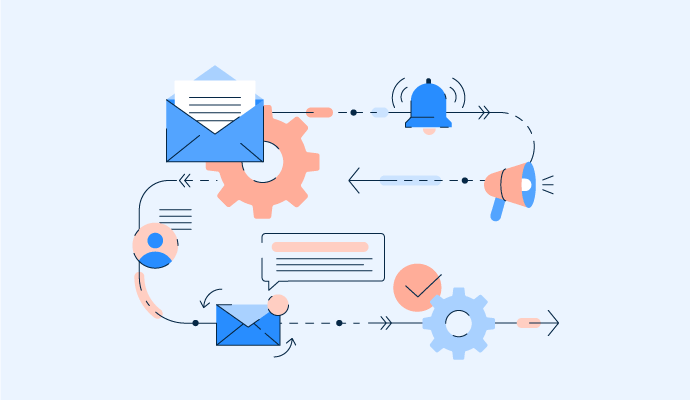
How to Use Email Automation to Simplify Business Processes
Make Your Customers Feel Special with Drip Campaigns
Direct Marketing Examples: Utilizing Effective Campaigns
11 Expert Email Newsletter Strategies to Boost Engagement
What Is an Email Newsletter? 4 Key Components & 3 Effective Templates
7 Common Professional Email Mistakes and How to Avoid Them
Email Marketing Software Glossary Terms

Email Marketing Software Discussions
We were recently looking into the best software for email campaigns for marketing agencies, which tends to come up once managing multiple clients becomes the bigger challenge, not just sending campaigns. At that point, things shift from creating emails to handling multiple accounts, reporting, approvals, and keeping everything organized across clients.
From what we’ve seen across tools in the email marketing software category, here are a few that stood out:
- Mailchimp: Familiar and widely used, which makes it easier to manage multiple client accounts and onboard teams quickly.
- Brevo (formerly Sendinblue): Combines campaigns with automation and transactional messaging, which can be useful across different client needs.
- GetResponse: Offers email, automation, and landing pages together, which can help manage full campaign workflows in one place.
- Constant Contact: Known for simplicity, which might make it easier to manage multiple straightforward campaigns across clients.
- Moosend: Focuses on affordability and automation, which could be useful when handling multiple smaller client accounts.
It feels like the complexity shifts pretty quickly from building campaigns to managing scale across clients.
For agencies, I’m curious:
- Where does the friction usually show up, reporting, client access, or managing multiple accounts?
- Which tool made it easiest to handle multiple clients without things getting messy?
- Did any platform stand out specifically for client reporting or collaboration?
I'm also curious about how agencies are managing client access and approvals in these tools? Does it stay organized as you scale?
As early-stage teams start building out their marketing stack, what is the most affordable email marketing software for startups becomes a pretty practical question, especially when budgets are tight but expectations around growth aren’t. At that stage, it’s not just about price. It’s also about how far the tool can stretch before you need to upgrade or switch. Looking across options in the email marketing software space, some platforms seem better suited for getting started without adding too much overhead.
A few that kept coming up while I was comparing setups:
- MailerLite: Often mentioned for its pricing and simplicity. Feels like a good entry point, though I wonder how far it scales.
- Brevo (formerly Sendinblue): Combines email with automation and transactional messaging, which seems useful early on.
- Moosend: Known for affordability and automation features. Curious how it performs at higher volumes.
- GetResponse: Offers a mix of email, automation, and landing pages. Feels like more of an all-in-one option.
- Mailchimp: Widely used and easy to start with, though pricing seems to increase quickly as you grow.
What I’ve been trying to understand is where startups usually outgrow these tools. Is it pricing, limitations in automation, or just needing more advanced segmentation later on?
Also, did any of these feel affordable at first but become expensive faster than expected?
What strategies are marketers finding most effective when using Intuit Mailchimp for targeted email campaigns?
Many marketers find that the most effective strategy when using Intuit Mailchimp for targeted email campaigns is proper audience segmentation. Instead of sending the same message to everyone, they divide their audience based on behavior, purchase history, location, or engagement level. This helps send more relevant content and improves open and click rates.
Another common approach is using automation workflows. Marketers create automated email journeys for situations like welcome emails, abandoned carts, product recommendations, and post purchase follow ups. This allows businesses to stay connected with customers without sending every email manually.
Personalization also plays a big role. Using dynamic fields such as the recipient’s name, company, or past activity can make emails feel more tailored and increase engagement.
Many teams also rely on A/B testing. They test different subject lines, email layouts, or call to action buttons to see what performs best. Over time this helps refine campaigns and improve results.
Finally, marketers often monitor analytics closely. Tracking metrics such as open rates, click through rates, and conversions helps them understand what type of content resonates with their audience and adjust their strategy accordingly.
Combining segmentation, automation, personalization, and continuous testing usually leads to stronger and more targeted email campaigns.