Email Marketing Software Resources
Articles, Glossary Terms, Discussions, and Reports to expand your knowledge on Email Marketing Software
Resource pages are designed to give you a cross-section of information we have on specific categories. You'll find articles from our experts, feature definitions, discussions from users like you, and reports from industry data.
Email Marketing Software Articles

What Is Marketing Attribution? How to Measure It
Each stage of the sales funnel—from awareness to consideration to purchase—requires a unique strategy.
by Lauren Pope
Permission Marketing: How to Earn Customer Trust With Ease
Nobody likes being a member of a captive audience.
by Lauren Pope
How to Use Email Automation to Simplify Business Processes
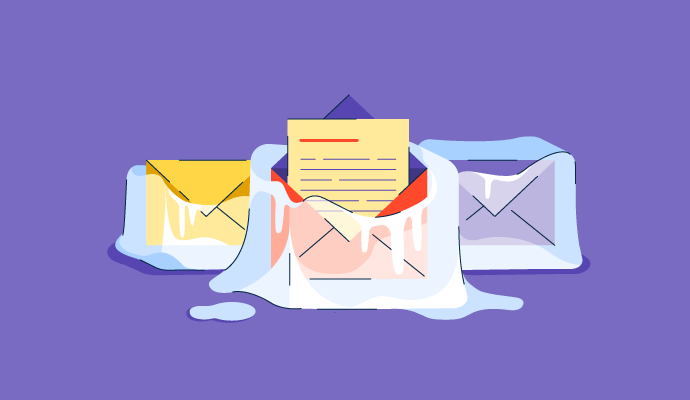
Email marketing may be one of the oldest forms of digital marketing out there. However, it’s still incredibly effective in promoting a business to prospective customers and reinforcing relationships with existing ones. But creating effective emails can take up valuable time from the already challenging task of crafting messaging for various platforms.
by Holly Landis
Make Your Customers Feel Special with Drip Campaigns
Customers want brands to speak to them directly. Whether they make a purchase, sign up for an email newsletter, or request information, a customer always wants to be important.
How do you make each user feel important when so many interact with your brand through different channels?
Enter drip campaign to the rescue.
by Adithya Siva
Direct Marketing Examples: Utilizing Effective Campaigns
How often do you touch a physical piece of mail?
by Alexa Drake
11 Expert Email Newsletter Strategies to Boost Engagement
How many of the emails that come into your inbox do you actually engage with?
by Rob Browne
What Is an Email Newsletter? 4 Key Components & 3 Effective Templates
We all have brands we feel connected to.
by Rob Browne
7 Common Professional Email Mistakes and How to Avoid Them
Each day, the average office worker receives 121 emails in their inbox.
by Rob Browne
Email Marketing Software Glossary Terms

Email Marketing Software Discussions
0
Question on: Instantly
What is Instantly used for?
a) Sending cold emails
b) Searching for prospects
Instantly.ai is used to send automated emails to large numbers of leads.
An example may explain it best. I will do a search for potential sales leads on LinkedIn using Sales Navigator. Sales Navigator will produce a list of contacts that match my search criteria. One typical set of criteria might include "She/her" in the key words search box, coupled with a set of search filters that may include, Vice Presidents, in California, working for companies with a headcount of 11-50 people.
If the total number of leads is less than 2,500, I will add search filters, for example additionally including companies with a headcount of 51-200, to bring the total number of leads found by Sales Navigator as close to 2,500 as possible. That is the maximum number of leads Sales Navigator will allow to get information about in any given search.
I will take those leads and upload them into Instantly.ai. Instantly.ai can then cold email all those leads in concert with Google Workspace at the rate of about 1,000 leads per day. Find me at mentor (at) cox.net. if you want details on this system.
Instantly is mainly for cold email campaigns, managing multiple inboxes, warmup and checking campaign performance.
Instatly is a software tool designed to help users with email outreach and personalization
Cold email inbox set up and maintenance.
Instantly is a very useful software
Organised cold emails, warm-up and unibox for your inboxes.
automating email software , setting up email accounts and campaigns and keep track
Outreach automation
Instantly is the cold email sending tool which will help you add unlimited email inboxes. There is no limitation on that. They also have the infrastructure, which is GSuite and Outlook, and you can buy from them. They also have warmed-up inboxes, and if you already have them, you can connect with that.
They also have a leads database, and you can use it if you want, or else you can import your own lead database. You can then add the email sequence, and then you can send them the emails, and then you can respond to them inside their platform. There is an option called Unibox where you can respond to the prospects, the interested ones.
You can also use their CRM, which is actually helping you to segment interested, not interested, booked appointments, and all of these steps. It's an all-in-one tool for cold email use cases, Cold Email Outreach.
0
Question on: NetHunt CRM
Please continue to promoting ask sessions for uses like the one coming up!
They are helpful and help the users to use all that you offer
Absolutely! We're hosting AMA sessions once a month, on a regular basis 💪But if you have urgent questions, our super-helpful Customer Success Team is always ready :)
0
Question on: Intuit Mailchimp Email Marketing
How do you find Mailchimp as a user friendly tool?
Tell me about your experience with the email editor and landing page template. Also about overall experience.
This is a very user friendly tool. Although I faced issues understanding the structure, but with time, I gained the easy hands, and today I can say that this is one of the most versatile tool, which cover most of the Email Marketing requirements. The structure and placement of features are appropriate. It needs some addition, when it comes to custom reports, but that is ok, as the main metrics are easily available.
Hi there. We're here to help if you have any questions about landing pages or the editor. You can also find step-by-step videos and tutorials here: https://mailchimp.com/help/
Email Marketing Software Reports
Mid-Market Grid® Report for Email Marketing
Fall 2026
G2 Report: Grid® Report
Grid® Report for Email Marketing
Fall 2026
G2 Report: Grid® Report
Enterprise Grid® Report for Email Marketing
Fall 2026
G2 Report: Grid® Report
Momentum Grid® Report for Email Marketing
Fall 2026
G2 Report: Momentum Grid® Report
Small-Business Grid® Report for Email Marketing
Fall 2026
G2 Report: Grid® Report
Enterprise Grid® Report for Email Marketing
Summer 2026
G2 Report: Grid® Report
Small-Business Grid® Report for Email Marketing
Summer 2026
G2 Report: Grid® Report
Mid-Market Grid® Report for Email Marketing
Summer 2026
G2 Report: Grid® Report
Grid® Report for Email Marketing
Summer 2026
G2 Report: Grid® Report
Momentum Grid® Report for Email Marketing
Summer 2026
G2 Report: Momentum Grid® Report