Cloud Directory Services Resources
Articles, Discussions, and Reports to expand your knowledge on Cloud Directory Services
Resource pages are designed to give you a cross-section of information we have on specific categories. You'll find articles from our experts, discussions from users like you, and reports from industry data.
Cloud Directory Services Articles
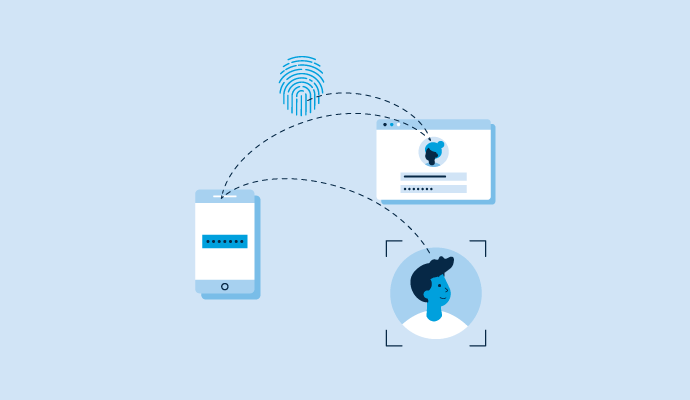
What Is Cloud Identity Management and Why It Is Important

Cloud Directory Services Discussions
Hey G2 community, what cloud directory services work best for replacing Active Directory and LDAP in a hybrid environment where some workloads are still on-premise? I have been collecting notes on this because it comes up constantly in cloud directory services research, and hybrid is where generic advice falls apart: the honest answer depends on whether you want to extend AD, replace it, or keep real AD but stop hosting it. Recent reviews split cleanly along those three paths:
- JumpCloud (4.5/5.0, 4,017 reviews): The replace path. The sentiment across reviews from smaller companies is that it delivers the best parts of AD without the downsides of an on-prem setup, and it ships cloud LDAP and RADIUS for the legacy pieces. The recurring warning in reviews is that the actual migration from traditional AD takes planning, with setup complexity the most cited pain.
- Microsoft Entra ID (4.5/5.0, 911 reviews): The extend path. Reviewers praise how it simplifies identity across cloud and hybrid environments, though some flag real friction migrating shared mailboxes and other AD objects, so the hybrid sync layer is where the work lives.
- Okta (4.5/5.0, 1,304 reviews): The unify-on-top path. Its on-premise identity repository support scores 9.4 against a category average of 8.7 on G2, and admins describe managing lifecycle across both cloud and on-prem applications with minimal end user friction.
- Managed Microsoft AD (4.4/5.0, 29 reviews): The keep-real-AD path, hosted by Google Cloud. Worth knowing about if applications genuinely require domain-joined AD, though the review base is small, so treat it as a shortlist candidate to validate rather than a review-backed verdict.
Which path did your team pick, and if you fully retired your domain controllers, how long did the last on-prem dependency actually take to die?
The three-path framing (extend, replace, or cloud-host real AD) is genuinely clarifying, most conversations about hybrid directory get stuck because the two people are describing different paths without realising it.
The three-paths framing is the most useful thing in this post, and I'd add that what decides the timeline is almost never the users, it's one stubborn dependency. Usually a file server whose permissions were built on nested groups nobody documented, a printer fleet doing Kerberos, or a single line-of-business app that only knows how to LDAP bind. Any one of those keeps a domain controller alive by itself, which is why the honest planning question is "which single thing can't move" rather than "how long is the migration." JumpCloud shipping cloud LDAP and RADIUS points straight at the app and network half of that list, which is often the difference between retiring the DC and keeping one running for one service.
JumpCloud is built for exactly this, unifying identity and device management to replace or bridge AD and LDAP in hybrid environments where some workloads are still on-prem.
For the unify-on-top path specifically, Okta's on-premise identity repository support scoring well above the category average is the detail I'd lean on. Managing lifecycle across cloud and on-prem apps with minimal friction is what you want if full replacement isn't realistic yet.
Offboarding is the moment a directory earns its keep, so which cloud directory services make it easiest for IT teams to instantly revoke access across all systems when an employee leaves, based on user reviews? To find out, I went through recent reviews of cloud directory services looking for what IT teams say happens in the first ten minutes after someone leaves. The pattern that stood out is that revocation speed depends less on a kill switch and more on how many downstream systems the directory actually controls. Here is where the review evidence landed:
- Rippling IT: Access is tied to the employee record itself, so deactivating a person cuts app accounts and device access together. Reviewers from the past year describe offboarding in a few clicks, with one admin noting that updating an employee once "ripples out" to every connected system.
- Okta: Admins credit SCIM provisioning and the practice of funneling all app access through Okta for what one review calls "removing system access in a timely and thorough way." The flip side in reviews is that non-standard lifecycle scenarios take real modeling work to get right.
- JumpCloud: One lean IT team's review describes onboarding and offboarding going from a painful checklist to a ten minute, repeatable flow covering identity, SSO, and the laptop itself. Because devices live in the same console, revoking a user can also lock the machine.
- ManageEngine ADManager Plus: The pick if your systems still hang off Active Directory. Its whole pitch is lifecycle from provisioning to deprovisioning with approval workflows, and reviewers consistently name automation of manual AD tasks as its main strength.
One honest caveat from the data: no reviewer in the recent window timed their revocation, so "instant" is my reading of descriptions like single-click deactivation, not a measured claim. For anyone who has actually run an offboarding through one of these, how many systems still needed a manual cleanup afterward? And did anyone tie their directory to their HR system so terminations trigger revocation automatically?
The "revocation speed depends on how many downstream systems the directory actually controls" point is the one most teams don't realize until they test it. I think a single-click deactivation that only covers three apps isn't really offboarding.
The comments make a strong case that coverage matters more than the deactivation button itself. I’d also test failed revocations explicitly. If one downstream app rejects the request or its connector is unavailable, does IT get a clear exception showing exactly which access remains active? A partially completed offboarding that looks successful in the directory could be worse than a visibly manual process.
The systems that get missed at offboarding are usually the ones nobody registered in the first place, like a vendor portal someone set up with a shared login. No directory can revoke what it doesn't know about, so an offboarding test doubles as a discovery exercise for accounts outside the directory.
The biggest difference for me would be how much manual cleanup remains after the directory deactivates the user. Tying revocation to the HR system seems ideal, but only if SCIM and downstream app coverage are broad enough that terminated users don’t linger in unmanaged tools.
Offboarding is the moment a directory earns its keep, so which cloud directory services make it easiest for IT teams to instantly revoke access across all systems when an employee leaves, based on user reviews? To find out, I went through recent reviews of cloud directory services looking for what IT teams say happens in the first ten minutes after someone leaves. The pattern that stood out is that revocation speed depends less on a kill switch and more on how many downstream systems the directory actually controls. Here is where the review evidence landed:
- Rippling IT: Access is tied to the employee record itself, so deactivating a person cuts app accounts and device access together. Reviewers from the past year describe offboarding in a few clicks, with one admin noting that updating an employee once "ripples out" to every connected system.
- Okta: Admins credit SCIM provisioning and the practice of funneling all app access through Okta for what one review calls "removing system access in a timely and thorough way." The flip side in reviews is that non-standard lifecycle scenarios take real modeling work to get right.
- JumpCloud: One lean IT team's review describes onboarding and offboarding going from a painful checklist to a ten minute, repeatable flow covering identity, SSO, and the laptop itself. Because devices live in the same console, revoking a user can also lock the machine.
- ManageEngine ADManager Plus: The pick if your systems still hang off Active Directory. Its whole pitch is lifecycle from provisioning to deprovisioning with approval workflows, and reviewers consistently name automation of manual AD tasks as its main strength.
One honest caveat from the data: no reviewer in the recent window timed their revocation, so "instant" is my reading of descriptions like single-click deactivation, not a measured claim. For anyone who has actually run an offboarding through one of these, how many systems still needed a manual cleanup afterward? And did anyone tie their directory to their HR system so terminations trigger revocation automatically?
The "revocation speed depends on how many downstream systems the directory actually controls" point is the one most teams don't realize until they test it. I think a single-click deactivation that only covers three apps isn't really offboarding.
The comments make a strong case that coverage matters more than the deactivation button itself. I’d also test failed revocations explicitly. If one downstream app rejects the request or its connector is unavailable, does IT get a clear exception showing exactly which access remains active? A partially completed offboarding that looks successful in the directory could be worse than a visibly manual process.
The systems that get missed at offboarding are usually the ones nobody registered in the first place, like a vendor portal someone set up with a shared login. No directory can revoke what it doesn't know about, so an offboarding test doubles as a discovery exercise for accounts outside the directory.
The biggest difference for me would be how much manual cleanup remains after the directory deactivates the user. Tying revocation to the HR system seems ideal, but only if SCIM and downstream app coverage are broad enough that terminated users don’t linger in unmanaged tools.