Cloud Directory Services Resources
Articles, Discussions, and Reports to expand your knowledge on Cloud Directory Services
Resource pages are designed to give you a cross-section of information we have on specific categories. You'll find articles from our experts, discussions from users like you, and reports from industry data.
Cloud Directory Services Articles
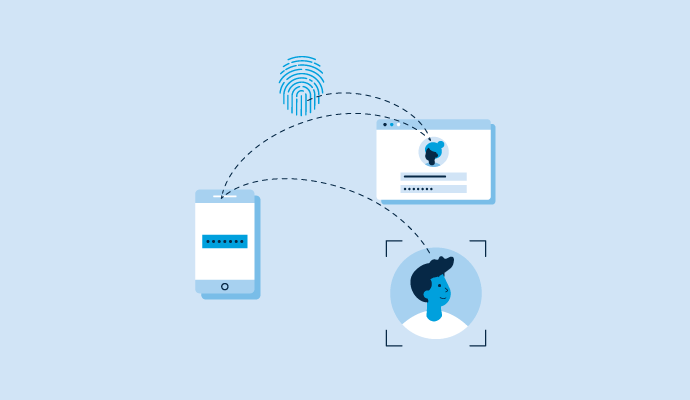
What Is Cloud Identity Management and Why It Is Important

Cloud Directory Services Discussions
Which cloud directory services simplify managing user access across Windows, macOS and Linux devices from one dashboard, without three separate management tools? Researching this across cloud directory services produced an honest answer worth stating up front: most of this category manages identity, not devices, so the one-dashboard-for-three-operating-systems requirement narrows the field to two products almost immediately. Rather than pad the list, here is the real comparison, with the rough edges reviewers actually report:
- JumpCloud: The purpose-built answer. Reviewers describe managing Windows, macOS, and Linux devices from a single dashboard as the core time saver, and one 400-plus user shop details mixed macOS and Windows fleets managed with scripts and policies scoped to device groups from one console, on top of the same directory handling SSO and MFA. The consistent asterisk across the window is macOS: reviewers report app deployment limits, an MDM layer still maturing on compliance policy enforcement, and one admin finding macOS management unreliable. Windows policy management, by contrast, gets described as fast and easy.
- Rippling IT: The same consolidation from the HR direction: MDM, identity, SSO, and app provisioning in one dashboard wired to the employee roster, which reviewers call the standout versus bouncing between three tools. Device-side gripes in the window are about latency rather than gaps: MDM commands taking several minutes to reach machines, and update prompts interrupting people mid-meeting.
Everything else in the category's top tier fails the question's premise somewhere: Entra ID needs Intune bolted on for this (a second product, arguably a second dashboard), Okta does not do device management, and the AD-lineage products are Windows-world tools. If your fleet is heavily Linux, that shortlist of two shrinks further, since Linux support is a JumpCloud talking point that its recent reviews mention mostly in passing.
Two questions for anyone running either one: how is macOS policy enforcement holding up in practice this year, and has anyone managed a meaningful Linux fleet (not just a few dev machines) through either platform?
Has anyone with a mostly Linux fleet actually put JumpCloud through its paces recently? I've seen conflicting things in my research and the reviews seem to mostly reflect Windows/Mac shops.
JumpCloud again, its whole model is managing Windows, macOS, and Linux devices from a single console rather than three separate tools, which is precisely this ask.
Beyond the OS coverage question, I'd be curious how people are staffing this day-to-day. Are the same admins comfortable managing all three device types through one console, or does JumpCloud end up needing someone who specializes in it the way a dedicated AD admin used to?
On the Linux half, the reason reviews stay quiet is probably that the two things barely overlap. A directory agent on Linux handles users, groups, sudo rules, SSH keys and running scripts, which is genuinely most of what you want a directory to do. Configuration state on a real Linux fleet almost always already lives in Ansible or Puppet, and nobody migrates that into a directory product, so shops with meaningful Linux estates tend to use JumpCloud for identity and keep their existing config management alongside it. That's a layered answer rather than one dashboard, which may still meet the original requirement depending on whether your goal is about access or about configuration.
I pulled small business filtered reviews of cloud directory services from the past year to settle which cloud directory platform gives a small business the easiest user and group management without needing a full-time IT person to keep it running. The no-IT-person constraint changes the answer completely, so I read specifically for who was doing the administering. The best evidence turned out to be reviews written by people who are not IT professionals at all:
- Rippling IT: The clearest fit for this exact situation. A recruiting lead at a scaling company with no IT admin described running device orders, password resets, remote locks, and access configuration solo, calling it simple for a non-technical admin to automate. The caveat reviewers agree on is that setup is front-loaded: one put it as most of the pain felt during configuration rather than day-to-day use.
- JumpCloud: One self-taught IT manager credits the AI chatbot support with shortening the learning curve, and small business reviewers praise the walkthrough wizard for quick setup of employees and SSO. Group and policy management is genuinely deep here, which cuts both ways: more capability than a small team may ever touch, with a learning curve reviewers consistently mention for advanced configuration.
- Microsoft Entra ID: Listed as the one to think twice about, in fairness to the question. One founder who liked the security got there despite an interface he described as clearly built for IT professionals and overwhelming for a small business owner implementing it solo. If nobody owns IT, that quote is your risk statement.
I will flag that dynamic groups, the feature that quietly does the most work here by auto-assigning people to groups based on attributes, gets praised in Entra reviews specifically, so the hardest product to run solo also automates the most once configured. Funny trade-off. For the small teams here: who actually administers your directory day to day, and what was the last task that forced you to open documentation?
The Entra dynamic groups point at the end is genuinely underappreciated. Most people doing comparisons focus on the upfront setup complexity and miss what the automation actually does once it's running.
For a small team, Rippling IT sounds easiest to live with day to day once the initial setup is done. The tasks most likely to send me back to documentation would be group rules, access exceptions, or anything involving less-common integrations rather than basic user management.
Answering the "who administers it" part honestly: in a company this size it's whoever happened to set it up, so the work sits with someone whose actual job is something else. The task I'd expect to send them to the docs is offboarding, not onboarding. An onboarding mistake announces itself in ten minutes because the new hire can't log in. An offboarding mistake is silent, and you find out months later that a contractor still has a live session somewhere nobody thought to check. That's what makes the Rippling IT reviewer doing remote locks and access changes solo such useful evidence, since offboarding is where a non-technical admin most needs one button rather than a checklist.
Without a dedicated IT person, JumpCloud's AI chatbot support is what I'd want most. Something to shorten the learning curve in the moment beats digging through documentation when a self-taught admin hits something unfamiliar.
I pulled small business filtered reviews of cloud directory services from the past year to settle which cloud directory platform gives a small business the easiest user and group management without needing a full-time IT person to keep it running. The no-IT-person constraint changes the answer completely, so I read specifically for who was doing the administering. The best evidence turned out to be reviews written by people who are not IT professionals at all:
- Rippling IT: The clearest fit for this exact situation. A recruiting lead at a scaling company with no IT admin described running device orders, password resets, remote locks, and access configuration solo, calling it simple for a non-technical admin to automate. The caveat reviewers agree on is that setup is front-loaded: one put it as most of the pain felt during configuration rather than day-to-day use.
- JumpCloud: One self-taught IT manager credits the AI chatbot support with shortening the learning curve, and small business reviewers praise the walkthrough wizard for quick setup of employees and SSO. Group and policy management is genuinely deep here, which cuts both ways: more capability than a small team may ever touch, with a learning curve reviewers consistently mention for advanced configuration.
- Microsoft Entra ID: Listed as the one to think twice about, in fairness to the question. One founder who liked the security got there despite an interface he described as clearly built for IT professionals and overwhelming for a small business owner implementing it solo. If nobody owns IT, that quote is your risk statement.
I will flag that dynamic groups, the feature that quietly does the most work here by auto-assigning people to groups based on attributes, gets praised in Entra reviews specifically, so the hardest product to run solo also automates the most once configured. Funny trade-off. For the small teams here: who actually administers your directory day to day, and what was the last task that forced you to open documentation?
The Entra dynamic groups point at the end is genuinely underappreciated. Most people doing comparisons focus on the upfront setup complexity and miss what the automation actually does once it's running.
For a small team, Rippling IT sounds easiest to live with day to day once the initial setup is done. The tasks most likely to send me back to documentation would be group rules, access exceptions, or anything involving less-common integrations rather than basic user management.
Answering the "who administers it" part honestly: in a company this size it's whoever happened to set it up, so the work sits with someone whose actual job is something else. The task I'd expect to send them to the docs is offboarding, not onboarding. An onboarding mistake announces itself in ten minutes because the new hire can't log in. An offboarding mistake is silent, and you find out months later that a contractor still has a live session somewhere nobody thought to check. That's what makes the Rippling IT reviewer doing remote locks and access changes solo such useful evidence, since offboarding is where a non-technical admin most needs one button rather than a checklist.
Without a dedicated IT person, JumpCloud's AI chatbot support is what I'd want most. Something to shorten the learning curve in the moment beats digging through documentation when a self-taught admin hits something unfamiliar.