Products
(2581)
Cigati protects PDF File Software is easily available online. Now it is the most authentic and standalone software in the market. The tool has a great capability to secure PDF files and prevent PDF from editing, copying, and secure PDF files. The portable PDF unlocker removes password encryption from PDF files. The tool is developed after doing various technical research on users' demand with a smart algorithm. This allows its users to remove PDF even for printing, reading, and commenting on the
Cigati PDF Management Tool is the best available tool in the market that helps the users to solve the many problems related to the PDF files. This is the multi-purpose utility that helps the users to solve their many problems like the splitting of the PST files into the two or more parts, merging of PST files into the single PDF document, removing the passwords from the password-protected PDF files. Apart from this, Cigati PDF Management Software used to extract images, fonts, and texts from the
Cigati PDF Extractor Tool is one of the more efficient utility software. It is well organized and fully features utility. It is used to extract the text, fonts from the PDF file without using adobe acrobat dc. Users also can extract images in different types of formats like; PNG, JPEG, BMP, GIF. Users use this utility very easily without any specialization because it is easy to use. It has a feature to add multiple or single files to extract from PDF with a watermark. It is a time-consuming mean
Download PDF Splitter Software as it is one of the most exclusive PDF Tools introduced in the market. Large PDF files are complicated to manage, they can easily be shortened using a PDF Splitting Tool. It permits users to select a category according to which the tool will proceed the splitting. The options to split a PDF file are by no. of pages, by file size, by providing the page numbers, by page range, and by even and odd page numbers. Moreover, an individual can also divide a file based on s
PDNob Shortcuts is an app launcher that works smoothly on Windows 10 and allows you easily access any software. The program quietly resides in the system tray and can be brought forward by pressing the scroll wheel or a preset hotkey. It hides automatically if you click outside its border, which keeps your desktop clean but starts software quickly. Besides working as a app launcher, PDNob Shortcuts is much more than that. The upper half of the interface contains build-in functions like
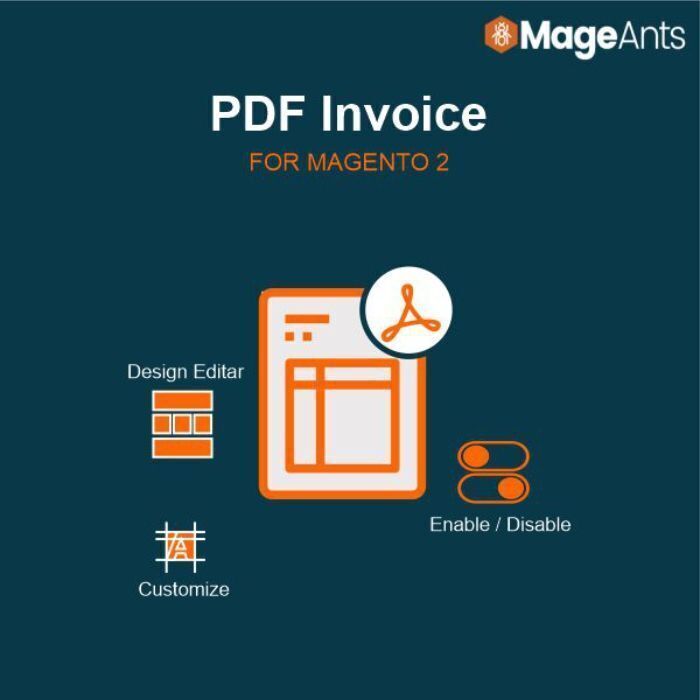
Magento 2 PDF Invoice extension helps store admin design, customize, attach and automatically email their customers and attach PDF invoices. Help your customers to easily download the invoice in PDF format by installing this powerful tool.
MyPDFBoy is a free PDF redaction tool that physically removes text, image, and metadata content from the PDF structure — not just a black-box visual overlay. Once you download a redacted file, the removed content cannot be recovered by any tool, including Adobe Acrobat. Works on multi-page documents and scanned PDFs. Supports five languages including Arabic RTL. No account required, no email verification, no file-size quota.
DataVare PDF Total is a practical Windows application for users who regularly work with PDF documents and need more than one PDF handling option in a single tool. It allows users to split bulky PDF files into smaller parts, combine several PDF files into one document, add password protection, remove known passwords and manage copy, print and edit permissions. The software also includes watermark features for adding text or image watermarks to PDF files. Users can adjust the watermark position, s
MoguanPDF is a PDF toolkit for people whose documents are not supposed to travel: contracts under NDA, payroll and personnel files, financial statements, case materials. What most free online PDF sites leave in the fine print is that the file is processed on their servers and commonly retained there for a couple of hours. For a legal, HR, or finance team, that quiet transfer to a third party can itself be a policy violation. MoguanPDF removes the transfer instead of promising to handle it caref
Batch PDF Merger is a desktop application for Windows and macOS that processes PDFs locally — no upload, no third-party server, no file-size caps. The app handles five core PDF tasks in one drag-and-drop interface: merging multiple PDFs into one, splitting documents into smaller files, rearranging or removing individual pages, compressing oversized files, and renumbering pages. A typical batch job processes hundreds of PDFs in seconds; the originals are never modified. Since 2004, Batch PDF Mer
ReflowPDF is a browser-based PDF editor with true structural reflow. Unlike tools that position text in fixed boxes, it builds real semantic document structure (tables, headings, lists), so editing content reflows the document like a word processor — add a table row and everything below repaginates automatically. It runs entirely in the browser with no software to install. The custom rendering engine is built from scratch with zero external dependencies — no headless Chrome or Node. Exports pas
PDF Techno offers a comprehensive suite of free online tools for editing, merging, splitting, compressing, and converting PDF files. Their platform is designed for ease of use, providing secure and efficient solutions for document management, including electronic signatures and text extraction. Targeting users who require seamless document processing, PDF Techno leverages AI technology to enhance the user experience. The service is accessible across various devices, making it suitable for modern
PDFEquips is an online PDF toolkit offering 30+ tools for editing, converting, merging, splitting, compressing, and processing PDF documents. It includes features like PDF translation, OCR, and format conversion between PDF and Word, Excel, PowerPoint, and image formats.
Cigati PDF Manager is an all-in-one PDF management solution designed for professionals and everyday users who need complete control over their PDF documents — without requiring Adobe Acrobat. The software enables users to split large PDFs into smaller files, merge multiple documents into one, and extract text, images, and metadata with ease. It also offers robust security features, allowing users to lock PDFs with owner and user passwords or unlock encrypted files without compromising content i
Mioffice is a web-based productivity platform that provides AI and document tools for businesses and teams. It allows users to create, edit, convert, and manage PDFs and documents online while also offering AI writing and workflow features. Mioffice helps streamline everyday document tasks in one place for simple and efficient team productivity.
Blackpdf is a free online PDF toolkit that lets you compress, convert, merge, split, unlock, protect, and edit PDF files directly in your browser. No software installation required. We offer Free, Pro, and Business plans to suit individuals, professionals, and teams who need fast, reliable PDF processing.
RatPDF is an online PDF toolkit that helps users compress, merge, split, edit, convert, organize, and manage PDF files directly in their browser. Designed for simplicity and speed, RatPDF provides essential PDF utilities without requiring software installation, making it easy to work with documents on any device.
PDFHaul is a comprehensive PDF processing platform built for privacy. Whether you need to merge contracts, compress research papers, split invoices, or sign agreements on the go, PDFHaul handles it all in your browser or on your phone. What makes PDFHaul different from other PDF tools: Privacy by design: Files are encrypted in transit, processed in isolated environments, and automatically deleted within 2 hours. No permanent storage. No data brokering. Ever. No installation required: Every
Enhanced Markdown for Confluence: Ultimate WYSIWYG Editor with Live Preview 🚀 Supercharge Confluence markdown editing! Our WYSIWYG editor with real-time preview lets you visualize changes instantly. Perfect for developers, writers, and teams creating technical documentation. ✨ Key Features: 📝 Live Markdown Preview: See rendered content as you type 🖥️ Code Syntax Highlighting: Clean, professional code snippets 🌓 Auto Dark Theme: Write comfortably in any lighting 📊 Advanced Visuals: Create char