AI-Generated Results
Finding matches…
SellKit helps WooCommerce stores remove checkout friction with optimized checkout, drive more sales with sales funnels, increase order value with order bumps and upsells and boost engagement with personalized discounts, coupons and notices.
• It’s unified
• It’s simple to use
• It comes with an unbelievably competitive pricing structure
• And you don’t need to be a marketing genius to get it to work!
Are your sales stats disappointing? Do your carts suffer from low engagement and high abandonment? Are your offers and deals easily ignored? SellKit is all your online store needs to sell in full swing!
• Build and customize engaging checkout pages or get started fast with professional premade templates
• Streamline the conversion process with advanced filters and variation swatches
• Remove checkout friction with skip cart, autocomplete, inline form validation and more
• Skyrocket sales with irresistible sales funnels
• Boost average order value with highly-targeted 1-click order bumps and upsells
• Increase conversion possibility with dynamic discounts
• Show smart notices during checkout and effectively increase the chance of bigger orders
• Drive retention and loyalty with smart coupons based on customer behavior and shopping history
• Personalize the shopping experience and customer journey using advanced conditional and RFM segmentation
• Measure the performance of your WooCommerce store, funnels and promotions with actionable insights and analytics
> Who is it for?
All types of WooCommerce websites:
• eCommerce stores
• Service businesses
• Digital products and subscriptions
• Marketers
• Dropshipping businesses
> Drive sales through irresistible sales funnels
Maximize engagement and multiply profits by driving your visitors through mobile-optimized sale funnels.
Serve alluring upsell/downsell offers and automatically turn visitors into customers and repeat customers.
> Create unlimited sales funnels. All drag and drop
Create unlimited sales funnels with unlimited offers using a simple Drag & Drop builder.
Alternatively, choose from readymade funnel templates for a variety of businesses and use cases.
• Link pages dynamically (not just linearly!)
• Mobile-optimized templates
• Actionable insights
> Increase sales with personalized order bumps during checkout
Easily increase the average order value with one-click order bump offers anywhere in the checkout form.
Trigger order bumps and apply personalized discounts based on your own conditions.
• Make rule-based offers using hundreds of pre-set conditions
• Place anywhere in the checkout form
> Boost order value with personalized one-click upsells
Boost AOV even further with personalized one-click upsell offers during checkout, either as separate offers or right within the same order before it’s placed.
• Advanced segmentation
• All major payment gateways
• Use readymade Elementor templates
> Save time with a collection of ready-made templates
Quickly choose from beautiful readymade designs for cart, checkout, upset, downhill and thank you pages, all optimized for mobile, without writing a single line of code.
> Measure your success with actionable insights and Analytics
Assess the performance of your funnels using relevant metrics and insightful charts.
From engagement to sales, discover how your funnels are performing within the chosen timeframe.
• Funnel engagement: Visits, bounce rate and more
• Funnel sales: Revenue, orders, conversion rate, average order value, order bump and upsell revenue
• Comparative visual chart to spot growth
> More funnel builder features
• Facebook Pixel integration
• Works with Elementor
• Built for Mobile
> Optimize the checkout page and streamline the conversion
Upgrade WooCommerce’s rigid, distracting and confusing checkout experience. Build smart, engaging and converting checkout pages.
> Simplify the checkout process
Remove checkout friction with a simple checkout form, express checkout and a majority of payment options.
• Express checkout
• Skip cart
• Sticky cart
• Auto-populated form fields such as address, state and more
• Inline form validation instead of whole-form validation
• Option to sign up with a checkbox instead of separate sign up and login pages
> Make your checkout page fun, informative and convincing
Help your visitors decide by displaying supporting information such as testimonials, reviews and interesting numbers alongside the checkout form.
> Customize your checkout forms to your liking and customer’s ease
Add, order and reorder your checkout forms fields. Save customer’s time with pre-populated and auto-completed fields.
Increase conversion rate with automatically applied coupons.
> Boost mobile sales with mobile-optimized checkouts
SellKit checkout forms are highly optimized for mobile.
Boost your mobile sales with mobile-ready designs, single-step forms and quick, one-click payment.
> Boost WooCommerce promotions with personalized discounts, coupons and alerts
No more one-size-fits-all discounts and coupons! Deliver customers highly personalized deals, coupons and offers based on shopping behavior and demographic data.
> Treat eligible customers to personalized discount coupons
Overcome hesitation and competition with a winning hand. Build a better relationship with your customers and increase repeat purchases with smart coupons based on your customer’s shopping behavior.
> Boost conversion possibility with automated discounts in checkout
Personalize the shopping experience with conditional discounts applied automatically during checkout.
Define your own rules and apply discounts based on customer shopping behavior.
> Display smart alerts based on customer behavior
Show personalized offers to the customer in Cart, Checkout, Catalog and product single pages and effectively increase the chances of more orders. Choose from a variety of conditions to trigger the alert.
> Hyper-target your customers with the best-in-class segmentation
Use advanced segmentation to personalize the final price, discount coupons and alerts during checkout based on customer geolocation, referring website, shopping behavior and many other attributes.
> Define custom discounts and coupons for different locations
With SellKit’s advanced geolocational segmentation you can now offer automated discounts in different locations. You can also automate discounts or generate coupons that are applicable in specific geolocations.
> What’s included in the SellKit free version?
Check below to see what you can do with SellKit that you would otherwise pay a fortune for in similar products.
• Unlimited Sales Funnels
• Limited Checkout Forms
• Custom Thank you pages
• One-Click Order Bump
• One-Click Upsell & Downsell
• Limited Analytics
• Limited Customer Segmentation
• Ready to use Funnel Templates
• Community Support
> What will you get if you upgrade to SellKit Pro?
Everything in the Free version and…
• Pro Checkout Features
• Cart Optimisations
• Personalized coupons
• Dynamic Discounts
• Smart Alerts
• Advanced Product Catalog Filters
• Product Catalog Swatches
• Advanced Analytics
• Advanced Customer Segmentation
• Pro Ready to use Templates
• Standard Support
> How SellKit pricing blows away the competition
If you’re using too many tools to increase sales for your online business and looking for a unified, cost-effective option, Selkit is the best all-in-one solution, offering the functionality of:
• Funnel builders (Cartflows, BuildWooFunnels, Clickfunnels)
• One-click order bump plugins (IconicWP Sales Booster,... )
• One-click Upsell & Downsell plugins (Yith Deals, UpStroke, WooCommerce Checkout Add-Ons)
• Discounts & Coupons plugins (SmartAdvanced Coupons, WooCommerce Dynamic Pricing & Discounts, Yith dynamic pricing & discount, StoreApps)
• Alerts plugins (Yith cart messages, Skyverge CardNotices)
Total Value: $900/year
SellKit: $99/year (Save $800/year)
All features at a glance
• Drag & Drop mobile-optimized funnel builder
• One-click upsell and downsell
• One-click order bump
• Beautiful readymade designs for cart, checkout, upsell, downhill and thank you page
• Advanced funnels analytics (visits, bounce rate, orders, revenue, conversion rate, AOV)
• Comparative analytics charts
• Customizable thank you page
• Supports all major payment gateways
• Design, order, reorder your checkout form fields
• Multi-step OR single step checkout
• Email grab in the beginning of checkout instead of the end
• Auto-populate State
• Address Autocomplete
• Pre-populate Form Data
• Pre-filled form for abandoned users
• Add custom checkout fields
• Auto-Apply Coupons
• Express Checkout
• Product-specific checkouts
• Swap Global Checkout
• Checkout Expiry
• Custom thank you page
• Skip Cart
• Auto-apply discounts with advanced segmentation
• Personalized coupons with advanced segmentation
• Smart alerts with advanced segmentation
> Support
• 30 Day money-back guarantee (No questions asked!)
• Cancel any time
• 24/7 support
> Integrations
• SellKit is fully integrated with:
• Facebook Pixel
• Google Analytics
• Elementor page builder
Not seeing what you're looking for?
Dive deeper into "Online Correction" on G2 AI

Introducing the ultimate Process Automation mobile app, designed to revolutionize your business across all industries! With our cutting-edge app, you can streamline your operations, enhance team productivity, and stay ahead of the competition.
Manage Your Team Tasks: Effortlessly organize and delegate tasks within your organization. Our intuitive interface allows you to assign tasks, set deadlines, and track progress in real-time. Say goodbye to chaotic spreadsheets and embrace seamless task management.
Track Your Sales Team with Geofencing: Keep a close eye on your sales team's activities with geofencing technology. Stay informed about their locations, routes, and customer visits, ensuring optimized sales strategies and improved customer engagement.
Effortless Task Assignment: Simplify task delegation with just a few taps! Assign responsibilities to team members based on their expertise, availability, and location. Our app ensures that the right person is assigned to the right task every time.
Empower Your Team with Training: Empower your workforce with continuous learning opportunities. Deliver training modules directly through the app, enabling your team to stay updated on the latest industry trends, skills, and best practices.
Digital Attendance Tracking: Say goodbye to outdated attendance registers! Our app allows employees to mark their attendance digitally, providing accurate records for HR and ensuring compliance with labor regulations.
In-App Messaging and Notifications: Stay connected with instant messaging and push notifications. Receive updates and alerts relevant to your role.
Document Management System:
Access and organize important documents securely within the app. Share, edit, and collaborate on files with ease.
Customer Surveys and Feedback: Gather valuable feedback from customers through integrated surveys. Use insights to enhance products and services.
Expense and Budget Management: Track expenses and manage budgets effortlessly. Capture receipts and generate expense reports on the go.
Offline Mode: Stay productive even without an internet connection. Our app allows you to work offline and automatically syncs data once you're back online.
Performance Analytics and Reports: Gain valuable insights into team performance and productivity. Access comprehensive analytics and reports to make data-driven decisions.
Unparalleled Efficiency and Connectivity: Seamlessly collaborate with your team, regardless of their location. The app ensures constant connectivity, promoting efficient communication, and fostering a cohesive work environment.
Customizable Workflows: Tailor the app to suit your specific business processes. Create custom workflows to match your unique requirements.
Security and Data Privacy: Rest assured that your data is safe and secure with state-of-the-art encryption and data privacy measures. We take data protection seriously, ensuring your sensitive information is guarded at all times.
Upgrade your business operations today and experience the future of process automation. Embrace a new era of productivity, efficiency, and success with our all-in-one mobile app. Join us on this transformative journey and take your business to new heights!
Feel free to reach out to me anytime via email or phone if you have any queries or concerns.
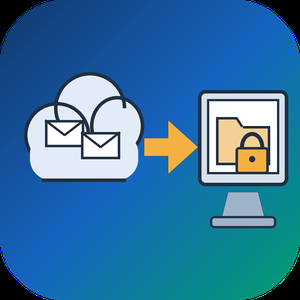
Email Backup Tool for Microsoft 365 and Outlook is an Office 365 backup app for Windows that signs in to a live mailbox and writes its mail into a PST file on your own disk. Subfolder nesting, sent and received times, HTML formatting, files attached to letters and unread flags are kept. Nothing passes through a vendor cloud, and the sign-in token is kept only in memory while the program is open.
🔰 How to use it
1. Start the program and click Sign in. The Microsoft login page opens inside the window, and no Azure app registration is required.
2. Review the list of folders. All of them are ticked after login, and a Size column reveals which ones are large.
3. Untick folders you do not need and set the From and To dates. The mailbox applies this filter on the server side.
4. Click a message to check it in the preview pane. Remote images stay unloaded.
5. Choose a folder under Save to and click Export messages. The finished file opens in desktop Outlook.
👍 Why IT and office teams pick this Office 365 backup tool
- Access is read only. The app asks Microsoft Graph for permission to read mail and never writes to the mailbox.
- Before sign-in it shows a page that explains what it reads, which helps when an administrator has to approve the app for a work account.
- A dropped connection does not restart the job. The next run picks up from a resume point stored next to the PST.
- In our test, a mailbox of 200,000 messages came down in 3.5 hours with no losses. Speed is limited by Microsoft request quotas, not by the PC.
- Attachments land in the file byte for byte, checked up to 224 MiB each.
- Before an Office 365 backup starts, the program checks free disk space and warns if it is short. Plan for roughly the size of the mailbox.
✅ Who uses it
- Staff leaving a company who want an Office 365 backup of their own correspondence, or an Outlook email backup, before the last day.
- Freelancers and small firm owners who keep a local archive of their own business account.
- Graduates whose university account is about to close.
- Owners of old Outlook.com or Hotmail accounts that are close to the storage limit.
❓ FAQ
How do I export an Office 365 mailbox to PST without admin tools? Sign in to the mailbox in this program, pick folders and dates, and save. No PowerShell or eDiscovery role is involved.
Does Microsoft 365 backup my email for me? Microsoft keeps the mailbox online, but it does not hand you a local copy. An Office 365 backup in PST form fills that gap. A PST on your disk stays readable after the account is closed.
Can it back up contacts and calendars? Not in this version. It copies mail only, and Gmail accounts are not supported.
Can I revoke access afterwards? Yes. Remove the app in the app permissions of your Microsoft account.
ℹ️ Free trial writes a real PST with the 25 newest messages from each folder. Lifetime, 1-year, monthly and business licenses are offered. Runs on Windows 10 and 11.

A guestbook to honor a life.
Funeral Guestbook replaces the paper guestbook with an iPad that guests sign at the service — or a code they scan to sign from their own phones. Every signature is transcribed into clean contact details your firm keeps long after the day.
Set up a service in a few minutes. Place the iPad where guests arrive, and they sign naturally with any stylus — name, phone, email, and address, just like a paper book.
SHOW THE CODE, AND THE ROOM SIGNS
Your iPhone can hold the guestbook too. Set it out at the service or the celebration of life and it becomes a memorial placard — the name, the dates, and a code guests scan to sign from their own phones. Nothing for them to install, and every name lands in the same book.
ONE APP, EVERY IPAD
The same app runs every iPad you own. Pair one in seconds by scanning the code on its screen, then open signing for a service, pause the guestbook to a quiet screen between visitors, and lock the iPad so the signing page is all guests can reach. Watch signatures arrive live, with every contact captured.
FEATURES
• Contact capture — name, phone, email, and address from every guest
• Sign with any stylus, with pressure-sensitive ink
• Handwriting transcribed into clean, structured contact details
• True offline mode — the iPad starts, shows the book, and takes signatures with no connection at all; entries sync exactly once when it returns
• Show the code on your iPhone — a memorial placard guests scan to sign from their own phones
• Sign from any phone — a QR code and link let guests add their names from their own devices
• See every iPad live (online, signing, paused), and open, pause, or lock it from anywhere
• Pair an iPad by scanning the code on its screen — it signs itself in
• Release the staff-code gate for someone stuck at the iPad
• Publish a memorial page the family can share
• Manage from any browser at app.funeralguestbook.app — every iPad, its status, and the book, live
• Obituary sync — publish an obituary on your website and the service can appear here on its own
• Guided Access lock — guests sign, but can't leave the app; staff exit with a hold and your firm's code, or unlock remotely from your phone or browser
• Multiple services from one iPad, switched with a tap
• In-app support conversation with a real person
One app for a funeral home running five rooms, and for a family holding one service: the iPad is the guestbook, your iPhone can be one too, and either way every name is kept. Purpose-built for funeral homes — not a generic kiosk with a guestbook skin.
By funeral.link — technology built for funeral homes.

Oxidize is a zero trust security platform for company-issued employee devices, from Oxidize Labs Inc. at oxd.sh. 39 security modules run from one endpoint agent and one console, and enforcement is agentic: every control starts in observe mode, learns a baseline from your own traffic, promotes itself to enforcement once validated, and stands itself back down when live false positives rise. Administrators pin or override any control, and every action is policy-scoped, reversible, and audited.
That enforcement covers AI agents, not just people. Oxidize discovers shadow MCP servers, controls what coding agents and AI tools send outbound through an authenticated egress path, governs the non-human identities they run as, and detects prompt injection in inspected traffic.
Capabilities:
- Zero trust access: per-application, evaluated against identity, device posture, and network conditions, with a kill switch that fails closed when the tunnel drops.
- Secure web gateway and CASB, DNS filtering including DoH and DoT, and network-path DLP with OCR, exact data matching, and fingerprinting.
- TLS inspection, applied only to destinations matching your policy and only on devices that trust your organization CA.
- Email security: business email compromise, impersonation, and phishing detection for Microsoft 365 and Google Workspace.
- Endpoint response: kill a process, isolate a host, quarantine a file. Remote browser isolation for risky sites.
- Compliance evidence for SOC 2, ISO 27001, HIPAA, PCI DSS, NIST 800-53, GDPR, and CIS Controls, assessed from live telemetry. Oxidize produces evidence; it does not certify your organization.
How it works. The agent builds an encrypted tunnel, OxTunnel, to a regional Oxidize relay, where policy, inspection, and detection run inline in a single pass rather than through a chain of third-party proxies. OxTunnel is not a WireGuard derivative: ChaCha20-Poly1305 with the header and connection ID authenticated, a hybrid post-quantum handshake combining X25519 with ML-KEM-768, and relay identity signed with both Ed25519 and ML-DSA-65. The datapath is first-party, the relay uses AF_XDP kernel bypass on supported network cards, and the detection models are trained and signed by Oxidize, so a model update that fails signature verification never loads.
Inbox security sits in the same platform, where comparable secure service edge products sell email separately, as an add-on, or through a partner.
Scope. Windows, macOS, and Linux. iOS and Android clients are built and pending release approval, so they are not yet installable. Trials stay observe-only.
Best fit: 100 to 10,000+ employee organizations whose staff run AI tools, coding agents, and MCP servers on company devices, and security teams consolidating point products onto one agent and one console.
Pricing: per active user per month. Bandwidth, relay capacity, and management API calls are not billed separately, and one user covers unlimited devices.