AI-Generated Results
Finding matches…
369AI is an AI SuiteApp built for Oracle NetSuite that reads, analyzes and acts on NetSuite data from a conversational interface inside the NetSuite account. It installs natively in the NetSuite File Cabinet, uses SuiteScript 2.1, and requires no inbound network access or data replication.
Users work with 369AI through 369Chat. They ask questions about their NetSuite data, or they ask it to create and update records such as sales orders, vendor bills, item receipts, journal entries and inventory adjustments. Users can upload PDFs, emails, Excel and CSV files, and 369AI extracts the data to build the corresponding NetSuite transactions.
The platform has two automation types. Experts are reusable, user-triggered workflows. Agents are autonomous processes that run on NetSuite workflow events and write their results back to NetSuite records. Customers can build their own Experts and Agents with a no-code builder or start from a library of pre-built agents.
369AI includes modules for:
AP automation: email inbox capture, three-way matching and approval routing (369AP)
Order entry and accounts receivable (369AR)
MRP and demand planning (369Stock)
Month-end close checklists, reconciliations and flux analysis (369Close)
Cash flow forecasting and financial reporting from a BigQuery data warehouse (CFO Insights)
A NetSuite account health check that scans scripts, workflows, custom fields, roles and licenses
It also offers a mobile app with voice input, plus integrations with Shopify, Amazon, Outlook and Gmail.
All actions follow NetSuite role permissions and are logged in NetSuite System Notes. Administrators control who can create Experts and can disable file downloads and printing.
369AI is model-agnostic and supports Google Gemini, Anthropic Claude and OpenAI models. Customers can use their own API key, and model usage is billed directly by the provider. Pricing is a flat annual subscription with unlimited users.
369AI is used by finance, accounting, operations and supply chain teams in CPG, wholesale distribution, manufacturing, SaaS and professional services companies running NetSuite.
Not seeing what you're looking for?
Dive deeper into "GRAIL" on G2 AI

IntelliMail is an AI-powered email assistant designed to enhance productivity by streamlining email management within Gmail. By integrating directly into the Gmail interface, IntelliMail offers features such as AI-generated email drafts that adapt to the user's writing style, instant summaries of lengthy emails, and smart follow-up reminders. These functionalities aim to save users over four hours each week, effectively reclaiming valuable time. The primary value of IntelliMail lies in its ability to reduce the time and effort spent on email correspondence, allowing users to focus on more critical tasks.

DocuBot Fleet is asset-based document management software for commercial fleet operators and trailer lessors. It automates document intake, OCR data extraction, and expiration tracking for titles, registrations, annual federal inspections, CA BIT inspections, IFTA licenses, and insurance certificates. DocuBot Fleet tracks documents at the asset level, including state-specific plate permanence rules and separate plate and registration expiration dates.
Not affiliated with docubot.app, Finology DocuBot, or 1LAW Docubot. DocuBot Fleet serves commercial fleet and trailer leasing operations only.

OXplus specializes in developing intelligent systems for railway management, leveraging Internet of Things technologies to enhance operational efficiency and asset utilization. By providing digital tools and solutions, OXplus enables railway owners, operators, and rolling stock manufacturers to gain deep insights into asset performance, facilitating predictive maintenance and reducing downtime.
Key Features and Functionality:
- Predictive Maintenance: Utilizes IoT data to anticipate repair needs, preventing unexpected failures and minimizing service interruptions.
- Asset Performance Monitoring: Offers real-time insights into the efficiency and condition of railway assets, enabling informed decision-making.
- Operational Cost Reduction: Helps in lowering operating expenses by optimizing maintenance schedules and resource allocation.
- Digital Transformation Support: Assists clients in leveraging technology to improve operations, including data analytics and cybersecurity solutions.
Primary Value and User Solutions:
OXplus addresses the critical need for efficient railway operations by providing tools that predict maintenance requirements, thereby preventing downtime and reducing operational costs. Their solutions empower clients to effectively plan asset use, enhance safety, and drive growth through digital transformation initiatives. , [techcos.co]
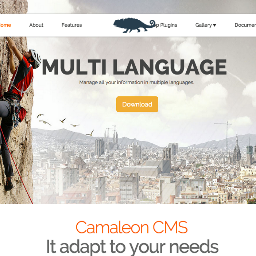
Camaleon CMS is a Content Management System Based on Ruby on Rails which is an alternative to Wordpress in Ruby on Rails.

DRS Softech Webmail Backup Software helps you save your emails from Gmail, Yahoo, and many other webmail accounts. You can backup your emails in different file formats like PST, PDF, MBOX, and EML. It also allows you to migrate your emails to Gmail, Office 365, IMAP, and more. The tool is very easy to use and works on all Windows versions. You don’t need any technical skills to operate it. It can also remove duplicate emails, skip previously saved items, and filter emails by date. Try the demo version and get 24/7 support if you need any help.

FollowUp Pal is a sales follow-up assistant for WhatsApp and Gmail, built for real estate agents, insurance brokers, consultants and small sales teams. It connects to your WhatsApp and Gmail, finds the contacts you messaged who never replied, and writes a personalized follow-up with AI for you to approve and send in one tap. Nothing is sent without your approval, and messages go out only during business hours. Available on the web, iOS and Android, in Portuguese, English and Spanish, with a free plan that never expires. Published by Axxon Media (AVFA LLC). Not related to the email tool Follow Up Pal at followuppal.com.

CivilSurvey Expert is a Windows survey-to-quantities software used by survey consultants, contractors and PWD / irrigation / railway engineers across India since 2004. Enter your level book or import survey points, and the software produces reduced levels, cross sections, longitudinal sections, cut/fill areas, volume abstracts and submission-ready AutoCAD drawings – without needing AutoCAD or any CAD software to run.
Key features
Level book & reduced levels – HI-method reduction with arithmetic check; back-calculate a field book from RLs with automatic change-point detection
Cross sections & L-sections – generated at every chainage with side slopes, toe points and datum; printed as A4 sheets or exported to DWG
Contours & cut/fill – TIN surface from raw points, contours at any interval, coloured cut/fill map and volumes for a formation level
Template Designer – road, railway and irrigation-canal templates following IRC / IS / Indian Railways practice; drag a handle and the section updates
Quantities – cut/fill areas per section, volume abstract by mean-area method, layer-wise areas, mass haul
Outputs – Export to AutoCAD (DWG/DXF), Excel abstracts and PDF print sheets ready for departmental submission
Sample projects included for road, railway and site-levelling jobs; light and dark themes
Who it is for
Land surveyors · Road & highway contractors · Irrigation and canal projects · Railway formation works · Site levelling and plot development · PWD / RWD / NHAI billing and verification
Why CivilSurvey Expert
Trusted since 2004 · 1,800+ active users · 30,000+ projects submitted · Works standalone, no CAD host required · Indian-format sheets and abstracts

At Infinum, we develop and design great software for mobile and web.

Weilliptic offers a comprehensive AI governance infrastructure designed to provide enterprises with verifiable and auditable AI interactions. By cryptographically signing and immutably anchoring every prompt, tool call, and code commit, Weilliptic ensures that AI operations are transparent, secure, and compliant with regulatory standards. This approach addresses critical challenges such as regulatory exposure, intellectual property risks, cost governance, and the lack of audit trails in browser-based AI applications.
Key Features and Functionality:
- Browser AI Receipts: The WAuth browser extension creates cryptographic audit trails for AI interactions without requiring cooperation from AI providers. It intercepts client-side fetches, hashes the data, and anchors it on-chain, ensuring data remains within the enterprise.
- Agent Receipts: This feature intercepts every tool call within autonomous agents, hashes the inputs and outputs, and anchors them on-chain. It provides a replayable decision trail for any autonomous action, supporting various agent orchestration frameworks.
- Codensics: A tool for AI code provenance, Codensics offers diff-level proof of AI-authored code, per-developer token budgets with fail-closed enforcement, and a management dashboard with comprehensive team usage breakdowns.
- TCrypt: This component allows AI agents to utilize sensitive data without exposing it. It employs selector-driven protection to tokenize specific fields, maintains format-preserving tokens, and requires an identity-gated threshold quorum for detokenization, ensuring tamper-evident access records.
Primary Value and Solutions Provided:
Weilliptic's platform addresses several critical issues faced by enterprises in AI deployment:
- Regulatory Compliance: By providing on-chain receipts that satisfy EU AI Act and SEC disclosure requirements, Weilliptic helps enterprises mitigate risks associated with non-compliance, such as fines and reputational damage.
- Intellectual Property and Liability Management: The platform offers mechanisms to distinguish between human-written and AI-generated content, reducing risks in audits, mergers and acquisitions, and IP disputes.
- Cost Governance: With per-developer token budgets and detailed usage attribution, Weilliptic enables CFOs to monitor and control AI tool expenditures effectively.
- Auditability of Browser-Based AI Interactions: The WAuth extension provides a cryptographic audit trail for AI interactions conducted through browsers, ensuring that enterprises have verifiable records without relying on AI providers' internal logs.
By integrating these features, Weilliptic empowers enterprises to deploy AI systems with confidence, ensuring transparency, security, and compliance across all AI-driven operations.

ProSignature creates easily professional, email-safe HTML signatures with AI and installs them directly into Gmail via Google's API - no copy-paste.
Enter your work email and the rest (your logo, brand colors and social links) are imported from your website automatically; pick one of 13 templates and you're done in about two minutes. The free plan has no watermark.
Teams lock one branded design and deploy it per seat letting you control over your brand with consistence in each employee email. Teams connects Gmail in one click, no Workspace admin required. Outlook and Apple Mail are supported via clean copy-paste HTML.

SysTools IMAP Migrator is a secure and advanced email migration solution designed to transfer mailbox data between IMAP-supported email platforms with complete accuracy. The software enables users to migrate emails, attachments, folders, contacts, and calendars from one IMAP account to another without data loss. It supports migration between popular email services such as Gmail, Office 365, Yahoo Mail, Zoho Mail, AOL, Thunderbird, cPanel, and other IMAP-enabled servers.
The tool provides multiple migration options including IMAP to IMAP, IMAP to Office 365, IMAP to Exchange Server, and IMAP to Gmail migration. With features like bulk mailbox migration, incremental export, date filters, folder mapping, and selective email transfer, users can easily manage large-scale email migrations. SysTools IMAP Migrator also maintains folder hierarchy, email properties, metadata, and attachments throughout the migration process.
Built for both technical and non-technical users, the software offers an intuitive interface and supports secure authentication protocols for safe mailbox migration. It is suitable for businesses, IT administrators, and individuals looking to migrate emails from legacy email servers or switch between cloud email platforms efficiently.
Key Features:
- Migrate emails between IMAP-supported email accounts
- Supports Gmail, Office 365, Yahoo, Zoho, AOL, and more
- Bulk mailbox migration with high accuracy
- Maintain folder hierarchy and email metadata
- Incremental migration to avoid duplicate emails
- Advanced date and folder-based filters
- Secure and reliable email transfer process
- Easy-to-use interface for a smooth migration experience

Spectre is an AI-powered camera app for iPhone that simplifies the process of capturing stunning long-exposure photographs. By leveraging advanced computational photography techniques, Spectre enables users to create professional-quality images without the need for specialized equipment or extensive photography knowledge.
Key Features and Functionality:
- Crowd Removal: Spectre allows users to photograph crowded locations and, through medium or long exposure settings, effectively erase moving elements like people, resulting in clear, unobstructed images.
- Light Trails: At night, the app's AI scene detection automatically switches modes to capture beautiful light trails, ideal for nighttime cityscapes or light painting.
- Live Photos: Spectre saves the entire exposure process as a Live Photo, enabling users to replay the exposure as it happened and share the result as a still image, video, or both.
- Advanced Technology: The app incorporates features such as auto-stabilization, scene detection, and intelligent exposure, utilizing machine learning and computer vision to ensure optimal image quality.
- User-Friendly Design: Spectre boasts a meticulously designed interface with a dark UI suitable for night shooting, custom typefaces, and smooth controls, making it easily usable with one hand, even on larger iPhones.
Primary Value and User Solutions:
Spectre addresses common challenges in long-exposure photography by automating complex processes and integrating advanced technologies. It enables users to capture high-quality long-exposure images without the need for tripods or manual settings adjustments. Whether it's removing crowds from tourist spots, creating artistic light trails, or capturing dynamic scenes, Spectre empowers users to produce professional-grade photographs effortlessly.

Zuni is an AI-powered assistant designed to enhance productivity by integrating seamlessly into your Chrome browser. It provides immediate access to advanced AI models, enabling users to efficiently manage emails, draft messages, and interact with web content directly from the browser sidebar.
Key Features and Functionality:
- Cutting-Edge AI Models: Access the latest AI models from OpenAI, Anthropic, Google, Meta, and more, ensuring high-quality and up-to-date assistance.
- Tab-Aware AI: Zuni can read specific tabs you have open, allowing it to derive answers from the sources you select without the need for copy-pasting.
- Gmail Integration: Connect directly to Gmail for full contextual awareness of your inbox, enabling AI-powered email assistance such as summaries, advice, and drafting responses.
- Email Assistant: Enhance email productivity with features like summarization, action item identification, and tailored reply suggestions, allowing for faster and more efficient email management.
- High Productivity: For complex emails, Zuni suggests richer and better drafting options, enabling users to respond quickly and effectively, thereby streamlining inbox management.
Primary Value and User Solutions:
Zuni addresses the challenge of managing extensive email communications and web interactions by providing an AI assistant that operates directly within the browser. By integrating with Gmail and offering contextual awareness of open tabs, Zuni eliminates the need for manual context switching and copy-pasting, thereby enhancing efficiency. Its support for multiple advanced AI models ensures users receive high-quality assistance tailored to their needs, ultimately boosting productivity and simplifying daily tasks.

InboxIQ is an AI-powered inbox management platform for B2B SaaS and e-commerce teams that are drowning in support email.
It connects directly to your Gmail or Outlook inbox and automatically triages every incoming email — categorising by intent, detecting sentiment, flagging urgency, and generating a draft reply — all inside your existing inbox. No new tool for your team to learn.
Key capabilities:
AI triage — every email is classified by category, sentiment, and priority the moment it arrives
Draft replies — AI generates a contextual reply draft directly in Gmail or Outlook for your review before sending
Prior Authorisation — define rules so routine emails (password resets, general enquiries) are sent automatically when AI confidence is high enough, without waiting for manual review
Knowledge base integration — connect your help docs so draft replies are grounded in accurate product information
Automation Studio — build rules to route, tag, escalate, or auto-handle emails based on category and sentiment
Unified inbox — one dashboard across all connected inboxes with ticket tracking, assignment, and SLA visibility
Developer API — push events from any source (CRM, forms, chat) into InboxIQ via the Intake API
InboxIQ works the way your team already works — drafts appear in Gmail and Outlook, approvals happen in your inbox, and nothing changes about how customers contact you.
Free 7-day trial. No credit card required.

Google Tasks is where a lot of people already keep their to-dos, right next to Gmail. But it has no sharing, no board view, no assignees and no comments, so teams end up moving to Trello or Asana and leaving their tasks behind.
Team Tasks adds the team layer on top of Google Tasks instead. Shared boards are backed by a team Google account, so there is one copy of every task, and each column is a real Google Tasks list. Sync is two-way: changes in Team Tasks are pushed to Google right away, and changes made in Gmail or the Google Tasks app come back within seconds while a board is open.
What teams get:
• Shared kanban boards, plus list, table and calendar views
• Assignees, comments with @mentions, labels and filters
• Departments with their own boards, members and admins under one company bill
• My Day agenda, recurring tasks, templates, dependencies and board reports
• Free guest access per board
• An installable web app that works offline
• A REST API add-on on paid plans
Team Tasks asks only for your Google sign-in profile and Google Tasks access. It never touches Gmail or Drive, and the Google Calendar overlay is optional and read-only.
Pricing: free for companies of up to 3 members. From the 4th member it's $2 per user per month ($10 monthly minimum), with a 14-day free trial and no credit card required.

Recoveryfix Migration for IMAP is a specialized tool designed to securely migrate emails, contacts, and other data between IMAP-enabled email servers (e.g., Gmail, Yahoo, Office 365, Exchange). It ensures a smooth transfer without data loss, preserving folder structures and metadata.
Key Features:
IMAP-to-IMAP Migration – Transfer emails between different IMAP accounts.
Supports Multiple Platforms – Works with Gmail, Outlook.com, Zoho, iCloud, etc.
Bulk Migration – Move multiple mailboxes at once.
Selective Transfer – Choose specific folders or emails for migration.
Maintains Data Integrity – Preserves read/unread status, timestamps, and attachments.
No Download Needed – Direct server-to-server transfer.

SignStampd is email signature management software for Google Workspace teams. It reads employee data from your Google Workspace directory and deploys consistent, branded signatures to every user's Gmail account via Google's API — no mail routing, no IT setup required.
Admins connect their Workspace in about 2 minutes using domain-wide delegation, build a signature template with logo and merge fields, and push personalized signatures to every user with one click. Signatures appear in Gmail compose automatically — employees don't install anything.
$2 per user per month. 14-day free trial, no credit card required. No seat minimum. Cancel any time.

Acloud Co.,Ltd provides Unmanned flight system UAV System Integration, Rail transit integration Railway System Integration, Industrial Safety Equipment Industrial Safety & Health

Tango CRM is a comprehensive customer relationship management system designed to streamline business operations and enhance customer engagement. It consolidates contacts, tasks, emails, and documents into a single, user-friendly platform, enabling businesses to manage their customer interactions efficiently. With features like mobile accessibility and seamless email integration, Tango CRM ensures that critical information is always at your fingertips, facilitating improved communication and decision-making.
Key Features and Functionality:
- Contact Management: Store and access thousands of contacts, including suppliers and customers, in a centralized database.
- Task Planning: Assign tasks to yourself or delegate them to team members, ensuring no task is overlooked.
- Mobile Accessibility: Access tasks and schedules on your mobile device without the need for additional installations; tasks integrate directly into your phone's main calendar.
- Email Synchronization: Sync with various email platforms such as Gmail, Yahoo, Outlook, and Thunderbird to manage communications within the CRM.
- Email Marketing: Send bulk emails directly from the CRM, with the ability to segment customers based on specific criteria.
- Document Automation: Generate proposals and contracts swiftly using Word or Excel templates, with data automatically populated from the CRM.
- Document Search: Quickly locate documents by searching both descriptions and content within the CRM.
- Reporting: Generate up to ten reports simultaneously, utilizing various CRM fields to gain insights into business performance.
- Deadline Management: Monitor and manage task deadlines to ensure timely completion.
- Accounting Integration: Print invoices directly from the CRM and access financial data such as turnovers and payment histories.
- Inventory Management: Track product quantities, turnovers, and maintain detailed product information, including technical details and images.
- Internal News Sharing: Share updates and news with colleagues efficiently within the platform.
Primary Value and Solutions Provided:
Tango CRM addresses the challenge of managing diverse customer interactions and internal processes by offering an integrated solution that enhances productivity and collaboration. By centralizing contact information, streamlining task management, and automating routine processes, it reduces manual workload and minimizes errors. The mobile-friendly design ensures that users can access critical information anytime, anywhere, promoting flexibility and responsiveness. Additionally, features like email marketing and document automation empower businesses to maintain effective communication and generate essential documents swiftly, leading to improved customer relationships and operational efficiency.