AI-Generated Results
Finding matches…
Scout by Scout Data is the door-knocking and canvassing app for roofing, solar and HVAC sales teams, on iPhone, Android and the web.
Open the map and see the homes worth a knock in your territory, with the owner on title and one owner-matched, DNC-scrubbed mobile on every home before you reach the door.
- Roofing: homes whose roof is due and streets hit by a recent hail or wind storm, with re-roofed homes left out. For retail re-roof, storm restoration and insurance work.
- Solar and HVAC: the homes that fit your offer.
Reps log every door as they go. Managers draw territories, assign them to reps, and follow notes, routes and results for the whole team in one place.
Teams use Scout in place of door-knocking apps that show a map but not who owns the home or how to reach them. Start with a free sample for your own ZIP code.
Not seeing what you're looking for?
Dive deeper into "Folk" on G2 AI

CareCore by Orion Soft Limited is a complete hospital management system used in Nigerian hospitals. It follows the full patient journey: registration and queue, triage and vitals, consultation, laboratory, radiology, pharmacy, billing, admission, wards and discharge, with each department alerted automatically when a patient reaches them.
It also covers surgery, maternity, nursing notes, fluid balance, referrals, incident reports, NHIS/HMO claims, drug stock with reorder alerts, staff shifts, financial reports and analytics. A built-in AI assistant helps clinicians with notes and diagnosis suggestions.
CareCore installs on one computer, and every other PC, tablet or phone connects through a browser on the hospital network, so it keeps working without internet. It includes role-based access, audit logs, multi-facility support, a patient portal and online booking. Every hospital gets on-site setup, data migration and staff training.

Frontdesk AI is a 24/7 AI phone receptionist for Canadian businesses that depend on the phone, including home services and trades, auto shops, clinics and wellness practices, salons, law firms and accountants, realtors and property managers, gyms, pet businesses, event companies, schools and restaurants. It answers every call in 50+ languages, answers questions from the business's own information, books appointments, texts confirmations, captures and qualifies new enquiries, routes urgent calls and transfers callers to the team when a person is needed. It handles several calls at once, and every call is recorded and summarised. Businesses keep their existing number and choose when it answers: every call, after a set number of rings, when the line is busy, or only after hours. Setup is done for you, usually in less than a week, followed by a 7-day live trial on real calls. Plans start at $299/month CAD.

Pasqio is legal practice management software built for law firms that take client confidentiality seriously. It brings the documents, the matters and the money into one system, with the same encryption behind all three. Every client document is encrypted with AES-256 under a key unique to its matter, and Pasqio never sells, mines or trains AI on client files.
Features include an encrypted document vault, matter and client management with folder-level permissions, a private client portal, time tracking, invoicing and online payments, trust accounting (IOLTA), deadlines and calendar with two-way Google Calendar sync, electronic signatures, blockchain document certification, an immutable audit log, and single sign-on (Google Workspace, Microsoft 365, SAML) with two-factor and passkeys. Guided migration from your old system is included. Hosted in the United States on AWS.
WorkCentral is a freelance business management platform that solves a problem every independent professional knows too well: the gap between tools.
Most freelancers, consultants, and small agencies run their business across a patchwork of disconnected apps — one for proposals, another for project management, a third for time tracking, a fourth for invoicing, and a spreadsheet to tie it all together. Every time a client accepts a quote, you manually recreate the project in another tool. When the work is done, you export time entries and retype them into an invoice. When the invoice goes unpaid, you hope you remember to follow up. WorkCentral eliminates all of that by connecting the full workflow in a single platform.
Here's how it works:
AI-Powered Quotes — Describe a project, set a budget range and your hourly rate, and WorkCentral's AI drafts 4-7 categorized line items in seconds. Three billing types are supported: fixed price, not-to-exceed, and time-and-materials. Quote versioning keeps a full history of changes. Clients review and accept quotes online through a secure link.
Automatic Quote-to-Project Conversion — When a client accepts a quote, WorkCentral automatically creates a project with tasks. AI breaks each quote line item into 3-7 actionable subtasks, organized on a kanban board. No manual data entry, no copy-pasting between tools.
Time Tracking — Track hours directly against project tasks with a flexible rate hierarchy that cascades from task to project to user to organization level. Every minute is tied to the work it belongs to.
Smart Invoicing — Generate invoices from your tracked time with one click. Five grouping options let you organize line items by project and task, by project, by user, by date range, or as individual entries. AI polishes your time entry descriptions into professional invoice language. A 7-step automated reminder sequence handles follow-up so you never send another awkward "just checking in" email.
Online Payments — Clients pay through a secure Stripe-powered link. You get paid directly to your bank account. No chasing checks, no waiting for bank transfers.
Expense Tracking — Full expense management with receipt uploads and categorization, so you have a complete picture of project profitability.
Reports (Professional plan and above) — Five report types: Profit & Loss, Cash Flow, Client Intelligence, Project Performance, and Revenue Intelligence.
Team Management (Business plan) — Invite team members with 20+ granular permissions. Built for the freelancer who's grown into a project coordinator managing subcontractors.
All AI features use a bring-your-own-key model with the OpenAI API, available on every plan including free.
WorkCentral is currently in public beta. Beta users get all paid plans free for the first year, then 50% off for life (founder pricing).

Constellation Marketing Solutions G2
Constellation Marketing Solutions (CMS) is Liverpool's fastest-growing digital marketing agency. We take your ideas and create resonating marketing campaigns designed to gain your followers and sign-ups, increase brand awareness, increase your website's footfall and sales, and maintain it with an organic SEO infrastructure. Our team creates tailored digital marketing strategies based on authentic market analysis to enhance your online presence and ensure your audience fully understands your brand.
Our Services
Website Design & Development
Constellation Marketing Solutions creates aesthetically appealing and functionally sophisticated websites. We design websites around your ideas so they stand out for visitors, making customer engagement and conversion seamless.
SEO & Local Business Listings
We have an exceptional understanding of SEO and local, national, and international strategies, ensuring visibility in search engines and local business directories. Our team rigorously researches high-quality keywords within your niche, finding out what potential customers are looking for and then structuring your content around this.
Copywriting & Content Marketing
Constellation Marketing Solutions develops compelling narratives and high-quality content that captivates and converts while adhering to SEO best practices. We are obsessed with your content, which is constantly updated and relevant to your audience.
Email Marketing & Lead Generation
We make sure your brand is on point, so once you have won them over, they don't just opt out after all the hard work of winning them over in the first place. Our certified email campaigns are designed with customers in mind. Our lead generation tactics nurture your audiences and convert them into loyal customers. We don't just create an email. We restructure and constantly revalue with research and scrutinisation, always striving for a high click-through rate.
Social Media
Posting on social media is more than just box-ticking and showing the client, 'Look, we did it, see' Even if your post gets three likes or 300,000 likes, what is the point if the people engaging are never going to buy your product? Is it so that you can say you trended? Well, as the adage goes, 'today's news is tomorrow's chippy paper', but being forgotten is even faster than 24 hours, especially within a social media algorithm which our team comprehensively understand to help increase your sales, bookings, leads or increased followers.
GDPR Compliance Services
Ensure your digital practices comply with GDPR, safeguarding your brand and customer data. Constellation Marketing Solutions is passionate about data protection because we have seen that customers who trust a brand buy more and more often.
Constellation Marketing Solutions was established in 2022. We are committed to guiding brands through every aspect of marketing. We simplify your journey, helping you stick and, in many cases, decreasing your overall marketing spend through innovation, expertise, and a relentless focus on delivering tangible results.

Excel Password Recovery Software is a Windows desktop program for workbooks you own and can no longer edit or open. It handles two different locks. Sheet and workbook protection comes off at once, with no password needed. A forgotten open password is searched for on your PC and shown to you when it is found. For anyone who needs excel password recovery without sending a spreadsheet to a website, everything here runs offline.
🔰 How to use Excel Password Recovery Software
1. Install the program and open it. No sign-up is asked for.
2. Drop in one file or a whole folder of .xlsx and .xls workbooks.
3. Start the run. The program first tries to unprotect Excel sheet and workbook structure locks, which takes seconds.
4. If a workbook is encrypted with an open password, the search begins. You see the speed, a time estimate and a Stop button.
5. Read the result: an editable workbook for protection locks, or the password itself for an encrypted file.
👍 Why office and IT staff choose it for Excel password recovery
- Local processing. Payroll, budgets and client lists never leave the computer.
- One pass for a folder. Dozens of locked files are queued and worked through while you do something else.
- No manual workaround. A locked sheet is only a setting stored in the workbook, so the program deletes that setting for you.
- Honest odds. The search covers the everyday passwords that office users invent, plus typical twists on them. A lengthy random string set in Office 2013 or later stays out of reach, and you are told so before any waiting starts.
- Hardware you already have. A GPU shortens the wait, and a machine without one still does the job after quoting how long it may take.
✅ Who uses it
- Finance and office staff who locked a budget workbook months ago and need it before a deadline.
- IT admins who inherit a file share full of protected sheets with no passwords written down.
- Owners of old .xls accounting archives. Legacy files use weaker protection, so they usually open fast.
❓ FAQ
How do I open an Excel file when the password is forgotten? Add the file and start. The program looks for the open password you chose and displays it, so you type it into Excel yourself.
Can I unprotect a sheet without knowing its password? Yes. Sheet protection is not encrypted, so it is removed with nothing to remember.
Do I need a graphics card? No, but it helps. Removing sheet protection needs no GPU at all, and to recover an Excel password on a CPU just takes longer.
Is this an excel password remover for files that belong to other people? No. It is meant for workbooks that are yours or that you are authorized to open.
ℹ️ Free trial: the full job runs and you get a preview, either the unprotected content or the recovered password with characters hidden. Saving the file and reading the whole password need a license. Excel password recovery runs on Windows 11, 10, 8.1, 8 or 7 with 4 GB of RAM and 1 GB of disk space.
PowerPoint Password Remover Tool is a Windows program for one narrow job: finding the open password of a .PPTX presentation that you locked yourself and then forgot. You add the file, pick how long the search may run, and read the answer in a small window. The deck on your disk is never rewritten, so a failed run costs you nothing but time.
🚀 How to use
1. Install the program and click Add Files. A whole folder worth of locked decks can wait in one queue.
2. Choose Fast, Standard or Thorough in the mode box. Standard is the default.
3. Press Start. A line in the panel tells you whether the video card or the processor is working.
4. When the run ends, a window lists the file name and the password. Type it into the PowerPoint prompt and the slides open.
🛠 Why IT and office teams pick it
A powerpoint password remover has to be easy to hand over to a colleague, and this one needs only the encrypted file and a Windows workstation. The search begins with a wordlist that ships in the installer, so there is nothing to download first. Rules then reshape each word the way people do, with a capital letter in front or a year at the end. The program does not upload anything, which matters when a deck holds client figures. Users who only need to unlock powerpoint files they own get a plain result, not a rewritten document. To remove password from powerpoint access for good, take the recovered string, open the deck and clear the encryption box yourself. That step stays in your hands on purpose. Every machine in the office can run the same powerpoint password remover, and a team can agree on one depth for everyone. Standard suits most routine tickets, and Thorough is kept for decks that matter enough to wait.
👥 Who uses it
Teachers who need a powerpoint password remover for old course decks, consultants with archived client pitches, office managers who inherit shared folders after a colleague leaves, and help desks that receive locked files as tickets.
❓ FAQ
How to open a password protected PPT without password?
You cannot go around the lock, because the whole file is encrypted. Recover the password with the search, then open the deck with it.
How do I remove a forgotten password from PPT?
Get the password back first. After that, open the presentation and clear the box under Protect Presentation, Encrypt with Password.
Does the tool read old .PPT files?
No. Files from PowerPoint 2003 and older are outside this version. A long random password on a modern file may also stay unfound.
Does it need a special video card?
No. A compatible card makes the search much quicker, but the processor takes over when none is found.
✅ The free trial for Windows 11 and 10 runs the full search. It shows the first character and the length of the password it finds, and a license shows the whole string.
QBO to PDF Converter Tool is a Windows program that opens the .qbo or .ofx download a bank or bookkeeper sent you and prints it as a readable PDF statement, with no QuickBooks on the machine. A QBO download is OFX text written for an accounting importer, so a double-click gets you nowhere. This qbo to pdf converter parses the tags, lays the transactions out as a table and saves pages you can print, forward or archive. The qbo to pdf work happens offline, on your own PC.
📋 How to use
1. Install it on the Windows PC that holds the download. The PDF engine comes inside the installer.
2. Queue one download, several of them or a whole folder.
3. Read the text preview: transaction count, detected encoding and the first rows.
4. Choose PDF or CSV and how dates should print, then press Convert.
5. Open the result from the destination folder you set on the same page.
🏢 Why IT and office teams pick it
- No upload, no sign-up and no outbound traffic to whitelist.
- One parser covers OFX 1 files in SGML and OFX 2 files in XML.
- Column headers repeat at the top of each sheet and a row never splits in two.
- Negative amounts are bracketed and colored, so a black and white copy still shows them.
- Every footer carries a sheet number, the source name and the generation date.
- A Merge checkbox, off by default, joins the queue into one output.
- CSV output is UTF-8 with BOM and guards against formula injection in Excel.
👥 Who uses it
- Bookkeepers who receive client downloads and need a statement on paper.
- Paralegals turning raw bank exports into paginated exhibits.
- Owners whose old accounting setup is gone while the QBO files remain on disk.
- Anyone who got one attachment and will not buy accounting software to read it.
- Auditors who want a count of transactions on screen before they trust a printout.
❓ FAQ
How do I open a QBO file without QuickBooks?
Use a program that reads the OFX inside it. The QBO to PDF converter parses the file directly, so no QuickBooks license is involved.
Can I convert QBO to PDF and CSV in the same program?
Yes. A combo box on the Convert page switches between a PDF statement and a CSV table for Excel.
Is the Running total the same as my bank balance?
No. It is the sum of the printed rows, counted from the top, and the column stays off until you tick it.
Does the QBO to PDF converter read card and investment files?
Yes. Bank, card and investment statements are parsed, several per file too. An investment line that carries a share quantity instead of an amount is kept.
Which columns appear in the PDF by default?
Date, Check, Payee, Memo and Amount. Type, Category, FITID and Running total are optional, because most bank files leave them empty.
🆓 The free trial converts 20 transactions and prints a warning line in the output. Runs on Windows 11, 10, 8.1, 8 and 7, 32 and 64 bit.

Hey Vitae for Coaches is a connected workspace for career coaches, outplacement firms, and university and bootcamp career teams.
It is not full practice management software; it sits alongside whatever you use to schedule and bill. It covers the part those tools cannot see: your client's actual job search, live, as they run it.
There is no platform fee, no plan to choose, and no per-coach charge. A solo coach runs a practice here at no cost, and a small team adds colleagues at no cost. You are billed only for the clients you choose to sponsor.
CAREER COACHING, WITHOUT THE CATCH-UP
When the first fifteen minutes of every session go to reconstructing what your client did since you last met — what moved, how the interview went, whether that recruiter replied — there is less time for the conversation they actually came for. Every application, interview, resume, and prep activity is in one place, so you always know what's changed and what needs attention.
Your roster surfaces the clients who need you before they ask: upcoming interviews, searches gone quiet, offers that need a conversation. Open any client and their applications, documents, prep, and progress are together. Coaches share one roster, so a colleague can cover your Thursday.
CONSENT AND CLEAR BOUNDARIES
Nothing is shared until the client accepts. Before deciding, they see exactly what your practice can view and add and what stays private, and they can end access at any time without losing their account or their work. Every visit is recorded for them.
You can add clearly attributed job suggestions, tasks, notes, and feedback. You cannot apply, send messages, or act as them — you suggest, they decide. Their inbox, contacts, billing, and account settings stay private.
WHAT YOUR CLIENTS GET
Sponsoring a client gives them the full paid Hey Vitae job-seeker workspace as part of what you deliver: tracking for every application and interview round, unlimited Apply IQ fit scoring, role- and stage-specific prep kits, resume and cover letter tailoring and versioning, follow-up reminders, and insight into where their search is stalling. Your coaching keeps working between sessions.
You can also give a client a spoken practice interview for the role they are chasing. They get the full report; you see the score, summary, strengths, and next steps, so your next session starts with the moments worth sharpening.
REPORTING ACROSS COHORTS
Follow progress from saved role to placement, with a clean record of each outcome. Compare cohorts, coaches, and date ranges without rebuilding a report. The client's access ends with the engagement and the result stays with your practice — no offboarding step to remember.
PRICING
Every practice gets everything — the whole team, the reporting, and the connected AI. You pay $19 a month for each client you sponsor, and clients who already subscribe to Hey Vitae themselves connect free. Spoken practice interview credits are $3 each, shared across every client.

BlackPixel AI is an AI-powered back-office photo album editor built for print companies, photo studios, and wedding photographers. The platform replaces manual album design with neural network automation, turning a 5+ hour process into approximately 5 minutes per album.
The typical user of BlackPixel AI is a print production team dealing with a common bottleneck: talented designers spending hours on repetitive layout work, inconsistent quality across albums, and an inability to scale without hiring more people. BlackPixel AI removes this bottleneck by automating 99% of the design process while producing results that are indistinguishable from manual work.
The workflow is straightforward: upload photos (via drag and drop, Google Drive link, or a client's shared cloud folder), let the AI design the album, then review and export print-ready files. The platform supports JPG, PNG, HEIC, WEBP, and RAW formats, with batch uploads of 100+ photos at once.
Core capabilities include an AI Layout Engine where multiple neural networks detect photo orientation, count images, arrange them in chronological order for a logical narrative flow across spreads, and build optimized layouts automatically. Style Generation offers a library of ready-made styles or the ability to generate a unique style from a short text description, no prompt engineering required. AR "Living Photos" allow users to upload videos alongside photos to create augmented reality albums — pointing a phone camera at a printed page makes the photo come alive, giving print companies a premium upsell product. Print-Ready Output handles bleeds, safe zones, resolution, and color profiles optimized for professional printing equipment, with custom specs adapted at no extra cost. Upload via Link enables instant photo import from any Google Drive link — the client shares a folder, and photos are imported without manual downloads. Duplicate Detection automatically identifies and flags duplicate photos during upload before album creation begins.
BlackPixel AI supports print-ready product formats including layflat, bifold, trifold, and pagebook albums, with the ability to adapt to custom formats based on specific equipment requirements.
For companies looking to offer album creation directly to their end customers, BlackPixel AI provides a White Label solution. The editor embeds into a partner's website under their brand — with custom logo, colors, fonts, and domain. End customers create albums themselves, add to cart, and pay, while the partner handles printing and delivery. AR "Living Photos" are available as a premium upsell within the white-label experience.
The production impact is significant: a single team member using BlackPixel AI can produce 30–50 albums per day compared to 1–2 albums with manual design, with consistent quality across every order.

SitePing is a web service for web agencies and freelancers who look after many client sites built on WordPress, Joomla, Drupal and PrestaShop. It runs in the browser, so there is nothing to install on your computer. The interface is available in English and Italian.
SitePing looks at each site in two ways. From outside, our servers check the site like a visitor would. Inside, a light agent installed as a plugin or module reads what cannot be seen from outside. The agent opens no ports on the client's server, and requests are signed in both directions.
Outside checks
- Uptime and response time. A site counts as down only when probes in at least two regions see it down.
- SSL certificate and domain expiry, weeks in advance.
- DNS changes, sitemaps filled with spam pages, robots.txt files that block Google, and blacklists such as Google and Spamhaus.
- Security headers, Core Web Vitals, HTML validation and broken links.
Inside checks, with the agent
- New administrators and role changes, as they happen.
- Every core file compared with the official release of the installed version.
- PHP hidden in upload folders, fatal PHP errors, and admin logins from new IP addresses.
- Installed versions with known vulnerabilities.
- 193 configuration checks written for each CMS, from Super Users without two-factor login to database backups left in the site folder.
Active Shield
Some clients still run Joomla 3.10.12, Joomla 4.4.14 or PrestaShop 1.7.8.11, which no longer get fixes. Active Shield applies official security fixes to these versions. If someone changed a file it would touch, it changes nothing and tells you which file.
Backups
The client's server compresses and encrypts the database and files with AES-256, then uploads them to European storage. From the second backup on, only changed files are sent, and a restore takes one pass. Backups are locked against early deletion, and you can choose to hold the decryption key yourself.
Updates that roll back
Before an update, SitePing takes a full backup and a restore point with files and database tables. It checks the home page and the pages you choose before and after. If something breaks, files and database go back to the previous version. This works today for WordPress plugins and themes and Joomla extensions.
One-click admin access
Open any client's admin panel with a single-use link that expires after 60 seconds. Every login is recorded on the platform and in the site's own log, and the site owner can turn the feature off.
Alerts
Email, Telegram, webhooks, Slack, Microsoft Teams, Discord, Google Chat and other channels. Only serious problems reach your inbox.
Pricing
You pay per site, per month, in blocks of 5 sites. The price per site goes down in brackets as the licence grows. A Free plan covers uptime for up to 50 sites, and a 30-day free trial needs no credit card. A free read-only audit of one site is also available.

Run the job from the first estimate to the final record.
ScopeRate helps contractors, painters, renovators, landscapers and small trade businesses price projects, organize work and compare estimated costs with actual results. Keep a local workspace for projects, recurring maintenance and work that includes materials or products.
BUILD AN ITEMIZED ESTIMATE
Enter quantities, material prices, labor, subcontractors, overhead and contingency. Use editable trade templates and scope checklists, then review Floor, Target and Premium prices for your chosen margins. Review included and excluded work before preparing the client estimate. You supply the rates and dimensions.
KEEP CUSTOMERS AND PROJECTS TOGETHER
Save customer contact details, properties, scope and job notes. Track tasks, visits and recurring maintenance.
DOCUMENT WORK WITH PHOTOS
Take a photo or select one from your library for before, progress and completion updates. Keep internal notes private and choose which updates appear in a client photo report. Photos are stored in the local workspace.
PLAN VISITS AND RECURRING WORK
Review your schedule, organize visits and record tasks. Export selected visits to a calendar file that you can import into your own calendar.
MANAGE MATERIALS AND SUPPLIERS
Keep your own materials and product catalog, record stock movements, prepare supplier orders and track partial deliveries. Record agreed scope changes, manually confirmed extras and client credits while preserving the original quote.
PREPARE INVOICES AND RECORD PAYMENTS
Prepare milestone invoices and credit notes. Keep document and receipt history, manually record customer payments, refunds or corrections, and review the remaining balance. These are bookkeeping records; ScopeRate does not charge your customers or process card payments.
CHECK ACTUAL JOB PROFIT
Enter actual labor, materials, other costs and overhead. Compare the completed job with the estimate and see how changes affect the result.
REVIEW AND SHARE CLIENT DOCUMENTS
Create client estimates, invoices, credit notes and selected photo reports as PDFs on Android. Prepare editable customer follow-up drafts, review their contents and choose where to share them.
KEEP CONTROL OF YOUR WORKSPACE
No ScopeRate account is required for local job records. Export a full backup, including saved job photos, and restore it when needed. This version does not offer connected cloud sync or online crew accounts.
FREE AND PRO OPTIONS
Unlimited quick price checks are free. Saved-job, document and outcome actions follow the free limits, earned credits and Pro options shown before each action. Pro offers unlimited saved jobs, outcome tools and PDF exports without rewarded ads. Monthly and annual subscription prices and any eligible trial are shown by Google Play before purchase.
ScopeRate calculates from the information you enter. It does not guess local market prices, measure a site from photos, send customer messages automatically or guarantee profit.
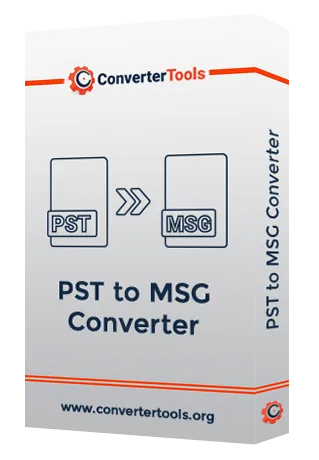
ConverterTools PST to MSG Converter tool is the most reliable and secure tool that assists in converting PST files to MSG and other file formats like EMLX, MBOX, PDF, EML, etc. without any issue. It includes the feature to import PST data to multiple email clients such as Gmail, Yahoo, Opera Mail, Thunderbird, and so on. Also, this software has the ability to convert single as well as multiple PST files to MSG and other file formats. Moreover, it provides the feature to maintain the folder hierarchy as per the actual files. Futhermore, it manages the attachment items in three different modes Save attachments separately, Migrate emails without attachments, and convert all attachments to PDF documents. The users are not required the install MS Outlook on their PC to convert PST files. It offers a free demo version where you can convert up to 50 PST files to numerous file formats and email clients.

Founded in 2016, Let’s Bee Social Digital Marketing was created with one goal in mind: to help passionate business owners hone in on their online presence. Each digital marketing consultant on the Let’s Bee Social team is dedicated to helping small businesses grow online. So, it’s only natural that we work with business owners who are just as passionate and dedicated to what they do too.
Helping small businesses recognize their brand’s potential, grow their online presence, and increase their social media following is what we live for. We use our vast access to digital marketing strategies, search engine optimization tactics and content creation abilities to produce the best possible results for your business.
We guarantee to treat your business like our own and will implement the enthusiasm, understanding and tactics necessary to help you outrank the competition!

uView Player is a floating video player that lets you watch most multimedia files, videos, audio, image, or streams all in Picture-in-Picture (PiP). It stays on top while you work, browse, or game.
No more switching tabs or pausing what you love. Whether you're editing documents, browsing, or deep into a game, your favorite content is always with you — smart, seamless, and right where you want it.
Multitask your way
- Watch content from YouTube, Netflix, Crunchyroll, TikTok, Twitch, Dailymotion, and many more platforms;
- Picture-in-Picture (PiP) mode with full control over size, position, and transparency;
- Lightweight and fast — perfect for multitasking;
- Supports multiple video and audio formats;
- Built-in online radio streaming;
- Playlist and bookmark manager to organize your favorites;
- Follow Manager: connect your accounts and manage subscriptions with ease.
GainTools NSF Converter is the smart solution for converting NSF files into several formats, such as PST, MSG, MBOX, EML, EMLX, etc. It enables users to effortlessly export their Lotus Notes data without losing any information. The utility lets users convert single or multiple NSF files at once, therefore saving time and effort by supporting bulk conversion. It works with all Lotus Notes versions, this program offers the conversion of complete mailbox items including emails, contacts, calendars, notes, tasks, and attachments. It maintains formatting safety, email attributes, and original folder structure safe throughout the process. From earlier versions to the newest, it is compatible with every Windows version. Additionally available is a free demo edition so users can review the capabilities before purchase. Anyone can operate this software without technical understanding due to its simple procedures and neat design. It's ideal for exact and safe email migration.

Mailvita Split PST Tool for Mac is a smart and fast solution to break large-sized Outlook PST files into smaller parts for better management. This tool offers three effective ways to split PST files — by size, folder, and year. Whether you're dealing with active PST files or archived ones, the software ensures safe and lossless splitting without affecting the original data structure or formatting. It supports both ANSI and UNICODE PST files and does not require MS Outlook installation to perform the task. The tool preserves all PST metadata properties and ensures that your emails, contacts, calendars, and other items remain intact throughout the splitting process. This application works on both types of operating systems, like Mac and Windows OS. Users can easily work on this tool without any help. Any user can simply download the software and try out the free demo version.

Nua is a SaaS platform that centralizes four security-testing services—penetration testing, secure code review, red teaming, and vulnerability assessment—into a single workspace. Customers can request and scope tests online, launch engagements within days, and follow progress in real time.
Penetration Testing: Certified testers combine automated tooling with manual techniques to identify and validate exploitable weaknesses.
Code Review: Security engineers perform systematic source-code analysis to surface logic flaws, insecure patterns, and compliance gaps.
Red Teaming: Adversary simulations run continuously or in scheduled campaigns to measure detection and response across networks, cloud assets, and applications.
Vulnerability Assessment: Zero-setup scanners deliver recurring asset discovery and risk scoring aligned with common standards.
All findings are delivered through a unified dashboard with technical evidence, severity ratings, and remediation guidance, plus optional integrations for ticketing and collaboration tools.

Softaken PST to TGZ Converter Tool is the top solution to convert Outlook PST files into Zimbra .tgz file format. Without installing Outlook or Zimbra, users can convert ANSI, Unicode, and password-protected PST files into TGZ file format. Maintained are the original folder structure, formatting, and email data, thereby facilitating a perfect conversion. It operates with configurable conversion settings over huge, password-protected PST files. Without installing MS Outlook, users can convert single or bulk PST files into TGZ file format. This utility will help you to quickly access any PST to Zimbra email files, including attachments. The non-technical individual can also make use of it, given its simple interface. The tool also allows a free trial version and convert the first few PST emails to Zimbra. For Softaken PST to Zimbra Converter Tool, buy it at a best price.