AI-Generated Results
Finding matches…
Lightbeam helps your care management operations by providing a custom model that fits your needs and strategy. Lightbeam provides a set of activities to improve patient care and reduce the need for costly medical services by helping patients and caregivers more effectively manage health conditions.
Not seeing what you're looking for?
Dive deeper into "ExtendSim" on G2 AI

AnyGantt Qlik Sense Extension lets you create smart Gantt charts, Resource Charts, and Timeline Charts in Qlik Sense in an intuitive manner with no coding required. Keep projects on track, stay within your budget, manage resources, and mitigate risks.
Using Qlik with AnyGantt, you can easily plan and schedule projects, define tasks, assign them to the team, monitor resource occupancy, and carry on all other program and risk management activities to make the right data-driven decisions at the right time.
Enjoy numerous data visualization features of AnyGantt for the best possible user experience, including zoom, HTML tooltips and labels, flexible timeline, rich data grid control, and much more — all easily configurable and customizable with the same ease and simplicity you have come to expect from Qlik.
Ask for a free live demo to build a proof of concept application with your real or mock data.

SEO is essential if you want to rank your product or service on top of search engine result pages. It is also a long process that requires technical knowledge. You have to get everything right on the technical SEO side to get your pages to rank quickly and correctly. You also have to optimize your pages with your keywords to give search engines a clear idea of what the page is about.
With our ultimate Magento 2 SEO extension, you can automate all your technical and on-page SEO tasks. It greatly reduces your SEO efforts and ranks you on top of SERPs as it uses the right SEO practices. The extension combines 8 SEO tools each designed for a separate technical or ON-page SEO task.
Features:
- Resolve duplicate content issues
- Auto create HTML and XML sitemaps
- Add NoIndex NoFollow tags
- Add Google rich snippets
- Automatically create SEO optimized Meta title, description, keywords for any page
- Auto create optimized Alt tags for all images
- Auto generate internal links

It's not always the best idea to display your product or service price. Sometimes you need to hide it to let customers reach out to you to increase engagement and get qualified leads. You may also want to hide the price to prevent your competitors from spying on your pricing strategy.
The Magento 2 hide price extension allows Magento 2 merchants to easily and effectively hide product prices and/or the 'Add to Cart' button. They can replace it with custom text, link, image, or a quote form. Customers can either perform the required action mentioned as text or inquire about the product price.
Features:
- Hide price and/or 'Add to Cart' for all or specific products
- Replace with text, link, image or a quote form
- Apply to specific customers, customer groups, or store views
- Manage price inquiries on a handy grid
- Hide price on cross-sell and up-sell, and related products too
- Hide prices for a specific time period
Properly organized Frequently Asked Questions (FAQs) greatly reduce your customer support work and improve customer’s shopping experience. When a customer does not find an answer to the question he is looking for, he is most likely to abandon the page as no one wants to purchase a product or do business when he has answered questions.
The Magento 2 FAQ extension by FMEextensions allows you to add an FAQ page to your Magento 2 store. You can display FAQs under relevant topics so that customers jump to the topic related to the question they are looking for.
The extension provides the following features.
- Create unlimited FAQs
- Display FAQs on a dedicated page
- Display FAQs anywhere using FAQ block
- Display FAQs in accordion style
- Divide FAQs in topics

Ultimate CMS Meta Import Export provides text that describes a page’s content where the metadata appears on the page itself. This is an important factor in deciding the search engine rankings of your pages.
Specifications 1) Admin has the ability to import/export metadata using a ZIP file. 2) Admin can do import metadata via CLI command. 3) Import has features to choose stores and import methods in Admin. 4) Import metadata for each store for all CMS pages. 5) Easily Import CMS Meta using a zip file. 6) Download CMS Metadata file for user convenience. 7) Easy to install and manage. 8) Export all meta and import on another site as well. 9) Admin has the ability to upload a ZIP file. 10) Import metadata in less time. 11) Less Time-Consuming Process.
The Delete Order(s) extension allows you to delete order(s) from your Magento storefront right from the orders grid on the admin side of your store. It gives you a batch/mass delete action feature to delete single or multiple orders from the orders grid.

This GDPR support extension makes your website compliant with the GDPR policies the European Union brought into effect on May 25, 2018. With this extension, the admin can customize varied forms on the website, including the ones on the Contact Us, Customer Registration, and Checkout pages, to make them compliant with the GDPR policies. This means there will be appropriate checkboxes with all the forms, using which customers can control how the website processes their information.
The primary checkboxes added to your website when you install this extension are for Newsletter subscription consent and the ‘default’ terms and conditions agreement. It is only after agreeing to these checkboxes the entries in the corresponding databases are made.
Other than these checkboxes, your customers can manage their information by deleting their identifiable records from your website. For the feature to work, the admin has to enable the setting from the admin panel. They can also set anonymous default values for the fields like email address, name, and contact number—that way, the deleted records can be replaced with anonymous data. Once enabled, the customers can delete their details from the website using their account dashboard. Doing so will delete all the identifiable data replacing it with anonymous information. Notably, only the customers with completed orders can delete their records. Customers with pending or under-process orders cannot delete their account until all their orders’ statuses are set as completed.
The extension allows the admin to enable or disable the traditional Cookies consent popups. Using the same window, they can also change the display content of those popups.
Features
1) Admin can enable and disable the extension.
2) Admin can enable/disable website policy links on checkout and contact-us pages.
3) Admin can enable/disable the setting that allows customers to delete their accounts from the dashboard.
4) Admin can manage the popup/message display content regarding the website and the GDPR policy.
5) Admin can enable/disable the cookies compliance popup on the website.
6) A checkbox control is there in the configuration, which, if enabled in the admin, will allow the customer to delete his account and anonymize his order details.
7) If any customer has orders with statuses as pending/processing on the website, he cannot delete his account. He can only delete his account if all the orders are set to 'complete' status.
Magento version Compatible
Compatible with CE:2.3.3, 2.4
Installation
Unzip the extension and upload it to the app/code directory. Enter the command of upgrade after uploading the file.
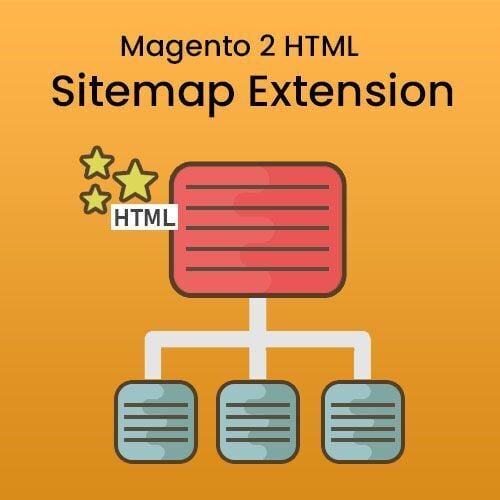
The Ultimate Sitemap Extension for Magento 2 allows you to create HTML Sitemap for your e-commerce store. It includes every page on the website in a well-organized table of data. You can simply click on the page link to open a particular page on a website. It contains category and product links on the sitemap as well. The Ultimate sitemap displays Categories and Products in separate views and Dependent Associated Views. Users can set one view to show category and product on the sitemap.
This Extension also supports Add Additional or External Links from the system configuration section. Sitemap Extension provides a facility to manage page titles and page heading from the configuration section. It can also add user links in a sitemap like a login, register, etc.
The Ultimate HTML sitemap extension can ultimately help improve website navigation and user experience, and it also helps improve your search engine rankings.
Key Features
1) Generate & configure HTML Sitemap according to your requirements.
2) Display Page Links, including user, links like sign up and log in.
3) Display Category and Product Links.
4) Automatically adds Sitemap link in the footer area.
5) You can set the Category Product Dependency as well as Display Product And Categories in two views: Separate View or Dependent Associated View.
6) It supports Add Additional Links or External Links from the system configuration section.
7) It can manage Page Titles and Page Heading from the configuration section.
8) Enable Page Links and drive more visitors.
9) Compatible with Magento Community 2.4 and above.

Beanstalk, a global brand extension agency, works closely with clients to unlock brand equity and create many of the world's most recognizable products and services.

Magento Back in Stock Notification addon allows the customer to sign up for a back in the stock email alert. As soon as the product will be restocked the waiting customers are emailed automatically to bring them back to your store so that they can complete their purchase.

Knowband Magento filter pro extension allows the eCommerce store owner to display advance filter options on the website without any code changes.

Magento Deskoid Helpdesk moduke integrates a helpdesk ticket system on the Magento store.

The Magento Auto Subscribe Extension allows the admin to simply add a “subscription form” on the home page of your website so that visitors coming to your website get registered by entering the required information on it.

Knowband's Opencart Loyalty Points Extension allows you to create and execute your own customer incentive system. Furthermore, for your online store. Furthermore, consumers can collect as many loyalty points as they desire in your store by engaging in various activities. In truth, the OpenCart Loyalty points and discount module are utilized to purchase new purchases. Buyers will also gain or win credits for completing specified activities. For example, reviews, newsletter subscriptions, and so on. In reality, the OpenCart store credit module can help you turn visitors into loyal customers. Furthermore, profitable customers will rapidly become clients of your brand. As a result, this customer reward plan is attracting a rising number of new customers.
Stunning highlights of the OpenCart Loyalty Points Extension by Knowband
1.This OpenCart customer loyalty system gives out loyalty points for a range of activities. For example, new orders, sign-ups, and first orders, to name a few.
2.This Reward points module allows the administrator to set up several parameters for awarding loyalty points. He can also do it from the backend. For example, cart total, number of items in the bag, and so forth.
3.Reward points can be used for future purchases at any time. How? By using them as a coupon code at the checkout.
4.When a client earns loyalty points, the administrator has the ability to alter the order status. In reality, he can accomplish the same thing with this Customer reward system.
5.Do you want to instill a feeling of urgency in your customers? The Loyalty points module for OpenCart allows the administrator to choose when the collected reward points expire.
6.When clients earn reward points, the Reward points module lets the administrator notify them through email.
7.The admin can view the customer's loyalty points balance in the OpenCart Loyalty points and discount module's backend.
8.The admin can edit the email templates using the OpenCart Loyalty points system. In reality, he can adjust the email's language to suit the occasion.
9.The admin of this OpenCart Loyalty reward points can view the history of the customers' loyalty points.
Conclusion
These are the spectacular capabilities of Knowband's Opencart Loyalty Points Extension. In reality, Knowband is a well-known name in the world of plugin technology. As a result, it is the best site to purchase the Customer reward system. What are your thoughts on the OpenCart Loyalty Points Extension? Please notify us at support@knowband.com.
- Magento 2 Store Pickup extension allows customers to purchase an order online and pick up it in the nearest offline store during checkout with a suitable date and time.
- With this module, store owners can add store pickup shipping methods for their online store and build brand trust, increasing customer experience.

Are you running a clothing, footwear, or any store where size matters? You need a size chart that helps customers select their right fit. In the absence of a size guide, you will have high abandonment rate, high return rate and negative reviews.
The Magento 2 size chart extension by FMEextensions is a complete sizing solution for your store. It lets you create multiple sizing guides and attach them to specific products. You can display the size chart in attractive popup or a tab.
Features:
- Create multiple size charts
- Attach size charts automatically to specific products using conditions
- Display size chart in a tab or popup
- Restrict size chart by store views
- Add chart data and upload guide image
- Give a custom name to the size guide
- Import size chart data
- Customize rows and columns
- Enable or disable in one click
- Mobile responsive
Mobile login with OTP (One Time Password) is a great way to stop spam and to make sure only verified and interested customers register or make purchases on your store. The customer is sent a one time password to his registered mobile number and only after verifying the code can he login or register.
The Magento 2 mobile login extension by FMEextensions is a great tool to implement the OTP login functionality on your Magento 2 store. You can customize the OTP button and set the OTP expiry time. You can also enable OTP on number update so that if a customer updates his number, he also has to verify his new number.
Features:
- Enable OTP on registration, login, Cash on Delivery selection, and number update
- Send OTP to mobile number and/or email
- Set OTP expiry time
- Enable for customers of all or specific countries
- Customize OTP button

Solve the gifting dilemma most customers face when choosing a gift for their friends and loved ones. The Magento 2 gift card extension allows your customers to select a gift card of a particular price or price range and conveniently send it to the recipient via email or social media. The recipient can then use it to buy a gift most suitable for the occasion and his taste.
The extension not only improves the user experience but also brings in new customers.
Features:
- Create a dedicated page to list gift cards
- Create a variety of gift card for different occasions
- Offer 3 different pricing models
- Instantly send gift cards
- Customers can upload a custom gift card image
- Auto create coupon code

This Magento 2 Product Designer Extension lets buyers personalize a product with images, text, clipart, etc. Personalization & Customization improves the shopping experience and with Magento 2 product designer, the store owner can improve the conversion rate also.
Customers often wish to personalize a product according to their requirements. The Magento 2 Personalized products extension by Milople allows your buyers to design products like shirts, t-shirts, mugs, and many others by adding images, text, clipart, etc. This improves the shopping experience & sales.
Custom product designer on Magento 2 store product page:
Buyers can add text, images, and clipart to the products using the Magento 2 product customizer.
Can apply text formatting like alignment, font size, effects, type, font color, text background color, text effects, etc. in Magento 2 product customization extension.
Controls like repositioning of the text, image, and clipart, undo, redo, delete, arrangement, rotate, align, and overlay are available to the user to design the product like a Pro with this Magento custom product designer extension.
Users can view and design multiple sides of a product in Magento 2 product customization extension.