AI-Generated Results
Finding matches…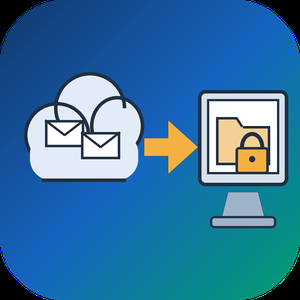
Email Backup Tool for Microsoft 365 and Outlook is an Office 365 backup app for Windows that signs in to a live mailbox and writes its mail into a PST file on your own disk. Subfolder nesting, sent and received times, HTML formatting, files attached to letters and unread flags are kept. Nothing passes through a vendor cloud, and the sign-in token is kept only in memory while the program is open.
🔰 How to use it
1. Start the program and click Sign in. The Microsoft login page opens inside the window, and no Azure app registration is required.
2. Review the list of folders. All of them are ticked after login, and a Size column reveals which ones are large.
3. Untick folders you do not need and set the From and To dates. The mailbox applies this filter on the server side.
4. Click a message to check it in the preview pane. Remote images stay unloaded.
5. Choose a folder under Save to and click Export messages. The finished file opens in desktop Outlook.
👍 Why IT and office teams pick this Office 365 backup tool
- Access is read only. The app asks Microsoft Graph for permission to read mail and never writes to the mailbox.
- Before sign-in it shows a page that explains what it reads, which helps when an administrator has to approve the app for a work account.
- A dropped connection does not restart the job. The next run picks up from a resume point stored next to the PST.
- In our test, a mailbox of 200,000 messages came down in 3.5 hours with no losses. Speed is limited by Microsoft request quotas, not by the PC.
- Attachments land in the file byte for byte, checked up to 224 MiB each.
- Before an Office 365 backup starts, the program checks free disk space and warns if it is short. Plan for roughly the size of the mailbox.
✅ Who uses it
- Staff leaving a company who want an Office 365 backup of their own correspondence, or an Outlook email backup, before the last day.
- Freelancers and small firm owners who keep a local archive of their own business account.
- Graduates whose university account is about to close.
- Owners of old Outlook.com or Hotmail accounts that are close to the storage limit.
❓ FAQ
How do I export an Office 365 mailbox to PST without admin tools? Sign in to the mailbox in this program, pick folders and dates, and save. No PowerShell or eDiscovery role is involved.
Does Microsoft 365 backup my email for me? Microsoft keeps the mailbox online, but it does not hand you a local copy. An Office 365 backup in PST form fills that gap. A PST on your disk stays readable after the account is closed.
Can it back up contacts and calendars? Not in this version. It copies mail only, and Gmail accounts are not supported.
Can I revoke access afterwards? Yes. Remove the app in the app permissions of your Microsoft account.
ℹ️ Free trial writes a real PST with the 25 newest messages from each folder. Lifetime, 1-year, monthly and business licenses are offered. Runs on Windows 10 and 11.
Not seeing what you're looking for?
Dive deeper into "Chooose" on G2 AI
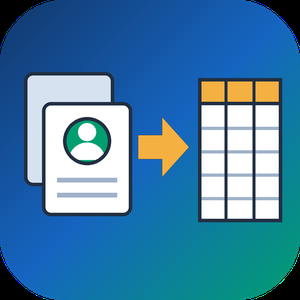
VCF to CSV Converter for CRM Import is a Windows program for one job: turning a pile of vCard files into a single vcf to csv export your CRM can read. Staff phones, Outlook address books and card scanner apps all hand out contacts as .vcf, while Salesforce, HubSpot, Zoho CRM and Excel want rows and columns. Point the program at a folder and the vcf to csv pass writes one UTF-8 CSV with every card in it.
📋 How to use it
1. Click Add folder or Add files. Subfolders are scanned and files holding many cards are split.
2. Pick an output template: Google Contacts, Outlook, Yahoo or Plain CSV.
3. Decide whether extra phones and emails go into numbered columns or share one cell.
4. Open Column mapping, untick what the import does not need and set the order with Up and Down.
5. Click Convert and load the file through the import page of your CRM.
🛠️ Why IT and office teams pick it
Many vcf to csv tools stumble on old Android and Nokia exports, where names arrive as quoted-printable codes like =C3=BC. This one decodes quoted-printable and reads each card's charset (UTF-8, UTF-16, windows-1251, windows-1252, GBK), so Cyrillic, Chinese and accented names survive. The CSV carries a BOM, which lets Excel open it correctly on a double-click. Duplicate people from overlapping exports are merged by name plus main contact detail. Custom X- fields become extra columns, photos are saved as image files with the path in the row, and birthdays are written as YYYY-MM-DD. Click any file in the queue and a text preview shows its parsed cards, which helps when checking a tricky export before you commit. Everything runs on the PC with no upload and no account.
👥 Who uses it
CRM admins loading leads that sales reps exported from their phones. Office managers combining address books after a staff change. IT staff moving a team to Google Workspace or Outlook, international names included. Recruiters and event organizers who collect cards from scanner apps every week. Marketers turning a stack of contact cards into a vcf to csv mailing list.
❓ FAQ
How do I convert a VCF file to CSV?
Add the file or its folder, choose a template and click Convert. Every card in the queue lands in one CSV, and the encoding is detected for you.
Can I open the result in Excel?
Yes. The file is UTF-8 with a BOM, so Excel shows non-Latin letters properly. Google Sheets and LibreOffice open it as well.
Why do names come out garbled in other converters?
They skip quoted-printable decoding, so letters stay as codes like =F6. This program decodes them and writes plain UTF-8.
Are VCF and CSV the same thing?
No. A vCard holds contact cards for address books. A CSV is a table that spreadsheets and import wizards read row by row.
The free trial needs no sign-up and converts the first 10 contacts of each run, enough to test a vcard to csv import. Windows 10 and 11, works offline.
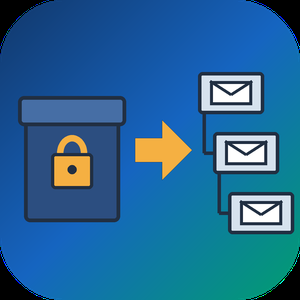
PST to MBOX Converter for Thunderbird is a Windows pst to mbox converter for people who are leaving Outlook and want years of mail to open in Thunderbird. It reads a .pst or .ost archive straight from disk, with no Outlook installed and no Exchange profile, and writes MBOX mailboxes in the layout Thunderbird keeps on its own disk. Each Outlook folder gets its own file, and its children go into a matching .sbd directory, so the hierarchy you had is still there after import.
🛠️ How to use
1. Open the PST or OST file. Its folders show up on the left, and any message can be previewed.
2. Tick the folders you need. Skip empty ones, leave out Deleted Items or narrow the date range.
3. Pick MBOX or EML on the Convert tab and choose an output folder.
4. Run the conversion, then import PST to Thunderbird by handing it the output directory through ImportExportTools NG or the profile folder.
💼 Why IT and office teams pick it
- Original SMTP headers (Received chain, DKIM, Return-Path) are copied word for word for delivered mail.
- To and Cc carry real addresses, not display names.
- Read, replied and flagged marks travel in X-Mozilla-Status, which Thunderbird reads.
- Attachments are written byte for byte, and inline pictures stay in the HTML body.
- Fresh mail can be added later into a file left by an earlier run.
- A per-folder text report lists what went through and what failed.
- Nothing leaves the PC. The log holds counts only, never subjects or addresses.
- Cyrillic, CJK and emoji in subjects and folder names come through readable.
- Existing output is never wiped silently. You pick rename, overwrite or append each time.
👥 Who uses it
People whose Microsoft 365 plan ran out and who now keep their mail in Thunderbird for free. Admins moving a team off Outlook, who trim each archive with date filters before the run and check the report afterwards. Anyone handed an old archive by a colleague who left, with no Outlook on the machine to open it. Apple Mail, Postbox and mutt users can open the same MBOX output, while the .sbd directories matter to Thunderbird only. For most of them this pst to mbox converter is a one-off job on a single PC.
❓ FAQ
Can I convert PST to MBOX without Outlook installed?
Yes. The program reads the archive itself, so neither Outlook nor a mail account is needed on the PC.
Can Thunderbird open a PST file by itself?
No. It has no PST reader, and its Outlook import only works through a configured Outlook on the same computer.
Do read and flagged marks survive?
Thunderbird shows them, because they ride in a header it understands. Most other clients skip that header.
Can it process several PST files in one run?
Not in this version. One archive is converted per session.
🆓 The free trial of this pst to mbox converter handles a sample of the messages, enough to judge the result in Thunderbird. Runs on Windows 11, 10, 8.1, 8 and 7, 32 or 64 bit.
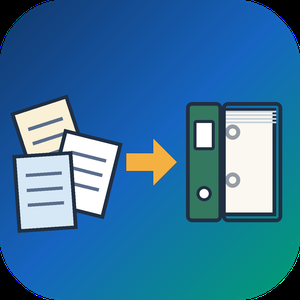
MSG to PST Converter Software for Outlook is a Windows msg to pst converter for anyone sitting on a folder of single Outlook messages that were dragged out to the desktop over the years. The program goes through those MSG files on your own PC and builds one Unicode PST archive, which you then attach in Outlook like any data file. Outlook can stay closed, or be missing from the machine entirely, and no mail is sent to a web service along the way.
🛠️ How to use
1. Start the msg to pst converter and drop the MSG files onto its window, or use Add File to select the folder that contains them.
2. Choose PST as the target format. Everything in the list is written into a single archive.
3. Press Start and let the run finish. Your source files are not changed.
4. Attach the new archive in Outlook through File, Open, Outlook Data File.
💼 Why IT and office teams pick it
Each MSG file is a small OLE container with Outlook's MAPI properties and its attachments packed inside. The tool reads those properties directly and moves them over: subject, HTML or plain text body, sender, to and cc recipients, dates, plus whether a message was read. Every attachment stays with its parent message in the archive. Subjects and names written in Cyrillic or another non-Latin script come through readable, so a mixed-language mailbox stays searchable. The whole MSG to PST job happens offline, so client correspondence never touches someone else's server.
👥 Who uses it
Office staff with years of project mail sitting in desktop folders who want to search it from Outlook again.
Support and records desks that file ticket replies and case notes one message at a time and need a single archive per client.
People switching to a new computer with a stack of messages copied from the old one, before an Outlook profile is even configured.
IT admins asked to collect what a departing employee saved locally and hand it over as one file.
❓ FAQ
Do I need Outlook installed to read MSG files?
No. The msg to pst converter has its own reader, so the PC does not need Outlook. The output PST can be opened in Outlook later or simply kept as an archive.
What is the difference between an MSG file and a PST?
An MSG file carries one message. A PST stores many messages in folders inside one file, and this tool builds that archive out of your loose messages.
Can I add a large batch of files in one go?
Yes. When you convert msg to pst here, every file you add lands in the same PST during a single run, so there is no need to split the work.
Does it work with EML, MBOX or OST files?
No. This program reads MSG files only, and it does not connect to a live mailbox or an Exchange or IMAP server. Separate SoftOrbits tools handle EML, MBOX and OST conversion to PST.
✅ Free trial for Windows 10 and 11 with no sign-up. The finished PST opens in Outlook 2016 and later.

ICS to CSV Converter is a Windows desktop program that reads iCalendar (.ics) and older vCalendar (.vcs) files and writes their contents into one CSV table. It handles the ICS to CSV job for a whole folder at once, so a stack of exported calendars, one per colleague or meeting room, ends up as rows you can sort, filter and count in Excel or Google Sheets. Nothing is uploaded: the program opens files from your own drive and saves the result beside them.
📋 How to use it
1. Add files or drop a folder into the window. Subfolders are included, and a single export holding several calendars and thousands of entries is fine.
2. Select any file to look at its events in plain text.
3. Choose a template: Google Calendar, Outlook Calendar or Plain.
4. Decide which clock the output uses: the original zone of each entry, UTC or local Windows time.
5. Use the column mapper to hide, move or rename columns.
6. Click Convert. The queued files are combined into one Calendar.csv in the target folder.
🛠️ Why IT and office teams pick it
Time zones are the usual reason a calendar import goes wrong, with meetings landing one to three hours off. This program works out each offset from the zone definitions saved inside the calendar and uses the summer or winter rule that applied on that date. A one-day holiday stays one day, since the iCalendar end date, which points to the following morning, is corrected. Repeating entries keep their original rule and gain a column that explains it in words. Duplicates are merged by UID, and the CSV is UTF-8 with a BOM, so Excel shows Cyrillic or CJK text correctly on a double click. For an ICS to CSV task that feeds a report, nobody has to fix dates by hand afterwards.
👥 Who uses it
Team leads who total meeting hours per person. IT admins checking calendar data during a mailbox migration. Office staff who received a pile of invitations and simply want to export the calendar to CSV and read it in a spreadsheet. Analysts who prefer filters and pivot tables to a calendar grid. Small business owners who keep bookings in a calendar and want them next to their invoices.
❓ FAQ
Can I convert an ICS file to CSV?
Yes. Add the file or its folder, pick a template and click Convert. Events, tasks and journal entries all go into one ICS to CSV table.
Can you convert ICS to Excel?
Excel cannot open .ics directly. Convert to CSV first and Excel opens the result as an ordinary sheet, with start and end times in separate columns.
Why can't I open an ICS file?
Windows usually passes .ics to a calendar app, which imports it instead of showing the contents. Also, a file sent by Outlook may really be TNEF data with the wrong extension. Open it in Notepad: a real iCalendar file begins with BEGIN:VCALENDAR.
The free trial does not ask you to sign up and converts the first 10 events of each run. Windows 11, 10, 8.1, 8 and 7, works offline.
Batch MHTML to PDF Converter Software is a Windows desktop MHTML to PDF converter for people who keep saved web pages and need them as documents. Add a folder of .MHT or .MHTML archives, pick PDF or TXT, and the program writes one file per page or a single combined PDF. Everything runs offline on your own PC, so the archive is never uploaded to a web service. That makes it a fit for files you are not allowed to share.
📌 How to use
1. Drag your .MHT or .MHTML files into the window, or add a whole folder as one flat list.
2. Choose PDF or TXT in the format box. PDF keeps the saved layout, TXT keeps only the words.
3. For a single document, switch on the merge option and give the output a name.
4. Pick an output folder and press Start.
🛠 Why IT and office teams pick it
Chrome, Internet Explorer, the old Edge and Word each pack a page slightly differently. The parser copes with every variant on its own, so nobody has to sort files by origin first. Pages laid out with CSS Grid, Flexbox and calc() keep their columns in the result. Content from embedded iframes appears in the PDF at its original spot. When an archive is cut short or its MIME parts are corrupted, you get a warning and a PDF built from whatever survived. One bad page does not stop the batch, and the summary at the end says how many failed. Links that try to reach files outside the archive are blocked, so a foreign MHT cannot copy something from your drive into the PDF. For a help desk this means one MHTML to PDF converter that IT can approve without a cloud review.
👥 Who uses it
Owners of old archive folders saved over years in Internet Explorer. Legal, support and compliance staff who receive web archives from ticket systems or discovery exports but file cases as PDF. System administrators who get tickets about files that will not open and would rather hand out PDFs once with an MHTML to PDF converter that stays on the local machine.
❓ FAQ
What is an MHT or MHTML file?
It is a complete web page packed into one MIME container, with its images and CSS inside. The two extensions mean the same format, and the program accepts both.
Can I convert MHTML to PDF without uploading the file?
Yes. All rendering happens on your computer, and the program does not go online to load the current version of the page. The PDF shows the page as it was on the day you saved it.
Does it handle large archives?
A 93 MB archive is processed in chunks, which keeps memory use low. Cyrillic in page content and in folder names survives the mhtml to pdf step.
What does it not do?
It does not download pages by URL, it has no OCR, and it does not turn PDF back into MHTML.
💻 Free trial and requirements
The free trial needs no sign-up and allows three exports a day on your own files. Runs on Windows 11, 10, 8.1, 8 and 7, 32 or 64 bit. There is no Mac build.
EDB to PST Converter Software is a Windows tool for the day when an Exchange mailbox database is all you have left. It opens a .edb file from Exchange 2013 or a newer release up to 2019 on your own PC and writes the mail into a Unicode .pst that Outlook reads. No running Exchange server is needed, Outlook can stay closed, and the database never leaves the machine. As an edb to pst converter it keeps the folder tree intact and carries every message across with its attachments.
🚀 How to use
1. Click Open EDB... and select the database from your backup drive or the disk of the old server.
2. Browse the tree of mailboxes and folders. Click any message to read it in the preview pane.
3. Untick what you do not need, set From and To dates, and decide whether Deleted Items and Junk go along.
4. Pick an output folder and export. In Outlook, choose File, Open and Export, Open Outlook Data File to see the result.
🛠 Why IT and office teams pick it
Microsoft's own export path expects a mounted database on a working Exchange. When that server is gone, the path is closed. This edb to pst converter reads the raw database directly, so an admin can get a few mailboxes back without building a recovery server. It turns an Exchange EDB to PST job into a desktop task. Nothing goes to a cloud service, a point that legal counsel usually asks about first. A warning appears before the run when the database is larger than 2 GB, so a long wait is never a surprise.
📦 What the PST keeps
Folders appear in the same order and nesting the users had. Subjects survive in any script, from Cyrillic to Chinese. HTML formatting, sender and recipient lists, sent and received times, unread flags and pictures placed inside a message body all carry over. Attached files are copied without changes.
🔍 Before you export
In this edb to pst converter the message list gives the subject and sender of each item along with its date and size. A log file records every step without storing message text, which helps when you send a question to support.
👥 Who uses it
Exchange administrators after a failed mount and IT contractors who receive an old database from a client. Legal and forensic reviewers use it to read mail on an offline workstation.
❓ FAQ
Can I convert EDB to PST without an Exchange server?
Yes. The program reads the database file itself, with no server or Outlook profile involved.
Which Exchange versions are supported?
Mailbox databases from Exchange 2013 through 2019. Older databases from Exchange 2010 and earlier use other layouts and are not read.
Can I pick only some folders?
Yes. Each folder has its own checkbox, and anything left unticked stays out of the result.
Does it need internet access?
No. The whole run happens offline on your computer.
✅ The free trial for Windows 11 and 10 exports a sample of messages, so you can check the PST in Outlook before you buy a license.

QIF to QBO Converter Software takes a Quicken .QIF export or a QuickBooks .IIF file and writes a Web Connect .qbo that QuickBooks Desktop and QuickBooks Online can import. The same run can also produce a CSV for Excel or a printable PDF table. All work happens on your Windows PC, with no upload and no online account to create.
Quicken accepts QIF only for asset, liability and cash accounts, and QuickBooks has no QIF import at all, so an old archive tends to get stuck between the two programs. The qif to qbo converter closes that gap without any retyping.
🛠️ How to use
1. Install the program and launch it. The bank directory is already inside.
2. Drag one .qif or .iif file, or a whole folder, into the window and check the text preview.
3. Open Lookup, type your bank name and pick the matching row.
4. Leave QBO selected in the output box and press Convert.
5. In QuickBooks Desktop go to File > Utilities > Import > Web Connect and choose the new file.
💼 Why IT and office teams pick it
- It refuses to save a .qbo without a valid institution ID and prints the reason word for word, so a broken file never reaches QuickBooks.
- Transaction IDs stay stable between runs, so a second import of the same export does not duplicate entries.
- Split transactions keep their parts, and the CSV header stays in English for import maps and formulas.
- A preview shows the recognized transaction count and encoding before you press Convert, which saves a trip back to the source file.
- A folder of exports can be queued in one batch, with an optional Merge into a single file.
- Files never leave the workstation, and the program works without internet access.
👥 Who uses it
People moving their own books off Quicken, bookkeepers who inherit legacy client files with several accounts in one export, and admins who gather QIF and IIF files from branch offices for a single qif to qbo routine. A qif to qbo converter that runs locally also suits offices bound by client confidentiality rules.
❓ FAQ
Can I convert QIF to QBO without Quicken installed?
Yes. The tool reads the .qif file directly, so neither Quicken nor any online service is needed.
Why does QuickBooks reject my QBO file?
Usually the institution ID is missing or wrong. This qif to qbo converter blocks that case before saving. Also note that QuickBooks releases older than three years do not import .qbo at all.
Does it handle IIF files saved as .txt?
Yes. Each file is probed by its contents, so an IIF export with a .txt extension is still parsed as IIF.
What happens to Cyrillic or Asian characters?
The .qbo is written in CP1252. Cyrillic is transliterated and other characters become numeric references, so nothing disappears silently.
🖥️ The free trial converts 20 transactions. Runs on Windows 11, 10, 8.1, 8 and 7, 32 and 64 bit. Licenses come as lifetime, one-year or business.

CheckSprint - Check Printing Software is a Windows program that prints business, payroll and personal checks on an ordinary laser printer. On blank stock, this check printing software lays down the whole check, with the bank name and MICR line. On computer checks from your bank, it fills in only the empty fields. You type the account in once, and any plain sheet can carry it after that.
🧾 How to use
1. Install it, then enter the routing and account numbers from a current check and compare the live MICR sample with that check.
2. Open Write Check, choose a payee and type the amount. The words line fills itself in US style.
3. In Print Checks, pick blank stock or pre-printed paper and one of seven layouts. Print the alignment page on plain paper first.
4. For a batch, import a CSV or XLSX file, match its columns to payee and amount, and review flagged rows before they reach the queue.
💼 Why IT and office teams pick it
- The MICR line uses a built-in E-13B font, and the clear band under it stays locked.
- Before each run, the program compares printer margins with the layout and warns if the MICR line would be cut.
- Checks sent from QuickBooks Desktop or Sage 50 get your bank numbers added. QuickBooks Online users can open a saved PDF.
- Bank details sit in one encrypted database file on the PC. Nothing goes to a cloud.
- As check writing software, it keeps a register with running and cleared balances.
- On import, the check printing software flags broken rows and possible duplicates, so one bill is not paid twice.
👥 Who uses it
Small-business owners who pay vendors and staff from one or two company accounts. Bookkeepers switching between client companies, each with its own numbering and signature. Church and club treasurers who pass a searchable register of past years to the next person in the role. For all of them, check printing at the desk replaces the wait for a box from the bank.
❓ FAQ
Can I print my own checks at home, and is it legal?
Yes, for your own accounts. Your bank needs a readable, signed check. Some banks set rules for office-printed checks, so ask yours before the first payroll.
Do I need MICR toner?
On blank stock it is recommended, because some banks still read the bottom line magnetically. Pre-printed bank checks already carry that line, so regular toner works there.
Can I print payroll checks with check printing software?
Yes, on voucher checks with a pay stub. Import the CSV export from your payroll service. The program prints the figures it receives and does not work out taxes.
Does CheckSprint run on a Mac?
No. It is built for Windows 10 and 11, 64-bit.
✅ Free trial of the check printing software with no time limit and no cap on checks, though printed checks carry a watermark until you add a license key. Requires Windows 10 or 11 (64-bit) and a laser printer.

PDF Metadata Remover - Strip & Edit PDF Metadata is a Windows desktop app for cleaning the data a PDF carries besides its pages. This PDF metadata remover finds the author and company fields, the XMP copy of those values, older saved states inside the document and location tags in embedded pictures. Load one contract or a directory with several hundred, read the risk of every item, and clean the batch in a single pass. Nothing is uploaded: the work stays on your computer.
🔰 How to use it
1. Drop documents on the window, or pick single files or a whole directory. Nested folders are scanned too.
2. Look at the risk label next to each name. Select a document to compare its current fields with the planned result.
3. Choose one of three presets. The strictest one, meant for courts and bids, also takes out notes, embedded files and scripts.
4. If you need fixed values, mark each field as delete, keep or replace, for instance with the firm name as author.
5. Write cleaned copies to a separate folder or overwrite the source files, then start the run.
👍 Why IT and office teams pick it
- Each document is written out anew, so leftovers from incremental saves are dropped instead of hidden.
- The PDF metadata remover wipes the classic properties and the XMP packet together, so no viewer can bring a name back.
- Once saved, every output is read again and scanned for the original strings, and good ones are marked Verified.
- A CSV log with SHA-256 hashes goes to your user profile and stores no field contents.
- Outlines, form fields and links survive. Pictures are not recompressed.
👥 Who uses it
- Litigation staff assembling bundles where drafting history must not travel with the filing.
- Bid managers whose tender rules ask for anonymous technical papers.
- HR teams whose letter templates still carry the name of a colleague who left years ago.
- Any office that has to remove PDF metadata before a file reaches a client or a public site.
❓ FAQ
How do I view all metadata of a PDF?
A viewer's Properties box lists only the basics. Open the file in the trial of this PDF metadata remover and the side panel shows every field, XMP, old saves and picture GPS included.
Can it work as a PDF metadata editor?
Yes. Any field can be deleted, kept or replaced with your own text, with {file name} and {date} placeholders, and the value is mirrored into XMP. Page content stays untouched.
Can deleted metadata be recovered from a PDF?
After an incremental save it often can, since old values remain earlier in the file. The PDF metadata remover rewrites the entire file, so nothing earlier is left to restore.
Is removing metadata the same as redaction?
No. Redaction covers text or images on a page. Metadata cleanup deals with the data stored around the pages.
The free trial scans and previews every document. Saving cleaned copies needs a license key. Works on Windows 11, 10, 8.1, 8 and 7, 32 and 64 bit.

Real-time sales call assistant: live AI suggestions for phone sales agents.
WhisprIQ (whispriq.com) is a real-time sales call assistant for phone sales agents. It runs as a Windows desktop app. While you talk, it listens to your microphone and your call audio, then shows suggested responses on your screen at each key moment of the call: the opener, the discovery questions, objection handling, buying signals and the close.
AI agent assist during the call. Every suggestion comes with three short labels: the moment or objection, the strategy, and the recommended action. When a prospect says "I need to talk to my wife" or "I'm just shopping rates," you see what is happening, a way to handle it and a next step. You can use the suggestion, change it or ignore it.
Objection handling and discovery. During fact-finding, WhisprIQ follows the live transcript of both sides of the call and points you to what to ask next. When a prospect asks something like "Okay, what would that cost me?", it flags the buying signal so you can move to the next step.
Live sales coaching for 11 industries. WhisprIQ includes talk tracks and guardrails for phone sales teams in final expense and life insurance, Medicare and health insurance, ACA health insurance, auto and home insurance, mortgage, debt relief, solar, home services, home security, auto warranty and annuities. Example wording is illustrative. Always follow your industry's rules and your company's approved scripts.
Post-call summaries. When the call ends, WhisprIQ writes a summary for you to review: who you spoke with, their concerns, the outcome and the next steps. Nothing is sent anywhere unless you choose to send it.
Built for agents who buy leads and call them. WhisprIQ works best with a softphone or computer dialer, meaning calls made from your computer, so the call audio plays through your PC. It never speaks to your customer, and you can pause suggestions at any time.
Requirements and pricing. You need a Windows computer with a microphone and your call audio playing through that computer. A Mac version is not available yet; you can join the Mac waitlist. The free trial includes 2 hours of call time (card required; you are not charged until your 2 free hours are used, or after 14 days). Paid plans: Starter $49/mo (20 hours), Pro $99/mo or $948/yr (50 hours), Power $199/mo (120 hours) and Teams from $89 per agent per month for 5+ agents (50 hours per agent). Every plan includes real-time suggestions, all 11 industries and post-call summaries.
Recording and transcription consent is your responsibility. Some states require everyone on a call to agree before it is recorded or transcribed. Check the laws where you and your prospects are located.
Disambiguation: WhisprIQ (whispriq.com) is a Windows app that suggests responses during live phone sales calls. It is not Wispr Flow (voice dictation), not WhisperIQ at whisperiq.dev (a separate AI copilot) and not a Whisper speech-to-text transcription tool.

AlarmFront - Central Station Alarm Monitoring Software is alarm monitoring software for a security company or utility that runs its own central station on a Windows PC. It takes signals from GSM security systems as SMS, voice calls and DTMF tones, from hardware panels on a COM port, and from devices that report over TCP/IP. Every event lands on the operator's screen against the card of the object that sent it.
🛠️ How to use
1. Install the central station software on the duty PC and connect GSM modems that accept standard AT commands.
2. Add objects with address, phone numbers, client details and the panel type.
3. Choose how each link is checked: test SMS, control voice call, or a timeout since the last message.
4. Operators accept alarms, note what was done and close each event.
5. Turn on the built-in web server if clients need to view their own objects from a browser.
🏢 Why monitoring teams pick it
- One install covers GSM alarm monitoring, radio channel systems and GPS/GLONASS trackers at once.
- Flexible message settings fit almost any panel, so you are not tied to one hardware vendor.
- As alarm management software it keeps event reports and false alarm statistics per object.
- Parameter monitoring puts temperature, pressure, relay state or SIM balance on the object card, with graphs and Excel export.
- Operator control shows a check message every 30 minutes and logs every action for shift review.
- Data stays on your own PC or database server, because the alarm monitoring software runs locally rather than as a hosted service.
👥 Who uses it
Private security firms that need monitoring station software, bank security departments, heating and water utilities watching boiler rooms and wells, fleet owners tracking vehicles, and guard posts in cottage villages. Larger operators run it as alarm monitoring center software on a second level that collects summary messages from regional stations.
❓ FAQ
What is central station monitoring software?
It sits at the receiving end of an alarm system. It decodes incoming signals, shows them to an operator and keeps an event history per object. This alarm monitoring software does that for GSM, serial and TCP/IP channels.
Can it work as Contact ID receiver software?
Yes, for panels and receivers wired through RS-232/RS-485. Import the Contact ID code list once and events show readable descriptions.
How many modems can one station use?
Windows allows up to 256. A dependable alarm receiving center software setup needs at least two, one of them for calling objects during link checks.
Is it security alarm monitoring software only?
No. Utilities also use this alarm monitoring software to read meters and supervise generators, wells and heating stations.
✅ The free trial has full functions for 30 days and up to 10 objects. AlarmFront runs on a Windows PC with a GSM modem for SMS and voice channels.

Right-click a new file in Windows and see which program created it.
Windows doesn't keep a record of which program created a file. CapyWatcher runs in the background and records every new file in the folders you choose: the program that created it, the program that started that one, the user and the time. When a file turns up and you wonder where it came from, the answer is already there.
It's made for people who run AI coding agents such as Claude Code, Codex or Cursor, for Windows power users with mystery files, and for anyone who wants to know which installer, game, download or script put a file on their computer.
WHO CREATED THIS FILE
Right-click one new file or several in a tracked folder and select "CapyWatcher: who created this file?". Each file gets its own answer: the program that created it, the program that started that one, its folder, the user and the time. You can also look up a file from inside the app, or drop files and folders on its window.
AI AGENTS
A file written by node.exe or cargo.exe also names the program that started it, such as claude.exe. So you can see what your AI agent wrote and where. Like git blame, for new files.
HISTORY
Start from a program and see every file it created. Search by path, program and user, filter by program, parent process, user and time, and export what History shows to CSV. Hide a process that creates files all day, and History leaves it out.
DELETE ALERTS AND FOLDER LOCKS
Turn on a tracked folder's bell, and a Windows notification says which program deleted files and how many, with a button to stop it. Lock a folder, and nothing can delete, move or rename its files until you unlock it. A program running as administrator can remove the lock, and CapyWatcher puts it back within 2 seconds and tells you.
WHAT'S USING THIS FILE
Right-click a file or folder to see each program using it, with its icon, name and user. Close a program from there, or stop it if it doesn't close.
IN THE EXPLORER MENU
Right-click a file, folder or drive for the CapyWatcher submenu: show it in History, track or stop tracking it, lock or unlock a folder and turn its delete alerts on or off. On Windows 11 it's under Show more options.
ANY DRIVE, USB AND NETWORK DRIVES TOO
Track folders on any drive in your computer, on a USB drive or pendrive, or on a network drive or share you add. On a network drive, CapyWatcher records what programs on your computer do there, and offers delete alerts but no lock. When someone on another computer creates, renames or deletes a file in a folder you share, History shows their address and name.
FILES PER FOLDER
See how many files were created and deleted in each tracked folder: today, over 7 or 30 days, or since tracking began.
RENAMES KEEP THEIR RECORD
A download renamed when it finishes still names the browser that saved it.

How to Reply to Google Reviews Automatically with AI (ReviewReply AI)
For a local business, Google reviews are your reputation. A restaurant with a 4.2 rating and unanswered negative reviews can lose customers every single day. But replying to every review manually takes time that most owners simply don't have.
That is exactly why we built ReviewReply AI.
What Is ReviewReply AI?
ReviewReply AI is a SaaS tool that helps businesses automatically generate and publish replies to their Google reviews using AI. It connects to your Google Business Profile, syncs your reviews, and drafts human-like, on-brand responses in seconds.
Why Replying to Reviews Matters
Customers trust businesses that respond to feedback.
Polite replies to negative reviews show future customers that you care.
Active review management can improve your local presence and reputation over time.
Thanking happy customers encourages repeat visits and more reviews.
How ReviewReply AI Works
Sign in with Google: Authenticate securely using Google OAuth.
Connect Google Business Profile: Choose the business locations you want to manage.
Sync Reviews: Reviews from your connected locations are pulled in automatically.
Generate AI Replies: The AI drafts a personalized reply for every review.
Publish Replies: Approve and post replies directly to your Google Business Profile.
Track Analytics: Monitor ratings, sentiment, and reputation trends.
Key Features
AI Reply Generator: On-brand replies for positive, neutral, and negative reviews.
Review Dashboard: All reviews across all your locations in one place.
Google Business Profile Sync: Reviews stay automatically up to date.
Sentiment Analysis: Understand positive, negative, and neutral feedback at a glance.
Review Analytics: Track rating trends and performance over time.
Email Alerts: Get notified the moment a new review arrives.
Review Requests and QR Codes: Invite happy customers to leave a review with print-ready QR codes.
Team Members: Collaborate with your staff on replies and reports.
Reports: Exportable summaries of your reputation performance.
Built with Privacy and Security in Mind
ReviewReply AI only uses the Google Business Profile API, and only to read reviews, sync them, generate replies, publish replies, and show analytics. It does not access your Gmail, Google Drive, Calendar, Contacts, Photos, or YouTube. All communication is encrypted, and you can disconnect your account at any time from your Google Account settings or from within the app.
Who Is It For?
Restaurants, cafes, and hotels
Clinics, salons, and gyms
Retail shops and local service providers
Agencies that manage reputation for multiple clients
Final Thoughts
Your reviews are your online storefront. ReviewReply AI saves you hours every week, keeps your replies consistent and professional, and helps you build a stronger reputation without extra effort.
Ready to stop ignoring your reviews? Try ReviewReply AI today.
Need help? Contact us at support@reviewreply-ai.in
Outlook Duplicate Remover is a Windows 10 and 11 program that helps you remove duplicate emails from Outlook data files without risking the mail you already have. It opens a .pst or .ost from disk, finds messages that are copies of each other in any folder, and saves the unique ones into a separate PST. The file you loaded is read and left alone.
🔰 How to use it
1. Install the app and click Add File(s) to load one PST or OST archive. Outlook does not have to run.
2. In the folder tree, tick Inbox, Sent Items, Archive and any subfolders that should be compared with each other.
3. Under Deduplication options, decide which fields must agree. Subject, Sender and Body text are ticked at first. Recipients, Date/Time sent and Attachment names make the rule stricter.
4. Set Keep as to First found, Oldest or Newest. That copy stays in each group and the others are dropped.
5. Tick the backup PST if you want the removed messages kept in a second file, and leave the CSV report on.
6. Choose a Destination folder and press Start. A message at the end tells you how many unique emails were written and how many copies were left out.
👍 Why IT and office teams pick it
- No edits to the source. Since the program only reads the archive, a wrong rule costs nothing. Change the settings and run again.
- Folder boundaries do not hide copies. Outlook's Clean Up looks at one conversation at a time, while this tool can remove duplicate emails that sit in Inbox and Archive at once.
- RE: and FW: are ignored on request, so a forwarded copy still matches its first version.
- Every run leaves a trail. The CSV lists folder, subject, sender, date and whether each message was kept or removed.
- Local processing only. Client mail is never uploaded, which matters for legal, medical and finance offices.
- The interface comes in 17 languages.
✅ Who uses it
- IT staff cleaning a user's archive after a migration or an import that ran twice.
- Office managers whose shared mailbox was set up as both POP and IMAP and now holds every message twice.
- Anyone with a slow, oversized personal archive who wants to remove duplicate emails before it reaches the size limit.
❓ FAQ
Why am I getting two copies of every email in Outlook? The same account added twice, a server that keeps its own copy in Sent, or a repeated import are the usual reasons. Fixing the cause stops new copies, and this outlook duplicate email remover cleans out the old ones.
How do I remove duplicates from a PST file? Load it, tick the folders, keep the default rules and press Start. The clean result lands in the folder you picked.
Can I remove duplicate emails using the Outlook Clean Up tool? Only inside one folder. Copies spread across folders need a file-level scan like this one.
ℹ️ Free trial: a sample of the mailbox is processed and a reminder appears, so you can judge the result on real data. A license writes the full clean copy. Windows 10 or 11, works offline.

Lexorii is practice management software built in Dubai for law firms across the UAE and Saudi Arabia. It brings matters, court cases, documents, calendar, time, billing, debt recovery and team performance into one system, with firm data hosted in the UAE.
Matters and cases: unlimited matters and court cases with stage tracking, hearing outcomes and adjournment chains, matter teams and task boards, a leads and intake pipeline, and conflict-of-interest checks before the firm takes work on. Case starters cover the courts you actually file in, from UAE onshore first instance to cassation, execution, labour, personal status and rent, to Saudi Commercial, Labour, Enforcement and Board of Grievances.
Documents: a draft, review and approved workflow with partner sign-off, real-time co-editing, version history and audit trail, per-file access control, court bundles with a numbered index PDF, and one search box across matters, clients, documents and tasks, including the text inside documents.
Calendar and deadlines: firm, matter and personal calendars, a court-rules deadline engine for your jurisdiction, Hijri and Gregorian dates, and two-way sync with Google Calendar and Microsoft 365.
Time and billing: a live timer, agreed fees and pending balances per matter, payment and expense records, engagement letters generated from the matter file, and VAT calculated automatically.
Firm management: role-based dashboards for partners, lawyers, accountants and managers, referral and commission tracking, salaries and leave, and revenue-leak reports. Debt recovery tracks claims from demand letter to enforcement and keeps recovered client money separate from firm revenue. A secure client portal lets clients follow their own case. The interface is available in English and Arabic with a full right-to-left layout, chosen per person.
Pricing is one flat AED 1,000 a month for the whole firm, never per user. Onboarding, data migration and training are included, and every new firm gets 3 months free.

Outrigger is an AI search optimization platform that helps businesses get discovered, trusted, and chosen by AI platforms including ChatGPT, Perplexity, Gemini, Claude, and Google AI Overviews. It serves marketers and business owners who want to understand why competitors are recommended instead of them and need prioritized, actionable steps to improve. Outrigger audits a brand's current AI presence, analyzes citation and entity signals, and prepares optimization work that users can review and approve from a single dashboard. It builds on existing SEO efforts rather than replacing them, aiming to help AI understand, trust, and recommend a business.

🚀 The main areas of expertise:
1. Wow-websites with 3D effects and animations for your company or product presentation.
2. 3D visualization of goods and equipment on your website. (Inc. photorealistic 3D modeling)
3. 3D Configurators for choosing the shape/color/material of your products and see them in 3D on your website or online store.
4. Websites presenting real estate in 3D. (3D-visualization of buildings and territories, any development projects)
5. Projects with Augmented Reality (AR) and Virtual Reality (VR).
6. Browser 3D online games and interactive gamification projects.
7. MetaVerse, Play2Earn Unreal Engine 5 games.
8. BlockChain Development, NFT, DApps, Marketplaces.
💼Please check out our amazing portfolio and reviews here on Clutch. Also our managers will be glad to show you even more works that are relevant to your project.
🤝 Why Todor3d?
1. Communication comfort guaranteed by our project-managers. And it's OK if you are far from the technical knowledge and terms.
2. We've been working in this field for 8 years and have an impressive portfolio and experience.
3. Our Team is designed to work with comprehensive projects of any complexity. We provide all needed research, design and development services.
4. We use Agile and SCRUM management methods and provide process transparency.
5. We always sign NDA. Be sure that all ideas and commercial info will not be exposed.
✅ Technology Stack
Three.js (threejs) | WebGl | 8th Wall | AR | VR | Babylon.js | PlayCanvas | UnrealEngine 5 JavaScript | Typescript | React | React Hooks | Redux | React Native Next.JS | WordPress | Node.js | Nest.js Solidity | Rust | Web3.js ( WEB3 ) | NFT Minting Css Frameworks ( Material UI | Ant design | Styled Components ) Databases ( MongoDB | Firebase | PostgreSQL ) DJI SDK Google Map API Amazon Expert ( EC2, S3 ) | Digital Ocean | CI/CD ( GitLab, GitHub )
✉️ Please feel free to reach Todor3d. You can book a videocall for comfortable time in the contact section on our website.

Variations as Radio Buttons for WooCommerce is a plugin designed to enhance the shopping experience by replacing standard dropdown menus for product variations with more intuitive and visually appealing swatches. These swatches can be displayed as radio buttons, text labels, images, or colors, allowing customers to select product options more easily and interactively. By transforming the default dropdowns into customizable swatches, the plugin aims to improve user engagement and streamline the purchasing process.
Key Features and Functionality:
- Multiple Swatch Types: Display product variations as radio buttons, color swatches, images, or text labels, providing a flexible and user-friendly interface.
- Customization Options: Adjust the size, shape, and appearance of each swatch to align with your store's design.
- Dual Color Swatches: Showcase products with dual-tone variations by assigning two colors to a single swatch, ideal for items available in combined color options.
- Out-of-Stock Management: Handle out-of-stock variations by choosing to hide, blur, or cross them out, reducing customer frustration and confusion.
- Product Image Updates: Change product images on the shop page when users click or hover over a swatch, providing a dynamic visual representation of product variations.
- Cart Page Editing: Allow customers to edit product attributes directly from the cart page, facilitating quick adjustments without navigating back to the product page.
- Variation Links: Generate unique URLs for specific product variations, enabling direct sharing and easy access to particular product configurations.
- Tooltips and Borders: Enhance swatch usability by enabling tooltips that display additional information and adding borders to highlight selected options.
Primary Value and Problem Solved:
The primary value of the Variations as Radio Buttons for WooCommerce plugin lies in its ability to transform the standard, often cumbersome dropdown selection method into an engaging and intuitive swatch-based interface. This enhancement addresses common user experience issues associated with dropdown menus, such as difficulty in visualizing product variations and the time-consuming nature of selecting options. By providing a more interactive and visually appealing selection process, the plugin helps reduce customer frustration, decrease cart abandonment rates, and ultimately boost conversion rates. It empowers store owners to present their products more effectively, offering a seamless and enjoyable shopping experience that encourages customers to make confident purchasing decisions.

The iCustoms iAIS and iAES Software is an award-winning, AI-powered end-to-end customs solution designed for effortless cross-border trade into and out of the Republic of Ireland. Developed to handle the specific requirements of Ireland’s Automated Import System (AIS) and Automated Export System (AES), this platform offers an effortless and fully automated way to manage trade between Great Britain, Northern Ireland, and the Republic of Ireland. As a high-performance Global Trade Management platform, it provides a unified digital gateway that transforms complex regulatory requirements into a streamlined 90-seconds workflow.
iAIS/iAES - Ireland Import & Export Compliance Software leverages proprietary Intelligent Document Processing (iDP) to automatically extract, verify, and validate data from trade documents and automatically assign correct HS codes for precise product classification, ensuring 99% market-leading accuracy. This intelligent automation eliminates the human errors that typically lead to costly border delays and regulatory friction, allowing businesses to reduce their operational costs by up to 50% while maintaining a rock-solid compliance posture.
Our system is recognised by the Revenue - acts as a centralised command center - and automatically updates with the very latest customs laws, ensuring your import and export filings are complete and synchronised with the latest EU and Irish laws before submission.
Choosing iCustoms’ "Ireland Import & Export Compliance Software" is a clear step towards digital transformation for your trade operations. Our seamless automation eliminates repetitive tasks and manual errors. The platform is highly flexible, supporting the submission of both single declarations and multiple declarations for bulk movements, making it ideal for customs agents, importers, exporters, freight forwarders, carriers, brokers and large-volume traders. Our full API capability ensures seamless integration with your existing ERP or accounting systems, removing the need for manual data transfer and ensuring effective data flow.
iCustoms easy-to-use, self-service interface, requires no technical knowledge to operate. Furthermore, iAIS/iAES is an all-in-one solution, meaning you can handle all Irish customs and trade tasks-including duty and VAT calculations-from one centralised place. By minimising risk and maximising clearance speed, iCustoms facilitates true business growth, allowing companies to handle increased trade volumes efficiently, maintain a clean compliance record, and secure their reputation as reliable, fast-moving operators in the complex Irish trade landscape.