AI-Generated Results
Finding matches…
QFX to PDF Converter Tool is a Windows program that reads the .qfx or .ofx file your bank or broker lets you download and turns it into a paginated PDF statement. You need no Quicken and no online service. If you went looking for a QFX file viewer because the download opened as a wall of tags, this program does the reading and gives you pages you can print, file or email. QFX to PDF conversion happens on your own PC, so the statement never leaves it. The bank wrote that file for an importer, and the QFX to PDF route turns it into something a person can actually read.
📋 How to use
1. Install the program on Windows. The PDF engine ships inside the installer.
2. Add a .qfx or .ofx file, or a whole folder of them, to the queue.
3. Check the text preview: it shows how many transactions were found, the encoding and the first rows.
4. Pick how dates should be printed and press Convert.
5. Open the saved PDF in any reader.
🏢 Why IT and office teams pick it
- It works offline, with no upload and no account.
- One parser reads OFX 1.x SGML files and OFX 2.x XML files.
- The table header repeats on every page, rows never split across a page break, and the footer carries page numbers.
- Negative amounts get brackets and color, so they survive black and white printing and faxing.
- Cyrillic, CJK and Latin-1 payee names print without damage.
- Several files can be merged into one PDF with a single checkbox.
- A preview before any file is written catches a wrong encoding early.
- Portrait or landscape is picked from the width of the table.
👥 Who uses it
- Account holders who pressed Download at the bank and have no Quicken.
- Investors whose broker only offers a Web Connect file.
- Bookkeepers and tax preparers who want a printed record from a client.
- Paralegals who need numbered pages to cite a single line.
- Office staff who must forward card statements to an outside accountant.
❓ FAQ
How do I open a QFX file without Quicken?
Add it to this QFX to PDF converter, press Convert and save the result as a PDF. To open QFX file content as a readable table, no accounting software is required.
Can I open a QFX file in Excel?
Excel has no QFX import filter, and renaming the file only shows the tags. This tool writes PDF only and does not export spreadsheets, so check that a PDF is the output you need.
Does it handle investment accounts?
Yes. Checking, credit card and investment statement blocks are all read, including records that move share counts instead of cash.
Is there a running balance?
An optional Running total column can be switched on. It sums the printed rows and is not the balance your bank recorded.
💻 The free trial converts 20 transactions and prints a trial notice in the PDF. System requirements: Windows 11, 10, 8.1, 8 or 7 (32 or 64 bit), 4 GB of RAM, 1 GB of free disk space.
Not seeing what you're looking for?
Dive deeper into "Atria" on G2 AI
Batch MHTML to PDF Converter Software is a Windows desktop MHTML to PDF converter for people who keep saved web pages and need them as documents. Add a folder of .MHT or .MHTML archives, pick PDF or TXT, and the program writes one file per page or a single combined PDF. Everything runs offline on your own PC, so the archive is never uploaded to a web service. That makes it a fit for files you are not allowed to share.
📌 How to use
1. Drag your .MHT or .MHTML files into the window, or add a whole folder as one flat list.
2. Choose PDF or TXT in the format box. PDF keeps the saved layout, TXT keeps only the words.
3. For a single document, switch on the merge option and give the output a name.
4. Pick an output folder and press Start.
🛠 Why IT and office teams pick it
Chrome, Internet Explorer, the old Edge and Word each pack a page slightly differently. The parser copes with every variant on its own, so nobody has to sort files by origin first. Pages laid out with CSS Grid, Flexbox and calc() keep their columns in the result. Content from embedded iframes appears in the PDF at its original spot. When an archive is cut short or its MIME parts are corrupted, you get a warning and a PDF built from whatever survived. One bad page does not stop the batch, and the summary at the end says how many failed. Links that try to reach files outside the archive are blocked, so a foreign MHT cannot copy something from your drive into the PDF. For a help desk this means one MHTML to PDF converter that IT can approve without a cloud review.
👥 Who uses it
Owners of old archive folders saved over years in Internet Explorer. Legal, support and compliance staff who receive web archives from ticket systems or discovery exports but file cases as PDF. System administrators who get tickets about files that will not open and would rather hand out PDFs once with an MHTML to PDF converter that stays on the local machine.
❓ FAQ
What is an MHT or MHTML file?
It is a complete web page packed into one MIME container, with its images and CSS inside. The two extensions mean the same format, and the program accepts both.
Can I convert MHTML to PDF without uploading the file?
Yes. All rendering happens on your computer, and the program does not go online to load the current version of the page. The PDF shows the page as it was on the day you saved it.
Does it handle large archives?
A 93 MB archive is processed in chunks, which keeps memory use low. Cyrillic in page content and in folder names survives the mhtml to pdf step.
What does it not do?
It does not download pages by URL, it has no OCR, and it does not turn PDF back into MHTML.
💻 Free trial and requirements
The free trial needs no sign-up and allows three exports a day on your own files. Runs on Windows 11, 10, 8.1, 8 and 7, 32 or 64 bit. There is no Mac build.
Apple Mail to PST Converter Software is a small Windows utility for one moment in the life of a mailbox: the day its owner trades a Mac for a PC. As an apple mail to pst converter it takes the message store copied out of macOS Mail and produces an Outlook data file, so a decade of correspondence arrives on the new laptop with folders and attachments in order. The work happens on the local disk with no internet connection needed, and the old Mac can already be wiped.
🛠️ How to use it
1. On the Mac, grab the Mail library folder or run Export Mailbox, then carry the copy over on a flash drive.
2. Launch the program on Windows and add individual EMLX messages, MBOX mailboxes or a complete directory.
3. Keep the merge box cleared to receive one output per source, or tick it to gather everything into a single file where each source sits in a separate top-level folder.
4. Set a target location and click Start.
5. Attach the finished file in Outlook as an extra data file and browse it like any other mailbox.
💼 Why IT and office teams pick it
The result is a Unicode PST that was verified in Outlook 2016. Cyrillic or other non-Latin subjects, HTML bodies, plain text, sender and recipient lists, timestamps, read status and attached files stay as they were. Input copies are opened read-only. Outlook may stay closed, or be absent from the machine, while the job runs. Mail is never sent to a third-party server, which matters when the mailbox holds contracts or HR letters.
👥 Who uses it
Home users and freelancers who switch platforms and refuse to lose old threads. Help desk staff who inherit a leaver's Mac and must deliver that person's mail to a manager on Windows. Archivists of family or company history holding years of Mac mail exports on backup drives.
❓ FAQ
Can Outlook on Windows open Mac mail files directly?
No. Outlook reads PST, not the EMLX and MBOX files macOS Mail writes. An apple mail to pst step in between turns them into something Outlook can attach.
Will my Mac folder structure survive?
Yes. Mailboxes keep their folder tree, and when several sources are merged each one gets its own top-level folder, so identical names do not clash.
Does it handle Outlook for Mac archives?
No. Outlook for Mac exports OLM, a separate format. This EMLX to PST tool reads only the built-in Mail app of macOS.
Is a Mac required during conversion?
No. The Apple Mail to PST Converter runs on Windows and needs only the copied files, so it works after the Mac is returned or erased.
Can I check the output before paying?
Yes. Run the trial on a real mailbox, attach the result in Outlook and look through the folders yourself. Licensing for this apple mail to pst converter can wait until you are satisfied.
✅ The free trial processes mailboxes of up to 20 messages completely and a sample of bigger ones (10 percent, capped at 100 messages). Works on Windows 11, 10, 8.1, 8 and 7, 32 or 64 bit, with 4 GB of RAM.

SoftOrbits AI Photo Editor with Prompt is a Windows desktop tool where you describe a change in plain words and the program applies it to the part of the picture you marked. People who need quick retouching get an ai photo editor that skips the learning curve of layers, masks and long rows of sliders. Swap a background, take a stranger out of a holiday shot or make a portrait look more formal with one short sentence.
📌 How to use
1. Download the installer and set it up on your PC.
2. On the first launch, accept the offer to download the AI models. This step can take up to 10 minutes.
3. Click Add File for one picture or Add Folder for several.
4. Outline the region with the Marker tool, or hover over an object to let automatic selection pick it.
5. Type a clear instruction, for example "remove person from the photo", and press Run.
6. Check the result in the editor window, then use Save As to pick a format, a folder and a file name.
🏢 Why IT and office teams pick it
Staff can edit photos with text prompt instructions instead of waiting for a designer. On the surface it is a simple photo editor, yet the ai photo editor engine underneath handles object removal, backdrop replacement and portrait touch ups. It opens images up to 8K, reads RAW files and keeps editing non-destructive, so the original stays safe. Classic tools such as crop, rotate, resize and image correction with brightness, contrast and saturation sliders sit in the same toolbar. The trial starts right after installation, so a pilot on one workstation takes little setup time.
👥 Who uses it
Marketing teams preparing product shots, e-commerce sellers cleaning up catalog images, social media creators, graphic designers, digital artists and professional photographers. Home users rely on it for family pictures too, for example to brighten an old print scan or clear clutter from a room before sharing the shot with relatives.
❓ FAQ
How do I ask AI to edit a photo?
Mark the area you want to change, then write what should happen there, like "make the sky bluer". The model reads the request and edits only that region.
Can I ask AI to edit a picture without design skills?
Yes. In this ai photo editor a plain sentence replaces most manual tool work.
Which AI can edit images with prompts?
Generative image models, such as diffusion models, paired with a language model that interprets your words. SoftOrbits AI Photo Editor with Prompt follows this approach after a one time model download.
What can I type as a prompt?
Short, specific requests work well: "change clothes to more formal" or "make the sky sunny with a rainbow".
⬇️ Download the free trial and test it on your own photos before you buy. It runs on Windows 11, 10, 8.1, 8 and 7 (32 and 64 bit) with 4 GB of RAM, 1 GB of free disk space and a graphics card with current drivers.

PDF Metadata Remover - Strip & Edit PDF Metadata is a Windows desktop app for cleaning the data a PDF carries besides its pages. This PDF metadata remover finds the author and company fields, the XMP copy of those values, older saved states inside the document and location tags in embedded pictures. Load one contract or a directory with several hundred, read the risk of every item, and clean the batch in a single pass. Nothing is uploaded: the work stays on your computer.
🔰 How to use it
1. Drop documents on the window, or pick single files or a whole directory. Nested folders are scanned too.
2. Look at the risk label next to each name. Select a document to compare its current fields with the planned result.
3. Choose one of three presets. The strictest one, meant for courts and bids, also takes out notes, embedded files and scripts.
4. If you need fixed values, mark each field as delete, keep or replace, for instance with the firm name as author.
5. Write cleaned copies to a separate folder or overwrite the source files, then start the run.
👍 Why IT and office teams pick it
- Each document is written out anew, so leftovers from incremental saves are dropped instead of hidden.
- The PDF metadata remover wipes the classic properties and the XMP packet together, so no viewer can bring a name back.
- Once saved, every output is read again and scanned for the original strings, and good ones are marked Verified.
- A CSV log with SHA-256 hashes goes to your user profile and stores no field contents.
- Outlines, form fields and links survive. Pictures are not recompressed.
👥 Who uses it
- Litigation staff assembling bundles where drafting history must not travel with the filing.
- Bid managers whose tender rules ask for anonymous technical papers.
- HR teams whose letter templates still carry the name of a colleague who left years ago.
- Any office that has to remove PDF metadata before a file reaches a client or a public site.
❓ FAQ
How do I view all metadata of a PDF?
A viewer's Properties box lists only the basics. Open the file in the trial of this PDF metadata remover and the side panel shows every field, XMP, old saves and picture GPS included.
Can it work as a PDF metadata editor?
Yes. Any field can be deleted, kept or replaced with your own text, with {file name} and {date} placeholders, and the value is mirrored into XMP. Page content stays untouched.
Can deleted metadata be recovered from a PDF?
After an incremental save it often can, since old values remain earlier in the file. The PDF metadata remover rewrites the entire file, so nothing earlier is left to restore.
Is removing metadata the same as redaction?
No. Redaction covers text or images on a page. Metadata cleanup deals with the data stored around the pages.
The free trial scans and previews every document. Saving cleaned copies needs a license key. Works on Windows 11, 10, 8.1, 8 and 7, 32 and 64 bit.
Gmail Backup & Export Software to PST and MBOX is a Windows desktop program for people who want a Gmail backup on their own disk and not only in the cloud. It connects to the mailbox over IMAP, shows each folder and label together with how many messages it holds, and writes whatever you tick as EML, MBOX or PST files. That makes it a practical route for Gmail backup export to PST and MBOX. Run it again later and it fetches only the messages that arrived since the previous pass, without downloading the rest again.
🛠️ How to use
1. Install the program and click Connect Gmail account.
2. Enter your address and a Google app password. Google issues one only after 2-Step Verification is switched on.
3. Tick the folders and labels to save, then pick EML, MBOX or PST and a target folder on any drive.
4. Click Start backup. Next time, open the same mailbox and click Download new emails.
💼 Why IT and office teams pick it
• The program writes the PST itself, so the machine doing the export to PST does not need Outlook installed.
• Access is read-only. Nothing in the account gets erased, moved or flagged as read, and messages come down to the PC directly, with no stop on third-party servers.
• A stopped or dropped run picks up at the same message. The program retries a lost connection several times and checks free disk space before it starts.
• Every Gmail label turns into a folder in the backup, so sorting by client or project carries over to disk.
• Presets cover Yahoo Mail and iCloud Mail, and any other IMAP server can be added by host, port and encryption.
👥 Who uses it
Home users keeping ten or more years of personal mail, freelancers whose client threads are sorted by Gmail labels, and the person who maintains PCs for family or a small office and runs a Gmail backup for several mailboxes one after another.
❓ FAQ
Does Gmail support PST files?
No. Gmail neither opens nor creates PST. This tool reads your mail over IMAP and builds the Outlook data file locally during the Gmail backup.
How do I backup my entire Gmail?
Tick every folder and label you use. All Mail is unticked by default so labeled messages are not stored twice, and you can tick it as well if you archive mail without labels.
How do I back up a very large Gmail mailbox?
Google sets a daily ceiling on IMAP downloads per account. When a run reaches it, the program stops and says so, and clicking Continue backup on another day resumes from that point.
Can I keep a Gmail backup on an external drive?
Yes. Any folder works as the target, including one on a USB disk, and later runs keep adding new messages to that same copy.
🆓 Free trial and system requirements
The free trial keeps the 25 most recent messages per folder, with no time limit. You need Windows 10 or 11, 64-bit, and a personal Google account with an app password to sign in.
BatchPrint is batch print software for Windows offices that need a stack of documents on paper without opening each file. Point it at a folder, pick the printer and press Print once. PDFs, scans, Word and Excel files and saved emails go out in list order, and each one keeps its own copies and page range. If you regularly have to print all files in a folder, this is the tool for that one job.
🖨️ How to use it
1. Click Add folder or Add files. Subfolders are picked up too.
2. Choose the device, then the paper source and size.
3. Open Settings for duplex, pages per sheet, scale or a watermark for the run.
4. Double-click a row when one document needs a different paper source or range.
5. Check the paper estimate under the button and press Print.
⚙️ Why office and IT teams pick it
Explorer drops its Print command once more than 15 items are selected. This batch print software takes a queue of thousands. It works as a PDF batch printer with its own rendering engine, so Acrobat never opens. DOCX and XLSX go through Microsoft Office when it is installed, and through LibreOffice or a built-in reader when it is not. A damaged or password-locked file is skipped with the reason written down, and the remaining documents keep printing. Nothing is uploaded and there is no account to create.
👥 Who uses it
Accounts staff who batch print PDF invoices at month end. Legal assistants who need exhibits in a fixed order. Dispatch clerks with packing lists, school offices with class sets, and the IT person who sets up the shared print PC. Teams that buy batch print software usually do so after the third afternoon lost to Ctrl+P, and keep it for the weekly runs that follow.
❓ FAQ
How do I print multiple PDFs at once without opening each one?
Add the folder, leave every row ticked and press Print. Each PDF becomes its own print job, and no viewer window appears.
Can I put 4 PDF pages on one sheet?
Yes. Choose 4 under pages per sheet, or 2, 6 or 9. The pages of one document share a sheet, and the next document starts on a fresh one.
Is Microsoft Office required for Word and Excel files?
No. With Office the layout matches the screen. Without it, text, tables and images still print, but headers and footers inside the document are dropped.
Should I merge everything into one PDF first?
No need. Separate files keep separate copies, ranges and paper sources, and the end report lists them one by one.
Will the order of the stack match the list?
Yes. Rows can be dragged into any sequence, and pages leave the tray in that order, so a bundle comes out ready for the binder.
💡 Free trial and requirements
The free trial of this batch print software prints up to 10 files per batch and adds a report page at the end, while your documents come out clean. After 100 printed files it moves to one file at a time. Runs on Windows 10 and 11, in 20 interface languages.

All Your Digital Ads In One Place
Yaamur is a cross-channel advertising platform made for small businesses. It facilitates them to easily Analyze and Optimize their Google and Facebook Ads.
Navigator
it's cleverly designed Navigator view allows businesses to understand what drives their businesses growth.
Optimize
Yaamur's Optimize engine allows business to optimize their ad campaigns through smart algorithms that outperform industry-standard performance marketing metrics.
Automate
Its Automate feature allows for automating repetitive tasks so businesses can focus on running their business.
Using Yaamur is as easy as 1-2-3
Create an account with Yaamur
Start a Free Trial and create an account using our sign-up flow. All we need is your name, email address, and a secure password.
Connect to Facebook/ Adwords
When you've finished creating your account, you'll be asked to connect your Facebook Business Manager and AdWords MCC by signing in with your credentials.
Start enjoying better ad performance.
Our algorithm searches your accounts for inefficiencies and opportunities, generating ready-to-push improvements systematically.

CryptoESIGN is a cloud-based, word-inspired, modern electronic signature software built on the principle of Self-Explanatory User Interfaces (SEUI). It creates trust and confidence in a paperless environment with a simple and intuitive user interface.
Through CryptoESIGN, users can easily create or upload a document, add their eSignature or digital signature, and can circulate the same to single or multiple individuals simultaneously for their eSignatures or digital signatures. Further, both eSignature and digital signature offer more security than the traditional wet ink signature with full digital traceability.
Why do Companies choose CryptoESIGN?
- Sign From Anywhere, Anytime, and On Any Device
- Embedded Video Guides into Every Action Screen
- Choice of Multiple Signature Types
- Self-guided Action Flow All through the Software
- Built-In Timestamp and Audit Trials
- Create Document in a Word-like Interface
- Two Factor Authentication
- Form Fill and eSign
- QR Code
- User & Dept Management or Enterprise Edition
-Track and Correction
- eSigned Doc Validation

543 Website Design Logo offers professional small business website design services in New Zealand, allowing customers the flexibility to either use its professional web designers or create their websites themselves. It emphasizes affordability, quality, and performance, ensuring that websites are secure, search engine-friendly, and mobile-responsive. With a commitment to customer satisfaction, it tailors each website to suit the client's brand and needs.
The company offers two main options:
Professional Website Design: Clients can collaborate with professional web designers to create high-quality websites with different pricing options, including one-page, multi-page, and e-commerce sites.
DIY Website Builder: Customers can easily create their websites using a drag-and-drop DIY Website Editor, with access to over 100 templates and a 30-day free trial.
In addition to website design, 543 offers services for logo design and branding, online advertising, search engine optimization, and social media management. It aims to be a one-stop solution for all design and online needs, helping businesses shine online and maximize their potential.

The eBridge team has assisted hundreds of infrastructure companies and managed service providers in developing and executing their marketing initiatives for more than two decades. This level of expertise informs our strategic recommendations, allowing us to avoid the trial-and-error approach typically employed by most generalist agencies collaborating with IT service providers. We collaborate with you to identify the assets and distinctive aspects of your business in order to develop marketing strategies that align with your objectives.
Our work is founded on honesty and a customer-centric approach. We consider our responsibility to deliver results with integrity and transparency very seriously. Individually, each member of our team has years of experience assisting infrastructure, hosting, and managed services companies in marketing their distinct narrative to expand their businesses.
Our mission is to support individuals and groups who dare to imagine, who strive to build and enhance the future, and who believe that their contribution matters and makes a difference. At eBridge, our clients rely on us to shape their vision into a message worthy of global dissemination!

C2W Inventory Management Software gives you complete control over your inventory, providing a 360-degree view of stock and storage locations. This optimizes operations, reduces costs, and maximizes profits. Our integrated system centralizes inventory, sales, purchasing, reporting, and barcode scanning into one user-friendly platform, streamlining your picking, packing, and shipping processes.
The C2W mobile SmartScan barcode system, integrated with our inventory management software, makes locating products on shelves effortless. From picking and shipping to stock adjustments, handle everything efficiently with just one mobile device, ensuring easy item tracking.
C2W Inventory is future-ready, designed for smooth integration with Geek+ Robotics' Goods-to-Person (GTP) automation. This paves the way for advanced warehouse automation, preparing your operations for the next leap in efficiency and technology.
Ready to transform your inventory management?
Start with our free 14-day trial today or opt for our free-forever version.

An end-to-end digital marketing service provider specialized for growth focused small amd medium sized businesses. We provide affordable subscription based packages (starting from €499) of our highly integrated and data driven digital marketing services covering SEO, Social Media, Email Marketing, Content Marketing, Video Marketing and Market Research.
We make your business growth dreams hassle-free and accessible. So that you can focus on other important business areas and let us handle your growth journey with smarter and customized marketing services, that too at almost 1/5th the cost. So covering all angles of your and your business' needs. If you are still not convinced, then let's just say, we have the perfect one for you, "a No Commitment, month long FREE trial of our services". Contact us and let's start your business growth journey.
And as you might already know, with digital marketing, anything is possible! There is no first mover's or larger corporation advantages. All you need is, to believe.
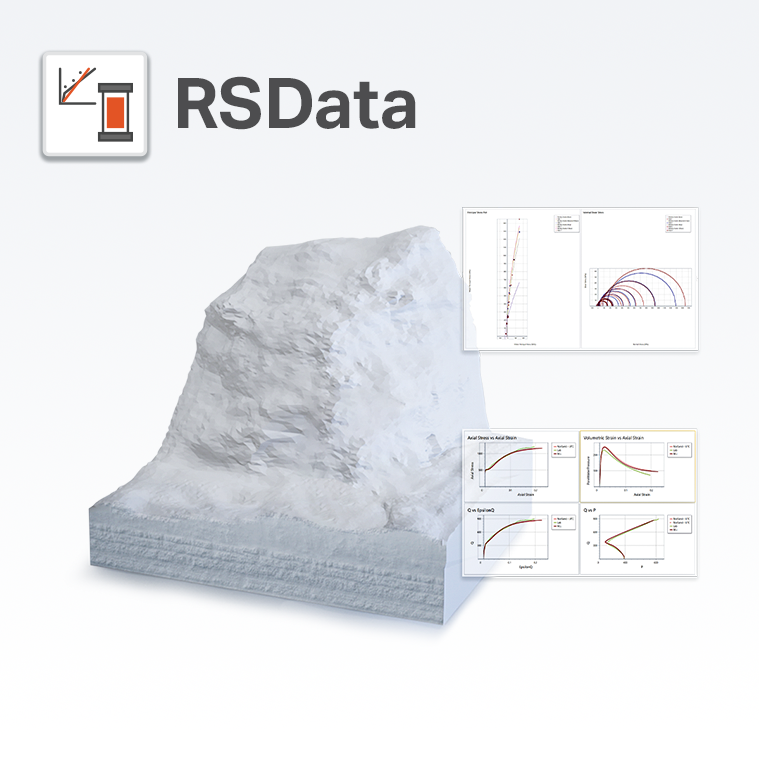
RSData is a versatile toolkit for the analysis of rock and soil strength data, and the determination of strength envelopes and other physical parameters. RSData includes RocProp, a database of intact rock properties that runs as a standalone application.
Determine the parameters of linear and non-linear strength envelopes for rock and soil, based on the analysis of triaxial or direct shear strength data. Utilize four of the most widely used strength models in geotechnical engineering - Generalized Hoek-Brown, Mohr-Coulomb, Barton-Bandis, and Power Curve.
Failure envelopes are plotted in both shear-normal and principal stress space. Shear-normal stress envelopes generated can be applied to problems such as limit equilibrium analysis of slope stability, while the principal stress envelopes can be used for modeling the behaviour of underground excavations. RSData is a highly interactive program that allows users to easily test different strength parameters and observe how they impact a failure envelope, giving users a better understanding of material strength.
The material strength properties determined can be used as input for numerical analysis programs such as RS2 and Slide2.

SoftTechLab Email Finder is email marketing software helps internet entrepreneurs, marketers, sales professionals, freelancers to find email addresses, phone numbers, social media profiles from websites. Our software can crawl any static or dynamic websites whether they are built with PHP, Angular, ReactJS, Nodejs, Dotnet or any other technologies doesn’t matter to scrape the useful data that are required to reach out the business for converting into leads. We have implemented AI based algorithms so that it will find the correct data from any website. It can crawl 2-20 website at a time due to multi-threading for fast processing to get the email addresses from websites. Also, you can filter and export the resulted data in CSV format to build the massive mailing list. Our pricing starts from $100 per year for 1 single user license. It will only support windows 10. SoftTechLab offers free trial which will give you free 100 credits to use the software for testing.

The Mailvita Merge PST for Mac Tool is an intuitive solution created specifically to combine and merge several PST files into a single PST file. Several PST files, including contacts, calendars, tasks, events, documents, emails, etc., can be combined in this software. The application creates quite accurate findings and has the amazing ability to combine several PST files at once. With it, all versions, including the most recent one or earlier ones like 2024, 2021, 2019, 2016, 2013, or past ones, can work readily. PST file openings come in several forms: ANSI, Unicode, password-protected, and huge ones. Regarding operation, any user can run without any assistance very easily. Furthermore, this application is appropriate for anyone with a broad spectrum of technical knowledge and expertise, as its easy-to-use interface is present. Developed to run without problems on both Mac and Windows operating systems, the Merge Outlook PST Tool guarantees compatibility with all versions. Getting a feel for the capabilities will come from downloading the free trial edition.

GainTools OST to MBOX for Windows is a perfect application to convert OST files to MBOX format with attachments. The OST to MBOX Converter Tool is compatible with all Windows OS up to the latest. The utility helps to convert multiple OST files into MBOX in bulk. Users can easily check all OST files and email previews with all details. No need to install MS Outlook for conversion as this is an independent converter tool. It keeps email properties like attachments, images, hyperlinks, header, footer, etc same without any changes. Maintains all OST mailbox folder structure intact in MBOX files. It supports all MBOX-based email apps - Thunderbird, Apple Mail, etc. Works with any orphaned, corrupt, or large OST files easily. This expert OST to MBOX tool is highly accurate and saves data at the desired location. Its simple GUI makes it a handy solution to run the software in simple steps. OST to MBOX Converter free demo helps to take a trial of its features. The software is available for individual as well as commercial use.

Dream Interpreter AI is an advanced digital platform designed to analyze and interpret the meanings behind users' dreams. Utilizing the psychological frameworks of Jungian and Freudian theories, the service provides detailed and personalized dream interpretations. Users can input their dream descriptions, and the AI processes these inputs to uncover hidden messages and symbols from their subconscious.
The platform offers various features to enhance the user experience. These include the ability to create visual representations of dreams, which can be downloaded, printed, or even monetized. Additionally, Dream Interpreter AI provides secure storage for dreams, allowing users to archive and revisit their dream records for further analysis.
With flexible pricing plans, ranging from a free trial with basic features to premium subscriptions offering unlimited interpretations and additional benefits, Dream Interpreter AI caters to both casual users and those seeking deeper, ongoing insights into their dream life. The service is designed to be user-friendly and accessible, making it easy for anyone to explore the significance of their dreams and gain a better understanding of their inner world.

Developed to enable efficient Hotmail email migration into a range of file formats, WholeClear Hotmail Backup Software During the migration procedure, the Hotmail account folders and sub-folders stay in their hierarchical order. Any version of the Windows operating system runs with the software. The application saves the Hotmail account data as PST, EML, EMLX, HTML, MSG, MBOX, and MHTML among other file types. It guarantees the protection and truth of the data. The application was created to be user-friendly, allowing inexperienced users as well to quickly run it and create a Hotmail email backup. This application preserves all the email components from bcc, from, to, subject, date, cc, etc. Any Hotmail account can be effortlessly backed up by users with the proper login ID information. This utility precisely moves all kinds of attachments XLS, PDF, RAR, DOX, etc. of the Hotmail account. Users get access to a free trial edition of this software to acquaint themselves with its main features. One must have the whole version of the utility in order to fully use the software.

This DataVare OFT to MSG Converter Software application enables users to effortlessly convert a large number of OFT files to MSG file format for all versions of Outlook, including 2021, 2019, 2016, 2013, and 2010. This application maintains the email properties (cc, bcc, to, header, from, etc.) and the data layout format throughout the conversion procedure. Additionally, this application is advantageous for users who lack technological proficiency. Additionally, this sophisticated application is compatible with all versions of the Windows operating system. If one wishes to export a few Outlook file templates OFT files to MSG files in Outlook, a free trial is available.
Procedures for Converting Outlook Template OFT File to MSG -
- Initially, obtain and execute the application on your Windows operating system.
- Subsequently, examine the OFT file or folder.
- It examines and displays a live preview of the selected OFT files in both vertical and horizontal orientations.
- Next, select MSG from the export options.
- Choose the destination path for the MSG files created as a result. - Finally, click the "Convert Now" tab to initiate the OFT to MSG converting process.