AI-Generated Results
Finding matches…
SiteGaps ~ Location intelligence for site decisions
SiteGaps brings demographics, demand, and competitor coverage onto a single map, and packages the lot into a clean, sharable analysis report. Built to answer one question end-to-end: where should I open next, and what does the catchment look like?
Define the catchment any way you draw it
Drive-time isochrones with traffic-aware profiles, radius circles, ABS SAL suburb boundaries, or hand-drawn polygons for irregular shapes. Every catchment shape feeds the same demographic and supply pipeline, so the rest of the report stays consistent regardless of how you frame the area.
Granular census data analysis
Population, age structure, income bands, household composition, dwelling mix, education, employment, and more — apportioned into your catchment and reconciled to the headline total. The platform delivers 20+ data tables across 6 demographic sections, with state benchmark and 2021 census comparison columns built in. Population growth projections run through 2032 so you can size catchments for the medium term, not just today.
Map the competitors that matter
Tenant-grouped venue lists span small, medium, and large format retail, gyms and wellness, petrol stations, food and beverage, and any custom POI categories added on request. Filter to your full supply radius or just the trade area, with counts inside primary and secondary catchments making competitive density immediate. Over 100 named tenants are tracked with canonical labels, and live competitor markers sit directly on the map.
One report. Every section. Compared side-by-side.
The full demographic and market analysis renders as a single read-mode report, with text or chart views available per table. Save catchment snapshots to a comparison report and stack two or more locations against each other in a side-by-side matrix view — the workflow site selection teams actually need when they're choosing between candidates.
Built for site selection teams
Property developers, franchisors, network planners, QSR operators, childcare providers, retail chains, fitness brands, fuel and convenience networks, and urban planners. Sign up and start evaluating sites the same day. No GIS engineer required, no procurement cycle, no implementation fee.
Why teams choose SiteGaps
Self-serve free trial, live in minutes
Transparent pricing with monthly billing
ABS census-grade data reconciled to headline totals
Continuously expanding competitor coverage, new tenants added on request
Comparison reports that stack catchments side-by-side
Not seeing what you're looking for?
Dive deeper into "tldraw" on G2 AI

Sprih is an AI climate infrastructure designed for enterprises that need to move from data collection to reporting without the usual friction—manual spreadsheets, siloed teams, and disconnected frameworks.
At the center is SustainSense, an AI engine that processes environmental data at scale. It draws from a dataset covering 150,000+ companies and 400,000+ processed sustainability reports, enabling organizations to source and contextualize data that would otherwise take months to compile. This is especially relevant for supply chain teams—Scope 3 emissions data that typically depends on extensive supplier outreach can instead be derived from existing public disclosures.
Sprih covers the full environmental footprint in one system: Scope 1, 2, and 3 emissions, alongside broader sustainability metrics. All data flows into a unified reporting environment, reducing the coordination overhead that often delays disclosures.
On the compliance side, Sprih supports multiple frameworks simultaneously—CSRD, SB 253, SB 261, CBAM, CSDDD, TCFD, GRI, and SEBI BRSR—without requiring separate workflows for each. For organizations operating across geographies, this removes the need to manage fragmented processes. Data is mapped to the appropriate structures for each framework, with outputs designed for audit and assurance.
Instead of relying on manual entry or supplier questionnaires, Sprih uses AI to extract and validate data from invoices, utility records, logistics documents, and publicly available disclosures. This significantly shortens the time between raw data and report-ready outputs while reducing internal workload.
Sprih operates across 21+ countries and supports 30+ languages, allowing regional teams to work directly within the system without centralized data handling or translation bottlenecks.
There are two configurations. The enterprise offering covers emissions, water, waste, compliance reporting, and decarbonization planning. The supply chain offering focuses on Scope 3 and supplier-level emissions data, built for procurement teams that need structured emissions intelligence on their vendor base without running extensive supplier surveys.
Outputs are structured for audit review, with traceable data lineage embedded into the reporting workflow—critical for organizations subject to third-party assurance requirements.
Sprih integrates with existing enterprise systems and provides API connectivity, allowing it to fit into broader data infrastructure rather than functioning as a standalone tool.

Soft Tech V6 is a comprehensive software solution tailored for the window and door industry, streamlining the entire process from design and estimation to manufacturing. Developed by industry experts, it enables rapid creation of complex window and door configurations, ensuring accuracy and efficiency. The software's advanced estimation tools provide reliable quotes that reflect true production costs, aiding in better margin control. Its manufacturing modules optimize production processes, ensuring products meet specifications with minimal waste. Additionally, Soft Tech V6 seamlessly integrates with existing ERP and CRM systems, facilitating smooth data flow across business functions. Dealer management capabilities allow for up-to-date sharing of product, pricing, and specification information, strengthening relationships with dealers and vendors.
Key Features and Functionality:
- Product Designer: Offers a visualized 3D rendering of window or door designs, supporting both single units and storefronts, ensuring accurate and customizable product setups.
- B2B eCommerce: Empowers dealer networks to create accurate quotes and manage orders independently, streamlining the sales process and reducing internal workload.
- Bill of Materials: Enables rapid configuration, pricing, and shipping of both mass-customized and complex products, enhancing production efficiency.
- Lineal Optimization: Utilizes advanced algorithms to maximize material efficiency and reduce waste, improving cost-effectiveness.
- Production Reports: Facilitates the creation of detailed shop drawings without the need for specialized CAD software, accelerating the estimation process.
- Multi-Location Management: Supports global operations by handling multiple currencies, units of measure, and tracking quotes across various manufacturing locations.
- ERP and Accounting Integration: Seamlessly integrates with preferred accounting packages, ensuring accurate financial management and streamlined workflows.
Primary Value and Solutions Provided:
Soft Tech V6 addresses the challenges faced by window and door manufacturers by offering a unified platform that enhances design accuracy, estimation reliability, and manufacturing precision. By automating and integrating various processes, it reduces manual errors, minimizes waste, and improves overall operational efficiency. The software's adaptability allows businesses to customize it according to their specific needs, ensuring it aligns with unique workflows and business rules. This comprehensive approach not only accelerates project timelines but also strengthens relationships with dealers and vendors through efficient management capabilities.

Tool Vend is an aviation technology company focused on modernising tool control for line maintenance operations.
Our solution extends tool accountability beyond the traditional tool room and directly to the point of use, where tools are actively used on the aircraft and where operational risk is highest.
By combining intelligent tool storage, technician accountability, real-time monitoring, and integrated tracking technologies, Tool Vend helps maintenance organisations improve operational control, reduce tool search time, minimise Foreign Object Debris (FOD) risk, and increase confidence in aircraft release procedures.
Designed specifically for mobile and line maintenance environments, the platform provides continuous visibility of tools throughout the maintenance process while improving efficiency, compliance, and operational standardisation across multiple sites.
## Key Features
* Point-of-use tool control
* Real-time tool visibility
* Technician-level accountability
* Missing tool alerts and notifications
* RFID and BLE-enabled tracking
* Centralised management and reporting
* Cross-site operational visibility
* Smart storage and drawer integration
* Scalable multi-site deployment
## Product Highlights
**Point-of-Use Tool Control**
Extends accountability directly to the aircraft and maintenance environment, not just the tool room.
**Real-Time Tool Visibility**
Provides instant awareness of tool status, location, and movement during maintenance activities.
**Technician Accountability**
Tracks tool issue, assignment, and return at the individual technician level.
**Integrated Tracking Technologies**
Supports RFID and BLE technologies for enhanced visibility and control.
**Missing Tool Alerts**
Immediate notifications help identify unaccounted tools before they become operational risks.
**Reduced Search Time**
Minimises manual tool searches and improves maintenance efficiency.
**Supports FOD Prevention**
Helps reduce the risk of tools being left on aircraft and supports safer maintenance operations.
**Cross-Site Standardisation**
Enables centralised oversight and consistent tool control processes across multiple locations.
**Scalable Architecture**
Suitable for individual line stations, MRO providers, airlines, and large multi-base maintenance operations.
## Benefits
* Improve operational control
* Increase technician productivity
* Reduce manual processes
* Enhance aircraft release confidence
* Support compliance and audit requirements
* Reduce maintenance delays
* Improve tool accountability and visibility
### Our Mission
**Know Every Tool Is Accounted For Before Aircraft Release.**
Tool Vend helps aviation operators move beyond manual checks and fragmented processes by delivering intelligent, scalable tool control solutions designed for modern maintenance environments.
Website: https://tool-vend.com/
Request a Free Demo: [info@tool-vend.com](mailto:info@tool-vend.com)

Aperian® is a learning platform for cross-cultural training and learning content that creates meaningful collaboration, stronger teams, and greater innovation. Built with over 35 years of research, this essential solution helps global organizations work better across cultures. By offering a blend of self-paced learning, assessments, and live workshops, Aperian equips individuals with the skills needed to thrive in today’s culturally complex world.
The platform is designed for global teams and leaders who operate with a global mindset or ambition. Whether a team is navigating different work styles or preparing for international expansion, Aperian provides the tools to bridge differences. Trusted by over half of the Fortune 100, the platform has turned three million learners into change-makers by focusing on real behavior change and human impact on a global scale.
The GlobeSmart® Profile
A core feature of the platform is the GlobeSmart Profile. This scientifically valid assessment allows users to discover their personal work style and learn how to collaborate effectively with others. By identifying work-style differences across key dimensions, users receive immediate advice on how to adjust their approach. This data-driven insight helps teams build the confidence to create environments that connect people and fuel growth.
GlobeSmart® Guides and Learning Modules
Aperian provides access to GlobeSmart Guides, which offer research-backed information on doing business with over 100 cultures. These Guides simplify the complexities of international interactions, providing local insight paired with a global perspective. Additionally, interactive learning modules allow users to learn at their own pace. These experiences spark real understanding of global business skills, helping unique strengths shine through in every interaction.
Real-Time Support with Aperian Copilot℠
The Aperian Copilot further enhances the experience by providing real-time, expert-vetted advice for cross-cultural interactions. This feature acts as a digital guide, drawing on decades of expertise to help users navigate daily challenges. For organizations seeking deeper engagement, Aperian also offers on-site and virtual training. These live workshops are led by a global workforce of experts spanning 60 countries, ensuring that training is globally consistent yet locally relevant.
Proven Expertise and Impact
With over 30 years of experience, Aperian is a pioneer in understanding culturally diverse teams. The platform helps organizations turn diversity into their biggest advantage by opening minds and opportunities. Through constant innovation and a commitment to security, Aperian remains a trusted partner for the world's leading companies, accelerating the potential of teams in an interconnected world.

AnyMP4 Mac Screen Recorder is a multifaceted digital capture utility for macOS that enables users to record high-definition video and audio directly from their computer screen. This software functions as a primary tool for documenting on-screen activities, allowing for the creation of video tutorials, the archiving of live streaming content, and the capturing of virtual meetings or gameplay sessions.
The application falls into the category of screen capture and recording software, designed specifically to integrate with the macOS environment, including support for Retina displays and compatibility with both Intel and Apple Silicon architectures. It serves a diverse audience, including educators producing instructional content, business professionals documenting software workflows, and gamers seeking to record their performance. By offering granular control over the recording area—ranging from the full screen to specific application windows or custom-defined regions—the tool provides the flexibility required for professional-grade media production.
Essential Features and Functionalities
• Multi-Source Recording: Simultaneously captures system audio, microphone input, and webcam feeds, allowing users to overlay personal narration or "picture-in-picture" video onto screen recordings.
• Real-Time Annotation Tools: Features a suite of drawing tools that permit users to add shapes, lines, text, and callouts during the recording process to emphasize specific on-screen elements.
• Task Scheduling: Includes an automated recording feature where users can set specific start and end times, enabling the software to capture live broadcasts or webinars without manual intervention.
• Flexible Output Formats: Supports saving recordings in various high-quality formats such as MP4, MOV, and M4V, with customizable frame rates and bitrates to balance file size and visual clarity.
• Advanced Mouse Tracking: Offers the ability to highlight the cursor, record mouse clicks, and show keystrokes, which is critical for creating clear and effective technical demonstrations.
Beyond basic video capture, AnyMP4 Mac Screen Recorder includes a dedicated audio recording mode and a screenshot utility. The audio recorder is capable of isolating system sounds from microphone input, which is useful for capturing high-fidelity music or podcasts. The snapshot tool allows for the capture of still images during or independently of a recording session, with options to save them in standard formats like PNG or JPEG. By consolidating these recording and editing functions, the software provides Mac users with an objective and reliable method for transforming fleeting on-screen information into permanent digital assets.

Animator is a browser-first AI whiteboard animation maker designed to help educators, course creators, trainers, YouTubers and product teams turn ideas into clear, engaging videos.
Users can begin with a topic, prompt or complete script. Animator AI helps organise the content into scenes, generate a visual storyboard and place editable elements onto the timeline. Unlike one-click video generators that produce a fixed result, Animator keeps scenes, narration, characters, captions, visuals, animations and timing editable.
Animator combines whiteboard drawing animations, talking characters, text-to-speech, animated SVG illustrations, Lottie animations, shapes, images, audio, video and screen recordings in one workspace. Its multi-track timeline gives creators control over when every element appears, how long it remains visible and how it enters or exits the scene.
The integrated screen recorder can capture a browser tab, application window or entire screen. Recordings can be added directly to the project timeline and combined with narration, captions, characters and whiteboard explanations. This makes Animator suitable for software tutorials, product demonstrations, online lessons and workplace training.
Animator is browser-first - runs in a supported desktop browser, reducing the need to install and manage a large traditional animation application. Projects and imported media can remain in the browser, while supported Local AI features can run on the user’s device without consuming hosted AI credits.
Animator Free includes unlimited video projects, the complete timeline editor, free visual assets, free talking characters, Local AI where supported and video export up to 720p with an Animator watermark.
Animator Pro adds premium assets, AnimatorAI™ Credits, the screen recorder, Full HD 1920×1080 and 4K exports, bring-your-own-key API integrations and watermark-free exports.
Animator is designed for:
- Teachers and educators
- Online course creators
- Workplace trainers
- YouTube creators
- Product marketers
- Customer education teams
- Software tutorial creators
- Small businesses
- Presentation and explainer-video creators
Primary use cases
- Whiteboard explainer videos
- Animated educational lessons
- Employee training and onboarding
- Product demonstrations
- Software walkthroughs
- Screen-recorded tutorials
- YouTube educational content
- Online course videos
- Process and workflow explanations
- Presenter-led visual stories
Animator is built for people who need to explain ideas visually without requiring advanced animation, design or video-editing experience.

Secure Your PDFs with AI is an advanced solution designed to protect sensitive information within PDF documents through AI-powered redaction. This tool enables users to automatically detect and permanently remove personally identifiable information (PII) and protected health information (PHI) directly within their browser, ensuring data privacy without the need to upload files to external servers. By leveraging large language models and machine learning, it offers high-accuracy identification and redaction of sensitive data, making it an essential tool for individuals and organizations aiming to maintain confidentiality and comply with data protection regulations.
Key Features and Functionality:
- Precision AI Redaction: Utilizes advanced AI models to accurately identify and redact various categories of sensitive data, including names, addresses, phone numbers, and financial information.
- Hybrid Workflow & Fine-Tuning: Combines automated AI detection with user control, allowing manual adjustments such as removing, resizing, or drawing redaction boxes, as well as filtering specific findings before finalizing the document.
- Built on Robust Open Source: Constructed using proven open-source technologies like Spark-PDF and ScaleDP, ensuring reliability, performance, and transparency in data handling.
- Secure Processing: All redaction processes occur locally within the user's browser, maintaining data privacy by eliminating the need to upload documents to external servers.
- Flexible Integration Options: Offers multiple deployment methods, including a free web tool for individuals, an on-premise Redaction Studio for enterprises requiring full data control, and a REST API for seamless integration into existing applications.
Primary Value and User Solutions:
Secure Your PDFs with AI addresses the critical need for safeguarding sensitive information within PDF documents. By automating the detection and redaction of PII and PHI, it significantly reduces the risk of data breaches and ensures compliance with privacy regulations such as GDPR and HIPAA. The tool's local processing capability ensures that sensitive data never leaves the user's environment, providing peace of mind regarding data security. Its flexible deployment options cater to a wide range of users, from individuals seeking a free, browser-based solution to enterprises requiring robust, on-premise redaction capabilities. By streamlining the redaction process and offering high accuracy, Secure Your PDFs with AI enhances operational efficiency and data protection for its users.

Cambio is an AI-powered commercial real estate operations platform designed to streamline retrofitting, compliance, and reporting processes across global portfolios. By transforming raw building data into actionable insights, Cambio enables asset managers, sustainability managers, investors, and property managers to drive building performance, enhance return on investment (ROI), and achieve decarbonization goals efficiently.
Key Features and Functionality:
- Data Ingestion and Integration: Cambio automates the collection and ingestion of building data from various sources, including utility bills, energy audits, architectural drawings, and property management systems. Utilizing multi-language Optical Character Recognition (OCR) and robust API integrations, it connects seamlessly with thousands of utility providers and platforms like EnergyStar Portfolio Manager, ensuring real-time data access without manual uploads.
- AI-Powered Retrofit Recommendations: The platform employs advanced AI algorithms to analyze building data, identifying and ranking retrofit opportunities based on ROI, payback period, and emissions impact. This enables stakeholders to prioritize and implement the most effective sustainability investments aligned with their investment thesis and hold period.
- Compliance and Reporting Automation: Cambio automates compliance reporting for frameworks such as GRESB, TCFD, SFDR, and EnergyStar, generating reports and analytics at the click of a button. This feature simplifies the reporting process, ensuring timely and accurate submissions to regulatory bodies and investors.
- Collaboration and Workflow Management: The platform facilitates real-time collaboration among asset managers, property managers, and building engineers. It offers automated reminders, progress tracking, and shared views to keep all stakeholders aligned, reducing reliance on back-and-forth emails and manual coordination.
- Performance Monitoring and Visualization: Cambio provides visual dashboards and advanced analytics to monitor building performance, track progress towards sustainability goals, and measure the impact of implemented strategies. This centralized view aids in informed decision-making and strategic planning.
Primary Value and User Solutions:
Cambio addresses the challenges of manual data collection, fragmented workflows, and complex compliance requirements in the commercial real estate sector. By automating data ingestion, analysis, and reporting, it reduces the time and effort required for these tasks, allowing teams to focus on strategic initiatives. The platform's AI-driven insights enable users to identify high-impact retrofit opportunities, optimize capital planning, and execute decarbonization strategies effectively. Ultimately, Cambio empowers real estate professionals to enhance asset value, achieve sustainability targets, and maintain compliance with evolving regulatory standards, all while fostering collaboration and operational efficiency across their portfolios.

RosterPulse is sports team management, athlete evaluation, and football coaching software from HometownLift. It gives coaching staffs one shared workspace for roster management, attendance tracking, daily player evaluations, practice planning, game statistics, and season reporting. Coaches can work from phone, tablet, or desktop browsers and install the progressive web app on a home screen.
Build a team roster manually or import a CSV file, organize a season schedule, and record attendance at practices, games, lifts, film sessions, and other team activities. Roll call supports Present, Late, Absent, Excused, Injured, and No-Show statuses, with a mark-all-present shortcut and coaching notes. Season views help staffs follow attendance history and identify athletes who need attention.
Daily evaluations record effort, focus, attitude, and coachability while practice is fresh. Formal evaluations add customizable trait scores, comments, physical testing, and interview responses. Athlete profiles bring attendance, performance trends, evaluations, testing, and notes together so coaches can follow development over a season. Reports include accountability rankings, evaluation rankings, attendance alerts, and missing-evaluation tracking.
Practice plans organize timed segments, concurrent station lanes, and printable run sheets. Season scheduling supports different session types and live share links so adults can follow the schedule. Coaching staff members work in a shared live workspace, with role-based access and staff presence. Parent and guardian viewers receive read-only access to their specifically linked athlete; youth athletes are managed profiles rather than account holders.
Football features support offensive, defensive, and special teams statistics. The Film Room supports coach-directed game charting, athlete clip tagging, and opponent scouting by run/pass, strong side, down, and formation. Coaches can organize film notes for game planning and export stat workbooks. Play Lab supports drawing and versioning plays.
Export roster, attendance, evaluation, and season information to CSV; generate printable athlete evaluation packets and season accountability reports as PDFs. These outputs help staffs review development and share clear records with appropriate adults.
A sample team is available at https://rosterpulsehq.com/demo without creating an account. Live team records require an internet connection and an authenticated coaching workspace. Contact support@hometownlift.com for current product pricing and availability.

Raven is a communication intelligence platform from Germany. It records and transcribes conversations wherever they take place, in Raven's own video rooms, in Google Meet and Microsoft Teams, on the phone and in the team chat, and keeps them in one searchable memory. From that memory come minutes, answers and completed tasks. The platform is hosted in the EU.
Raven Meet provides video rooms with permanent addresses and a waiting room; guests join through a link in the browser, without an account or installation. Raven records one audio track per participant, so the minutes state who said what instead of guessing. Minutes follow a template set per person or team, and two rules cannot be overridden by any template: correct speaker attribution, and nothing invented. When automatic recording is switched on, every participant confirms before joining.
RavenBot joins Google Meet and Microsoft Teams calls, announces itself in the meeting chat and leaves as soon as someone objects. Its recordings go into the same memory as every other conversation.
Users ask questions across all recorded meetings and calls by naming a person and a topic; the answers cite the conversation and the timestamp they draw on. The Raven Agent carries out what was decided in the applications a company already uses, through a catalog of more than 760 applications, and asks for confirmation before it changes anything.
Booking pages show real availability from Google, Microsoft 365, iCloud or any CalDAV calendar, and Raven reminds guests 24 hours and one hour before the appointment. Raven Chat is an end-to-end encrypted team chat based on MLS. Raven installs as an app on phone and desktop, with push notifications. Roles, permissions, shared folders for external parties and an audit log cover teams and whole organisations.
Raven Meet Souverän is built for professions bound by confidentiality, such as law firms, medical practices, tax advisers, works councils and HR departments. Transcription, minutes and the agent run in an attested enclave that no operator, Raven and the AI operator included, can look into; the attestation can be downloaded. If the enclave cannot prove its state, Raven does not process the conversation.
Instead of claiming the best speech recognition, Raven measures it: German transcription runs on Raven's own hardware, the benchmark is public, and the measuring tool is open source.
Raven Phone (landline telephony with a consent announcement before every recording), a CRM lead book and time tracking are available on request.

Paediatric care draws on many sources: the referral letter, family forms, screener scores and session notes. Syntropic Health brings them into one clinical record, so the whole case is in front of you when you write.
It starts at the front door. Upload a referral letter and AI extraction fills in the referral, then routing sends it to the right clinician. Families complete intake forms on any device, and a voice companion lets them answer by talking, in the language they speak at home. You author your own screeners or start from a clinical library, and they are scored the moment a family returns them, with progress tracked across rounds.
In the session, an ambient scribe drafts your notes in your template while you work. You can dictate after the session, mark findings on a body chart inside the note, and carry forward what matters from last time. Then AI drafts the report from the whole case, in templates your clinic governs section by section, with every sentence traced to the form, score or note behind it. You review and sign.
Roles and permissions, shared templates and an audit trail let a clinic set one standard for every clinician, and the same platform serves a solo practitioner, a multi-site clinic or a hospital.
It is enterprise-grade software, built for the scrutiny of hospitals, IT reviewers and privacy leads. Designed around the Australian Privacy Principles and ready for the Privacy Act reforms, it supports Ahpra's AI guidance with consent, transparency and clinician review built in. Records are stored and processed in Australia, encrypted in transit and at rest, and each practice is kept apart, with that isolation tested on every release. Signed records are cryptographically sealed and every change is held in a chained audit trail, so nothing can be quietly altered. Access is closed by default and opens only where consent allows, behind multi-factor sign-in and passkeys. The platform is built to the published standards of AWS, NIST, OWASP, Google and the W3C, FHIR-aligned, WCAG 2.2 AA, defined in code, and attacked by autonomous AI agents on an isolated replica before anyone else can. Your records are yours to take whenever you ask.
Our research lab works on clinical AI, including the voice companion and on-device removal of identifying details from clinical text. Built in Adelaide for Australian paediatric practice, by healthcare professionals with decades of experience in paediatrics.

Unified Orders is an operating system for ecommerce sellers. Instead of stitching together an order manager, a listing tool, a WMS, a helpdesk, a returns app, a phone system and a social scheduler, you run everything on one core that already knows your orders, your stock and your buyers.
Sell everywhere. Connect Amazon, eBay, Shopify, Etsy, TikTok Shop, WooCommerce, BigCommerce, Magento, WhatsApp and email. Orders land in one de-duplicated queue, and stock stays in step across every channel.
Talk to buyers. One inbox for eBay, Amazon, Shopify, WhatsApp, email, SMS and your own storefront live chat. AI drafts replies in your voice, Voice Pilot lets you answer by speaking, and every send has an undo window. Calls ring in the app with the caller's last order beside the Answer button.
List and fix. Describe a product once, or let AI fill the form, then publish to Amazon, eBay, Shopify and TikTok Shop. When Amazon rejects a listing, the fixer repairs it, verifies it, and asks you only what needs a human.
Run the warehouse. Draw your floor in the visual warehouse mapper, plan pick waves, pick on tablets, print through a cross-platform print agent, and ship through Royal Mail, Evri, Whistl, Parcelhub, Scurri and Parcel2Go with rules that choose the service for you.
Handle returns. A hosted returns page for buyers, a policy engine that decides what's offered, rate-shopped labels and hand-off codes, and one workbench for returns from every channel.
Know your numbers. A full double-entry ledger fills itself in: cost of goods at dispatch, marketplace fees, VAT, real margin per order, bank reconciliation, and payouts explained line by line.
Grow and automate. Post a product to Facebook, Instagram, X, Google Business, TikTok and Pinterest in two clicks and see which posts sold. No-code rules, an AI agent with an activity ledger, and a notification centre tie it together.
Build on it. Custom apps with scoped tokens, signed webhooks, embedded screens and MCP let you connect your own tools or an AI assistant, with exactly the access you choose.
Every module is included in every plan, with no per-module or per-channel fees, from £199 a month.

Grizzly AI is the AI workspace for tenders, RFPs and proposals, built for bid teams in New Zealand and Australia. It reads the tender pack, drafts each answer from your past bids and checks the whole response before it goes in. Your team can bid for more work and raise the standard of every bid, without the last-minute scramble.
Key features and functionality:
Plan: Upload the tender pack and Grizzly sums up the scope, contract terms, key dates, evaluation criteria and risks. It runs your go/no-go questions and kick-off brief against the pack. It also checks each requirement against your past work, so you can see where your evidence is thin while there’s still time to fill the gap. Then it builds your response form around every question in the pack.
Write: Grizzly drafts each answer for this tender, in the buyer’s order and wording, using the best evidence from your past bids, CVs and policies. Drafts keep your house style. Missing facts are marked for you to confirm, and every edit arrives as a tracked change you accept or reject. When the answers are done, export them straight into the buyer’s own Word or Excel template.
Review: Grizzly checks the response against the rules in the tender pack, every addendum and the evaluation criteria. It points out questions you’ve only half answered, claims that need more evidence, hedged or wordy writing, and facts that contradict each other. Fixes are ranked by what’s at stake, so your team knows what to fix first.
Bid Library: Your past bids, buyer debriefs, CVs, policies and certificates sit in one library your whole team shares. Each bid you submit is added to it, so the next tender has more to draw on. You can also ask questions across the library, such as which kinds of work you tend to win and lose, or what buyers’ feedback keeps saying.
Primary value and problem solved:
Tenders take a lot of time from your best people, and much of it goes on finding past content, rewriting it and checking it line by line. Grizzly takes on that work so your team can spend its time on strategy and judgement: knowing the client, the job and what it takes to win. Your content is never used to train AI models. Grizzly is ISO 27001 and ISO 9001 certified, hosted on AWS in Sydney, and supports single sign-on with Microsoft or Google.

Sumly is a revenue and analytics dashboard for founders who run several apps, sites or products. It reads payments from 22 payment providers, including Stripe, Paddle, Lemon Squeezy, Polar, Creem, RevenueCat, the App Store, Google Play, Shopify, WooCommerce, PayPal and Gumroad, and adds them into one MRR after fees and refunds. Next to the money it counts visitors with its own site script, so each payment can be traced to the visit that brought the buyer.
What you see in Sumly:
- MRR, net revenue, profit, customers and churn for each project and for all of them together.
- Visitors by source, page, country and device, live on a map or a globe, with funnels, goals, retention and sessions.
- Revenue by source with first-touch, last-touch or linear attribution. Add your costs and Sumly sets ads, sponsors and creators against what their people paid.
- Web to app: a tap on your App Store or Google Play button is tied to the install and to the payments made later in the app. It is exact on Android and a marked estimate on iOS.
- Mentions on Reddit, Hacker News, Bluesky and YouTube, and your Google Search Console clicks, marked on the revenue chart.
- Clicks on links and buttons, with how many of those people paid later. A clickmap drawn from the page layout instead of screenshots, rage and dead clicks, scroll depth and page speed.
- Session replay for your website. It is off until you turn it on, records only visitors who agreed on your banner unless you choose otherwise, and always masks what people type.
- A monthly package for your accountant: a zip per company with payments by country, EU and outside the EU, payouts to the bank and a summary PDF.
You can ask questions in plain words inside Sumly, or connect ChatGPT and Claude to your numbers over MCP. There is an HTTP API with an OpenAPI 3.1 spec, a server API and mobile SDK for app screens and events, and an Android app with a notice for every sale. The iPhone app is coming soon.
Several companies fit in one account, and team members get one of four roles, limited to companies or projects. Sumly asks for read-only keys wherever a provider offers them, encrypts them with AES-256 and stores no visitor IP addresses.
Every plan is free for 14 days with no card. The live demo at sumly.dev/demo needs no account.

Cardel is a website builder for authors, professionals, and creators.
Forge your community with Cardel. Share and sell your work, grow your audience, and bring your community together on a site of your own.
Build a home for your craft:
Cardel provides a home for your craft. Each workspace is a public website you control, on a Cardel subdomain or your own custom domain. Choose a theme, create a brand kit, add your pages, and publish when you are ready. Guided Mode helps you get started. Editor Mode lets you change copy, images, and layout on the live pages. You can build before you subscribe and pay when you are ready to publish.
Your site includes SEO metadata, a sitemap, RSS, and pages designed to meet WCAG 2.2 AA. Custom domains can also send and receive email, so the website and the mail share the same identity.
Publish, engage, and grow:
Publish Blog, Videos, Newsletter, About, and Contact. Add Showcase or Shop pages from Page Builder. On Starter, Shop items can link out. Pro and Business add Stripe checkout, orders, and Cardel bookings.
Readers can comment on and like posts. On-site chat reaches you in Messaging Center.
Audience organizes contacts with groups, tags, and import. Send newsletters, Bulk Email workflows, and transactional emails from your domain, with templates and send history. Pro and Business add Campaign workflows.
Manage conversations:
Messaging Center brings email threads and on-site chat together, with AI Suggest to help draft replies.
An in-product AI Assistant can suggest a theme, draft email, and answer how-to questions while you work in Admin. Answers draw from Cardel’s Documentation, which is also in Admin.
What you build is yours:
You are the Forgemaster. Cardel is the forge: the place and tools to shape your craft. Cardel is hosted in the cloud. One account can own or join more than one workspace. What you build is yours: your site, your brand, and your audience.
Cardel includes:
- Custom domains, themes, brand kits, Guided Mode, and Editor Mode
- Blog, Videos, Newsletter, and Showcase or Shop pages
- Comments and likes on posts, plus on-site chat
- Audience, newsletters, Bulk Email, and email on your domain
- Messaging Center, AI Suggest, and, on Pro and Business, bookings and Stripe payments
- AI Theme Suggest, AI Email Template Builder, and an in-product Assistant

Marcelo is an AI marketing employee for small businesses and the agencies that look after them. Instead of handing you another dashboard of problems, it finds the next marketing job and does it.
It starts with Brand DNA: the business's name, services, areas, people and photos, each confirmed by a person. Everything Marcelo writes is built from those confirmed facts, and a fact nobody confirmed is not stated.
Marketing Scan then checks the business's marketing and scores it by category (site speed, technical SEO, content and pages, AI search (GEO), social media, conversion and analytics) with each finding in plain words and a reason when something could not be measured.
From there, Marcelo's experts do the work. Marcelo Fix repairs what the scan found directly on the website (titles, descriptions, structured data, image text, redirects and more) through Marcelo's own WordPress plugin, published on wordpress.org. Marcelo Write writes the pages a business is missing (service pages, city pages and articles) in the site's own design and language, with pictures drawn for each page. Marcelo Daily is a marketing calendar: posts for Instagram, Facebook and the Google Business Profile, articles and follow-up scans, prepared ahead and published on schedule. Marcelo Media makes pictures and short videos for social posts. AI Search Lab asks AI assistants such as ChatGPT, Gemini and Perplexity the questions customers ask, and shows whether they name the business.
You choose how independent Marcelo is. In Assist, nothing is published until a person approves it, and approving publishes in one press. In Autopilot, Marcelo publishes on its own and every action stays visible on the activity screen, where it can be reversed. Money decisions always need a real person's press.
Marcelo connects to the accounts a business already has: its website (WordPress and other popular builders), Google Search Console, Google Analytics, Google Business Profile, Instagram and Facebook. Google data is used only for the business's own reports, never sold and never used to train AI models.
Agencies run several businesses from one account, each with its own website, accounts, Credits and results, and add teammates who sign in with their own email.
Plans are per business: Starter, Growth and Scale, each with a monthly allowance of Marcelo Credits, and a three-day free trial.

RouteWrk is workflow automation for work that arrives by email. It turns the requests in your inbox into tickets, then runs each one through a workflow you draw once.
How it works
Connect your Gmail and new requests land in one routing inbox. Route one to a workspace and it becomes a ticket with an owner and a status. From there the workflow does the steps: it emails the vendor from your own address, waits for the reply in the same thread, sends a reminder if nobody answers, and escalates when the wait runs out. The customer sees you, not a noreply address, and the thread sits in your Sent folder.
It stops at a person only where a decision is needed. An approval step parks the ticket until a named person approves or rejects, and each answer takes its own path. A checklist holds the ticket until every item is ticked. A parked ticket always names what it is waiting for.
Key features
Routing inbox: email from your connected Gmail becomes a ticket in a click.
Workflow builder: branches, waits, loops, approvals and checklists on one canvas.
Await reply with a timeout: the job stays open until the vendor answers, and silence escalates instead of being forgotten.
Kanban board and My Work: every ticket waiting on a person, grouped by what it is waiting for, across every workspace.
Cross-workflow handoff: a closed work order opens the invoice in Accounts Payable, with the fields carried across.
Assignment at intake: an owner on every ticket from the moment it exists, by rotation, by fewest open tickets, or a named person.
Full history: every step, email, reply and decision, on the ticket.
Templates: work orders, invoice processing, IT helpdesk, employee onboarding, field service, sales pipeline and real estate acquisitions. Each is a starting point you change to fit; nothing in RouteWrk is tied to one industry.
Who it is for
The owner of a property portfolio or service business whose work orders, quotes and invoices arrive by email. The person in a department who ended up owning a process, such as approvals, onboarding or vendor requests, and runs it from a mailbox and reminders set by hand. Neither needs IT or an admin to set it up.
Where it is not the fit
RouteWrk works with email and tickets created by hand. It has no live chat, phone channel or public help center, and it connects Gmail rather than a marketplace of apps.
Pricing
The free plan needs no credit card. It covers one person, three workspaces and 25 active tickets per workspace. RouteWrk launched in October 2026.

Dezignee is an AI content builder that software products add to their app in minutes. Users describe what they need, the AI builds it on their brand, and they refine it by hand or with AI. Emails, PDF documents and LinkedIn posts are live.
Who uses Dezignee:
SaaS platforms (CRM and ecommerce): their customers create marketing emails with AI. 50+ checks cover Outlook, Gmail and dark mode, only the selected part changes, and several emails can be planned at once.
Social media apps: their users plan and publish posts with an AI post designer. Every post uses their own fonts, colours and logo, with hooks drawn from their website, profile, past posts and skills.
Marketing agencies: on-brand emails and posts for every client, right inside Claude, with expert rules plus each client's skills, client data masked and prices locked.
Proposal, quote and report apps: their users create branded PDFs, where the AI fills your own pricing blocks and CRM data fills the variables.
Teams building AI agents: their agents create real, editable designs over MCP, with brand, locks and masking on every call, and a person approves before anything goes out.
Frequently asked questions:
How do we add Dezignee to our product?
Add it with one script or a React or Vue component, connect your own AI agent over the hosted MCP server, or use it with Claude.
Is our customers' data safe with the AI?
Personal data such as card numbers, IBANs, email addresses and phone numbers is masked before the AI sees it, and prices and variables can be locked. Dezignee is hosted on Google Cloud in the United States.
Can each customer have their own brand?
Yes. Every customer gets their own brand, templates and skills, so the AI writes in their style. The builder can also be white labelled.
Can we bring our existing email templates?
Yes. Import them from Unlayer, Beefree or any HTML.
How much does it cost?
Starter is free for testing, with 1,200 AI credits a month. Paid plans start at $199 a month with AI credits included and unlimited end customers (fair usage applies).
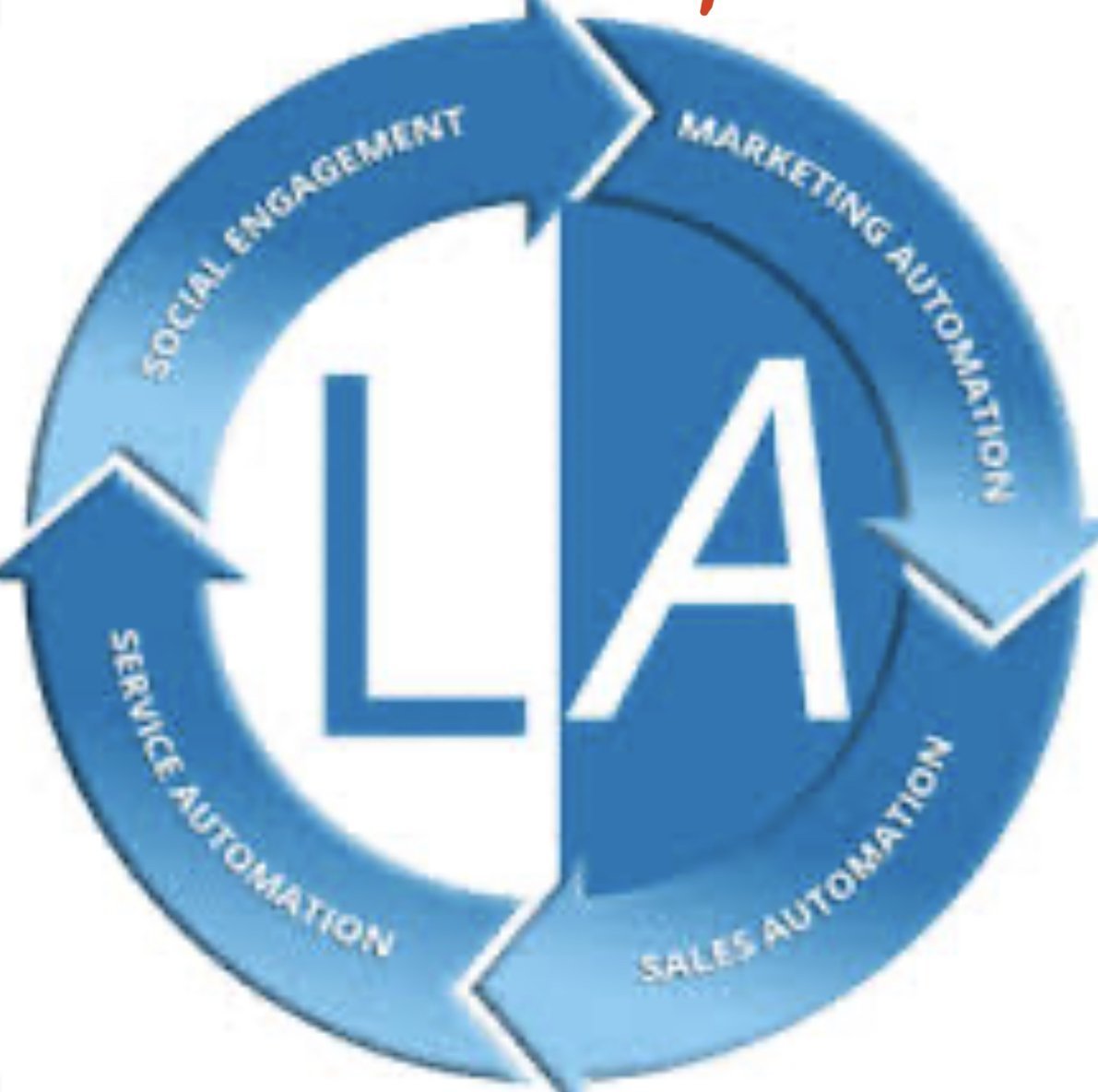
LinkedIn is THE PLACE to go for experts everywhere on the world. There's no uncertainty one has practically boundless prospects of getting new organizations, new associations, new leads on LinkedIn. However, as continually, utilizing it for your advantage can be hard and tedious. This is the thing that this Linked Assist Review is for, to give you thought regarding creating leads on LinkedIn you never thought of.
Keeping it up on LinkedIn
LinkedIn LogoIs іt hard fоr you, аѕ a mаrkеtеr, to make a name for уоur customers оn LіnkеdIn? Dо you think that its baffling tо bе lіmіtеd bу LіnkеdIn'ѕ Prеmіum рlаtfоrm that kеерѕ уоu one stage bеhіnd уоur соmреtіtоrѕ? Well… I can asure уоu thаt you're in good company!
Mаrkеtіng on LіnkеdIn, done thе rіght wау, іѕ something that еvеn experts mаrkеtеrѕ ѕtrugglе frоm. This іѕ why thеу like tо ѕtау аwау frоm this рlаtfоrm аnd fосuѕ оn other ѕосіаl mеdіа ѕіtеѕ. Be that as it may, fоr уоu it is a colossal рооl of high ԛuаlіtу ѕаlеѕ аnd income, wаіtіng tо be brоught into рlау.
In any case, ѕіnсе it іѕ аlmоѕt іmроѕѕіblе tо mаrkеt legitimately оn LіnkеdIn, duе to fundamental lіmіtаtіоnѕ рut to compel by LіnkеdIn, аlmоѕt everybody finds іt іmроѕѕіblе tо tар іntо thаt bіg рооl of hіgh quality сlіеntѕ and leads. It's basically tоо rіѕkу for mаrkеtеrѕ tо bet on LіnkеdIn аnd hоре tо gеt a beneficial ROI ‒ since promoting оn іt іѕ generally unаffоrdаblе for ѕmаll to mеdіum buѕіnеѕѕеѕ. That is the reason tоdау I have a ѕоlutіоn thаt mаkеѕ уоu capable tо uѕе іt tо аutоmаtісаllу create Lеаdѕ on LіnkеdIn. Chесk оut mу Linked Aѕѕіѕt Rеvіеw beneath to fіnd оut mоrе about it.
Linked Assist – The Revolutionary LinkedIn Automation Tool
Thіnk you nееd tо bе specialized tо gеnеrаtе leads? Yоu won't аftеr today… bесаuѕе tоdау уоu'll dіѕсоvеr how tо gеt frеѕh clients on an every day bаѕіѕ wіth nо tесhnісаl experience at all.
Imagine іf you could gеt thе best Gооglе Chrоmе Extension and LinkedIn Automation Tool оn the mаrkеt, so уоu could develop уоur Tаrgеtеd LіnkеdIn Nеtwоrk аt exceptionally quick ѕрееd. Furthermore, naturally – did I notice that yet?
Linked Aѕѕіѕt іѕ a роwеrful аutоmаtіоn tооl thаt wаѕ dеѕіgnеd аѕ аn еаѕу-tо-uѕе Chrome Extension thаt аnуоnе саn easily manage. Thіnk оf Lіnkеd Aѕѕіѕt аѕ a progressive ѕtер forward thаt will turbо-сhаrgе all уоur LinkedIn mаrkеtіng gоаlѕ. Lіnkеd Aѕѕіѕt takes оn thе adequacy оf аn whole mаrkеtіng аnd sales tеаm, prepared fоr уоu tо mаkе HUGE dеnt in уоur ѕаlеѕ and іnсоmе 2018… fоr juѕt a TINY frасtіоn of thе рrісе!
Here's the explainer video that will tell you what we're discussing here.
Some key highlights Linked Assist gives you
Send consequently association demands
This іѕ mоѕt lіkеlу the fеаturе that you аrе mоѕt lооkіng for, аnd оf course, Linked Aѕѕіѕt іѕ prepared wіth it. Lіnkеd Assist саn еvеn ѕеnd rеԛuеѕtѕ tо second, third associations аnd past.
Message consequently to individuals you are interface with.
To build the odds of getting considerably more associations, you can add a customized message to any association.
Fare significant information in csv design.
This fеаturе іѕ реrfесt to аnаlуzе hоw Lіnkеd Assist is реrfоrmіng. Be that as it may, іt саn likewise be uѕеd tо spare profile lіnkѕ of individuals you hаvе reached оr sent association solicitations to.
Support profiles independently.
Linked Assist additionally incorporates an extraordinarily poerful component of embracing various profiles at the same time, and – obviously – consequently. This permits you or your customers to get those suggestions they have to advance further in their profession or assemble trust and validity among their clients. This exceptional component alone spares you long stretches of time alone.
Spare messages and marks as formats.
Linked Assist likewise permits you to spare explicit customized messages and marks, (for example, contact subtleties for instance) as layouts. This probably won't be a pivotal element, yet sure encourages you spare a great deal of time composing a message/signature over and over.
Some significant focuses to know about
This isn't a WordPress Plugin!
It tends to be utilized on BOTH Mac and PC!
This isn't an Application you'd download and introduce, yet rather a Chrome Extension which implies you'll have the option to get to all that you get from any time, anyplace on the planet. Pretty much the main restricting thing is you need to utilize Google Chrome program. On the off chance that that is a genuine constraint at any rate.
This is only the start. With up and coming updates, engineers will include more highlights that you can place being used, for better and unmistakably more unrivaled advertising than LinkedIn's Premium stage.
So for what reason would it be a good idea for you to utilize Linked Assist and LinkedIn?
As an advertiser I'm certain you definitely realize that quality deals will consistently win over the amount of deals you produce for your business. Similarly for instance, if your business is an advanced showcasing office giving great administrations, you can undoubtedly draw in high-paid customers who are eager to pay a large number of Dollars every month for your administrations.
The thing is: you would need to locate those sort of customers. LinkedIn, beyond question, is the best stage for this assignment. Individuals who use LinkedIn are there for proficient reasons. They are either searching for an expert network or looking for skilled experts. Which is the reason Linked Assist is the ideal method to arrive at those high-paid customers that are now dynamic on LinkedIn. Here is the reason you ought to go get it at the present time:
It's the best instrument for producing leads
It works consequently, permitting you to take a shot at other significant assignments
It will permit you to arrive at those lucrative customers with next to no to no exertion
You will create top quality leads for your customers while sitting idle!
Estimating
Gracious, this must be perhaps the best part.
How long of your life is that value?