DesignNBuy Features
Visual Configuration (10)
2D Visualizations
Enables products to be viewed and configured in two-dimensions.
3D Visualizations
Enables products to be viewed, configured and interacted with in three-dimensions.
CAD Visualizations
Generate a CAD diagram using the features selected in a product configuration.
AR Visual Configuration
Overlays a 3D representation of the product being configured onto a background captured live by the camera of a phone or tablet.
VR Visual Configuration
Places the product inside a computer-generated 3D scene where they can see a 360-degree of the product in its surroundings.
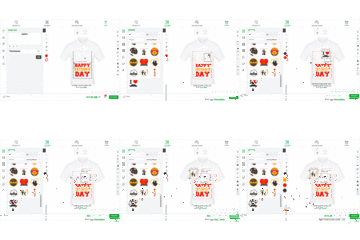
Drag-and-Drop Functionality
Allows sales representatives and customers to drag features from a menu onto the visualization of the product.
Floor Space Planning (FSP)
Floor space planning (FSP) visualization tools are optimized for organizing the contents of a room, warehouse or building.
APIs and Integrations
Visual configuration tools often integrate with other tools, most prominently CPQ solutions.
Proposal Generation
Create sales proposals based on the visual product configurations.
Configuration Rule Mapping
Mapping between the attributes and actions in the nonvisual configuration engine and the attributes of the visualization.
Configuration (3)
-
3D Configurator
Provide standard options for 3D configuration
-
Real-time
Allow users to make changes in real-time
-
Free-form
Support drag and drop personalization
Visualization (3)
-
360 View
Create customizable 360-degree viewers
-
Interactive
Include interactive product tours and presentations
-
Virtual Reality
Use virtual reality to create immersive experiences
Integration (3)
-
E-commerce
Integrate with multiple e-commerce platforms
-
Websites
Configurators can be embedded on websites
-
APIs
Deliver APIs that can be customized
Generative AI (1)
AI Text-to-Image
Provides the ability to generate images from a text prompt.