



Compara esto con otras herramientasGuárdalo en tu tablero y evalúa tus opciones lado a lado.
Guardar en el tablero

BoldSign Reseñas y Detalles del Producto

Precios

Precios proporcionados por BoldSign.

Essentials package (Web app)

Gratis
1 Sender

Contenido Multimedia de BoldSign

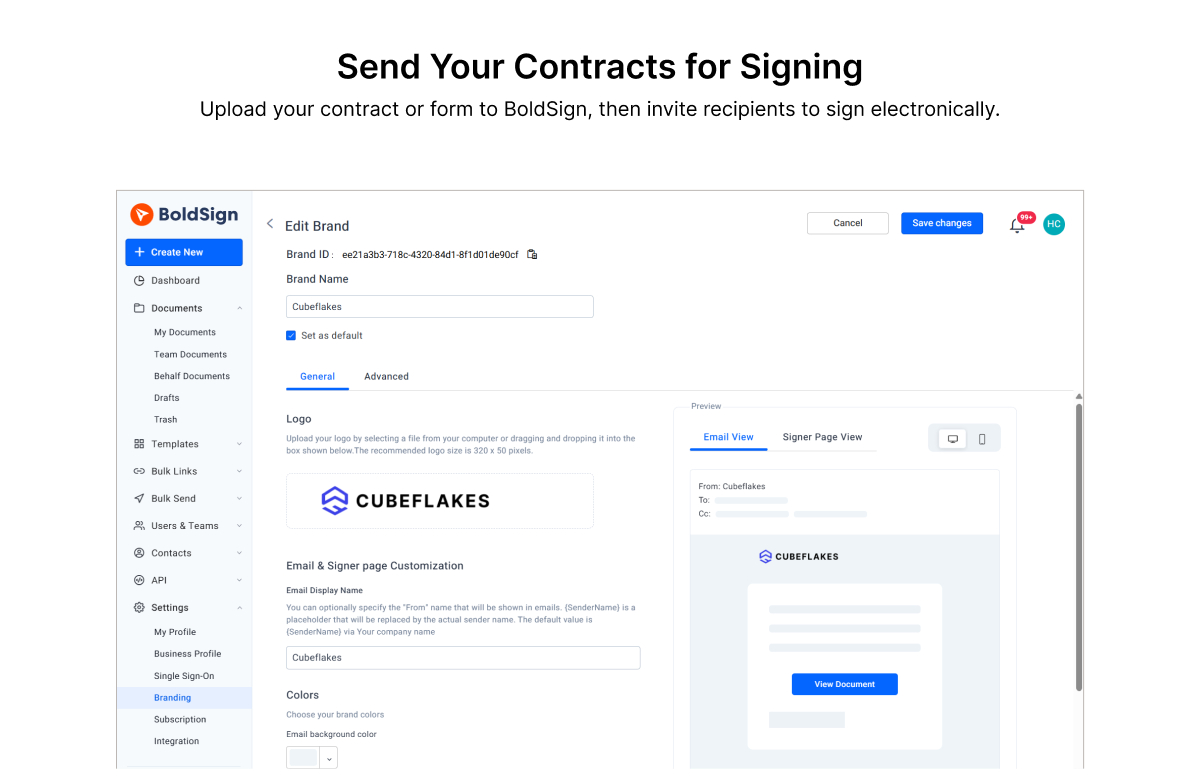
Demo BoldSign - Send Your Contracts for Signing.
Upload your contract to BoldSign, then invite recipients to sign electronically.
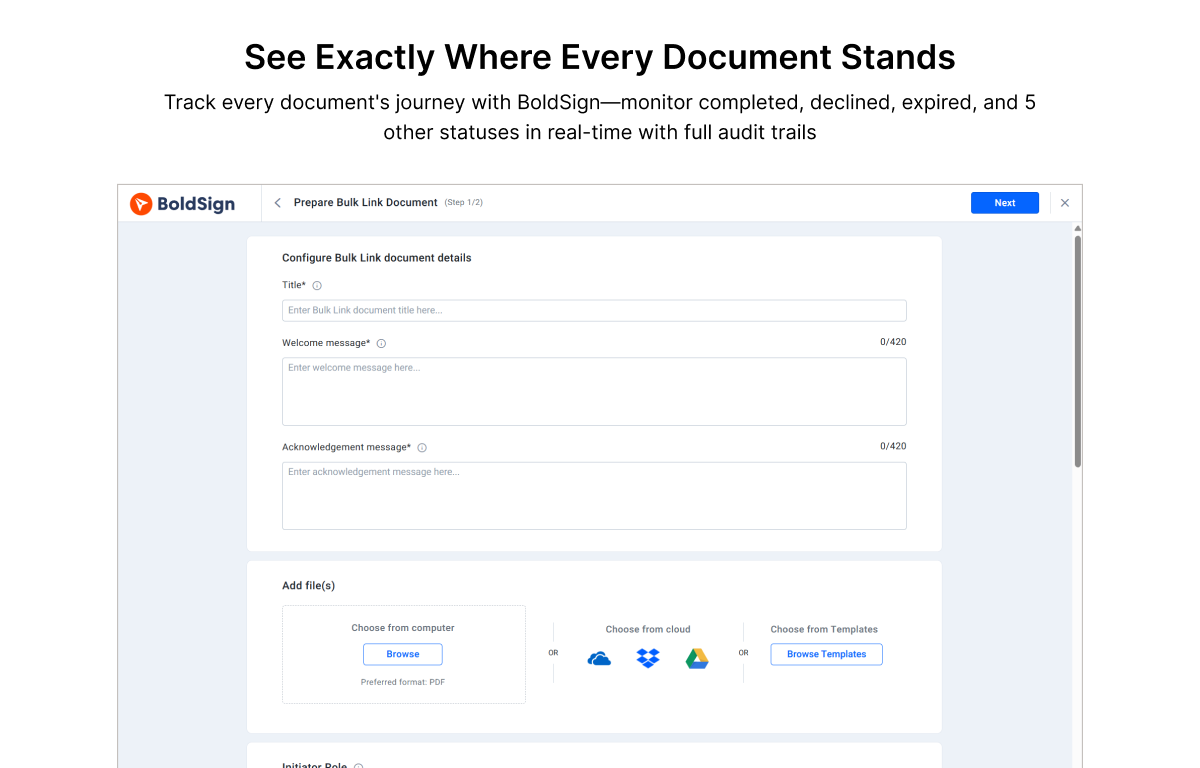
Demo BoldSign - See exactly where every document stands.
Track every document's journey with BoldSign.
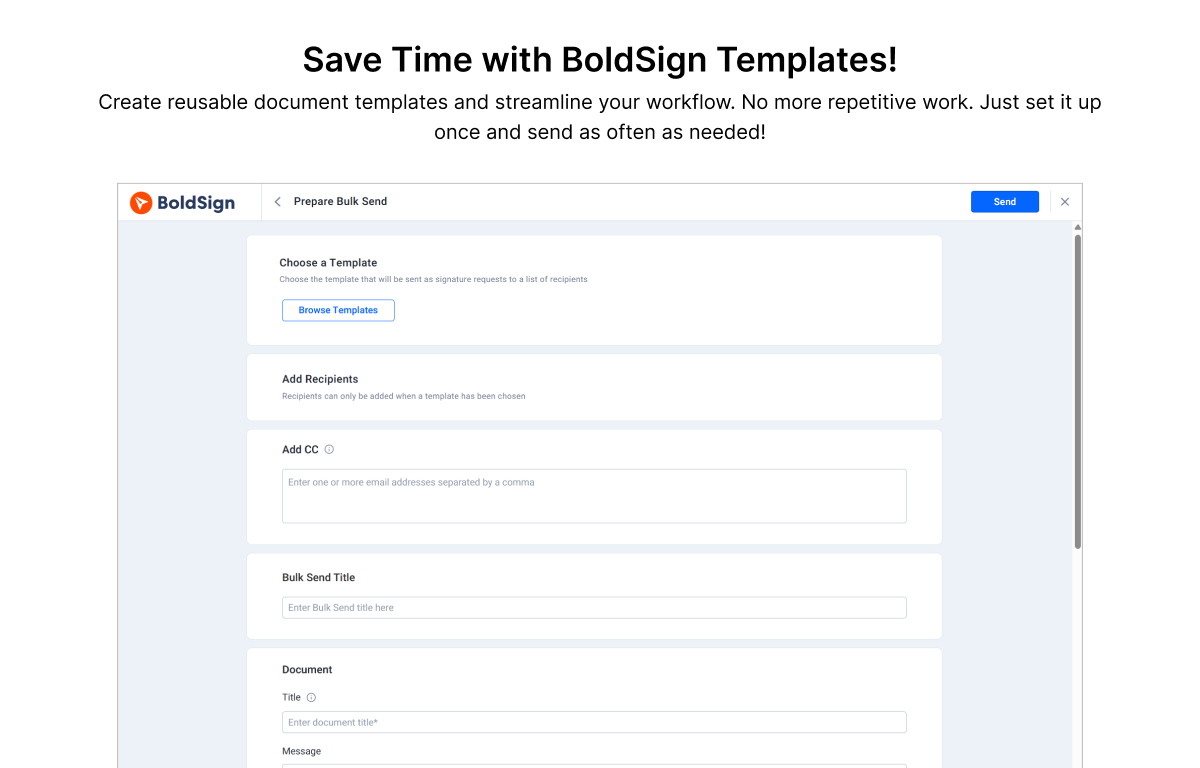
Demo BoldSign - Save Time With BoldSign Templtaes.
Create reusable document templates and streamline your workflow.
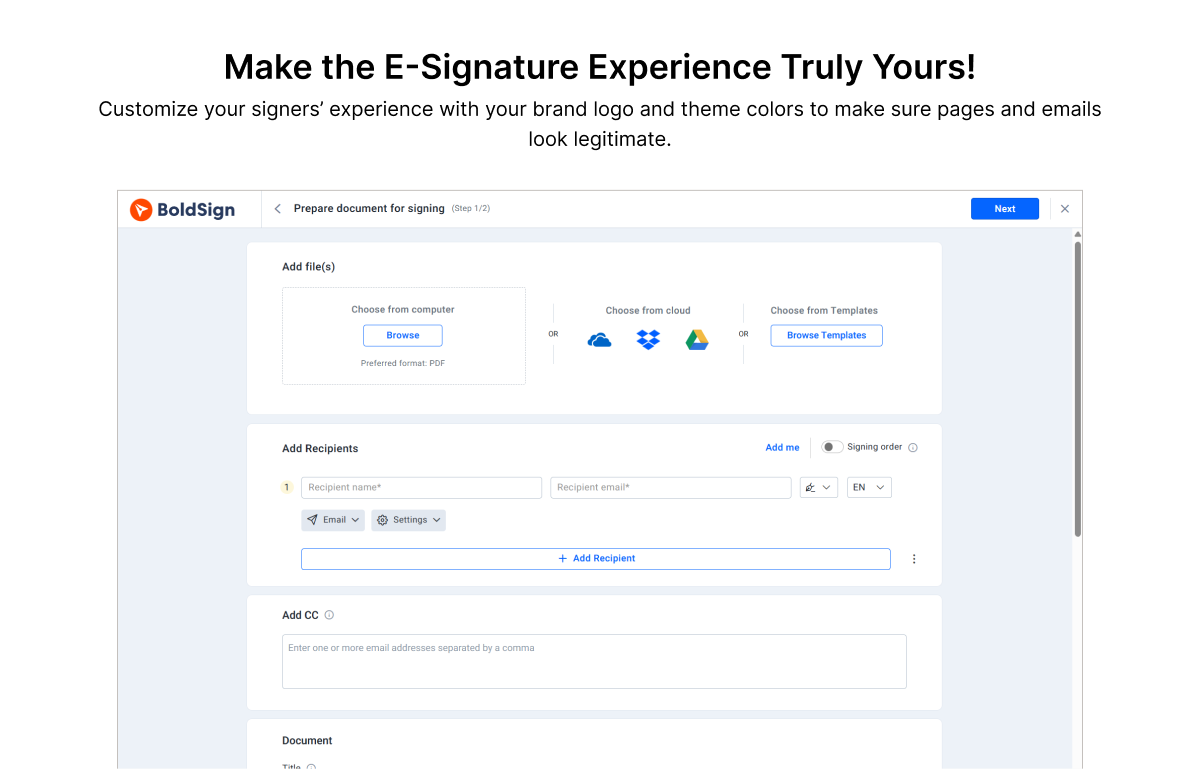
Demo BoldSign - Make the E-Signature Experience Truly Yours!
Customize your signer's experience with your brand logo and theme colors to make sure pages and emails look legitimate.
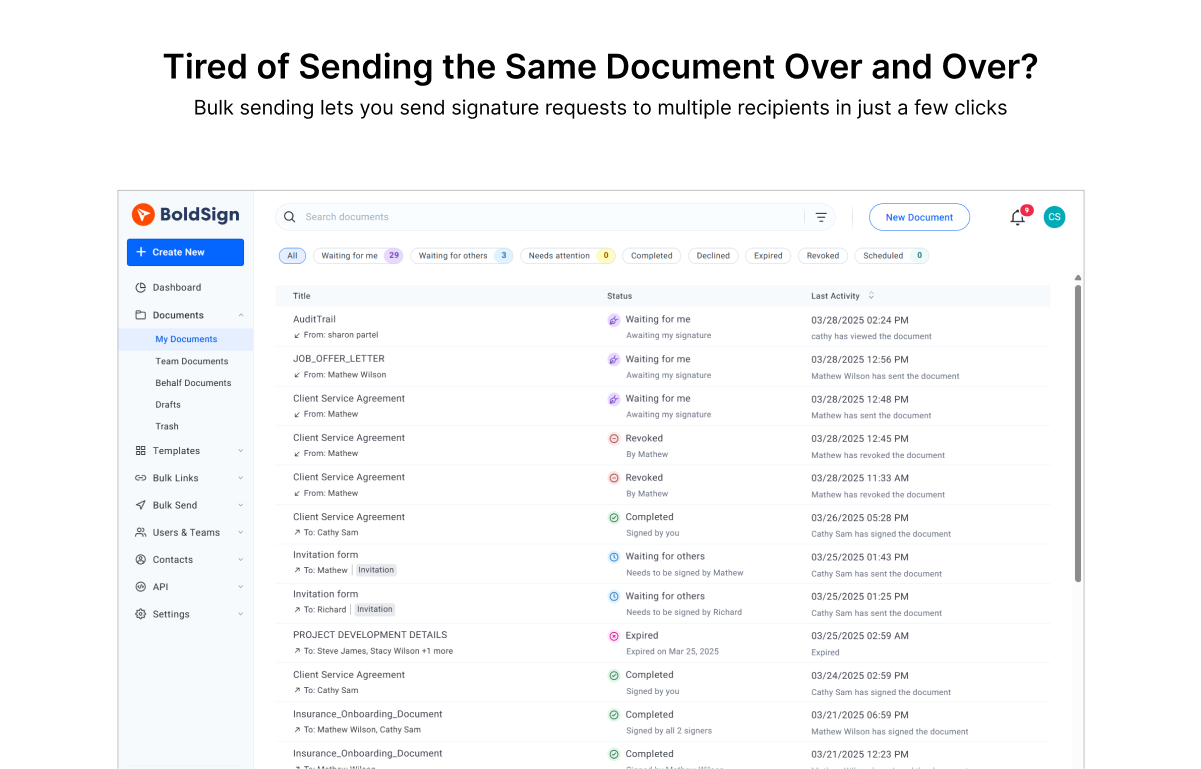
Demo BoldSign - Bulk Sending.
Bulk sending lets you send signature requests to multiple recipients in just a few clicks.
Learn how to send documents for signature in BoldSign by uploading files, adding recipients, and placing form fields effortlessly.
Reproducir vídeo de BoldSign
Learn how to send documents for signature in BoldSign by uploading files, adding recipients, and placing form fields effortlessly.
	
Discover how to create reusable templates in BoldSign and streamline your eSignature requests for a faster, more efficient signing process.
Reproducir vídeo de BoldSign
Discover how to create reusable templates in BoldSign and streamline your eSignature requests for a faster, more efficient signing process.
This video shows you how to use BoldSign to upload a document, add yourself as a signer, include necessary fields, and complete the eSignature process.
Reproducir vídeo de BoldSign
This video shows you how to use BoldSign to upload a document, add yourself as a signer, include necessary fields, and complete the eSignature process.
This video explains how to efficiently send bulk signature requests using BoldSign to streamline approvals from multiple recipients.
Reproducir vídeo de BoldSign
This video explains how to efficiently send bulk signature requests using BoldSign to streamline approvals from multiple recipients.
	
Learn to send bulk documents with BoldSign by uploading a template, creating a CSV file, and previewing the setup.
Reproducir vídeo de BoldSign
Learn to send bulk documents with BoldSign by uploading a template, creating a CSV file, and previewing the setup.
Imagen del Avatar del Producto

¿Has utilizado BoldSign antes?

Responde algunas preguntas para ayudar a la comunidad de BoldSign

Reseñas de BoldSign (308)

Reseñas

Reseñas de BoldSign (308)

4.7
Reseñas de 308

Resumen de Revisión

Generado usando IA a partir de reseñas reales de usuarios
Los usuarios elogian constantemente la facilidad de uso y la asequibilidad de BoldSign, destacando su interfaz intuitiva que simplifica la firma y gestión de documentos. Muchos aprecian el soporte al cliente confiable de la plataforma y la capacidad de crear plantillas, lo que mejora la eficiencia del flujo de trabajo. Sin embargo, algunos usuarios señalan limitaciones con ciertas funciones que están restringidas a niveles de precios más altos.

Pros y Contras

Generado a partir de reseñas de usuarios reales
Ver Todos los Pros y Contras
Buscar reseñas
Filtrar Reseñas
Borrar resultados
Las reseñas de G2 son auténticas y verificadas.
Michael P.
MP
Owner
Pequeña Empresa (50 o menos empleados)
"Exactly what I needed for API-based proposals"
¿Qué es lo que más te gusta de BoldSign?

I've been using BoldSign for about two months now to automate sending client proposals via their API, and it's been a solid find. The API is well-documented and straightforward to work with, which made integration pretty painless. Pricing is reasonable compared to other options I tried, and the few times I reached out to support they were responsive and helpful. I went through several e-signature solutions before landing on this one and BoldSign just fit my workflow better than the others. Reseña recopilada por y alojada en G2.com.

¿Qué es lo que no te gusta de BoldSign?

Still working my way through all the features after two months. There is a lot the platform can do and I haven't had time to explore all of it yet. Reseña recopilada por y alojada en G2.com.

Chao L.
CL
Senior Vice President
Mediana Empresa (51-1000 empleados)
Usuarios invitados o usuarios no comerciales del software, no incluidos en las puntuaciones de G2.
"Smooth Switch to BoldSign: Intuitive Platform with Outstanding Support"
¿Qué es lo que más te gusta de BoldSign?

I’ve been a long-time user of DocuSign, so switching platforms wasn’t something I took lightly. That said, I couldn’t be happier that our IT director introduced us to BoldSign.

The platform is very simple and intuitive to use, everything just makes sense without needing a lot of training or setup. It’s been a smooth transition for our team, and we’ve had zero issues getting up and running.

What really stands out is their customer support. Any time we’ve had questions or needed help, their team has been responsive, helpful, and easy to work with.

Overall, BoldSign has been a great switch for us, and I’d definitely recommend it to anyone looking for a reliable and user-friendly e-signature solution. Reseña recopilada por y alojada en G2.com.

¿Qué es lo que no te gusta de BoldSign?

the app is a little clunky. Not the most user friendly Reseña recopilada por y alojada en G2.com.

BC C.
BC
Attorney
Pequeña Empresa (50 o menos empleados)
"User-Friendly and Effortless to Use on Multiple Platforms"
¿Qué es lo que más te gusta de BoldSign?

It’s user-friendly and easy to use, whether I’m on my phone or on a computer. I’m also glad there’s a mobile app version available. Customer service has been great, with quick responses and helpful follow-ups to make sure my questions and inquiries are fully resolved. Reseña recopilada por y alojada en G2.com.

¿Qué es lo que no te gusta de BoldSign?

I’d like the add-ons to be available across all tiers, not limited to only certain plans. I’d also like a feature that lets me create forms directly within Boldsign. Finally, it would be helpful if parts of the e-signature experience allowed users to set defaults—such as a default font or other items—so I don’t have to change those settings every time. Reseña recopilada por y alojada en G2.com.

Tiara K.
TK
Notary Public, Loan Processor, and Insurance Agent
Pequeña Empresa (50 o menos empleados)
"Easy to Use Fast Doc Setup for Sending and Signing"
¿Qué es lo que más te gusta de BoldSign?

The ease of use and the ability to get a document set up to send and sign quickly. Reseña recopilada por y alojada en G2.com.

¿Qué es lo que no te gusta de BoldSign?

Haven't had any dislikes through my use so far, it's does the job I need it to perfectly every time. Reseña recopilada por y alojada en G2.com.

Cesar R.
CR
Business Financial Advisor
Pequeña Empresa (50 o menos empleados)
"Effortless Document Signing with BoldSign"
¿Qué es lo que más te gusta de BoldSign?

I love that BoldSign helps me sign my documents easily and quickly, offering simplicity and versatility for free. It's become an essential part of my sales tools because it speeds up getting clients to sign quickly, saving time for my clients and, more importantly, for me. The copy-and-paste functionality for signature or initials boxes is great, allowing me to have the format ready as a sample for my next client. BoldSign is trusted by insurance and investment companies, which adds to its value as a reliable signing method. The initial setup was simple and easy. Reseña recopilada por y alojada en G2.com.

¿Qué es lo que no te gusta de BoldSign?

I always wonder if there is a way to sign by hand using your mouse and have a beautiful handwriting. I mean, to see that your pulse is not affecting your handwriting, avoiding the shakes in your lines. Reseña recopilada por y alojada en G2.com.

Alexander S.
AS
Pequeña Empresa (50 o menos empleados)
"Easy Integration with Hubspot, Simple Setup"
¿Qué es lo que más te gusta de BoldSign?

I love how BoldSign is super simple to set up. It's really easy to use, especially when setting up a form as a template and sending it out. The integration with HubSpot is one of the key reasons we chose BoldSign, as it allows us to easily prefill fields from HubSpot, which is great. Reseña recopilada por y alojada en G2.com.

¿Qué es lo que no te gusta de BoldSign?

Two things. 1. No access to BoldSign in HubSpot workflows. Being able to trigger BoldSign automatically would be fantastic! 2. Not able to automatically attach signed documents to records in HubSpot. We are leveraging a third-party app to do this and it's a hassle to set up. It would be great to attach the signed documents as a note once complete and a message saying it has been complete. Reseña recopilada por y alojada en G2.com.

Samuel T.
ST
Pequeña Empresa (50 o menos empleados)
"Effortless API Integration, Perfect for Developers"
¿Qué es lo que más te gusta de BoldSign?

I appreciate BoldSign for its ease of API connection, which is a big help. It's very easy to use for developers, ensuring that messages don't get lost in spam. I like that it works exactly how I need it to, and the ability to pre-fill the form based on client data without the recipient being able to edit the entries is very useful. The 'pay as I go' API plan is also favorable because it allows me to manage my expenses better. The initial setup was very easy compared to DocuSign. Reseña recopilada por y alojada en G2.com.

¿Qué es lo que no te gusta de BoldSign?

One aspect that would be helpful is regarding my specific API workflow. Pre-fill form, send to client #1, client #1 signs, then it passes to client #2 for signatures. At the moment it has to be done in a specific signing order. It would be easier if it sent to both client #1 and client #2 at the same time. But the pre-filled fields need to be assigned to a user, so if I try to send them to both at the same time, then one of the clients won't see the pre-filled entries. Reseña recopilada por y alojada en G2.com.

Omer P.
OP
Technical Project Manager
Mediana Empresa (51-1000 empleados)
"Affordable and Intuitive for KYC Automation"
¿Qué es lo que más te gusta de BoldSign?

I like BoldSign because it automates the KYC process and standardizes the documents I get. The UI is very simple and straightforward, which aligns well with my use case, making it pretty easy to just start using. I also appreciate how BoldSign is much cheaper compared to other subscriptions while delivering the same product. Reseña recopilada por y alojada en G2.com.

¿Qué es lo que no te gusta de BoldSign?

I would be happy if they had no-code UI to build automation regarding more complex KYC scenarios and saving the completed documents. Yes, right now I need to use 3rd party app to fulfill my requirements. Reseña recopilada por y alojada en G2.com.

Usuario verificado en Construcción
AC
Pequeña Empresa (50 o menos empleados)
"Simple, Intuitive Bulk Links That Cut a Week of Work Down to a Day"
¿Qué es lo que más te gusta de BoldSign?

BoldSign is simple and intuitive. Before BoldSign, I had never heard of...let alone created bulk links before. Even I was able to set up bulk links...and without a tutorial. Our application of bulk links was for application document signatures for a large quantity of applicants. Using bulk links streamlined our application document signatures and submittals, cutting 1 week of work down to a day. Reseña recopilada por y alojada en G2.com.

¿Qué es lo que no te gusta de BoldSign?

It was honestly very challenging to come up with anything to critique. If anything, BoldSign could improve instructions/documentation concerning how, when choosing an already created template that contains required signatures for both Signer and Co-signer, a Co-signer signature can be removed. It is a little confusing when creating a new template for a form that requires signatures for Co-applicants (i.e. do I make 2 separate templates - one template for Signer and another one for Co-applicants?, OR do I create one template where Signer's signature is required (*), but Co-signer's signature is not required...but then again, I also require both signatures for Co-applicants, so..., etc.). I was able to figure out that you can remove a co-signature when using template you created with required signatures of co-applicants. However, this wasn't as clear as I feel it could have been. Reseña recopilada por y alojada en G2.com.

Eddie .
E
Pequeña Empresa (50 o menos empleados)
"Effortless E-Signing with BoldSign"
¿Qué es lo que más te gusta de BoldSign?

I like how BoldSign allows my customers at Toledo Jam Studio to sign rental agreements via email, making us look professional and up-to-date with technology. I appreciate the official timestamp feature for verifying when agreements were signed, and the ability to store signed documents online makes it easy to reference them later. The initial setup and learning curve were simple, which made it easy to get started. I am also pleased with BoldSign as the first service I found when searching for online signing capabilities, and I haven't looked back. Reseña recopilada por y alojada en G2.com.

¿Qué es lo que no te gusta de BoldSign?

It might be nice to be able to edit the original document in BoldSign. Reseña recopilada por y alojada en G2.com.

¿Preguntas sobre BoldSign? Pregunta a usuarios reales o explora respuestas de la comunidad

Obtén respuestas prácticas, flujos de trabajo reales y pros y contras honestos de la comunidad de G2 o comparte tus ideas.

GU
Guest User
Última actividad hace más de 2 años

¿Para qué se utiliza BoldSign?

0 Votos positivos
1
Únete a la conversación

Opciones de precios

Precios proporcionados por BoldSign.

Essentials package (Web app)

Gratis
1 Sender

Growth package (Web app)

A partir de $5.00
1 Sender. Price shown is the per-month cost when annual billing is selected. A monthly option is also available.

Business package (Web app)

A partir de $15.00
1 Sender. Price above is the per-month cost when annual billing is selected. A monthly option is also available.
BoldSign Comparaciones
Características de BoldSign
Marca personalizada
Administración de usuarios, roles y accesos
Rendimiento y fiabilidad
Firma de documentos
Recordatorios y vencimientos
Proceso de inicio de sesión
Cumplimiento normativo
Historial de firmas y auditoría
Escalabilidad empresarial
Imagen del Avatar del Producto
BoldSign