
Yashwathy Marudhachalam
Yashwathy is an SEO Content Specialist at G2, where she shapes how millions of buyers discover and evaluate software. She specializes in creating content that ranks, resonates, and drives real decisions, from software guides to AI-powered search content. Outside of work, you'll find her hunting down the city's best new cafes or logging miles at the gym.
TL;DR: Spam vs. Phishing
- What’s the difference between spam and phishing? Spam is unsolicited bulk email, usually promotional. Phishing is a fraud attempt that impersonates a trusted sender to steal passwords, payment details, or money.
- How can you tell if an email is spam or phishing? Check what it wants. Spam wants a click or a purchase. Phishing wants your login, a payment, or an urgent reply, and it pretends to be someone you trust.
- What should you do if you click a phishing link? Close the page, change the password for any account you entered and turn on multi-factor authentication, tell your IT team or bank, and report the message.
- Should you report an email as spam or phishing? Report it as phishing if it impersonates a sender or asks for credentials or money. Report it as spam if it’s only unwanted promotion.
- How do small businesses protect employees from phishing? Turn on multi-factor authentication, set up SPF, DKIM, and DMARC, train employees to report suspicious mail, and confirm payment changes by phone.
- Do you need email security software? Provider filters handle bulk spam well. Phishing, spear phishing, and BEC need layered controls such as link rewriting, attachment sandboxing, impersonation detection, and user training.
A postcard offering a discount on something you’ll never buy is junk mail. A letter that looks like it came from your bank and asks for your account number is fraud. Email has the same split, and inbox filters don’t always draw the line where you would.
Spam is unsolicited bulk email, usually advertising. Phishing is a cyberattack that uses a believable sender and an urgent request to get you to hand over credentials, payment details, or money. Both land in the same inbox, so teams often treat them with the same tools. Many organizations add email security software on top of their email provider’s filters to catch what those filters miss.
What is the difference between spam and phishing?
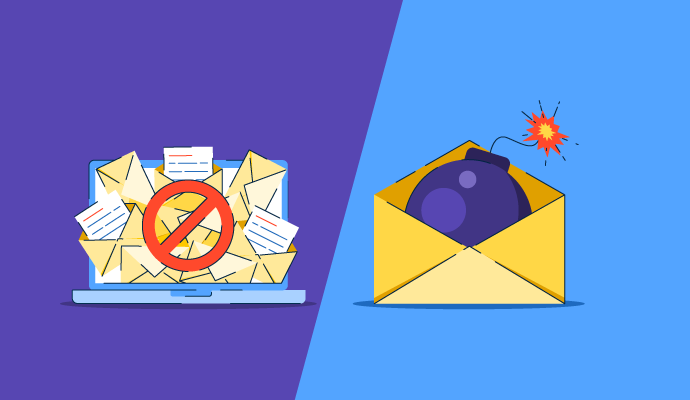
Spam is unsolicited bulk email, usually promotional, that mostly wastes time. Phishing is a fraud attempt: the sender impersonates a trusted person or brand to get you to hand over credentials, payment details, or money. Spam wants your attention. Phishing wants your access.
This guide explains how spam and phishing differ, how spear phishing, BEC, and smishing fit in, how to spot each one, what to do after a bad click, how to report suspicious messages, how small businesses can protect their teams, and where email security software helps. It also answers common questions about filters and spam handling.
How do spam and phishing differ?
Both can arrive in the same inbox, and both can carry malicious links, so the difference comes down to intent and targeting. A spammer wants clicks and sales from as many people as possible. A phisher wants one thing from the right person: a password, a wire transfer, or access to a system.
Law is another dividing line. In the US, the CAN-SPAM Act regulates commercial email instead of banning it. Senders must identify themselves, include a physical address, and honor opt-out requests within 10 business days, and the FTC can assess civil penalties for each violating email. Phishing isn’t regulated that way. It’s fraud.
Want to learn more about Email Security Software? Explore Email Security products.
What is spam?
Spam: unsolicited, unwanted messages sent in bulk. Email is the best-known channel, but spam also arrives as text messages, social media messages, and comments. Most spam is commercial. It promotes a product, a service, or a landing page, and it’s cheap to send to a huge list because even a tiny response rate pays off.
That low cost keeps volumes high. Kaspersky measured spam at 44.99% of global email traffic in 2025, down 2.28 percentage points from 2024. Kaspersky also notes that spam can include scam, phishing, and malware emails, so the share isn’t all harmless promotion.
What is phishing?
Phishing: a cyberattack that uses fraudulent messages, made to look like they came from a legitimate company or person, to trick recipients into sharing sensitive information such as login credentials, bank details, or card numbers. The FBI’s Internet Crime Complaint Center (IC3) defines it as unsolicited email, text, or phone contact that appears to come from a legitimate company and asks for personal, financial, or login information.
Attackers rely on social engineering, using urgent or alarming language to push you to act before you think. The message usually carries a link to a fake login page or an attachment that installs malware. Phishing also isn’t limited to email. Smishing uses text messages, and vishing uses phone calls.
IC3 data shows how the problem has shifted. Phishing and spoofing complaints fell from 298,878 in 2023 to 191,561 in 2025, but the losses reported in those complaints rose from $18.7 million to $215.8 million over the same period. BEC, a related email scam, produced 24,768 complaints and $3.05 billion in reported losses in 2025. These are victim-reported figures, not a count of all attacks.
| Year | Phishing/spoofing complaints | Reported losses |
| 2023 | 298,878 | $18.7 million |
| 2024 | 193,407 | $70.0 million |
| 2025 | 191,561 | $215.8 million |
Source: FBI IC3 2025 Internet Crime Report, three-year comparison tables.
How do spam, phishing, spear phishing, BEC, and smishing compare?
The five threats differ in who they target, what they want, and which defenses work. Use this table as a quick reference.
| Threat | Intent | Example | Risk | What stops it |
| Spam | Promote products or services to as many recipients as possible | A bulk email advertising discounted software to a purchased contact list | Low. Wasted time, though links can lead to scams or malware | Spam filters, sender block lists, unsubscribing from senders you recognize |
| Phishing | Steal credentials or payment data, or install malware, by impersonating a trusted brand | A fake “your account is locked” email with a link to a lookalike login page | High. Account takeover, data theft, financial loss | Link rewriting and URL checks, attachment sandboxing, impersonation detection, multi-factor authentication (MFA), user training |
| Spear phishing | Gain access or data from a specific person or team using researched details | An email to one finance manager that names a real vendor and a recent project | High. Few recipients and a tailored message make it harder to spot | Impersonation detection, behavioral analysis of sender patterns, verification procedures, user training |
| BEC | Trick an employee into sending money or sensitive data by posing as an executive or vendor | A “CEO” asks accounts payable to change a vendor’s bank details before a payment | Very high. $3.05 billion in losses reported to the FBI in 2025 | Impersonation detection, email authentication (SPF, DKIM, DMARC), phone verification of payment changes, approval limits |
| Smishing | Steal information or money through fraudulent text messages | A text claiming a package is on hold, with a link to pay a redelivery fee | High. Arrives outside email filters, often on a personal phone | Carrier and mobile filtering, reporting texts to 7726, user training |
Email security software covers the first four rows. Smishing arrives by text, so it needs mobile and carrier-level controls plus employee training.
How can you tell if an email is spam or phishing?
Start with what the message wants from you. Three questions sort most emails:
- Who is it from? Spam usually comes from a company or domain you’ve never dealt with. Phishing imitates one you know, often with a lookalike address such as “compaany.com.”
- What does it ask you to do? Spam asks you to buy, sign up, or visit a page. Phishing asks you to log in, confirm account details, open an attachment, or send a payment.
- How does it make you feel? Spam is easy to ignore. Phishing applies pressure with a deadline, a threat to close an account, or a request from someone senior, so you act before you check.
Which warning signs point to phishing?
- A sender address that doesn’t match the company’s real domain, or a display name that doesn’t match the address
- A link whose destination, shown when you hover over it, differs from the link text
- An urgent deadline or a threat, such as account suspension
- A request for credentials, one-time codes, gift cards, or a change to payment details
- An unexpected attachment, such as an invoice, PDF, or ZIP file
Don’t rely on typos to give a phishing email away. IC3 notes that chat generators can quickly produce official-sounding emails that mimic a CEO, and businesses reported more than $30 million in losses to BEC scams involving AI in 2025.
Related: See how these warning signs played out in real incidents in G2’s guide to the 12 most common phishing attacks with examples.
What should you do if you click a phishing link?
Act quickly, in this order:
- Stop. Close the page without entering anything. If a file downloaded, don’t open it.
- Change your passwords. Reset the password for any account you entered, and for any other account that uses the same password. Turn on MFA.
- Tell IT or security. If it happened on a work account or device, report it right away so the team can check for compromise and remove the same message from other inboxes.
- Contact your bank. If you shared payment details or sent money, call your financial institution immediately and ask for a recall. IC3 advises filing a complaint at ic3.gov even if the amount is small.
- Scan the device. Run a security scan if you opened an attachment.
- Report the message. The FTC says to forward phishing emails to the Anti-Phishing Working Group at reportphishing@apwg.org and report them at ReportFraud.ftc.gov. Forward phishing texts to 7726.
Tip: At work, use your organization’s report-phishing button, if it has one, before you delete the message.
Should I report an email as spam or phishing?
Report it as phishing if it impersonates a sender or asks for credentials or money. Report it as spam if it’s only unwanted promotion. If you can’t tell which it is, treat it as phishing, because that sends it to a security workflow instead of leaving it in the junk folder.
Reporting does different work in each case. Marking spam helps your provider tune its filter. Reporting phishing lets your security team find and remove the same message from other inboxes, and it feeds the organizations that track phishing campaigns.
| What you received | Where to report it |
| Spam (unwanted promotion) | Mark it as spam in your email client. |
| Phishing email at work | Use your organization’s report-phishing button, or send it to your IT or security team. |
| Phishing email at home | Use your email client’s report-phishing option, forward it to reportphishing@apwg.org, and report it at ReportFraud.ftc.gov. |
| Phishing text message | Forward it to 7726. |
| Phishing that cost you money | Contact your bank right away, then file a complaint at ic3.gov. |
Once you’ve checked and reported a suspicious message, delete it.
How do small businesses protect employees from phishing emails?
Small businesses often don’t have a dedicated security team, so a short list of low-cost controls does most of the work. Put these in place first:
- Turn on MFA for email and finance accounts. A stolen password alone then won’t open the account.
- Keep your provider’s spam and phishing filters enabled. They’re the first layer and cost nothing extra.
- Set up SPF, DKIM, and DMARC for your domain. These email authentication records help receiving servers reject messages that spoof your domain.
- Train employees to spot and report phishing. Use short sessions built on current examples, and give people one easy way to report, such as a report button or a shared address.
- Confirm payment changes by phone. Verify any bank-detail change or urgent payment request using a number you already have, not one in the email.
- Know your bank’s recall process. IC3 notes that financial institutions have different policies and that time is critical when a fraudulent transfer is discovered, so learn what help your bank offers before you need it.
- Add email security software as your risk grows. If you handle sensitive data or see impersonation attempts, the next section covers what the software adds.
How does email security software help against spam and phishing?
Your email provider’s built-in filter is the first layer, and it handles bulk spam well. Phishing, spear phishing, and BEC are built to look legitimate, so they need layers that inspect links, attachments, sender identity, and behavior. Email security software adds those layers on top of your provider’s filters.
G2 sorts these tools into related categories. Products in G2’s Email Anti-spam category must filter email content for malware or viruses, identify mislabeled senders or potential phishing attempts, and offer blacklisting or blocking. Secure email gateway and cloud email security products add capabilities such as encryption, archiving, and cloud-hosted filtering. Intelligent email protection tools use machine learning to baseline user behavior and flag anomalies.
What should you compare when choosing email security software?
Each feature below involves a trade-off. None of them has a single right answer, so match them to your threat mix and your team’s capacity.
- Phishing and BEC detection: Tools that analyze sender behavior and message context can catch impersonation with no link or attachment. They first need to build a baseline of normal activity, and they usually need more tuning than a basic spam filter.
- False-positive rates: Stricter filtering catches more threats but can quarantine legitimate mail. Ask how quarantine review and release work, and who handles them.
- Microsoft 365 and Google Workspace integration: Check whether a tool connects to your mail platform directly or sits in the mail path. That choice affects deployment effort and how much of your platform’s native filtering you keep.
- Data loss prevention (DLP) and encryption: If you send regulated data such as health or financial records, outbound DLP and encryption matter. Extra modules add cost and admin work, which a team with no regulated data may not need.
- Gateway replacement: A secure email gateway filters mail before it reaches your mail platform. Replacing one with a cloud-native tool can simplify operations, but you give up the single control point some teams use for routing, archiving, and policy.
Ratings alone won’t separate these tools. As of November 2026, G2’s Email Anti-spam category had 14 products with 100 or more reviews, and their average star ratings, based on G2 user reviews, ranged from 4.2 to 4.9 out of 5. When scores sit that close together, fit decides: your mail platform, your threat mix, and how much admin time you can spare.
Top-rated email anti-spam software on G2:
- Paubox: 4.9 out of 5, 680+ reviews
- LibraCyber Email Security: 4.8 out of 5, 110+ reviews
- Proofpoint Core Email Protection: 4.6 out of 5,620+ reviews
- Check Point Email Security: 4.6 out of 5, 530+ reviews
- Vade: 4.6 out of 5, 170+ reviews
- Valimail: 4.5 out of 5, 690+ reviews
- Microsoft Defender for Office 365: 4.5 out of 5, 290+ reviews
- Barracuda Email Protection: 4.5 out of 5, 280+ reviews
- SpamTitan Email Security: 4.5 out of 5, 190+ reviews
*These are nine of the 15 products in G2's Email Anti-spam category with 100 or more reviews, listed by G2 star rating as of November 2026. Ratings reflect G2 user reviews.
Software doesn’t replace people, either. Pair it with security awareness training so employees can spot and report what gets through.
Frequently asked questions about spam vs. phishing
Got more questions? Get your answers here!
Q1. Is phishing a type of spam?
Sometimes. Mass phishing campaigns are sent in bulk like spam, so the two overlap. Spear phishing and BEC go to one person or a small team, so they aren’t bulk mail. Spam is defined by volume and promotion. Phishing is defined by deception and intent to defraud.
Q2. Which is more dangerous, spam or phishing?
Phishing. Spam mostly costs time, though it can carry malicious links. Phishing aims at credentials and money. The FBI’s IC3 recorded 191,561 phishing and spoofing complaints and $215.8 million in reported losses in 2025, and BEC alone accounted for $3.05 billion.
Q3. Why does spam still reach my inbox even with a filter?
Filters work on probabilities, not certainty. Spammers adapt with tactics such as image-based spam and URL obfuscation, and a filter set loose enough to avoid blocking real mail will miss some messages. Marking spam when it slips through and tightening your filter rules both help.
Q4. How do spam filters detect phishing emails?
Filters check sender reputation, authentication results such as SPF, DKIM, and DMARC, known-bad links, message content patterns, and user reports. Because basic filters lean on known patterns, a new or targeted phishing message can pass. Advanced tools add link rewriting, sandboxing, and machine-learning analysis of sender behavior.
Q5. Do I need email security software if my email provider already filters spam?
Provider filters are a solid baseline for bulk spam. Consider adding email security software if you handle sensitive data, face impersonation or invoice fraud, or need controls such as sandboxing, DLP, or encryption that your plan doesn’t include. A small team with a low-risk profile may be covered by the built-in filter plus MFA and training.
Q6. Can spam filters stop business email compromise?
Rarely on their own. BEC messages often contain no malicious link or attachment, so a basic filter has nothing to flag. Controls that help include impersonation detection, email authentication (SPF, DKIM, DMARC), and a rule that any payment or bank-detail change gets confirmed by phone.
Q7. What’s the difference between junk and phishing?
Junk is another word for spam, and many providers label their spam folder “Junk.” Junk mail is unwanted and usually promotional. Phishing is deceptive and aims to steal information or money, so it belongs in a report-phishing workflow, not just the junk folder.
Q8. What should you never open in spam emails?
Never open attachments or click links in spam, and don’t reply to the sender. Be careful with “unsubscribe” links in messages from senders you don’t recognize, because a fake opt-out page can be a phishing page. Report the message, then delete it.
Q9. Why should you never delete spam?
You can delete it. The FTC’s advice for phishing is to check the message, report it, and then delete it. At work, report suspected phishing to IT before you delete it, since security teams can use the original message to find and remove copies in other inboxes.
Q10. Which email anti-spam platforms catch advanced phishing and ransomware without overwhelming admin queues?
Proofpoint Core Email Protection (4.6 out of 5, 629 G2 reviews), Check Point Email Security (4.6, 534 reviews), Barracuda Email Protection (4.5, 250 reviews), and Microsoft Defender for Office 365 (4.5, 299 reviews) are established options for phishing and malware filtering. Ask each vendor how quarantine review and automated remediation work before you shortlist.
Q11. What are the best email security services for enterprises managing phishing and advanced email threats?
Proofpoint Core Email Protection, Microsoft Defender for Office 365, Check Point Email Security, and Barracuda Email Protection are the enterprise-grade options on G2’s Email Anti-spam list. They are rated 4.5 to 4.6 out of 5 across 250 to 629 reviews each. Choose between them by mail platform, regulatory needs, and how much admin time you can spare.
Q12. What email security best practices prevent phishing and malware as your team grows?
Turn on MFA for every account, keep SPF, DKIM, and DMARC current as you add domains and senders, and give employees one report-phishing path. Run short, recurring training, and confirm payment changes by phone. DMARC tools such as Valimail (4.5 out of 5, 698 G2 reviews) help you manage authentication as your sending footprint grows.
Q13. What phishing and BEC protection software works for small IT teams with limited security resources?
Paubox (4.9 out of 5, 682 G2 reviews), LibraCyber Email Security (4.8, 112 reviews), and SpamTitan Email Security (4.5, 199 reviews) are the highest-rated options for lean teams among G2’s Email Anti-spam products. Pair any of them with MFA and phone verification of payment changes, since BEC often carries no link for a filter to catch.
Q14. Which cloud email security tools have the best phishing detection accuracy and lowest false-positive rates?
By G2 star rating, Paubox (4.9), LibraCyber Email Security (4.8), Vade (4.6), and Proofpoint Core Email Protection (4.6) lead the Email Anti-spam category. Confirm accuracy yourself by running a trial in monitor mode on your real mail and comparing missed threats with quarantined legitimate messages.
Keeping spam and phishing out of your inbox
Spam is a nuisance you can filter. Phishing is a deception you have to recognize, and the targeted versions slip past basic filters. A tuned spam filter, MFA, and regular training cover most of the ground, and email security software fills the gaps when your risk calls for it.
Ready to train your team to spot phishing before it lands? Compare security awareness training software on G2 to find a tool that fits your team.
This was written in 2024 by Alyssa Towns. It has now been updated with new information.