AI-Generated Results
Finding matches…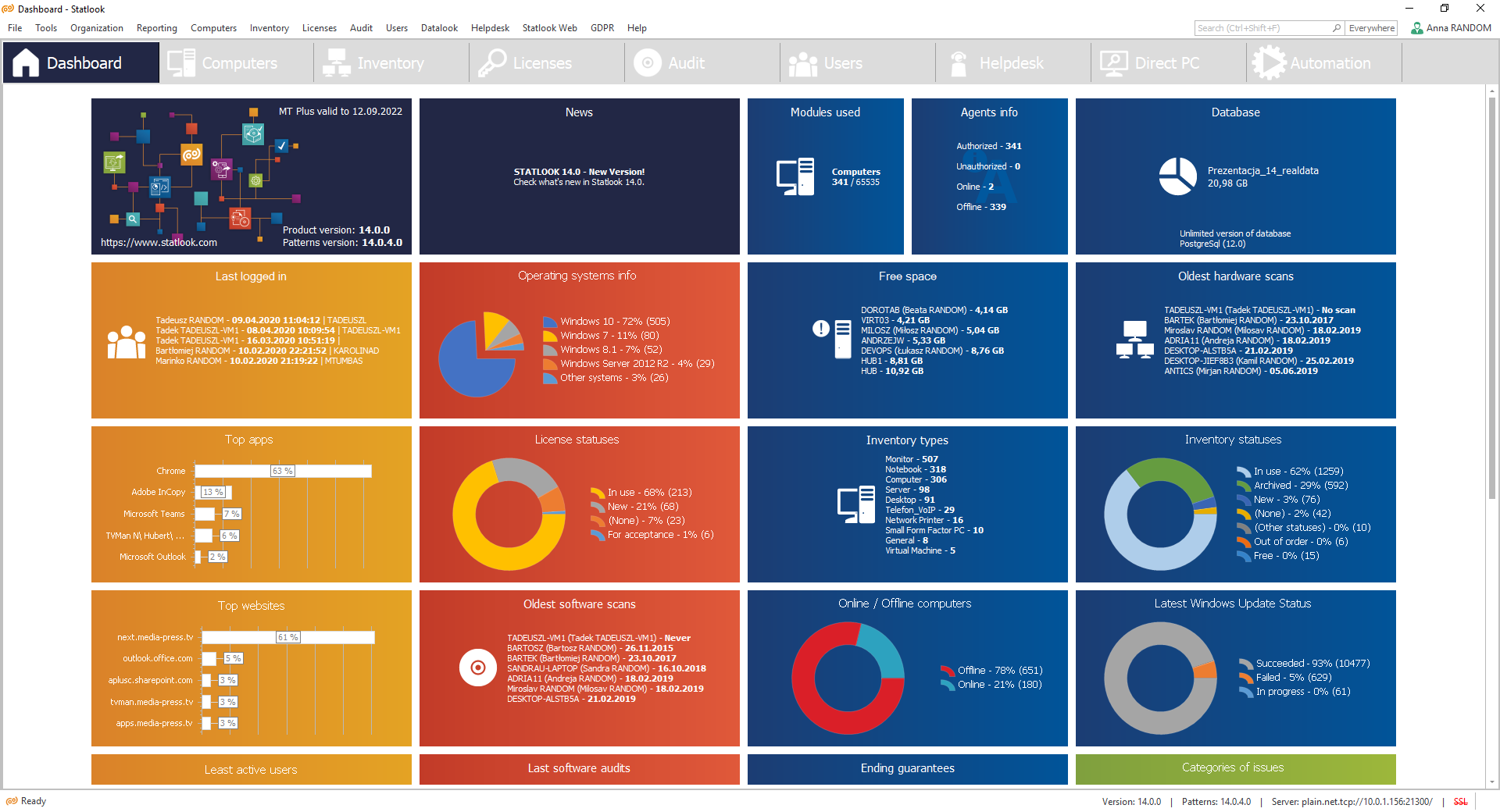
Statlook is a professional and free ITAM (IT Asset Management) which helps you to manage and automatize your tasks concerning: HARDWARE - Complete infrastructure information in one place - Asset management - Remote, automatic inventorying of resources - Customizable automation rules - Script execution schedules SOFTWARE - Software Asset Management (SAM) - Remote software management (deinstalation) LICENSES - License Compliance and Audit - License management USERS / LOCAL & REMOTE EMPLOYEES) - Remote users monitoring, analysis and management - Productivity analysis for team leaders and management - System based on logins assigned to employees (independent of used computers) - Printout monitoring INTERNET ACCESS - Websites visited - Website blocking and rules - Online transfers DATA PROTECTION (DLP) - USB storage management (pendrive, HDD, SSD, memory card, etc) - Operations on removable storage devices - Configuring the rights to write, read and run programs SERVICE DESK - Ticket management - automatized - Help desk and service desk for outsourcing - Knowledge base - Full history of all tickets GDPR COMPLIANCE TOOL - Processing activities register — automatic, according to the Personal Data Protection Office guidelines - Inventory of data sets — activities (processes) based on data sets - Access and entrustment — full documentation of data sharing processes - Documents and training — a central database for data protection information - Risk assessment — all information for data protection impact assessment (DPIA) REMOTE CONECTION AND HELP - View or remotely take control of a computer - Remote access to files, registry and processes - Multiple screens displayed live Download Statlook FREE Version (for personal and commercial use) - join thousands of companies and organizations. Statlook is a complete solution both for IT and Business users who need help with their everyday tasks.
Not seeing what you're looking for?
Dive deeper into "Everyday" on G2 AI

Volenday is a multinational outsourcing company specializing in delivering high-quality and flexible business solutions tailored to meet the unique needs of modern enterprises. With a strong presence in the United States, Philippines, and Australia, Volenday offers a comprehensive suite of services, including recruitment, staffing, software development, and IT support. Their proactive approach and holistic involvement empower clients to strategically achieve their goals and sharpen their competitive edge in their respective fields.
Key Features and Functionality:
- Recruitment Services: Assisting clients in talent acquisition across various industries without requiring exclusivity contracts or retainers' fees.
- Staff Augmentation: Providing staffing solutions to manage operational overload, ensuring clients maintain control over their deliverables.
- Software Development: Engaging at any stage of the software development process, regardless of the project's size and complexity.
- IT & Infrastructure Support: Offering support for computers, networks, and servers, including updates and handling unexpected changes.
- Shared Workspaces: Providing professional environments equipped with desks and meeting rooms to enhance business efficiency.
- Business Solutions: Catering to everyday office and processing needs with services like management consulting, finance/accounting outsourcing, SEO, and graphic design.
Primary Value and Solutions Provided:
Volenday's primary value lies in its ability to deliver targeted and efficient business solutions that address the specific challenges faced by modern enterprises. By offering a broad range of services, from recruitment and staffing to software development and IT support, Volenday enables clients to streamline their operations, enhance productivity, and maintain a competitive edge in their respective industries. Their commitment to excellence, innovation, and client satisfaction ensures that businesses receive tailored solutions that drive success and growth.

The "Trigeminal Neuralgia Disease State" is a comprehensive resource designed to provide in-depth information about trigeminal neuralgia (TN, a chronic pain condition affecting the trigeminal nerve, which is responsible for sensation in the face. This resource aims to educate healthcare professionals, researchers, and patients by offering detailed insights into the disease's pathophysiology, symptoms, diagnostic criteria, and treatment options.
Key Features and Functionality:
- Detailed Disease Overview: Offers an extensive explanation of TN, including its causes, such as nerve compression by blood vessels, multiple sclerosis, or tumors.
- Symptomatology: Describes the characteristic symptoms of TN, including sudden, severe, electric shock-like facial pain that can be triggered by everyday activities like eating, speaking, or touching the face.
- Diagnostic Criteria: Provides guidelines for diagnosing TN, differentiating it from other facial pain disorders through clinical evaluation and imaging techniques.
- Treatment Modalities: Outlines various treatment options, ranging from pharmacological therapies like anticonvulsants to surgical interventions such as microvascular decompression.
- Patient Management Strategies: Includes recommendations for managing patient care, addressing both acute pain episodes and long-term treatment plans.
Primary Value and User Benefits:
This resource serves as a vital tool for enhancing the understanding and management of trigeminal neuralgia. For healthcare providers, it offers evidence-based information to aid in accurate diagnosis and effective treatment planning. Researchers can utilize the comprehensive data to support studies aimed at uncovering new therapeutic approaches. Patients and caregivers gain access to reliable information, empowering them to make informed decisions about care options and lifestyle adjustments. By consolidating critical information about TN, this resource addresses the need for a centralized, authoritative reference, ultimately improving patient outcomes and advancing the field of neurology.

SecureLint Browser Security Extension is an AI-powered browser security solution that helps individuals and organizations prevent accidental exposure of sensitive information during screen sharing, online meetings, recordings, and everyday web browsing.
The extension automatically detects and protects confidential data such as passwords, API keys, access tokens, email addresses, phone numbers, credit card numbers, personally identifiable information (PII), and other sensitive content directly within web pages. Users can instantly blur, mask, or hide selected elements with a single click before sharing their screen on platforms like Google Meet, Microsoft Teams, Zoom, and Loom.
In addition to privacy protection, SecureLint enhances browser security with phishing detection, malicious website alerts, and AI-driven security recommendations that help users identify potential threats before interacting with suspicious websites.
Designed for developers, security teams, IT administrators, consultants, customer support teams, and remote professionals, SecureLint reduces the risk of data leaks without disrupting existing workflows. The lightweight Chrome extension is easy to deploy, requires minimal configuration, and provides enterprise-grade protection for modern browser-based work.
Key Features
AI-powered sensitive data detection
Smart Blur for passwords, API keys, and confidential information
One-click masking of page elements
Protection during screen sharing and presentations
Secure browser sessions for meetings and recordings
Phishing website detection
Malicious URL warnings
Protection of emails, phone numbers, and financial information
Customizable masking rules
Lightweight, privacy-focused Chrome extension
SecureLint enables organizations to confidently share their screens, conduct demonstrations, collaborate remotely, and browse securely while keeping sensitive information protected at all times.

RetroFix AI is an innovative workflow automation platform that enables users to create complex automations using plain English commands. By leveraging advanced artificial intelligence, RetroFix AI interprets user instructions to build, test, and monitor workflows, facilitating seamless integration with over 2,800 applications. This approach eliminates the need for traditional coding, making automation accessible to a broader audience.
Key Features and Functionality:
- Natural Language Workflow Builder: Users can describe their desired tasks in everyday language, and RetroFix AI translates these descriptions into functional workflows.
- Extensive Application Integration: The platform supports connections with more than 2,800 popular applications, including tools like Google Sheets, Gmail, Slack, and Salesforce, ensuring compatibility with existing software ecosystems.
- Self-Healing Workflows: RetroFix AI continuously monitors and maintains workflows, automatically identifying and resolving issues to ensure consistent performance.
- Collaborative Tools: Teams can share and edit automations collaboratively, adapting workflows as processes evolve without the need for rebuilding from scratch.
- Security and Governance: IT and operations teams can set guardrails through knowledge bases, empowering non-technical users to build safely while maintaining control over automation sprawl.
Primary Value and User Solutions:
RetroFix AI democratizes the automation process by allowing users to create and manage workflows without requiring technical expertise. This accessibility enables freelancers, AI agencies, growing teams, and IT departments to prototype faster, scale services efficiently, collaborate seamlessly, and maintain governance without hindering innovation. By simplifying the creation and maintenance of automations, RetroFix AI helps users save time, reduce costs, and focus on their core business objectives.

SMP-Elite is a cloud-based school management system built for private schools, Islamic and tahfiz schools, and kindergartens (tadika) in Malaysia. Administrators, clerks, teachers, parents and pupils each see only the data they are allowed to see.
Fees (Bayaran & Yuran) is the core module. Clerks collect at a counter, issue one family receipt for siblings, and print, WhatsApp or e-mail official receipts that follow the school's own numbering. Receipts cannot be deleted, only cancelled with a recorded reason. Partial payments are applied to the oldest fee first. The PIBG (parent-teacher association) account is kept separate from the school account. Asnaf and orphan exemptions are approved by an administrator and are hidden from teachers, parents and the receipt. An arrears chase list comes with polite, ready-written WhatsApp messages and configurable automatic reminders. Parents can pay online by FPX and card through ToyyibPay, or FPX, card, DuitNow QR and e-wallet through CHIP, directly into the school's own merchant account. Every setting change, cancellation and online payment is written to an audit log, and reports can be printed or exported to CSV.
Other modules: attendance, examinations, messaging, timetable, management reports, discipline, activity log, class promotion, teaching plans and homework. Cikgu AI answers questions in everyday language for each role and runs on our own servers in Malaysia. An optional e-Invois LHDN add-on generates MyInvois-format e-invoices from fee receipts.
Data is kept in Malaysia and the system is built with PDPA 2010 in mind. Plans start at RM79 per month, with a 30-day trial that includes all Full-plan modules (no card, no contract).

PlusDocSign is an eSignature and digital document management platform designed to help businesses simplify signing workflows, reduce paperwork, and manage agreements more efficiently.
From sending contracts for signatures to tracking document status, PlusDocSign helps businesses move away from manual printing, scanning, and follow-ups.
Key Features
Electronic Signatures: Send documents for digital signatures and simplify the signing process.
On-Premises Deployment: Keep documents within your own infrastructure and maintain greater control over your data.
Document Tracking: Track document status and monitor signing progress, including pending signatures.
Audit Trails and Certificates: Maintain records of signing activity and supporting documentation for verification.
Multiple Signers: Send documents to multiple recipients for signature workflows.
Automated Reminders: Reduce manual follow-ups with reminders and notifications.
Reusable Templates: Simplify repetitive paperwork with reusable document templates.
AI-Powered Document Assistance: Ask questions about contracts and get help understanding document content.
Document Integrations: Connect document workflows with supported business tools and storage platforms.
Straightforward Pricing: Access essential eSignature capabilities without the complexity of unnecessarily expensive enterprise plans.
Who Is PlusDocSign For?
PlusDocSign is suitable for small and medium-sized businesses, HR and recruitment agencies, real estate professionals, legal and finance teams, and other organizations that regularly manage contracts, employment documents, agreements, and approvals.
https://plusdocsign.com/pricing
https://plusdocsign.com/contact
Whether your priority is simplifying everyday signatures or maintaining control over sensitive business documents through on-premises deployment, PlusDocSign helps make document workflows more efficient and manageable.
PlusDocSign - Understand First. Sign Faster.

Excel Whisper is an AI-powered tool designed to enhance Excel spreadsheet analysis while ensuring complete data privacy. By processing all data locally within the user's browser, it guarantees that sensitive information never leaves the device. Users can interact with their data using natural language commands, simplifying tasks such as data cleaning, analysis, and visualization without the need for complex formulas or functions.
Key Features and Functionality:
- Natural Language Processing: Allows users to query and manipulate data using everyday language, eliminating the need to remember intricate Excel formulas.
- Smart Data Cleaning: Automatically addresses common data issues like missing values, duplicates, and formatting inconsistencies, ensuring datasets are clean and reliable.
- Quick Visualization: Generates appropriate charts and graphs based on the data type, enabling instant visualization of trends and patterns.
- Local Processing: All computations occur directly in the user's browser, providing fast response times without the necessity of data uploads.
- Multi-File Support: Facilitates the analysis of multiple Excel and CSV files simultaneously, allowing for comprehensive data comparison and integration.
- Export & Share: Enables users to download processed data and generated charts, simplifying the sharing of analysis results.
Primary Value and User Solutions:
Excel Whisper addresses the common challenges of manual, time-consuming, and error-prone spreadsheet tasks by automating data cleaning, analysis, and visualization processes. Its privacy-centric design ensures that sensitive data remains secure, as all processing is confined to the user's device. By leveraging AI to handle routine Excel operations, users can focus more on strategic decision-making and less on tedious data management, thereby enhancing productivity and efficiency.

SavvyScout is an AI-driven flight search engine designed to simplify the process of finding air tickets. By allowing users to input natural language queries, such as "Find flights from New York to London on June 15," SavvyScout interprets the request and delivers relevant flight options. The platform supports searches for multiple destinations and date ranges, enhancing flexibility for travelers. While users cannot book tickets directly through SavvyScout, the service provides links to third-party booking websites for convenient reservations. Registered users benefit from an auto-search feature, which automatically repeats searches and sends updated results via email, ensuring they stay informed about the latest flight options. Non-registered users can perform up to 10 searches before registration is required. SavvyScout's intuitive interface and AI capabilities streamline the flight search process, saving users time and effort in planning their trips.
Key Features and Functionality:
- Natural Language Processing: Accepts user queries in everyday language to search for flights.
- Multiple Destinations and Date Ranges: Supports complex searches involving various locations and flexible dates.
- Auto-Search for Registered Users: Automatically repeats searches and sends updated results via email.
- Third-Party Booking Links: Provides direct links to external booking sites for ticket purchases.
- User-Friendly Interface: Simplifies the flight search process with an intuitive design.
Primary Value and User Solutions:
SavvyScout addresses the common challenges of flight searching by offering a streamlined, AI-powered platform that interprets natural language queries, supports complex search parameters, and keeps users updated with automated search results. This approach saves time and effort, making travel planning more efficient and user-friendly.

CrewTango, formerly StaffMonitor, is a modular workforce management platform that brings working time, tasks, schedules and everyday team operations into one system. It is designed for businesses coordinating office, field and hybrid teams.
Employees can record working time and breaks, access assigned tasks, add comments and photos, and view their schedules. Managers can plan shifts, review attendance, approve time records, calculate pay from hours and configured rates, and compare labour costs with project budgets.
Core capabilities include time tracking and attendance, shared clock-in terminals, task lists and Kanban boards, work schedules, leave and absence requests, overtime and allowances, project budgets, and PDF or CSV reporting. Android and iOS apps support field work, while Windows and macOS applications support computer-based work. Optional GPS, activity analysis and screenshots can be configured according to company settings and permissions.
Selected plans extend the workflow with customer and equipment records, enquiry forms, task checklists, photo documentation, PDF service reports and electronic signatures. Customers can sign documents through a browser link without creating an account. Specialist modules support cleaning confirmations with QR codes, stock and materials with QR or NFC, and care-home operations. Some specialist modules require activation on request.
CrewTango helps service businesses, construction and installation teams, cleaning companies, production teams, agencies and other organisations connect planned work with recorded hours and completion evidence. The interface is available in English and Polish. A 14-day trial is available, with plan-specific terms and activation requirements for selected modules.

Chatend is an innovative platform that empowers users to develop, deploy, and interact with custom AI-powered chatbot applications. Designed to be accessible without requiring extensive technical expertise, Chatend enables the creation of chatbots that can perform a wide range of tasks, from automating repetitive processes to enhancing customer engagement. By integrating advanced AI technologies, Chatend aims to streamline workflows and improve efficiency for both individuals and businesses.
Key Features and Functionality:
- Custom Chatbot Development: Users can build personalized chatbots tailored to specific needs, utilizing simple TypeScript functions to define commands and interactions.
- Executive Automations: Automate daily tasks such as morning briefings, repetitive processes, and custom scripting to enhance productivity.
- Customer Engagement Tools: Implement automated phone calls, text messages, booking reminders, and loyalty programs to maintain and grow customer relationships.
- Data Analysis and Digitization: Leverage AI for financial analysis, photo and video analysis, file search, and document summarization. Convert physical documents like receipts and forms into digital formats for easier management.
- Internet of Things (IoT) Integration: Control smart devices such as thermostats and appliances using AI to optimize energy consumption and reduce costs.
Primary Value and Solutions Provided:
Chatend addresses the challenge of integrating AI into everyday business operations by offering a user-friendly platform that simplifies the creation and management of AI-driven chatbots. It eliminates the need for extensive technical knowledge, allowing small businesses and individuals to harness the power of AI to automate tasks, analyze data, and engage with customers more effectively. By providing tools for automation, customer interaction, and data management, Chatend helps users save time, reduce operational costs, and enhance overall productivity.

Contember Studio is an AI-powered platform that enables users to rapidly design, build, and deploy custom business applications without any coding. By simply describing the desired application in plain English, Contember's AI interprets the requirements and generates a fully functional backend, complete with a PostgreSQL database, authentication, GraphQL API, and user interface, all tailored to the specified needs.
Key Features and Functionality:
- Natural Language Input: Users can describe their application requirements in everyday language, eliminating the need for technical jargon or programming knowledge.
- Automated Technical Specification: The platform generates detailed technical specifications based on user descriptions, allowing for easy refinement and ensuring alignment with the user's vision.
- Visual Schema Representation: Contember Studio provides a visual representation of the application's data structure, enabling users to see and modify their app's schema in real-time.
- Role and Permission Management: Users can define and customize user roles and permissions, ensuring appropriate access control within the application.
- Intuitive Page Layout Customization: The platform allows for easy editing of page layouts, component arrangement, and navigation elements, facilitating a personalized user experience.
- One-Click Deployment: Applications can be launched instantly on Contember Cloud, with options for further customization through integration with GitHub repositories and the open-source Contember framework.
Primary Value and Problem Solved:
Contember Studio addresses the challenge of lengthy and complex application development processes by offering a streamlined, no-code solution. It empowers business users and developers alike to quickly transform ideas into fully operational applications, reducing development time from months to minutes. This efficiency allows organizations to focus on innovation and problem-solving without being hindered by technical barriers.

TaskGPT is an innovative application that enables users to control their Mac computers through natural language commands, eliminating the need for scripting or coding. By simply typing or speaking tasks in plain English, users can automate a wide range of functions, enhancing productivity and streamlining workflows. TaskGPT processes these commands using artificial intelligence, converting them into actionable steps that the Mac executes in real-time. This user-friendly approach ensures that even those without technical expertise can harness the power of automation effortlessly.
Key Features and Functionality:
- Natural Language Processing: Allows users to describe tasks in everyday language without the need for specific syntax or programming knowledge.
- Immediate Execution: Tasks are processed and executed in the foreground, providing instant feedback and control.
- No Setup Required: The application works out of the box, enabling users to start automating tasks immediately after installation.
- Privacy and Security: TaskGPT operates entirely on the user's device, ensuring that files and data are not read or transmitted to any external servers.
- Hotkey Accessibility: Users can quickly open the application using a customizable hotkey combination (e.g., Cmd + Ctrl + X).
Primary Value and User Solutions:
TaskGPT addresses the common challenge of automating repetitive or complex tasks on a Mac without requiring technical skills. By leveraging natural language processing and AI, it democratizes automation, making it accessible to a broader audience. Users can perform actions such as organizing files, checking internet speed, composing emails, and more, simply by describing their desired tasks. This not only saves time but also reduces the learning curve associated with traditional automation tools, empowering users to focus on more critical aspects of their work.

Retrieve.tools is a comprehensive AI software directory designed to assist professionals in discovering and evaluating AI tools tailored to their specific needs. By organizing over 3,000 verified AI tools across various industries, functions, and tasks, it enables users to efficiently navigate the expansive AI landscape. The platform offers natural language search capabilities and precise filtering options, allowing users to find relevant AI solutions that align with their professional requirements.
Key Features:
- Extensive AI Tool Database: Access a curated collection of over 3,000 verified AI tools spanning multiple domains, including creative, data, engineering, finance, legal, marketing, operations, product, productivity, sales, commerce, education, healthcare, hospitality, infrastructure, real estate, and security sectors.
- Structured Classification System: Navigate tools organized by industry, function, and task, facilitating targeted discovery and comparison.
- Natural Language Search: Utilize AI-powered search to query the database using everyday language, enhancing the ease of finding suitable tools.
- Precise Filtering Options: Refine searches with domain-specific filters to pinpoint tools that meet exact professional criteria.
- Permanent Reference Links: Generate shareable URLs that preserve specific search paths, allowing for easy reference and collaboration.
Primary Value:
Retrieve.tools addresses the challenge professionals face in manually searching for AI tools across various platforms, which often leads to inefficient discovery and a lack of context-specific recommendations. By providing a centralized, well-organized database with advanced search and filtering capabilities, it streamlines the process of finding and evaluating AI solutions. This efficiency saves time and ensures that users can identify tools that are most relevant to their industry, function, and specific tasks, thereby enhancing productivity and informed decision-making.

MoguanPDF is a PDF toolkit for people whose documents are not supposed to travel: contracts under NDA, payroll and personnel files, financial statements, case materials. What most free online PDF sites leave in the fine print is that the file is processed on their servers and commonly retained there for a couple of hours. For a legal, HR, or finance team, that quiet transfer to a third party can itself be a policy violation.
MoguanPDF removes the transfer instead of promising to handle it carefully. All core processing runs locally in the browser; the document itself is never transmitted. There is no upload step — this is verifiable in the browser's own network panel, not a marketing claim. Files up to 50MB are handled on the user's machine, and the classic tools continue to work offline once the page has loaded; the site installs as a PWA for repeat use.
The suite contains 24 tools. Alongside the everyday operations (merge, split, compress, rotate, convert), several are aimed squarely at professional document work: Bates numbering for litigation sets, e-signature and stamp placement, watermarking, password encryption and decryption, and blank-page cleanup for scanned bundles. OCR for scanned documents runs on a local Tesseract engine, in English and Chinese, again without any upload.
The only functions that talk to a server are the optional AI features: summarizing, translating (seven languages), asking questions of a document, exporting to Markdown, and an optional AI re-flow pass inside PDF-to-Word. What they transmit is text the tool has already extracted; the file itself stays local, and the interface says so before each call. Five AI uses are free per day. Every classic tool is free, unlimited, and usable without an account, with the interface available in English and Chinese.

**KanakBooks – Complete Business Management Software for Growing Businesses**
KanakBooks is an integrated business management platform designed to help small and medium-sized businesses manage their entire business from one place. Combining accounting, GST billing, inventory management, sales, purchasing, POS, banking, HRMS and e-commerce capabilities, KanakBooks brings essential business operations together in a unified system.
From everyday invoicing and GST compliance to inventory control, financial management, employee administration and online storefronts, KanakBooks helps businesses streamline operations, reduce manual work and maintain better control over their business.
**Key capabilities include:**
- **Accounting & Finance:** General ledger, financial statements, banking, receivables, payables and business reports.
- **GST Billing & Compliance:** GST invoicing, tax management and business reporting for Indian businesses.
- **Inventory & Stock Management:** Stock tracking, purchasing, sales, stock movements and inventory valuation.
- **Sales & POS:** Quotations, orders, invoicing, retail billing and point-of-sale operations.
- **Business Operations:** Support for workflows across trading, retail, restaurants, manufacturing and other business types.
- **HRMS:** Employee management, attendance, leave, timesheets and payroll-related workflows.
- **E-commerce:** Online storefront capabilities to help businesses establish and manage their digital presence.
Unlike solutions focused on only one business function, KanakBooks brings multiple operational capabilities into a connected platform, helping businesses avoid fragmented tools and disconnected data.
Built with the needs of Indian SMEs in mind, KanakBooks combines extensive business functionality with affordable pricing, making integrated business software accessible to growing businesses without the complexity and cost traditionally associated with enterprise systems.

Whisk Manager is an all-in-one bakery management software platform designed specifically for home-based bakers, cottage food businesses, and custom cake designers.
Created by a professional cake designer, Whisk Manager helps independent bakery owners manage their businesses from the first customer inquiry to the final order pickup—all in one organized platform.
**Key features include:**
- **Order Management & CRM:** Manage custom cake orders, customer details, inquiries, quotes, contracts, invoices, deposits, and payments.
- **Recipe Costing & Pricing:** Calculate ingredient costs, account for labor and overhead, and price baked goods for profitability.
- **Production Scheduling:** Organize baking and decorating schedules with a production calendar, preparation timelines, and batch planning.
- **Inventory Management:** Track ingredients, supplies, shopping lists, and inventory needs.
- **Online Storefront & Client Portal:** Showcase bakery offerings, collect customer inquiries, manage orders, and communicate with clients.
- **Business Analytics:** Monitor sales, expenses, mileage, revenue goals, and profitability.
- **Marketing & Automation:** Create social media content, automate customer emails, and streamline everyday business tasks.
- **AI-Assisted Tools:** Access intelligent tools for bakery management, cake design, and business productivity.
Unlike traditional bakery software built primarily for commercial storefronts and wholesale operations, Whisk Manager focuses on the needs of independent bakers.
Whether running a home bakery, managing custom wedding cakes, selling decorated cookies, or growing a cottage food business, Whisk Manager helps bakers save time, stay organized, price confidently, and build more profitable businesses.
Available as a cloud-based web platform and on Android, with features varying by subscription plan.

Parsedit is document extraction software for teams that spend too much time retyping values from PDFs and scans. It turns everyday business documents into structured data you can trust before it reaches the rest of your stack.
You begin with a parser. That is a reusable setup for the kinds of files you handle, the fields you need, and the destination that should receive approved rows. Upload a file or import one you have already selected. Parsedit extracts the values into a review screen where you can check confidence signals, correct mistakes, and approve only what looks right. Delivery waits on that approval. Rows move to your spreadsheet, accounting system, or automation only after you confirm them. You can also download the result as CSV or JSON when you need a file instead of a live connection.
Review before send is the product’s core promise. Extraction alone is not enough if bad values slip into a ledger or sheet. Keeping a person in the loop means operators stay in control of what leaves the workspace. Templates help you start with a sensible field set for common document types. You can refine those fields as your process changes without rebuilding the whole flow.
Parsedit fits solo operators clearing a steady inbox and growing teams that share parsers and review work. Use it to book invoices, reconcile statements, process expense packets, or turn scanned forms into rows your tools can use. The path is simple: extract, review, then send. You get less manual entry and a clearer record of what was extracted, corrected, and delivered.

WineView is a wine club and membership management software company serving wineries, wine bars, breweries, distilleries, restaurants, and specialty retailers. The WineView platform brings member management, recurring billing, club releases, e-commerce, inventory, and fulfillment together, helping businesses launch new membership programs or manage existing clubs.
WineView supports subscription memberships and seasonal release clubs with customizable tiers, pricing, benefits, and product selections. Its built-in customer relationship management (CRM) tools help teams track prospects and members. A self-service member portal lets customers manage memberships, select products for upcoming releases, and update delivery preferences.
WineView integrates with Toast POS and Square POS, connecting club management with the point-of-sale systems businesses use every day. Its native Toast integration lets staff identify members, apply membership rewards and discounts, and synchronize inventory through Toast terminals and handhelds. Additional integrations include Stripe for payments, Shippo for shipping labels and tracking, and Vinoshipper and ShipCompliant for wine shipping and compliance workflows.
Businesses can manage pickup and shipping orders, automate billing and payment retries, and monitor revenue, member engagement, and churn. WineView also includes an e-commerce storefront for purchases outside club subscriptions. Vino, WineView’s AI assistant, helps teams find information and understand what needs attention, while natural-language reporting makes business data easier to access.
For businesses switching platforms, WineView provides hands-on migration support for member records, payment information, and club configurations. WineView connects club operations with everyday service so teams can spend more time supporting members and growing their membership programs.

CloudM Business Continuity helps organisations keep essential business operations running during Microsoft 365 outages by providing a ready-to-use Google Workspace standby environment.
When Microsoft 365 or Outlook becomes unavailable, employees can switch to Google Workspace to access synchronised email and calendars, helping teams stay connected, maintain critical communications and reduce the operational impact of downtime.
Keep business-critical communications running
Microsoft 365 outages can disrupt far more than everyday email. Customer support teams can lose access to urgent enquiries, operational teams can miss time-sensitive instructions, and employees may be unable to retrieve verification codes needed to access other business applications.
CloudM provides an alternative environment where teams can continue accessing essential communications. With the appropriate mail-routing configuration, new incoming emails can also be received in Gmail during an Outlook outage.
Keep a standby environment ready
CloudM synchronises Microsoft 365 email and calendars to Google Workspace on a scheduled basis, with options for more frequent synchronisation. Organisations can prepare selected users and teams in advance, rather than scrambling to establish an alternative when an outage occurs.
Recover when Microsoft 365 returns
Once Microsoft 365 services are restored, administrators can initiate a recovery sync to transfer email activity from Google Workspace back to Microsoft 365, helping teams return to their primary environment.
Reduce reliance on a single productivity platform
Designed for organisations where email downtime can disrupt customer service, business operations and essential communications, CloudM Business Continuity provides a practical Microsoft 365 disaster recovery and email continuity solution using Google Workspace as a standby environment.