AI-Generated Results
Finding matches…
Convert OLM File to PST is an OLM to PST converter that runs on a Windows PC. Give it the archive Outlook for Mac produced with File, Export, and it writes a Unicode PST that Windows Outlook loads through its usual menu. Windows Outlook cannot import such an archive, and the free workaround pushes the entire mailbox through an online account before syncing it down again. This OLM to PST converter takes the short route: it reads the export locally and builds the PST in one pass, folder tree included.
🛠️ How to use
1. In Outlook for Mac choose File, Export and save the mailbox archive.
2. Move that archive to the Windows computer and add it with Open OLM.
3. Pick a destination folder and press Start. If a PST with that name already exists, choose Overwrite, Rename or Skip.
4. When the summary shows the message count, attach the new PST in Windows Outlook with the Open Outlook Data File command under the File menu.
💼 Why IT and office teams pick it
All the work happens on the local machine, so there is nothing to upload and no borrowed account to sync through for hours.
You can run the OLM to PST converter on a PC where Outlook is closed or was never installed.
The mailbox hierarchy stays as it was on the Mac, so nobody has to sort hundreds of messages back into folders by hand.
Each message keeps its subject, HTML or plain body, sender, To and Cc recipients, sent date and read flag. Attachments come out byte-identical.
Korean, Hebrew and other non-Latin subjects are kept exactly.
The result is a standard Outlook data file, verified in Outlook 2016, which help desk staff can attach in a few clicks.
Going from OLM to PST this way also avoids the second copy of the mailbox that a cloud detour leaves behind on someone else's server.
👥 Who uses it
IT admins retiring Mac workstations and giving staff Windows PCs, one exported mailbox per person.
People who traded a MacBook for a Windows laptop and miss their old correspondence.
Office managers handed an archive that a former colleague left on a shared drive.
Small IT service shops that keep an OLM to PST converter in the toolkit for clients who change platforms.
❓ FAQ
Can you convert OLM to PST without a Mac?
Yes. Once the archive is exported, the Mac is no longer needed. Everything after that runs on Windows.
Which Outlook for Mac versions does it read?
Exports from Outlook for Mac 2011, 2016, 2019 and Microsoft 365 for Mac. They all write the same archive format.
Can I process several archives at once?
Each run takes one archive and produces one PST, so a team's exports are handled one after another, each in a couple of clicks.
Is my mailbox uploaded anywhere?
No. Reading the archive and writing the PST both happen on your local disk.
💻 Free trial with no sign-up. Runs on Windows 11, 10, 8.1, 8 and 7 (32 or 64 bit), 4 GB of RAM and 1 GB of free disk space.
Not seeing what you're looking for?
Dive deeper into "Chooose" on G2 AI

Batch HTML to PDF Converter Software is an HTML to PDF converter for Windows that takes a whole directory of saved .html, .htm and .xhtml pages and writes PDF files on your own PC. Each page travels with the resources folder the browser saved next to it, so pictures and style sheets end up in the document instead of blank boxes.
🔰 How to use it
1. Drag saved pages or a whole folder into the window and leave the resources folders where they are.
2. Pick PDF or TXT as the output format.
3. Tick Combine all pages into one PDF if you want a single document, and type its name under Combined file name.
4. Choose the output folder and press Start.
5. Read the summary when the queue finishes. Pages that failed to render are marked and counted there.
👍 Why IT and office teams pick this HTML to PDF converter
- Nothing is uploaded. The renderer starts with networking switched off, so internal reports and wiki dumps stay on the workstation.
- One press of Start handles the full list. The program does not stop to ask about each file.
- Resource folders named page_files, page.files, _fichiers or _dateien are recognised and copied along with their pages.
- Rendering goes through WebView2, the Chromium runtime that ships with Windows 11, so Grid and Flexbox layouts come out right.
- XHTML exported from Word or a content system goes into the same queue as .html and .htm files.
- A page that hangs gets 120 seconds, then the queue moves on without it.
- Very deep folder paths are staged in a short temporary location, so a long path does not turn into an empty sheet.
✅ Who uses it
- Finance and back-office staff who receive invoices, statements and period reports as HTML exports and file them as PDF.
- Web and documentation teams sending page proofs or a static docs build to reviewers as one PDF instead of a ZIP.
- Analysts who keep saved research pages and want dated copies that survive a reimaged drive.
- Support staff who need plain text from exported tickets for searching.
❓ FAQ
How do I batch convert HTML to PDF with this tool? Add the pages, choose PDF, set the output folder and press Start once. Every file in the queue is processed in turn.
Can several HTML files go into a single PDF? Yes. With the combine box ticked, pages are rendered one by one and joined in the order of the list on screen. Merging works for PDF output only.
Does it need an internet connection? No, it can convert HTML to PDF offline. Style sheets or fonts that a page loads from a remote server stay unresolved, so save pages with their folders.
Can it open a live URL? No. This HTML to PDF converter works with files already on your disk and does not download pages from the web.
ℹ️ Free trial converts three pages per day with no watermark, and the counter resets at midnight. Lifetime, one-year and business licenses remove the limit. The HTML to PDF converter runs on Windows 10 and 11.

CSV to VCF Converter Software is a Windows desktop csv to vcf converter that turns contact spreadsheets into vCard files. Give it a table exported from Google Contacts, Outlook, Yahoo or a plain Excel sheet, and it produces cards that phones, mail clients and CRM systems import. Everything runs locally, so the address book never leaves your PC. Unlike a quick web form, this csv to vcf converter copes with the messy input that real exports contain: semicolon or tab delimiters, Cyrillic or accented names saved without a byte order mark, and numbers scattered over several labeled columns.
🛠️ How to use it
1. Install the program and drop one or more CSV files, or a whole folder, into the list.
2. Check the delimiter and character set detected for each file, and override them if needed.
3. Open the column mapper, confirm which column fills each vCard field, and pick version 2.1, 3.0 or 4.0.
4. Choose a single Contacts.vcf or one card per person, set the destination folder and click Convert.
✅ Why IT and office teams pick it
- Input encoding is recognized per file (UTF-8, windows-1251, windows-1252, GBK) and displayed before conversion.
- Google and Outlook phone and email columns keep their type labels, such as mobile, home or work.
- Street, city, region, postal code and country are assembled into a structured ADR field.
- Version 2.1 output encodes non-ASCII text as quoted-printable, so older handsets and car kits show real letters.
- Duplicate rows and rows without a name, phone or email are skipped.
- A picture path stored in a column is read and embedded into the card.
- Columns you did not map can be kept as X- properties.
- A folder with subfolders can be processed in one batch.
👥 Who uses it
People moving to a new smartphone, office administrators who keep a staff directory in Excel, and IT staff migrating lead lists between CRMs. It also fits anyone who wants to convert CSV to VCF, or get a CSV to vCard result, without uploading private data to a website, and help desk technicians who repeat the same export for every new hire.
❓ FAQ
Are CSV and VCF the same format?
No. CSV is a table with one contact per row. VCF holds vCard records with named fields that phones read directly.
How do I convert CSV contacts to vCard?
Add the file to the csv to vcf converter, review the mapping, choose a vCard version and click Convert. Most exports need no manual setup.
How do I get the VCF into my contacts?
Import it in Google Contacts, or open it from mail on iPhone or Android. Outlook takes one card at a time, so use the per-contact mode for it.
Does it work offline?
Yes. Conversion happens on your computer and no file is uploaded.
💾 Free trial: the csv to vcf converter handles 5 contacts per run until registered. Runs on Windows 11, 10, 8.1, 8 and 7, 32-bit and 64-bit.

Batch Picture Protector is a Windows desktop program that lets you watermark images by the folder instead of one at a time. Put your name with the © symbol, a short line of text or your logo on every photo, then save the results to an output folder. The app works offline, so a shoot can be marked on a laptop with no internet connection. One batch watermark job can cover thousands of pictures, and the settings you pick once are applied to each file in the list.
🛠️ How to use
1. Click Add Files and pick single photos or a whole folder.
2. Open the Watermark screen and type your text, choose a logo image, or check both.
3. Set size, angle, transparency and position, or tile the mark across the picture.
4. Save the watermark as a template so you can load it on the next job.
5. Switch to Batch mode to watermark images in the list with the same settings.
6. Choose the destination folder and start. Your originals stay where they were, and the marked copies land in the folder you picked.
💼 Why IT and office teams pick it
One saved template keeps the company logo in the same spot on every picture, whoever runs the job. Renaming and resizing happen in the same pass, so a team gets ready files from a single run. Command line mode takes an input file, an output folder and a saved watermark file, which lets admins add the step to their own scripts. Nothing is uploaded anywhere, which helps when photos of staff, products or premises must stay on company machines.
👥 Who uses it
Wedding and portrait photographers who send proofs to clients before an order. Designers who share drafts and want their name on them. Shops and bloggers that post photos online and want credit to stay with each picture. Marketing staff who prepare the same set of product shots for a website, a catalog and social media.
❓ FAQ
How do I add watermark to photo files in bulk?
Add the files or a folder, build the watermark once and run Batch mode. The program applies the same settings to every picture in the list.
Can I use a logo with a transparent background?
Yes. The logo can be transparent or opaque, and you set its transparency, size and angle before you apply it.
What does a tile watermark do?
It repeats your text or logo across the entire image. Photographers use it on client proofs so a picture is hard to reuse before purchase.
Can the text show the date a photo was taken?
Yes. Text can pull the shooting date from EXIF data, the current time or the file name.
Which file types can I watermark images in?
JPG, PNG, TIFF, BMP and GIF open in the program, and so do older PCX and TGA pictures. That makes it easy to mark a scanned archive together with fresh shots from a camera.
✅ Batch Picture Protector has a free trial download. It runs on Windows PCs, including Windows 11, and needs no internet connection to watermark images.

MSG to PDF Converter Software is an MSG to PDF converter for Windows 10 and 11. It reads Outlook .msg files saved on a disk and writes them out as PDF or HTML documents on that same computer. Add one message or a whole folder, pick one document per email or a single combined file, and press Start. Outlook does not need to be installed, and the mail is never uploaded.
🔰 How to use the MSG to PDF converter
1. Click Add File(s) for single messages, or Add Folder to collect every .msg in a directory. Dragging files into the window works as well.
2. Click a row to check that message in the preview pane: sender, date, recipients, subject and the formatted body.
3. On the Convert tab, choose PDF or HTML in the Format list.
4. Tick "Combine all messages into one file" and type a name for it, or leave the box clear to get a separate document for every email.
5. Keep "Include images in output" on for pictures placed in the body, or switch it off for lighter files.
6. Choose a destination folder and press Start. Every row in the list ends up marked OK or Error.
🛠 Why IT and office teams pick it
- No mail client on the machine. The file format is parsed directly, so a clean workstation or a server will do.
- Batch work. A few hundred saved messages go through in one run instead of being printed one at a time, which makes MSG to PDF a routine task rather than a project.
- One document for a whole thread. Combined output keeps the list order and puts a visible break between messages, which suits a case file or an audit request.
- Local processing. Client correspondence is not sent to any web service.
- Odd files too. Some .msg files exported by other systems are really plain internet mail saved under the wrong extension, and those are detected and converted as well.
- Tidy file names. Rename on the Tools tab adds a prefix or suffix to every output, and the source folder structure can be repeated in the destination.
👥 Who uses it
- Legal and compliance staff who need fixed records of exported case mail.
- HR teams filing offers, approvals and policy threads in personnel records.
- Helpdesk staff handed a pile of .msg files from someone who left the company.
❓ FAQ
How do I convert a MSG file to PDF? Add it to the list, keep PDF selected and press Start. A folder full of messages takes exactly the same steps.
Can I open a .msg file without Outlook? Yes. The preview pane shows the message, and the resulting PDF opens in any reader.
Can the MSG to PDF converter put several emails into one PDF? Yes. With the combined option on, they follow the order you see in the list.
What happens to attachments? Pictures inside the message body are kept while images are on. Attached files are listed by name, not embedded.
ℹ️ Free trial: three messages a day, enough to judge the output on your own mail before you buy a license. Works offline on Windows 10 and 11, and the same app is listed in the Microsoft Store.
PDF to CSV Converter is a Windows program that finds the tables inside PDF documents and saves them as CSV files ready for Excel or an accounting import. It can convert PDF to CSV for a whole folder in one run, offline, and nothing is uploaded anywhere. Even scanned pages are recognized on your own computer.
🔰 How to use it
1. Click Add Folder and choose the directory with your statements or reports, or add single files.
2. Select a file to preview its page count, tables found and the method that read each table.
3. Keep Table detection on Automatic, or force structure tags, ruling lines or text columns for an unusual layout.
4. Pick one CSV per PDF, one CSV per table, or merge all files into a single output file.
5. Set the destination folder and press Start to convert PDF files to CSV.
🛠 Why finance and operations teams choose it
- Three ways to read a table. Files saved from Word, Excel or Google Docs carry tags that mark every row and cell, and those tags are read directly. Ruled grids are rebuilt from vector lines, and layouts without lines are split by the gaps in the text.
- Scans are covered. A page without a text layer goes through OCR on the PC, which makes this a bank statement converter that keeps statements away from cloud services. Latin and Cyrillic documents are supported. CJK, Arabic, Thai, Greek and Hebrew are not.
- One table, one header. A statement spread over many pages arrives as a single table, and the header row printed on every page is dropped.
- Files that open cleanly. Output is UTF-8 with a byte order mark, with a comma, semicolon, tab or vertical bar as the delimiter. Number, date and currency cleanup is optional.
- Formula protection. A cell from someone else's PDF that begins with =, + or @ (or a minus sign) and is not a number gets an apostrophe in front, so it cannot run as a formula.
- QuickBooks as well. Bank statement tables can be saved as a QBO file once the bank ID is entered.
👥 Who uses it
Bookkeepers who extract a table from PDF statements for every client each month, AP clerks retyping supplier price lists, auditors with reports to analyze, and IT staff who want a PDF table extractor that never sends files off the network.
❓ FAQ
Can I convert a PDF to CSV for free? The trial converts your own documents but writes only the first 10 data rows into each CSV. A license removes the limit.
Why does copy and paste from a PDF put everything in one column? A PDF stores characters at positions, not cells. The program rebuilds the grid from that layout, so each value lands in its own cell.
Does it work with scanned PDFs? Yes, it can convert scanned PDF pages to CSV at roughly 3 seconds per page. A scan reads less accurately than a native PDF, so run one of yours through the trial first.
Can it save XLSX? No. It writes CSV, which Excel opens with a double click.
ℹ️ Free trial: 10 data rows per CSV file, header rows not counted. Windows 10 and 11, works offline.
BatchPrint is batch print software for Windows offices that need a stack of documents on paper without opening each file. Point it at a folder, pick the printer and press Print once. PDFs, scans, Word and Excel files and saved emails go out in list order, and each one keeps its own copies and page range. If you regularly have to print all files in a folder, this is the tool for that one job.
🖨️ How to use it
1. Click Add folder or Add files. Subfolders are picked up too.
2. Choose the device, then the paper source and size.
3. Open Settings for duplex, pages per sheet, scale or a watermark for the run.
4. Double-click a row when one document needs a different paper source or range.
5. Check the paper estimate under the button and press Print.
⚙️ Why office and IT teams pick it
Explorer drops its Print command once more than 15 items are selected. This batch print software takes a queue of thousands. It works as a PDF batch printer with its own rendering engine, so Acrobat never opens. DOCX and XLSX go through Microsoft Office when it is installed, and through LibreOffice or a built-in reader when it is not. A damaged or password-locked file is skipped with the reason written down, and the remaining documents keep printing. Nothing is uploaded and there is no account to create.
👥 Who uses it
Accounts staff who batch print PDF invoices at month end. Legal assistants who need exhibits in a fixed order. Dispatch clerks with packing lists, school offices with class sets, and the IT person who sets up the shared print PC. Teams that buy batch print software usually do so after the third afternoon lost to Ctrl+P, and keep it for the weekly runs that follow.
❓ FAQ
How do I print multiple PDFs at once without opening each one?
Add the folder, leave every row ticked and press Print. Each PDF becomes its own print job, and no viewer window appears.
Can I put 4 PDF pages on one sheet?
Yes. Choose 4 under pages per sheet, or 2, 6 or 9. The pages of one document share a sheet, and the next document starts on a fresh one.
Is Microsoft Office required for Word and Excel files?
No. With Office the layout matches the screen. Without it, text, tables and images still print, but headers and footers inside the document are dropped.
Should I merge everything into one PDF first?
No need. Separate files keep separate copies, ranges and paper sources, and the end report lists them one by one.
Will the order of the stack match the list?
Yes. Rows can be dragged into any sequence, and pages leave the tray in that order, so a bundle comes out ready for the binder.
💡 Free trial and requirements
The free trial of this batch print software prints up to 10 files per batch and adds a report page at the end, while your documents come out clean. After 100 printed files it moves to one file at a time. Runs on Windows 10 and 11, in 20 interface languages.

mePrism ensures your personal and business information is actively monitored and removed from over 700 data brokers. By choosing to remove personal information from the internet, we ensure your data stays protected from identity theft, phishing attacks, and cyber threats, giving you peace of mind knowing your personal and business information is secure. Take control and protect your digital footprint effectively.

Reducing the cost of dialysis is not as simple as choosing a service or a vendor. You need the right partner with proven legal solutions. Renalogic offers proprietary pricing methodology delivering up to 91% savings off total billed dialysis charges. Our programs are designed so that self-funded health plans can not only minimize dialysis costs, but actually avoid them through extensive member health coaching.

Noviko is an AI sales and customer service assistant that answers incoming phone calls and chats with visitors on your website. Customers can call or type to ask about products, services, pricing, and availability, or get help choosing an option and purchasing. Noviko uses your business’s own information, handles inquiries around the clock, and collects contact details when your staff need to follow up.

We build brand identities, activate presence & engage consumers - Online, Offline, Social & Mobile.
Why Choose Us!
1) Over the last 5 years, we have worked with clients across 15 industries. We understand the unique challenges they face and we provided customised tailor-made solutions to them. Most of our clients are still with us. The length of our relationship with our clients is a testimony of the good work that we have done.
2) We work with startups, SMEs as well as Large Corporates across India and USA. We understand that and having worked across companies of all sizes, we have acquired the expertise to market the company of any size.
3) We provide end to end brand marketing services, so you needed not run around and partner with multiple agencies, we got you covered. This ensures single point of contact for delivery and consistent messaging across mediums.
Take the First Step! Just reach out to The Go-To Guy - enquiry@thegotoguy.co ; +91-9390175427

A TRUSTED DIGITAL MARKETING STRATEGIST HELPING BRANDS INCREASE PROFITS YEAR-OVER-YEAR.
• Unsure where to invest in online marketing?
• Need a creative edge with design?
• Need to improve your web, email and landing page design? SEO?
• Need better strategic management of your marketing, Adwords or Facebook campaigns?
• Ready to start using data analytics to improve your business?
• Or, do you just have too much on your plate?
WHY CHOOSE AE DESIGN CO.?
You don’t need an unmanageable (or lengthy) checklist of what you should be doing that just causes you more stress. And, you certainly don’t need a marketing consultant that is all tech jargon, that doesn’t hold your big picture in mind and, even better, doesn’t deliver on their promises.
You need a trusted partner that generates real results and gives you peace of mind so your marketing and your business can move forward with confidence.

Kapsul is a decentralized platform providing Storage as a Software, enabling Programmable Storage for adaptive data management tailored to user and application context.
Kapsul consolidates privacy, security, compliance, reliability, and trust under one unified platform, eliminating fragmented tools and reducing costs. With features like context-based encryption, geo-tagged compliance, and on-chain trust, Kapsul is built for the future of decentralized, adaptive storage solutions.
Why Choose Kapsul?
Kapsul is unique in few of the features it provides:
Dynamic Reliability:
Customize replication strategies to fit application needs.
Built-in multi-cloud architecture ensures seamless interoperability and redundancy.
Enhanced Privacy:
Encryption tailored to data context for optimal security. Private clusters on shared infrastructure.
Full Security:
User-owned encryption keys provide absolute control over data access. Self-hosting nodes for decentralization.
Built-in Regulatory Compliance:
Geo-tagged nodes ensure data locality compliance (e.g., GDPR, HIPAA, DPDP more). Programmable retention policies adapt to varying legal and business requirements.
Verifiable Trust:
On-chain provenance and audit trails ensure transparency and integrity. Decentralized trust architecture eliminates reliance on third-party validators.
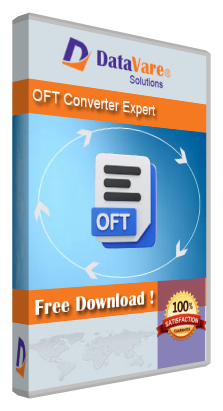
This DataVare OFT to MSG Converter Software application enables users to effortlessly convert a large number of OFT files to MSG file format for all versions of Outlook, including 2021, 2019, 2016, 2013, and 2010. This application maintains the email properties (cc, bcc, to, header, from, etc.) and the data layout format throughout the conversion procedure. Additionally, this application is advantageous for users who lack technological proficiency. Additionally, this sophisticated application is compatible with all versions of the Windows operating system. If one wishes to export a few Outlook file templates OFT files to MSG files in Outlook, a free trial is available.
Procedures for Converting Outlook Template OFT File to MSG -
- Initially, obtain and execute the application on your Windows operating system.
- Subsequently, examine the OFT file or folder.
- It examines and displays a live preview of the selected OFT files in both vertical and horizontal orientations.
- Next, select MSG from the export options.
- Choose the destination path for the MSG files created as a result. - Finally, click the "Convert Now" tab to initiate the OFT to MSG converting process.
AssureSoft specializes in nearshore software development helping companies tackle their software development challenges. We provide flexible engagement models like staff augmentation, dedicated software development teams, and end-to-end software outsourcing, allowing our clients to choose the best approach to meet their specific needs.
With 500+ experienced developers distributed across Latin America, AssureSoft ensures timezone and cultural alignment for seamless communication and collaboration. Our teams have successfully delivered over 1,800 projects in industries such as finance, healthcare, e-commerce, and technology, using ISO 27001-certified processes to guarantee security and quality.
We boast one of the lowest attrition rates in the industry, providing long-term team stability and consistency for our clients’ projects. This rate also reflects our dedication to creating a positive work environment for our team, which has earned us recognition as a Great Place to Work for 4 consecutive years.
At AssureSoft, we focus on delivering results without overpromising. We build strong partnerships based on reliability, technical expertise, and transparent communication.

ilumi SEO makes technical website optimization simple, fast, and cost-effective. We provide on-demand website audits, modular crawl data, and expert-reviewed insights that cut through complexity and give teams exactly what they need to act.
For Businesses: ilumi delivers clear, actionable guidance without the heavy dashboards or long contracts. From improving search visibility to ensuring AI and machine readability, we help you strengthen your site’s performance and build trust with your audience. Simply submit your domain and we will be back with results and guidance in as little as one business day.
For Agencies: ilumi acts as your flexible technical partner. You can choose raw crawl data, white-label reports, or fully tailored solutions, ideal for pre-pitch audits or scaling ongoing client work. This lets you save time, control costs, and deliver a higher level of clarity and trust to your clients.
With ilumi, you get the best of both worlds: the depth of technical insight without the lock-in of platforms or retainers.

RevMakeAI is an AI-powered tool designed to streamline the process of generating reviews across various categories, including restaurants, locations, and movies. By leveraging advanced artificial intelligence, RevMakeAI enables users to create comprehensive and engaging reviews effortlessly, saving time and enhancing productivity.
Key Features and Functionality:
- Category Selection: Users can choose from multiple categories such as restaurants, locations, and movies to tailor their reviews accordingly.
- AI-Generated Content: The platform utilizes AI to produce well-structured and coherent reviews, reducing the need for manual writing.
- User-Friendly Interface: With an intuitive design, users can navigate the platform easily and generate reviews with minimal effort.
Primary Value and User Solutions:
RevMakeAI addresses the challenge of creating detailed and personalized reviews by automating the writing process. This not only saves users significant time but also ensures consistency and quality in the reviews produced. Whether for personal use or professional purposes, RevMakeAI empowers users to share their experiences and opinions effectively without the hassle of manual composition.
ZWO10 because it delivers a simple, efficient, and
affordable CRM experience without the complexity of traditional tools.
Unlike many CRMs that feel overwhelming, ZWO10 focuses on ease of
use, allowing teams to get started quickly and manage customers
effortlessly.
ZWO10 combines essential features like contact management, lead
tracking, and workflow automation in a clean, user-friendly interface. It is
built to save time, reduce manual work, and improve team productivity
without requiring extensive training.
What sets ZWO10 apart is its focus on practicality and value. We
prioritize features that businesses actually need, avoiding unnecessary
clutter. Our data-driven approach helps users make smarter decisions,
while flexible customization ensures it adapts to different business
workflows.
Additionally, ZWO10 offers reliable performance, responsive support,
and continuous updates based on user feedback. This makes it not just
a tool, but a growing solution that evolves with customer needs.
In short, customers choose ZWO10 for its simplicity, affordability, and
ability to deliver real results without complexity

Are you looking to move your accounting to the cloud? WOW BookSwitch provides a fully automated migration and conversion service designed specifically for businesses moving from QuickBooks Desktop to Xero.
Whether you are using the U.S. or Canadian version of QuickBooks, our sophisticated platform handles the entire migration process from start to finish. We understand that data integrity is your top priority, which is why we’ve built a system that requires minimal manual input while maintaining 100% accuracy.
Why choose WOW BookSwitch?
Fully Automated: No tedious manual data entry or complex mapping.
Regional Support: Specialized handling for both US and Canadian QuickBooks Desktop files.
Data Security: We include six months of free backup service with every conversion to ensure your historical data is always protected.
Efficiency: Save dozens of hours compared to manual migrations.
Experience a seamless transition to Xero and get back to growing your business. Visit wowbookswitch.com to start your migration today.

SMS Reminder is a simple, no-code tool that sends automated SMS appointment reminders—helping businesses reduce no-shows and manage bookings without manual follow-ups.
You can create events directly in Google Calendar or use the SMS Reminder Chrome extension to schedule reminders from anywhere. Once an appointment is set, SMS Reminder automatically sends text notifications to your clients at the right time.
Each message includes a confirmation link, allowing clients to confirm or cancel their appointment in seconds. You can customize your reminder message, choose when it’s sent (e.g., 24 hours or 2 hours before), and track reminder status—all from one place.
SMS Reminder also includes a built-in booking page, so clients can schedule appointments based on your availability without back-and-forth emails.
Designed for small businesses and service providers, SMS Reminder works seamlessly with your existing workflow—whether you manage appointments in Google Calendar or create them on the fly using the Chrome extension.