AI-Generated Results
Finding matches…
Lagoona CRM is a comprehensive customer relationship management platform designed to centralize and streamline business communications. It integrates various channels such as chats, social media, forms, and calls into a unified interface, presenting all customer interactions as cohesive conversations. This consolidation enhances operational visibility and connects seamlessly with advertising campaigns, facilitating improved decision-making and optimization of advertising algorithms. Developed with extensive experience in performance marketing, Lagoona CRM offers omnichannel data collection without the need for multiple tools or complex coding.
Key Features and Functionality:
- Unified Communication Interface: Aggregates all customer interactions across different channels into a single, organized panel, simplifying lead management and follow-ups.
- Native Integration with Advertising Tools: Connects directly with advertising platforms, allowing for real-time data flow and optimization of marketing strategies.
- User-Friendly Design: Features an intuitive and straightforward interface that enables quick setup and ease of use for the entire sales team.
- Operational Analytics: Provides insights into response times, activity logs, cost analysis, and performance metrics, empowering data-driven decision-making.
- Unlimited Users: Allows businesses to add their entire sales team without incurring additional costs, promoting collaboration and scalability.
- Lead Distribution and Internal Communication: Facilitates organized lead distribution among team members and includes an internal chat system for seamless communication.
Primary Value and Solutions Provided:
Lagoona CRM addresses the challenge of fragmented customer communications by offering a centralized platform that unifies various interaction channels. This integration enhances team efficiency, improves response times, and provides comprehensive analytics for better strategic planning. By connecting directly with advertising tools, it ensures that marketing efforts are data-driven and optimized, leading to improved customer engagement and increased sales performance. The platform's user-friendly design and scalability make it suitable for businesses of all sizes, from freelancers to large enterprises, seeking to enhance their customer relationship management processes.
Not seeing what you're looking for?
Dive deeper into "folk" on G2 AI

Direct Studio is the quickest way for SaaS teams to turn raw screen captures into polished product videos and ready-to-share documentation.
How it works
Record or upload a rough screen recording. Direct Studio’s automation cleans it up—adding smart zooms, cursor highlights, brand elements, and voice—then instantly produces a studio-grade explainer video plus a step-by-step how-to doc.
What you can create
Create videos
Direct Studio takes care of scripting assist, timing, and voice. It adds smart zooms that follow the action, smooth cursor animations, click highlights, lower-thirds, and your brand kit—so rough captures become crisp, on-message tutorials.
Create help articles (Video → Docs)
From any recording, generate a structured guide: auto-captured screenshots, numbered steps, captions, and callouts. Export to PDF/DOCX/HTML or drop into your knowledge base.
Translate & localize
One click to localize subtitles, on-screen text, and AI voiceover into 30+ languages for global rollouts.
Keep content up-to-date
No need to re-shoot when UI changes. Swap a clip, re-time the voice, or refresh screenshots—Direct Studio updates both the video and the linked document.
Top use cases
Customer Education: Onboarding walkthroughs, in-app help, and searchable docs.
Product Marketing: Feature-launch videos, GIFs for announcements, and blog embeds.
Learning & Development: Internal tooling guides and SOPs with video + printable steps.
Sales Enablement: Role-specific demo videos and reusable step-by-step playbooks.
Support & Success: “How do I…?” articles generated directly from support recordings.
Why teams choose Direct Studio
Video and documentation from a single recording (maximum reuse).
Built-in smart zooms & cursor animation for pro clarity without manual editing.
Fast updates keep assets accurate as your product evolves.
Multilingual by default—scale enablement across regions.

AuditSci is an AI-powered workforce compliance and operational management platform that helps businesses centralize employee, contractor, supplier and asset documentation, manage regulatory requirements, track certifications and training, and monitor compliance through a unified dashboard.
AuditSci is a cloud-based compliance and workforce management platform designed to help organizations take control of their operational requirements.
Managing employee documentation, contractor records, supplier certifications, training requirements, occupational health and safety documentation, and regulatory deadlines across multiple systems can become complicated, time-consuming and difficult to audit.
AuditSci brings these processes together in one centralized platform.
Organizations can manage employees, contractors, suppliers and assets, organize documentation, monitor expiration dates, track mandatory training and certifications, and maintain visibility into their overall compliance status.
With intelligent automation and AI-powered document analysis, AuditSci helps reduce manual administrative work, identify potential compliance gaps and give management teams better visibility into operational risks.
Key capabilities include:
Centralized document management
Employee and workforce compliance
Contractor and supplier management
Asset documentation and tracking
Training and certification management
Document expiration monitoring
Regulatory and operational compliance tracking
Compliance dashboards and reporting
AI-powered document pre-analysis
Multi-entity and organizational management
Who is AuditSci for?
AuditSci is designed for organizations that need to manage compliance across employees, contractors, suppliers and operational assets.
It is particularly relevant to:
Human Resources departments
Health and Safety teams
Quality and Compliance managers
Operations managers
Procurement and supplier management teams
Business owners and executives
What makes AuditSci different?
AuditSci combines workforce documentation, supplier compliance, asset records, training management and AI-assisted document analysis in a single self-service SaaS platform.
Instead of relying on spreadsheets, disconnected tools and manual follow-ups, organizations gain a centralized view of their compliance obligations and operational status.
The Outlook PST Recovery Tool by Perfect Data Solutions is a comprehensive solution designed to repair and recover corrupted or damaged Outlook PST files. It efficiently restores emails, contacts, calendars, tasks, notes, and journals, ensuring the integrity and structure of the original data. This tool is particularly beneficial for users facing issues like inaccessible or oversized PST files, accidental deletions, or data corruption due to system crashes.
Key Features and Functionality:
- Multiple Conversion Formats: The software allows conversion of PST files into various formats, including PST, EML, MSG, HTML, MHTML, PDF, MBOX, and direct migration to Office 365 and Gmail.
- Selective Recovery: Users can choose specific emails or folders for recovery, facilitating targeted data restoration without processing the entire PST file.
- Message Filtering: A date-based filtering option enables users to recover emails within a specified date range, streamlining the recovery process.
- Naming Convention Options: The tool offers customizable naming conventions for saving recovered emails, such as by date, subject, or sender, aiding in organized data management.
- PST File Splitting: To manage large PST files, the software provides an option to split the recovered PST into smaller, more manageable sizes, up to 15GB.
- Automatic PST File Location Search: The tool can automatically locate PST files on the system, simplifying the recovery process for users who may not know the file's location.
Primary Value and User Solutions:
The Outlook PST Recovery Tool addresses common challenges associated with PST file corruption, accidental deletions, and data inaccessibility. By offering a user-friendly interface and robust recovery features, it ensures that users can swiftly restore their essential Outlook data without requiring technical expertise. The tool's versatility in supporting multiple file formats and direct cloud migrations enhances its utility for diverse user needs, making it a valuable asset for both individual and organizational data management.

Collection Pilot is the operating system for an art advisory. It runs the whole practice in one place: every client’s collection, every artwork and the documents behind it, the deals in progress, the relationships, the client portal, and the time and billing. Paired with QuickBooks Online, it is nearly everything an advisory needs, besides email, to serve its clients and run the business.
Collections and records: every work a client owns is cataloged with its images, provenance, exhibition history, condition, location, valuations, and capitalized costs, and every invoice, certificate, appraisal, and contract is filed with it. Cost basis, appreciation, CAGR and MOIC are calculated automatically, for fine art and for sub-collections such as wine, watches and cars.
The reports collectors need: portfolio, financial, catalog, inventory and insurance reports in your firm’s branding, produced in seconds and scheduled to clients on a regular cadence.
Client portal: each client gets a private, branded login to their collection. They run and download their own reports, follow performance in the analytics, and see their documents, invoices, and wishlist, all limited to what you choose to share. Your value to the collector grows every time they sign in.
Sourcing and deals: Gallery Previews reads the PDFs and viewing rooms galleries send, matches every work to the clients who want that artist, and sends collectors a private page where one click makes an offer. Offers tracks every work under consideration, with your advisory fee modeled.
Running the business: time, expenses and retainers become branded invoices, with or without QuickBooks Online. Plus artists, galleries and contacts with an Outlook add-in, tasks, a marketing calendar, MailChimp and HubSpot sync, an AI assistant and AI-written portfolio insights for your team, and an iPhone app.
One plan at $149 a month covers up to five team members and every feature. Move in from Collector Systems, Artlogic, or spreadsheets, and export all of your data whenever you like.

Uini is an AI-powered platform designed to automate the collection and analysis of user feedback, enabling businesses to gain actionable insights effortlessly. By embedding a lightweight widget into your website, Uini generates insightful questions, conducts intelligent follow-ups, and delivers concise summaries, helping you understand user needs and optimize your product offerings.
Key Features and Functionality:
- Effortless Setup: Install the universal widget with a single line of code, allowing for quick integration without technical complexities.
- Auto-Generated Questions: Uini automatically formulates relevant questions based on your specified problem statements, eliminating the guesswork in user research.
- Customizable Follow-Ups: Tailor intelligent follow-up questions to delve deeper into user responses, ensuring comprehensive insights.
- No-Code Configuration: Manage and control the flow of questions directly from the dashboard, enabling easy adjustments without coding knowledge.
- Automated Sentiment Analysis: Receive actionable summaries from user feedback, with AI-driven sentiment analysis providing a clear picture of user sentiments without manual data processing.
- Minimal Footprint: The widget is approximately 50kb, ensuring minimal impact on site load times and seamless user experience.
Primary Value and User Solutions:
Uini addresses the challenge of efficiently gathering and interpreting user feedback by automating the entire process. This allows businesses to:
- Validate Ideas: Test product concepts and gather feedback directly from target users before investing significant resources.
- Refine Designs: Collect qualitative data during the design phase to identify areas for improvement and enhance user experience.
- Optimize Launches: Automatically collect user feedback post-launch to understand what resonates with users and what requires refinement.
- Enhance Existing Products: Continuously monitor live products by engaging active users, uncovering pain points, and identifying opportunities for improvement.
By streamlining user research and providing real-time, actionable insights, Uini empowers businesses to make informed decisions that drive product success and user satisfaction.

RecruitMate AI is an advanced recruitment platform designed to streamline the hiring process for agencies and recruiters. By integrating Applicant Tracking System (ATS) and Customer Relationship Management (CRM) functionalities, it enables users to manage candidate interactions efficiently, personalize communications, and build lasting relationships. This comprehensive tool automates administrative tasks, allowing recruiters to focus on placing more candidates and enhancing the overall recruitment experience.
Key Features and Functionality:
- Campaign Management: Organize email communications by creating separate campaigns for each role, ensuring clear oversight and reducing inbox clutter.
- Personalized Messaging: Bulk upload candidate CVs and let RecruitMate AI tailor emails based on individual profiles, saving hours of manual work.
- Automated Follow-Ups: Set up automated follow-ups to maintain candidate engagement without additional effort.
- SMS Alerts: Receive instant SMS notifications for time-sensitive emails, enabling prompt responses to top candidates.
- Data Security: Ensure candidate data is securely stored, providing peace of mind and compliance with data protection standards.
- Revenue and Analytics Tracking: Monitor revenue and email performance to optimize recruitment strategies and increase placements.
- Scalable Outreach: Handle administrative tasks efficiently, allowing for expanded candidate outreach and faster role fulfillment.
Primary Value and Solutions Provided:
RecruitMate AI addresses common challenges in the recruitment process by automating time-consuming tasks such as email management, candidate follow-ups, and data tracking. This automation leads to:
- Increased Efficiency: Recruiters can focus on strategic activities rather than administrative duties, resulting in faster and more successful placements.
- Enhanced Candidate Experience: Personalized and timely communications foster positive relationships, encouraging candidates to engage and return for future opportunities.
- Improved Placement Rates: With streamlined processes and better candidate management, agencies report significant increases in placements and revenue.
By leveraging RecruitMate AI, recruitment professionals can transform their workflows, reduce manual labor, and achieve higher success rates in candidate placements.

Capfora AI is a B2B SaaS platform designed to transform in-person sales conversations into structured, actionable intelligence. By capturing and analyzing dialogues from trade shows, conferences, and field events, Capfora ensures that valuable insights are seamlessly integrated into your CRM systems, such as Salesforce and HubSpot. This enables sales teams to follow up with a comprehensive understanding of each interaction, enhancing the effectiveness of their go-to-market strategies.
Key Features and Functionality:
- Real-Time Voice Capture: Record and transcribe in-person conversations at events, ensuring no detail is missed.
- AI Conversation Intelligence: Utilize artificial intelligence to extract intent, sentiment, buying signals, and action items from discussions.
- Lead Capture and Enrichment: Scan badges and business cards to create deduplicated and enriched contact records.
- CRM Integration: Seamlessly sync captured data with CRM platforms like Salesforce and HubSpot.
- Third-Party Integrations: Connect with tools such as Gong, Outreach, Marketo, Zoom, and Jira to enhance workflow automation.
Primary Value and User Solutions:
Capfora AI addresses the challenge of lost or unstructured data from in-person sales interactions. By converting these conversations into organized, actionable insights, it empowers sales, marketing, product, and solutions teams to:
- Enhance Follow-Up Efficiency: With detailed context from each interaction, teams can tailor their follow-up strategies to be more relevant and impactful.
- Improve Data Accuracy: Automated transcription and analysis reduce manual data entry errors, leading to more reliable CRM records.
- Optimize Event ROI: By capturing and analyzing field data, organizations can better assess the effectiveness of their event strategies and make informed decisions for future engagements.
Designed for B2B companies with revenues between $75M and $200M that heavily invest in trade shows and field events, Capfora AI ensures that every in-person conversation contributes to a more intelligent and efficient revenue engine.

Acrely is an AI-powered voice assistant designed to revolutionize customer service operations for home service businesses, particularly in the HVAC, plumbing, and electrical sectors. By automating inbound call handling, lead qualification, appointment scheduling, and follow-ups, Acrely ensures that businesses never miss a customer interaction, thereby enhancing efficiency and maximizing revenue.
Key Features and Functionality:
- 24/7 AI-Powered Call Handling: Acrely's voice agent answers calls around the clock, engaging customers in natural conversations to capture service requests and book appointments.
- Seamless CRM Integration: The system integrates directly with popular CRMs like ServiceTitan, enabling automatic job booking and technician dispatch without manual intervention.
- Automated Lead Qualification: Acrely qualifies leads during the initial call, ensuring that only high-potential prospects are scheduled, thereby optimizing the sales pipeline.
- Job Booking and Dispatch Automation: The platform automates the scheduling and dispatching of technicians, reducing administrative workload and minimizing scheduling errors.
- Post-Service Follow-Up: Acrely manages follow-up interactions, such as requesting customer reviews and ensuring satisfaction, to foster long-term client relationships.
- Real-Time Analytics and Reporting: Businesses gain access to data-driven insights and analytics, allowing them to monitor performance metrics and make informed decisions.
- Multilingual Support: The AI assistant offers multilingual capabilities, ensuring effective communication with a diverse customer base.
- Scalability for Growing Businesses: Acrely's solution is designed to scale with business growth, accommodating increased call volumes and expanding service offerings.
Primary Value and Problem Solved:
Acrely addresses the common challenge faced by home service businesses of missed calls and overwhelmed customer service representatives, which often lead to lost revenue and diminished customer satisfaction. By providing an always-available AI voice agent, Acrely ensures that every customer call is promptly answered, leads are efficiently qualified, and appointments are seamlessly scheduled. This automation reduces operational overhead, enhances customer experience, and allows businesses to focus on delivering quality services without the concern of missed opportunities.
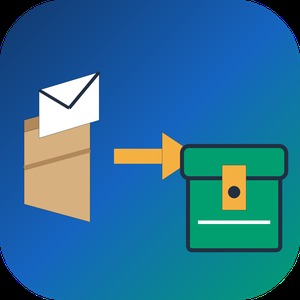
Apple Mail to PST Converter Software is a small Windows utility for one moment in the life of a mailbox: the day its owner trades a Mac for a PC. As an apple mail to pst converter it takes the message store copied out of macOS Mail and produces an Outlook data file, so a decade of correspondence arrives on the new laptop with folders and attachments in order. The work happens on the local disk with no internet connection needed, and the old Mac can already be wiped.
🛠️ How to use it
1. On the Mac, grab the Mail library folder or run Export Mailbox, then carry the copy over on a flash drive.
2. Launch the program on Windows and add individual EMLX messages, MBOX mailboxes or a complete directory.
3. Keep the merge box cleared to receive one output per source, or tick it to gather everything into a single file where each source sits in a separate top-level folder.
4. Set a target location and click Start.
5. Attach the finished file in Outlook as an extra data file and browse it like any other mailbox.
💼 Why IT and office teams pick it
The result is a Unicode PST that was verified in Outlook 2016. Cyrillic or other non-Latin subjects, HTML bodies, plain text, sender and recipient lists, timestamps, read status and attached files stay as they were. Input copies are opened read-only. Outlook may stay closed, or be absent from the machine, while the job runs. Mail is never sent to a third-party server, which matters when the mailbox holds contracts or HR letters.
👥 Who uses it
Home users and freelancers who switch platforms and refuse to lose old threads. Help desk staff who inherit a leaver's Mac and must deliver that person's mail to a manager on Windows. Archivists of family or company history holding years of Mac mail exports on backup drives.
❓ FAQ
Can Outlook on Windows open Mac mail files directly?
No. Outlook reads PST, not the EMLX and MBOX files macOS Mail writes. An apple mail to pst step in between turns them into something Outlook can attach.
Will my Mac folder structure survive?
Yes. Mailboxes keep their folder tree, and when several sources are merged each one gets its own top-level folder, so identical names do not clash.
Does it handle Outlook for Mac archives?
No. Outlook for Mac exports OLM, a separate format. This EMLX to PST tool reads only the built-in Mail app of macOS.
Is a Mac required during conversion?
No. The Apple Mail to PST Converter runs on Windows and needs only the copied files, so it works after the Mac is returned or erased.
Can I check the output before paying?
Yes. Run the trial on a real mailbox, attach the result in Outlook and look through the folders yourself. Licensing for this apple mail to pst converter can wait until you are satisfied.
✅ The free trial processes mailboxes of up to 20 messages completely and a sample of bigger ones (10 percent, capped at 100 messages). Works on Windows 11, 10, 8.1, 8 and 7, 32 or 64 bit, with 4 GB of RAM.
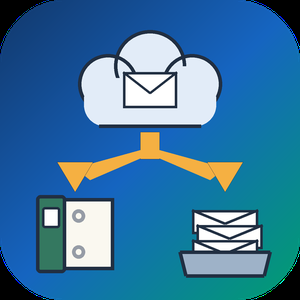
Gmail Backup & Export Software to PST and MBOX is a Windows desktop program for people who want a Gmail backup on their own disk and not only in the cloud. It connects to the mailbox over IMAP, shows each folder and label together with how many messages it holds, and writes whatever you tick as EML, MBOX or PST files. That makes it a practical route for Gmail backup export to PST and MBOX. Run it again later and it fetches only the messages that arrived since the previous pass, without downloading the rest again.
🛠️ How to use
1. Install the program and click Connect Gmail account.
2. Enter your address and a Google app password. Google issues one only after 2-Step Verification is switched on.
3. Tick the folders and labels to save, then pick EML, MBOX or PST and a target folder on any drive.
4. Click Start backup. Next time, open the same mailbox and click Download new emails.
💼 Why IT and office teams pick it
• The program writes the PST itself, so the machine doing the export to PST does not need Outlook installed.
• Access is read-only. Nothing in the account gets erased, moved or flagged as read, and messages come down to the PC directly, with no stop on third-party servers.
• A stopped or dropped run picks up at the same message. The program retries a lost connection several times and checks free disk space before it starts.
• Every Gmail label turns into a folder in the backup, so sorting by client or project carries over to disk.
• Presets cover Yahoo Mail and iCloud Mail, and any other IMAP server can be added by host, port and encryption.
👥 Who uses it
Home users keeping ten or more years of personal mail, freelancers whose client threads are sorted by Gmail labels, and the person who maintains PCs for family or a small office and runs a Gmail backup for several mailboxes one after another.
❓ FAQ
Does Gmail support PST files?
No. Gmail neither opens nor creates PST. This tool reads your mail over IMAP and builds the Outlook data file locally during the Gmail backup.
How do I backup my entire Gmail?
Tick every folder and label you use. All Mail is unticked by default so labeled messages are not stored twice, and you can tick it as well if you archive mail without labels.
How do I back up a very large Gmail mailbox?
Google sets a daily ceiling on IMAP downloads per account. When a run reaches it, the program stops and says so, and clicking Continue backup on another day resumes from that point.
Can I keep a Gmail backup on an external drive?
Yes. Any folder works as the target, including one on a USB disk, and later runs keep adding new messages to that same copy.
🆓 Free trial and system requirements
The free trial keeps the 25 most recent messages per folder, with no time limit. You need Windows 10 or 11, 64-bit, and a personal Google account with an app password to sign in.

Batch Picture Protector is a Windows desktop program that lets you watermark images by the folder instead of one at a time. Put your name with the © symbol, a short line of text or your logo on every photo, then save the results to an output folder. The app works offline, so a shoot can be marked on a laptop with no internet connection. One batch watermark job can cover thousands of pictures, and the settings you pick once are applied to each file in the list.
🛠️ How to use
1. Click Add Files and pick single photos or a whole folder.
2. Open the Watermark screen and type your text, choose a logo image, or check both.
3. Set size, angle, transparency and position, or tile the mark across the picture.
4. Save the watermark as a template so you can load it on the next job.
5. Switch to Batch mode to watermark images in the list with the same settings.
6. Choose the destination folder and start. Your originals stay where they were, and the marked copies land in the folder you picked.
💼 Why IT and office teams pick it
One saved template keeps the company logo in the same spot on every picture, whoever runs the job. Renaming and resizing happen in the same pass, so a team gets ready files from a single run. Command line mode takes an input file, an output folder and a saved watermark file, which lets admins add the step to their own scripts. Nothing is uploaded anywhere, which helps when photos of staff, products or premises must stay on company machines.
👥 Who uses it
Wedding and portrait photographers who send proofs to clients before an order. Designers who share drafts and want their name on them. Shops and bloggers that post photos online and want credit to stay with each picture. Marketing staff who prepare the same set of product shots for a website, a catalog and social media.
❓ FAQ
How do I add watermark to photo files in bulk?
Add the files or a folder, build the watermark once and run Batch mode. The program applies the same settings to every picture in the list.
Can I use a logo with a transparent background?
Yes. The logo can be transparent or opaque, and you set its transparency, size and angle before you apply it.
What does a tile watermark do?
It repeats your text or logo across the entire image. Photographers use it on client proofs so a picture is hard to reuse before purchase.
Can the text show the date a photo was taken?
Yes. Text can pull the shooting date from EXIF data, the current time or the file name.
Which file types can I watermark images in?
JPG, PNG, TIFF, BMP and GIF open in the program, and so do older PCX and TGA pictures. That makes it easy to mark a scanned archive together with fresh shots from a camera.
✅ Batch Picture Protector has a free trial download. It runs on Windows PCs, including Windows 11, and needs no internet connection to watermark images.

4n6 MDaemon Converter is an all-in-one toolkit to convert MDaemon Server profile data in several email formats (.eml, .pst, .mbox), document formats (.pdf, .txt, .html, .csv, .vcf, .ics) and all cloud-based email services (Gmail, Google Workspace, Outlook.com, Microsoft 365, Yahoo Mail, etc.). MDaemon Server migration tool is an excellent product that can upload MDaemon Server profile data automatically in the software panel from default storage location.
After uploading MDaemon Server profile data in the software panel, users can preview all MDaemon folders in the software panel such as Emails, Contacts, Calendars, Tasks, Notes, Files, Inbox, Sent Items, Deleted Items, etc. Even it automatically counts the total number of items in each folder and after that preview them in the software panel. Users can also check or uncheck only required folders from whole database.
Forensic MDaemon Converter software is also able to analyse MDaemon server data by previewing in Hex View, Message Header View, Raw Message View, and Content View. This product is specially developed for MDaemon Server forensic investigation, therefore 4n6 software developers added a separate option to export MDaemon emails into Adobe PDF printable documents. Even forensic investigators can use resultant PDF files for legal use.
After selecting specific MDaemon folders from software interface, press Export button and choose a saving option from dropdown menu. After that select a destination folder to store output data and hit on the Save button to start MDaemon server migration process. MDaemon Server Converter has a separate option to extract email addresses, phone numbers into simple text files while attachments can be exported in real available file extensions.
The tool also provides several advanced but common features like multiple file naming options to manage output data by Subject, From-Subject, From-Date-Subject, Year-Month-Day-Hour-Minute-Second-Subject, Message Auto Increment, Custom Naming, etc. During MDaemon Server migration process if software found bad sectors, then it will automatically skip the corrupted data conversion. Even it will create a log report to show error log report.
MDaemon Converter software also has an isolated option to export MDaemon contacts into vCard contacts and CSV contacts. MDaemon calendars can be stored in standard ICS file extension. This software preserves actual folder or sub-folder structure; therefore, users can easily understand the output data. It also holds email attachments, subject, signature, time, date, year, hyperlinks, headings, inline images, internet header, etc.

Filex AI is an AI-powered document and file organization platform that helps users automatically manage PDFs, documents, screenshots, images, and scans without manual sorting. The platform can automatically create folders, rename files, tag documents, and organize everything into smart categories using AI.
Filex AI supports iPhone, Android, and Web, allowing users to access and organize files across devices with support for cloud storage services like Google Drive and iCloud. Users can search files using natural language queries instead of exact filenames, making it easier to find contracts, invoices, receipts, or other documents instantly.
The platform includes a built-in document scanner that can scan and organize physical documents directly inside the app. Users can also share screenshots, PDFs, images, or files from other apps into Filex AI, where they are automatically analyzed and organized instantly.
Filex AI can detect people, companies, organizations, dates, deadlines, invoice amounts, and other important details inside documents, while also connecting related files together based on the entities mentioned in them. Additional features include duplicate file detection and cleanup, smart reminders for renewals and deadlines, and custom AI organization rules that automatically sort files into folders such as monthly document folders, project folders, or client-based categories.

Intervyo is an AI-powered interviewing platform designed to conduct structured, adaptive interviews for purposes such as hiring, training, admissions, and assessments. It delivers rubric scores, detailed insights, and full transcripts within two minutes of session completion, streamlining the evaluation process.
Key Features and Functionality:
- Adaptive Follow-Up: The AI interviewer probes for specifics and real examples, adjusting the depth of questions based on responses, ensuring comprehensive evaluations.
- Authenticity Detection: Monitors for AI-assisted signals during sessions, identifying overly polished responses or refusals to address edge cases, and responds with appropriate follow-ups.
- Flexible Access: Participants can join interviews via a browser or receive direct SIP calls, providing versatility in conducting sessions.
- Rubric Calibration: Allows for the definition of evaluation criteria once, ensuring consistent assessment dimensions across all sessions, roles, and programs.
- Silent Observation: Enables real-time, read-only observation of live sessions without interrupting participants, facilitating oversight and quality control.
- Rapid Scorecards: Provides rubric scores, written summaries, authenticity reports, and full transcripts immediately after session completion, facilitating prompt decision-making.
Primary Value and User Solutions:
Intervyo addresses the challenges of scaling manual assessments by automating the interview process, ensuring consistency and efficiency. It eliminates scheduling overhead, reduces time-to-hire, and enhances the quality of candidate evaluations. By delivering immediate, structured feedback, it empowers organizations to make informed decisions swiftly, improving overall recruitment and assessment outcomes.

Rabbithole is an interactive platform designed to ignite and satisfy users' curiosity by facilitating in-depth, multi-threaded conversations on a wide array of topics. It enables users to pose questions and engage in explorative dialogues, uncovering new concepts and relationships along the way. By maintaining a history of these discussions, Rabbithole allows users to revisit and continue their explorations at any time, fostering a continuous learning experience.
Key Features and Functionality:
- Multi-Threaded Conversations: Engage in complex discussions that branch into various subtopics, allowing for a comprehensive exploration of subjects.
- Conversation History: Keep a record of all interactions, enabling users to revisit and build upon previous discussions.
- Unlimited Searches and Follow-Ups: With the Pro version, users gain access to unlimited searches and follow-up questions, enhancing the depth of exploration.
- Advanced Models: Utilize cutting-edge models like Perplexity Sonar (coming soon) for more sophisticated and accurate responses.
- Integration with Google's Gemini 1.5 Flash: Access internet-connected models with source citations, ensuring reliable and up-to-date information.
Primary Value and User Solutions:
Rabbithole serves as a launchpad for curiosity, providing a structured yet flexible environment for users to delve into topics of interest. It addresses the need for a personalized education engine by offering tools that support continuous learning and exploration. By enabling users to ask questions, track their learning journey, and engage with advanced models, Rabbithole empowers individuals to expand their knowledge and understanding in an organized and engaging manner.

Mailtrackio is an email tracking platform designed to help Gmail users understand how recipients interact with their emails. The tool provides email open tracking and engagement insights, allowing users to know when messages are viewed and make better decisions about follow-up timing.
The platform works with Gmail through a browser extension, making it easy for individuals and teams to add tracking capabilities to their existing email workflow without switching to a separate email system.
Key features include:
Gmail email tracking
Email open notifications
Recipient engagement insights
Follow-up timing support
Browser extension integration
Gmail workflow compatibility
Sales email tracking
Marketing email monitoring
Recruiter communication tracking
Business email insights
Simple installation process
User-friendly dashboard
Mailtrackio is designed for sales teams, marketers, recruiters, freelancers, agencies, and professionals who rely on email communication. By showing whether emails have been opened, the platform helps users better understand outreach performance and improve communication strategies.
The service can support use cases such as sales outreach, client communication, recruitment follow-ups, partnership emails, and business networking. Its Gmail-focused approach keeps email tracking simple while helping users gain more visibility into their daily communication.
Mailtrackio provides a practical solution for professionals who want to measure email engagement and make informed follow-up decisions using their existing Gmail accounts.

InstaSeer is developing a detailed Instagram list viewer to help creators and social-media teams audit followers, following, and engagement patterns with fast, searchable, privacy-conscious list analysis.

Demonstrate your medical device in 3 seconds using our AR Brochure!
Marketing Leaders of Global Top 10 Medical Device Companies such as Johnson & Johnson, GE Healthcare, Siemens are leveraging the benefits of selling their products using the following features of our technology:
1. Showcase their Medical Device - 360 degree view of their product in their environment, best used for demonstration of entire catalogue in Trade shows and events
2. Lead Generation Forms - To gather lead data and integrate in existing CRM
3. Track the Usage - Analytics to track User Demographics, User Retention, and follow up with interested users
4. Digital Marketing - Track the User Intention on various Digital platforms, and follow up with interested users
If you relate to this, let's connect!

Softdiv PDF to Image Converter is designed to convert PDF files to image formats such as PNG, JPG, BMP, GIF, TGA, TIFF, ICO, and more. It comes with user friendly interface which will guide you in step by step wizard in order to convert PDF to image without needing Adobe Reader installed. Softdiv PDF to Image Converter supports single and multiple-page PDF files and allow you to preview the PDF before converting to image. PDF can be imported individually or from a whole folder for batch conversion. Advanced features include the option to customize the output image location whether to a fixed folder or to the source PDF folder; customize the output image format properties for better quality or smaller file size; customize the output image width and height, aspect ratio and DPI.