NoSQL Databases Resources - Page 4
Articles, Glossary Terms, and Discussions to expand your knowledge on NoSQL Databases
Resource pages are designed to give you a cross-section of information we have on specific categories. You'll find articles from our experts, feature definitions, and discussions from users like you.
NoSQL Databases Articles
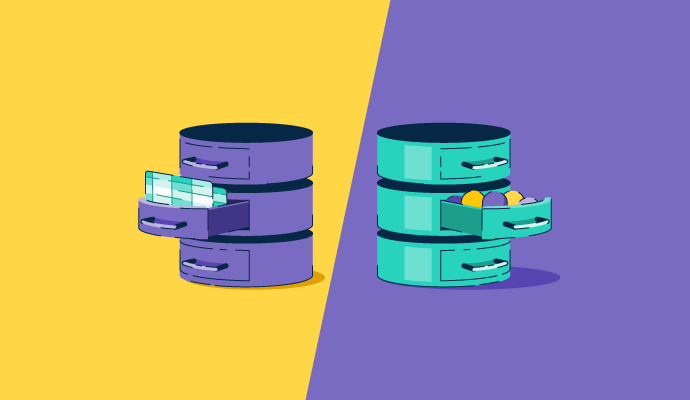
SQL vs. NoSQL in 2027: Which Database Fits Your Workload?
G2 Announces a New Category for Wide Column Databases
What Makes DBaaS the Next Big “As a Service” Offering?
NoSQL Databases Glossary Terms
NoSQL Databases Discussions
Hi G2! I've been comparing wide column databases on price-to-performance for large-scale OLTP, and one honest caveat first: reviews don't contain benchmark ratios, so instead of claiming a single winner, I'll go by the cost-efficiency themes reviewers actually describe: fewer nodes, open-source economics, and pay-for-what-you-use. These all sit in the Wide Column Database category on G2.
- ScyllaDB: The strongest price-performance story in the reviews, its shard-per-core C++ architecture lets teams handle the same throughput on fewer nodes, which reviewers repeatedly tie to lower infrastructure cost while keeping low latency. The offset is a real learning curve on data modeling and tuning.
- Cassandra: Open source with no license cost and very high write throughput, which can be cost-effective for write-heavy OLTP if you have the ops skills. Reviewers note it needs a large node count and high per-node RAM, so self-managed running costs add up.
- Amazon Keyspaces: Serverless and pay-for-what-you-use with auto-scaling, which suits variable OLTP load, though multiple reviewers call it pricier than other AWS options, so cost depends on tuning capacity mode.
- Microsoft Azure Cosmos DB: Predictable performance backed by SLAs, but reviewers are candid that the RU/s cost model can climb fast without careful throughput planning, so price-performance hinges on getting partitioning and capacity right.
For large-scale OLTP specifically, has "fewer nodes" actually beaten open-source-but-self-run on total cost for you, and where did the managed services' pricing surprise you? Real cost breakdowns welcome.
The "fewer nodes = lower cost" argument for ScyllaDB makes sense on paper, but it really depends on whether your team has the expertise to tune it properly. If you're coming from Cassandra and don't invest time in data modeling, you won't get that efficiency. Open-source with a big node count can still win on total cost if you've already got the DevOps knowledge in-house.
The cost line that rarely makes the comparison is operational time. Self-managed open source looks cheapest on licensing and then absorbs engineer hours in tuning, upgrades and on-call, while managed services move that cost into the invoice where finance can see it. Whether ScyllaDB's fewer-nodes argument wins usually depends on whether you already have people who know how to run it.
The operational-time point makes this comparison much more realistic. I’d also factor in how predictable that work stays as traffic grows. A self-managed setup can look cheaper until tuning, repairs, and capacity planning become recurring work. I’m curious whether teams running ScyllaDB or Cassandra have actually tracked infrastructure savings against engineering hours over a year or two.
For OLTP at scale, fewer nodes can absolutely win on total cost once you factor in operations, replication, and hardware overhead. Managed services usually surprise teams on provisioned throughput or cross-region usage, where a workload that looked cheap at baseline gets expensive fast.
The pitch every managed database makes to startups is roughly the same: a free tier for development, pay-as-you-grow pricing, no operations overhead. The actual experience is more varied. Some platforms have free tiers that genuinely support early production use. Others are development-only environments that require a significant pricing jump the moment you need real availability guarantees.
From startup and small business reviews in the document databases category, the platforms that come up most in production-at-low-cost conversations are MongoDB Atlas, Amazon DynamoDB, and CouchDB.
- MongoDB Atlas: The free tier is real, and reviewers describe using it for personal and early-stage projects without issues. The M0 cluster covers development and light production workloads. The jump to a dedicated cluster for higher availability or storage is where the pricing conversation starts. Reviewers describe planning for this early as important. The ecosystem, community, and managed operational simplicity are consistently cited as what makes the cost defensible once a startup has paying users and operational uptime matters.
- Amazon DynamoDB: The free tier includes 25 GB of storage and enough read/write capacity for most early-stage applications, and the on-demand pricing model means you pay only for what you use. Reviewers describe very low costs during development and early production. The cost model becomes more complex as usage scales, and unoptimized access patterns can lead to unexpected bills. For a startup on AWS, the serverless architecture removes infrastructure management entirely.
- Google Cloud Firestore: Starts free and scales with usage. Reviewers describe it as genuinely free for early development and small user bases. One reviewer described watching it scale from zero users to four million without intervention, which is the kind of growth curve a startup hopes for. Per-read pricing becomes a planning concern as read volume grows, particularly in read-heavy applications.
- CouchDB: Open source and free to self-host, which eliminates licensing costs entirely. Reviewers describe getting it running without a complex setup. The operational costs of managing your own infrastructure are real, particularly for a startup without dedicated DevOps resources. For teams that can handle infrastructure management, the cost savings are significant compared to managed services.
- Couchbase: The managed Capella offering has a free trial and scales with usage. Reviewers describe strong performance for production workloads. The cost at scale is higher than the other options listed here, but for startups where latency is a product requirement rather than just a preference, the performance trade-off can justify the spend.
For startups that made a database choice on day one and then had to revisit it at some point: what changed, and what would you do differently?
A startup that picks DynamoDB and then doesn't optimize queries might end up paying more than they expected. Budget for querying optimization work alongside the database choice.
I’d revisit the database choice when the free or usage-based tier stopped matching the application’s real access patterns. For a startup, I’d choose based on the workload I expect at growth, not just the cheapest day-one option, and model the first major pricing jump before committing so scaling doesn’t force an avoidable migration later.
What I'd tell an earlier version of my team is to actually model the cost at the usage level you expect in a year, not just at launch. The free tier experience across most of these platforms is genuinely good, the planning gap is usually just not looking far enough ahead.
Hi G2 community,
We are comparing options in the document database category for a globally distributed application with strict latency requirements, where automatic failover is mandatory. Multi-region replication is a checkbox for many vendors, but what reviewers actually see in practice varies significantly.
- Amazon DynamoDB: Global Tables are described by reviewers as one of the product's strongest features. The multi-master, multi-region replication allows local reads and writes for globally distributed users, and the 99.999% availability SLA is described as reliable in practice. Reviewers running e-commerce applications during high-traffic events describe DynamoDB handling load without downtime. The trade-off is that the data model requires careful upfront design, and costs can escalate if partition keys are poorly chosen. Does the Global Tables feature add meaningful complexity to the data model design process, or is it largely transparent once the table is configured?
- MongoDB Atlas: Global clusters allow distributing data across regions with read replicas close to users. Reviewers describe the replica set architecture as providing high availability with automatic failover when a primary node fails. The managed nature of Atlas means the failover process happens without manual intervention. For write-heavy global workloads, the write path to a single primary region can introduce latency for users far from it. How does the Atlas global cluster configuration compare to DynamoDB Global Tables for a team that has significant writes happening across multiple regions simultaneously?
- Azure Cosmos DB: Multi-region write capability and configurable consistency levels are described by reviewers as the distinguishing features for distributed workloads. Reviewers in Azure stacks describe the ability to tune the consistency-latency trade-off per operation, which matters when different parts of an application have different tolerances for eventual consistency. Pricing transparency remains a concern, but the technical multi-region capabilities are described as genuinely strong.
- Google Cloud Firestore: Reviewers describe real-time data synchronization across connected clients and solid availability. Regional data residency is configurable. For strict global latency requirements across multiple write regions simultaneously, Firestore is described as having more constraints than the other options here.
For teams that have actually deployed a globally distributed application with strict latency SLAs, which platform's failover behavior held up as described during an actual incident?