NoSQL Databases Resources - Page 3
Articles, Glossary Terms, and Discussions to expand your knowledge on NoSQL Databases
Resource pages are designed to give you a cross-section of information we have on specific categories. You'll find articles from our experts, feature definitions, and discussions from users like you.
NoSQL Databases Articles
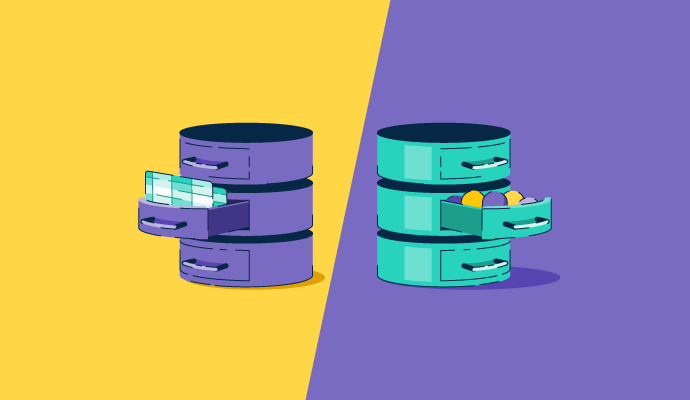
SQL vs. NoSQL in 2027: Which Database Fits Your Workload?
G2 Announces a New Category for Wide Column Databases
What Makes DBaaS the Next Big “As a Service” Offering?
NoSQL Databases Glossary Terms
NoSQL Databases Discussions
Hi All! For teams running business-critical workloads, vendor support and SLA guarantees can matter as much as raw features. I've been researching the Wide Column Database category for where reviewers actually credit strong SLAs and responsive support, which tends to favor the managed cloud services here.
- Microsoft Azure Cosmos DB: Reviewers highlight its SLA-backed guarantees around availability and latency as a key reason to trust it for critical workloads, though a few note Microsoft support responses can be inconsistent.
- Amazon Keyspaces: Backed by an availability SLA with multi-AZ replication and AWS handling patching and scaling, which reviewers value for offloading operational risk. The trade-off they cite is cost.
- ScyllaDB: Reviewers point to strong community and vendor support that reduces downtime risk, plus managed-service options. The gap they flag is monitoring integration maturity versus the big cloud providers.
- HBase: As an Apache project, its "support" is community and ecosystem rather than a vendor SLA, which reviewers say is improving but is thinner than the managed clouds; worth weighing if guaranteed SLAs are the requirement.
For those with SLA-sensitive workloads, did a managed provider's SLA actually hold up during an incident, and how responsive was support when you genuinely needed it? Stories from real outages welcome.
Vendor SLAs sound great until you're actually in an incident and trying to reach someone useful. The managed cloud providers give you a number to call, but the quality of that call varies a lot. HBase's community support has gotten better, but if your workload is genuinely business-critical and you don't have internal experts, you're probably taking on real risk going with an Apache project over a managed service.
For an SLA-sensitive workload, I’d care less about the SLA on paper and more about what happens during an actual incident. Azure Cosmos DB stands out for its SLA-backed availability and latency guarantees, but I’d also want to test the escalation path and response times before trusting any provider with a genuinely critical workload.
Amazon Keyspaces has been reassuring for us specifically because AWS handles the patching and scaling directly, which takes a real category of operational risk off our own team's plate.
The real question is: when the SLA is breached, how quickly does the vendor acknowledge it and credit your account? Ask for examples of past SLA credits and response times, not just the SLA document itself.
Hi G2 community. I'm looking into wide column databases for time-series workloads, and rather than crown a "fastest" one (reviews don't carry head-to-head benchmarks), I'll go by which platforms reviewers actually run for high-write, time-ordered data with low latency, within the Wide Column Database category.
- ScyllaDB: Reviewers specifically name time-series and event-ingestion among its sweet spots, citing predictable low latency and high write throughput at scale on fewer nodes. Data-model design (partition and clustering keys) is what makes or breaks time-series performance here.
- Cassandra: Its exceptionally fast writes and append-friendly model make it a long-standing choice for time-ordered data, with reviewers praising write throughput. The trade-offs are read performance and careful key design.
- HBase: Reviewers use it for real-time read/write on very large datasets and near-real-time analytics, which fits time-series at volume; just note that aggregation/OLAP queries are slower, and it leans on the Hadoop stack.
- Microsoft Azure Cosmos DB: Single-digit-ms latency and instant scaling make it viable for time-series if you're on Azure, with the usual caveat that RU/s cost needs planning for high-ingest workloads.
For time-series specifically, what mattered more in practice: raw write speed, or how well the partition/clustering design held up as data grew? Curious which of these stayed fast once the series got long.
We went with Cassandra for time-series a few years back and it held up fine for ingestion, but reads got painful as the series got longer and our access patterns changed. The append-friendly model is great until you need to query across a range you didn't model for. I'm curious whether ScyllaDB actually helps with that or if you're still dealing with the same modeling constraints.
After analysis of the Wide Column Database category on G2, I’ve learnt that pricing model matters as much as sticker price with these databases, since self-managed, serverless, and provisioned-throughput approaches each fail differently on cost. I’m looking into how reviewers describe the actual pricing models and what they do to keep costs down, here are some great tools I found:
- Microsoft Azure Cosmos DB: Priced on request units (RU/s); reviewers stress that careful throughput planning and partition-key design are the main cost-optimization levers, since poorly planned RU/s is where the bill balloons.
- Amazon Keyspaces: Offers on-demand and provisioned capacity modes, and reviewers optimize by matching mode to workload predictability. Auto-scaling helps, but several note that the service runs costly if you don't tune it.
- ScyllaDB: The cost lever reviewers cite is node reduction; its efficient hardware use means smaller clusters for the same load, and auto-tuning cuts DBA time. Available self-managed or as a managed cloud service.
- Cassandra: Free and open source, so the cost is operational rather than licensing; reviewers optimize by right-sizing nodes, though they warn that the DevOps overhead and RAM needs are the real expense.
When you evaluated these, did a consumption model (RU/s, serverless) or a self-managed cluster end up cheaper at your scale? And what single cost-optimization change saved you the most?
One thing people don't think about early enough: the cost model you choose affects how you design the system, not just what you pay. With Cosmos DB, getting your partition key wrong early on means your RU/s bill looks nothing like what you estimated. It's worth running a realistic load simulation before committing to provisioned throughput.
In this category the pricing model usually matters less than the data model, because a poorly chosen partition key makes every option expensive in its own currency. On consumption pricing it shows up as request units burned on hot partitions and cross-partition scans. Self-managed, the same design shows up as nodes added to carry skewed load. Which is why the Cosmos DB note about partition-key design being the cost lever is the most transferable line in the post. Worth modelling your access patterns before comparing price sheets, since the same workload can differ several fold on one platform.