NoSQL Databases Resources - Page 7
Articles, Glossary Terms, and Discussions to expand your knowledge on NoSQL Databases
Resource pages are designed to give you a cross-section of information we have on specific categories. You'll find articles from our experts, feature definitions, and discussions from users like you.
NoSQL Databases Articles
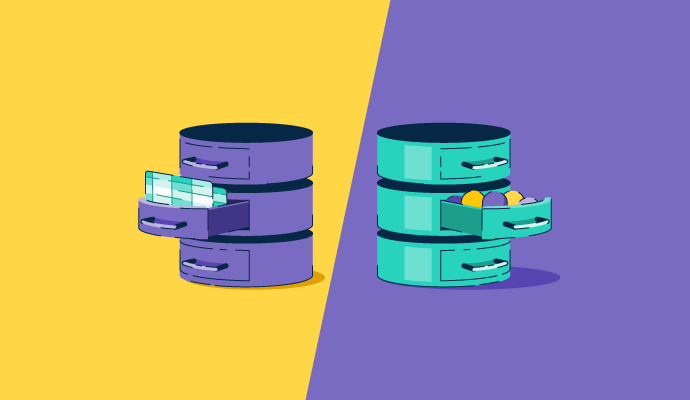
SQL vs. NoSQL in 2027: Which Database Fits Your Workload?
G2 Announces a New Category for Wide Column Databases
What Makes DBaaS the Next Big “As a Service” Offering?
NoSQL Databases Glossary Terms
NoSQL Databases Discussions
Which cloud document database works best with Node.js and TypeScript for a developer who wants strong typing support and a managed service rather than self-hosting? This is not purely a database question. It is a developer experience question. A managed service that has a clunky Node.js driver or no native TypeScript types adds friction every day. What reviewers in this context care about is how quickly they can write a typed query, trust the schema at the application layer, and move on to shipping features.
From reviews by developers working in Node.js and TypeScript across the document databases category:
- MongoDB Atlas: The most common pairing mentioned in Node.js reviews, particularly through Mongoose. Reviewers describe storing JSON-like data as documents and having the API response structure match the database structure without conversion overhead. One reviewer reported that API response times dropped from around 400ms to around 150ms after MongoDB replaced a relational database for their main queries. TypeScript support via the official driver and Mongoose schemas is well developed. Atlas handles the managed infrastructure, so there is no server to configure.
- Amazon DynamoDB: Reviewers in AWS stacks describe clean Lambda and API Gateway integration, and the official AWS SDK has solid TypeScript types. The trade-off is that the data model requires careful partition key planning upfront. Reviewers describe the initial setup as straightforward but say that integrating it with an application at a level where performance is actually reliable takes more understanding than it first appears.
- Google Cloud Firestore: Reviewers building Firebase-backed Node.js apps describe the integration as natural and the TypeScript support as usable. For small apps with real-time requirements, the developer experience gets strong marks. Query limitations become an issue when data access patterns evolve, and the data model was not designed with those patterns in mind.
- Couchbase: A good fit for developers who need low-latency reads and a SQL-compatible query interface alongside a document model. The managed Capella offering removes self-hosting. TypeScript and Node.js support exist, but get less specific praise in reviews compared to the MongoDB ecosystem.
For TypeScript developers specifically, what ended up being the type safety gap that caused the most friction at runtime?
Coming back to my own question with the answer I've settled on: both, for different reasons, in that order. Validation at the boundary is permanent, because it protects you from documents that don't exist yet, including the ones the next version of your code will write. Migration is a one-off, and its real payoff isn't runtime safety, it's letting you delete the optional-field branches and defensive defaults that pile up in the application layer while old shapes are still in circulation. Skip the migration and the types stay honest while the code slowly fills with maybe-undefined handling for documents nobody has written in three years. On cost, validating on every read sounds expensive and mostly isn't, provided you validate once at the boundary rather than re-checking the same object at four layers, which is the version that actually shows up in a profiler.
MongoDB Atlas is the natural fit here, a fully managed document database with strong TypeScript support through its official driver and Mongoose typing, so you get managed infrastructure without self-hosting.
Building a small SaaS product forces you to make a database choice that a larger team would have three engineers and two weeks to evaluate. At the small-business end of the document-databases category, the question is usually not which database has the best theoretical architecture. It is which one lets you ship, stay available, and not spend your weekends managing infrastructure?
From small business reviews across this category, the tools that come up most for read-heavy workloads with managed availability are MongoDB Atlas, Google Cloud Firestore, and Amazon DynamoDB.
- MongoDB Atlas: The most commonly described experience in small-business reviews is getting a cluster connected to a Node.js app in minutes, without having to think about infrastructure again. Reviewers describe built-in replication, automatic backups, and platform-managed monitoring, rather than team-managed. The document model means you store data in the same structure your API returns, which saves real development time. The pricing jump from the free tier to a dedicated cluster is a recurring concern, but reviewers who stay on managed tiers describe operational simplicity as the main reason they chose it.
- Google Cloud Firestore: Reviewers building Firebase-connected apps describe the experience of plugging an app into Firestore and having real-time sync, security rules, and authentication in one place. For read-heavy workloads with a consistent data shape, reviewers describe very low latency and automatic scaling from zero users to millions without intervention. The pricing model can become expensive as reads scale, which reviewers flag as a planning concern early on.
- Amazon DynamoDB: Reviewers in AWS-connected stacks describe it as a genuinely serverless option that scales to high traffic volumes while remaining cost-effective during low-usage periods. The automatic scaling and pay-per-request pricing suit read-heavy apps with variable traffic. The upfront data modeling requirement is a consistent challenge: reviewers describe it as a different way of thinking about data access that needs careful planning before you build, not after.
- Couchbase: Shows up in reviews for apps that need low-latency data access above almost everything else. Reviewers describe it as strong for real-time data serving, though the cluster administration is more complex than that of the fully managed alternatives for a small team.
- Azure Cosmos DB: Works well for teams already in the Azure ecosystem. Reviewers describe multi-region availability and ACID transaction support as built-in rather than configured. Pricing transparency is flagged as a recurring challenge when trying to estimate costs before scale.
For small SaaS teams that made this choice, what ended up being the bottleneck that your initial database decision did not account for?
If the answer to that question turns out to be a few seconds rather than zero, there's a cheap design move worth knowing: queue writes at the application layer and let them drain when the primary returns. The user sees the action accepted, and you've skipped the cluster complexity entirely. It doesn't suit everything, but for a read-heavy app it often covers the exact gap people over-engineer for.
The bottleneck I’d worry about most is cost behavior as read volume grows. Atlas feels like the safest all-around choice for a small SaaS team, but Firestore and DynamoDB can surprise you later if the access pattern generates far more reads than you expected.
If the read pattern is truly real-time rather than just frequent, I'd want Couchbase's low-latency data serving. For an app where users notice a slow read immediately, that kind of responsiveness is worth prioritizing even at small scale.