Cloud Directory Services Resources
Articles, Discussions, and Reports to expand your knowledge on Cloud Directory Services
Resource pages are designed to give you a cross-section of information we have on specific categories. You'll find articles from our experts, discussions from users like you, and reports from industry data.
Cloud Directory Services Articles
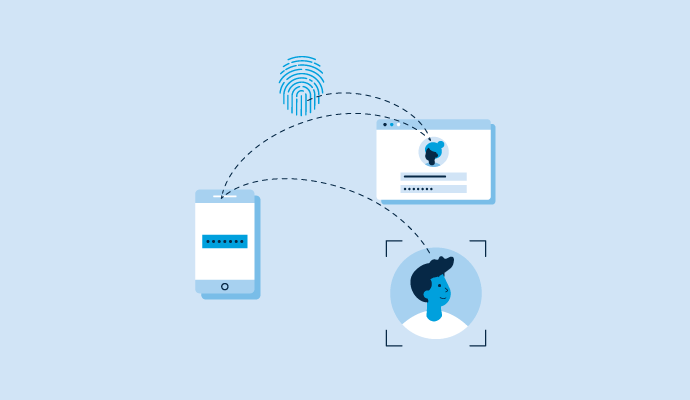
What Is Cloud Identity Management and Why It Is Important

Cloud Directory Services Discussions
Managing access to cloud apps and keeping company data safe is a big challenge as more work moves to SaaS platforms. JumpCloud is often mentioned as a way to streamline user access and strengthen security, but what does that really look like day-to-day?
Besides centralizing user access, many teams also want to spot risky applications, monitor user activity, and block unauthorized sign-ins before they become a problem. Some key features to look for in a platform like JumpCloud might include:
- Identifying apps that could be a security risk
- Tracking user sign-ins and app usage
- Setting up policies to prevent unwanted access or suspicious behavior
- How well does JumpCloud handle these kinds of SaaS security needs in practice? Any real-world examples or tips would be helpful for teams looking to tighten things up.
Another thing about Jumpcloud, is that its alerts make it easier to catch suspicious sign-ins or weird activity early.
JumpCloud empowers IT admins to enhance SaaS security and user access management by providing detailed SaaS security insights and access policies. Security insights provide visibility over risky applications, accounts, and permissions, including shadow accounts, shared logins, former employee access, excessive OAuth permissions, and app-to-app connections. With SaaS access policies, IT can warn or block user access to unapproved applications via end-users' browsers. These capabilities, combined with detailed reporting, enable IT teams to prevent unauthorized access, track user activity, enforce policies, and maintain compliance across the organization's SaaS environment.
Keeping track of all the SaaS tools in use can be a headache, especially as teams try new apps or departments buy software on their own. JumpCloud, like some other platforms, says it can help uncover everything that’s being used across the company, not just what IT sets up.
It’s interesting to see how discovery features are evolving. Some promise to spot apps connected through SSO or OAuth, pick up browser extensions, and even detect software that’s been purchased independently by different departments.
A few key things often come up:
- Automatic discovery of SaaS apps tied to SSO or OAuth logins
- Finding apps added as browser extensions
- Surfacing “shadow IT” or department-level purchases that aren’t on the official radar
- For anyone using JumpCloud or similar tools, how complete has the SaaS discovery process been? Does it really catch those hard-to-find apps, or do some still slip through?
JumpCloud catches a lot through SSO, but there are still a few browser add-ons that pop up unexpectedly.
JumpCloud provides a comprehensive SaaS discovery process that leverages multiple complementary methods to ensure extensive and in-depth visibility. This includes automatic detection of applications connected via JumpCloud SSO, identification of third-party applications authorized through OAuth (e.g., those linked to Google Workspace or Entra ID), and real-time usage data capture via the JumpCloud Go™ browser extension, which aids in uncovering shadow IT and independently adopted departmental applications. Direct API-based connectors deliver detailed user, account, and activity data from over 30 popular platforms. For enhanced flexibility, IT teams can also manually add SaaS applications, including internal or custom applications not yet discoverable through automation, ensuring a complete and accurate view of an organization's SaaS footprint.
Many organizations need device management policies that adapt to a variety of scenarios, including bring-your-own-device (BYOD), corporate-owned equipment, and dedicated kiosk setups. Modern platforms, like JumpCloud, often address this with customizable policy options and a library of pre-built templates designed for common use cases.
In addition to flexible policy creation, it’s increasingly common for management solutions to allow policy assignment based on user groups, device tags, or departments. This targeted approach helps ensure that each user or device receives the most relevant security and usage settings without adding unnecessary complexity for administrators.
Typical features might include:
- A range of editable templates for quick policy deployment in BYOD, corporate, or kiosk environments
- Advanced settings for custom security and compliance requirements
- Support for dynamic policy assignment tied to organizational structure, user roles, or device characteristics
- What experiences or insights exist around the effectiveness of these customization options and template features in real-world environments?
Another thing I noticed is that templates designed for BYOD or kiosk mode often include pre-configured controls that align with common compliance needs.
I've had good experiences using JumpCloud to fully customize my device policies.
JumpCloud's device policies are highly customizable and flexible in how they are assigned, addressing a wide range of use cases for diverse IT environments.
High Customizability of Policies:
- Granular Control: You can set very granular controls for multiple operating systems (macOS, Windows, Linux, iOS/iPadOS, Android). Settings include:
- Security: Password complexity, disk encryption (BitLocker, FileVault), firewall settings, USB device control, antivirus configurations.
- Network: Wi-Fi profiles, VPN configurations.
- Applications: Restricting app installations, deploying specific apps, managing app updates.
- System Settings: Screen lock behavior, power settings, updates.
- Custom Scripts: For even more specific needs, you can deploy custom scripts (Bash for Linux/macOS, PowerShell for Windows) as policies to execute unique configurations or actions.
- Policy Editor: JumpCloud provides a comprehensive policy editor within its console, allowing IT admins to define precise rules and settings.
Pre-built Templates for Common Use Cases:
- JumpCloud offers a library of pre-built policy templates (i.e. policies and commands) that align with common security benchmarks and use cases. These templates accelerate deployment and help ensure best practices.
- Examples include:
- Security Baselines: Templates that help align devices with industry standards like CIS (Center for Internet Security) Benchmarks.
- Compliance Templates: Configurations to assist with frameworks like SOC 2, HIPAA, or ISO 27001.
- User Experience: Policies for things like login window customization, dock settings, etc.
- JumpCloud provides individual policy components that allow you to combine use cases. For instance, for BYOD, you'd combine policies for strong authentication, data encryption, and browser-based DLP. For Kiosk, you'd deploy policies to lock down a device to a single application.
Flexible Policy Assignment:
- Policies can be assigned with great precision based on various criteria, ensuring the right policies reach the right devices and users:
- User Groups: Assign policies to specific groups of users (e.g. Finance Team, Engineering Department, etc.). When users are added to or removed from a group, policies are automatically applied or revoked on their devices.
- Device Groups/Tags: Assign policies directly to groups of devices based on criteria (e.g., "Marketing Laptops," "Kiosk Devices," "Windows Devices in Germany", etc.).
- Operating System: Policies can be OS-specific (e.g., a BitLocker policy for Windows devices, a FileVault policy for macOS devices).
- Departments/Organizations: By structuring users and devices within an organization, policies can effectively be filtered and assigned to departmental users or devices.