AI-Generated Results
Finding matches…
Nobody reads subtitles. If you want to sell abroad, you need a video in your customers' language. Until now that meant hiring an agency, booking voice actors and waiting. A 10-minute product video costs €390 to €590 at a traditional agency and takes two to three weeks. And in the end, a stranger's voice speaks for your brand.
K4 VideoLingua translates your video into one of 27 languages. For a 10-minute video, that takes less than 15 minutes on average. The person speaking in the original keeps speaking in the translation: the AI picks up the spoken text, translates it and carries the pitch and intonation of the original voice over into the target language. Your customer in Tokyo hears the same person as your customer in Hamburg, and has the same reason to trust them.
How it works
1. Paste the video URL: a YouTube link or a direct link to the video file. The video has to be publicly accessible.
2. Choose the source language, the target language and the number of speakers in the video.
3. The translated video arrives by email, as a file or a link.
You don't need a recording studio for this, and you don't need an agency.
Who VideoLingua is for
- Online shops that want to use their product videos in new markets
- Manufacturers who export and need to explain their products abroad
- Marketing agencies running campaigns across several countries
- YouTubers who want to reach viewers in other languages
It works best for screencasts, explainer videos, product presentations and voice-over videos. Typical uses are product videos and ads, internal communication for international teams, employee training videos and content for social media and YouTube. If someone speaks facing the camera for the whole video, run a test first.
Languages
You can choose from 27 languages, including English, Spanish, French, Italian, Portuguese, Dutch, Polish, Turkish, Russian, Arabic, Chinese, Japanese and Korean. There is no limit on how many videos you translate or into how many languages.
Pricing
Each video costs a flat €99, as long as it is no longer than 15 minutes and no larger than 200 MB. The first 20 seconds are translated for free, so you can hear how your voice sounds in the target language before you pay. Voice cloning works best with clear standard speech. If you speak with a strong accent or dialect, try the free test first. A manual quality check is available as an optional extra, and for large projects there is an enterprise version that lets you review the transcript before the voice-over is produced.
Your data
Product videos often contain confidential information. VideoLingua processes your videos only for the translation and does not use them to train public AI models.
Who is behind it
VideoLingua is a product of KONTOR4 GmbH, a German digital agency. It was founded by Dirk Pache, founder and managing director of KONTOR4. The tool has been online since March 2026, in German and English.
Not seeing what you're looking for?
Dive deeper into "Numbers" on G2 AI

Stop Chasing Founder Updates. Command Your Portfolio with Institutional-Grade AI.
Chasing 30 to 50 portfolio companies for quarterly KPIs, transcribing PDFs and Excel models, and scrambling before IC or board reviews creates a 45-day reporting lag that drains your team’s bandwidth.
Manage My Portfolio is the AI-powered operating system for modern investment teams. Built to eliminate manual overhead from thesis-driven deal screening and diligence to real-time portfolio monitoring and LP reporting, our platform turns fragmented updates into an audit-ready command center with zero added headcount.
Built for Every Investment Team
• Venture Capital Firms: Eliminate the manual grind between deal flow and LP cycles. Auto-score inbound decks against your thesis, draft IC-ready investment memos in your firm's voice with contradiction checks, and compute real-time Net IRR, TVPI, DPI, and RVPI plus one-click ZIP exports of quarterly LP letters.
• Corporate Venture Capital (CVCs): Walk into funding reviews with real-time IRR/TVPI, auditable data provenance, and a live strategic pipeline. Satisfy corporate IT, legal, and audit rules with Bring Your Own Key (BYOK) enterprise Claude containment, AES-256 encryption, Row-Level Security, and an automated regulatory calendar.
• Family Offices: Run multi-generational, multi-fund structures from one unified command center. Track separate vehicles, commitments, and cap tables per family member, roll up cross-entity performance in real time, and generate voice-matched quarterly letters protected by strict entity isolation so sensitive wealth data never touches shared public AI models.
• Angel Investors: End morning inbox triage and pre-call scrambles. Forward founder updates to one alias to auto-chart MRR and burn trends, batch off-thesis decks into a weekly digest, auto-log emails and intros via BCC, and generate instant AI Analyst Memos with recommended questions before every founder call.
Why Investors Switch to Manage My Portfolio
• End the 45-Day Lag with Closed-Loop "Asks": Send templated update campaigns portfolio-wide in one click. Founders reply via standard email - no portal login required - and attachments parse into your live Portfolio Cockpit.
• Audit-Ready Confidence Scoring: Color-coded indicators flag ambiguous figures for a one-click Human-in-the-Loop Review Queue, giving every number traceable provenance from raw payload to board report.
• Bespoke Deal Flow & Diligence: Custom API pipelines route thesis-aligned deals into your queue, while six-stage background diligence flags discrepancies between claims and external evidence.
• Automated CRM & Compliance: BCC your alias to auto-log conversations and intros, while your regulatory calendar maps Form D filings, tax deadlines, and fund milestones against live cash flows.
Reclaim your team's time. Move from scattered emails to board-ready intelligence on autopilot.

Operentra is a complete HR platform for small and mid-sized companies — the whole employee lifecycle in one system instead of a payroll tool, a spreadsheet and three inboxes.
HIRING. A public careers site with structured job listings, a kanban applicant tracker, interview scheduling with calendar invites, offer management, and one-click conversion of a hired candidate into an employee record — no retyping.
ONBOARDING. New joiners get a task checklist, document requests, a contract to sign electronically, and automatic reminders. Employees are only activated once the contract is signed, so an unsigned hire cannot silently start drawing salary.
ATTENDANCE AND LEAVE. Punches from ZKTeco fingerprint and face terminals, GPS-geofenced mobile check-in for field teams, or manual entry — per shift, you decide which. Shifts, rest days, holiday calendars, leave types, balances and multi-level approvals all feed the same attendance record, and human-approved attendance is never overwritten by a background sync.
PAYROLL. Salary structures with your own earnings and deductions, proration that respects rest days, loans and advances, expense claims that flow into the run as adjustments, bonuses, increments and arrears. Pre-flight checks refuse to approve a run that is missing a shift, an attendance record or a tax table, so a wrong number never reaches an employee. Salary slips render as PDFs and get emailed.
DOCUMENTS. Contracts, HR letters, tax certificates and salary slips generate from templates you control, carry your branding, and each one gets a QR code that resolves to a public verification page — so a bank can confirm it is genuine without calling you.
PERFORMANCE AND OFFBOARDING. Appraisal cycles, continuous performance tracking, scorecards, promotions and transfers; then clearance checklists and a final settlement that nets leave encashment, gratuity and provident fund against outstanding loans.
SELF-SERVICE. Every employee gets a portal for their own payslips, leave, documents, assets and letter requests, which is where most of the HR inbox goes.
PAYROLL ANYWHERE. Payroll runs for a team in any country, on the salary structures, allowances and deductions you define. What ships per country is statutory automation — withholding and contributions computed for you — and we keep adding packs. Until a pack covers your country, payroll, leave, attendance and documents all still run from day one; what waits for the pack is automatic income tax and statutory contributions.
BUILT FOR CONTROL. Role-based permissions down to the action, audit logs, two-factor authentication, automated backups, data export and right-to-erasure, a public REST API with scoped keys and webhooks, and — on Enterprise — your own domain and branding, plus one login across multiple companies.
The interface ships in English, Arabic (RTL), French, German and Spanish. Operentra is built and operated by Hostings House. It ran our own HR before it ran anyone else's.

Eventiere is an AI-powered event marketing and engagement platform that covers the full event lifecycle - before, during and after - for corporate events, conferences, exhibitions, government summits and large-scale public events.
Most event tech stops at logistics. Eventiere is built around what happens to your event's visibility once the doors close. At a typical event, the photographer delivers thousands of images to a shared drive days later. Guests never find themselves, organisers field "where are my photos?" emails for a week, and the branded reach the event paid for never reaches social media. Eventiere converts that dead asset into an attendee-driven marketing channel.
Before the event
Guest registration with four access modes, a branded event page and QR code, and full white-label setup —
- your colours, logo and domain across every guest touchpoint, ready before a single photo exists.
During the event
Face check-in and badge printing at the door, replacing ticket scanning with instant recognition - no queues. Instant-print kiosks, a live photo wall, and guest uploads that let attendees add their own shots as the event happens. Photographers upload in batches as they shoot, so galleries are ready while people are still in the room.
After the event
Guests scan a QR code, take one selfie in their mobile browser, and receive a personalised gallery of every photo they appear in - delivered by email or WhatsApp in seconds. No app download, no account creation, no login. Marathon and sporting events can search by race number instead. Attendees connect with the people they met, and organisers get sponsor reporting.
Marketing and sponsor outcomes
Branded frames and watermarks on every photo a guest shares, so sponsor logos travel with the content
Tracked impressions, downloads, shares and reach, exportable for sponsor and internal reporting
Galleries carry your event branding and can link directly to next year's registration
Real-time analytics on views and peak activity, showing which content performed
Who it's for
Corporate and internal events, conferences and trade shows, government summits, exhibitions, marathons and sporting events, universities and graduations, hospitality groups, event agencies, venues, and event photographers using it as a delivery layer for their clients.
Privacy and compliance
GDPR compliant. Facial recognition processing stays within Eventiere's infrastructure, with consent captured at every step and a self-serve data removal process for guests. Supports staged photo release for events with media approval workflows.
Getting started
A free plan covers three events with full AI face search - no credit card and no sales call. Teams can pilot with photos from a past event before committing. Business and Enterprise tiers add check-in stations, custom domains, API integration, SLA and on-site support.
Deployed across the UAE, Qatar, Saudi Arabia, India and the UK, with Arabic and English guest experiences.

Storage Facility Creator is self storage management software for independent operators who run one facility or a small portfolio. It is a cloud web app that runs in any browser, with nothing to install, and one login covers every facility you own.
Pricing is published: $75 per facility per month with unlimited users, no onboarding fee and no contract. You sign up yourself with no sales call. Your 30-day trial starts once your account is approved, no card is needed to start it, and your first month is free when you subscribe.
Tenants and units. Every tenant has one record with contacts, ID, vehicles, balance, gate code, autopay, signed agreements, proof of insurance and a contact log. A space can be a storage unit, vehicle or outdoor storage, a parking space, an RV site or a boat slip, sized in feet and priced per foot where that fits. Create a row of units from a number range, draw a site map colored by status, and import tenants from a spreadsheet.
Billing and payments. Monthly rent posts to every active tenant's ledger on the 1st, prorated for mid-month move-ins, transfers and move-outs. Each facility connects its own Stripe account, so card payments pay out to you. Tenants can save a card and turn on autopay; a declined card is retried a few days later and a dead card is switched off with an alert to you. Record cash and checks, send pay-by-links and PDF invoices, refund a card payment from the ledger, and sell locks and boxes at the counter.
Collections. A past-due list shows who is behind, by how many days and what they owe. Set a grace period and a flat or percentage late fee, posted automatically if you switch that on, and overlock every delinquent unit in one click. On a paid plan, a shared Do Not Rent list screens every new tenant and online rental.
Texting and email. Text or email tenants from the app, with consent recorded, STOP and HELP handled automatically, and two-way replies in one inbox. Rent reminders go out by email or text on the lead time you choose.
Leases and insurance. Upload your own lease PDF, place the signature fields, then send a secure signing link or sign at the counter. Record each tenant's policy end date and proof; policies expiring within 30 days are flagged.
Tenant portal and online rentals. The tenant portal is included: tenants see their balance, pay by card and manage autopay. For $25 per facility per month, add a facility website on your own domain where renters pick a unit, sign and pay online.
Gate codes and team. Each tenant gets a gate code with the days, hours or dates you choose, switched off at move-out; the app does not connect to gate hardware. Owner, Manager, Employee and Viewer roles, unlimited staff logins, two-factor sign-in and an audit trail are included, plus an AI assistant that answers questions about the app. Support is by email and the in-app Report a Bug button.

EML to PDF Converter Software turns saved .eml messages into PDF, HTML or plain text files on a Windows PC. Add a folder of exported mail, pick the format and get one document per email or a single merged file for the whole queue. EML to PDF conversion runs locally, so the mail never leaves the computer.
🔰 How to use the converter
1. Click Add files or Add folder, or drag .eml files into the window.
2. Click a message in the list to read it in the built-in preview before converting.
3. Choose the output: PDF for print and archive, HTML for a browser, TXT for text only.
4. Pick one file per message, or combine the queue into one PDF in list order.
5. Switch Include images on to keep inline pictures, or off for lighter printouts.
6. Set the destination folder and start. Messages are processed one after another.
👍 Why IT and office teams pick this EML to PDF tool
- Mail stays on the workstation. There is no upload step and no account to create.
- Neither Outlook nor Thunderbird has to be installed, because the program reads the saved files directly.
- An export of hundreds or thousands of messages goes through in one run, with no cap on the number of files in the licensed version.
- HTML layout, fonts, colors and tables survive, and links stay clickable in the PDF.
- Each document starts with From, Date, To and Subject. The date is printed as the sender wrote it, time offset included.
- Messages in KOI8-R, Windows-1251 and Unicode come out readable.
- It doubles as a simple EML viewer when someone only needs to read a message.
✅ Who uses it
- Legal and HR staff who file correspondence as PDF and share it with people who have no mail client.
- IT admins who inherited folders of exports from Thunderbird or Outlook "Save as" and must make them readable.
- Accountants and office managers keeping receipts and supplier mail as documents.
- Tenants and freelancers who store agreements made by email next to their contracts.
- Anyone building an offline backup of important threads in one merged file.
❓ FAQ
How can I open an EML file without a mail client? Add it to the list and click it. The preview shows the headers and the formatted body, and a PDF copy is one click away.
Can I combine many emails into one PDF? Yes. Choose the combine option and the messages are written to a single document in the order of the list, with a separator between them.
Is my mail sent to a server during conversion? No. Parsing and rendering happen on the PC and the program works offline.
Does it convert MSG, MBOX or PST files? No. This EML to PDF converter handles .eml only, and file attachments are not embedded in the PDF.
ℹ️ Free trial: three emails per day can be converted, enough to check how your own messages look. Lifetime, business, one-year and monthly licenses are available. EML to PDF Converter Software runs on Windows 10 and 11.

CA Portal provides several factors in website templates that would help in luring customers and making the website memorable. CA portal can be considered as a go-to solution for CA websites with the facility of maintaining records of the client and a fresh portfolio for the CA professional The firm provides numerous web templates for chartered accountants and company secretaries that are customized in a good manner. All the templates are very impressive with dynamic functionality such as menus, slide views, pages, etc. Moreover, all the portals contain a CA logo that is placed on the left side of the web page. The web portal has a news section and due date reminder. The company assures you that your website will be ready within 5 working days because we have a well-dedicated team.
Experience the power of SAG Infotech’s feature-packed website solutions. Our offerings include:
Free Domain Name (.com,.in,.co.in): Establish your online presence with a personalised domain name that reflects your business identity.
Business Email ID: Enhance professionalism with a dedicated email address using your domain name.
Hosting Space: Enjoy reliable and secure hosting space to ensure your website is always accessible to your audience.
SEO-Ready Website: Boost your visibility on search engines and attract organic traffic with our SEO-optimised websites.
Responsive Mobile-Friendly Layout: Reach your customers on any device with websites that adapt seamlessly to different screen sizes.
Enquiry Form: Capture leads and gather valuable customer information through a user-friendly enquiry form.
Social Media Integration: Connect and engage with your audience by integrating your social media profiles seamlessly.
Blog Dynamics: Share your expertise and engage your audience through an interactive and dynamic blog platform.
Due Date Reminder: Never miss important deadlines with a convenient due date reminder feature.
Act, Rules, Circulars, and Notifications: Stay updated with the latest regulations and notifications related to GST, Income Tax, and more.
Latest News (GST, Income Tax): Keep your visitors informed and up-to-date with the latest news in the world of taxation.
Visitor Counter: Track the number of visitors to your website and gain valuable insights into user engagement.
Google Map: Make it easy for your customers to locate your business with Google Map integration.
QR Code Scanner: Seamlessly scan QR codes to access additional information or promotions.
Live Chat Integration: Provide real-time support and assistance to your website, and visitors, through live chat integration.
WhatsApp Chat: Enable direct communication with your customers through WhatsApp Chat integration.
Language Translator: Expand your reach to a global audience by offering language translation options.
Enquiry Form Popup: Grab attention and prompt user engagement with a visually appealing inquiry form popup.
Client Reviews and Testimonials: Showcase your satisfied clients’ feedback to build trust and credibility.
Video and Image Gallery: Display visually captivating content through video and image galleries to enhance the user experience.
Optimised Code for Speed Fast Loading: Ensure a seamless browsing experience with optimised code for fast-loading websites.

OCA develop an omnichannel Communication-Platform-as-a-Service (CPaaS) to revolutionize communication for every business sector in Indonesia. OCA provides 4 product innovations OCA namely OCA Interaction, OCA Blast, OCA API, and OCA AI (Automated Interaction). The role of each innovation respectively is to handle incoming customer queries, outgoing messaging, channel integration into businesses’ platforms and systems, and a platform to build chatbots easily.
OCA Blast lets businesses send out messages to targeted users over designated channels, ranging from WhatsApp push notifications to email, SMS, and Voice/VR messages. Using Contact Manager, our clients can filter and target audiences. OCA Blast also offers number masking, an automatic scheduling system, the ability to designate backup channels if the message is not delivered on the first channel, Dynamic content templates to ensure that messages are personalized using the audience name, and able to send photos, videos, files, and locations.
OCA Interaction is designed to handle incoming customer queries from multiple channels including WhatsApp, Twitter, Telegram, email channels, calls, and more. The OCA Interaction dashboard is further equipped with agent performance analytics, overview analytics, templates for surveys, and a knowledge base module.
OCA API ensures the flexibility for fast integration with various existing systems and the safety of customer data security. Therefore we make it possible for companies to harness our communication innovation benefits by using our API and connecting it to their own system. For example like if companies have OTP two-factor security and they can send it to customers using SMS API or WhatsApp API.
OCA AI (Automated Interaction) allows our users to develop a chatbot to automate their communication so they can respond faster and makes their customers happier. Building a chatbot or editing the conversation flow with this platform is easier because we use the visual builder, you can gather data from a form, and connect it to channels that you want. By using this combination of OCA products, our clients can increase engagement from their customers, improve communication quality, and gather real-time data and analysis collected from communication in the OCA dashboard which allows them to make informed decisions that align with the customer interest and expectations.
In addition, staff work efficiency also goes up as the OCA chatbot can handle most routine queries. This means that staff can focus on solving more complex issues for the customers. As OCA is a subscription-based platform, signing onto OCA is fast and easy, and allows the company to pay lower rates compared to developing an omnichannel communication solution. Updates to the platform are rolled out automatically by OCA, meaning that our clients do not have to waste valuable manhours and resources to develop and upgrade communication technology. In response to the needs of our clients, going forward will be enhanced with interactive video chat, advanced analytics, improved dashboard API, and an order management system. These improvements will deliver even more benefits for OCA clients, especially the government sector, in terms of time savings and value add and enabling them to accelerate their digital transformation.

Online corporate sustainability reporting - effortless transformation of data to insight
Corporate ESG reporting made breezy
For many Environmental Team Leads and Environmental Managers, ESG Reporting is a nightmare. Getting control over all the data sources, followups with the various team members across the globe to ensure they report on time, quality assurance of data received - all of these things can be nervewracking on their own, but put together it is a seemingly insurmountable task.
For independent Oil and Gas operators, who have sustainability reporting obligations, NEMS Panorama is a sustainability reporting solution, that reduces cost, and increases control. Unlike Excel or generic EHS solutions, NEMS Panorama is developed by oil and gas experts who understand the processes and tasks involved in ESG (Environment, Sustainability, Governance) reporting for Oil and Gas operators.
The solution is accessed directly on your browser. This enables instant global access for all your users.
NEMS Panorama provides consistent reporting from all your assets across disciplines. With NEMS Panorama you will reduce your efforts with ESG, GRI, and IOGP reporting. Our solution provides a complete and transparent overview of all your reporting management processes.
Collaboration is key in cross-departmental reporting. NEMS Panorama enables easy information sharing with internal and external stakeholders –without compromising information security. NEMS Panorama makes data analysis, reporting, and benchmarking easy. The way it should be.
Big data got you in a squeeze?
NEMS Panorama comes with a powerful analytical toolbox. Making it easy to analyze all your sustainability data on one platform. Aggregation of a vast number of data is done in the blink of an eye. An easy to use graphical drill-down feature enables you to quickly locate the root causes and major sources of your emissions. NEMS Panorama is the perfect tool for transforming your data into insight.
With our analytics toolbox, benchmarking is easy. You can benchmark your assets in any dimension you like. The results are shown immediately as tables and figures in the graphical user interface
Compliant by Nature
NEMS Panorama is compliant with ISO 14001/14031. With local data entry and central reporting, traceability and consistency are ensured. NEMS Panorama provides instant overview of the reporting status of all your assets. Enabling you to drill down in the underlying data, to uncover any outliers or discrepancies. If you identify anything, create a ticket and let your responsible team member get on it ASAP.
Integration? We got you covered
With NEMS Panorama internal and external reporting is made easy. Either by automatic export to other systems or ad-hoc generation of favorite tables. With a click of a button, you can easily get live updated data to your favorite Excel spreadsheet. Any kind of data can easily be exported automatically to other systems through our open API interface. There is no need for expensive consultancy help to do so. Data from NEMS Accounter is also automatically exported to NEMS Panorama.
So what are you waiting for? Seeing is believing. Book a meeting now to see how your team can excel at reporting; pun intended.

The application is a part of Golf Competitions Management system (BQGolf).
The system is designed for organising golf competitions played in various formats and for collecting and presenting player results.
The system contains the following programs:
1. BQGolf – main program (desktop/laptop),
2. BQGolf Viewer – competition result viewer (desktop/laptop),
3. BQGolf Players –player databases editor (desktop/laptop),
4. BQGolf GC – golf course database editor (desktop/laptop),
5. BQGolf MViewer – competition result viewer (mobile devices),
6. BQGolf MScorecard – electronic scorecard (mobile devices).
The system supports many types and formats of play: match play (with and without qualification groups), stroke play, league (match play and stroke play), yellow ball, 1-2-3, n Best Rounds and more using various scoring systems (gross, nett, Stableford, user defined points, etc.).
If during the competition electronic scorecards are used (BQGolf MScorecard) then the players on their mobile devices enter hole results which are automatically transmitted to the main program (BQGolf) and then displayed on the leaderboard and distributed to all devices using applications BQGolf Viewer or BQGolf MViewer. The progress of the match or the whole competition can be watched in real time on TV/Projector at the club house and anywhere in the world on mobile and desktop devices.
If electronic scorecards are not used then after a round/match the administrator (pro) easily enters the scores or match results on his console using the main program (BQGolf).
In cup match play competitions the competition’s diagram is updated automatically.
The number of competitions is unlimited.
Competition data is stored in a cloud (GoogleDrive or OneDrive) which can be configured by the system administrator.
To set up a competition the administrator:
1. enters just the players’ name and handicap (many predefined player databases created using BQGolf Players can be used to speed up the player selection process),
2. selects the competition type and sets various competition options, e.g. handicap limits, handicap groups, handicap system (EGA/USGA or CONGU), count back, scoring type, game type, etc.,
3. automatically creates starting groups (stroke play) or matches (match play). Starting groups and matches can be modified manually if necessary,
4. starts the competition by pressing the START button. All scorecards are created and uploaded to the cloud. When the players arrive at the reception before the competition they start the BQGolf MScorecard application on their devices and just scan a Smart Card (using NFC) or a QR code (using built in camera). All competition data and player lists will be downloaded to their devices. Then they choose a player (i.e. a competitor for whom the user is a marker) and a marker (i.e. himself/herself). Then after each hole they enter player’s score on the mobile device which is sent to the main program (BQGolf).
The main program will sum up scores in real time and show them on the leaderboard (TV or projector).
Marker’s score and the whole leaderboard will also appear on the mobile device.
To see the system in action watch on YouTube:
stroke play: https://www.youtube.com/watch?v=LxXvuA8SQqc&t=107s,
match play: https://www.youtube.com/watch?v=LZ_UoXSUDbE&t=2s.

Amplify OMS is a comprehensive office management software tailored specifically for audiology clinics, designed to streamline operations and enhance patient care. Accessible from any device with an internet connection, it offers a mobile-friendly interface that ensures practitioners can manage their practice efficiently, whether in the office or on the go.
Key Features and Functionality:
- Telehealth Integration: Seamlessly integrates with Zoom to facilitate TeleAudiology appointments, with automated invitations and instructions sent to patients.
- Patient Care Management: Developed with input from hearing practice managers and front office staff, it enables real-time tracking of critical patient data through intuitive workflows.
- Dashboarding: Provides instant access to essential data on a single screen, customizable for different employee roles to enhance productivity.
- Financials & Billing: Offers tools for efficient tracking and billing, including invoice creation, gross margin tracking, and QuickBooks Online integration to eliminate double entry.
- Scheduling & Reminders: Features an easy-to-use scheduling system with minimal keystrokes, along with text and email appointment confirmations.
- Reporting: Equipped with a comprehensive suite of reports to evaluate staff performance, measure gross margins, assess marketing effectiveness, and analyze third-party sales.
- Dynamic Form and Report Generator: Allows customization of forms and reports to reflect the clinic's brand, providing clear and comprehensive data for physicians and insurance carriers.
- Cloud File Storage: Enables digital storage and management of an unlimited number of audiograms and other important files per patient, ensuring easy access to pertinent information.
- Marketing Lists and Automated Marketing: Facilitates the creation of targeted mail and call lists, with options for DIY or premium automated marketing to enhance revenue and free time.
- Online Appointment Booking: Integrates with the clinic's website to allow new or existing patients to book appointments directly online.
- Task Management & Recalls: Simplifies tracking, organizing, and assigning office tasks, with real-time notifications for patient callbacks.
- Real-time Notifications and Intercompany Messaging: Keeps staff updated with database changes and enables seamless communication within the team.
- Calendar Broadcast and Sync: Exports and syncs schedules with major calendars like Apple Calendar and Outlook, and offers real-time, bidirectional integration with Google Calendar.
- Lead Forms and Automated Review Requests: Allows creation of customized lead forms for website deployment and automatic sending of review requests post-appointment.
- HIMSA Noah Sync: Provides real-time bidirectional synchronization between HIMSA Noah and Amplify OMS.
- Integrated SMS, Phone, and Email: Facilitates communication with clients and colleagues directly within the platform.
- Google Sheets Sync: Enables easy export of data to Google Sheets, with options for automated exports and reports on demand.
Primary Value and Solutions Provided:
Amplify OMS addresses the unique challenges faced by audiology clinics by offering a centralized platform that enhances operational efficiency, improves patient engagement, and supports financial management. Its comprehensive suite of features ensures that clinics can manage patient care, scheduling, billing, and marketing seamlessly, leading to improved patient satisfaction and increased revenue. By automating routine tasks and providing real-time data access, Amplify OMS empowers audiology professionals to focus more on patient care and less on administrative burdens.

Spreadsheet Compare & Merge Tool for Excel is a Windows program that lets you merge Excel files from a whole folder into one workbook and then check two versions of a table cell by cell. It reads XLSX, XLSM, CSV and TSV on its own, so Microsoft Excel does not need to be installed on the PC that runs the job.
🔰 How to use it
1. Click Add files or Add folder. Workbooks and CSV exports can share one batch.
2. Pick Into a single sheet, or One sheet per file to keep every source on its own tab.
3. Line columns up By column name or By position, then set the output name and press Combine to merge Excel files.
4. To compare Excel files, load the old version on the left, the new one on the right and click Compare two files.
5. Walk through the highlighted cells with Next difference and export the result.
👍 Why IT and office teams pick it
- Branch exports with columns in a different order still land in the right columns. A missing column leaves blank cells instead of shifting data sideways.
- Payroll and client price lists stay on the local disk. Nothing is uploaded and no account is needed.
- The compare view tells apart nine kinds of change, from edited values and formulas to added or removed rows, columns and worksheets.
- Rows can be paired by a key column, which keeps a diff readable after someone sorts or inserts lines.
- One unreadable workbook is reported on its own line while the remaining files keep going.
- You can merge Excel files and CSV exports in the same run, and the output format follows the extension you type.
- In our own tests fifty workbooks of 10,000 rows were joined in under nine seconds.
✅ Who uses it
- Accountants who merge Excel files from a dozen branch reports when closing the month.
- Purchasing staff checking a new supplier price list against the previous one.
- Warehouse and CRM admins who receive data as dozens of separate CSV pieces.
- Analysts and IT staff matching a test configuration workbook with production.
❓ FAQ
How do I combine Excel files into one without copying and pasting? Add the files or the folder, choose a merge type and press Combine. The program will merge Excel files into a new XLSX or CSV next to your sources.
Can I compare two Excel files for differences without Office? Yes. The tool reads both workbooks directly and colors each change, so it works on a machine with any Office edition or none.
What if the files have different columns? Choose By column name. Columns are matched by their titles, and the output keeps every column found in any of the files.
Does it open old XLS files? No. Resave them as XLSX in any spreadsheet program first.
ℹ️ Free trial with no sign-up: the merged file and the difference list are capped to a limited number of rows until you buy a license. Runs on Windows 11, 10, 8.1, 8 and 7, 32 and 64 bit.
This Windows program handles Outlook mail merge from start to finish, including mail merge for Outlook and Excel with attachments. Every person on your spreadsheet gets a letter carrying a personal subject line and a personal file. Mail Merge with Attachments for Outlook reads an XLSX or CSV list, fills merge fields row by row, adds the document named in that row and sends from your own mailbox. No Word step, nothing to install inside Outlook.
📋 How to use
1. Open the Excel workbook or CSV file. Address and name columns are picked out for you, and a wrong pick takes one click to change.
2. Type the subject and text once and click merge fields into place. Point the program at the column with each person's file path.
3. Open the preview. Read each finished letter and fix whatever it flags by row number, from an absent file to an address listed twice.
4. Connect the mailbox with browser sign-in for Outlook and Microsoft 365, or enter SMTP host and port. Set the pace and press Start.
🏢 Why IT and office teams pick it
It runs as its own Windows application, so this Outlook mail merge keeps working after a switch to the new Outlook app, which no longer loads COM or VSTO add-ins. Messages travel from the PC straight to the mail provider and never touch a SoftOrbits server. The sign-in token is held in memory only for as long as the program runs. A journal tracks every addressee as waiting, in flight or done, so a run cut short picks up again without mailing anyone twice. Copy and blind copy addresses may come from a column as well, which the Word and Outlook merge cannot do.
👥 Who uses it
Accounting staff send monthly invoices and statements. HR and payroll send payslips, where each file must reach one person only. Office managers run it as an Outlook mail merge for contracts, renewal notices and course certificates, and as plain mail merge for Outlook and Excel when a letter needs no file. A saved project keeps the setup, so next month you swap the spreadsheet and press Start on the same mail merge for Outlook and Excel with attachments.
❓ FAQ
Can you attach a PDF to a mail merge?
Yes. A PDF goes in like any other file on your disk. Put its location in one column, and the program matches every person to the right document.
How do I turn an Excel spreadsheet into a mail merge?
Load the workbook on step one. Its columns turn into fields you can drop into the subject and text, with no renaming or moving sheets.
Do I need Outlook installed?
No. Our Outlook mail merge sends over Microsoft account sign-in or any SMTP server. Classic Outlook, the new Outlook or no Outlook at all will do.
Can I schedule the mailing for later?
Yes. Pick a start time and leave the program running, and it begins on its own at the pace you set.
✅ The free trial sends each mailing of your Outlook mail merge to 25 addresses at most and adds no promotional line to the letters. Runs on Windows 11 and 10.

SpeakPal.AI is an innovative language learning platform powered by GPT technology. Let’s delve into the fascinating world of its servers and features.Speak with AI and chat on various topics, either by writing or speaking, while receiving messages with a realistic voice.We created speakpal with artificial intelligence and AI teachers to lower the barriers and costs of learning foreign languages for users around the world. Our aim is for everyone to easily master at least one foreign language.
GPT-Powered AI for Language Learning:
1. SpeakPal.AI serves as a 24/7 language tutor that caters to learners across the globe. It leverages the capabilities of GPT (Generative Pre-trained Transformer) to facilitate language acquisition.
2. Users can engage in real-time interactions with the AI, practicing speaking and writing skills. Whether you prefer typing or speaking, the AI responds with a realistic voice.
3. The platform supports 30 languages, making it accessible to a diverse audience.
Personalized Learning Experience:
1. Courses are tailored to individual learning progress and interests. This personalized approach ensures that learners receive content relevant to their needs.
2. Unlike generic exercises, SpeakPal.AI encourages discussions on topics that interest you. Engage with the AI, learn through contextually relevant content, and enhance your language skills.
Bilingual AI Teachers:
1. Have a question? Just ask! The AI teachers are proficient in both English and the language you’re aiming to master. They provide multilingual support.
2. Whether you’re curious about grammar, vocabulary, or cultural nuances, the AI teachers are there to assist.
Progress Tracking and Motivation:
1. As you converse with the AI, the platform tracks your progress. It counts the number of words you understand and the variety of words you use.
2. Watch your score rise, motivating you to reach the next level in language proficiency.
3. And the best part? All of this comes at a fraction of the cost of a human teacher!
Additional Features:
100+ Scenarios: Explore a wide range of scenarios to practice language skills in context.
10K+ Exercises: Access a wealth of exercises designed to reinforce learning.
Unlimited Practice: Practice as much as you want, whenever you want.
Role-Playing: Engage in role-playing activities to simulate real-life conversations.
Voice Chat: Improve your pronunciation and fluency through voice interactions.
Ad-Free: Enjoy an uninterrupted learning experience.
Learn Any Language By Speaking With An Ai Teacher. Embark on a journey through the world of languages, mastering the art of communication with language learning.
Our AI teacher platform offers:
- Child Education: Creating a joyful learning environment for children under parental guidance to learn English.
- College Students: Enhancing language application skills, mastering practical communication techniques through real-time dialogue with an AI teacher.
- Career Starters: Providing professional language practice to help newcomers in the workplace improve their communication skills, utilizing the best way to learn a new language.
- Daily Applications: Enhancing your language skills for travel, work, or daily life, supported by SpeakPal.
- Language Enthusiasts: Engaging with 100+ teachers from different countries to enhance language proficiency, exploring the best way to learn a language.
In summary, speakpal.AI combines personalized learning, real-time interactions, and multilingual support to offer an efficient and engaging language learning experience. So, whether you’re learning English, Spanish, Mandarin, or any other language, give it a try!

Knowasiak is an online platform that offers authors a unique opportunity to promote and share their writings with a global audience. Founded in 2020, the website has quickly become one of the most preferred destinations for authors from around the world who are looking to showcase their creativeness to the world. From providing authors with global reach and helping them build their global audience, to providing a platform for them to discover their readers, Knowasiak is a one-stop destination for authors of all genres and styles.
One of the prime benefits of Knowasiak for authors is the convenience and ease of use offered by the website. With its easy to use, intuitive interface, authors are able to create an account in a matter of minutes and start promoting and sharing their work right away. In addition to this, Knowasiak doesn’t require authors to have any sort of experience as its interface is designed to be simple enough for anyone to use. Furthermore, authors are given the freedom to choose how they want to share their work, as they can choose between languages and formats such as HTML and Markdown.
Knowasiak provides authors the opportunity to build their global audience by allowing them to share their writings with a global community of readers. Knowasiak’s platform has hundred of thousands of readers from around the world, which makes it possible for authors to reach out to readers from diverse backgrounds and with different interests. Furthermore, the website also allows authors to connect with other authors by creating their own personal profile page and joining communities of literary enthusiasts who are likewise interested in their work.
In addition, Knowasiak offers authors the option of monetizing their work by offering them the chance to earn through their writings. This is achieved by placing buy me a coffee button on the works created by authors, which then generate revenue for them. Furthermore, Knowasiak helps authors with their marketing efforts by offering authors the chance to connect with influencers, potential publishers, and other authors to gain additional exposure for their work.
Apart from earning revenue through their work, authors are able to extend their reach on Knowasiak by taking advantage of its advanced analytics. This feature allows authors to track the views, likes, and comments of their work. This level of analytics helps authors ascertain the impact of their work and develop future content strategies to maximize their reach and income.
One of the most important features offered by Knowasiak is its suite of collaborative features. This feature allows authors to collaborate with other authors in a number of ways, such as reading and commenting on each other’s work, sharing ideas and techniques, and even working together on joint projects. This level of collaboration helps authors build a supportive network while also developing their skills and knowledge, thus allowing them to create better and more interesting content.
Finally, Knowasiak provides authors with the tools needed to protect their intellectual property, as the website is PCI compliant and all information is stored on a secure, industry-standard server. Furthermore, the website offers a series of digital rights management tools that authors can use to protect their work, as well as an anti-piracy measure which tracks copies and ensures copyright infringement cannot take place.
To sum up, Knowasiak is an online platform that offers authors an immense range of possibilities in terms of promoting and sharing their work. From providing authors with global reach and helping them build their global audience, to providing a platform for them to monetize their work and collaborate with other authors, Knowasiak has become a favored destination for authors of all genres and styles.
E-mail signatures and Out of Office auto reply messages are an integral part of corporate identity and corporate design, but also of successful media and internet presence concepts and marketing campaigns.
Besides the design and texting, one must also think about their central administration and distribution. This ensures compliance with CI/CD guidelines, guarantees the use of correct and up-to-date data, helps with legal compliance, relieves staff and opens up an additional marketing channel.
With Set-OutlookSignatures, signatures and Out of Office auto reply messages can be:
Generated from templates in DOCX or HTML file format
Customized with a broad range of variables, including photos, from Active Directory and other sources
Variables are available for the currently logged-on user, this user’s manager, each mailbox and each mailbox’s manager
Images in signatures can be bound to the existence of certain variables (useful for optional social network icons, for example)
Applied to all mailboxes (including shared mailboxes), specific mailbox groups, specific e-mail addresses or specific user or mailbox properties, for every mailbox across all Outlook profiles (Outlook, New Outlook, Outlook Web) (automapped and additional mailboxes are optional)
Created with different names from the same template (e.g., one template can be used for multiple shared mailboxes)
Assigned time ranges within which they are valid
Set as default signature for new e-mails, or for replies and forwards (signatures only)
Set as default OOF message for internal or external recipients (OOF messages only)
Set in Outlook Web for the currently logged-in user, including mirroring signatures the the cloud as roaming signatures
Centrally managed only or exist along user created signatures (signatures only)
Copied to an alternate path for easy access on mobile devices not directly supported by this script (signatures only)
Write protected (Outlook signatures only)
Set-OutlookSignatures can be executed by users on clients and terminal servers, or on a central server without end user interaction.
On clients, it can run as part of the logon script, as scheduled task, or on user demand via a desktop icon, start menu entry, link or any other way of starting a program.
Signatures and OOF messages can also be created and deployed centrally, without end user or client involvement.
Sample templates for signatures and OOF messages demonstrate all available features and are provided as .docx and .htm files.
Simulation mode allows content creators and admins to simulate the behavior of the script and to inspect the resulting signature files before going live.
The script is designed to work in big and complex environments (Exchange resource forest scenarios, across AD trusts, multi-level AD subdomains, many objects). It works on premises, in hybrid and cloud-only environments.
It is multi-client capable by using different template paths, configuration files and script parameters.
Set-OutlookSignatures requires no installation on servers or clients. You only need a standard SMB file share on a central system, and Office on your clients.
A documented implementation approach, based on real life experiences implementing the script in multi-client environments with a five-digit number of mailboxes, contains proven procedures and recommendations for product managers, architects, operations managers, account managers and e-mail and client administrators.
The implementation approach is suited for service providers as well as for clients, and covers several general overview topics, administration, support, training across the whole lifecycle from counselling to tests, pilot operation and rollout up to daily business.

The COOL platform is the base of a solution that helps teachers stay in control in the classroom. It saves time and is easy to use. It’s the homepage for your students. Here they can find all the online educational materials the teacher has selected for them. COOL applies the group layout from your Google console G Suite environment, so the right teachers are connected to the right groups and classes.
You can use the platform in combination with different modules that enhance the learning experience for teachers and students. Choose the modules that fit you. Try it out: 60 days for free!
The COOL Platform consists of,
- COOL Picture log-in
- COOL Monitoring
- COOL Exam mode
- COOL Plagiarism check
COOL Picture log-in
The Picture log-in module makes logging in easier for younger students. Their password consists of a combination of pictures. No need to remember the complicated number or letter combinations. An easy way to make the children use their own account instead of a group account, which is sometimes used as a quick fix so that they only have to remember one password that everyone knows. Using group accounts makes tracking individual progress difficult and is not compliant with privacy regulations. With the picture log-in, they have access to their own Google accounts and are also logged into the COOL platform.
COOL Monitoring
Keep track of your students: what are they working on? Where are they in the assignment? From the comfort of your own device, you can see the browser screens of your students. It gives you the opportunity to observe from distance and give direction during the process instead of after. Students can see on their screen when they are monitored. The tool comes with many handy functionalities, such as pushing a website to the devices of the whole class or to individuals. You can also block the screens when you want the attention of the classroom and close unwanted tabs. You can even make different or smaller groups from the students who are assigned to you as a teacher. This is convenient for pushing activities to students who need special attention or extra educational input. If you’ve used COOL Monitoring, you can check the browser history of your students up until seven days ago. The COOL admin of your school is able to consult a report about when which teacher was using COOL Monitoring and for which students. This provides the much-wanted transparency.
COOL Exam mode
This functionality is part of the COOL Monitoring module. That means that you can monitor students from a distance while they are in exam mode. COOL Exam mode makes sure that students can’t change tabs while taking a test. You can lock your students on the page of the test. They can’t open other tabs to find answers on the internet. You decide the amount of time they are locked. Use it for individual students or for the whole class with one click.
COOL Plagiarism check
Check the Google documents that your students are handing in through Google Classroom. The Google Classroom app is integrated into our COOL platform. As a teacher, you can check your students’ work by starting the plagiarism check. It will look for text matches online and the documents of your other students. You can check the same document three times over so you have the possibility to give feedback to your students and give the opportunity to improve the text. In the overview of the results, you’ll see what the percentage of plagiarism is and on which websites the matches are found.
Try it out: 60 days for free!
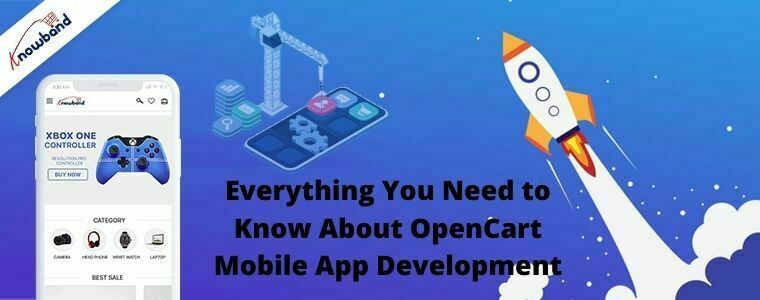
Connecting with users has become an essential step for any eCommerce business. Customers in the digital age expect to have everything at their fingertips and to be able to manage their accounts digitally. With your OpenCart Mobile App, you can raise brand awareness among smartphone users and ensure consistent quality among a large number of customers. As a result, customers nowadays demand a brand to have its mobile app. This shows the importance of having a competitive advantage in the eCommerce industry. As a result, it has become necessary to avoid slipping behind your competition. However, an OpenCart Mobile App Builder by Knowband will enhance the brand's trustworthiness.
Top Reasons to go for OpenCart eCommerce Mobile App
1. Customers Use Mobile Phones More:
Many eCommerce businesses are using their smartphones to locate local businesses. The eCommerce merchant can promote its brand easily on Mobile App for OpenCart. The OpenCart Mobile App Maker also allows eCommerce business promotional techniques to be viewed through digital platforms. So it is simply no longer enough to have an eCommerce website. People get away from computers and have absolute trust in mobile applications. Therefore, it is high time for your OpenCart store to launch the mobile app.
2. Customer Satisfaction:
User happiness is the most important factor for any eCommerce store. Customer satisfaction is the benchmark for any successful business; if you don't have it, act quickly to improve it. The OpenCart Mobile App Maker can help you with this because they provide 24*7 support for interacting with customers and receiving valuable feedback. The OpenCart Mobile App Creator helps you to give users a sense of loyalty, which would result in long-term customers.
3. Target Worldwide Platform:
Targeting a global audience not only increases your company's visibility but also enhances your reputation on a worldwide scale. It is also not everyone's cup of tea to reach out to a global audience. However, using the OpenCart Android & iOS Mobile App Builder, the store admin can now take their business to a worldwide level. Users can use the app in their local language because of the OpenCart Mobile App multilingual capabilities. This implies that your users can easily access the app in their language, even in RTL.
4. A Convenient Shopping Experience:
Customer convenience refers to every element of the customer experience that saves customers time and effort. As a result, the OpenCart Android App Builder is one of the ways to provide customer convenience. If the company develops the mobile app with advanced and top-notch features like different payment ways, chat support, and order status, etc then the benefits of OpenCart mobile apps can be much better. The OpenCart iOS App Maker can help the eCommerce merchant to create trust and brand awareness among the mobile audience.
5. Push Notifications:
The OpenCart Mobile App Builder offers a personalized experience and interfaces that allow your consumers to simply stay up to date on any offers, sales, and other information. The OpenCart Mobile App Maker includes "Push Notification" functionality in mobile apps to provide a better communication channel. This feature also aids in re-engaging users who have already downloaded the shopping app.
Conclusions-
However, there are numerous mobile app development options, and selecting the correct ones will result in a fully functional mobile app. As a result, you must use extreme caution when making your decision. So, think about it and choose wisely from the various development tools accessible to create your own Android and iOS app. The OpenCart Mobile App is a ready-made Mobile App solution with many advanced features. To know more send us an email at support@knowband.com.

Mystifly’s ASR Hub 1.0 is a complete air Air Content access system that brings to you air Air Content from all your sources, GDS, NDC, Direct airline and Aggregators. ASR Hub 1.0 reduces your system’s complexity, simplifies your agent operations in offer and order, and gives you greater control on your commissions. Not just that ASR Hub 1.0 also handles your post-booking requests of change and cancellation. ASR Hub 1.0 – Simplicity and flexibility bring new opportunities.
Simplifies –ASR Hub 1.0 seemlessly integrates into your travel application ecosystem, and you will get access to air Air Content from airlines through a Global distribution system (GDS), New distribution channel (NDC), direct integrations with airlines, and air Air Content aggregators. However, this is easier said than done, as integrations are costly, complicated, and must be updated regularly. Moreover, you might require a GDS or direct integration with airlines that you source Air Content from, which is a huge task. ASR Hub 1.0 solves that problem for you. You can now access air Air Content from any channel by integrating to ASR Hub 1.0.
Intelligent Rich Air Content search – ASR Hub 1.0 provides you with all options of air Air Content bundled with ancillary services so that travel agencies can cater to all the flying needs of their customers. ASR Hub 1.0 is compatible with today’s ancillary services that airlines offer and also with future ancillary options. Travel agencies on ASR Hub 1.0 are assured that they are the first to offer.
Instant GTM with new Air Content – With ASR Hub 1.0 onboarding a new airline through any channel is done through a configuration window. So as soon as you have agreed on terms with the airline or consolidator for air Air Content, you can enable the Air Content to your customers using ASR Hub 1.0. No integration or development is required. Just select the options in the configuration windows, and the Air Content is enabled along with the offer price, commissions, etc
Maximize the channel – You can source the same air Air Content from different channels based on price, ancillary services bundled, and availability. So if an airline’s Air Content is available through any channel you have configured, you can access that Air Content and prioritize the booking based on your configurations. This provides the best service to your customers.
Exclusive Air Content access – Mystifly brings its Air Content sourcing services to you thought ASR Hub2.0. Since we work closely with Airlines we establish a strong relationship with them and bring their Air Content to you at attractive rates and packages
One-click Post booking services – ASR Hub 1.0 simplifies the change and cancellation of all your booked Air Content. It does not matter if it is booked on ASR Hub 1.0 or not. The channel of booking does not matter. All you need is the booking number and name of the passenger, and ASR Hub 1.0 will retrieve the terms and conditions and charges for the change and cancellation. ASR Hub 1.0’ Natural language processing processes and presents the terms, conditions, and charges in a standardized and clear format. You can then change or cancel the ticket with just one click on ASR Hub 1.0.
Maximize your revenues – ASR Hub 1.0 provides the most comprehensive and flexible commissions and promotions module built specifically for air Air Content. ASR Hub 1.0 effortlessly lets you manage airline contracts as well. It’s quick, simple, and fast, all done through the configurations interface of ASR Hub 1.0. This lets you control your source of Air Content, fine-tune your business services to maximize revenues and profits.
ASR Hub 1.0 empowers you with seamless multisource aggregation, ensuring a uniform customer experience while drastically reducing system creation, maintenance costs, and effort.

NeuroPrice is the first Amazon repricer that works directly inside Amazon Seller Central, and has NO FBA data blindspots.
NeuroPrice is first and only in three categories:
1. No FBA blindspots (first and only)
2. Works directly within Amazon (first and only)
3. Price against 2nd & 3rd lowest competing offers (first and only)
NeuroPrice is the Amazon repricer that eliminates the blindspots of repricing software by having Amazon do your repricing for you – automating everything directly on the Amazon page with no blindspots and total simplicity.
• 14 Day Trial
• 60 second sign up
• Full pricing strategy video training.
• One click install (nothing to download).
• Full email support.
• Be repricing in seconds.
• Works for FBA and Merchant Fulfilled sellers.
Your repricing fantasy can be fulfilled in under 5 minutes. Here’s how quickly you can be repricing with NeuroPrice:
1. Start your free trial. Time: 30 seconds.
2. Install with one click: Time: 1 second.
3. Take a video tour: Time: 3 minutes (NeuroPrice is so intuitive, you don’t even need this)
4. Set your pricing rules: Time: 1 to 2 minutes. (Everything in plain-english, super simple).
5. Hit “Reprice.”
Done.
NeuroPrice's "Augmented Repricing" technology is a massive advancement in Amazon repricing – and it works for FBA and Merchant Fulfilled sellers.
This is the first-ever Augmented Repricer: eliminating the limitations of other repricers by automating repricing directly on the Amazon repricing page
NeuroPrice was built to give small sellers supreme simplicity – without giving up any of the power of the big “Retro” repricers.
NeuroPrice is the first repricer that works within Amazon, embedding your repricing fantasy directly on the Amazon page – using the power of Amazon to reprice your inventory.
NeuroPrice’s Augmented Repricing technology allows you to reprice directly on the Amazon page (where you already go every day anyway), simplifying repricing and streamlining your path to higher sales.
Install NeuroPrice right now and let it be repricing your inventory in under 5 minutes. .
FREQUENTLY ASKED QUESTIONS (FAQ)
Question #1: “You said NeuroPrice is better for smaller sellers and I have 5,000 SKUs. Will NeuroPrice still work for me?”
The #1 reason we emphasize smaller sellers is that there’s a slight manual touch involved with NeuroPrice that 95% of bigger sellers (who need to fully automate everything) will take issue with.
Specifically, it amounts to one click for every 250 items (the maximum number of items displayed on the Seller Central page). Hardly swinging a pick in a coal mine, but still, it’s a manual touch.
If you accept the “one click per 250 items” in exchange for all the benefits of NeuroPrice (no blindspots, works inside Amazon, pricing against 2nd and 3rd lowest MF and FBA, extremely simplicity, etc), then NeuroPrice works for any inventory size.
Question #2: “What if I don't want to learn how to use a whole new repricer?”
We built NeuroPrice partially because we tried most repricers out there and they were way too complicated.
So we built NeuroPrice to be the world’s simplest repricer. Nothing new to learn. One click install. Plain English settings. One 5 minute video tutorial and you’re ready to go.
Question #3: Does NeuroPrice work for both FBA and Merchant Fufilled (FBM) sellers?"
NeuroPrice works for Merchant Fulfilled and FBA sellers equally.
Our “no blindspots” advantage gives FBA sellers a MASSIVE advantage compared to other repricers.
Every other NeuroPrice feature applies equally well to FBA and Merchant Fulfilled.
Question #3: "Does NeuroPrice work for Amazon sellers with small inventories?"
We built NeuroPrice specifically for smaller sellers to have an advantage over megasellers.
If you have