AI-Generated Results
Finding matches…
SpotView is a dynamic digital agency based in Bologna, Italy, specializing in crafting personalized and omnichannel user experiences for eCommerce platforms. With a team of over 40 professionals, SpotView seamlessly integrates design, marketing, and technology to deliver innovative solutions that drive tangible business results.
Key Features and Functionality:
- Experience Design: SpotView meticulously designs every facet of the interaction between clients and brands across websites and mobile applications, ensuring intuitive and engaging user experiences.
- Development: The agency excels in developing front-end interfaces, cloud infrastructures, and integrations focused on efficiency and enhanced user experience. They specialize in headless architectures to provide highly customized interactions across all touchpoints.
- Experience Management: Leveraging zero and first-party data, SpotView crafts personalized and loyalty-building relationships using inbound marketing techniques to maximize Customer Lifetime Value (CLV. Their multidisciplinary team adeptly orchestrates data, content, and automation using leading MarTech tools.
- Performance Marketing: SpotView's approach combines creativity, analysis, and automation to oversee conversion-oriented channels, implement effective SEO strategies, and manage verticals on marketplaces.
- Data Intelligence: They provide decision-makers with tailored dashboards, enabling the identification of patterns and trends to inform optimal business decisions.
Primary Value and Solutions Offered:
SpotView's core value lies in its ability to create seamless and engaging digital experiences that bridge the gap between brands and their customers. By integrating design, marketing, and technology, they address the challenges businesses face in delivering cohesive and personalized user journeys. Their expertise in omnichannel customer experience allows them to support clients in adapting platforms like Zendesk Suite within their organizations, integrating them with existing systems to enable efficient and effective customer care management. This holistic approach ensures that businesses can enhance customer satisfaction, foster loyalty, and drive growth in the competitive digital landscape.
Not seeing what you're looking for?
Dive deeper into "Vrew" on G2 AI
Network Like a Pro with NexaLink Digital Business Cards
Step into the future of networking with NexaLink's digital business card platform. Share your professional details with a single tap, making every meeting and event an opportunity to connect deeply and efficiently.
Features:
1.Instant Sharing: Instantly share your digital business card via QR codes. Whether in-person or online, make exchanging contact information seamless and efficient.
2.Seamless Updates: Easily update your contact information without needing to reprint cards. Ensure your connections always have your most current details.
3.Social Media Integration: Integrate your digital business card with your social media profiles, allowing connections to easily follow and engage with you across platforms.
4. Analytics and Insights: Gain valuable insights into how your digital business card is being used. Track views, shares, and interactions to understand the effectiveness of your networking efforts.
5.Customizable Design: Tailor your digital business card to reflect your personal or corporate brand. Customize colors, fonts, and layouts to create a card that truly represents you.
6.Effortless Contact Exchange: Share your professional details with a simple scan or tap, ensuring effortless networking at every event.
7.Enhanced Engagement: Make your digital card a reflection of your professional persona, complete with links to your portfolio, social profiles, and more.
8.Robust Privacy Controls: With advanced encryption and privacy settings, control who gets access to your contact details, ensuring your information remains secure.
Why Choose NexaLink?
1.Create Instantly: Effortlessly set up your digital business card and start sharing within minutes.
2.Share Seamlessly: Use Tap, QR codes, or send links to share your card with anyone, anywhere.
3.Manage Contacts: Organize and manage your new connections with NexaLink's easy-to-use platform.
4.Sustainable Networking: Reduce your carbon footprint with digital cards, a green alternative to paper.
5.Real-Time Updates: Easily update your digital card and share the latest contact information with all your contacts instantly.
6Lead Management: Organize your contacts effectively with our simple, intuitive interface.
7.Personal Security: Protect your information with top-tier security measures, ensuring your data is safe at every step.
8.Smart Networking: Utilize features such as attendee matchmaking to find and connect with relevant professionals at events.
9.Business Card Scanner: Convert paper cards to digital format in seconds with our cutting-edge scanner.
10.Cost Efficiency: Save on printing costs with digital cards that can be updated anytime, eliminating the need for reprints.
11. Eco-Friendly: Reduce paper waste by switching to digital cards, supporting your eco-conscious brand values.
12.Global Reach: Expand your networking opportunities by sharing your digital card globally, without geographical limitations.
13.Digital Handouts: Attach documents, portfolios, or presentations to your digital card to enhance communication and showcase your work.
14. Instant Connectivity: Use your digital card to connect on various social platforms instantly, making networking as easy as a click.

Form Presenter adds Time Controls, Audience, Action Controls, and Presentation Controls to enable your Google Forms to conduct online quiz, tests, assessments, and exams.
Watch a demo video: https://formpresenter.jivrus.com/how-it-works
PRESENTATION CONTROLS
► Customize Title, Thumbnail image, and Welcome message
► Customize Title and Welcome message
► Customize Background Image and Color
Refer https://formpresenter.jivrus.com/features/presentation-controls
TIME CONTROLS
► Control when to open and close the form on a specified timezone
► Set Strict Timer - setup strict timer of start and end date-time. Shows remaining time live and automatically closes form when it reaches the end date-time.
► Set Timer - setup duration controlled forms. Shows remaining time live and automatically closes form when it times out.
► Breaks - can user pause and how many times
Refer https://formpresenter.jivrus.com/features/time-controls
AUDIENCE CONTROLS
► Enforce Login - allow only logged in users to access the form
► Capture the name and email of your form audience
► Restrict Emails - allow only specific email addresses to access the form
► Restrict Domains - allow only specific domains to access the form
► Restrict Attempts - allow only a specified number of attempts.
► Track attempts, start, submission and time out statuses and times
Refer https://formpresenter.jivrus.com/features/audience-controls
ACTION CONTROLS
► Capture Live Photo from web camera
► Enforce & Track Fullscreen - enforce full-screen view and tracks if the user exits fullscreen
► Track Focus - tracks the in/ out movement of form audience for the current browser tab
Refer https://formpresenter.jivrus.com/features/action-controls
PUBLISH & INVITE AUDIENCE
► Publish Form and Share a common link to all audience
► Publish as Classwork/ Coursework on Google Classroom directly
► Invite audience via emails
► Compose and send custom emails
► Track attendance of invited audience
Refer https://formpresenter.jivrus.com/features/invite-audience
DASHBOARDS
► Live tracking of audience dashboard
► Audience Analytics and summary
► Export to audience analytics data to CSV/ Google Sheets
► Dashboard of all published Forms
Refer https://formpresenter.jivrus.com/features/dashboard
BRANDING/ WHITELABEL CONTROLS
► Branding - Custom Form Name, Logo, Title
► Hiding toolbar - Useful if you want to embed into existing website
Refer https://formpresenter.jivrus.com/features/branding
MEDIA CONTROLS
► Capture live random screenshots of your form users’ interaction with the form
► Capture live random photos of your form users through web camera
► Capture live video of your form users’ screen
► Capture live video of your form users through web camera
► Capture microphone streaming audio
Refer https://formpresenter.jivrus.com/features/media-controls
COLLABORATION
► Collaborate with colleagues to see your published forms in their dashboards
► Collaborate with colleagues to track audience from audience dashboards
Refer https://formpresenter.jivrus.com/features/collaborators
USE CASES
► Education - Conduct online tests for students, online class assessments, exams, etc.
► Business - Conduct online assessments to screen candidates, Test employee’s skill level, Run certification exams, etc.
"Form Presenter" is built to be a useful tool to present your Google Form with time, audience, action, presentation controls with friendly user experience (UX). It helps to timify, beautify, and action control Google Form for conducting tests. Make the best out of it.
Basic features of “Form Presenter” are FREE to start with limited usage.
Advanced features and enhanced usage are available under paid subscriptions.
SUPPORT
For more details refer https://formpresenter.jivrus.com
Contact us at https://formpresenter.jivrus.com or email support@jivrus.com for any query or feature request.
MANAGING AIRLINE GROUND CREW SCHEDULING
AND ROSTERING WITH ARCOS ROSTERAPPS
Say goodbye to piles of paper, spreadsheets, confusing rosters and lines of employees and airline crew members waiting to swap their shifts. ARCOS RosterApps is the future of ground crew shift management, accessible from all electronic devices – anytime, anywhere. Let employees handle their own shift bidding, swapping, and PTO, while you approve with the click of a mouse.

Powered By Coffee is a specialist WordPress Development Agency based in Wimbledon, London.
We work with media teams, publishers and businesses improving their digital presence.
We improve websites - increasing page view, ads viewed per page load, total page views and their additional revenue streams, Managing subscriptions, data products and events programs.
We create world leading WooCommerce stores and solve performace issues in high traffic sites.

Norxten Core is a mobile job costing app built for general contractors and small construction crews. It brings project costs, GPS-verified crew hours, and OCR-scanned receipts together in one place, giving contractors real-time visibility into where each project stands financially.
Owners can track budgets and schedules, review crew timesheets, monitor project health, and generate closeout reports summarizing project costs, labour, and profit or loss.
Norxten Core is available on iOS and Android.
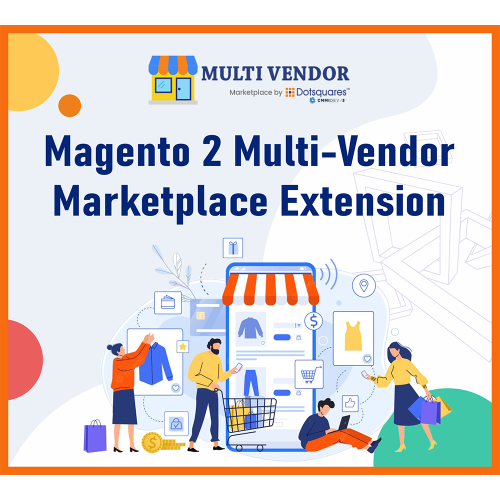
Magento 2 Multi-Vendor Marketplace Extension is all you need if you’re looking to transform your default Magento 2 store into a complete multi-seller e-commerce marketplace with multiple sellers, products, and payout settings. This helpful Extension offers many exciting features like a Vendor Dashboard, Vendor Panel, Set Product Approval, Vendor Management, Product Management, Commission Management, Order Management, and more.
Magento 2 Multi-Vendor Marketplace works for any theme and template. For more details, kindly contact our support team.
Features
1) Product Management: Approve, add, remove, or edit products with preset parameters from the admin panel.
2) Order Management: View, approve, add, remove, or edit orders by setting parameters from the admin panel.
3) Vendor Management: Add, remove, or edit vendors from the back end.
4) Commission Management: Ability to manually set the seller’s commission from the admin panel.
5) SEO Management: Comes with SEO friendly system to make pages easily readable for web crawlers.
6) Vendor Dashboard: Vendors can view and manage their dashboards.
7) Customizable: Ability to customize the template as per your unique needs.
8) Report system: Receive detailed insights with Extension’s advanced reporting system.
Admin Features
1) Add/edit vendor information: Admin can add or remove a vendor and edit vendor information from the back end.
2) Set product approval: In case of admin approval is required before a vendor’s product appears in the store, the admin can set a parameter to enable it. The admin can set ON/OFF this approval requirement.
3) Set registration approval: Vendor can register from the front end. The admin can set ON/OFF this approval requirement.
4) View vendor orders from the admin panel: This Extension adds the vendor name as a filter in the order listing page. Admin can use that to filter orders based on vendor names.
5) Manage vendor orders: While vendors can manage their orders from the vendor panel, the admin can also manage them if required.
6) Manage product commission: Commission payable to admin, which is some percentage of the product price, can be set on a global level applying to the whole store, as well as on vendor level and a category level.
Customer Features
1) Review for a vendor: Customers can give reviews and ratings to vendors. But a customer should have bought something from that vendor.
2) View vendor store page: Users can view the store page for a particular vendor by clicking on the vendor name from the product listing page.
3) Become a vendor: A regular user can apply to become a vendor using the options provided on the dashboard.
Vendor Features
1) Vendor Panel: Vendors can manage products, orders, and their profile information from the vendor panel. This panel is shown on the user dashboard after login.
2) Register from the front end: The vendor can register from the front end of the website using vendor registration links given on the header and footer.
3) Manage profile: The vendor can modify their profile information during or after registration.
4) Manage store: Vendors can manage their information on the store page, which is created on the website for each vendor.
5) Add/delete/edit products: Vendors can manage products from the vendor panel. The following types of products can be added/edited by vendors:
a) Simple products
b) Configurable products
c) Virtual product
d) Downloadable products
6) After adding a product, approval is sought from the admin if the admin has enabled product approvals.
7) View orders: Vendors can see all their orders in a list view in the vendor panel, with filter options available.
8) Invoicing and Shipping functions: Vendors can process their orders. Usual Magento features for order processing, like "Invoice" and "Ship," are available in the vendor panel.
9) View store reviews: Customers can review vendors, and the vendor can view the reviews and ratings from customers.
10) View commission: For every order, the admin deducts a portion of the order amount, and the rest is passed on to the vendor. In this option, the vendor can see how much funds have been received from orders and how much the commission is payable to the admin. When the admin initiates a settlement, the vendor can view those details also in the vendor panel.

SanteMobile is dispatch software built for the dispatcher of a French non-emergency ambulance and VSL company.
A daily plan engine proposes a full day of assignments. Nothing is applied automatically: the dispatcher approves everything, per crew or per trip. The day board shows one lane per crew, with drag-and-drop assignment and conflict warnings. Assignment suggestions rank crews by distance, workload, vehicle fit and shift schedule.
A return-trip suggester chains drop-offs with nearby pickups, and the activity report counts the empty kilometres avoided on accepted suggestions.
The crew app (iOS, Android) queues actions offline and records a time-stamped proof of drop-off. During each trip, from "on the way" to drop-off, it shares the phone's location with the dispatcher and the patient; nothing is shared outside a trip and only the latest position is kept. The free patient app lets patients book a trip and follow the ambulance's arrival on a map.
SanteMobile does not handle billing or medical data. It sits upstream of your billing software.

RCX 360 offers an innovative ecosystem designed to manage, share and view 360 content, aimed primarily at architects, designers and stakeholders. The suite includes tools such as 360 Manage, 360 View and 360 Lens, which facilitate real time collaboration and streamline workflows. With features that support remote viewing, easy sharing through QR codes and integration with various content sources, RCX 360 enhances communication among team members throughout various project stages.

HIPAA CRM is simple to use and extremely powerful, you get a ton of features for the price. Connect your team and your data on one view, one platform, from any device so everyone knows what's going on. Get your team all on the same page with a shared, 360-degree customer view. Track and crush your growth targets with real-time dashboards in our professional HIPAA CRM. View your business performance anywhere, on any device using HIPAA CRM
DatotecAudit is an observability and governance platform for AI agents. It gives teams forensic traceability of every agent action, real-time cost monitoring, and a Human-in-the-Loop approval flow so a person can approve or block an action before it executes. It also generates the human-oversight compliance report required by the EU AI Act for high-risk AI systems. Model and framework agnostic — works with agents built on GPT, Claude, Llama, LangChain, AutoGen, or CrewAI via a simple HTTP call.

SubTrack lets field crews fill out labour, equipment and material (LEM) tickets on their phone, get the client to sign on site, and send a clean PDF to the office.
SubTrack is built for T&M subcontractors and field crews, like earthworks, utilities, and oil and gas pads. Foremen build the daily LEM from your rate sheets, the client approves it on their phone, and the signed PDF is ready to invoice. There's no full GC platform to roll out and no training for the crew.

Comment Explorer is a powerful tool designed to help YouTube creators gain deeper insights into their audience's feedback by analyzing the comments on their videos. By transforming the often overwhelming volume of comments into actionable data, Comment Explorer enables creators to understand how their content resonates with viewers, identify trends, and make informed decisions to enhance their engagement strategies.
Key Features and Functionality:
- Audience Engagement Score: This metric evaluates the level of viewer interaction by considering factors such as views, likes, comments, and the overall sentiment expressed in the comments.
- Sentiment Analysis: Provides an average sentiment rating for a video's comment section, helping creators gauge the general mood and reactions of their audience.
- Emotion Analysis: Identifies and highlights the top three emotions—such as joy, surprise, or sadness—expressed in the comments, offering insights into the emotional impact of the content.
- Interactive Query Feature: Allows creators to pose specific questions to their comment sections, enabling them to extract targeted insights, such as identifying popular topics or gathering suggestions for future content.
Primary Value and User Benefits:
Comment Explorer addresses the challenge of sifting through extensive comment sections by providing a structured and comprehensive analysis of viewer feedback. This empowers creators to:
- Understand audience engagement levels and sentiments.
- Identify prevalent emotions and topics discussed by viewers.
- Make data-driven decisions to refine content strategies and foster a more engaged community.
By unlocking the valuable data within YouTube comments, Comment Explorer enables creators to enhance their content's impact and build stronger connections with their audience.

ThoughtFlow is an innovative visual mapping and modeling tool designed to enhance team collaboration by combining the intuitive flow of a whiteboard with the structured capabilities of a database. It enables teams to create dynamic, living documents that foster a shared understanding of complex concepts and projects.
Key Features and Functionality:
- Modeling: Develop comprehensive frameworks by mapping out concepts, relationships, and fields, providing a clear visual representation of ideas.
- Ideation: Utilize a visual canvas with thought-provoking prompts to guide brainstorming sessions and stimulate creative thinking.
- Synchronization: Integrate seamlessly with popular tools such as Jira, Monday.com, Miro, and Trello, allowing for the creation and management of work items within existing workflows.
- Visualization: View projects from multiple perspectives with options like Tree, Sheet, Kanban, and Matrix views, catering to diverse analytical needs.
- Tree View: Ideal for mind mapping, this view helps in breaking down complex ideas into simpler elements, visualizing hierarchies, and sharing the big picture.
- Sheet View: Offers a traditional table format to sort, filter, plan, and prioritize tasks without the need to export data to another tool.
Primary Value and User Solutions:
ThoughtFlow addresses the challenge of fragmented project management and ideation processes by providing a unified platform that integrates strategic planning, tactical execution, and day-to-day activities. By offering a visual and interactive environment, it enhances clarity, alignment, and productivity within teams. The tool's ability to sync with existing project management applications ensures that teams can maintain their preferred workflows while benefiting from enhanced visualization and modeling capabilities.
MoveInSync Shuttle is a comprehensive shuttle management software designed to streamline and optimize employee transportation for organizations. By automating the operation of high-capacity vehicles on fixed, customizable routes, it facilitates efficient commutes from designated nodal points to office locations. The platform empowers transport managers to effortlessly create and modify routes, stops, and schedules, ensuring timely and optimized transportation services. Employees benefit from the ability to view and reserve available seats, as well as track shuttle locations in real-time, enhancing their commuting experience.
Key Features and Functionality:
- Scheduling: Enables employees to plan rides and managers to perform bulk scheduling with ease. The dashboard provides comprehensive tracking and insightful reports to monitor operations effectively.
- Routing: Utilizes advanced AI to automate route creation, saving time and costs. The routing engine learns from feedback, optimizes trips, and accurately predicts pick-up times.
- Billing: Offers a customizable billing module capable of generating invoices with a single click. The auto-resolution feature minimizes errors, ensuring accuracy with reduced manual intervention.
- Safety & Security: Provides real-time alerts for various safety issues, including vehicle stoppages and speeding. The employee app includes an SOS button for emergencies, and there is a three-tier safe reach verification system for female employees traveling at night.
- Compliance: Ensures that all vehicles and drivers adhere to local compliance regulations. The system facilitates secure storage of necessary documents and can block non-compliant vehicles and drivers from operation.
Primary Value and Problem Solved:
MoveInSync Shuttle addresses the challenges organizations face in managing employee transportation by automating and optimizing shuttle operations. It enhances operational efficiency, reduces transportation costs, and improves employee satisfaction by providing reliable and safe commuting options. The platform's comprehensive features ensure seamless operations, optimized costs, enhanced safety and security, and an improved overall employee experience.

The mission of Mirific is to increase the efficiency and safety of workers by transforming work into actionable tasks, enforcing policy, improving communications, and ensuring accountability. Mirific is a cloud-based collaborative work management system. It is uniquely designed for managers and workers that are executing complex work tasks, especially across distributed teams. Mirific enables the creation of tasks and assignment of owners, as well as other appropriate resources required for the task. Furthermore, it governs the execution of the tasks based upon desired policies, required steps (checklists) all while noting exceptions and recording work hours and locations. While the task is being executed, Mirific facilitates real-time communications via status updates, automated notifications, and chat channels ensure that workers and managers have the information they need when they need it. Finally, it provides summary views of all planned work, work in progress, and completed work - all updated in real-time. Once the work is completed, Mirific supports standard reports, interactive data exploration, and data publishing to enable a wide range of analytics based upon actual work data.
From a usability perspective, Mirific is specifically designed for the mobile worker. Navigating the Mirific app is simple and intuitive. The user provides information and updates by simply selecting from picklists and buttons greatly reducing the need for manual typing. Finally, the Mirific app guides the worker through the work process based upon centralized policy and procedural guidelines. Mirific frees the worker from having to memorize complex or cumbersome policies and procedures and simply guides him through the process a step at a time.
From a management perspective, Mirific greatly enhances work delegation and provides real-time updates as to the status of work tasks as well as individual steps of a complex work process. Finally, Mirific provides detailed reports that enable management to gain valuable insights that can drive process, safety, and efficiency improvements.

Entra ID Attributes Sync for Jira is a powerful integration tool designed to synchronize user attributes from Microsoft Entra ID with Jira Software and Jira Service Management. This synchronization ensures that user data within Jira remains accurate and up-to-date, enhancing collaboration and streamlining workflows. By automatically populating Jira custom fields with relevant user information, the app reduces manual data entry, minimizes errors, and improves reporting capabilities.
Key Features and Functionality:
- User Attribute Display: Show selected user details from Azure AD directly within Jira issues and request views, providing immediate access to pertinent information.
- Custom Field Mapping: Configure custom fields in Jira to display Azure AD information, allowing for tailored workflows based on user attributes.
- Automated Data Synchronization: Ensure that user data is consistently updated by synchronizing Azure AD attributes with Jira during key events such as issue creation, editing, or status changes.
- Approval Process Simplification: Utilize post functions to automatically populate approver fields and update user data in Azure AD, streamlining approval workflows.
- Custom Attribute Support: Display custom attributes created in Azure AD, extending user profiles with organization-specific information beyond standard attributes.
Primary Value and User Solutions:
Entra ID Attributes Sync for Jira addresses the challenge of maintaining consistent and accurate user data across platforms. By integrating Azure AD with Jira, it eliminates the need for manual data entry, reducing errors and administrative overhead. Teams benefit from having immediate access to comprehensive user information within Jira, facilitating better decision-making and more efficient workflows. The app's automation capabilities enhance approval processes and ensure that user data remains current, ultimately improving collaboration and productivity within organizations.

Proposal Genie is an AI-powered platform designed to assist freelancers in creating customized, professional proposals swiftly and efficiently. By leveraging advanced AI algorithms, it automates the proposal writing process, enabling users to generate tailored proposals based on job specifications and their professional profiles. This tool is particularly beneficial for freelancers applying for jobs on platforms like Upwork and Freelancer.com, as it enhances the chances of securing projects by producing personalized, high-quality proposals.
Key Features and Functionality:
- Automated Proposal Generation: Creates tailored proposals based on job specifications and user profiles, saving time and effort.
- Customization Options: Allows users to personalize proposals to match specific job requirements, making them stand out from the competition.
- Native-Level English Writing Assistance: Helps craft perfectly written proposals, even for non-native English speakers who may struggle with writing.
- Comprehensive Dashboard: Offers a centralized view of all proposals and tracks success rates, enabling users to monitor their progress over time.
- AI Cover Letter Generator: Provides a cutting-edge AI cover letter generator that creates customized cover letters reflecting unique skills and experience in seconds.
Primary Value and User Solutions:
Proposal Genie addresses the common challenges freelancers face in the proposal writing process by automating and optimizing it. It saves users significant time by generating high-quality proposals quickly, allowing them to focus more on their core work. The platform's easy customization ensures that each proposal aligns perfectly with job requirements, increasing the likelihood of winning projects. Additionally, its native-level English writing assistance ensures clear and professional communication, even for those whose first language isn't English. By streamlining the proposal creation process, Proposal Genie empowers freelancers to stand out from the crowd and secure more opportunities with ease.
Tenable Attack Surface Management is a cloud-based solution designed to provide organizations with comprehensive visibility into their external attack surfaces. By continuously scanning the internet, Tenable ASM identifies both known and unknown internet-facing assets, including web servers, IoT devices, and network printers. This proactive approach enables organizations to assess their security posture effectively and prioritize remediation efforts to mitigate potential cyber threats.
Key Features and Functionality:
- Comprehensive Internet Mapping: Tenable ASM continuously scans the global internet to discover all connections to your external-facing assets.
- Integrated Vulnerability Management: Seamlessly combines attack surface management with vulnerability management for streamlined workflows.
- Risk Prioritization: Helps focus remediation efforts on the most critical vulnerabilities to reduce risks effectively.
- 360-Degree Attack Surface View: Offers a complete perspective of internal and external attack vectors.
- Security Posture Insights: Provides detailed insights to understand how attackers could exploit vulnerabilities.
- Real-Time Monitoring: Enables continuous monitoring of assets to detect changes or potential risks immediately.
- External Asset Discovery: Identifies unknown or unmanaged assets connected to the network, reducing shadow IT risks.
- Cloud and On-Premises Coverage: Supports hybrid environments by monitoring both cloud and on-premises assets.
- Automated Assessments: Delivers automated scans to keep up with the evolving attack landscape.
- Customizable Dashboards: Offers user-friendly interfaces to visualize and analyze exposure management data.
Primary Value and Problem Solved:
Tenable ASM addresses the critical challenge of unknown and unmanaged internet-facing assets that can serve as entry points for cyber attackers. By providing continuous, real-time visibility into an organization's external attack surface, it enables security teams to identify and remediate vulnerabilities proactively. This comprehensive approach reduces the risk of cyber incidents, ensures compliance with security standards, and enhances the overall security posture of the organization.

SlidesClicker is an advanced internet-based clicker software designed to empower multiple presenters to control slides remotely from anywhere in the world. Compatible with a wide range of presentation applications—including PowerPoint, Google Slides, Keynote, and vMix—it seamlessly integrates with popular conferencing tools such as Zoom, Microsoft Teams, and Cisco Webex. By enabling presenters to manage their slides independently, SlidesClicker eliminates the need for prompts like "Next slide, please," fostering a more dynamic and engaging presentation experience.
Key Features and Functionality:
- Universal Compatibility: Works with all major presentation software and conferencing platforms, ensuring flexibility across different environments.
- Multi-Presenter Support: Allows an unlimited number of presenters to control slides during a session, facilitating collaborative presentations.
- Real-Time Presenter Management: Hosts can enable or disable presenters in real-time, providing control over who can advance slides.
- Mobile Control: Transforms smartphones into presentation remotes, enabling presenters to move slides forward or backward, view speaker notes, and monitor presentation time.
- Secure Communication: Utilizes end-to-end encryption and secure AES 256-bit SSL to ensure the confidentiality and integrity of presentation data.
Primary Value and User Solutions:
SlidesClicker addresses the challenges of remote and hybrid presentations by offering a seamless solution for slide control across various platforms and devices. It enhances the professionalism of virtual meetings by allowing presenters to manage their slides without external assistance, thereby improving audience engagement and interaction. The software's compatibility with multiple presentation and conferencing tools ensures that users can integrate it into their existing workflows effortlessly. By providing real-time presenter management and mobile control capabilities, SlidesClicker empowers teams to deliver cohesive and interactive presentations, regardless of their physical locations.