AI-Generated Results
Finding matches…
CSV to PDF Converter for Bank Statements is a Windows csv to pdf converter for transaction exports from a bank, broker or accounting system. It reads .csv, .tsv and .txt files and prints them as paginated tables that an auditor, lender or board member can follow. Everything runs on the local PC, so account data never reaches a web service.
🔰 How to use the CSV to PDF converter
1. Add one export, several files or a whole folder to the list.
2. Read the preview. It shows the detected encoding, how many transactions were recognized and the first rows split into columns.
3. If day and month look swapped, set the date order of the input file and check the preview again.
4. Keep PDF as the output, or pick QBO when the data is going into QuickBooks.
5. Press Convert. Each report is named after its source file.
👍 Why IT and office teams pick this CSV to PDF converter
- Statements stay on the workstation. Nothing is uploaded, so there is no third-party retention policy to review.
- Column headers are matched by name in English, Russian or German, and junk lines above the header are skipped.
- A debit and credit pair becomes one signed amount, and an account column splits a mixed export per account.
- Negative amounts get color plus parentheses, which still reads on a black-and-white printout or a fax.
- The table header repeats on every page, rows never break across pages, and each page carries a number in the footer.
- Wide tables go landscape and narrow ones portrait, chosen per file.
- The same tool works as a csv to qbo converter, with a bank lookup that fills in FID and INTU.BID for the QuickBooks import.
✅ Who uses it
- Bookkeepers who hand monthly statements to clients or auditors as PDF.
- Nonprofit treasurers preparing year-end packets for a board.
- Paralegals who need stable, paginated pages before Bates stamping in a separate tool.
- Small business owners assembling account history for a loan application.
- Office managers who print card and account activity for an expense review.
❓ FAQ
How do I convert CSV to PDF without uploading the file? Install the program, add the export and press Convert. The file is read from your disk and the PDF is written next to it.
Can it read a semicolon-separated file? Yes. The delimiter and the text encoding are detected automatically, and the preview shows the result before anything is saved.
Does it add a running balance? No. The report prints only the columns your export contains, so it never shows a balance your bank did not report.
What if my file has no dates or amounts? Then it is outside the scope of this bank statement converter. Every row needs a date and an amount.
ℹ️ The free trial converts up to 20 transactions from your own file and prints a truncation notice on the page. Lifetime, yearly, monthly and business licenses are available. Runs on Windows 11, 10, 8.1, 8 and 7, 32 or 64 bit.
Not seeing what you're looking for?
Dive deeper into "Berries" on G2 AI

ReconPe is an AI-native data reconciliation and financial-close platform for finance teams, e-commerce sellers, accountants, and CFOs. Upload source and target datasets in any common format (CSV, Excel, JSON, XML, TXT), let AI suggest field mappings and matching rules, and run audit-ready reconciliations — with every AI suggestion proposed for human review, never silently applied.
At its core is an adaptive cascade engine that goes far beyond a simple VLOOKUP: exact-key, fuzzy text, token-based (free-text), keyless amount-and-date, and many-to-one aggregation matching (e.g. multiple invoices against one payment). Every match carries a confidence score — high-confidence matches auto-clear, and uncertain ones route into a typed exception queue with severity levels, role-based approval chains, and a full audit trail.
One platform covers the full reconciliation and close lifecycle:
• General reconciliation — reconcile any two datasets: bank vs books, AR vs GL, sub-ledger vs ledger, or any custom file-in → reconcile → done workflow.
• Marketplace settlement reconciliation — for Indian sellers on Flipkart, Amazon, Meesho and 10+ marketplaces. Match payouts to bank credits, audit every order's commission against your rate card, detect fee leakage, validate GST on fees, and handle TCS (Sec 52) and TDS (Sec 194-O), plus real-world messiness like Indian comma formatting, truncated bank narrations, NEFT rounding, and multi-file aggregation.
• GST reconciliation — match GSTR-2B against your purchase register, surface input tax credit (ITC) gaps, and tie out returns.
• Tally Ledger Cockpit — import Tally Excel/CSV exports and reconcile customer, vendor, and bank ledgers with grouped matching and break classification.
• FinanceOps close suite — budget-vs-actual variance with AI-narrated break drivers, prepaids and accruals, recurring journal entries, close automation and checklists, certification readiness, CFO close packs, and Tally XML export.
Three ways to build and run the work:
• Design Your Flow (Flow Studio) — a visual, no-code canvas to design reconciliation flows, describe matching logic in plain English, and run them as repeatable pipelines.
• Marketplace Agent — reconciliation you program in plain English. Ask "did I get paid correctly on every order?" and it runs the engines, builds an action plan of what to recover, and remembers your business context across runs.
• Fractional Bookkeeper Marketplace — connect with vetted bookkeepers and finance pros to run your books for you, scaling from self-serve to done-for-you.
AI agents assist at every stage — mappings, exception investigation, counterparty patterns, narratives — under a strict AI-proposes, human-approves discipline. Multiple AI providers supported (Anthropic, OpenAI, DeepSeek, Gemini), configurable per organization. Outputs are audit-ready: reconciliation certificates, exception reports, lineage, and close documentation — built for teams that need to defend their numbers.

Nobody reads subtitles. If you want to sell abroad, you need a video in your customers' language. Until now that meant hiring an agency, booking voice actors and waiting. A 10-minute product video costs €390 to €590 at a traditional agency and takes two to three weeks. And in the end, a stranger's voice speaks for your brand.
K4 VideoLingua translates your video into one of 27 languages. For a 10-minute video, that takes less than 15 minutes on average. The person speaking in the original keeps speaking in the translation: the AI picks up the spoken text, translates it and carries the pitch and intonation of the original voice over into the target language. Your customer in Tokyo hears the same person as your customer in Hamburg, and has the same reason to trust them.
How it works
1. Paste the video URL: a YouTube link or a direct link to the video file. The video has to be publicly accessible.
2. Choose the source language, the target language and the number of speakers in the video.
3. The translated video arrives by email, as a file or a link.
You don't need a recording studio for this, and you don't need an agency.
Who VideoLingua is for
- Online shops that want to use their product videos in new markets
- Manufacturers who export and need to explain their products abroad
- Marketing agencies running campaigns across several countries
- YouTubers who want to reach viewers in other languages
It works best for screencasts, explainer videos, product presentations and voice-over videos. Typical uses are product videos and ads, internal communication for international teams, employee training videos and content for social media and YouTube. If someone speaks facing the camera for the whole video, run a test first.
Languages
You can choose from 27 languages, including English, Spanish, French, Italian, Portuguese, Dutch, Polish, Turkish, Russian, Arabic, Chinese, Japanese and Korean. There is no limit on how many videos you translate or into how many languages.
Pricing
Each video costs a flat €99, as long as it is no longer than 15 minutes and no larger than 200 MB. The first 20 seconds are translated for free, so you can hear how your voice sounds in the target language before you pay. Voice cloning works best with clear standard speech. If you speak with a strong accent or dialect, try the free test first. A manual quality check is available as an optional extra, and for large projects there is an enterprise version that lets you review the transcript before the voice-over is produced.
Your data
Product videos often contain confidential information. VideoLingua processes your videos only for the translation and does not use them to train public AI models.
Who is behind it
VideoLingua is a product of KONTOR4 GmbH, a German digital agency. It was founded by Dirk Pache, founder and managing director of KONTOR4. The tool has been online since March 2026, in German and English.

Designer is AV system design software for integrators. One device list per project produces every sheet in the drawing set: pin-level wiring diagrams, rack elevations, floor plans, patch bays and wire schedules. When the design changes, the drawings change with it, so the rack, the port map and the cable schedule never drift apart.
Every block in a drawing carries real product data: ports, connector types, rack units, power and weight. Start a project from the equipment list you already have, a ConnectWise opportunity or an Excel spreadsheet, and devices are matched against the Wirings catalog of 2,000+ checked products. Free generic blocks fill in when there’s no exact model. When a spec is missing, AI looks it up and you review each field before it’s applied.
Rack elevations total watts, BTU/hr, weight and rack units as you place gear, including shelves, half-width equipment and any rack size up to 60U. Floor plans go on the architect’s DWG, DXF, PDF or image at real scale, with device symbols, labeled cable runs and a legend that counts itself. Patch a run of panel ports onto a switch in one drag and the wire schedule already has the rows. Export drawings to AutoCAD DXF, or print the whole set as one PDF package with title blocks and revision history.
AI Chat has read every drawing, wire and device in the project. It answers questions from the design, builds the wire pull sheet and the install task list from what you drew, and reads ConnectWise service tickets against the design. Nothing it proposes is applied until you approve it. After handover, share read-only links with installers and subcontractors so they can mark devices installed from their phones. Your helpdesk AI, such as Sightline, can look up equipment, IPs and connections through a read-only API or MCP endpoint.
Designer runs in the browser, with no CAD seat required. Start with a 14-day free trial.
Key features (for the features section)
Pin-level wiring diagrams with conductor colors, cable harnesses, orthogonal routing and cross-page vias
Rack elevations with live power, heat, weight and space totals; custom sizes from 1U to 60U
Floor plans on imported DWG/DXF/PDF backgrounds, with scale calibration, dimensions and an automatic legend
Patch bay drawings plus wire pull and patch schedules from the same data
AutoCAD DXF export and single-PDF drawing packages
Wirings catalog of 2,000+ checked products, with Auto-Match on import
ConnectWise and Excel/Google Sheets import
AI Chat for questions, pull sheets and task lists, with a human approval step on every change
Read-only share links for the field, with Mark Installed and comments
Read-only helpdesk API and MCP endpoint (Sightline and other MCP clients)
PDF Unlocker - PDF Password Remover Software is a PDF unlocker for Windows 10 and 11 that works on documents you own or are authorized to open. One Start button covers two jobs. It lifts print, copy and edit restrictions from a file, and it recovers an open password you once set yourself and later forgot. Processing stays on your PC, and no document is uploaded.
🔰 How to use the PDF unlocker
1. Install and launch the app. The interface is available in English and Russian.
2. Drag protected .pdf files into the window, or click Add Files or Add Folder to queue a batch.
3. Press Start. The built-in qpdf engine first clears owner restrictions and known passwords, which takes seconds.
4. If a file will not open without its password, recovery begins with a wordlist and continues with character masks.
5. Follow the per-file status. Each document is marked simple (restrictions only) or hard (encrypted).
6. Pick an output folder and save the unlocked copy.
👍 Why IT and office teams pick this PDF unlocker
- Files stay on the machine. A contract or a tax return is processed locally, which an upload site cannot promise.
- Batch runs. Dozens of locked PDFs, or a whole folder, are handled one after another while you do other work.
- GPU support. A graphics card makes password recovery much faster, and without one the CPU still tries dictionary passwords and shows a time estimate.
- Original layout. The file is not rebuilt, so text remains selectable and fonts and images look as before.
- No account to create and no watermark on your pages. A lifetime license is one payment, with yearly and monthly plans for short jobs.
✅ Who uses it
- Office and admin staff who must print or copy company documents they are allowed to handle.
- Freelancers who clear locks on their own exported reports and invoices before filing them.
- People who protected a personal PDF, such as a bank statement or a scanned form, and lost the password.
- Anyone who knows the password but wants to remove the PDF password from a copy so it opens without typing it every time.
❓ FAQ
How do I open a PDF file if I forgot my password? Add the file and press Start. On older RC4 or AES-128 files, common and human passwords come back fast. A long random password on AES-256 is out of reach, and the app says so.
Can I unlock a PDF without a password? For print, copy and edit locks, yes, because the qpdf engine removes them with no password. An open password still has to be recovered.
Can I permanently unlock a PDF? Yes. The saved copy carries no password and no restrictions, so it opens normally from then on.
ℹ️ Free trial: the whole job runs, a preview of the unlocked pages appears in a popup and the recovered password is shown masked. A license reveals it and enables saving. Windows 10 or 11, 4 GB RAM, graphics card optional.
EDB to PST Converter Software is a Windows tool for the day when an Exchange mailbox database is all you have left. It opens a .edb file from Exchange 2013 or a newer release up to 2019 on your own PC and writes the mail into a Unicode .pst that Outlook reads. No running Exchange server is needed, Outlook can stay closed, and the database never leaves the machine. As an edb to pst converter it keeps the folder tree intact and carries every message across with its attachments.
🚀 How to use
1. Click Open EDB... and select the database from your backup drive or the disk of the old server.
2. Browse the tree of mailboxes and folders. Click any message to read it in the preview pane.
3. Untick what you do not need, set From and To dates, and decide whether Deleted Items and Junk go along.
4. Pick an output folder and export. In Outlook, choose File, Open and Export, Open Outlook Data File to see the result.
🛠 Why IT and office teams pick it
Microsoft's own export path expects a mounted database on a working Exchange. When that server is gone, the path is closed. This edb to pst converter reads the raw database directly, so an admin can get a few mailboxes back without building a recovery server. It turns an Exchange EDB to PST job into a desktop task. Nothing goes to a cloud service, a point that legal counsel usually asks about first. A warning appears before the run when the database is larger than 2 GB, so a long wait is never a surprise.
📦 What the PST keeps
Folders appear in the same order and nesting the users had. Subjects survive in any script, from Cyrillic to Chinese. HTML formatting, sender and recipient lists, sent and received times, unread flags and pictures placed inside a message body all carry over. Attached files are copied without changes.
🔍 Before you export
In this edb to pst converter the message list gives the subject and sender of each item along with its date and size. A log file records every step without storing message text, which helps when you send a question to support.
👥 Who uses it
Exchange administrators after a failed mount and IT contractors who receive an old database from a client. Legal and forensic reviewers use it to read mail on an offline workstation.
❓ FAQ
Can I convert EDB to PST without an Exchange server?
Yes. The program reads the database file itself, with no server or Outlook profile involved.
Which Exchange versions are supported?
Mailbox databases from Exchange 2013 through 2019. Older databases from Exchange 2010 and earlier use other layouts and are not read.
Can I pick only some folders?
Yes. Each folder has its own checkbox, and anything left unticked stays out of the result.
Does it need internet access?
No. The whole run happens offline on your computer.
✅ The free trial for Windows 11 and 10 exports a sample of messages, so you can check the PST in Outlook before you buy a license.
MSG to PST Converter Software for Outlook is a Windows msg to pst converter for anyone sitting on a folder of single Outlook messages that were dragged out to the desktop over the years. The program goes through those MSG files on your own PC and builds one Unicode PST archive, which you then attach in Outlook like any data file. Outlook can stay closed, or be missing from the machine entirely, and no mail is sent to a web service along the way.
🛠️ How to use
1. Start the msg to pst converter and drop the MSG files onto its window, or use Add File to select the folder that contains them.
2. Choose PST as the target format. Everything in the list is written into a single archive.
3. Press Start and let the run finish. Your source files are not changed.
4. Attach the new archive in Outlook through File, Open, Outlook Data File.
💼 Why IT and office teams pick it
Each MSG file is a small OLE container with Outlook's MAPI properties and its attachments packed inside. The tool reads those properties directly and moves them over: subject, HTML or plain text body, sender, to and cc recipients, dates, plus whether a message was read. Every attachment stays with its parent message in the archive. Subjects and names written in Cyrillic or another non-Latin script come through readable, so a mixed-language mailbox stays searchable. The whole MSG to PST job happens offline, so client correspondence never touches someone else's server.
👥 Who uses it
Office staff with years of project mail sitting in desktop folders who want to search it from Outlook again.
Support and records desks that file ticket replies and case notes one message at a time and need a single archive per client.
People switching to a new computer with a stack of messages copied from the old one, before an Outlook profile is even configured.
IT admins asked to collect what a departing employee saved locally and hand it over as one file.
❓ FAQ
Do I need Outlook installed to read MSG files?
No. The msg to pst converter has its own reader, so the PC does not need Outlook. The output PST can be opened in Outlook later or simply kept as an archive.
What is the difference between an MSG file and a PST?
An MSG file carries one message. A PST stores many messages in folders inside one file, and this tool builds that archive out of your loose messages.
Can I add a large batch of files in one go?
Yes. When you convert msg to pst here, every file you add lands in the same PST during a single run, so there is no need to split the work.
Does it work with EML, MBOX or OST files?
No. This program reads MSG files only, and it does not connect to a live mailbox or an Exchange or IMAP server. Separate SoftOrbits tools handle EML, MBOX and OST conversion to PST.
✅ Free trial for Windows 10 and 11 with no sign-up. The finished PST opens in Outlook 2016 and later.
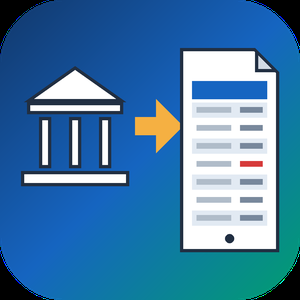
QFX to PDF Converter Tool is a Windows program that reads the .qfx or .ofx file your bank or broker lets you download and turns it into a paginated PDF statement. You need no Quicken and no online service. If you went looking for a QFX file viewer because the download opened as a wall of tags, this program does the reading and gives you pages you can print, file or email. QFX to PDF conversion happens on your own PC, so the statement never leaves it. The bank wrote that file for an importer, and the QFX to PDF route turns it into something a person can actually read.
📋 How to use
1. Install the program on Windows. The PDF engine ships inside the installer.
2. Add a .qfx or .ofx file, or a whole folder of them, to the queue.
3. Check the text preview: it shows how many transactions were found, the encoding and the first rows.
4. Pick how dates should be printed and press Convert.
5. Open the saved PDF in any reader.
🏢 Why IT and office teams pick it
- It works offline, with no upload and no account.
- One parser reads OFX 1.x SGML files and OFX 2.x XML files.
- The table header repeats on every page, rows never split across a page break, and the footer carries page numbers.
- Negative amounts get brackets and color, so they survive black and white printing and faxing.
- Cyrillic, CJK and Latin-1 payee names print without damage.
- Several files can be merged into one PDF with a single checkbox.
- A preview before any file is written catches a wrong encoding early.
- Portrait or landscape is picked from the width of the table.
👥 Who uses it
- Account holders who pressed Download at the bank and have no Quicken.
- Investors whose broker only offers a Web Connect file.
- Bookkeepers and tax preparers who want a printed record from a client.
- Paralegals who need numbered pages to cite a single line.
- Office staff who must forward card statements to an outside accountant.
❓ FAQ
How do I open a QFX file without Quicken?
Add it to this QFX to PDF converter, press Convert and save the result as a PDF. To open QFX file content as a readable table, no accounting software is required.
Can I open a QFX file in Excel?
Excel has no QFX import filter, and renaming the file only shows the tags. This tool writes PDF only and does not export spreadsheets, so check that a PDF is the output you need.
Does it handle investment accounts?
Yes. Checking, credit card and investment statement blocks are all read, including records that move share counts instead of cash.
Is there a running balance?
An optional Running total column can be switched on. It sums the printed rows and is not the balance your bank recorded.
💻 The free trial converts 20 transactions and prints a trial notice in the PDF. System requirements: Windows 11, 10, 8.1, 8 or 7 (32 or 64 bit), 4 GB of RAM, 1 GB of free disk space.
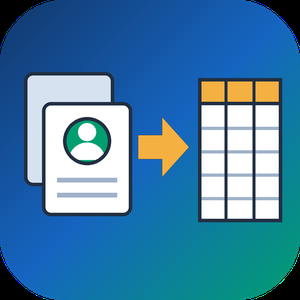
VCF to CSV Converter for CRM Import is a Windows program for one job: turning a pile of vCard files into a single vcf to csv export your CRM can read. Staff phones, Outlook address books and card scanner apps all hand out contacts as .vcf, while Salesforce, HubSpot, Zoho CRM and Excel want rows and columns. Point the program at a folder and the vcf to csv pass writes one UTF-8 CSV with every card in it.
📋 How to use it
1. Click Add folder or Add files. Subfolders are scanned and files holding many cards are split.
2. Pick an output template: Google Contacts, Outlook, Yahoo or Plain CSV.
3. Decide whether extra phones and emails go into numbered columns or share one cell.
4. Open Column mapping, untick what the import does not need and set the order with Up and Down.
5. Click Convert and load the file through the import page of your CRM.
🛠️ Why IT and office teams pick it
Many vcf to csv tools stumble on old Android and Nokia exports, where names arrive as quoted-printable codes like =C3=BC. This one decodes quoted-printable and reads each card's charset (UTF-8, UTF-16, windows-1251, windows-1252, GBK), so Cyrillic, Chinese and accented names survive. The CSV carries a BOM, which lets Excel open it correctly on a double-click. Duplicate people from overlapping exports are merged by name plus main contact detail. Custom X- fields become extra columns, photos are saved as image files with the path in the row, and birthdays are written as YYYY-MM-DD. Click any file in the queue and a text preview shows its parsed cards, which helps when checking a tricky export before you commit. Everything runs on the PC with no upload and no account.
👥 Who uses it
CRM admins loading leads that sales reps exported from their phones. Office managers combining address books after a staff change. IT staff moving a team to Google Workspace or Outlook, international names included. Recruiters and event organizers who collect cards from scanner apps every week. Marketers turning a stack of contact cards into a vcf to csv mailing list.
❓ FAQ
How do I convert a VCF file to CSV?
Add the file or its folder, choose a template and click Convert. Every card in the queue lands in one CSV, and the encoding is detected for you.
Can I open the result in Excel?
Yes. The file is UTF-8 with a BOM, so Excel shows non-Latin letters properly. Google Sheets and LibreOffice open it as well.
Why do names come out garbled in other converters?
They skip quoted-printable decoding, so letters stay as codes like =F6. This program decodes them and writes plain UTF-8.
Are VCF and CSV the same thing?
No. A vCard holds contact cards for address books. A CSV is a table that spreadsheets and import wizards read row by row.
The free trial needs no sign-up and converts the first 10 contacts of each run, enough to test a vcard to csv import. Windows 10 and 11, works offline.

ComLayer ist eine Kundensupport-Plattform für SaaS-Unternehmen, E-Commerce-Marken und
Online-Marktplätze. Sie bündelt vier Bausteine, die sonst als vier getrennte Abos gekauft
werden — Chat-Widget, Hilfe-Center, geteilter Posteingang und KI-Support-Agent — auf einer
gemeinsamen Wissensbasis.
SO FUNKTIONIERT COMLAYER
1. Wissensquellen verbinden. Hilfe-Center-Artikel, hochgeladene Dokumente und bestehende
Dokumentation werden zu einer zentralen Wissensbasis zusammengeführt.
2. Widget einbinden. Zwei Zeilen HTML auf Ihrer Website. Die meisten Teams sind in unter
15 Minuten live.
3. Der KI-Agent antwortet. Ausschließlich aus Ihren eigenen Inhalten, jede Antwort mit
Angabe der Quelle. Deckt Ihre Wissensbasis eine Frage nicht ab, übergibt der Agent an
einen Menschen, statt eine Antwort zu erfinden.
4. Ihr Team übernimmt den Rest. Was der Agent nicht abschließt, landet im geteilten
Posteingang — Chat und E-Mail im selben Thread, mit einem bereits vorformulierten
Antwortentwurf. Senden, anpassen oder neu schreiben.
WELCHE PROBLEME COMLAYER LÖST
Wiederkehrende Anfragen binden Kapazität. Ein großer Teil des Ticketvolumens sind Fragen,
die im Hilfe-Center längst beantwortet sind. Genau diese Schicht fängt der KI-Agent ab,
bevor daraus ein Ticket wird.
Erfundene Antworten sind ein Geschäftsrisiko. Generische LLM-Chatbots halluzinieren
Rückgabefristen, Preise und Funktionen. ComLayer antwortet belegbar — mit Quelle, oder
gar nicht.
Support ist über Kanäle verstreut. Chat im einen Tool, E-Mail im anderen, Feature-Wünsche
im dritten. ComLayer führt Kanäle und Verlauf in einem Thread pro Kundin oder Kunde
zusammen.
Der Tool-Stack wächst und kostet. Widget, Hilfe-Center, Feedback-Board und Status-Seite
summieren sich einzeln schnell auf einen dreistelligen Monatsbetrag.
Datenschutz blockiert die Einführung. Für viele europäische Teams scheitert der Rollout
US-basierter Support-Tools an DSGVO-Anforderungen.
FÜR WEN COMLAYER GEBAUT IST
Am besten geeignet für SaaS- und App-Anbieter, Online-Shops, digitale Dienstleister und
Marktplätze mit 2 bis 50 Personen im Support, einem hohen Anteil wiederkehrender Fragen
und einer bestehenden oder geplanten Dokumentation. Besonders relevant für Unternehmen in
Deutschland, Österreich und der Schweiz sowie für EU-Unternehmen mit konkreten
DSGVO-Anforderungen an Hosting und Auftragsverarbeitung.
Weniger geeignet für große Contact Center mit Telefonie-Schwerpunkt, komplexen
IVR-Strecken oder Außendienst-Workflows.
WEITERE MODULE
Feedback-Boards mit Abstimmung über Feature-Wünsche, öffentliche Produkt-Roadmaps und
Status-Seiten zur proaktiven Kommunikation bei Störungen.
SICHERHEIT UND DATENSCHUTZ
DSGVO-konform, Hosting in der EU, kein Training von Modellen auf Ihren Daten. Entwickelt
in Hamburg.
Kostenlos starten — ohne Kreditkarte und ohne Vertriebsgespräch.
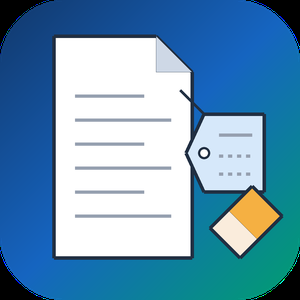
PDF Metadata Remover - Strip & Edit PDF Metadata is a Windows desktop app for cleaning the data a PDF carries besides its pages. This PDF metadata remover finds the author and company fields, the XMP copy of those values, older saved states inside the document and location tags in embedded pictures. Load one contract or a directory with several hundred, read the risk of every item, and clean the batch in a single pass. Nothing is uploaded: the work stays on your computer.
🔰 How to use it
1. Drop documents on the window, or pick single files or a whole directory. Nested folders are scanned too.
2. Look at the risk label next to each name. Select a document to compare its current fields with the planned result.
3. Choose one of three presets. The strictest one, meant for courts and bids, also takes out notes, embedded files and scripts.
4. If you need fixed values, mark each field as delete, keep or replace, for instance with the firm name as author.
5. Write cleaned copies to a separate folder or overwrite the source files, then start the run.
👍 Why IT and office teams pick it
- Each document is written out anew, so leftovers from incremental saves are dropped instead of hidden.
- The PDF metadata remover wipes the classic properties and the XMP packet together, so no viewer can bring a name back.
- Once saved, every output is read again and scanned for the original strings, and good ones are marked Verified.
- A CSV log with SHA-256 hashes goes to your user profile and stores no field contents.
- Outlines, form fields and links survive. Pictures are not recompressed.
👥 Who uses it
- Litigation staff assembling bundles where drafting history must not travel with the filing.
- Bid managers whose tender rules ask for anonymous technical papers.
- HR teams whose letter templates still carry the name of a colleague who left years ago.
- Any office that has to remove PDF metadata before a file reaches a client or a public site.
❓ FAQ
How do I view all metadata of a PDF?
A viewer's Properties box lists only the basics. Open the file in the trial of this PDF metadata remover and the side panel shows every field, XMP, old saves and picture GPS included.
Can it work as a PDF metadata editor?
Yes. Any field can be deleted, kept or replaced with your own text, with {file name} and {date} placeholders, and the value is mirrored into XMP. Page content stays untouched.
Can deleted metadata be recovered from a PDF?
After an incremental save it often can, since old values remain earlier in the file. The PDF metadata remover rewrites the entire file, so nothing earlier is left to restore.
Is removing metadata the same as redaction?
No. Redaction covers text or images on a page. Metadata cleanup deals with the data stored around the pages.
The free trial scans and previews every document. Saving cleaned copies needs a license key. Works on Windows 11, 10, 8.1, 8 and 7, 32 and 64 bit.
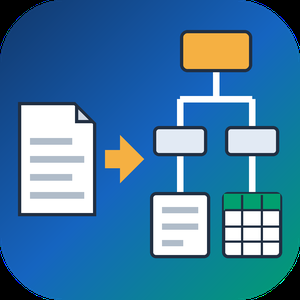
PDF to XML Converter Software is a pdf to xml converter for Windows that turns stacks of PDF reports into structured XML your scripts can parse. Every output file follows one documented schema with document, page, heading, paragraph and table elements, and tables are broken into rows and cells. All work happens on your own PC, so no report leaves the machine.
🛠️ How to use
1. Install the program and drag PDF files or a whole folder into the list.
2. Decide whether you need positions and fonts. Tick the coordinates option for block boxes, or leave it off for a lighter text-only file.
3. Press Convert. You get one XML per PDF, named after its source.
4. Point XSLT, Python or your database loader at the output folder.
💼 Why IT and office teams pick it
Imports break when every department sends a different layout. This pdf to xml converter keeps the same element names for every file, so a loader written once keeps working. Headings get a level from 1 to 6 based on font size. Each table carries a source attribute that tells you how its grid was found: PDF tags, ruling lines or text alignment. Merged cells keep colspan or rowspan. Text follows reading order, left column before right, and right-to-left lines stay right-to-left. Pages without a text layer are marked scanned="1", so a script can send them to a person.
👥 Who uses it
Data engineers and ETL developers feeding report figures into databases. Systems integrators who need to convert PDF to XML for another application. BI analysts, search-index developers and QA testers who check document pipelines. Procurement teams use it to pull supplier price tables into purchasing systems, and layout analysts switch on coordinates to study where each block sits on the page.
❓ FAQ
How does the pdf to xml step handle two-column pages?
The left column is written first, then the right one. Hebrew and Arabic lines keep their right-to-left order and carry a direction attribute.
Can I stop a long batch halfway?
Yes. Stop ends the job between two files, and every XML finished before that point stays on disk.
Can I convert PDF to XML without uploading files?
Yes. The program works offline, and your PDFs stay on your disk.
What does the XML look like?
A document root with page elements inside. Each page holds headings, paragraphs and tables in reading order, saved as UTF-8 without a byte order mark.
Can this pdf to xml converter fill an invoice or XBRL schema?
No. It writes its own fixed schema. Mapping to another schema is a job for your XSLT or import script.
Is there a command line or API?
No. Batches are started by hand in the desktop window, so it cannot run as a server service.
🎁 Free trial: every PDF in a batch gets its first 10 lines or table rows, and the file still passes an XML parser. Runs on Windows desktop and laptop PCs.

Macrometa provides a managed cloud service that simplifies cross region and multi-cloud app & API development. Its globally consistent, geo-distributed fast data platform provides a serverless, multi-model NoSQL database, automatic API generation, Streaming, Pub/Sub & global routing.