
DocHipo

By HipoWorks Technologies

4.5 out of 5 stars
3 star
0%
2 star
0%
1 star
0%

How would you rate your experience with DocHipo?

DocHipo Reviews & Product Details

Pricing

Pricing provided by DocHipo.

DocHipo Free

Free
1 User

DocHipo Integrations

(8)
Verified by DocHipo

DocHipo Media

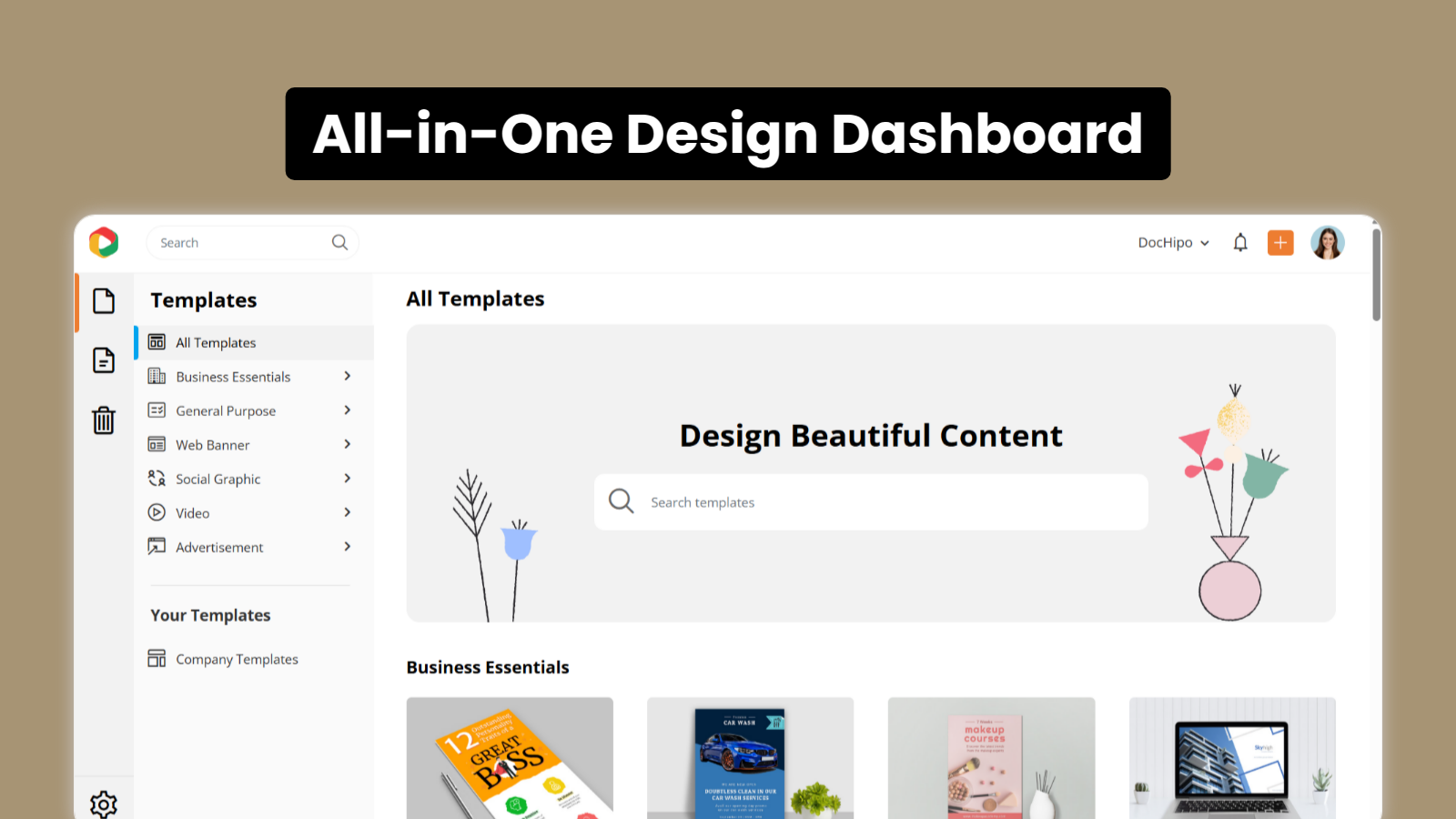
DocHipo Demo - All-in-One Design Dashboard
Create proposals, presentations, documents, videos, social posts, and ads from one unified workspace designed for brands, creators, and sales teams.
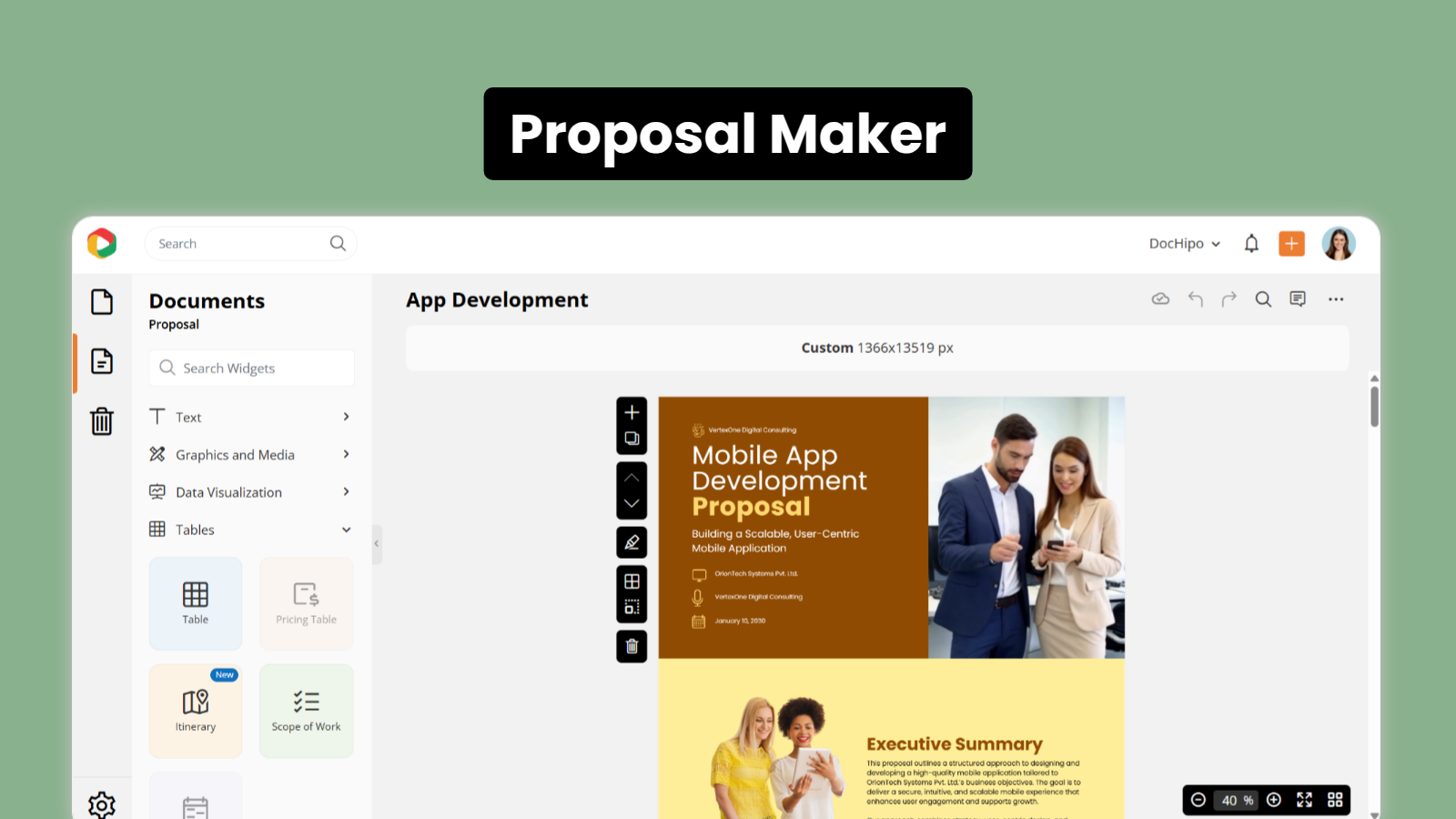
DocHipo Demo - Proposal Maker
Design persuasive, on-brand proposals in minutes with an easy drag-and-drop editor and professional layouts.
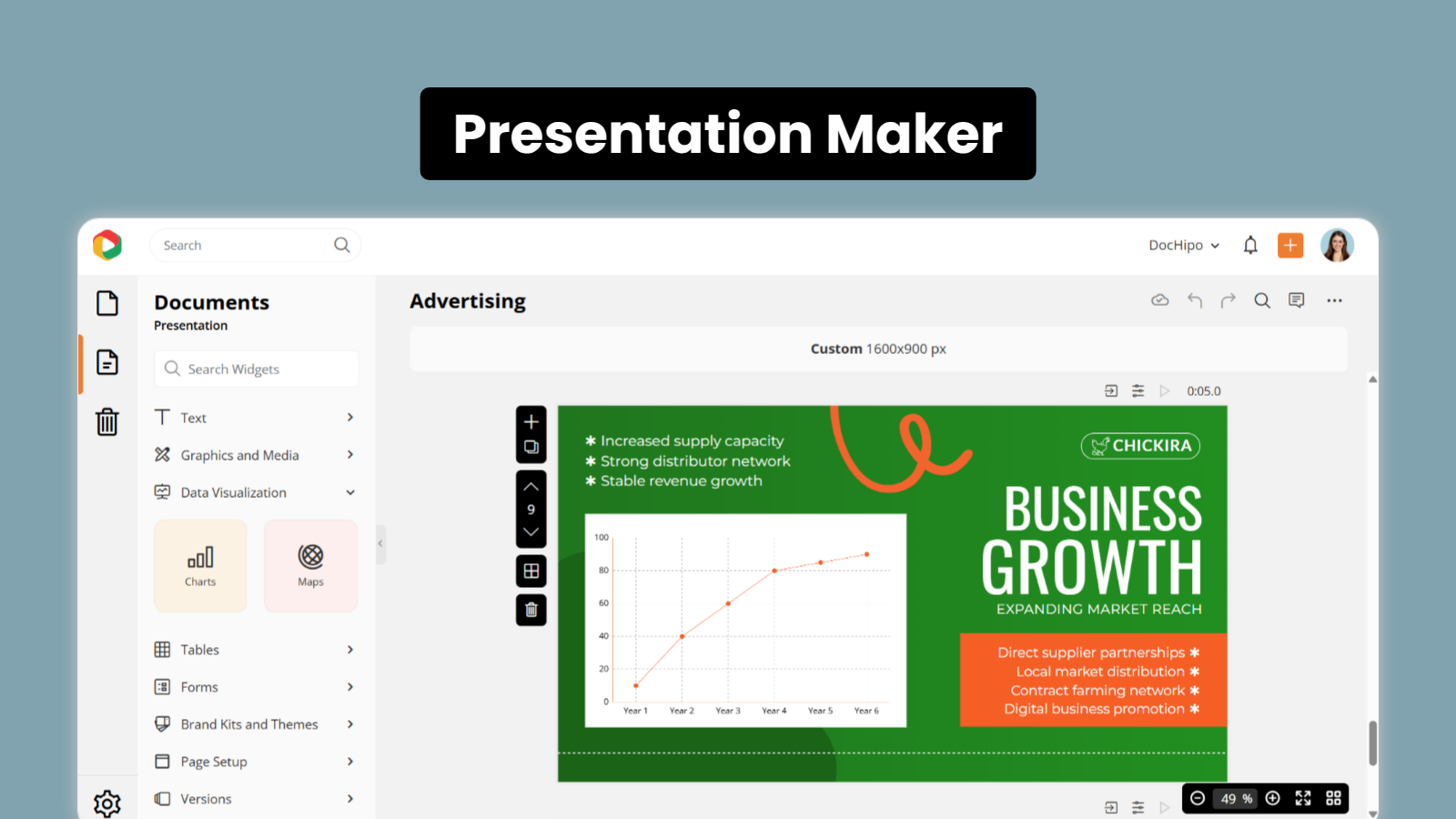
DocHipo Demo - Presentation Maker
Build impactful presentations that communicate your ideas clearly and keep your audience engaged.
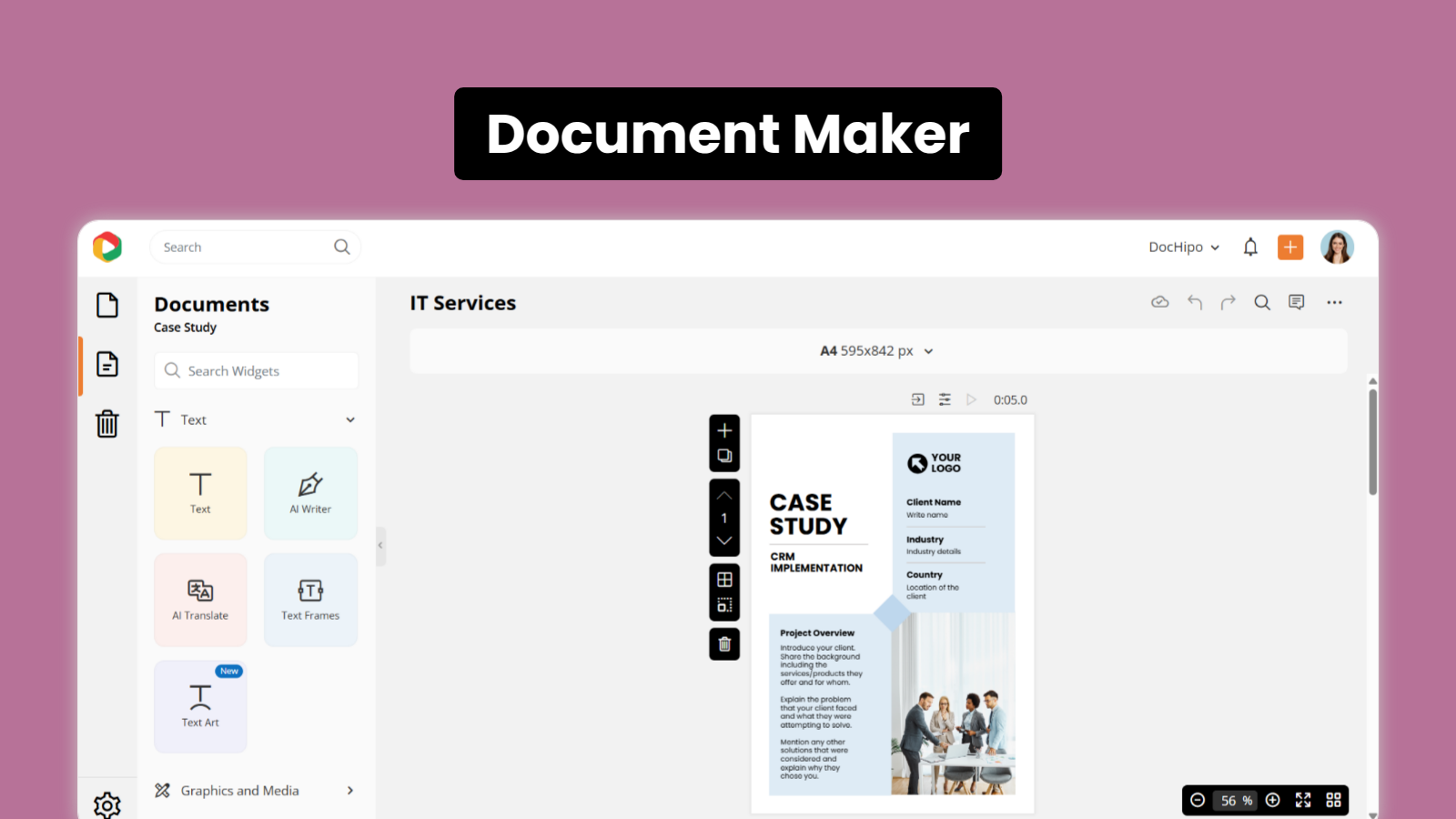
DocHipo Demo - Document Maker
Create polished business documents such as brochures, flyers, posters and case studies without design expertise.
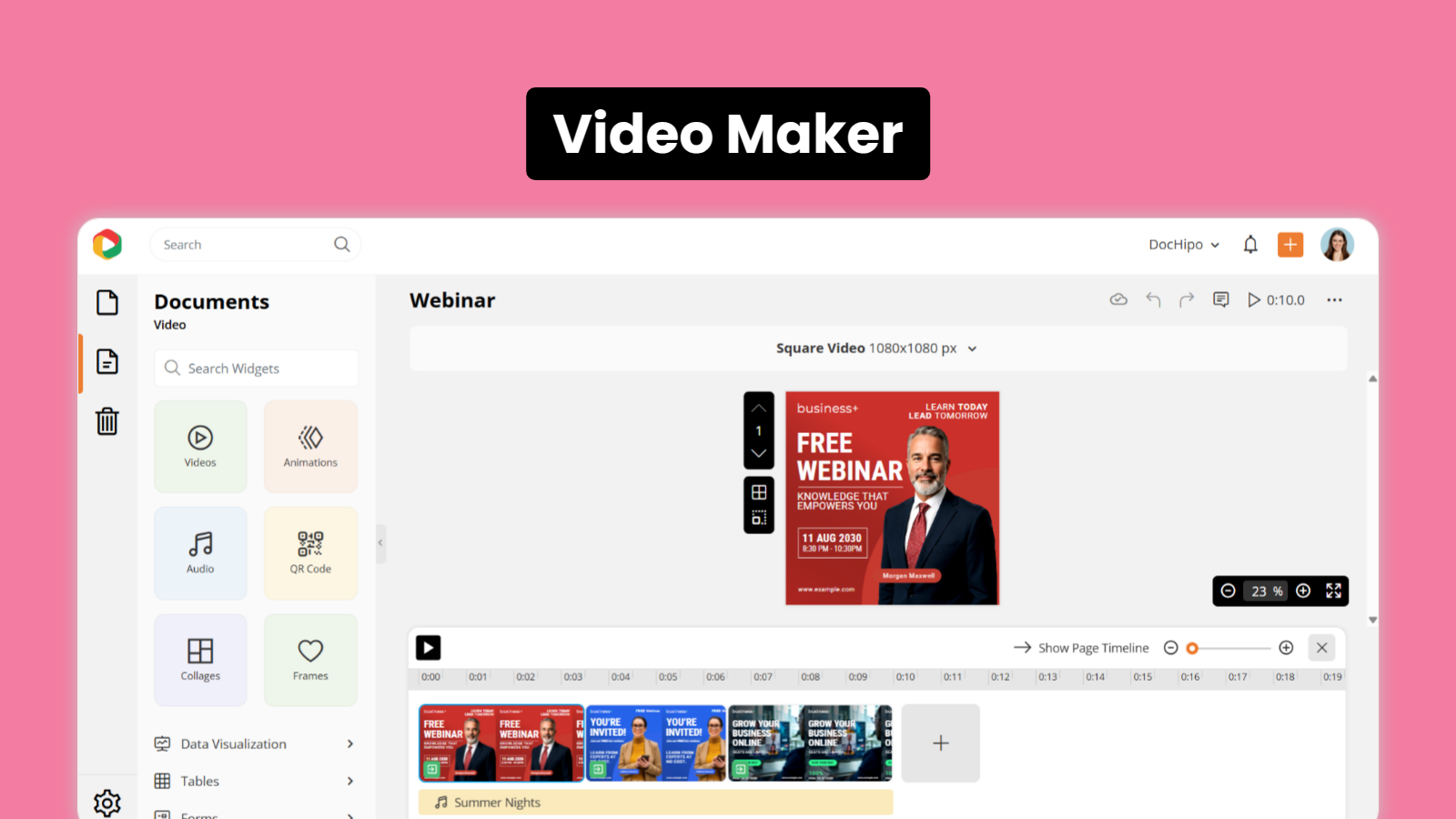
DocHipo Demo - Video Maker
Produce engaging videos for marketing, social media, and promotions quickly and effortlessly.
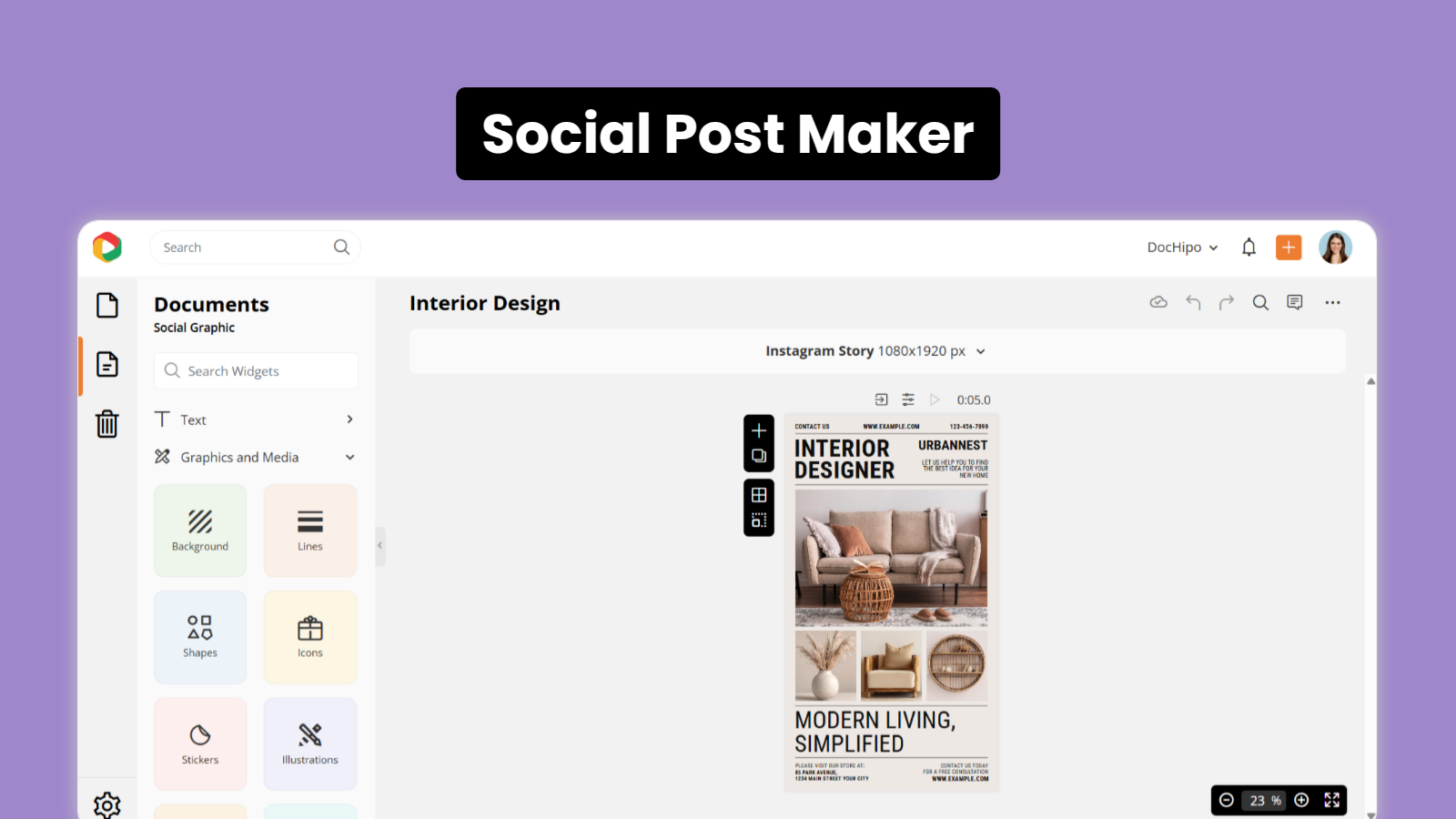
DocHipo Demo - Social Post Maker
Design scroll-stopping social media posts for Instagram, LinkedIn, Facebook, and more in just a few clicks.
See how easy it is to get started with DocHipo and create professional designs for proposals, presentations, documents, videos, social posts, and ads in minutes.
Play DocHipo Video
See how easy it is to get started with DocHipo and create professional designs for proposals, presentations, documents, videos, social posts, and ads in minutes.
Learn how to quickly find the right design layout for your proposal, presentation, document, or social post using DocHipo’s powerful search and filters.
Play DocHipo Video
Learn how to quickly find the right design layout for your proposal, presentation, document, or social post using DocHipo’s powerful search and filters.
Discover how DocHipo helps you create persuasive proposals quickly and share them with clients for faster approvals.
Play DocHipo Video
Discover how DocHipo helps you create persuasive proposals quickly and share them with clients for faster approvals.
Explore how you can create engaging marketing and social media videos easily using DocHipo’s simple design tools.
Play DocHipo Video
Explore how you can create engaging marketing and social media videos easily using DocHipo’s simple design tools.
Learn how Brand Kits help you apply your brand colors and fonts instantly to keep every design consistent and professional.
Play DocHipo Video
Learn how Brand Kits help you apply your brand colors and fonts instantly to keep every design consistent and professional.
Product Avatar Image

Have you used DocHipo before?

Answer a few questions to help the DocHipo community

DocHipo Reviews (3)

Reviews

DocHipo Reviews (3)

4.5
3 reviews

Pros & Cons

Generated from real user reviews
View All Pros and Cons
Search reviews
Filter Reviews
Clear Results
G2 reviews are authentic and verified.
Chitralekha B.
CB
Senior Project Manager, Office of Research & Development
Small-Business (50 or fewer emp.)
"Streamlined Graphics Design with Professional Results"
What do you like best about DocHipo?

I use DocHipo for a variety of graphics design tasks like flyers, posters, newsletters, and visual elements for social media posts. It also helps me with creating project proposals and short videos. I really like how it saves my time and effort by providing professionally designed newsletters, flyers, and posters without requiring advanced design skills. The design always looks consistently professional, which attracts more attention and increases brand visibility. I appreciate the design variation and simplicity in implementation. DocHipo offers ready-to-use templates and a user-friendly interface, and I enjoy the flexibility in customization. It works well across different platforms, and the updating and editing process is easy to implement. Sometimes the design work can be demanding, but DocHipo's ready-to-use templates allow me to get started immediately. I don't need high design skills due to its simple user interface. The templates are easily customizable, allowing me to modify them to match the specific theme of an event. Overall, DocHipo helps me create professional, consistent, and visually appealing communication materials. The initial setup was easy, and the DocHipo team is always there to support. Review collected by and hosted on G2.com.

What do you dislike about DocHipo?

For more complex or highly technical designs, the flexibility of customization can feel somewhat limited compared to Adobe Illustrator or CorelDRAW. Allowing numeric input for positioning, spacing, and sizing, as well as support for custom font uploads, would enhance the experience. Review collected by and hosted on G2.com.

Response from Arnab Bandyopadhyay of DocHipo

Thank you for the wonderful review! We really appreciate this.

You can upload custom fonts in DocHipo. Here's a short video on how you can do this: https://youtu.be/CfV2dPkoyuM

PRABHAV B.
PB
Marketing executive.
Small-Business (50 or fewer emp.)
"Dochipo is a great tool for designing"
What do you like best about DocHipo?

I’ve found DocHipo to be really easy to use, even without any design background. It has tons of modern templates for things like school projects, posters, and flyers. The drag-and-drop setup makes creating designs quick and stress-free. What’s great is that it’s affordable and works well for anyone—students, professionals, or anyone who just needs good-looking visuals fast. Review collected by and hosted on G2.com.

What do you dislike about DocHipo?

Collaborative features are available, but larger teams with complex workflows might need deeper project management tools.

Review collected by and hosted on G2.com.

Response from Arnab Bandyopadhyay of DocHipo

Thank you for your lovely words, Prabhav :)

Sai C.
SC
Sales Enablement Manager
Mid-Market (51-1000 emp.)
"Wow designs"
What do you like best about DocHipo?

Vast template library and simple user interface. Review collected by and hosted on G2.com.

What do you dislike about DocHipo?

Limited features in the free plan and no templates for videos Review collected by and hosted on G2.com.

Response from Arnab Bandyopadhyay of DocHipo

Thank you, Sai, for your kind words.

We’ve recently introduced video templates in DocHipo. The first available video document type is Square Video; you can explore the templates here: https://www.dochipo.com/templates/square-video-templates/.

We’ll be adding more video formats soon, including Vertical Video, Landscape Video, Facebook Story Video, Instagram Story Video, and more. Stay tuned :)

There are not enough reviews of DocHipo for G2 to provide buying insight. Below are some alternatives with more reviews:

1
Canva Logo
Canva
4.7
(6,916)
Canva is an online design and publishing platform that provides user friendly design tools for non-designers.
2
Simplified Logo
Simplified
4.6
(5,006)
Simplified helps you design everything, scale your brand, and collaborate with your team like never before. Create stunning designs, videos, and write copy using our ai copywriter tool. Then, get started with our free forever plan. Design Simplified gets you designing in seconds. Choose from thousands of stunning templates for social media posts, Instagram stories, Reels, TikToks, ads, banners, and everything else—all for free. Enjoy magic, one-click AI that can remove backgrounds, create animations, and resize images in (you guessed it) one click. You never have to use multiple tools ever again! Customize instantly with our resource library filled with millions of photos, thousands of fonts & design components. It's as simple as drag, drop, done. AI Copywriting Simplified's AI copywriting works so fast, it feels like magic. Simplified's AI can help you rewrite, improve, or write new copy from scratch, so you don't need to waste a second staring at a blank screen (or scrolling an app, or screaming into the void). Generate copy that performs well across search engines, ads, product descriptions, social media, blogs, and anything else you need. And ta-da✨ your day got a whole lot lighter. Collaborate Say goodbye to endless rounds of feedback and confused workflows and get your team on the same page. Access instant commenting, tagging, and sharing with your team. Have multiple teams? Create more workspaces to keep projects separate. Organize projects, assets & more in folders. Social Media Publishing With in-app publishing & scheduling, you can start and finish all your marketing in the same app.
3
Synthesia Logo
Synthesia
4.6
(2,557)
Create AI videos by simply typing in text. Easy to use, cheap and scalable. Make engaging videos with human presenters — directly from your browser. Free demo.
4
VEED Logo
VEED
4.6
(1,825)
Making professional video production simple. VEED offers online video editing, recording, hosting and sharing. Key features include one-click subtitling, translation, noise reduction, cropping, cutting, transitions, custom branding, compression and format conversion. VEED is ideal for teams as it is cloud based. Avoid slow file transfers and laptop storage issues. Instead, keep all your video projects online and accessible. Allow multiple editors to work on the same project. Share videos via a URL, collate feedback comments and keep existing videos up to date. When you're ready to share simply use a URL or embed the video directly into a website. Common use cases for VEED include social media videos, training videos, help videos, marketing videos, recruitment videos, onboarding videos, internal comms videos and much more.
5
HeyGen Logo
HeyGen
4.8
(1,477)
HeyGen is AI-powered video creation at scale, letting you effortlessly produce studio-quality videos with AI-generated avatars and voices. Get started for free!
6
Animaker Logo
Animaker
4.7
(1,020)
Animaker is a cutting-edge, AI-powered platform for end-to-end animation and video creation. With advanced AI tools powering every stage of creation, Animaker delivers fast, consistent, and professional results. By combining next-gen AI video generation with L&D-friendly features, Animaker stands out as one of the most versatile and scalable AI video platforms on the market.
7
Descript Logo
Descript
4.6
(861)
Descript is the only video editor that gives you the power to create and edit professionally crafted video using AI, or on your own.
8
iSpring Suite Logo
iSpring Suite
4.6
(789)
iSpring Suite combines everything needed to create professional training content. Available both as a PowerPoint add-in and a cloud workspace, it offers an intuitive layout, flexible plans, and a full set of tools for designing modern courses, while making the process faster and more cost-effective.
9
Visme Logo
Visme
4.5
(477)
An intuitive cloud based tool empowering individuals and organizations to create and present stories and boring data into stunning Presentations, Infographics, Reports and other forms of visual content.
10
Vyond Logo
Vyond
4.8
(468)
Vyond puts the power of video in the hands of everyone, allowing people of all skill levels and in all industries to create dynamic and powerful media.
Show More

No Discussions for This Product Yet

Be the first to ask a question and get answers from real users and experts.

Start a discussion

Pricing Options

Pricing provided by DocHipo.

DocHipo Free

Free
1 User

DocHipo Pro

$10.00
1 User Per Month
Product Avatar Image
DocHipo