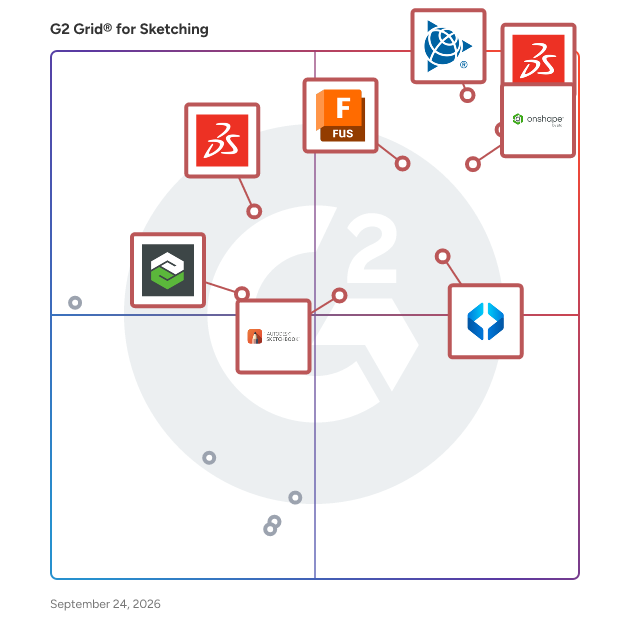
# Best Sketching Software - Page 2

*By [Daniel Rivera](https://research.g2.com/insights/author/daniel-rivera)*


Sketching software allows users to create a drawing with digital graphics. Instead of traditional art supplies such as paper and pen, artists create drawings on a computer or tablet using digital tools such as brush sets, color palettes, and more. These drawings can range from 2D drafts that visually communicate how something functions or is constructed to digital artwork. These products can be used by illustrators or designers in many different industries, such as automotive design and traditional construction. These tools allow you to take sketches one step further with functions such as pushing and pulling surfaces to turn them into 3D designs. Sketching solutions typically integrate with [general-purpose CAD](https://www.g2.com/categories/general-purpose-cad), as sketching files may be imported to CAD tools to create 3D models.

To qualify for inclusion in the Sketching category, a product must:

- Offer the functionality to create 2D digital sketches within the platform
- Allow for users to edit the sketch with a variety of different tools
- Export sketch files in 2D or 3D 


## How Many Sketching Software Products Does G2 Track?
**Total Products under this Category:** 30

### Category Stats (Jun 2026)
- **Average Rating**: 4.31/5 The average rating of products in this category, based on all submitted ratings
- **Top Trending Product**: SmartDraw (+0.18%) - Among all products in this category, SmartDraw recorded the largest rating increase compared to last month
*Last updated: June 24, 2026*


## How Does G2 Rank Sketching Software Products?

**Why You Can Trust G2's Software Rankings:**

- 30 Analysts and Data Experts
- 4,000+ Authentic Reviews
- 30+ Products
- Unbiased Rankings

G2's software rankings are built on verified user reviews, rigorous moderation, and a consistent research methodology maintained by a team of analysts and data experts. Each product is measured using the same transparent criteria, with no paid placement or vendor influence. While reviews reflect real user experiences, which can be subjective, they offer valuable insight into how software performs in the hands of professionals. Together, these inputs power the G2 Score, a standardized way to compare tools within every category.


## Which Sketching Software Is Best for Your Use Case?

- **Leader:** [SketchUp](https://www.g2.com/products/sketchup/reviews)
- **Easiest to Use:** [SketchUp](https://www.g2.com/products/sketchup/reviews)
- **Top Trending:** [SketchUp](https://www.g2.com/products/sketchup/reviews)
- **Best Free Software:** [SketchUp](https://www.g2.com/products/sketchup/reviews)


## What Are the Top-Rated Sketching Software Products in 2026?
### 1. [Arbortext IsoDraw](https://www.g2.com/products/arbortext-isodraw/reviews)
Arbortext IsoDraw is a comprehensive software solution designed to streamline the creation and updating of high-quality technical illustrations and animations. By leveraging original 2D and 3D CAD data, it enables users to produce detailed visuals for various product and support materials, including assembly and disassembly instructions, parts catalogs, operator and service manuals, and training documents. The software maintains an associative link to real-time CAD data, ensuring that illustrations and animations remain current as engineering designs evolve throughout a product&#39;s lifecycle. Key Features and Functionality: - CAD Data Integration: Supports native Creo Parametric® and Creo View™ files, along with standard 3D CAD formats such as IGES, DWG, DXF, VRML, OBJ, STEP, VDA, SAT, and Parasolid. This facilitates the importation of comprehensive design data for illustration purposes. - Automatic Illustration Creation: Automatically generates 2D and 3D illustrations from CAD data, streamlining the illustration process and reducing manual effort. - 3D Data Manipulation: Allows for the manipulation of 3D data, including explosions along any axis, cutaways, rotations, reflections, copying, and scaling, without altering the original source data. - Automated Illustration Updates: Maintains links to original CAD files, enabling quick and automatic updates to existing illustrations when design changes occur. - Support for Multiple Delivery Formats: Prepares illustrations for publishing in various formats, including print, interactive, and web media, eliminating labor-intensive formatting tasks. Primary Value and User Solutions: Arbortext IsoDraw enhances the efficiency and accuracy of technical documentation by enabling the reuse of existing CAD data to create precise illustrations. This capability ensures that product support materials are consistently up-to-date, reducing errors and improving customer satisfaction. By automating the illustration process and supporting multiple delivery formats, the software minimizes production costs and accelerates time-to-market for product information. Additionally, its intuitive interface allows users without extensive CAD knowledge to produce professional-quality illustrations, further increasing productivity.


**Who Is the Company Behind Arbortext IsoDraw?**

- **Seller:** [PTC](https://www.g2.com/sellers/ptc)
- **Year Founded:** 1985
- **HQ Location:** Boston, Massachusetts
- **Twitter:** @PTC (37,560 Twitter followers)
- **LinkedIn® Page:** https://www.linkedin.com/company/1935/ (8,145 employees on LinkedIn®)
- **Ownership:** NASDAQ: PTC


### 2. [Graphite 2D/3D CAD](https://www.g2.com/products/graphite-2d-3d-cad/reviews)
Graphite is an easy to use precision 2D/3D CAD software for product design and development. Formerly known as Vellum, Graphite offers extremely powerful, precision wire-frame drafting with the elegant ease-of-use that makes it productive even when only used occasionally. Graphite provides an interface that lets creative people get the job done without worrying about how to run their software.


**Who Is the Company Behind Graphite 2D/3D CAD?**

- **Seller:** [Ashlar-Vellum](https://www.g2.com/sellers/ashlar-vellum)
- **HQ Location:** Austin, US
- **LinkedIn® Page:** http://www.linkedin.com/company/ashlar-inc (2 employees on LinkedIn®)


### 3. [Lithium 2D/3D Sketching](https://www.g2.com/products/lithium-2d-3d-sketching/reviews)
Lithium™ is Ashlar-Vellum&#39;s entry level 2D CAD application for macOS and Windows which is intuitive, easy to use and provides all the necessary tools for creating professional 2D drawings or 3D wireframe designs. Lithium™ is built on the same engine Ashlar-Vellum’s Cobalt™, Xenon™ and Argon™ are built on, therefore offering full file compatibility with these apps. Lithium™ files are not, however, easily translated into our Graphite™ professional 2D/3D wireframe drafting program which is built on an entirely different chassis. Lithium™ supports a large number of file formats for import and export including DWG, DXF, PDF, AI, JPG, PNG etc.


**Who Is the Company Behind Lithium 2D/3D Sketching?**

- **Seller:** [Ashlar-Vellum](https://www.g2.com/sellers/ashlar-vellum)
- **HQ Location:** Austin, US
- **LinkedIn® Page:** http://www.linkedin.com/company/ashlar-inc (2 employees on LinkedIn®)


### 4. [SketchImage AI](https://www.g2.com/products/sketchimage-ai/reviews)
SketchImage.AI is a tool that transforms your initial sketches into stunning masterpieces.


**Who Is the Company Behind SketchImage AI?**

- **Seller:** [SketchImage AI](https://www.g2.com/sellers/sketchimage-ai)
- **HQ Location:** N/A
- **LinkedIn® Page:** https://www.linkedin.com/company/No-Linkedin-Presence-Added-Intentionally-By-DataOps (1 employees on LinkedIn®)


### 5. [zPlan](https://www.g2.com/products/zplan/reviews)
Floor plan creation software


**Who Is the Company Behind zPlan?**

- **Seller:** [zPlan](https://www.g2.com/sellers/zplan)
- **HQ Location:** N/A
- **LinkedIn® Page:** https://www.linkedin.com/company/No-Linkedin-Presence-Added-Intentionally-By-DataOps (1 employees on LinkedIn®)


## What Is Sketching Software?

[CAD Software](https://www.g2.com/categories/cad)

## What Software Categories Are Similar to Sketching Software?

- [General-Purpose CAD Software](https://www.g2.com/categories/general-purpose-cad)


---

## How Do You Choose the Right Sketching Software?

### What You Should Know About Sketching Software

### What is Sketching Software?

Sketching software is meant to seamlessly transition traditional art and design to a digital format to keep this process more intuitive for the user. You can simulate any medium with these solutions—wood, charcoal, paint, or pencil. Artists or designers use a stylus as a pencil or a paintbrush on a screen or tablet to create designs or works of art. One option could be a graphics tablet, which is a smaller screen connected to a computer that acts as a drawing pad. As you sketch on the tablet, it translates your strokes onto the screen.

This software can serve as the basis for more complicated designs or artwork, including animated scenes. Since not every sketching solution is capable of 3D designs, these products are typically compatible with CAD tools. That way, sketch files can be exported into 3D CAD files, allowing for the creation of 3D models.

### Why Use Sketching Software?

Digital sketching expands the boundaries of physical art and design. Manually drafting up designs, painting on a canvas, or creating a sculpture takes multiple tools; with sketching solutions, users have a comprehensive selection of tools at their fingertips. Sketching software can support multiple capabilities—including an unlimited color palette, multiple line weights, and unmatched precision and control—within one platform.

Digital sketching software also offers editing capabilities that are not possible with physical art and design. For example, with traditional painting, layers are painted directly on top of each other, making it impossible to edit each layer separately. Sketching software, meanwhile, offers the ability to manipulate individual layers through the use of color, shadows, special effects, and more.

In addition, unlike drafting up sketches in real life, a separate tool is not needed to adjust lines in sketches; the functionality to create curves and smooth lines is built into sketching solutions. In practice, this helps achieve an accurate design quicker, meaning the product being designed can go to market faster.

### Who Uses Sketching Software?

Sketching software is commonly used to create technical drawings depicting a process or how something is constructed. Architects use this software to sketch out designs for buildings, so that the full structure of the building can be seen. When these sketches are rendered, they can be used to show the location of windows, doorways, stairwells, and other points of interest. These sketches are often exported as CAD files to then create a 3D model of the design.

Engineers utilize these solutions to depict the structure of a building they construct, or even the individual parts of a product. Sketching solutions also allow engineers to create detailed schematics that outline how a product works. With this information, a manufacturer can bring the product to life.

Artists working in any medium can benefit from sketching products as well, as they enable artists to create digital works of art. Artists have an endless amount of colors at their disposal. The stylus used to create art can function as a paintbrush, pencil, and more. Digital art eliminates the limitations of physical art, since the platform can mimic almost any medium.

### Kinds of Sketching Software

While there are not different subcategories of sketching software, some sketching products might emphasize certain applications of sketching. One such application is digital illustration. This style of sketching is most commonly used by artists. They can use a stylus and screen to replace a pencil and paper. Traditional sketching techniques such as layers, perspective, and reshaping translate to these solutions.

Sketching software users who draft up a model of a structure or object utilize these solutions for their 2D CAD capabilities. These products allow users to quickly create a precise 2D drawing without the use of stencils and other technical drawing tools. Similarly, industrial designers use sketching software for its concept drawing capabilities.

Architects and engineers may use these solutions for technical drawing as well. These drafts are intended to visually communicate how something is constructed or how a process works. While there are different applications for sketching software, they are all typically used in these industries to serve as the basis for a 3D model.

### Sketching Software Features

Sketching software should offer its users a robust toolkit. The use of a stylus allows the user to create a variety of strokes and line weights. The stylus can act as different tools, such as a paintbrush or pen. Sketching solutions provide other valuable tools, such as rulers and straight edges, so users can ensure designs are as precise as possible. Sketching software should also offer an artist or designer an endless amount of colors to choose from.

No matter the user’s industry, the 2D drafting capabilities included in sketching software are highly valuable. The toolkit in these products make for comprehensive 2D drafting, along with editing and annotation capabilities. Sketching software is so precise that it enables users to annotate drafts with text, dimensions, leaders, and tables.

While some sketching tools allow 3D drafting, the feature is not universal. Many drawings created within these products serve as the basis for 3D models, so those solutions that only allow for drafting in 2D should be compatible with 3D CAD files.

#### Additional Sketching Software Features

Sketching solutions should offer features that allow users to create the most precise and accurate designs possible. Some sketching products might offer symmetry dimensions so that the design is drafted with uniformity. Various rulers, guides, and French curves may be available for precision drawing. These products should be adjustable for the user’s needs.

For those products more focused on the digital art side of sketching, solutions often have features that enable you to create a work of art right on your screen. These tools may allow you to blend layers of color, add shading, and more.

### Trends Related to Sketching Software

Mobile access is quickly becoming a relevant trend in sketching software. Cloud features are popular within many software categories, including 2D CAD. This means that people have access to their apps, tools, and other data at any time so users can draft models on the go.

Different digital art styles are trending in sketching software as well. One current trend is the color channels effect, which distorts reality through colors. Another digital art trend is the double exposure duotone. This is the overlapping of images in a monochromatic to give an “ahead of time&quot; effect. The toolkits offered in sketching solutions could enable you to achieve these trends, and keep up with new and emerging trends as well.

### Potential Issues with Sketching Software

**Cost –** Creating digital art is pricey. Aside from purchasing the sketching solution of your choice, you will likely need to purchase a graphics tablet that comes with a stylus. The advanced nature of the software and its digital tools make a keyboard and mouse ineffective for sketching.

**Ownership —** When you digitally draft up a design, it becomes far easier to steal than something created on a piece of paper. If a piece of digital art is stolen, you may lose sole ownership over your creation. However, some solutions may allow for you to create a digital watermark, which would prevent theft.

**Prototypes are required —** 2D designs are often intended to serve as the basis for a 3D design. However, a 2D design simply cannot communicate the same detail that a 3D design tool can. That means you may need to create a prototype of whatever you are designing. This might be the only way to get a complete view of the product being designed so you can ensure there are no flaws before it goes to market.

**Rendering —** While some sketching solutions offer the ability to draw in 3D, not all of them do. That means that another advantage of comprehensive 3D solutions is their ability to render a design. If your sketching software does not have 3D capabilities, you will need to export your file to a separate solution that supports rendering.

### Software and Services Related to Sketching Software

[**3D modeling**](https://www.g2.com/categories/3d-modeling) **—** If the sketching product you select does not support 3D designs, you may want to consider finding a 3D modeling solution that integrates with your existing product. These tools can create a 3D model of the product designed with sketching software. Once a 3D model is created, a separate product can be used to render it. This will allow you to visualize your 3D design in a 3D environment.

[**3D rendering**](https://www.g2.com/categories/3d-rendering) **—** As only some sketching software solutions support rendering, a compatible software that can render all your 3D designs into a scene might be necessary. 3D rendering software takes the 3D models created and places them into fully realized 3D environments. Integrating a 3D rendering solution into your design process allows you to see your design from all angles in a realistic way, helping you or your clients to check for flaws. 3D modeling and 3D rendering solutions are typically compatible with one another, if not offered in a bundle.

[**Graphic design services providers**](https://www.g2.com/categories/graphic-design-services) **—** If you are using sketching software for its art and design capabilities and do not have the resources to learn 3D design software, a graphic design services provider may be a good fit for you. These firms can create a visual representation of your brand’s ideas that can be used to attract potential and current customers. While this is not a guarantee, some graphic design companies may be adept at 3D design.