EPP - Enterprise Project Planner
Who Is the Company Behind EPP - Enterprise Project Planner?
- Seller: DEMETRA Lean Way
- Year Founded: 2012
- HQ Location: Šmarješke Toplice, SI
-
LinkedIn® Page: www.linkedin.com
7 employees on LinkedIn®
Total Products under this Category: 1,422
Last updated: October 14, 2026
Why You Can Trust G2's Software Rankings:
G2's software rankings are built on verified user reviews, rigorous moderation, and a consistent research methodology maintained by a team of analysts and data experts. Each product is measured using the same transparent criteria, with no paid placement or vendor influence. While reviews reflect real user experiences, which can be subjective, they offer valuable insight into how software performs in the hands of professionals. Together, these inputs power the G2 Score, a standardized way to compare tools within every category.
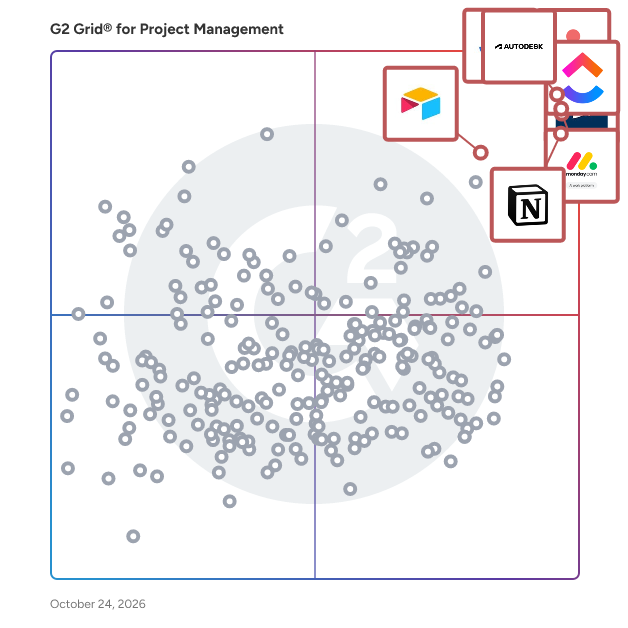
Highlighted products: Jira, Autodesk Forma (formerly Autodesk Construction Cloud), Asana, monday AI Work Platform, Smartsheet, ClickUp, Notion, and Airtable.
Underlying data: [Grid® JSON](https://www.g2.com/categories/project-management/grids.json?focus%5B%5D=jira&focus%5B%5D=autodesk-forma-formerly-autodesk-construction-cloud&focus%5B%5D=asana&focus%5B%5D=monday-com&focus%5B%5D=smartsheet&focus%5B%5D=clickup&focus%5B%5D=notion&focus%5B%5D=airtable)
Connect G2 to Claude or ChatGPT for answers grounded in G2's trusted reviews, comparisons, and pricing from real user insights.
Business, Practice Project & Resource Management Software for all Professional Services
Average Rating: 4.0/5.0
Total Reviews: 1
AI-generated summary from verified user reviews
"Simple and reliable tool for smooth project tracking"
Rating: 4.5/5.0 stars
— Riddhi T.
"Real-Time Kafka Visibility That Makes Monitoring and Troubleshooting Effortless"
Rating: 5.0/5.0 stars
— Usmael A.
External Share for Jira makes it easy to share Jira work items, projects, boards, filters, and timelines with clients, vendors, contractors, and partners, without requiring Jira licenses or access to your instance. Give unlimited external users secure access to live project information and let them collaborate directly on Jira work through configurable permissions. Instead of sending screenshots, exporting reports, or moving conversations into email, External Share helps teams keep external collaboration connected to their actual Jira work. Share live Jira projects and track progress together Share individual work items, entire projects, Agile boards, saved filters, and project timelines through secure external links. Clients and stakeholders can follow project progress, view relevant tasks, and access up-to-date information without signing in to Jira. Enable two-way collaboration with external users External collaboration goes beyond read-only access. Allow clients and contractors to comment, upload attachments, edit selected fields, create new work items, change statuses, and provide feedback, votes, or approvals. Configure exactly which actions each external audience can perform. Stay in control with granular security and permissions Control access through passwords, expiration dates, email and domain restrictions, IP allowlists, and SSO/SAML authentication. Define which Jira fields, comments, and attachments are visible or editable, respect Jira permission schemes, and monitor external activity through centralized logs and share management. Deliver a branded external experience Customize shared pages, Agile boards, and communication with your company's branding, custom domains, layouts, logos, and email templates. Give clients and partners a professional collaboration experience without exposing your internal Jira workspace. Support real-world project workflows Use External Share for client project reporting, vendor and contractor collaboration, software development, bug tracking, QA testing, stakeholder updates, and cross-company project management. Keep everyone aligned on live Jira information, reduce manual status reporting, and collaborate with external stakeholders without increasing Jira user license costs or compromising control over internal data.
