AI-Generated Results
Finding matches…
EAIGLE is a leading provider of AI-driven solutions designed to enhance operational efficiency and security across various industries, including retail, manufacturing, and logistics. By leveraging advanced artificial intelligence and computer vision technologies, EAIGLE offers a suite of products that automate processes, provide real-time insights, and optimize resource management, enabling businesses to make data-driven decisions and improve overall performance.
Key Features and Functionality:
- Retail Analytics: Delivers comprehensive data on inventory levels, supply chain movements, and consumer demand, allowing businesses to measure performance, improve sales, and foster customer loyalty.
- People Counting & Capacity Management: Monitors the movement of individuals within a facility, ensuring compliance with safety regulations by managing capacity limits. This feature enhances operational efficiency, optimizes resource allocation, and reduces costs.
- Visitor Management & Wellness Screening Station: Automates wellness screenings and vaccine verifications to safeguard the health and safety of employees and visitors. It includes AI-enabled temperature screening and mask detection during sign-in processes.
- Crowd Monitoring Solution: Utilizes advanced AI technology for continuous temperature readings and mask detection as individuals enter and exit a facility. Automated video surveillance and real-time notifications provide 24/7 monitoring and alerting.
- Command Center: An intuitive software platform that allows businesses to manage people, processes, and assets on a single interface. It offers comprehensive monitoring capabilities and leverages cutting-edge AI technology to support informed decision-making.
Primary Value and Problem Solving:
EAIGLE's solutions address critical challenges in facility management by automating routine tasks, enhancing security protocols, and providing real-time data insights. By integrating AI and computer vision technologies, EAIGLE enables businesses to:
- Enhance Operational Efficiency: Streamline processes such as inventory management, visitor screening, and crowd monitoring, reducing manual labor and minimizing errors.
- Improve Safety and Compliance: Ensure adherence to health and safety regulations through automated monitoring and real-time alerts, thereby mitigating risks associated with workflow disruptions.
- Optimize Resource Allocation: Gain insights into facility usage and personnel movement, allowing for better planning and utilization of resources, ultimately leading to cost savings and improved productivity.
By offering these advanced capabilities, EAIGLE empowers enterprises to build safer, more efficient, and productive facilities, positioning them for success in an increasingly data-driven world.
Not seeing what you're looking for?
Dive deeper into "Airtable" on G2 AI

AIfficient.Tech is an innovative platform designed to empower small and medium-sized enterprises (SMEs) by integrating artificial intelligence (AI) into their operations. By automating routine tasks and providing data-driven insights, AIfficient.Tech enables businesses to enhance productivity, make informed decisions, and compete effectively in their respective industries.
Key Features and Functionality:
- Pre-Trained AI Agents: Offers a library of 1,500 predefined and trained AI roles, known as Cognitive Autonomous Agents, tailored to various business functions such as customer support, marketing, supply chain management, sales, human resources, and financial analysis.
- Cognitive Intelligent Process Automation Platform (CIPAP): Provides a unified business process automation engine that integrates disparate platforms, streamlining operations and enhancing efficiency.
- Personalization: Delivers AI systems capable of offering personalized experiences and services to users or clients, ensuring relevance and engagement.
- User-Friendly Interfaces: Features intuitive and accessible user interfaces, making AI technology easily navigable for all skill levels within an organization.
- Scalable Solutions: Designs AI solutions that grow with the business, easily adjustable to changing demands and scales, ensuring long-term sustainability and success.
- Continuous Support: Provides ongoing technical support and training resources to ensure effective use and understanding of AI systems, fostering a culture of continuous improvement.
Primary Value and Solutions Provided:
AIfficient.Tech addresses the common challenges faced by SMEs, such as limited resources and expertise in AI integration. By offering access to pre-trained AI agents and customized AI solutions, the platform streamlines routine business tasks through AI-enabled automation. This automation frees up valuable human resources for more strategic initiatives, enhancing overall productivity. Additionally, AIfficient.Tech enhances decision-making with predictive analytics and personalized insights, enabling businesses to make faster, smarter decisions based on real-time data. The platform also improves customer service with AI-driven voice and chatbot solutions, ensuring efficient and timely responses to customer inquiries. By integrating AI into core processes, AIfficient.Tech transforms businesses from cost centers into strategic powerhouses, allowing them to grow revenue without proportionally increasing headcount and to outmaneuver competitors in the market.

DDx by Sketchy is a clinical readiness platform designed to strengthen reasoning, communication skills, and technical skills. The platform delivers realistic, multi-role AI-enabled case simulation across every clinical competency and phase of education. DDx’s immersive cases, competency-based assessments, personalized feedback, and longitudinal analytics enable critical skills development and help close learning gaps.
DDx enables educational institutions and CME providers to standardize clinical case exposure within and across cohorts. Every learner encounters the same rigor of competency-based practice with DDx regardless of site, preceptor, or practice setting.
Faculty and program leaders gain a centralized view of individual and cohort-level clinical skills trends with DDx, reducing the time they spend on manual case reviews. That is how DDx helps programs scale simulation and assessment without adding to faculty time and workload.
Core Features of DDx by Sketchy:
- Authentic, interactive high-fidelity simulation: Life-like, voice-enabled avatars immerse learners in realistic clinical encounters that mirror real-world practice.
- Scalable case library with unlimited case generation Draw from 300+ end-to-end clinical cases built and reviewed by faculty and clinicians, spanning specialties and competencies, with unlimited case generation to align with your curriculum.
- Competency-based assessment and personalized feedback: Standardized, rubric-based assessment across every competency domain aligned to segment-specific standards enable personalized feedback to every learner. Centralized dashboards give program directors clear visibility into individual and class performance with minimal administrative burden.
- Early learning gaps identification and target remediation over time: Longitudinal analytics proactively surface competency-level gaps at both the learner class and instructional focus level. Structured remediation gives learners a clear path to improvement, turning early detection into measurable progress over time.
DDx is designed for broad applicability across healthcare programs, specialties, and learner levels, including:
Medical programs: pre-clerkship and clerkship
NP programs: didactic and clinical phases
Nursing programs: didactic and clinical phases
PA programs: didactic and clinical phases
Residency programs: all resident physician levels
Continuing education: practicing clinicians maintaining certification and licensure
Professional education: onboarding and ongoing training for hospital or health-system staff

Synli is an AI-assisted web accessibility platform that helps software
teams find, understand, and remediate WCAG and EAA compliance issues.
What Synli does:
- Scans public and authenticated web pages against WCAG 2.1 and 2.2
AA, EN 301 549, and the European Accessibility Act (EAA).
- Uses Vision AI to verify that image alt-text actually matches the
visual content of each image — catching issues that traditional
scanners cannot detect.
- Separates verified findings from items that need human review, with
a confidence score for each finding to reduce false positives.
- Supports authenticated scanning through stored credentials, HTTP
headers, and an interactive login option that handles OAuth, SSO,
and two-factor authentication — without Synli ever seeing your
password.
- Exports reports as structured Markdown that developers can paste
directly into Cursor, Claude Code, or GitHub Copilot to generate
fixes, alongside PDF and CSV outputs for compliance teams.
- Maps findings to Norway's specific 48-criteria public-sector
requirement (Forskrift om universell utforming av IKT) versus the
35 criteria typically applied to EAA-scoped private organisations.
- Helps Norwegian public-sector teams transfer findings into their
uustatus.no accessibility statement workflow.
Who Synli is for:
- Engineering and design teams that need to ship accessible products
without slowing down delivery.
- Compliance and legal teams preparing accessibility statements for
EAA, Norwegian regulations, or other national transpositions.
- Agencies and consultancies that audit accessibility for clients
and need defensible, citable reports.
Synli is honest about the boundary between automation and manual
testing: it is designed to amplify accessibility expertise, not
replace it. Findings that require human judgement are flagged
explicitly so teams know exactly where to focus manual review.
Pricing starts at €99/month with plans for solo developers, growing
teams, and enterprise organisations. Full pricing and feature
comparison are at https://synli.ai/en/#pricing.
Seomatiq is an AI SEO + GEO (Generative Engine Optimization) platform that answers a question most SEO tools can't: when someone asks ChatGPT for a recommendation in your category, does your brand actually show up?
AI Visibility Measurement. Seomatiq tracks the real prompts your customers ask across 7 AI engines ChatGPT, Perplexity, Google AI Overview, Google AI Mode, Gemini, Claude, and Bing Copilot — with automated daily scans. For every prompt and platform you see whether your brand was cited (the AI response links to your actual URL), merely mentioned (brand named, no link), or absent. Measurement is deliberately honest: a citation only counts on a real URL match, so your dashboard never inflates vanity numbers. On top of that you get citation-rate trends over time, sentiment analysis of how AI engines describe your brand, competitor share-of-voice comparison on the same prompts, AI query discovery (find new prompts where customers are searching), citation-drop alerts, and a Source Trust Score that grades each page on the structural signals AI engines favour.
Content Engine. Seomatiq doesn't just report the gap — it closes it. Connect your site and it crawls your content, detects gaps with explainable signals, and generates SEO+GEO-optimised drafts in your brand voice: question-led headings, citable factual statements, FAQ schema. You review and approve; it publishes. WordPress gets the full pipeline including auto-publish and Yoast meta writing; Shopify gets native article publishing; any other platform (Wix, Webflow, Squarespace, Notion, custom sites) works via 5 export formats.
AI visibility tracking is included in every plan — not sold as an add-on. Plans start at £49/month. Try the free, no-signup Brand Snapshot at seomatiq.com/en/snapshot — it checks your brand's AI visibility in about 60 seconds and emails you the report.

UkeySoft Pandora Music Converter is designed to help Pandora Free & Premium users to convert Pandora songs, playlists, albums, podcasts to high-quality audios, including MP3, M4A, WAV, AAC, FLAC, AIFF. After conversion, you will be allowed to transfer and play Pandora music on any devices or media players (like iTunes/Apple Music, MP3 Player, car player, or other portable players) with no limits. Batch output Pandora music at 10X faster speed with keeping 100% lossless audio quality retained. As a result, you can keep Pandora Music always even after music subscription expires, get more rights on using Pandora music. Support to keep ID3 tags for each Pandora track. The ID3 tags will be preserved in output audio files after conversion, Title, Track Number, Artist, Artwork, Album and more are included. With its music manager, users can list music by Data, Artist, Album, that will be convenient for managing the whole music library.
Key functions:
1.Download All Types of Pandora Music - Download all types of Pandora music, including songs, playlists, albums and podcasts.
2.Work for All Pandora Users - Work for both Pandora Free user and Pandora Premium user.
3.Output Music with General Audio Formats - Output Pandora music with different audio formats, MP3, M4A, WAV, AAC, FLAC, AIFF are included.
4.Preserve with Lossless Audio Quality and ID3 tags - Preserve with lossless audio quality and ID3 tags in output music files.
5.Built in Music Web Player - Built in Pandora music web player, it is not extra app required during the conversion, including Pandora app.
6.Built in Music Manager & Player - Built in music manager features will organize your Pandora music library fast and easily, which for you manage music library with ease. So smart and convenient!
7.Super Fast Conversion Speed - The whole music conversion will be done with a super fast speed in batch, that will make you get an efficient user experience after conversion.

Aiseesoft Video Converter for Mac is used to help users convert any video to popular video (MKV, MOV, MTV, WMV, AVI, etc.) and audio (AAC, AIFF, AMR, FLAC, MP3, etc.) formats on Mac with super fast conversion speed and excellent output video/audio quality. What's more, it is highly compatible with iPad mini 5, iPad Air, iPhone 11 Pro Max/11 Pro/11/XS/XS Max/XR, Samsung Galaxy S10, etc.
Key Features:
1. Convert any video/audio file including 4K video.
This Video Converter for Mac is able to help users convert any video/audio file, including 3GP, 3G2, AVI, DV, MP4, FLV, SWF, F4V, MOD, MJPG, MJPEG, MKV, QuickTime HD, WMV HD, HD TS, HD MTS, HD M2TS and more, and AAC, AIF, AIFF, APE, OGG, etc. audio on Mac.
2. Enhance video quality.
Upscale video resolution, optimize the brightness and remove video noise to make your video more energetic.
3. Crop, rotate, clip, merge, watermark videos.
You can clip a video to your desired time length by setting the start and end time, merge several video clips into one single file, cut off unwanted playing areas of a video to fit different portable players, or add watermark with image or text to customize your video.
4. Define video or audio effect.
This software enables you to define the output video or audio parameters, such as Video Encoder, Frame Rate, Video Bitrate, Resolution, and Audio Encoder, Sample Rate, Channels, Audio Bitrate. Also you can adjust the video brightness, contrast, saturation, hue and volume.
5. Add 3D effects to 2D video with ease
This video converter for Mac enables you to convert 2D video to fantastic 3D movie, up to 14 types of 3D modes including Anaglyph 3D (10 types), Side by Side (Half-Width) 3D, Side by Side (Full) 3D, Top and Bottom (Half-Height) 3D, etc. are available.

ISW Development Pty Ltd is an Australian IT services company specializing in delivering innovative and intelligent business technology solutions. With over 26 years of experience, ISW offers a comprehensive range of services, including custom software development, application modernization, cloud services, data intelligence, artificial intelligence, and enterprise security. Their expertise spans various platforms such as Microsoft 365, HCL Domino, SharePoint, and Java, enabling them to design, build, integrate, and evolve collaboration applications that drive real business outcomes.
Key Features and Functionality:
- Custom Software Development: ISW creates tailored applications with intuitive user interfaces, ensuring seamless user experiences across all devices. Their development services encompass full-stack cloud-native applications, AI-enabled solutions, and low-code platforms like Microsoft Power Apps and HCL Volt MX.
- Application Modernization: They offer strategic, iterative modernization of legacy systems, focusing on critical functions to enhance security, scalability, and integration with modern cloud platforms.
- Cloud Services: Through their Cloud42 Managed Cloud Services, ISW provides cloud email and team collaboration solutions, enterprise data protection, and cloud expertise to support businesses in their digital transformation journey.
- Data Intelligence & Integration: ISW delivers services in cloud data and application integration, data profiling, data governance, and quality assurance, ensuring businesses can effectively manage and utilize their data assets.
- Artificial Intelligence: They integrate AI into applications to automate processes, enhance content exploration, and provide AI-powered virtual assistants, thereby improving operational efficiency and decision-making.
- Enterprise Security: ISW offers security information and event management , attack surface management, identity and access management, and smarter payment solutions to safeguard business operations.
Primary Value and Solutions for Users:
ISW Development Pty Ltd empowers organizations to transform their business processes through intelligent digital solutions. By leveraging their extensive experience and partnerships with leading technology providers, ISW addresses key challenges such as outdated legacy systems, inefficient workflows, and security vulnerabilities. Their services enable businesses to modernize applications, enhance collaboration, secure data, and harness the power of cloud computing and artificial intelligence. This comprehensive approach ensures that clients achieve increased productivity, scalability, and a competitive edge in their respective industries.

OneCG
For the first time, it is possible to install Genesys applications, upgrade, promote application deployment and configurations automatically from one environment to next without worrying that something could fail.
One Connect - OneCG connects to any number of Genesys platforms. It quickly discovers the platforms and provides a view on the number of servers and hosts. With a simple drag and drop function, users can take applications from App section and place it in any server/host. It creates the application object within config layer and using one click installs the same on to the actual server. Migrating Genesys applications from one server to another in just one click. It allows you upgrade Genesys application from the old version to any new available version in a single click
OneTrack - It will connect to any number of Genesys platforms and start tracking configuration changes happening at Config Server. It tracks all the changes and highlights changes in a user-friendly dashboard. The user can rollback config changes in a single click in case something goes wrong.
OneChange - OneCG is the only application that allows users to make changes in the lower platform. Once these changes are approved they can automatically be deployed into the next platform. OneCG tracks all configuration changes and automatically brings them into the change process. Users can also export configuration in a custom template which can be used for approval processes & can link to clients Change Management System and can only be performed once the change has been approved.
Key Features
1-CLICK DEPLOYMENT - OneCG allows the user to deploy multiple Genesys Applications by just simple drag and drop feature in a user friendly interface.
1-CLICK UPGRADATION - Upgrade Genesys Applications in a single click. Just select the application version which you would like to upgrade.
COMPLETE VISIBILITY - Providing audit trail which allows users to track the configurations changes and rollback in a single click.
100% AUTOMATION - Deploy applications or make configuration changes in the first platform and promote changes to the next platform seamlessly.
PROMOTE/CHANGES REPORT - OneCG offers an easy to use reporting and management dashboard that gives an overall view on the promote progress.
SECURE & RELIABLE - OneCG is portable and supports various architecture models such as deploying in Cloud, Hybrid or on-premise.
SprintView is an AI-powered command center designed to enhance Azure DevOps by integrating advanced artificial intelligence capabilities directly into your existing workflows. Without requiring any migration or complex setup, SprintView overlays an AI layer onto your Azure DevOps environment, enabling natural language interactions with your documentation, semantic searches across wikis, and comprehensive monitoring through a unified dashboard. This seamless integration ensures immediate productivity gains and a more efficient development process.
Key Features and Functionality:
- AI Chat Assistant: Engage with your wikis and documentation using natural language queries to receive instant, context-aware responses complete with source references.
- Wiki Knowledge Base: Utilize semantic search capabilities to index and retrieve information from your Azure DevOps wikis, surpassing traditional keyword search limitations.
- Pipeline Monitoring: Monitor all build pipelines in a single view, displaying status, duration, branch, and results with automatic refreshes for real-time updates.
- Work Item Tracking: Manage sprint tickets through hierarchical trees or sortable tables, with filtering options by assignee and visibility into parent-child relationships to track progress effectively.
- Projects Browser: Navigate through all projects and repositories within your organization using fuzzy search, detailed repository information, and branch insights for quick access.
- Enterprise-Grade Security: Deploy SprintView within your own Azure subscription to maintain full data sovereignty, with no telemetry or analytics, and credentials managed via Azure Active Directory.
Primary Value and User Solutions:
SprintView addresses common challenges faced by developers using Azure DevOps, such as slow loading times, complex navigation, siloed dashboards, and lack of real-time updates. By consolidating data into a single, fast interface, SprintView enhances visibility and efficiency. The AI Chat Assistant and semantic search capabilities significantly reduce the time spent searching for information, while real-time pipeline monitoring and work item tracking streamline project management. With a setup time of less than 60 seconds and the option to deploy within your own Azure environment, SprintView ensures both ease of use and data security, ultimately saving developers over two hours per week and boosting overall productivity.
Fideon is an AI-driven platform designed to revolutionize operations within the Property and Casualty (P&C) insurance sector. Developed by industry veterans, Fideon offers Fideon OS—a comprehensive agentic AI system—alongside tailored AI solutions for carriers, Managing General Agents (MGAs), and brokers. By integrating advanced artificial intelligence with deep insurance expertise, Fideon aims to enhance efficiency, accuracy, and decision-making processes across the insurance value chain.
Key Features and Functionality:
- Fideon OS: A purpose-built AI platform that operates entirely within an organization's infrastructure, ensuring absolute data privacy. It utilizes localized Small Language Models (SLMs) to process and analyze data without external exposure.
- Insurance-Specific AI: The platform is constructed on foundational insurance standards, including ACORD forms, ISO standards, and NAIC frameworks, providing solutions tailored specifically for the insurance industry.
- Human-in-the-Loop Design: Fideon emphasizes human oversight by incorporating review queues and insight dashboards, ensuring that AI actions are monitored and that professionals remain central to critical decision-making processes.
- Bespoke Technology Solutions: Fideon offers specialized capabilities such as AI strategy and transformation, data engineering, intelligent workflow automation, agentic AI modernization, and AI-enabled process management, all engineered to deliver measurable transformation within insurance operations.
Primary Value and Solutions Provided:
Fideon addresses several challenges faced by the insurance industry:
- Enhanced Operational Efficiency: By automating routine tasks like submission intake, policy comparison, and document processing, Fideon enables insurance professionals to focus on high-value activities, leading to faster servicing and increased throughput.
- Data Privacy and Security: With a commitment to absolute data privacy, Fideon ensures that all AI operations are conducted within the client's infrastructure, eliminating concerns about data exposure and compliance risks.
- Industry-Specific Solutions: Unlike generic AI tools, Fideon's solutions are built from the ground up for the insurance sector, ensuring relevance and effectiveness in addressing industry-specific challenges.
- Scalable and Measurable Impact: Organizations utilizing Fideon report significant improvements, such as 70% faster servicing times, fivefold increases in submission handling, and 90% accuracy rates in claims processing, demonstrating the platform's capacity to deliver tangible business outcomes.
By integrating Fideon's AI solutions, insurance entities can modernize their operations, enhance decision-making accuracy, and achieve substantial efficiency gains, positioning themselves competitively in a rapidly evolving industry landscape.

Saptiva AI provides a comprehensive infrastructure solution tailored for deploying, managing, and scaling artificial intelligence (AI) applications across Latin America. Designed to meet the stringent requirements of regulated industries, critical infrastructure, and high-security workloads, Saptiva AI ensures full control over AI operations, allowing deployment in cloud, hybrid, on-premises, edge, or fully air-gapped environments. This flexibility guarantees that data remains within the user's infrastructure, eliminating data exit concerns and vendor lock-in.
Key Features and Functionality:
- Full Stack Ownership: Users maintain complete control over compute resources, data, and workflows, from orchestration to deployment, across any environment.
- Hybrid Deployment Flexibility: AI workloads can be run in the cloud, on-premises, hybrid setups, or air-gapped environments, with optional integration with major hyperscalers, providing full workload control.
- Open Model Compatibility: Saptiva AI supports the use of various models, both open-source and proprietary, including LLaMA, Qwen, Grok, or custom fine-tuned versions, offering flexibility in model selection.
- No Vendor Lock-In: The platform is designed to be modular, portable, and vendor-neutral, allowing deployment freedom across every layer of the AI stack without being tied to a specific provider.
- Developer-Centric Tools: Saptiva AI offers command-line interfaces (CLIs), application programming interfaces (APIs), and software development kits (SDKs) to facilitate seamless orchestration, monitoring, and automation of AI workflows.
- Auto-Scalable Compute: The infrastructure can scale from a single GPU to distributed clusters, enabling growth in line with workload demands.
- Comprehensive Observability: Users can trace every inference and log each step, ensuring auditing and transparency are built into the system.
- Enterprise-Grade Security: The platform incorporates encryption, access controls, and workload isolation across all environments to maintain high security standards.
Primary Value and User Solutions:
Saptiva AI addresses the critical need for sovereign AI infrastructure in Latin America, empowering governments, enterprises, and developers to build, deploy, and scale AI applications with complete control over their operations. By offering a flexible and secure platform, Saptiva AI enables users to run AI workloads in environments that align with their compliance, performance, and data governance requirements. This approach eliminates concerns related to data sovereignty, vendor dependency, and operational transparency, providing a robust foundation for AI-driven innovation in the region.

Superblocks is the secure, governed enterprise vibe coding platform. Business teams build production apps on company data with Clark, the Superblocks AI agent. IT and security teams set the guardrails once, and every app, builder and integration runs inside them. Superblocks is the only enterprise app platform that runs fully in your VPC.Teams can import prototypes from Claude, Lovable, Replit or existing code, or build directly with the Superblocks MCP from tools like Claude, Slack, Cursor and ChatGPT. Superblocks applies your standards, permissions and security rules before anything reaches production.
Key features:
Code security. Clark checks every package for vulnerabilities and malware before installing it. At publish, a security agent, static analysis and a CVE scan review every app and block vulnerable code. Live apps get rechecked as new vulnerabilities appear.
Governed integrations. Apps never touch business systems directly. Superblocks handles authentication, secrets and permissions for 50+ databases, SaaS tools and internal APIs, and logs every query and API call.
Access control. Sync users and groups from Okta or Entra ID with SSO and SCIM. Set roles per app and per integration, with separate edit, preview and production environments.
System of record. Audit logs and the Superblocks MCP show who built what, what data each app touches, who has access and which packages it runs.
Organization knowledge. Clark follows your design systems, coding standards and domain terms by default.
Superblocks Database. Every app gets its own isolated PostgreSQL database in your AWS account.
Flexible deployment. Choose Superblocks Cloud, Hybrid or Cloud-Prem. Cloud-Prem runs the whole platform in your own AWS account, with AI inference on Amazon Bedrock. Buy through AWS Marketplace.
Compliance. SOC 2 Type II. HIPAA BAA available.
Common use cases include taking vibe-coded prototypes to production, replacing spreadsheet processes and expensive SaaS tools, building customer portals and running automations connected to LLMs.
Customers include Benchling, Cvent, Virgin Voyages, Flex, Airwallex, Matthews Real Estate and the NHS. Cvent has built 350+ apps across 9 departments. Flex built 150+ apps in its first 30 days, with 16 of 18 departments building. NHS Royal Surrey is deploying to 100,000+ users.
RiskGPT – AI-Powered Risk Management and GRC Software
RiskGPT is an AI-powered risk management and Governance, Risk, and Compliance (GRC) software platform that helps organizations streamline enterprise risk management, automate risk assessment workflows, and strengthen regulatory compliance.
Designed for banks, NBFCs, fintech companies, insurance providers, and large enterprises, RiskGPT brings risk registers, compliance tracking, Key Risk Indicators (KRIs), incident management, third-party risk assessments, and audit workflows into a centralized platform.
Key Features of RiskGPT
AI-Powered Risk Assessment Software: Use AI-assisted workflows to analyze information, support risk identification, and prepare risk assessments and mitigation recommendations for human review.
Enterprise Risk Management (ERM): Centralize enterprise risk registers, assess inherent and residual risks, document mitigation plans, and improve visibility across business units.
Governance, Risk, and Compliance (GRC): Organize governance processes, compliance requirements, internal controls, and risk documentation in one structured workspace.
Regulatory Compliance Management: Track regulatory obligations, maintain supporting evidence, and coordinate compliance activities to help your organization stay prepared for reviews and audits.
Key Risk Indicator (KRI) Monitoring: Monitor risk indicators against defined thresholds, identify potential risk exposure, and support timely escalation.
Third-Party Risk Management: Structure vendor and supplier risk assessments to improve visibility into external dependencies and potential operational risks.
Incident and Issue Management: Document incidents, investigate root causes, assign corrective actions, and monitor remediation progress.
Audit and Workflow Management: Support review and approval workflows, maintain traceable records, and improve accountability across risk and compliance teams.
Who Should Use RiskGPT?
RiskGPT is designed for Chief Risk Officers (CROs), risk managers, compliance officers, internal auditors, operational risk teams, and enterprise leaders looking for a more structured approach to risk and compliance management.
Why Choose RiskGPT?
RiskGPT combines AI-assisted analysis with structured risk management workflows to help organizations reduce manual effort, improve risk visibility, standardize documentation, and support more informed business decisions.
Whether your organization is strengthening its enterprise risk management framework, improving compliance oversight, or modernizing GRC processes, RiskGPT offers an AI-enabled approach to managing risk across the business.
Explore RiskGPT: https://riskgpt.tech/

CleverBee is an open-source AI research assistant designed to make complex topics accessible and understandable for everyone. By integrating leading AI models such as Google Gemini, Anthropic Claude, and local LLMs like DeepSeek, Llama, and Mistral, CleverBee delivers reliable and citable information. It filters out biases and reduces AI hallucinations, ensuring users receive balanced perspectives. Whether you're exploring technical subjects or philosophical debates, CleverBee synthesizes data from diverse sources, including scholarly articles, expert talks, and community discussions, into concise, comprehensive reports. As a free and open-source tool, it encourages community collaboration, allowing users to contribute and enhance the platform collectively.
Key Features and Functionality:
- Multi-Model Integration: Supports various AI models, including Google Gemini, Anthropic Claude, and local LLMs like DeepSeek, Llama, and Mistral, offering flexibility and privacy options.
- Automated Web Browsing: Utilizes Playwright for robust, automated web browsing and content extraction from HTML and PDF sources.
- Content Summarization: Processes and condenses large volumes of text into concise summaries, making information digestible.
- Extensible Tools: Supports external tools via the Model Context Protocol (MCP), enabling integrations like YouTube transcript fetching or academic database searches.
- Transparent Research Process: Provides complete transparency throughout the research process, from planning to final report generation, with detailed citations for every source used.
- User-Friendly Interface: Features an interactive web UI via Chainlit, facilitating seamless user interactions.
- Performance Optimization: Includes efficient memory management, token usage tracking, and cost estimation to enhance performance and manage resources effectively.
Primary Value and User Solutions:
CleverBee addresses the challenge of navigating and understanding complex information by providing a transparent, reliable, and user-friendly AI research assistant. It empowers users to explore diverse topics confidently, knowing they are receiving balanced and well-sourced information. By filtering out biases and reducing AI hallucinations, CleverBee ensures the integrity of the information presented. Its open-source nature fosters community collaboration, allowing users to contribute to and benefit from a continually improving platform. Whether for academic research, professional inquiries, or personal curiosity, CleverBee simplifies the process of gathering and synthesizing information, making knowledge more accessible to all.

Qi Screen is a touchscreen-based software designed for smart factories, enabling shop floor teams to capture valuable data quickly and intuitively. Whether you're conducting quality inspections, floor audits, Gemba walks, repair validations, or tracking Six Sigma project phases, Qi Screen helps digitize and standardize your input process—driving faster results in quality improvement and continuous improvement initiatives.
It's built for high-visibility, real-time use on industrial monitors, tablets, or PCs, making it a powerful tool for data-driven decision-making right from the shop floor.
🔑 Key Features
✔️ Visual Data Capture via Touchscreen or Mouse
Operators can upload part images (up to 9 per screen), then tap on defects to record issues instantly. This reduces manual data entry errors and increases inspection accuracy.
✔️ Text‑to‑Speech & Voice‑to‑Text Comments
Users can type or speak inspection notes. Voice input is converted to text in real time—enabling detailed, qualitative feedback that supports richer problem definitions.
✔️ Live Dashboards & Historical Data Export
View live graphics showing defect trends and inspection stats. Download full history for audits, root cause analysis, or KPI tracking.
✔️ Role-Based Access & Remote Management
Admins control who can access and configure screens, group related screens by department or area, and manage configurations remotely across the plant.
✔️ Stationary or Portable Deployment
Install Qi Screen on touchscreen monitors or use it on tablets and PCs. Ideal for fixed inspection stations or mobile audit needs.
✔️ AI Enabled Insights (Optional Module)
An AI assistant helps identify patterns in defect data—e.g., “Water leaks are your 3rd largest issue, up 15% in 3 months”—supporting faster problem-solving and predictive actions.
✔️ Surface Inspection Mode
With the “Surface” version, users define inspection touchpoints on part images, configure defect types and shifts, and capture structured surface defect data efficiently.
✅ Core Benefits
👉🏻 Increase Inspection Accuracy: Touch-based inputs and voice annotations provide precise and detailed defect capture.
👉🏻 Accelerate Problem Solving: Real-time dashboards and AI insights enable faster root cause detection and trend identification.
👉🏻 Enhance Efficiency: Reduces cycle time by eliminating manual entry and consolidating audit and inspection workflows.
👉🏻 Scale Flexibly: Deploy on any screen or device; scales across shifts and inspection points with role-based admins.
👉🏻 Support Lean & CI: Enables data-driven Gemba walks, shifts comparisons, and Six Sigma DMAIC project support.
💫 Best For:
Manufacturers with manual or visual inspection needs—especially in stamping, plastics, paint, BIW, or similar operations. Ideal for Quality Managers, Production Engineers, and frontline inspectors seeking to digitize inspections, reduce errors, and improve first-pass yield.
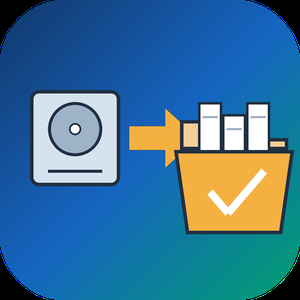
Convert OST to PST Software is a Windows desktop tool for one job: convert OST to PST when Outlook can no longer open the offline cache. It reads the .ost file directly, including an orphaned one whose profile or mail account no longer exists, and saves a Unicode .pst that repeats the original folder tree. Reading and writing both happen on the PC, so the mailbox is never uploaded.
🔰 How to use the program
1. Copy the .ost from the old PC or a backup to a local disk.
2. Open the file in the program. No Outlook profile or server connection is involved.
3. Check the folder tree to confirm that Inbox, Sent Items and the subfolders are all there.
4. Choose the folder where the new .pst should be saved.
5. Start the export and watch the message counter. The source .ost is left unchanged.
6. In Outlook, attach the result from the File menu, under Open, as an Outlook Data File.
👍 Why IT and office teams pick it to convert OST to PST
- Outlook imports .pst archives and nothing else, so a leftover cache needs a converter before anyone can read it.
- It works with no Outlook on the machine, which suits a helpdesk bench PC that has no Office license.
- An OST to PST converter that runs offline keeps a confidential mailbox out of web upload forms.
- The output is not a flat dump. Nested folders land where they were in the source.
- Each message arrives with its sender, subject and dates, both the plain text and the HTML body, its attachments and its read state.
- Empty system folders such as Search Root are left out, so the archive opens clean.
- Outlook 2016 and later versions open the finished archive like any other data file.
✅ Who uses it
- IT admins who receive a returned laptop with a cached mailbox and a deleted account.
- Help desks rebuilding a PC whose Exchange cache lost its profile.
- Former employees and contractors who kept nothing but the cache from their own computer.
- Records and compliance staff who must keep a departed colleague's correspondence as a portable archive.
- Small offices that find old caches on retired machines after a server was shut down.
❓ FAQ
Is Outlook needed to read an OST? Not here. The program parses the file itself and saves a .pst, so the PC needs no Outlook.
What does orphaned mean for an OST? The profile or the mail account behind the cache was removed. Outlook will not reattach it, yet the messages are still inside and you can convert OST to PST from it.
How do OST and PST differ? An .ost is a synced copy tied to one profile and one account. A .pst stands alone, and any Outlook can open it.
Does it handle password-protected files? No. An encrypted or password-protected .ost is reported as an error.
ℹ️ Free trial: download it with no sign-up. Lifetime, yearly, monthly and business licenses are offered. OST to PST conversion needs Windows 10 or 11. A Mac version, a command line mode and a link to live Exchange or IMAP are not part of the product.

Corrupted SSD Recovery Tool is Windows software for corrupted SSD recovery when a drive opens as RAW, asks to be formatted or loses its folders after a crash. It handles internal NVMe and SATA disks plus external SSDs in USB cases. Before any scan it measures TRIM on the selected device and tells you plainly what can still come back, which saves a technician from promising a client more than the hardware allows.
🔧 How to use it
1. Install the program and run it with administrator rights, which Windows needs to open an internal volume.
2. Select the SSD in the drive list. Each entry shows media type, bus and tags for TRIM and the system drive.
3. Read the TRIM note and start a Quick scan. If it finds nothing, the program moves on to a Deep scan by itself.
4. Preview files, sort them by folder or type, tick what you need and press Recover.
5. Pick a folder on a different disk. The source volume is refused as a target.
💼 Why IT and office teams pick it
Help desk staff get a measured answer before quoting a lab job. The program reads three values (solid state media, TRIM support on the device, delete notifications in Windows) and shows all of them. Results that turn out blank are labeled as wiped by TRIM and counted in the summary, so nobody hands a client a folder of empty documents. Files with bad sectors are marked as partially recovered, and a support log leaves out file names and paths. The TRIM note can be screenshotted and attached to a repair ticket when a customer asks why some files are out of reach.
👥 Who uses it
Laptop owners whose data partition stopped opening after a forced update. Photographers who keep shoots on a portable SSD. Repair shops checking a customer drive on the bench. Freelancers who keep invoices and contracts on one laptop. Teachers and students whose coursework sat on a single drive with no cloud copy. Small offices that cannot send client files to an online service, since corrupted SSD recovery here runs entirely on the local PC.
❓ FAQ
Can you fix a corrupted SSD?
This program does not repair the drive. It copies your files to another disk first, and after that you can format or replace the SSD safely.
How to recover data from corrupted SSD volumes?
Decline the format prompt, scan the drive and save what you find somewhere else. Utilities like CHKDSK rewrite the records a scan needs, so they come after the copy.
How to fix corrupted SSD drive errors without losing work?
Get the files out with a corrupted SSD recovery scan, check the copies, and only then run a repair or a fresh format.
Can files deleted on an internal SSD come back?
Usually not when TRIM was on, because the controller clears those cells within seconds. On a USB SSD the bridge often blocks TRIM and deleted files may survive.
🆓 The free trial runs every scan and shows all results, and only saving needs a license. Runs on Windows 11 and Windows 10.

HRX is a comprehensive HR platform that revolutionizes employee lifecycle management from recruitment to retirement. It integrates core HR functions, talent acquisition, performance management, and offboarding into a unified system with advanced automation capabilities. HRX stands out with its AI-driven payroll validation, geo-tagging features, and extensive self-service options.
HRX delivers end-to-end employee lifecycle management through a cloud-based platform that transforms how organizations handle HR operations. The system leverages advanced automation to eliminate manual interventions in routine processes, reducing human error while significantly improving processing times for critical HR functions.
What sets HRX apart is its comprehensive approach covering every crucial touchpoint in the employee journey, complete digitization of documentation and workflows, and real-time analytics across all HR processes. The platform's standout features include iVAP (Intelligent Validation and Aggregation Platform) for AI-driven payroll validation, geo-tagging and geo-fencing for location-based attendance tracking, automated shift mapping, and robust performance analytics.
HRX empowers both employees and managers through extensive self-service capabilities, providing intuitive interfaces that allow users to handle routine HR tasks independently. This reduces dependency on HR teams while improving overall organizational efficiency, allowing HR personnel to focus on strategic initiatives rather than administrative tasks.
_Core HR Module_
• Employee Data Management: Centralizes all employee information providing a single source of truth
• Organizational Structure Management: Defines reporting lines, department hierarchies, and roles
• Personnel Actions: Manages hiring, confirmations, promotions, transfers, and separations
• Self-Service Portals: Empowers employees and managers to access and update information
_Talent Acquisition Module_
• Applicant Tracking System: Collects and organizes applications efficiently
• Candidate Screening: Filters candidates using AI or manual review
• Interview Management: Schedules interviews and collects feedback
• Pre/Post-Onboarding: Streamlines the transition from recruitment to employment
_Talent Management Module_
• Performance Management: Tracks and evaluates employee performance
• Goal Setting: Aligns employee goals with business objectives
• 360-Degree Feedback: Provides holistic performance reviews
• Learning & Development Integration: Identifies training needs based on performance data
_Time and Attendance Module_
• Geo-Tagging/Geo-Fencing: Tracks employee locations, especially for field workers
• Automated Shift Scheduling: Maps shifts based on attendance patterns
• Leave Management: Simplifies request, approval, and tracking processes
• Biometric Integration: Supports various attendance tracking mechanisms
_Payroll Module_
• Automated Salary Calculation: Ensures accurate and timely payroll processing
• Tax Deductions: Maintains compliance with latest tax regulations
• Integration with Time/Attendance: Reflects actual working hours in payroll
• Multi-Currency Support: Handles payroll across multiple geographies
_iVAP (Intelligent Validation and Aggregation Platform)_
• AI-Enabled Validation: Validates payroll inputs directly from source
• Dynamic Approval Workflows: Routes inputs through customizable approval mechanisms
• Real-Time Reporting: Offers BI dashboards with instant analysis and trend reports
• Exception Handling: Flags discrepancies for manual review and resolution
_Integrations_
• ERP systems (SAP, Oracle, Workday)
• MyPay payroll system
• Biometric attendance systems
• Single Sign-On (SSO) platforms
• Corporate helpdesk systems
• Travel and expense management tools
• Supports both API-based and file-based integration methods