AI-Generated Results
Finding matches…
bCast is a podcast hosting platform designed specifically for high-growth businesses aiming to enhance social engagement, drive traffic, and increase revenue through podcasting. It offers a suite of features tailored to marketers, enabling them to create, distribute, and monetize their audio content effectively.
Key Features and Functionality:
- Growth Analytics: Provides insights into audience interactions, allowing businesses to understand listener behavior and optimize content accordingly.
- Dynamic Content Insertion: Enables the addition of audio calls-to-action (CTAs) into existing episodes, promoting webinars, eBooks, or demos seamlessly.
- Wide Distribution: Facilitates podcast distribution across major directories such as Apple Podcasts, Google Podcasts, Spotify, and more, ensuring maximum reach.
- Auto Opt-in: Allows listeners to subscribe to podcasts or newsletters by sending a blank email to a custom address, simplifying the subscription process.
- Audio Inserts: Offers the ability to insert audio advertisements or CTAs into episodes for specific durations, aiding in monetization and promotional efforts.
- Automated Transcription: Converts audio content into text, enhancing SEO and accessibility.
- Integrated Affiliate Links: Supports the inclusion of affiliate links within episodes, providing additional revenue streams.
Primary Value and Solutions:
bCast addresses the need for businesses to build deeper relationships with their audience by leveraging the growing medium of podcasting. By offering tools that simplify podcast creation, distribution, and monetization, bCast empowers businesses to:
- Enhance Engagement: Reach audiences during daily activities, fostering a more personal connection.
- Drive Traffic: Utilize podcasts as a content marketing tool to attract and retain customers.
- Increase Revenue: Monetize content through dynamic ads, affiliate marketing, and lead generation strategies.
In essence, bCast provides a comprehensive solution for businesses to effectively communicate with prospects, customers, and employees through the power of podcasting.
Not seeing what you're looking for?
Dive deeper into "Blink employee app" on G2 AI

Most ATS systems store resumes. ChatHire AI reads every application intelligently, scores it fairly, flags unconscious bias, and never sleeps.
Recruiting teams waste 80% of their time on tasks AI can do in seconds — screening resumes, answering candidate questions, and missing top talent buried in applications. ChatHire fixes all of that in one platform.
AI Resume Scoring
Every resume is scored 0-100 against your job requirements the moment it arrives. Instantly see match score, matched skills, missing skills, and AI-generated interview questions — before opening a single email.
Bias Redaction & Blind Scoring
The only ATS with a built-in bias delta score. Our AI runs two passes — standard and blind — and shows you the difference. Build more diverse teams without sacrificing quality.
AI Interview Practice — Free for Candidates
Candidates practice with our AI interviewer before meeting your team. Free forever for all job seekers — the only platform that genuinely serves both sides of hiring.
24/7 AI Chatbot
A branded AI assistant on your website answers candidate and client questions around the clock. Grounded in your live job listings, capabilities, and FAQs. Detects whether a visitor is a candidate or client, responds accordingly, and captures leads into your CRM automatically.
WordPress Plugin — Free on WordPress.org
The only ATS with a native WordPress plugin. Add AI job listings, resume upload, contact form, and AI chatbot to any WordPress site with one shortcode. No coding required. Free at wordpress.org/plugins/chathire-careers-crm.
Built-in CRM
Every contact form submission becomes a scored lead automatically. Track opportunities, log activities, and manage hiring and sales pipelines in one place.
Resume Checker for Candidates
Job seekers check their resume score before applying — free. Employers get better-matched applicants as a result.
Developer API
Add AI resume scoring to any ATS or HRIS via REST API. 100 free calls/month. Works alongside Bullhorn, iCIMS, Workday, and Greenhouse — no migration needed.
Multi-language: English, Hindi, Telugu, Tamil, and Spanish — serving the US, India, and UK.
Who uses ChatHire:
Staffing and recruiting agencies
HR teams replacing manual screening with AI
Small businesses wanting enterprise tools at SMB pricing
WordPress site owners adding AI career pages and chatbot in minutes
Developers adding AI scoring to existing systems
🏆 Top 16 of 400 — Startup Mania Austin 2026
Pricing:
Free Trial — 14 days, no credit card required
Starter — $99/month (10 positions, 1,000 applications)
Growth — $199/month (50 positions, 5,000 applications)
Job seekers — Free forever

You'll agree with me - the future of recruitment isn't about sending offers and hoping for the best. It's about crafting pre-boarding experiences that make candidates crave your company and build commitment.
Across industries and geographies, companies are facing the issue of ‘talent lost’ after accepting job offers. This ‘post-offer dropout’ phenomenon not only creates significant financial strains, but also disrupts hiring pipelines and delays projects.
CareerX is an innovative B2B SaaS platform specifically designed to mitigate post-offer dropouts. Imagine candidates not just accepting an offer, but immersing themselves in their future workplace. They'll get to understand the company culture, explore personalized career growth roadmaps, gain confidence through workplace policy transparency, and even connect with future colleagues – all before day one.
CareerX isn't just about reducing dropouts; it's about fostering deep commitment and excitement among new hires, ensuring smooth integration and long-term success. No more awkward silences after acceptance calls, no more blind jumps into unknown company cultures.
With CareerX:
[A] Avoid
Candidate’s dropouts
High new-hire turnover rate
Increased hiring costs & wasted resources
Losing top talent
Degraded Employer reputation
[B] Gain
Better Post-offer Experience Management
Elevated Post-Offer Candidate Experience
Low (no) Candidate dropouts
Low new-hire turnover rate
Increased Brand stickiness & reputation
Become Employer of choice
Reduced costs & wasted resources

Pruvvn is an AI-powered experience management platform that helps businesses turn customer feedback into detailed, keyword-rich online reviews. Instead of facing a blank review box, customers answer a few quick multiple-choice questions in about 20 seconds, and Pruvvn assembles their answers into a specific written review they can post to the business’s Google Business Profile. The result is more reviews, with the detail that helps businesses rank on Google Maps, product pages, Google Shopping, and AI search.
Review requests go out by text, email, or a printed QR code, and most businesses are live in under 5 minutes. Once feedback is in, Pruvvn provides AI-drafted review responses, top-performer tracking by service and employee, training insights built from negative feedback, and AI search visibility insights. Pruvvn serves single- and multi-location businesses, including auto and boat dealerships, dental and medical practices, home services, real estate, and eCommerce.

Qvalent, a wholly owned subsidiary of Westpac Banking Corporation, specializes in providing web-based software and support services designed to streamline financial business processes for organizations across the public, private, and not-for-profit sectors. Established in 1997 and based in Newcastle, Australia, Qvalent offers solutions that encompass accounts receivable, accounts payable, superannuation, and payroll event reporting. Their products are fully integrated with banking systems, granting access to major payment channels, including credit cards and direct entry, thereby serving over 50,000 business customers in Australia and New Zealand.
Key Features and Functionality:
- iLink: Provides multiple host-to-host connectivity options, enabling direct connection to banking services.
- PayWay: Offers a simple and secure solution with multiple payment channels, facilitating easy customer payments.
- PaymentsPlus: Delivers a multi-channel online payment solution supporting various payable needs.
- QuickStream: Empowers sophisticated businesses to receive and manage payments through an extensive range of APIs.
- QuickSuper: Manages payments and administration of employee super contributions online, including reporting facilities to government and fund administrators.
- BankRec: An all-in-one solution for bank statement reconciliation, maximizing the ability to reconcile payments via multiple channels.
Primary Value and Solutions Provided:
Qvalent's suite of products addresses the complexities of financial transactions by offering integrated, secure, and scalable solutions that enhance operational efficiency. By automating and streamlining processes such as accounts payable and receivable, superannuation, and payroll reporting, Qvalent reduces manual workload, minimizes errors, and ensures compliance with industry standards. Their commitment to security, evidenced by continuous adherence to the Payment Card Industry Data Security Standard (PCI DSS for over a decade, provides clients with confidence in the protection of sensitive financial data.

DocArmor is AI document redaction for teams that handle regulated records: hospitals and health information management, law firms, FOIA and public records offices, banks, HR and schools.
Pattern rules find text shaped like a phone number or a date. They miss the patient's daughter named in a sentence, an employer, a device serial number or a barcode on a label, and they remove numbers that only look sensitive. DocArmor reads the page the way a reviewer does, scanned and handwritten pages included. It finds faces, ID cards, signatures and stamps, and decodes 1D and 2D barcodes, including QR codes.
The AI is the first pass, never the last word. Every finding goes into a checklist grouped by type and linked to its place on the page. Reviewers untick what's wrong, add what's missing by clicking text or drawing a zone, preview the result, and apply only when they're satisfied. Redacted content is removed, not covered, and every page is checked to confirm it's gone. Metadata, attachments and form values are stripped.
Ready-made templates cover HIPAA Safe Harbor, Financial Identifiers (PCI / GLBA), Legal & Court Filings (FRCP 5.2), FOIA & Public Records Exemptions, Educational Records (FERPA) and Blind Hiring & Bias Reduction, plus General PII and Organizational Identifiers. Teams can write their own instructions in plain English and save them as shared, versioned templates. Every document keeps a record of which template ran, who reviewed it and what they changed.
Files are deleted when you're done: your file and its outputs are removed from storage when you finish or sign out. DocArmor is a US-based company, and all processing stays in US regions.
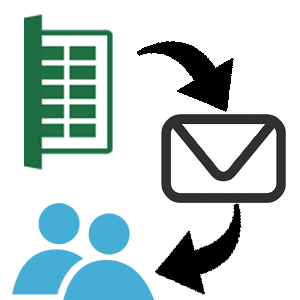
👑 1st Mail Merge add-ons on Google workspace which allows you to send Limited number of emails on each Run (Like. N emails on every X hr)
👑 1st Mail Merge add-ons on Google workspace which give you all inside HTML codes.
👑 1st Mail Merge add-ons on Google workspace which allows you to use the design of received email by providing HTML code of that design.
👑 1st Mail Merge add-ons on Google workspace which allows you to create drafts in Gmail from sheet data with a merge field which you send manually. (Special feature)
✔️ Send your campaign from Gmail using Google Sheets.
✔️ Check if your recipient opened the email, How many times. When was the email opened? Get all the details.
✔️ Design your email in Gmail directly or use Received email or write manually.
✔️ Allow users to unsubscribe you. Automatic Skip sending email to the person who unsubscribed you.
✔️ Set automatic sending on a scheduled date with a specific time or every x hours.
-----------------------------------------
❓ NEW IN LATEST UPDATE !!!
Now, You can set the limit on the number of emails to be sent on each run. Like. If BulkMail Hourly Run is set to run every 1 hr and Limit per Run is 10 then it will send only 10 emails in 1hr
————————————————————————————————
❓ WHAT IS BULKMAIL?
With Gmail™ you can manually send hundreds of emails to different recipients.
If you need to send a similar email with a variable field or image to many recipients, BulkMail can automate that task. Like. sending Certificate, Greeting, Notification, Update, Results etc
You write your message, as usual, in a Gmail™ draft, add the list of recipients in sheet and BulkMail will send your message to all of them.
————————————————————————————————
🤔 Why use BulkMail and not others?
BulkMail is using only google sheet based function for all tasks, No any external API or other thing. It is a pure Google Sheet based add-on with Full Customization, Security, Flexibility, Transparency and Privacy.
👇 Read more about pricing, quota, features, support,.
————————————————————————————————
🎯 6-STEPS TUTORIAL:
After Installation Go to Sheet and from Add-ons menu Go To BulkMail and Click refresh. It is required to enable BulkMail for that sheet.
1️⃣ Prepare Design
Option-1: Create a new draft in Gmail™
Option-2: Use Design of Received Email
Option-3: Write HTML code
optionally add merge fields like {First Name} for the merge field to personalize your email. You can also use {Image} to place a variable image for each email from Google Drive.
👉 Then Open Sheet Go to BulkMail> Configure and go to 1st option. Choose suitable option and click save to save HTML code in sheet
2️⃣ Select Design (HTML): Select Design which you saved in the sheet in the 1st step which will be used for email sending.
3️⃣ (Optional) You can Send Test email to yourself for any row
4️⃣ (Optional) Set Email Tracking ,
5️⃣ (Optional) Unsubcribe setting,
6️⃣ Click Run: BulkMail will automatically send your message to each recipient and track your email campaign (opens, unsubscribes etc)
————————————————————————————————
🔒SECURITY/Privacy
BulkMail is completely running on Google. 100% data will remain in Google Sheets. No data will be shared outside Google. Your list of recipients stays in your spreadsheets, your email content stays in Gmail™.
————————————————————————————————
🆘 Support
Email us admin@clinchscript.com and our team will get back to you shortly!
Or visit our help center: https://www.clinchscript.com/bulk-mail/faq-solutions
————————————————————————————————
🤔 USE CASES
💓 BulkMail is currently being used by organizations to quickly send email updates to employees who are working from home during the Coronavirus (COVID-19) crisis.
📢 Send holiday greetings (with emoji),
✉️event invites,
📖school assignments,
📰press releases,
🎈schedule birthday messages in advance,
create 😎rich email newsletters or reach existing 🤝customers with any upcoming 🛍️offers in your store.
🎓Email Certificated/results
And whatnot ❓
————————————————————————————————
🕵️ FEATURES
• Send Personalized Emails from Gmail with Google Sheet
• Unique Subject, Unique multiple attachment, Unique Admin Name, Unique Message, Unique Inline Variable image with resize option, Unique To email ids, Unique CC email ids, Unique BCC email ids, Unique Reply to email ids etc.. All this for each email id.
• Email Tracking:
o Track, Who opens your email?
o How Many times has he/she opened your Email?
o Date and time when email opened?
• Manage Unsubscribe. Allow users to unsubscribe you, Skip sending who unsubscribed you.
• Schedule sending: Send email on specified date and Time.
• Hourly running: Check new entry in sheet on hourly basis and send email accordingly.
• Get HTML of Gmail draft and use as a template
• Get HTML of Received Email and use as a template
• Write custom HTML for template
• Check Campaign Report
• Find Potential Clients
• Send Email as a you
• Generate Draft in Gmail from Sheet Data.
• The Recipient will receive each email in his/her primary inbox*, not in the promotional tab. She/he will feel this email was sent to them personally by you.
Note: Due to a recent update in Policy. Try to skip adding sender name and reply To email addresses while using BulkMail. (or any other mail merge tool). Leave those columns blank Otherwise your email may go to spam or not deliver.
• And Many more
➤ BulkMail works with Gmail and GSuite accounts. You can send merged emails immediately or use the built-in scheduler and send emails at a later date and time.
➤ You can compose email templates inside Gmail or use the built-in visual HTML editor to create rich text emails using HTML and CSS. Gmail now supports media CSS queries in addition to inline CSS styles
————————————————————————————————
💰 QUOTA AND PRICING:
➤ Basic (Default-Free) Plan: Sending Limit 100/Day ✔️Email Tracking ✔️Unsubscribe setting ❌Draft Creation ✔️Email Signature
➤ Premium: ✔️No Sending Limit ✔️Email Tracking ✔️Unsubscribe setting ✔️Draft Creation ✔️ No Email Signature
Premium price is Just 💲29/Year/User (For Bulk license email us)
For Offer Visit:
https://www.clinchscript.com/bulk-mail/get-premium
• In rear case it went to spam it may because for 1. Google flagged you as a spammer 2. You entered Sender name and reply to value in BulkMail template sheet 3. Many receiver reported you as a Spammer 4. Your Google work space account is recently created or total billing to Google is not more than $100.

TraceTrack is an AI-native operations, compliance, and live telemetry platform built for manufacturing, food production, warehousing, logistics, and clinical facilities. Powered by Trace—an embedded AI compliance and operations engine—TraceTrack replaces paper clipboards and per-seat legacy software with hands-free floor execution, real-time facility visibility, and cryptographic audit trails.
Why Operations & Compliance Leaders Switch to TraceTrack:
Zero Frontline Seat Fees (Guest & Kiosk Execution): Legacy platforms charge per user seat, forcing facilities into shared tablet logins that invalidate audit trails or hiding behind expensive enterprise tiers. TraceTrack licenses physical Sites and departmental Workspaces rather than individual workers. Frontline crews, temp staff, and external contractors execute runs via instant mobile browser links or mounted Garage Mode kiosks with zero app downloads or passwords required.
Biometric Selfie Signatures & Immutable Ledger: Every frontline run is sealed with a verified 4-digit PIN, GPS coordinates, cryptographic timestamp, and a real-time selfie signature—creating an irrefutable chain of custody for OSHA, FDA, and SQF inspections.
Hands-Free Multilingual Voice Execution: Operators wearing heavy PPE don't have to poke at greasy screens. Crews can dictate observations, numerical measurements, and defects hands-free in English, Spanish, or French, while Trace automatically translates and standardizes the record for management.
Ambient AI Track Builder & Coverage Gap Analysis: Instead of spending weeks dragging and dropping form fields, managers walk the floor and tell Trace what equipment and zones exist. Trace builds regulation-mapped checklists (Tracks) in seconds and continuously cross-references facility assets against regulatory frameworks to spot compliance blind spots.
Live Pit Wall Telemetry & $0 Line Andon Boards: Stop running autopsies on yesterday’s PDF reports. Watch floor checks stream live to the management Pit Wall the millisecond they happen, and cast live digital Andon boards ("Red Boards") to any smart TV on the production floor at no extra cost.
Decoupled Management Triage & 8-Stage Incident Forensics: When a check fails, workers log the anomaly in five seconds and get back to work. Issues route automatically to the management Triage Board, where supervisors can assign corrective actions or launch an AI-coached, 8-stage Human Factors root-cause investigation that eliminates lazy "retrain the employee" excuses.
Rearview Mirror (Conversational Analytics) & Auditor Walled Gardens: Ask Trace questions out loud or in plain English to generate instant Pareto charts and trendlines on the fly. When an inspector arrives, generate a time-expiring, read-only Auditor Walled Garden scoped strictly to the requested dates, runs, and historical track versions.