AI-Generated Results
Finding matches…
IntelliFabric is an industry-ready analytics operating model built natively on Microsoft Fabric, developed by Folio3 — a Microsoft Solution Partner with 200+ certified experts and 15 years of enterprise software experience. Listed on Microsoft AppSource and trusted by organizations including Savills, CityU, Daraz, RFF, and Superior Farms, IntelliFabric is purpose-built for mid-market and enterprise organizations that need governed, self-service analytics without months of custom BI development.
It combines pre-built industry-specific dashboards, automated data pipelines, Power BI semantic models, and a unified Microsoft Fabric lakehouse architecture into a single, deployable solution. The result: organizations go live in weeks, not months — with a trusted single source of truth that business users can access independently and IT teams can govern with confidence.
Industries Served
Manufacturing · Retail & E-Commerce · Warehousing & Distribution · Healthcare · Financial Services · Logistics & Supply Chain · Construction · Human Resources & Recruitment · Real Estate · Energy · Automotive · Agriculture
Not seeing what you're looking for?
Dive deeper into "Microsoft Forms" on G2 AI
The Microsoft Access Python Connector by Devart is a robust solution that enables Python applications to interact seamlessly with Microsoft Access databases. Fully implementing the Python DB API 2.0 specification, this connector facilitates efficient create, read, update, and delete operations on Access databases without the need for additional software installations. It supports both .mdb and .accdb file formats, including those from the latest Microsoft Access versions, and is compatible across Windows, macOS, and Linux platforms.
Key Features and Functionality:
- Direct Connection: Establishes a direct link to Access databases without requiring Microsoft Access or the Access Database Engine Redistributable, simplifying deployment and reducing dependencies.
- High Performance: Supports batch processing of multiple update statements, enhancing execution speed and overall performance.
- Cross-Platform Support: Available for Windows , macOS , and Linux , ensuring broad compatibility.
- Data Type Compatibility: Offers comprehensive support for all Microsoft Access and Python data types, with options to control data type mapping between them.
- Read-Only Multi-User Mode: Enables multiple users to read data from a database simultaneously, overcoming the default single-user limitation of Access databases.
Primary Value and User Solutions:
The Microsoft Access Python Connector addresses the challenges of integrating Python applications with Access databases by eliminating the need for additional drivers or software installations. Its direct connection capability streamlines deployment, especially in multi-user environments, and its cross-platform support ensures flexibility across different operating systems. By enhancing performance through batch processing and providing comprehensive data type support, the connector simplifies database operations, making it an invaluable tool for developers seeking efficient and reliable Access database integration within their Python projects.

Diffit is an AI-powered platform designed to assist educators in creating and adapting instructional materials tailored to the diverse needs of their students. By enabling teachers to generate customized resources from various inputs—such as topics, texts, links, videos, or vocabulary lists—Diffit streamlines the preparation process, allowing educators to focus more on teaching and less on material creation.
Key Features and Functionality:
- Customizable Content Generation: Teachers can produce learning materials by inputting specific topics or existing resources, which Diffit then adapts to the desired grade level, language, and reading proficiency.
- Differentiation Tools: The platform offers research-based tools that support differentiation, ensuring all students can engage with grade-level content.
- Integration with Existing Tools: Diffit seamlessly integrates with platforms like Google Docs, Slides, Forms, Classroom, Microsoft 365, and PDF formats, facilitating easy incorporation into current teaching workflows.
- Support for English Learners: The platform provides scaffolds and translation features to assist multilingual learners in accessing and comprehending instructional materials.
Primary Value and Solutions Provided:
Diffit addresses the challenge of meeting diverse student needs by enabling educators to efficiently create differentiated, standards-aligned instructional materials. This capability ensures that all students, regardless of their reading levels or language proficiencies, can access and engage with grade-level content. By automating the adaptation process, Diffit saves teachers significant time, allowing them to concentrate on delivering effective instruction and fostering student success.

Notipus is real-time payment and subscription notifications for Slack, Telegram, and Microsoft Teams. Connect Stripe, Shopify, or Maxio (formerly Chargify) in minutes — no code — and find out about every new sale, failed payment, upgrade, and cancellation the moment it happens, right where your team already works.
Most billing tools bury this in dashboards and monthly reports, and native integrations post a raw webhook — an ID, an amount, and little else. Notipus does the opposite. It turns each Stripe, Shopify, or Maxio webhook event into a clear, human-readable alert enriched with the context you actually need to act on:
• Who the customer is — company background, contact name and role, and email domain
• How much they're worth — lifetime value, VIP status, and at-risk / churn-risk flags
• What changed — upgrades and downgrades with the previous plan, trial conversions, and first payments
• Why a payment failed — the decline reason in plain English, plus retry count and next retry date, so you can recover involuntary churn before it becomes lost revenue
Related events are consolidated into a single message instead of flooding your channel, and amounts are formatted correctly for every currency.
Key use cases: Stripe Slack notifications, Shopify Slack integration, failed-payment and dunning alerts, MRR and new-revenue visibility, and subscription/churn monitoring across Slack, Telegram, and Microsoft Teams.
Setup takes a couple of minutes — connect a channel, point a webhook at Notipus, and paste the signing secret. Every delivery is signature-verified.
Built for SaaS and e-commerce founders, RevOps, customer success, finance, and support teams. A focused alternative to Stripe's official Slack app, Shopify order notifications, and general-purpose automation tools like Zapier — purpose-built for payment and subscription alerts with real customer context.
Notipus is open source, can be self-hosted, and is UK GDPR compliant. A free plan is available, with paid plans from $29/month and a 14-day trial.
Get started at https://app.notipus.com or learn more at https://notipus.com.

Imagis is a New York-based Managed IT Services provider specializing in secure, scalable, and audit-ready IT environments for growing companies.
We help remote-first, compliance-driven businesses and non-profits across the U.S.—including SaaS, life sciences, biotech, non-profit and professional services firms—streamline operations, reduce risk, and ensure audit-readiness in the Microsoft Cloud.
✅ Microsoft 365 & Azure Cloud Architecture
✅ SOC 2, ISO, HIPAA, and GDPR Compliance Readiness
✅ Managed IT Support, Cybersecurity, and IT Consulting
✅ Scalable IT Solutions for Hybrid Teams
With Imagis, there are no long-term contracts or surprises—just reliable, responsive support from a partner that understands your business. We proactively manage your technology operations, optimize costs, and keep your systems secure and aligned with your goals.
Whether you’re looking to replace unreliable IT vendors or future-proof your cloud infrastructure, Imagis delivers IT that actually works for you.
💬 New York City based and serving clients nationwide
Ready to simplify IT? Partner with Imagis today.

SynqSlot replaces the back-and-forth of scheduling with a booking link that syncs to Google Calendar, Outlook/Microsoft 365 and Apple Calendar, creates Zoom, Google Meet or Microsoft Teams links automatically, and sends confirmations and reminders in both the host's and the invitee's time zone.
For teams it includes round-robin and weighted distribution, routing forms that qualify visitors and send them to the right teammate, collective/panel scheduling for interviews, reschedule limits, no-show protection (confirm-or-release) and shared contact history with meeting outcomes. Pricing is flat rather than per seat: $27/month for up to 5 members and $35/month for up to 10.
The embeddable widget renders server-side and works without JavaScript; branding can be removed on every plan. Integrations include HubSpot, Salesforce, Slack, Mailchimp, Constant Contact and webhooks. Calendar credentials are encrypted at rest and the privacy policy lists every sub-processor.

TrustVare OST to HTML Converter is a useful software that helps convert Outlook OST files into HTML format, allowing users to see the content from their mailbox through any web browser. The software is especially useful when an OST File is corrupted or orphaned and cannot be opened through Outlook. The software will convert all of the contents of the mailbox, including emails, attachments, contacts, calendars, tasks, and notes, while keeping the same folder structure and formatting as the original file.
The software allows for the conversion of complete mailboxes as well as selected folders, based on the requirements. A preview option is provided to check mailbox items before starting the conversion process. This OST to HTML Converter is compatible with all Windows versions and supports all Outlook editions. It does not require Microsoft Outlook or Exchange Server to be installed. A free demo version is available to test the software.
Key Features:
Convert OST files into HTML format
Keep original email formatting and folder structure
Support bulk and selective OST conversion
Preview mailbox data before export
No need for Microsoft Outlook or Exchange Server
Compatible with all Outlook and Windows versions

ClaySys Cloud AppForms for Office 365 empowers you to build custom forms and applications seamlessly within your Microsoft environment. This no-code platform allows you to automate workflows, streamline data collection, and integrate with your existing systems effortlessly.
Key features:
No-Code Development: Create and deploy forms without any coding knowledge.
Office 365 Integration: Seamlessly integrates with SharePoint, Teams, and other Office 365 tools.
Cloud-Based Access: Access your forms and applications from anywhere, at any time.
Scalability and Flexibility: Easily adapt your applications as your business grows.
Enhanced Collaboration: Improve team collaboration and data sharing across your organization.

Puritext is an online tool designed to clean, correct, and rewrite text sourced from Microsoft Word, emails, or web content. It effectively removes unwanted formatting, corrects grammar, and allows users to rewrite text in various styles using AI. By pasting content into Puritext, users can eliminate issues like broken formatting, irregular spacing, HTML tags, and emojis, resulting in clean and readable text.
Key Features and Functionality:
- Instant Cleaning: Quickly processes messy text to produce clean, readable output, ideal for newsletters, blogs, and websites.
- Formatting Removal: Strips away HTML tags, emojis, Microsoft Word classes, symbols, line breaks, and extra spaces.
- AI-Powered Correction: Fixes typos, improves grammar, and rewrites text in tones such as friendly, formal, clear, concise, simple, marketing, SEO-optimized, legal, or humorous.
- Versatile Export Options: Allows copying or downloading of cleaned text in formats like plain text, HTML, Markdown, or email templates.
Primary Value and User Solutions:
Puritext addresses the common challenges faced by content creators, email marketers, copywriters, and educators when dealing with text from various sources. It ensures that content pasted from Word, emails, or web pages is free from unwanted formatting and errors, streamlining the process of preparing text for publication or distribution. By automating the cleaning and correction process, Puritext saves users time and effort, allowing them to focus on creating high-quality content without the hassle of manual formatting corrections.

CMC Consulting, formerly known as Ciber-CMC Joint Venture Corporation, is a provider of enterprise resource planning and customer relationship management solutions in Vietnam. Established in 2008 through a collaboration between CMC Corporation and Ciber , the company has evolved into a joint venture with Approxima by 2018. With over 15 years of experience, CMC Consulting specializes in consulting and implementing SAP ERP and Microsoft Dynamics CRM solutions, serving a diverse clientele both domestically and internationally.
Key Features and Functionality:
- Comprehensive Deployment Services: CMC Consulting offers end-to-end services for SAP and Microsoft Dynamics CRM solutions, including process consulting, project management, solution deployment, programming , data transformation, and ongoing support and maintenance.
- Resource Provision: The company provides resources for system upgrades, development of SAP systems, Fiori/Microsoft Dynamics CRM programming, transformation from SAP ECC to SAP S/4HANA, and management and support services tailored to client requirements.
- Integration Services: CMC Consulting specializes in integrating SAP with other systems, developing smart reports , business planning and consolidation , and deploying Microsoft Dynamics CRM for effective client relationship management.
Primary Value and Solutions Provided:
CMC Consulting empowers businesses to optimize production processes, reduce operational costs, and achieve the highest investment efficiency through the application of advanced technologies and best practices in corporate governance. By leveraging their extensive experience and a team of over 150 leading SAP and Microsoft Dynamics CRM consultants, the company delivers tailored solutions that address the unique challenges of each client, facilitating seamless digital transformation and sustainable growth.

Windows Server 2019 - Dutch with Support by Supported Images is a pre-configured Amazon Machine Image that provides a fully-patched, Dutch-language version of Windows Server 2019. This AMI is designed for seamless deployment on Amazon Web Services , offering a robust and secure environment for various applications and workloads. It includes essential AWS tools and drivers, ensuring optimal performance and compatibility within the AWS ecosystem.
Key Features and Functionality:
- Dutch Language Support: The operating system interface and system messages are fully localized in Dutch, catering to Dutch-speaking users and organizations.
- Comprehensive AWS Integration: Pre-installed with AWS Systems Manager, AWS CloudFormation, and AWS Tools for Windows PowerShell, facilitating efficient management and automation of AWS resources.
- Enhanced Security and Performance: Equipped with the latest security patches and updates, along with optimized network and storage drivers, to ensure a secure and high-performing server environment.
- Regular Updates: AWS provides updated, fully-patched Windows AMIs within five business days of Microsoft's Patch Tuesday, ensuring the system remains current with the latest security and performance enhancements.
Primary Value and User Solutions:
This AMI offers a ready-to-use, Dutch-language Windows Server 2019 environment, enabling organizations to quickly deploy and manage their applications on AWS without the need for manual installations or configurations. The inclusion of AWS management tools and regular updates ensures a secure, efficient, and compliant infrastructure, allowing users to focus on their core business operations while leveraging the scalability and reliability of AWS.

Quality Inspector by Insight Works is a comprehensive quality control app. It empowers companies to enhance product quality, reduce costs, and maintain compliance. It integrates seamlessly with Microsoft Dynamics 365 Business Central with customizable entry forms and various inspection types. Quality Inspector simplifies data collection and automates processes. It offers real-time visibility into quality issues.
Quality Inspector enables companies to gain insights and make data-driven decisions. It monitors the quality of products or services. The app helps businesses foster a culture of continuous improvement. This ensures customer satisfaction and increases operational efficiency.
Benefits
• Streamlined Inspection Processes: Customizable templates and entry forms help capture relevant data, making the quality inspection process more efficient.
• Enhanced Quality Control: Automatically created and ad hoc inspections, along with support for various test result types, provide thorough monitoring and maintenance of product quality, ensuring a comprehensive approach to quality control.
• Improved Data Management: Integration with Microsoft Dynamics 365 Business Central, as well as features such as the Quality Inspection Test Page, test values storage, and document attachments, make it easy to manage and analyze inspection data.
• Increased Compliance and Process Control: Features like retesting, controls to require tests before specific activities, and blocking lot transactions based on test grades help ensure adherence to quality standards and regulatory requirements.
• Better Decision Making and Reporting: Powerful tools for visualizing historical data, along with easy exporting to Microsoft Excel or Power BI, enable data-driven decision-making and reporting to support continuous improvement.
Features
• Inspection Setup: Customize entry forms, attributes, and pass/fail criteria using Quality Inspection Templates and create multiple test plans with tailored triggering criteria.
• Inspection Execution: Benefit from a mobile-friendly user interface, automated test creation, support for various test result types, and picture capturing with automatic OneDrive upload.
• Data Management & Integration: Centralize inspection data, store detailed test information, and add supporting documents or attachments for easy reference during the inspection process.
• Inbound Receiving Inspections: Facilitate thorough inspection of purchased items during the inbound receiving process, ensuring product quality and compliance.
• Process Control & Compliance: Utilize retest features, enforce inspections before specific activities, and block lot transactions based on test grades for improved quality standards.
• Mobile Optimization: Optimize user interfaces for Business Central phone and tablet clients to easily capture test data on the go.
• Microsoft Teams Integration: Quality Inspector's seamless connection with Teams boosts efficiency and collaboration in quality control processes.
• Analysis & Reporting: Generate example reports, visualize historical data, and export test values to Excel or Power BI for further analysis.
• Power Platform Integration: Seamlessly integrate inspection data with Microsoft Dynamics 365 Business Central and the Power Platform, automating processes and enhancing collaboration.
Typical Users
• Quality Control Inspectors: Responsible for conducting inspections and evaluating the quality of manufactured products.
• Quality Assurance Managers: Oversee the quality control process, ensuring that products meet the required standards and specifications.
• Production Supervisors: Monitor and manage the manufacturing process, ensuring that quality control measures are effectively implemented.
• Manufacturing Engineers: Analyze and improve manufacturing processes, incorporating quality control measures into production planning.
• Production Planners: Coordinate and plan the manufacturing process, ensuring that quality control measures are integrated into the workflow.
• Regulatory Compliance Officers: Ensure that the organization adheres to industry standards and regulations by tracking and documenting quality inspections.
• Shop Floor Employees: Participate in the quality control process by conducting inspections and reporting any issues or deviations.
• Process Improvement Specialists: Identify areas for improvement in the manufacturing process and implement changes to enhance product quality.
• Maintenance Technicians: Utilize quality control data to perform preventative maintenance and address issues with equipment or machinery.
• Data Analysts: Analyze quality control data to identify trends and provide insights for decision-making and continuous improvement.
Sarpedon Quality Lab is a SQL Server security and consulting firm led by Andreas Wolter, a former Microsoft Senior Program Manager for SQL Server security and one of only seven people worldwide with the MCSM: Data Platform. Our team includes former Microsoft Senior and Principal Program Managers.
What we do:
- SQL Server Security Assessment: read-only, about 90 to more than 140 checks, with prioritized findings, evidence and remediation steps. From $4,900.
- SQL Server Health Check: about 70 checks, a fixed $1,950 for one production instance.
- Performance tuning, high availability, upgrades and migrations to Azure and AWS, consolidation and licensing optimization, emergency recovery.
- Managed SQL Server services: health, patching and security.
We work remotely across the US, and in Europe together with our German partner company. Our offers are also available through AWS Marketplace.

BrightWork 365 is a flexible, complete project and portfolio management solution for today's project teams. BrightWork 365 brings the best of the Microsoft 365 ecosystem together in a single collaboration hub for project teams while providing more visibility and insights to senior executives. With BrightWork 365, anyone in your organization can easily plan, manage, and report on projects.
Manage projects
Align your project goals, tasks, and teams with in one solution to standardize your project management.
- Set up projects with ready-to-use templates and familiar Microsoft 365 apps.
- Devise a clear project management success strategy with your dedicated Customer Success Partner(s)
- Automate key tasks with Power Automate-driven built-in workflows.
- Use Power Apps and Power BI dashboards with unique selectors to filter and analyze complex data.
- Collaborate and engage from anywhere using Microsoft Teams.
- Use advanced features: Charter, Team, Stages, Gantt charts, My Work, Status, Documents, Issues, Risks, and Project Settings.
Control portfolios
Get full visibility of your projects, programs, and portfolios for timely and predictable outcomes.
- Track the performance of your project portfolios with indicators for status, health, issues, and risks.
- Capture real-time data and customize it to create and share project performance reports in a few steps.
- Make data-backed business decisions with easy access to stats and performance.
- Create Microsoft Teams channels to collaborate on multiple projects within programs.
Improve PPM
Enhance your project management strategy, processes, and practices to grow organizational project management.
- Collaborate with your dedicated customer success partner(s) to address your current PPM needs and to make progress on desired goals.
- Get experts to review and evolve your PPM Success Strategy.
- Get access to new features of BrightWork 365 with every new release.
- Add new best-practice templates to support additional project types, business processes, and new business groups.
Leverage Microsoft 365
Maximize the benefits of familiar apps and high security standards of Microsoft 365. Easily configure and extend your project portfolio management with more advanced customizations and integrations, using the flexibility of the Power Platform and continuous assistance from BrightWork.
BrightWork 365 uses:
Microsoft 365 - Power Platform
- Power Automate for workflows (moving information around) - (Project requests)
- Power Apps as the interface with forms, views and charts (information input and retrieval) - (Projects)
- Power BI and Power Apps dashboards as the dashboard/reporting engine - (Portfolios)
Other products from Microsoft 365
- Azure Active Directory and Groups for login, access, and security
- SharePoint Online as the centralized document storage
- Microsoft Teams integration for seamless communication and collaboration
- Dataverse as the information management system
Start-Evolve approach
BrightWork brings you the 'Start-Evolve' approach: the result of our decades of project portfolio management experience to help you make project management, easier.
Start-Evolve is a journey to successful project management, and the BrightWork Customer Success Team will accompany you all the way on this journey.
We aim to understand your business and project goals so we can enable a quick start with the capabilities you need right now.
When you’re ready, we’ll help you evolve your organizational project management processes with additional configuration, training, and deployments across more functional groups.

SharePoint Appforms is a low-code platform designed to build forms, applications, and workflows within Microsoft SharePoint. It supports various SharePoint versions and enables users to create complex business logic and workflows with minimal coding. AppForms addresses the gap left by InfoPath's deprecation, offering a future-proof solution that can migrate between on-premises SharePoint and Office 365. It enhances SharePoint's capabilities by facilitating seamless integration with data sources like SQL Server and Web Services.
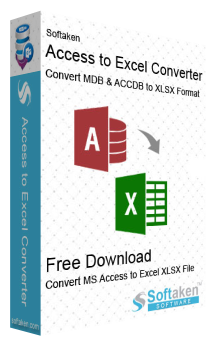
Softaken Access to Excel Converter is a reliable way to export MS Access database tables to Excel format. It is designed to be accurate and quick, and it can readily convert MDB and ACCDB files to XLS or XLSX format without losing any data. This tool can work with both older and newer versions of Microsoft Access files, which is one of its best features. This makes sure that it works with many Access databases, so users can accurately and clearly export tables and fields. In the result Excel files, the conversion tool makes sure that the original layout of the tables is kept, including column names, types, and field values. It gets rid of the chance of making errors when transferring large amounts of data and effectively speeds up the process. This application has a user-friendly interface that doesn't require any technical knowledge to use. It is a standalone utility that does not require Microsoft Access or Excel to be installed on the system. When it comes to speed, the converter really benefits when it comes to batch processing. It makes sure that the outcome file works with all versions of Microsoft Excel, from 2021 to 2016, 2013 to older versions. It is even more accessible because it works with all major Windows operating systems, such as Windows 11, 10, 8.1, 8, 7, Vista, and XP. This software also provides a progress report of the migration to the users. The trial version which is available free of cost supports limited conversions, perfect for testing the interface and verifying output quality.

With FixVare TGZ to PST Converter program, the TGZ file format may be straight copied to the PST file format. Every variant of the Windows operating system fits the installation procedure of this program. This utility lets users export one Zimbra TGZ file or many files into the Outlook PST format. File exports from Zimbra to Microsoft Outlook are not limited by size. Program gives a preview before conversion; set up any output destination to save the PST file; you might export emails from Zimbra to Microsoft Outlook combined with extra attachments. This program is actually a simple conversion of TGZ to PST. This utility works with Outlook and Zimbra versions in line. Its simple user interface allows novice users—who lack technological understanding or experience—to translate their Zimbra emails into PST format without any prior background in the area. As it is a stand-alone tool, there is no need to utilize any other application to accomplish the conversion. There are two versions of this program; you could download the free trial edition and convert up to 25 objects without paying any fees. You may then buy the licensing edition to seamlessly transfer all of your data. Users will be able to get customer help 24/7 for any more inquiries.
Schedule Analyzer forProject is schedule health check software for Microsoft Project. It runs inside Microsoft Project as an add-in and checks a schedule against the DCMA 14-Point Assessment, 17 DCMA EVMS Compliance Metrics (DECM) schedule metrics and over 150 additional health checks based on industry best practice: over 200 metrics in all.
Click Analyze and every result appears on one dashboard, with green, yellow and red markers that point to what needs a closer look. Click any count to filter Microsoft Project down to the tasks behind it, or highlight them in the full schedule. Fix them, analyze again, and watch the markers change.
The additional health checks are organized in 15 groups, including logic analysis, constraints and deadlines, critical path, baseline dates and durations, resource analysis, progress updates, early/late analysis, execution metrics (BEI, CEI and related indices), planning packages, summary level planning packages and schedule margin tasks.
Every metric is configurable: turn it on or off, set favorable and unfavorable goals, and adjust parameters such as the 44-day High Slack and High Duration thresholds. Task types (milestones, LOE, planning packages, SLPPs, schedule margin and more) are defined by rules on Microsoft Project fields you already use. You can build custom tabs and save layouts to share with your team. Over 300 pages of built-in help explain each metric's count, denominator, target and default thresholds; click any metric name to open its topic.
Once the schedule is clean, built-in exporters create the IPMDAR Schedule Performance Dataset (SPD) in JSON and IPMR Format 6 in UN/CEFACT XML, ready to submit to your customer. Results can also be exported to Excel, with a summary sheet and a sheet listing the tasks behind each metric.
Schedule Analyzer forProject works with any version of Microsoft Project that Microsoft currently supports. A free 30-day trial is available.

GanttShield is an MPP cleaner for Microsoft Project files. Before you send a plan to a client, a vendor or an auditor, it writes a clean copy: task names become stable IDs such as TASK-000214, resource names become neutral codes, rates, costs and all eleven baselines are cleared, notes and document properties are emptied. The original .mpp is opened read-only and never modified. Output as .mpp (with Microsoft Project installed) or as .xml (no Project needed). Everything runs on your PC: nothing is uploaded. Formerly Project Scrubber.
The Python Connector for Microsoft Excel is a robust solution that enables Python applications to seamlessly interact with Microsoft Excel, Apache OpenOffice Calc, and LibreOffice Calc spreadsheets. It allows developers to perform create, read, update, and delete operations on spreadsheet data without the need for additional software installations. Fully compliant with the Python DB API 2.0 specification, this connector is distributed as a wheel package compatible with Windows, macOS, and Linux platforms.
Key Features and Functionality:
- Direct Connection: Establishes a direct link to Excel workbooks without requiring Microsoft Excel or Microsoft Access Database Engine Redistributable components. Supports file formats including .xlsx, .xls (read-only, and .ods. Enables multiple users to read data from a workbook simultaneously in read-only mode.
- High Performance: Facilitates batch processing of multiple update statements to enhance execution speed.
- Fast Deployment: Simplifies deployment across multiple user workstations by eliminating the need for additional components, thanks to its direct connection capability.
- Platform Support: Available for Windows (32-bit and 64-bit, macOS (64-bit, and Linux (64-bit, ensuring broad compatibility.
- Data Types Support: Supports all Microsoft Excel and Python data types, offering options to control data type mapping between them.
Primary Value and User Solutions:
This connector streamlines the integration of spreadsheet data into Python applications, eliminating the need for intermediary software and reducing deployment complexities. By providing a direct and efficient connection to Excel workbooks, it enhances data processing performance and supports cross-platform compatibility, making it an invaluable tool for developers working with spreadsheet data in Python environments.