Top 10 Alternatives to Duplicate Files Fixer Recently Reviewed By G2 Community
AI can help you find the answers. G2 helps you trust them.
Connect G2 to Claude or ChatGPT for answers grounded in G2's trusted reviews, comparisons, and pricing from real user insights.
How it works

CCleaner cleans, speeds up and frees up space on business endpoints. Scheduled cleaning means PCs run at optimum performance – without you doing a thing.

Computer running slow? Piled up with junk files? Privacy leak? Clean Master for PC provides you the most powerful junk cleaning and privacy protection and makes your computer run like brand new!

Can be started from the context menu of a folder or drive and shows you the size of this folder, including its subfolders.Quickly Scan Directory Sizes and Find Space Hogs
Fix the most common Mac problems: disk space, hanging apps, malware. Never run out of space again: use System Junk, Space Lens, or Large & Old Files. Optimize memory: see which apps have been slowing down your Mac. Keep malware away: get real-time protection from the latest Mac viruses. CleanMyMac X is notarized by Apple and passed safety certification.
It scans your whole computer to clean up junk files, speed up your PC, and boost its performance. CleanMyPC is more than a PC cleaner it's an essential tool that cares for your computer.

WinZip System Utilities Suite are set of tools designed to speed up the PC and keep the system safe and clean.

CCleaner Business Edition is a powerful PC optimization tool designed specifically for small businesses managing up to five computers. It offers comprehensive cleaning and maintenance features to enhance system performance, ensure data security, and extend hardware longevity. By automating routine tasks and providing customizable cleaning options, CCleaner Business Edition helps businesses maintain efficient and secure computing environments. Key Features and Functionality: - Comprehensive Cleaning: Removes temporary files, cache, cookies, and other unnecessary data to free up disk space and improve system speed. - Registry Optimization: Scans and fixes issues within the Windows registry to enhance system stability and reduce crashes. - Command Line Automation: Utilizes command line parameters in batch files, scripts, shortcuts, or the Task Scheduler to automate cleaning processes, reducing manual intervention. - Customizable Cleaning Profiles: Allows businesses to tailor cleaning settings to meet specific operational needs, ensuring optimal performance without disrupting critical applications. - Multi-User Profile Cleaning: Effectively manages and cleans multiple user profiles on a single machine, ensuring consistent performance across all users. - Automatic Updates: Ensures the software stays current with the latest features and security patches through automatic updates. Primary Value and Solutions Provided: CCleaner Business Edition addresses common challenges faced by small businesses, such as sluggish system performance, data security concerns, and time-consuming maintenance tasks. By automating PC optimization and providing customizable cleaning options, it reduces downtime, enhances productivity, and extends the lifespan of hardware assets. This solution is particularly beneficial for businesses with limited IT support resources, offering an easy-to-use interface and efficient tools to maintain a clean, safe, and fast computing environment.
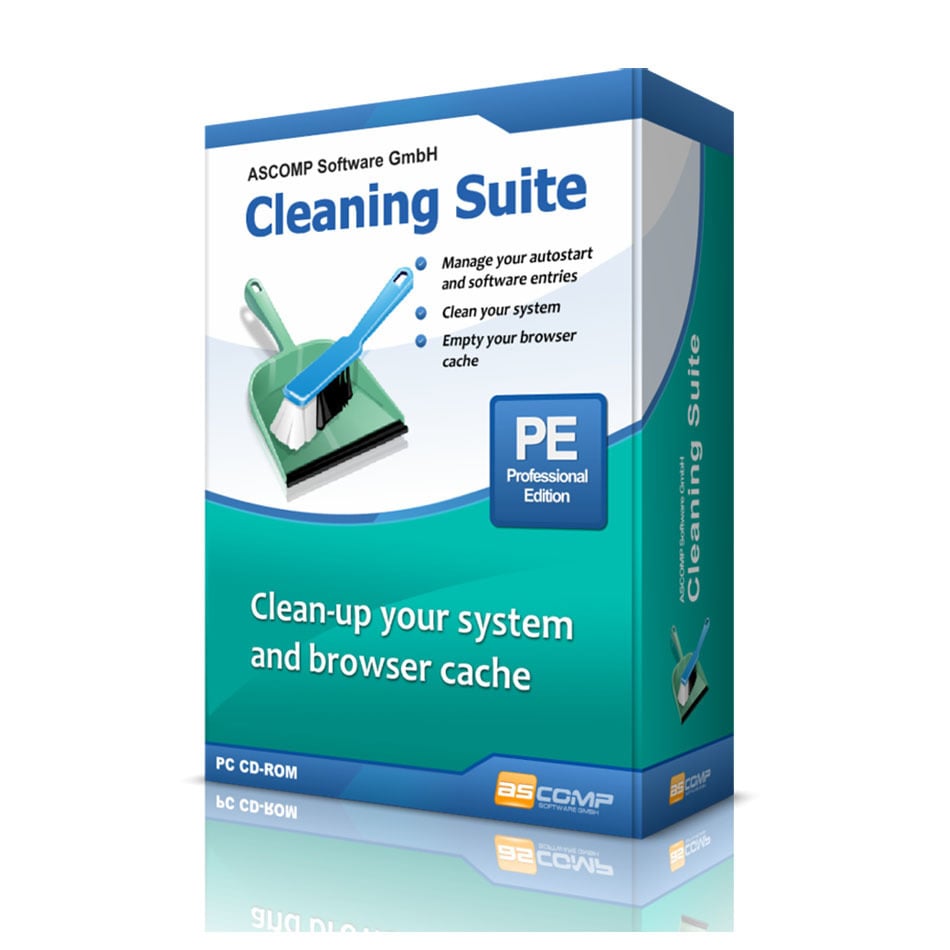
If the system boots up more and more slowly and the hard drive gets fuller, then it is high time for a thorough system cleaning! But which data can be deleted without risk, which are still needed for the smooth system and program flow? Cleaning Suite gives the answer! A total of six helpers analyze your system and enable deep cleaning operations. For example, you can delete temporary files, clean browser histories, caches, and cookies from all popular Internet browsers, and prevent installed applications and tools from starting automatically at system startup. The Windows Registry can also be optimized by Cleaning Suite in a targeted manner. The Windows software proceeds very carefully to ensure unrestricted use of your computer even after the cleaning process. On top of that, Cleaning Suite provides advanced features for the Windows Recycle Bin. A restore center provides the ability to undo certain actions of the software at any time. The detailed journal also provides information about the entire cleaning history.

Glary Utilities Pro is a comprehensive system optimization suite designed to enhance the performance, security, and stability of Windows PCs. Trusted by over 200 million users worldwide, it offers more than 20 powerful tools that address various aspects of system maintenance and protection. Key Features and Functionality: - Registry Cleaner: Safely scans and repairs registry issues to prevent errors and system crashes. - Disk Cleaner: Removes unnecessary files, temporary data, and obsolete installation files to free up valuable disk space. - Startup Manager: Identifies and disables unnecessary startup programs to significantly speed up boot time. - File Recovery: Quickly recovers accidentally deleted files, even after the Recycle Bin has been emptied. - Privacy Protector: Erases browsing history, cookies, and other privacy traces to safeguard personal information. - Memory Optimizer: Optimizes RAM usage to improve system responsiveness and prevent slowdowns. - Uninstall Manager: Completely removes programs and their leftover files from the system. - Duplicate File Finder: Identifies and removes duplicate files to free up disk space. - Software Updater: Keeps installed software up to date automatically. Primary Value and User Solutions: Glary Utilities Pro addresses common PC performance issues by providing an all-in-one solution for cleaning, optimizing, and protecting Windows systems. By automating routine maintenance tasks, it helps users maintain peak system performance without requiring technical expertise. The suite's comprehensive toolset ensures that users can manage their system's health efficiently, leading to a faster, more stable, and secure computing experience.

MacCleaner Pro can safely clean up and speed up a Mac with just a few clicks. It allows you to find and remove useless junk stuff, such as cache, logs, mail attachments, language files, installations, screenshots. It helps to free up RAM, disable startup programs and extensions, reindex Spotlight and Mail, manage disk space, and many more. As a result, you recover significant free disk space and can again enjoy a smoothly-working Mac computer. Unlike other cleaning apps for macOS, MacCleaner Pro provides additional Pro tools and helps for deep disk cleanup. With the bundle's additional applications, you can find and remove duplicate files of all types, clear similar photos, and even merge similar folders. With the help of other Pro tools, you can completely uninstall apps, manage extensions, find and show hidden files, and monitor memory usage by apps on your Mac. Making your Mac work faster and cleaning up your hard drive is super easy with MacCleaner Pro. All you need to do is to launch the app, select the cleanup and speedup options, and click to perform them. It will take less than a minute to safely remove unneeded files and fix a slow Mac.