

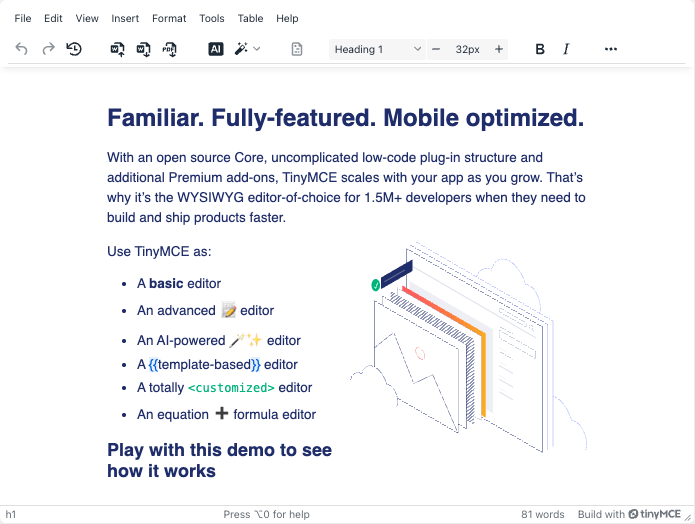






TinyMCE has been our go-to for rich text editing because of the number of internal admin dashboards, SaaS platforms, and custom CMS that we, as a software engineering team, develop and maintain. The biggest reason we value TinyMCE is because of the official @tinymce/tinymce-react wrapper. Because of this, we save a lot of engineering hours, and drop @tinymce/tinymce-react into our frontend and don't need to build a custom text editor that would otherwise require frameworks like Slate or Draft.js. TinyMCE also enables more complex text editing. Here, the easy-to-use and reliable TinyMCE editor APIs means that we can automate function like auto-save and structure our content to avoid having our internal APIs receive unvalidated content. TinyMCE is also great for a custom workflow and the integration of custom content that we receive from a text-editable backend. The unvalidated content, which is also received from a backend, is not relic, so the content of the PostgreSQL database can also be unvalidated and it will be unvalidated without issues. I also like the easy-to-use editor APIs and the flexibility in customer content. Bewertung gesammelt von und auf G2.com gehostet.
The software editor has many features which show well developed engineering. Though I am sure there are some other desirable engineering features, I am having some problems with the software editor. Most annoying to the engineering community is the steep learning curve because of the complexity. Because there are no standard plugins to help with extensions, developers are left to create and implement features through API calls and by using the API.
Continuous problems with styling and maintenance. The backend which is the TinyMCE iFrame, in order to be in agreement with the front end of the React app, occasionally may need some CSS plugins. Because of the continuous need to structure the editor to fit the processes of various administrative panels, it has a tendency to become quite a complex problem.
There may be some performance problems due to the editor being unable to load HTML blocks with high resolution images. Resolving plugin conflicts also takes quite a good deal of time. With the right configurations, the editor, in layout, is quite responsive and caters to most if not all mobile layouts. The closed source editor has a lot of features compared to the open source editor, PowerPaste included, but they are both paid plugins and add to the cost of the SaaS products. Bewertung gesammelt von und auf G2.com gehostet.