AI-Generated Results
Finding matches…
Darwinium is a comprehensive cyberfraud prevention platform designed to secure user experiences across web, mobile apps, and APIs. By integrating real-time analytics with decision-making capabilities, it offers businesses complete visibility into user behavior throughout the entire digital journey. This approach enables organizations to proactively detect and mitigate threats such as complex bots, fraud, scams, and abuse, while maintaining user privacy through data encryption and anonymization at the edge.
Key Features and Functionality:
- Fraud Intelligence & Analytics: Continuous profiling of user behavior across all digital interactions, utilizing advanced device and behavioral profiling techniques, including industry-first digital signatures.
- Decision and Action Orchestration: A decision platform that orchestrates both decisions and actions across customer journeys, with plug-and-play integrations that seamlessly fit into existing technology stacks.
- Flexible Deployment: Deployable on the edge via Content Delivery Networks for full visibility across customer journeys, on critical webpages, through lightweight mobile SDKs, and on API endpoints.
- Behavioral Analytics: Unification of data and intelligence across the entire customer journey, enabling comparison of user behavior against previous interactions or user cohorts to form accurate risk signals.
- Digital Signatures: Utilization of digital signatures to enhance user recognition by condensing granular forensic data into signatures for easy similarity comparison, optimizing challenge rates while reducing false positives.
- Behavioral Biometrics: Monitoring of user interactions with devices across web and mobile platforms to detect bot-like behaviors and indications of remote access software, including analysis of typing patterns and mobile sensor data.
- Advanced Fingerprinting: Layering of profiling technologies applied continuously across user journeys, detecting proxies, VPNs, emulators, and anomalous devices, with all data returned for traceability and analysis.
- Investigations Tools: Comprehensive and customizable tools designed for business users, analysts, and data scientists, including dashboards, interrogation panes, labels, and extended data lookbacks for in-depth analysis.
- Integrated Decision Platform: Configurable by no-code GUIs, low-code, or full-code options, allowing for seamless integration and customization according to business priorities.
- Feature Library and Rule Engine: Real-time generation of powerful, extensible features and installation of best practice signals from templates to solve specific use cases, adaptable to business needs.
- Model Execution: Support for bringing advanced models in PMML format, enabling instant productionization using existing tools and pipelines.
- Conditional Orchestration: Capability to call out to third-party providers using templates or custom APIs, optimizing decisions and step-ups based on risk.
- Dynamic, Tailored Remediation: Ability to add or reduce friction, block transactions, inject dynamic messaging, or offer incentives based on risk assessments.
Primary Value and Problem Solved:
Darwinium addresses the challenge of fragmented fraud intelligence and operational silos by providing a unified view of customer behavior across all digital touchpoints. This holistic approach enables businesses to detect high-risk scenarios that traditional solutions might miss, thereby enhancing fraud prevention and account security. By integrating real-time analytics with decision-making capabilities, Darwinium allows organizations to adapt swiftly to evolving threats, ensuring a secure and seamless user experience without compromising privacy.
Not seeing what you're looking for?
Dive deeper into "Timelines" on G2 AI
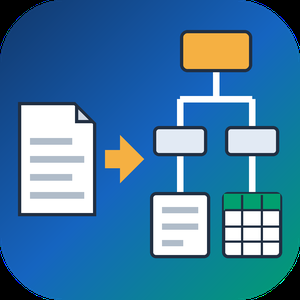
PDF to XML Converter Software is a pdf to xml converter for Windows that turns stacks of PDF reports into structured XML your scripts can parse. Every output file follows one documented schema with document, page, heading, paragraph and table elements, and tables are broken into rows and cells. All work happens on your own PC, so no report leaves the machine.
🛠️ How to use
1. Install the program and drag PDF files or a whole folder into the list.
2. Decide whether you need positions and fonts. Tick the coordinates option for block boxes, or leave it off for a lighter text-only file.
3. Press Convert. You get one XML per PDF, named after its source.
4. Point XSLT, Python or your database loader at the output folder.
💼 Why IT and office teams pick it
Imports break when every department sends a different layout. This pdf to xml converter keeps the same element names for every file, so a loader written once keeps working. Headings get a level from 1 to 6 based on font size. Each table carries a source attribute that tells you how its grid was found: PDF tags, ruling lines or text alignment. Merged cells keep colspan or rowspan. Text follows reading order, left column before right, and right-to-left lines stay right-to-left. Pages without a text layer are marked scanned="1", so a script can send them to a person.
👥 Who uses it
Data engineers and ETL developers feeding report figures into databases. Systems integrators who need to convert PDF to XML for another application. BI analysts, search-index developers and QA testers who check document pipelines. Procurement teams use it to pull supplier price tables into purchasing systems, and layout analysts switch on coordinates to study where each block sits on the page.
❓ FAQ
How does the pdf to xml step handle two-column pages?
The left column is written first, then the right one. Hebrew and Arabic lines keep their right-to-left order and carry a direction attribute.
Can I stop a long batch halfway?
Yes. Stop ends the job between two files, and every XML finished before that point stays on disk.
Can I convert PDF to XML without uploading files?
Yes. The program works offline, and your PDFs stay on your disk.
What does the XML look like?
A document root with page elements inside. Each page holds headings, paragraphs and tables in reading order, saved as UTF-8 without a byte order mark.
Can this pdf to xml converter fill an invoice or XBRL schema?
No. It writes its own fixed schema. Mapping to another schema is a job for your XSLT or import script.
Is there a command line or API?
No. Batches are started by hand in the desktop window, so it cannot run as a server service.
🎁 Free trial: every PDF in a batch gets its first 10 lines or table rows, and the file still passes an XML parser. Runs on Windows desktop and laptop PCs.

Chat Recap AI - Advanced Chat Analytics Across All Platforms 💬📊
ChatRecap is the ultimate AI-powered chat analyzer that transforms your conversations into actionable insights. Our comprehensive platform examines message patterns, sentiment trends, engagement metrics, and relationship dynamics across WhatsApp, Instagram, Snapchat, Discord, Telegram, and more, helping you understand your digital interactions like never before.
Chat Recap AI: The Complete Chat Analysis Solution
In today's interconnected world, our digital conversations shape our relationships, professional lives, and social connections. ChatRecap provides sophisticated yet accessible chat analysis tools that decode communication patterns across all major messaging platforms. By combining advanced AI algorithms with intuitive visualization, ChatRecap delivers powerful insights that help users improve their communication effectiveness and relationship quality.
Why ChatRecap Stands Above the Rest
ChatRecap delivers a level of analysis depth unmatched in the chat analysis industry. Our platform's cross-platform compatibility allows users to analyze conversations from WhatsApp, Instagram, Snapchat, Discord, Telegram, and more in one unified interface. Whether you're examining romantic relationships, monitoring team communication, analyzing friend group dynamics, or studying your own communication patterns for self-improvement, ChatRecap provides the tools and insights you need.
Our proprietary AI algorithms examine not just what is said, but how and when messages are exchanged, creating a multi-dimensional analysis that reveals hidden patterns and relationship dynamics that would otherwise remain invisible.
Comprehensive Features That Make ChatRecap Essential
1. Universal Platform Support
Unlike limited chat analyzers, ChatRecap offers seamless analysis across platforms:
WhatsApp analyzer with advanced message timing patterns
Instagram message and engagement analysis
Snapchat interaction frequency and response metrics
Discord conversation and server dynamic analysis
Telegram individual and group chat analytics
Support for CSV, TXT, and JSON chat exports
2. Advanced AI-Powered Analysis
ChatRecap leverages cutting-edge AI technology to deliver:
Emotion tracking across conversation history
Response time patterns and anomaly detection
Topic modeling to identify conversation themes
Proactive relationship health indicators
Communication style matching analysis
Custom natural language processing for slang and emojis
3. Interactive Data Visualization Suite
Transform complex data into intuitive visual insights:
Real-time conversation flow mapping
Interactive sentiment timeline charts
Communication balance heat maps
Engagement pattern comparison tools
Customizable dashboard with key metrics
Exportable reports for offline review
4. Relationship Intelligence Tools
Go beyond basic metrics with specialized analysis:
Compatibility assessments based on communication patterns
Conflict detection and resolution recommendations
Interest alignment tracking over time
Conversation quality scoring and improvement tips
Relationship milestone identification
Communication style adaptation suggestions
How ChatRecap Works
Getting started with ChatRecap is simple and secure:
Export Your Conversations: Follow our step-by-step guides to export chats from WhatsApp, Instagram, Snapchat, Discord, Telegram, or other supported platforms.
Upload and Configure: Import your conversation data to our secure platform and select the analysis parameters that matter most to you.
Explore Your Insights: Access your personalized dashboard featuring visual representations of your communication patterns and relationship dynamics.
Receive Actionable Recommendations: Get customized suggestions to improve your communication effectiveness and relationship quality.
Uncompromising Privacy and Security
We understand that your conversations are personal. ChatRecap implements military-grade security measures:
Zero-knowledge encryption technology
Automatic data purging after analysis completion
Locally-processed analysis options for sensitive content
GDPR and CCPA compliant data handling
Optional anonymization of personal identifiers
Transparent privacy controls with user ownership of all data
Who Benefits from ChatRecap?
ChatRecap serves diverse user needs:
Relationship-focused users: Gain insights into romantic communication patterns to strengthen connections and identify improvement areas.
Friend groups: Understand group dynamics and ensure balanced participation across your social circles.
Business teams: Analyze communication efficiency and improve collaboration through better message patterns.
Mental health professionals: Provide data-backed insights for clients working on communication issues (with proper consent).
Personal development enthusiasts: Track your own communication evolution and set improvement goals.
ChatRecap Pricing and Access
ChatRecap offers flexible pricing options to meet various needs:
Free Tier: Basic analysis for up to 1,000 messages per month
Premium Plan: Comprehensive analysis with unlimited messages and advanced features
Professional Package: Enterprise-grade tools with API access and custom integrations
Join the Communication Revolution
Transform your understanding of digital interactions with ChatRecap. Sign up today and discover the hidden patterns in your conversations that shape your relationships and social connections.
For questions about platform compatibility, export procedures, or analysis capabilities, contact our support team at support@chatrecap.io.

The Full-Stack AI That Builds & Operates Your Apps
Zoer is the world's first AI that doesn't just generate code—it creates complete, live applications you can instantly use and monetize. Think Lovable + Supabase + Netlify, all powered by conversation.
While other AI tools leave you with code snippets and unfinished frontends, Zoer delivers a complete development solution: database, backend, frontend, deployment, and even an AI operator to run your app.
The magic happens in one conversation:
You: "Build a CRM for my e-commerce business"
Zoer: Creates database schema → Builds backend logic → Designs frontend → Deploys live app → Gives you an AI copilot to operate it
Result: A fully functional, live application in minutes, not months.
🔥 Key Feature #1: True Full-Stack Creation
Database + Backend + Frontend + Deployment = One Unified System
The Industry Problem:
Most AI tools only build pretty interfaces, leaving you to figure out:
Finding and configuring databases (Supabase, Firebase, etc.)
Setting up servers and handling infrastructure
Writing backend APIs and business logic
Managing complex deployment pipelines
Connecting everything together without breaking
Zoer's Revolutionary Approach:
Our AI thinks like a senior full-stack developer. It starts with understanding your business logic, designs the optimal database structure, builds the necessary backend operations, then creates a UI that perfectly integrates with the data layer.
What You Get:
✅ Intelligent Database Design: Auto-generated tables, relationships, and indexes based on your app requirements
✅ Complete Backend Generation: All CRUD operations, authentication, and business logic APIs
✅ Integrated Frontend: UI components that seamlessly connect to your data
✅ Instant Deployment: Live URL ready for real users immediately
✅ Native Database: Embedded and ready—no external setup needed (custom database connections coming soon)
Real Example:
When you say "Build a CRM," Zoer doesn't just create contact forms. It designs customer tables, interaction logs, sales pipeline stages, creates APIs for all operations, builds a dashboard, and deploys everything live—all automatically.
🚀 Key Feature #2: Zoer Copilot - Your AI App Operator
The first and only AI that operates your live applications through conversation
Beyond Building - Operating:
Every other tool stops at creation. Zoer introduces the future: conversational app operation. Your AI Copilot doesn't just answer questions—it takes action within your live application.
Real-World Operation Examples:
For your CRM system:
"Add Sarah Johnson from TechStart Inc. Set her as a high-priority lead, add note about Q4 budget planning, and schedule a call for next Tuesday 3 PM"
"Show me all leads from this month who haven't been contacted in over a week"
"Create a follow-up sequence for all leads marked as 'interested' and send the first email"
For an e-commerce dashboard:
"Process the return for order #1247, issue refund, and update inventory"
"Generate a report of our best-selling products this quarter and email it to the team"
For project management tools:
"Create a new project called 'Website Redesign', assign it to the design team, set deadline for March 15th, and add the initial requirements from our client meeting"
This isn't automation or chatbots—this is direct conversational control of software functionality.
💰 Key Feature #3: Zoer Marketplace - Your Revenue Engine
From creator to entrepreneur in one click
The Complete Business Model:
Most platforms help you build. We help you build businesses. The Zoer Marketplace transforms every creation into a potential revenue stream.
How the Marketplace Works:
Build & Perfect: Create your app using Zoer, refine it based on real usage
Package for Market: Add descriptions, pricing tiers, and demo videos
One-Click Publishing: Deploy to marketplace with integrated payment processing
Earn Continuously: Receive payments from every user who purchases your solution
Scale Automatically: Apps run on Zoer infrastructure—no maintenance headaches
Revenue Opportunities:
SaaS Templates: Industry-specific solutions (Real Estate CRM, Restaurant POS, etc.)
Micro-Tools: Specialized utilities (Invoice generators, Appointment schedulers)
Complete Systems: Full business management platforms
Vertical Solutions: Niche market applications
Marketplace Benefits:
Built-in payment processing
User management and authentication
Automatic updates and hosting
Analytics and user insights
Customer support tools

Callgoose SQIBS – The Future of IT Automation & Incident Management
What is Callgoose SQIBS?
Callgoose SQIBS is a powerful, next-generation automation platform designed to optimize IT operations, streamline incident management, and enhance system reliability. It combines real-time alerts, automated incident remediation, on-call scheduling, and seamless integrations, making it the ultimate solution for reducing downtime, increasing efficiency, and cutting IT costs.
What is Callgoose SQIBS used for?
Callgoose SQIBS is used for automating and orchestrating IT workflows, providing businesses with an intelligent, automated approach to incident management, on-call scheduling, incident auto-remediation, event-driven remediation and IT request automation. It eliminates manual inefficiencies, reduces response times, and ensures critical systems remain operational 24/7.
✅ Use Cases Include:
Incident Auto-Remediation – Automatically detect, diagnose, and resolve IT issues.
On-Call Scheduling & Alerting – Intelligent escalation through Phone Calls, SMS, Email, Slack, Microsoft Teams
Multilingual Alerts - Supports 30+ languages in 200+ countries.
Process & Runbook Automation – Automate repetitive IT tasks and workflows.
IT Request Automation – Empower teams with self-service options.
Event-Driven Automation – Trigger automation workflows based on system alerts.
Infrastructure & Cloud Automation – Integrate with DevOps tools, CI/CD pipelines, cloud platforms or any software or tools.
Who uses Callgoose SQIBS?
Callgoose SQIBS is trusted by enterprises, IT operations teams, DevOps engineers, cybersecurity teams, MSPs (Managed Service Providers), and cloud architects worldwide. It caters to businesses of all sizes, from startups to large enterprises, seeking to reduce downtime, enhance automation, and improve IT response times.
💼 Industries Benefiting from Callgoose SQIBS:
IT & SaaS – Automate IT operations and streamline workflows.
Financial Services – Ensure compliance and rapid response to system failures.
E-commerce & Retail – Prevent downtime, improve customer experience.
Telecommunications – Automate network monitoring and troubleshooting.
Healthcare – Maintain compliance and ensure uptime for critical systems.
any other industry or sectors
Callgoose SQIBS Pros and Cons
✅ Pros:
✔ Powerful Automation – Incident auto-remediation, runbook automation, and self-healing systems.
✔ Multi-Channel Alerts – Phone calls, SMS, Email, Slack, Microsoft Teams, Mobile Apps Push.
✔ Seamless Integrations – Works with any ITSM, DevOps, cloud, monitoring tool or any software or tools.
✔ Self-Hosted or SaaS – Deploy as per business needs.
✔ Scalable & Cost-Effective – Flexible pricing plans for businesses of all sizes.
✔ Automation in Every Paid Plan – Unlike competitors that charge extra for automation, all paid Callgoose SQIBS plans include automation at no additional cost.
✔ Global Coverage – Supports 30+ languages in 200+ countries.
✔ No Vendor Lock-in – Transparent pricing, full customization.
❌ Cons:
❌ Learning Curve for Advanced Automation – Users new to automation may require initial training.
❌ More Features than Competitors – Some users may not need all automation capabilities.
Callgoose SQIBS Features
🚀 Key Features that Set Callgoose SQIBS Apart:
Incident Management – Real-time alerts, automated ticketing, and remediation.
On-Call Scheduling & Escalations – Customizable schedules, intelligent escalations.
Process & Runbook Automation – Automate complex workflows with ease.
Incident Auto-Remediation – Detect and fix issues before they cause downtime.
Event-Driven Automation – Trigger workflows based on system alerts.
IT Request Automation – Self-service options for common IT requests.
Multi-Channel Notifications – Phone Calls, SMS, Email, Slack, Microsoft Teams, Mobile Apps.
Seamless Integrations – Compatible with any software or tool, including CI/CD, ITSM, cloud, security, and DevOps platforms.
Callgoose SQIBS Pricing
Callgoose SQIBS offers transparent and cost-effective pricing designed to accommodate businesses of all sizes. Unlike competitors that charge per user, our pricing plans are structured to cover your entire team or organization, no hidden fees or unexpected costs as your team grows.
Why We’re Cost-Effective?
No Per-User Fees – Our plans are plan-based, ensuring scalability without additional costs per user.
Transparent Pricing – No surprises or extra charges—just simple, scalable plans that grow with your business.
Automation in Every Paid Plan – Unlike competitors that charge extra for automation, all paid Callgoose SQIBS plans include automation at no additional cost.
Callgoose SQIBS Pricing Plans
Freemium Plan ($0/month) – Perfect for individuals or small teams, this plan supports up to 2 users. However, automation is not included in this plan.
Basic Plan ($10/month) – Designed for small teams, this plan supports up to 5 users with a maximum of 3 teams. Automation is included at no extra charge.
Standard Plan ($90/month) – Ideal for mid-sized businesses, this plan supports up to 100 users, ensuring seamless automation for incident response and IT operations.
Enterprise Plan ($500/month) – Built for larger organizations, this plan accommodates up to 500 users, providing enterprise-level automation, security, and real-time incident management capabilities.
Dedicated Plan ($1000/month) – Best suited for large-scale enterprises, this plan supports up to 1000 users, offering comprehensive automation, priority support, and enhanced scalability.
For organizations requiring support for more than 1000 users, custom pricing is available, please contact us to discuss enterprise-level solutions.
Callgoose SQIBS Integrations
🔗 Seamlessly integrate Callgoose SQIBS with:
Monitoring & Observability – Prometheus, Datadog, Splunk, Zabbix, New Relic, AppDynamics.
DevOps & CI/CD – Jenkins, GitHub Actions, GitLab, Ansible, Terraform, Kubernetes.
ITSM & Ticketing – ServiceNow, Jira or any other software or tools
Communication & Collaboration – Slack, Microsoft Teams or any others.
Cloud Providers – AWS, Azure, Google Cloud or any others.
Callgoose SQIBS Ease of Use
⚡ Simple Yet Powerful Interface – Callgoose SQIBS offers a clean, intuitive dashboard designed for ease of use.
🔧 No-Code & Low-Code Automation – Built-in Ready to use Free task based automation templates, Code transparency and complete customization in task based automation
📊 Advanced Customization – Full API access and scripting for complex automation scenarios. Any program or tool can run as an automation workflow
Callgoose SQIBS Support and Training Options
📞 Customer Support Channels:
24/7 Support – Available via Email, Live Chat, and Ticketing.
Phone Support – Available in premium plans.
Global Coverage – 30+ languages, 200+ countries.
🎓 Training & Documentation:
Extensive Knowledge Base – Guides, tutorials, and FAQs.
Training options - Instructor-led training & Recorded training videos
Live Webinars & Demos – Get hands-on experience with experts.
Dedicated Customer Success Managers – For enterprise & dedicated plans.
💡 Final Verdict: Callgoose SQIBS is the all-in-one solution for IT incident management, automation, Incident auto-remediation, event-driven remediation and IT request automation. Whether you’re a startup, enterprise, or IT service provider, it offers the most comprehensive, cost-effective, and future-ready automation platform in the industry.
🚀 Migrate to Callgoose SQIBS Today!