AI-Generated Results
Finding matches…
Not seeing what you're looking for?
Dive deeper into "Koncert" on G2 AI


How to Convert OLM files to PST format for MS Outlook by using KDETools OLM to PST Converter tool.
Using KDETools MBOX to PST Converter tool capable to Convert single or multiple MBOX files to PST format with all mailbox items.
MSG to PDF Converter Software is an MSG to PDF converter for Windows 10 and 11. It reads Outlook .msg files saved on a disk and writes them out as PDF or HTML documents on that same computer. Add one message or a whole folder, pick one document per email or a single combined file, and press Start. Outlook does not need to be installed, and the mail is never uploaded.
🔰 How to use the MSG to PDF converter
1. Click Add File(s) for single messages, or Add Folder to collect every .msg in a directory. Dragging files into the window works as well.
2. Click a row to check that message in the preview pane: sender, date, recipients, subject and the formatted body.
3. On the Convert tab, choose PDF or HTML in the Format list.
4. Tick "Combine all messages into one file" and type a name for it, or leave the box clear to get a separate document for every email.
5. Keep "Include images in output" on for pictures placed in the body, or switch it off for lighter files.
6. Choose a destination folder and press Start. Every row in the list ends up marked OK or Error.
🛠 Why IT and office teams pick it
- No mail client on the machine. The file format is parsed directly, so a clean workstation or a server will do.
- Batch work. A few hundred saved messages go through in one run instead of being printed one at a time, which makes MSG to PDF a routine task rather than a project.
- One document for a whole thread. Combined output keeps the list order and puts a visible break between messages, which suits a case file or an audit request.
- Local processing. Client correspondence is not sent to any web service.
- Odd files too. Some .msg files exported by other systems are really plain internet mail saved under the wrong extension, and those are detected and converted as well.
- Tidy file names. Rename on the Tools tab adds a prefix or suffix to every output, and the source folder structure can be repeated in the destination.
👥 Who uses it
- Legal and compliance staff who need fixed records of exported case mail.
- HR teams filing offers, approvals and policy threads in personnel records.
- Helpdesk staff handed a pile of .msg files from someone who left the company.
❓ FAQ
How do I convert a MSG file to PDF? Add it to the list, keep PDF selected and press Start. A folder full of messages takes exactly the same steps.
Can I open a .msg file without Outlook? Yes. The preview pane shows the message, and the resulting PDF opens in any reader.
Can the MSG to PDF converter put several emails into one PDF? Yes. With the combined option on, they follow the order you see in the list.
What happens to attachments? Pictures inside the message body are kept while images are on. Attached files are listed by name, not embedded.
ℹ️ Free trial: three messages a day, enough to judge the output on your own mail before you buy a license. Works offline on Windows 10 and 11, and the same app is listed in the Microsoft Store.

Convert offline and dismounted Exchange EDB files (2000 to 2019) to PST without Exchange Server. Also export to PDF, EML, MSG, or MBOX.
Convert OST to PST Software is a Windows desktop tool for one job: convert OST to PST when Outlook can no longer open the offline cache. It reads the .ost file directly, including an orphaned one whose profile or mail account no longer exists, and saves a Unicode .pst that repeats the original folder tree. Reading and writing both happen on the PC, so the mailbox is never uploaded.
🔰 How to use the program
1. Copy the .ost from the old PC or a backup to a local disk.
2. Open the file in the program. No Outlook profile or server connection is involved.
3. Check the folder tree to confirm that Inbox, Sent Items and the subfolders are all there.
4. Choose the folder where the new .pst should be saved.
5. Start the export and watch the message counter. The source .ost is left unchanged.
6. In Outlook, attach the result from the File menu, under Open, as an Outlook Data File.
👍 Why IT and office teams pick it to convert OST to PST
- Outlook imports .pst archives and nothing else, so a leftover cache needs a converter before anyone can read it.
- It works with no Outlook on the machine, which suits a helpdesk bench PC that has no Office license.
- An OST to PST converter that runs offline keeps a confidential mailbox out of web upload forms.
- The output is not a flat dump. Nested folders land where they were in the source.
- Each message arrives with its sender, subject and dates, both the plain text and the HTML body, its attachments and its read state.
- Empty system folders such as Search Root are left out, so the archive opens clean.
- Outlook 2016 and later versions open the finished archive like any other data file.
✅ Who uses it
- IT admins who receive a returned laptop with a cached mailbox and a deleted account.
- Help desks rebuilding a PC whose Exchange cache lost its profile.
- Former employees and contractors who kept nothing but the cache from their own computer.
- Records and compliance staff who must keep a departed colleague's correspondence as a portable archive.
- Small offices that find old caches on retired machines after a server was shut down.
❓ FAQ
Is Outlook needed to read an OST? Not here. The program parses the file itself and saves a .pst, so the PC needs no Outlook.
What does orphaned mean for an OST? The profile or the mail account behind the cache was removed. Outlook will not reattach it, yet the messages are still inside and you can convert OST to PST from it.
How do OST and PST differ? An .ost is a synced copy tied to one profile and one account. A .pst stands alone, and any Outlook can open it.
Does it handle password-protected files? No. An encrypted or password-protected .ost is reported as an error.
ℹ️ Free trial: download it with no sign-up. Lifetime, yearly, monthly and business licenses are offered. OST to PST conversion needs Windows 10 or 11. A Mac version, a command line mode and a link to live Exchange or IMAP are not part of the product.
PST to PDF Converter Software is a PST to PDF converter for Windows 10 and 11. It opens an Outlook .pst or .ost data file straight from the disk, shows its folders and messages, and writes the ones you choose as PDF, HTML or TXT files on the same computer. Outlook does not have to be installed, and nothing is uploaded.
🔰 How to use the PST to PDF converter
1. Click Open PST, or drag one .pst or .ost file into the window. The folder tree appears on the left with a checkbox next to every folder.
2. Click a folder to list its messages with subject, sender, recipient and size. Click a message to read it in the preview pane.
3. Narrow a long folder with the search row: choose the field to look in, such as Subject or Body, type a word and press Search.
4. Leave ticks only on the folders you need. The counter above the list says how many messages will be exported.
5. Choose PDF in the Format list and decide whether pictures placed in the message body go into the output.
6. Pick a destination folder and start the export. A progress line counts the messages as they are written.
🛠 Why IT and office teams pick it
- No mail profile needed. The program reads the data file with its own engine, so a clean workstation is enough to convert PST to PDF.
- Selective export. Ticking only Sent Items or a single subfolder keeps the job inside the scope of the request.
- Check before you run. The preview renders any message with its header lines and formatted body before a single file is written.
- Mail stays local. Client and staff correspondence is processed on the PC and is not sent to a web service.
- Three output formats. PDF for records, HTML for a browser, TXT for plain text search.
- Context in every document. Each exported message starts with From, Date, To and Subject, so it still makes sense outside the mailbox.
👥 Who uses it
- Legal and compliance staff who must hand over mail from an exported mailbox as fixed documents.
- IT administrators left with the archive of someone who has moved on.
- HR teams adding a correspondence trail to a personnel file.
- Home users who want to save Outlook emails as PDF from an old backup.
❓ FAQ
How do I turn a PST file into PDF? Open the file, tick the folders, leave the format on PDF and run the job.
Can I open a PST file without Outlook? Yes. The folder tree, the message list and the preview all work on a PC that never had Outlook.
Does it read OST files? Yes. An .ost offline copy, including one whose account no longer exists, opens the same way as a .pst.
Can the PST to PDF converter load several archives at once? No. One file per session, and opening another replaces the current one.
ℹ️ Free trial with no sign-up, so you can test PST to PDF output on your own archive before buying a license. Runs offline on Windows 10 and 11. Lifetime, yearly, monthly and business licenses are available.

EML Converter converts EML emails to PDF, PST, MSG, MBOX, and other formats while preserving email content, attachments, and formatting
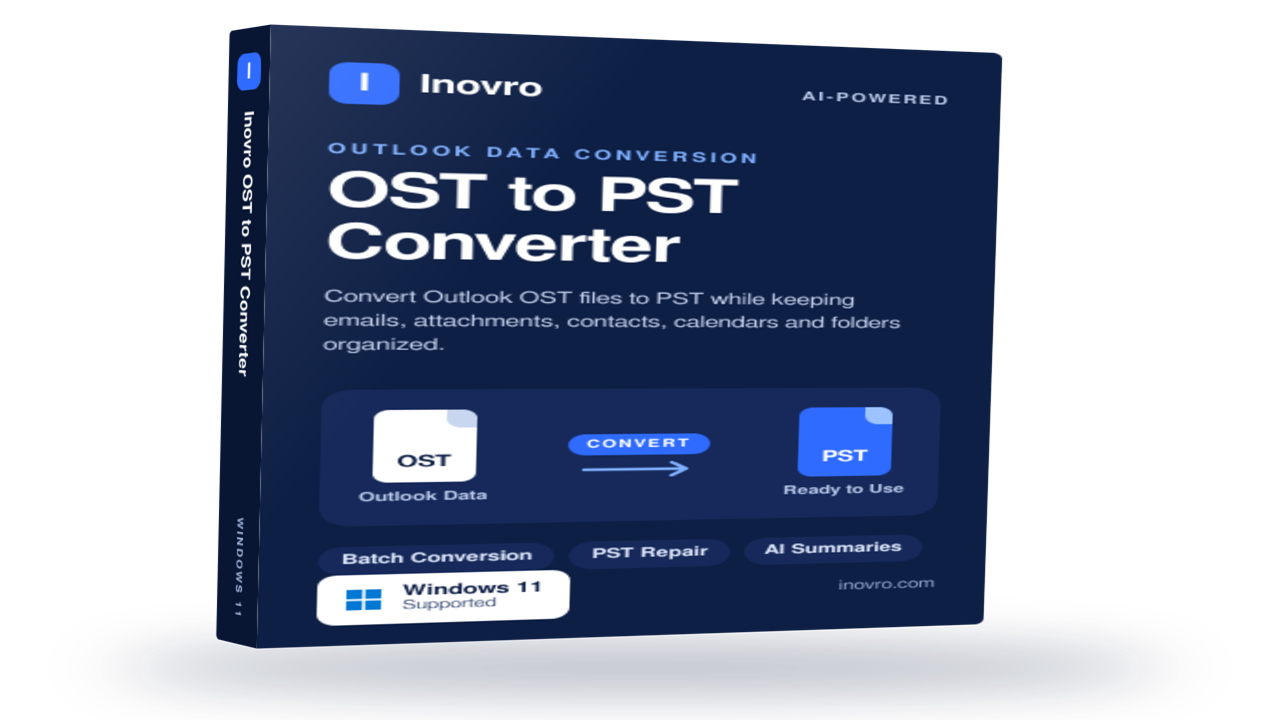
Inovro OST to PST Converter
Inovro OST to PST Converter is a reliable and user-friendly solution designed to convert Outlook OST files into PST format quickly and securely. Whether you need to recover data from orphaned, inaccessible, or offline OST files, the software ensures complete mailbox migration while preserving data integrity and folder structure.
The tool supports the conversion of emails, attachments, contacts, calendars, tasks, notes, journals, and other Outlook mailbox items without requiring an active Exchange Server connection. Advanced scanning technology helps recover data from damaged or corrupted OST files and export it to PST with 100% accuracy.
Key Features
Convert OST files to PST without Outlook dependency
Recover data from orphaned, inaccessible, or corrupted OST files
Export emails, contacts, calendars, tasks, notes, and attachments
Preserve folder hierarchy, metadata, and email formatting
Support for large-sized OST files with no file size limitations
Bulk conversion for multiple OST files
Preview mailbox items before conversion
Compatible with all major Outlook and Windows versions
Fast, secure, and easy-to-use interface
Ideal For
IT administrators
Enterprises and SMBs
Outlook migration projects
Exchange Server recovery scenarios
Individual users needing OST data access
Inovro OST to PST Converter simplifies OST file recovery and migration, helping users regain access to critical Outlook data with minimal effort and maximum reliability.

Aryson PST File Converter software exports emails from Outlook PST file into PDF, EML, MSG, MBOX, HTML, MHT, and Txt. This software also exports multiple PST files into Office 365, Live Exchange, Hotmail, Gmail, Yahoo, Thunderbird, and Zimbra Account successfully. It also prints all PST emails as PDF files with all properties. PST File Converter freeware allows you to export up to 50 PST file emails without any cost.

Convert Mac Outlook OLM files into PST, MBOX, EML, MSG, and other formats while preserving emails, attachments, and folder structure.
Shefware OST to PST Converter is a computer application that converts Outlook OST files to PST and other export options including MSG, EML, MBOX, PDF, DOC, and JSON. The program supports OST files that are not accessible anymore due to being orphaned, corrupt or in any other way impossible to read.
The program does not depend on Microsoft Outlook and therefore allows converting the OST files without having the program installed on one's computer. The procedure of conversion includes installing the program, opening it, uploading the OST file for scanning, checking the file and choosing PST or any other desired export format.
In case of converting large mailboxes, the converter is capable of handling large OST files and dividing the output into multiple PST files. Also, the company assures its customers that their personal information will be safe and secure during the process and guarantees compliance with all data protection standards. Furthermore, there is an online version of the converter using SSL encoding for OST to PST conversion.
Recoveryfix Free Document Converter is a free offline utility that converts batch documents across more than 20 formats, including PDF, DOCX, PPT, and JPEG, while retaining original formatting and structure without requiring Microsoft Office or internet access. The software also handles password-protected files and extracts embedded email addresses directly into Excel, CSV, or text formats.

Convert healthy or corrupted Outlook PST files to PST(Filtered), MBOX, PDF, EML, MSG, CSV, or VCF no Outlook installation required.

Secure Bank Statement Converter helps accountants, bookkeepers, finance teams, and small businesses turn PDF bank statements into usable financial data without manual retyping.
Convert single or multi-page statements into a formatted Excel workbook or QuickBooks/Xero-compatible CSV, ready for review, reconciliation, or import. Batch processing supports multiple client statements.
Privacy is built into the workflow. Your original PDF is rendered locally in the browser, where you can redact names, account numbers, and other identifiers. An optional pre-flight Audit ZIP lets you inspect the exact redacted page images before extraction.
Only the approved redacted images are sent for stateless AI extraction on EU-based infrastructure. They are processed in memory, not stored, and not used to train AI models. No account is required; pay-as-you-go credits and free daily credits are available for testing. Always review exported data for accuracy.