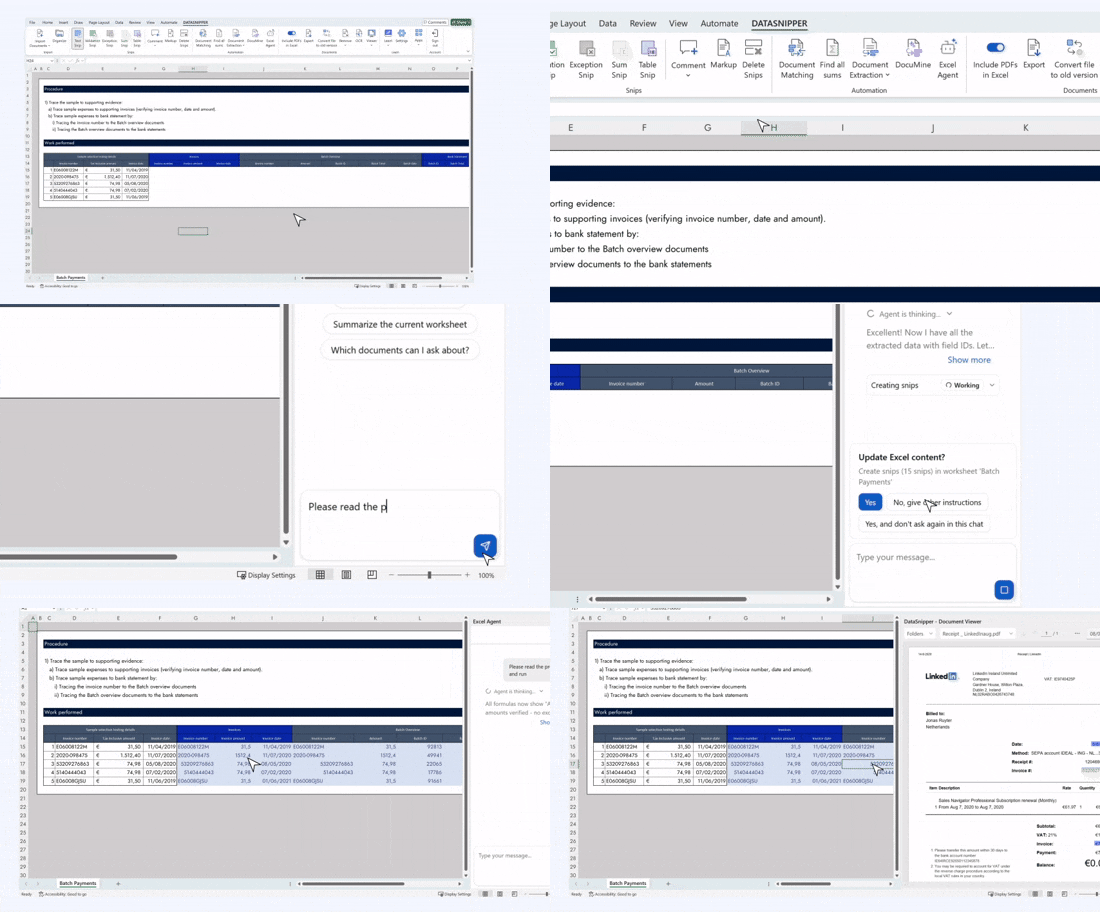
DataSnipper Excel Agents move beyond automation to bring intelligence directly into Excel. Instead of working through manual steps, you simply describe what you want to achieve, and the Agent takes care of the execution. From reading source documents and reconciling data to applying audit and fin...
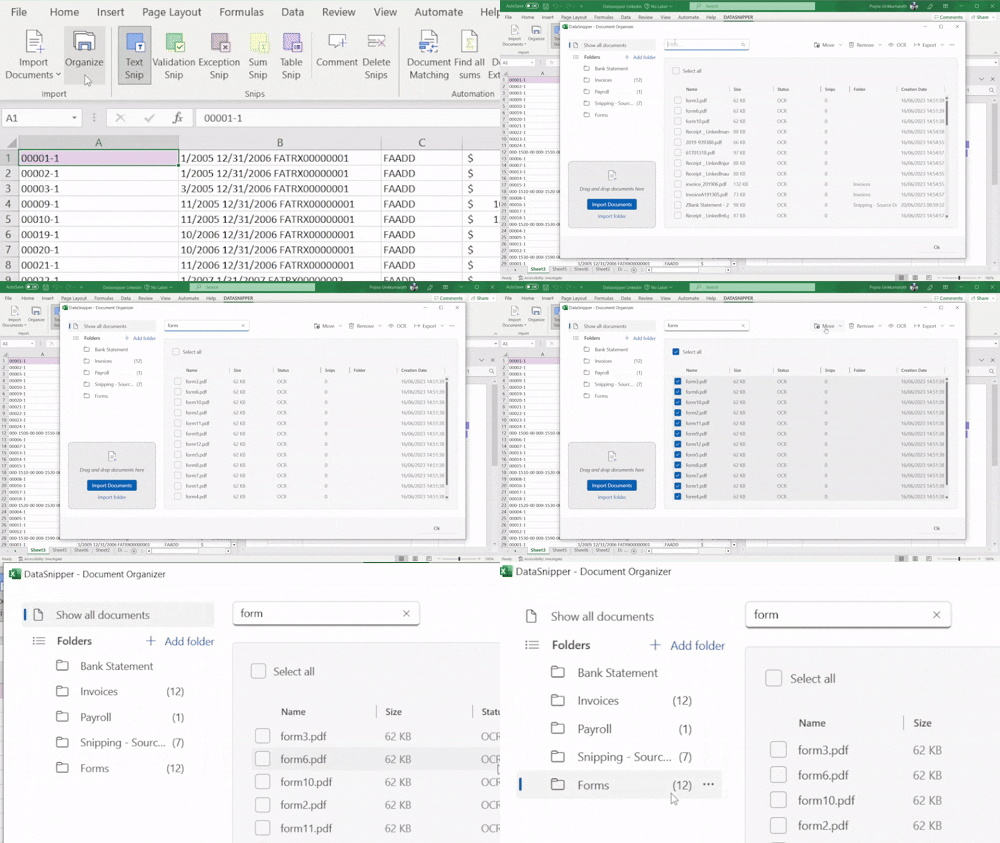
Collecting your data in DataSnipper converts unstructured files into a clear, organized starting point. With features like Text Recognition, Workbook scanner, Document Retention, Organizer, Import, and Viewer, every workflow is fast, consistent, and traceable.
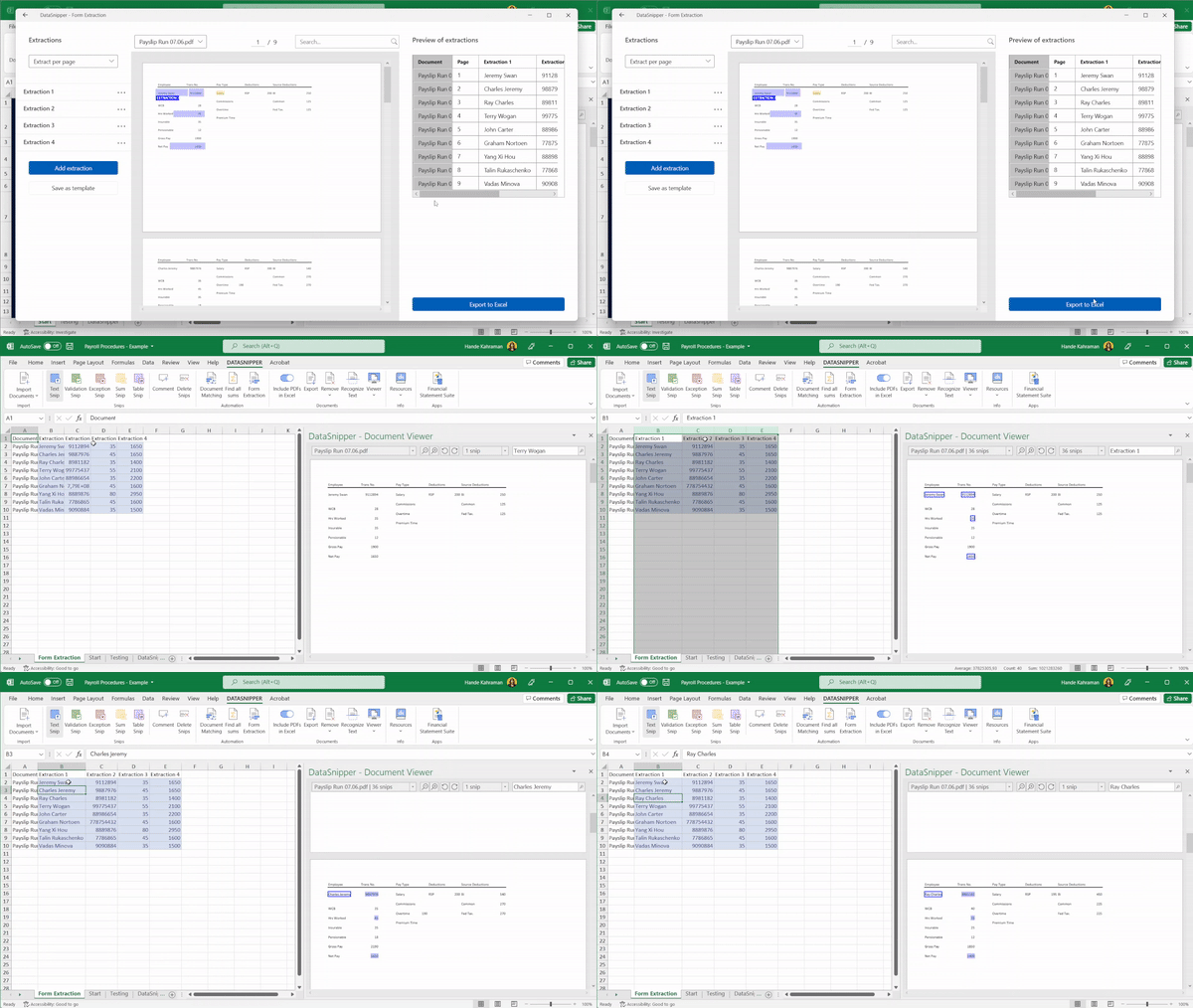
With DataSnipper, automatically extract and cross-reference data from documents, tables, forms, and even webpages directly into Excel. Automate repetitive tasks and increase accuracy effortlessly.
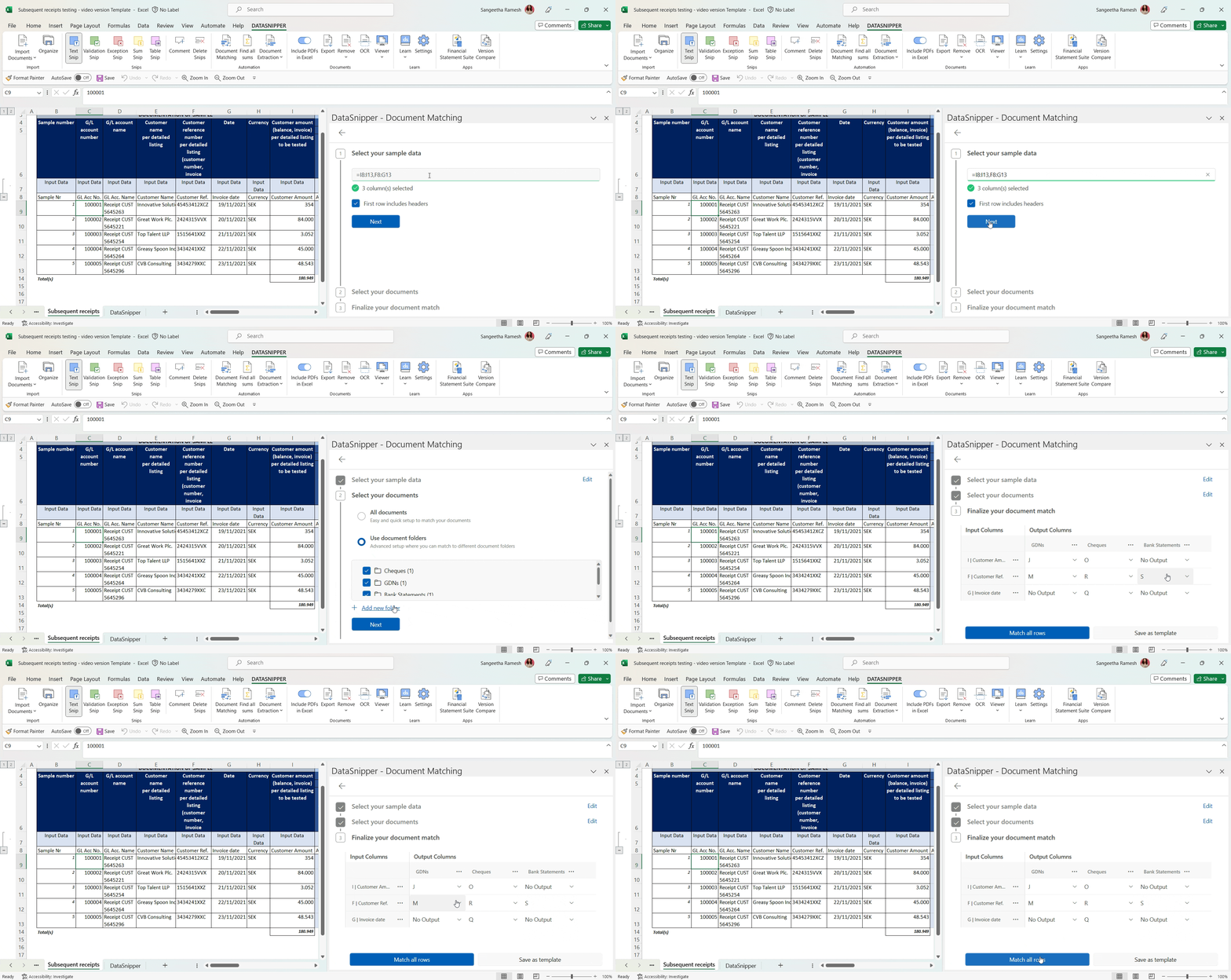
Document Matching automates reconciliation, linking your Excel data to source evidence in seconds. With full traceability, reviews are now faster, standardized, and accurate.
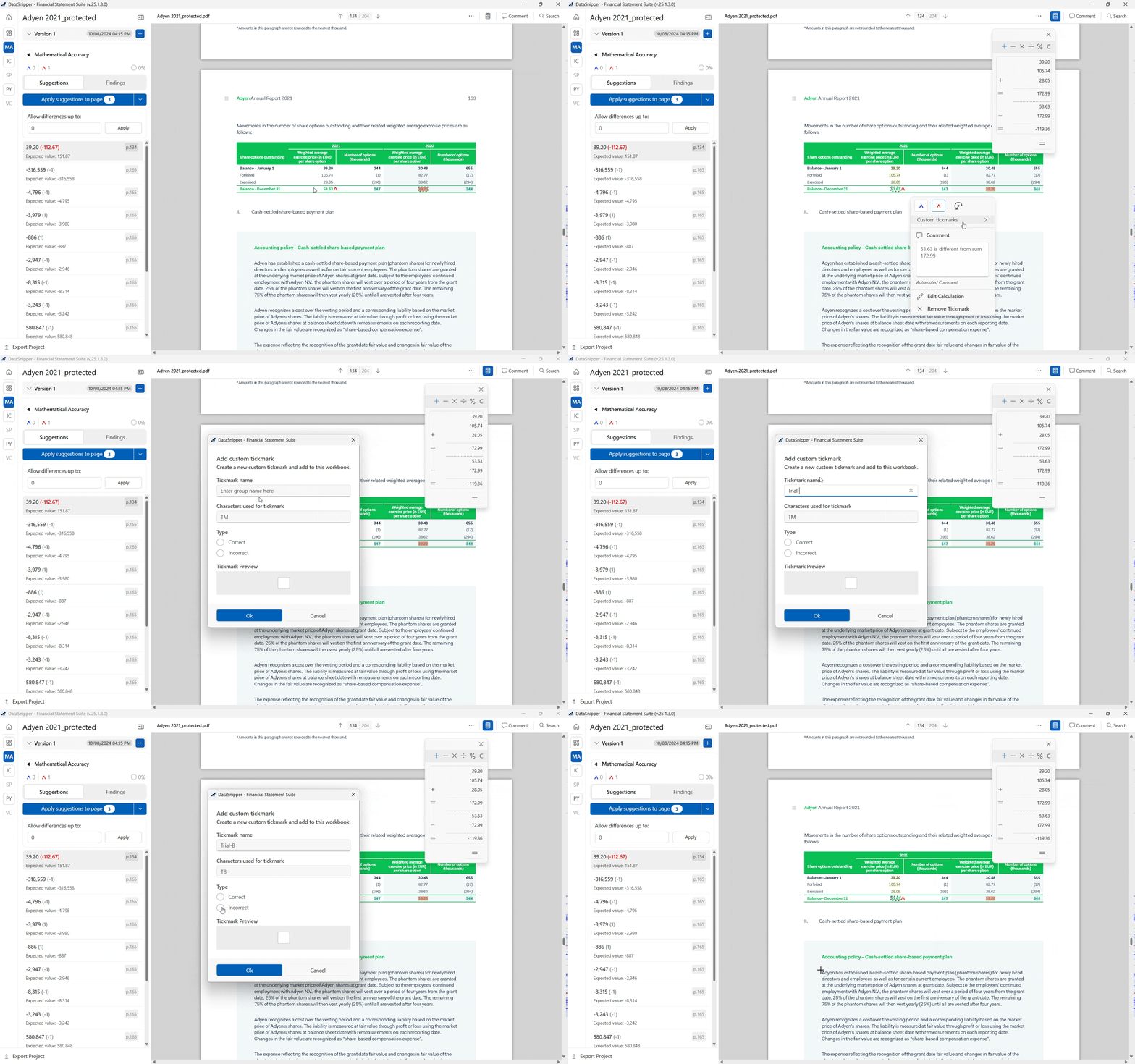
DataSnipper simplifies analysis so you can verify sums, compare versions, and validate answers with confidence, all referenced to the source. Automatically perform and document financial statement procedures with next-gen tick & tie and power your analysis experience.
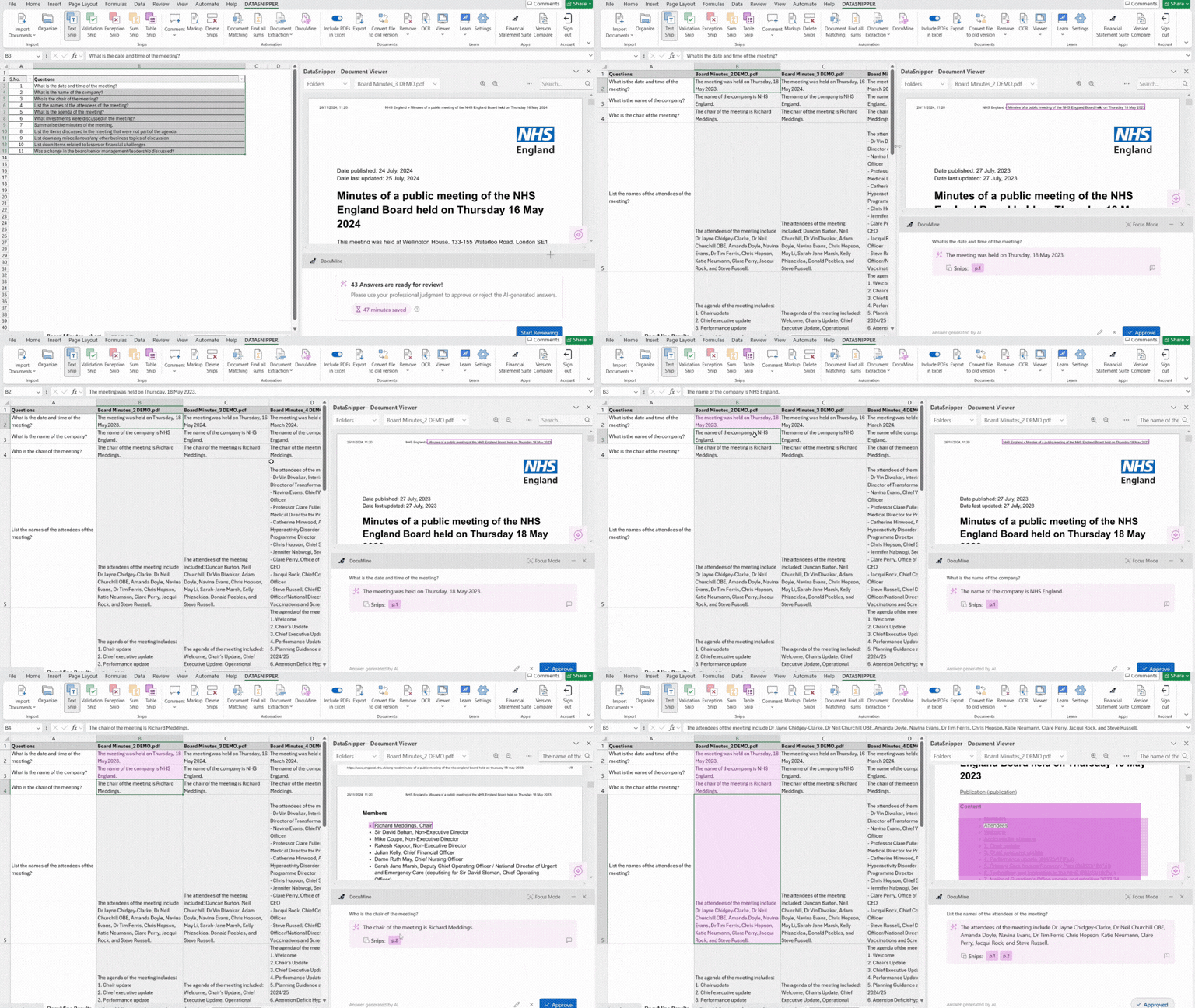
Eliminate manual search through lengthy documents. Ask specific questions, receive precise answers. DocuMine suggests answers to your questions, referencing relevant numbers, text, or sentences. By replacing manual work with AI, focus on validating data while staying in control. Focus on reviewin...
Here is a quick introduction to DataSnipper, the Intelligent automation Platform in Excel.
Shift your workflows into the next gear
Let AI Agents handle repetitive tasks, so you can focus on the work that matters most
AI Extractions
Skip the manual work. Turn unstructured documents into data that works for you, no matter the layout.