


Vergleichen Sie dies mit anderen ToolsSpeichern Sie es auf Ihrem Board und bewerten Sie Ihre Optionen nebeneinander.
Auf Board speichern

VEED Bewertungen & Produktdetails

Preisgestaltung

Preise bereitgestellt von VEED.

Free

Kostenlos
1 User Pro Monat

VEED Medien

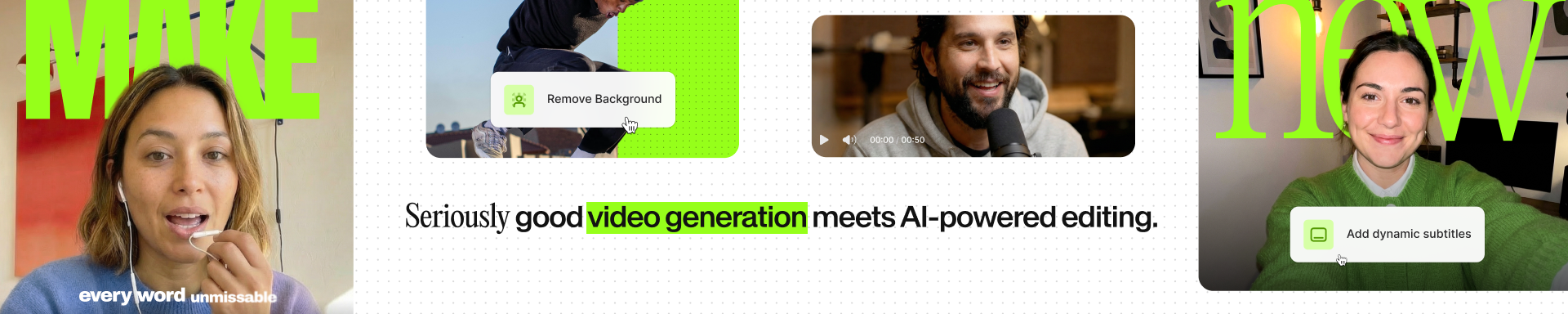
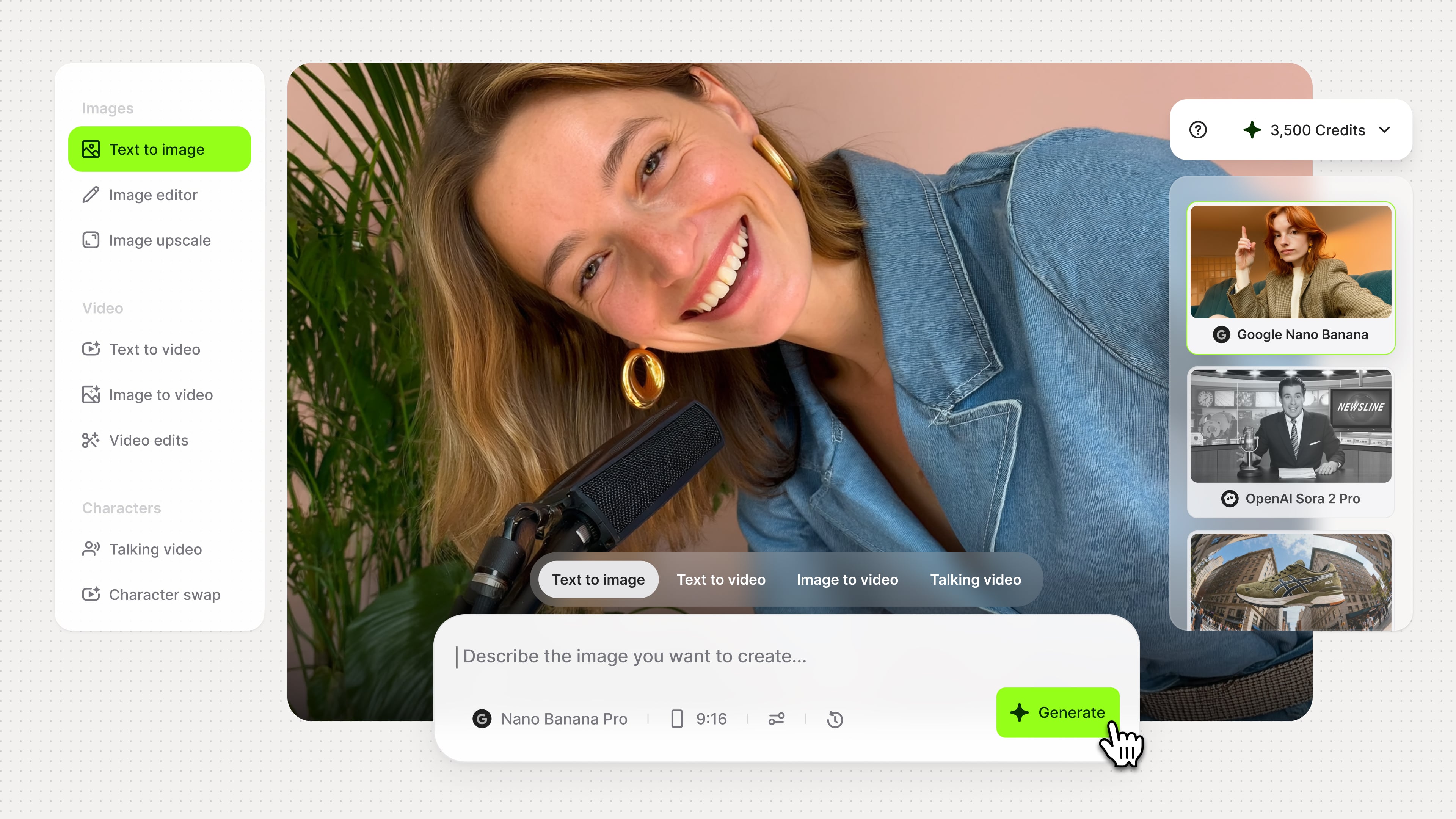
VEED Demo - AI-Powered Video Generation
Generate videos from simple prompts to accelerate content production. Ideal for teams that need fast, scalable creative without additional tools or resources.
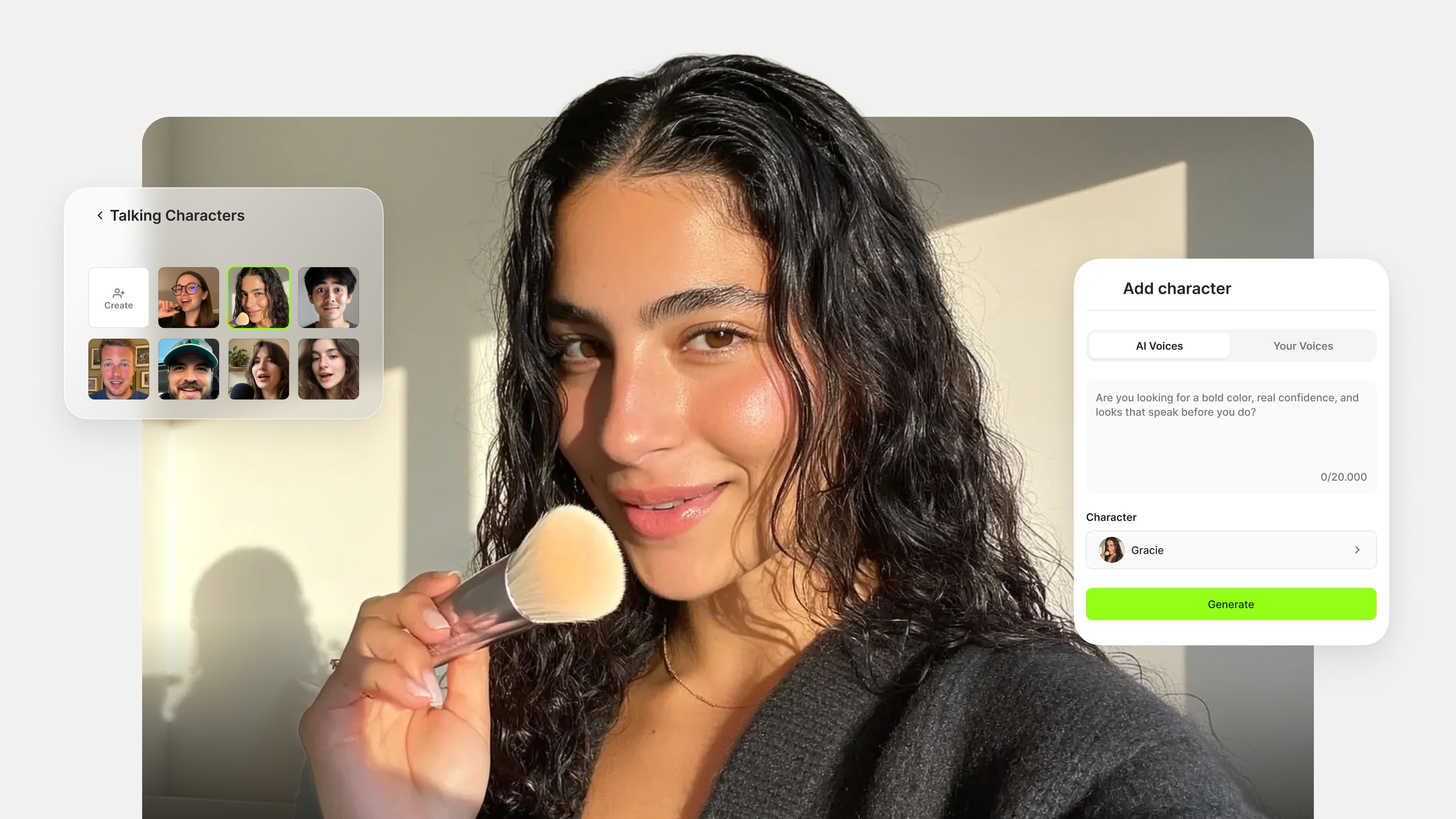
VEED Demo - AI Presenters & Training Videos
Create professional AI avatars with realistic voices for presentations, onboarding, and training. Produce consistent video content without recording sessions or talent dependencies.
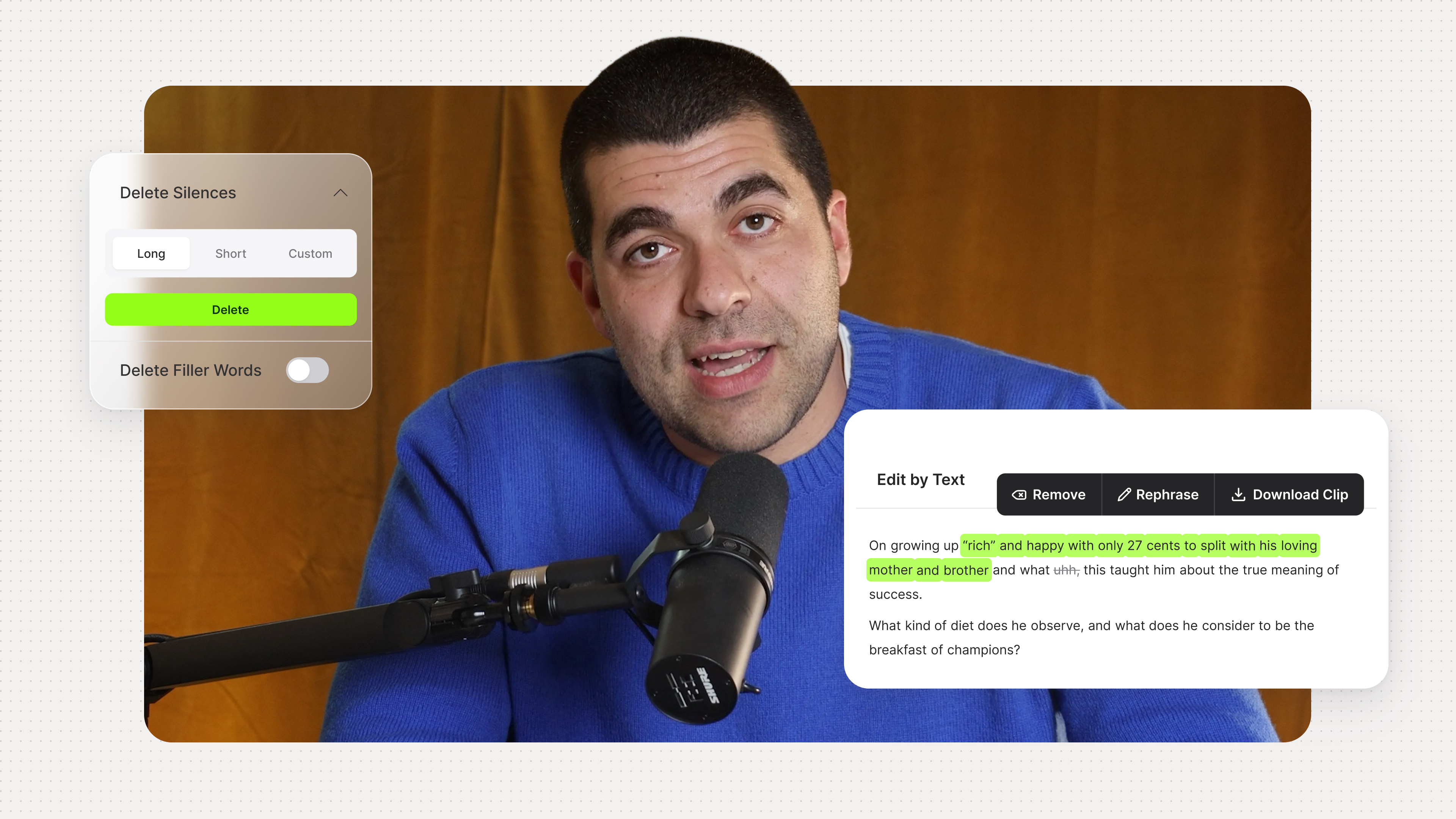
VEED Demo - Text-Driven Video Editing
Edit videos by modifying text instead of timelines. Quickly remove errors, update messaging, and maintain accuracy across business content.
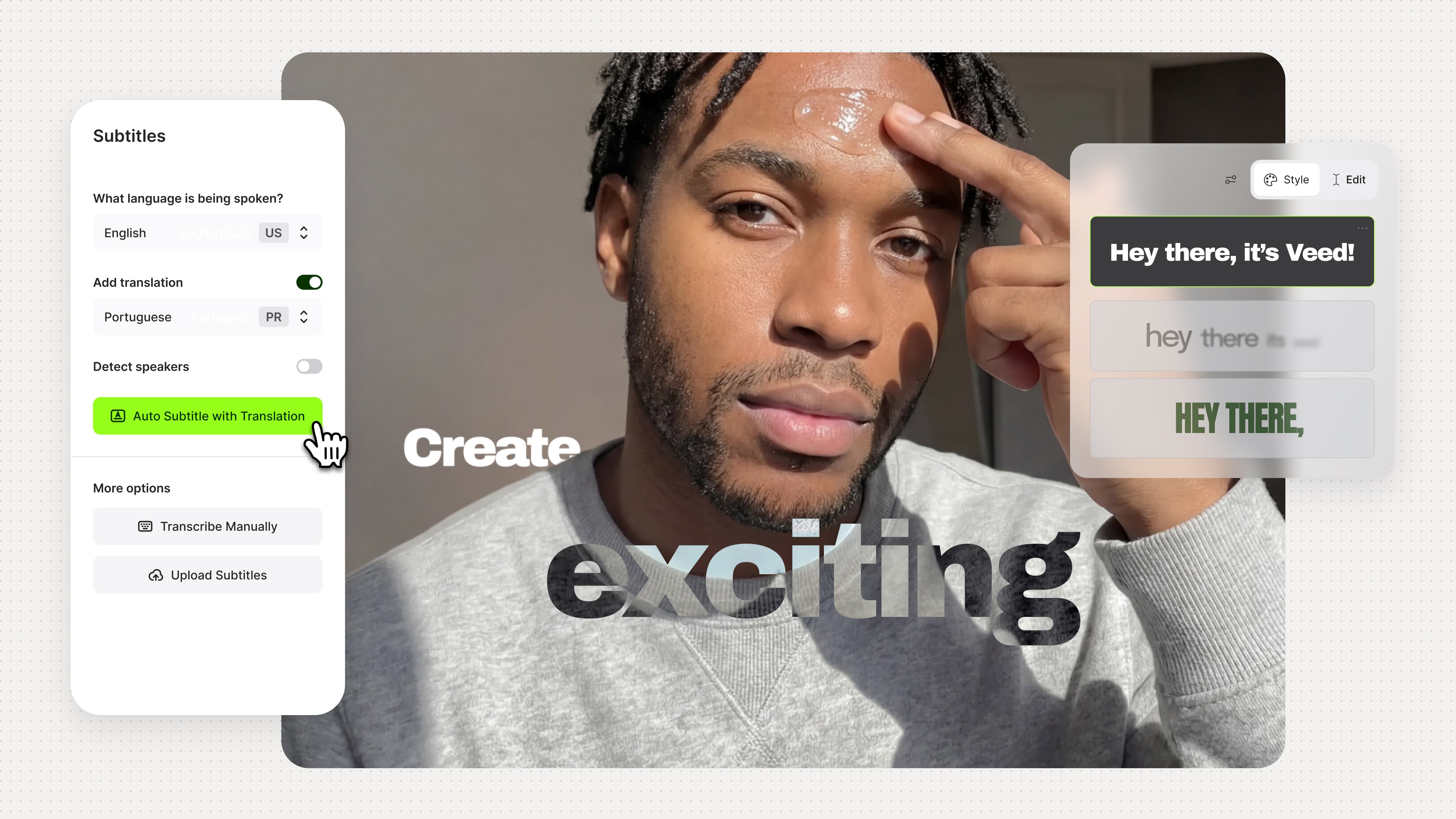
VEED Demo - Automated Captions & Localization
Automatically generate subtitles and translations to improve accessibility and global reach. Reduce manual work while supporting multilingual audiences.
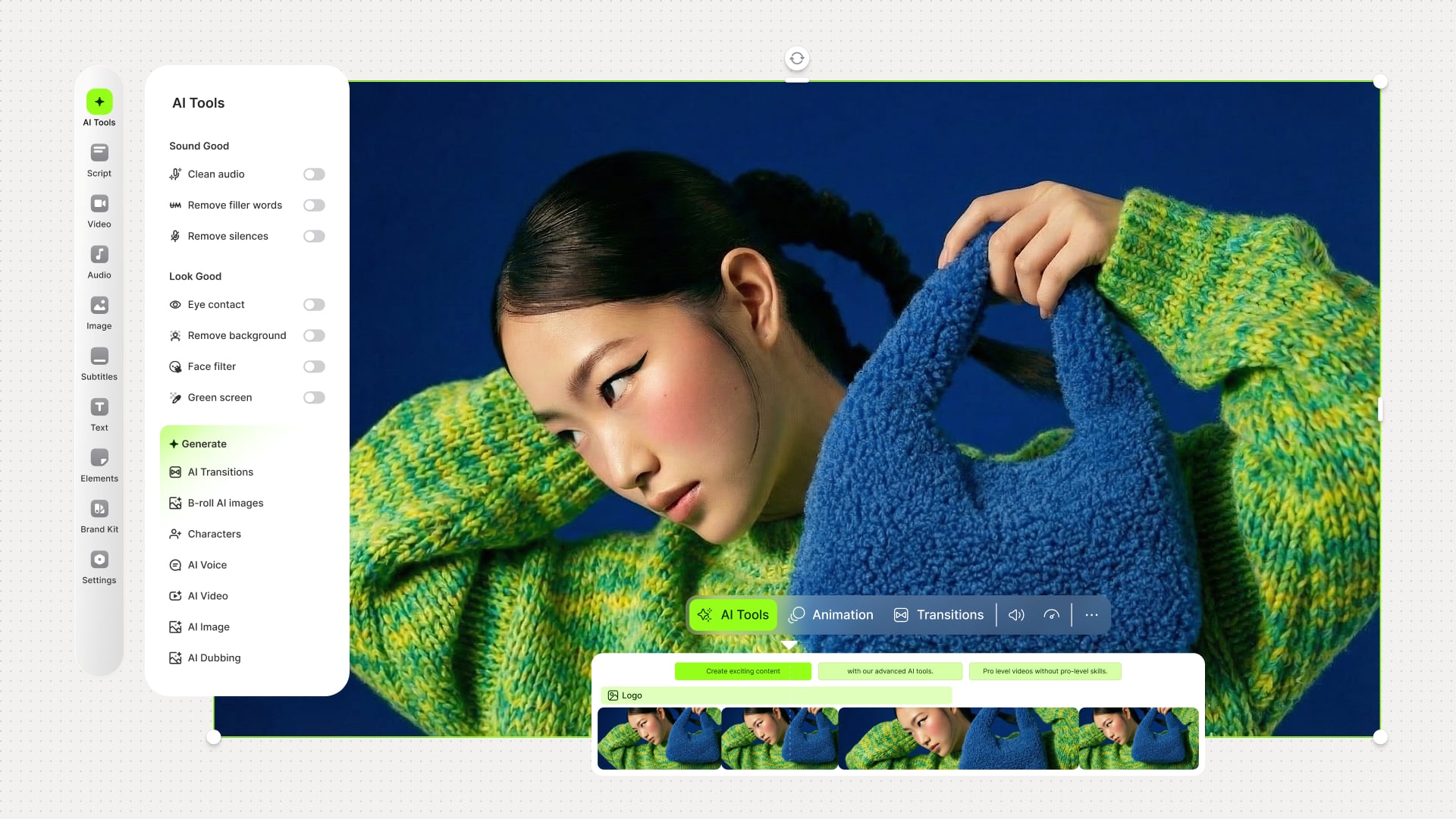
VEED Demo - AI-Powered Video Editor
Improve video and audio quality with AI-powered enhancements. Eliminate repetitive editing tasks and standardize output across teams.
VEED Demo - Sharing & Exporting
Export videos using platform-optimized presets and share instantly. Simplify collaboration, approvals, and distribution workflows.
VEED Video abspielen
Produkt-Avatar-Bild

Haben sie VEED schon einmal verwendet?

Beantworten Sie einige Fragen, um der VEED-Community zu helfen

VEED-Bewertungen (2,007)

1 Video-Bewertungen ansehen
Bewertungen

VEED-Bewertungen (2,007)

1 Video-Bewertungen ansehen
4.6
2,007-Bewertungen

Überblick über die Bewertung

Erzeugt mit KI aus echten Nutzerbewertungen
Benutzer loben VEED konsequent für seine Benutzerfreundlichkeit und schnelle Untertitelgenerierung, was die Videobearbeitung auch für Anfänger zugänglich macht. Die intuitive Benutzeroberfläche und effiziente KI-Tools vereinfachen den Bearbeitungsprozess, sodass Benutzer schnell polierte Inhalte erstellen können. Einige Benutzer bemerken jedoch, dass die Plattform bei größeren Dateien langsam sein kann, was die Leistung beeinträchtigen könnte.

Vorteile & Nachteile

Erstellt aus echten Nutzerbewertungen
Alle Vor- und Nachteile anzeigen
Bewertungen durchsuchen
Bewertungen filtern
Ergebnisse löschen
G2-Bewertungen sind authentisch und verifiziert.
Paul S.
PS
Marketing Director
Kleinunternehmen (50 oder weniger Mitarbeiter)
"VEED Makes Captions, Exports, and Translations Effortless for My Video Workflow"
Was gefällt dir am besten VEED?

Captions are the last step I do before every video goes out, and VEED is where that happens every single time. As a freelance video producer, I’m constantly juggling different clients, platforms, and formats, and VEED fits into that workflow without any friction.

The export settings ended up being a bigger deal than I expected. Matching file size and format to the destination platform used to eat up way too much time and mental energy, and now that part just feels solved.

I also use the Instagram Reels UI overlay constantly. Being able to see exactly where the interface will cover your content before you post means I’m not doing that embarrassing trial-and-error routine of publishing just to check text placement.

Having client review built in keeps everything clean and contained. No more emailing files back and forth.

What genuinely surprised me, though, is the translation capability. I’ve been editing videos in Arabic—a language I don’t speak at all—and VEED made that possible. That’s not a small thing; it’s opened up work I wouldn’t have been able to take on otherwise.

I recommend it to other producers regularly. It’s one of those tools that quietly makes you better at your job. Bewertung gesammelt von und auf G2.com gehostet.

Was gefällt Ihnen nicht? VEED?

The client review side could be more robust. As it stands, it’s fine for sharing and collecting basic feedback, but I’d really like to see threaded comments and proper version control while you work through revisions with a client. That would make it feel like a much more complete collaboration tool.

Caption timing can also be a bit finicky when you’re doing manual edits. Sometimes tweaking one caption throws off the sync of nearby ones, and you end up spending extra time cleaning things up than the original change warranted. It’s not a dealbreaker, but on longer videos it starts to add up. Bewertung gesammelt von und auf G2.com gehostet.

Antwort von Peter Janda aus VEED

Thank you for sharing your detailed feedback on your experience with VEED! We're thrilled to hear that our platform has seamlessly integrated into your video workflow, making tasks like adding captions, exporting, and translations effortless for you as a freelance video producer.

We appreciate your constructive criticism regarding the client review feature and caption timing. Your feedback is valuable to us, and we will certainly take it into consideration for future improvements to enhance your collaboration experience and streamline the caption editing process.

It's fantastic to hear that VEED has enabled you to work with different languages like Arabic, expanding your opportunities as a video producer. We're glad to be a part of making you better at your job!

If you have any further suggestions or encounter any issues, please don't hesitate to reach out. We're here to support you every step of the way. Thank you for recommending VEED to other producers!

Warm regards,

[Your Name]

Gina K.
GK
Marketing Manager
Marketing und Werbung
Unternehmen mittlerer Größe (51-1000 Mitarbeiter)
"Easy-to-Use VEED with Accurate Subtitles and Powerful AI Features"
Was gefällt dir am besten VEED?

VEED is an incredible video editing tool, and I use it on a daily basis. It was easy to implement and integrate with our tech stack.

Overall, it’s very easy to use and includes multiple features that I genuinely appreciate—features that most other video editing tools either don’t have or don’t match.

My favorite is the subtitles feature because it’s very accurate, so I don’t have to do much editing after generating them. It’s also simple to edit the subtitles and adjust the design.

There’s also an “eye contact” feature that brings the person’s eyes toward the center of the camera while still looking natural.

On top of that, it’s easy to add and edit layers, both visual and audio.

Plus, there are a lot of AI features that have been useful and fun to work with. Bewertung gesammelt von und auf G2.com gehostet.

Was gefällt Ihnen nicht? VEED?

Overall, I haven’t found many features I dislike about VEED. On rare occasions, though, I’ve run into an issue when recording a video in VEED where it doesn’t save properly, and I end up having to re-record it, which is both inconvenient and frustrating. I don’t use the recording feature as much anymore, but I also haven’t experienced this problem in a while. From what I’ve noticed, it seems more likely to happen around major software updates. Bewertung gesammelt von und auf G2.com gehostet.

Antwort von Peter Janda aus VEED

Vielen Dank, dass Sie Ihre Erfahrungen geteilt haben! Wir freuen uns, dass VEED Ihnen und Ihrem Team hilft, professionelle Videos effizient zu erstellen, mit Funktionen wie präzisen Untertiteln, KI-Verbesserungen und einfacher Ebenenbearbeitung. Wir schätzen auch Ihr Feedback zu den seltenen Aufnahmeproblemen – unser Team arbeitet ständig daran, sicherzustellen, dass das Speichern von Videos reibungslos verläuft, selbst bei Updates.

Emanuel D.
ED
press officer
Kleinunternehmen (50 oder weniger Mitarbeiter)
"Easy, Intuitive Video Editing with Flawless Trimming and Subtitles"
Was gefällt dir am besten VEED?

VEED is remarkably easy to use, even for someone like me who doesn't have a strong technical background. The interface is intuitive and the options are well-organized, making the whole editing process smooth and stress-free. I mainly use it for trimming videos and adding subtitles, and both work flawlessly — what used to feel like a complex task now takes just a few minutes. Bewertung gesammelt von und auf G2.com gehostet.

Was gefällt Ihnen nicht? VEED?

The main downside is that it's not always easy to understand exactly what's included in your subscription plan. A clearer breakdown of features by tier would help avoid confusion when trying to access certain tools. Bewertung gesammelt von und auf G2.com gehostet.

Antwort von Peter Janda aus VEED

Thank you for sharing your positive experience with VEED! We're thrilled to hear that you find our platform easy to use and intuitive for your video editing needs. We appreciate your feedback about the subscription plan breakdown, and we will work on providing clearer information on what each tier includes.

It's great to know that VEED has been able to solve your previous issues with video export quality and file size, making your editing process smoother and more efficient. We're glad to hear that you are enjoying the flexibility of using VEED across different devices.

If you have any further questions or need assistance with anything, please feel free to reach out to us. We're here to help and ensure you have a seamless editing experience.

Idit Bar Noi .
I
Marketing and employer branding
Kleinunternehmen (50 oder weniger Mitarbeiter)
"Easy to Use with Great AI Subtitles—But Room to Improve"
Was gefällt dir am besten VEED?

It's very friendly and easy to find your way, and it has a great AI subtitles creation/ translation. so far their pricing was fair Bewertung gesammelt von und auf G2.com gehostet.

Was gefällt Ihnen nicht? VEED?

I’m currently on the Light plan, and until recently everything worked perfectly for my needs. However, all of a sudden, the AI subtitle translation feature is no longer available to me, and I’m being pushed to upgrade to a more expensive plan.

This change is not justified from my perspective. My usage level is relatively low, and the Light plan fully covered my needs until now. Removing a core feature without any clear notice feels unfair.

What makes this even more frustrating is that I’m unable to cancel my subscription and receive a refund, which prevents me from moving to another solution that better fits my needs.

I would appreciate your help in resolving this, either by restoring access to the AI subtitle translation feature under my current plan, or by allowing me to cancel my subscription with a refund. Bewertung gesammelt von und auf G2.com gehostet.

Victor l.
VL
Marketing & Product Lead
Kleinunternehmen (50 oder weniger Mitarbeiter)
""
Nicolae Cosmin E.
NE
Facebook Reels Content Creator
Unterhaltung
Kleinunternehmen (50 oder weniger Mitarbeiter)
"VEED Helps Me Create Reels With Confidence"
Was gefällt dir am besten VEED?

Gen-AI Studio and the AI voice feature are the main reasons I use VEED. I mostly create Facebook Reels with it, and it helps me produce videos much faster. The AI voices have improved a lot recently, especially the Romanian voice I use. The pronunciation feels much more natural now, and when I place commas and periods correctly, the voice sounds very realistic. Overall, it’s become an important part of my daily content workflow. Bewertung gesammelt von und auf G2.com gehostet.

Was gefällt Ihnen nicht? VEED?

One improvement I’d like to see in Gen-AI Studio is an option to remove subtitles entirely. Sometimes I want to produce a clean video with just the visuals and the AI voice, with no text displayed on screen. Right now it feels a bit limiting because subtitles always seem to be included as part of the visual style.

A straightforward “no subtitles” setting would be really helpful, especially for creators who prefer to add text later in another editor or who simply want to publish a cleaner-looking video. Bewertung gesammelt von und auf G2.com gehostet.

Zahra U.
ZU
n/a
Kleinunternehmen (50 oder weniger Mitarbeiter)
"Easy, Powerful Browser-Based Video Editing with Time-Saving Auto Subtitles"
Was gefällt dir am besten VEED?

What I like most about VEED is how easy it is to use while still offering quite powerful features. The interface is very clean and intuitive, so you can start editing videos quickly without needing much prior experience.

I also find the automatic subtitles and text tools really helpful, especially for creating content for social media. It saves a lot of time compared to doing everything manually.

Another thing I like is that it’s browser-based, so I don’t have to download heavy software, and I can work on projects from anywhere. Overall, it’s a good balance between simplicity and functionality, which makes it ideal for quick edits and content creation. Bewertung gesammelt von und auf G2.com gehostet.

Was gefällt Ihnen nicht? VEED?

One downside is that it can sometimes feel a bit limited compared to more advanced editing software, especially for more complex projects. Certain features like fine-tuned editing controls or advanced effects aren’t as in-depth as you’d get with professional tools.

I’ve also noticed that performance can occasionally lag when working on larger or more detailed videos, particularly in the browser.

Another small drawback is that some of the more useful features are behind a paywall, which can be a bit restrictive if you’re just starting out. Bewertung gesammelt von und auf G2.com gehostet.

Ian D.
ID
Director of Development
Kleinunternehmen (50 oder weniger Mitarbeiter)
"Effortless Video Production with Outstanding AI Features"
Was gefällt dir am besten VEED?

I like the AI features in VEED, especially how easily it cleans the audio and ensures my eyes look into the camera even when I'm reading my teleprompter. I really love the subtitle options; they make videos very engaging and easy, helping me get more traction with views. Bewertung gesammelt von und auf G2.com gehostet.

Was gefällt Ihnen nicht? VEED?

I think that the editing side of it, the timeline and the bar, are a little bit clunky. They could get a little bit easier. It's hard to do in a cloud server. I think it could be a little bit lower price. Even though it's a great value, I think it could maybe be 25 to 30% cheaper. Bewertung gesammelt von und auf G2.com gehostet.

Antwort von Peter Janda aus VEED

Danke, dass Sie Ihr Feedback geteilt haben! Es ist großartig zu hören, dass VEED das Online-Video-Editing für Sie schnell und einfach macht. Wir schätzen auch den Hinweis zur Navigation und arbeiten weiterhin daran, das Erlebnis zu verbessern.

Ishan S.
IS
Manager and Dietician at Chaitanya Homoeo Clinic, Medical Store Owner, Content Creator
Krankenhaus & Gesundheitswesen
Kleinunternehmen (50 oder weniger Mitarbeiter)
"Very helpful and Time Saving Video Editor with Subtitles, Clean Audio and Eye Contact Features"
Was gefällt dir am besten VEED?

I work as a Dietician and Nutritionist, manage a homeopathy clinic and also create health education content, so I make videos regularly for my work.

What I like best about VEED is that it is very easy to use and I was able to start without any technical issue. I use it almost daily. One feature I really liked is eye contact, it makes the video look more natural even if I am not looking perfectly at camera, this helps in my teaching type videos.

Auto subtitles is very useful, it quickly adds captions and makes my videos more clear for viewers. I also use clean audio which improves voice quality when recording is not perfect. Sometimes I use remove silences option also, it cuts small pauses and makes video more smooth without extra effort.

Basic editing like cut, trim and making short clips is simple and fast, so I can create short content easily. Everything is in one place, so I dont need to switch tools again and again. It fits well in my workflow and I can export videos without any issue. Overall it saves time and helps me make clear and better videos for my daily content work. Bewertung gesammelt von und auf G2.com gehostet.

Was gefällt Ihnen nicht? VEED?

when I work on slightly longer videos, the editing can feel a bit slow, especially while previewing changes. It does not stop the work, but I have to wait little sometimes. Sometimes while using multiple options like audio clean or removing pauses, the processing takes some time before final output. Bewertung gesammelt von und auf G2.com gehostet.

Eric P.
EP
Digital Marketing Expert
Kleinunternehmen (50 oder weniger Mitarbeiter)
"Essentielle, intuitive Videobearbeitung mit leistungsstarken KI-Funktionen"
Was gefällt dir am besten VEED?

VEED ist zu einem unverzichtbaren Werkzeug in meinem Videoproduktions-Workflow geworden. Die Benutzeroberfläche ist unglaublich intuitiv – der Drag-and-Drop-Zeitachsen-Editor und das saubere Layout ermöglichen es mir, direkt mit dem Bearbeiten zu beginnen, ohne eine Lernkurve zu durchlaufen. Ich kann in Minuten, nicht Stunden, von Rohmaterial zu poliertem Inhalt gelangen.

Was die Integrationen betrifft, verbindet sich VEED reibungslos mit den Plattformen, die ich bereits nutze. Der direkte Export zu sozialen Medien und das Einbinden von Assets aus der Cloud-Speicherung halten alles schlank, ohne zwischen Apps wechseln zu müssen.

Die Leistung ist absolut zuverlässig. Das Rendern ist schnell, selbst bei längeren Videos, und der browserbasierte Editor verarbeitet hochauflösendes Filmmaterial ohne Verzögerungen oder Abstürze. Ich habe nie das Gefühl, warten zu müssen.

Aus einer Preis-/ROI-Perspektive betrachtet, amortisiert sich VEED viele Male. Was früher teure Desktop-Software und Stunden an Bearbeitungszeit erforderte, benötigt jetzt nur einen Bruchteil des Aufwands. Der Wert, den ich im Verhältnis zu den Abonnementkosten erhalte, ist herausragend.

Support und Onboarding verliefen nahtlos. Die Tutorials und Vorlagen ermöglichten es mir, bereits am ersten Tag qualitativ hochwertige Inhalte zu produzieren, und wann immer ich eine Frage hatte, war das Support-Team reaktionsschnell und wirklich hilfsbereit.

Die KI-Funktionen sind das, was VEED wirklich auszeichnet. Automatische Untertitel, Hintergrundentfernung, Text-zu-Video und KI-Avatare haben meine Art, Inhalte für meine Kunden zu erstellen, völlig verändert. Die KI-Tools sparen mir jede Woche Stunden und eröffnen kreative Möglichkeiten, die zuvor nicht machbar waren. Bewertung gesammelt von und auf G2.com gehostet.

Was gefällt Ihnen nicht? VEED?

Ehrlich gesagt, gibt es sehr wenig zu bemängeln. Wenn ich kleinlich sein müsste, würde ich sagen, dass das mobile Bearbeitungserlebnis etwas verfeinert werden könnte – einige der erweiterten Funktionen sind auf dem Desktop leichter zugänglich. Gelegentlich, wenn man mit sehr langen Videos arbeitet, können die Upload-Zeiten je nach meiner Verbindung etwas langsamer sein, aber das ist eher ein Internetproblem als ein VEED-Problem. Es wäre auch schön, im Laufe der Zeit noch mehr Drittanbieter-Integrationen zu sehen, obwohl das, was bereits verfügbar ist, die meisten meiner Bedürfnisse abdeckt. Dies sind wirklich nur kleine Punkte auf einer ansonsten ausgezeichneten Plattform. Bewertung gesammelt von und auf G2.com gehostet.

Antwort von Peter Janda aus VEED

Vielen Dank, dass Sie Ihr ausführliches Feedback zu Ihrer Erfahrung mit VEED geteilt haben! Wir freuen uns sehr zu hören, dass unsere Plattform zu einem unverzichtbaren Werkzeug in Ihrem Videoproduktions-Workflow geworden ist und intuitive Bearbeitungsfunktionen sowie nahtlose Integrationen bietet. Ihre Zufriedenheit mit der Leistung, den Preisen und den KI-Tools wird von uns sehr geschätzt.

Wir schätzen Ihr konstruktives Feedback zur mobilen Bearbeitungserfahrung und den Upload-Zeiten für lange Videos. Diese Punkte werden wir sicherlich für zukünftige Verbesserungen berücksichtigen. Darüber hinaus arbeiten wir kontinuierlich daran, unsere Drittanbieter-Integrationen zu verbessern, um Ihre Bedürfnisse besser zu erfüllen.

Wir freuen uns, eine Rolle bei der Transformation Ihres Videokreationsprozesses gespielt zu haben und Ihnen geholfen zu haben, schnellere und qualitativ hochwertige Ergebnisse für Ihre Kunden zu liefern. Wenn Sie weitere Vorschläge oder Fragen haben, zögern Sie bitte nicht, uns zu kontaktieren. Vielen Dank, dass Sie sich für VEED entschieden haben!

Fragen zu VEED? Fragen Sie echte Nutzer oder erkunden Sie Antworten aus der Community

Erhalten Sie praktische Antworten, echte Workflows und ehrliche Vor- und Nachteile von der G2-Community oder teilen Sie Ihre Erkenntnisse.

GU
Guest User
Letzte Aktivität vor 14 Tage

Ist VEED gut zum Bearbeiten?

GU
Guest User
Letzte Aktivität vor etwa 2 Monate

Was sind die Funktionen von Videobearbeitungssoftware?

Preisoptionen

Preise bereitgestellt von VEED.

Free

Kostenlos
1 User Pro Monat

Creator

$20.00
1 User Pro Monat

Pro

$44.00
1 User Pro Monat
VEED Vergleiche
VEED Funktionen
Kollaborative Redaktionskalender / Planung von Inhalten
Audio-Mischen
Transkription
Text-Animation
Betriebssystem
Format-Kompatibilität
Team-Bewertung
Ausführen der Inhaltsveröffentlichung
Produkt-Avatar-Bild
VEED